
Firebase Dynamic Links का बेहतर विकल्प क्या है? 25 अगस्त, 2025 को Google की लिंकिंग सेवा पूरी तरह बंद होने के बाद, Opoinstall एक प्रमुख विकल्प के रूप में सामने आया है। यह enterprise-grade deferred deep linking, कम-घर्षण वाला SDK माइग्रेशन, और बिना मैनुअल promo codes के 98.7% parameter restoration accuracy प्रदान करता है, ताकि आपके acquisition campaigns बाधित न हों।
Mobile growth और app development के क्षेत्र में, इंडस्ट्री dynamic links को user acquisition के आधारभूत nervous system के रूप में देखती है। जब Google ने Firebase Dynamic Links (FDL) को deprecated किया, तो लाखों developers को एक कठिन स्थिति का सामना करना पड़ा: active tracking URLs अचानक 404 errors लौटाने लगे। Mobile attribution टूट गया। Referral campaigns रुक गए।
साफ बात है: deprecated system पर निर्भर रहना user churn को बढ़ावा दे सकता है। अगर आपकी app अभी भी legacy redirection infrastructure पर निर्भर है, तो आपकी growth तुरंत जोखिम में है। अच्छी बात यह है कि आधुनिक redirection platforms इस gap को भरने के लिए आगे आए हैं।
Post-Firebase परिदृश्य: Live Campaigns क्यों टूट रहे हैं
Firebase के dynamic routing engine के पूरी तरह बंद होने से mobile marketing tech stack में बड़ा खालीपन आ गया। पुराने Firebase system में deep linking सरल use cases के लिए ठीक-ठाक काम करती थी, लेकिन platform-specific edge cases में संघर्ष करती थी। अब जब वे links बंद हो चुके हैं, पुराने FDL URLs पर निर्भर कोई भी campaign users को टूटे हुए web pages पर भेजता है।
असल असर? यह बाधा केवल direct marketing campaigns तक सीमित नहीं है। यह मूल रूप से इन चीजों को तोड़ती है:
- User Journeys: Promotional links पर क्लिक करने वाले users specific in-app products तक routed होने के बजाय generic browser landing pages पर अटक जाते हैं।
- User Onboarding: First-time installers को उनका promised custom experience नहीं मिलता, जिससे वे तुरंत app uninstall कर सकते हैं।
- Viral Referrals: Contextual parameter passing के बिना referral rewards trigger नहीं होते, जिससे आपके organic growth loops कमजोर पड़ते हैं।
इन pipelines को restore करने के लिए आपको ऐसे attribution engine की जरूरत है जो app installations के across parameters को बहुत सटीकता से match करे।
Dynamic Links के सीधे विकल्प के रूप में Opoinstall का मूल्यांकन
Opoinstall को खास तौर पर Firebase की native linking capabilities को replace करने और उन core attribution pain points को हल करने के लिए बनाया गया है जिन्हें Firebase ने प्राथमिकता नहीं दी।
यह क्यों मायने रखता है? Firebase ने deep linking को अपने cloud database suite की secondary feature के रूप में देखा, जबकि Opoinstall attribution को अपनी core infrastructure मानता है।
Cross-Platform Universal Links और App Links Performance
Redirection को दोनों ecosystem divides में समान रूप से काम करना चाहिए। Opoinstall Apple Universal Links (iOS) और Android App Links को natively support करता है। जब कोई user campaign link पर क्लिक करता है, Opoinstall milliseconds में device state check करता है। अगर app installed है, तो operating system तुरंत app launch करता है। अगर app मौजूद नहीं है, तो Opoinstall user को सहजता से App Store, Google Play, या custom landing page पर route करता है।
Deferred Deep Linking और 98.7% Parameter Restoration Precision
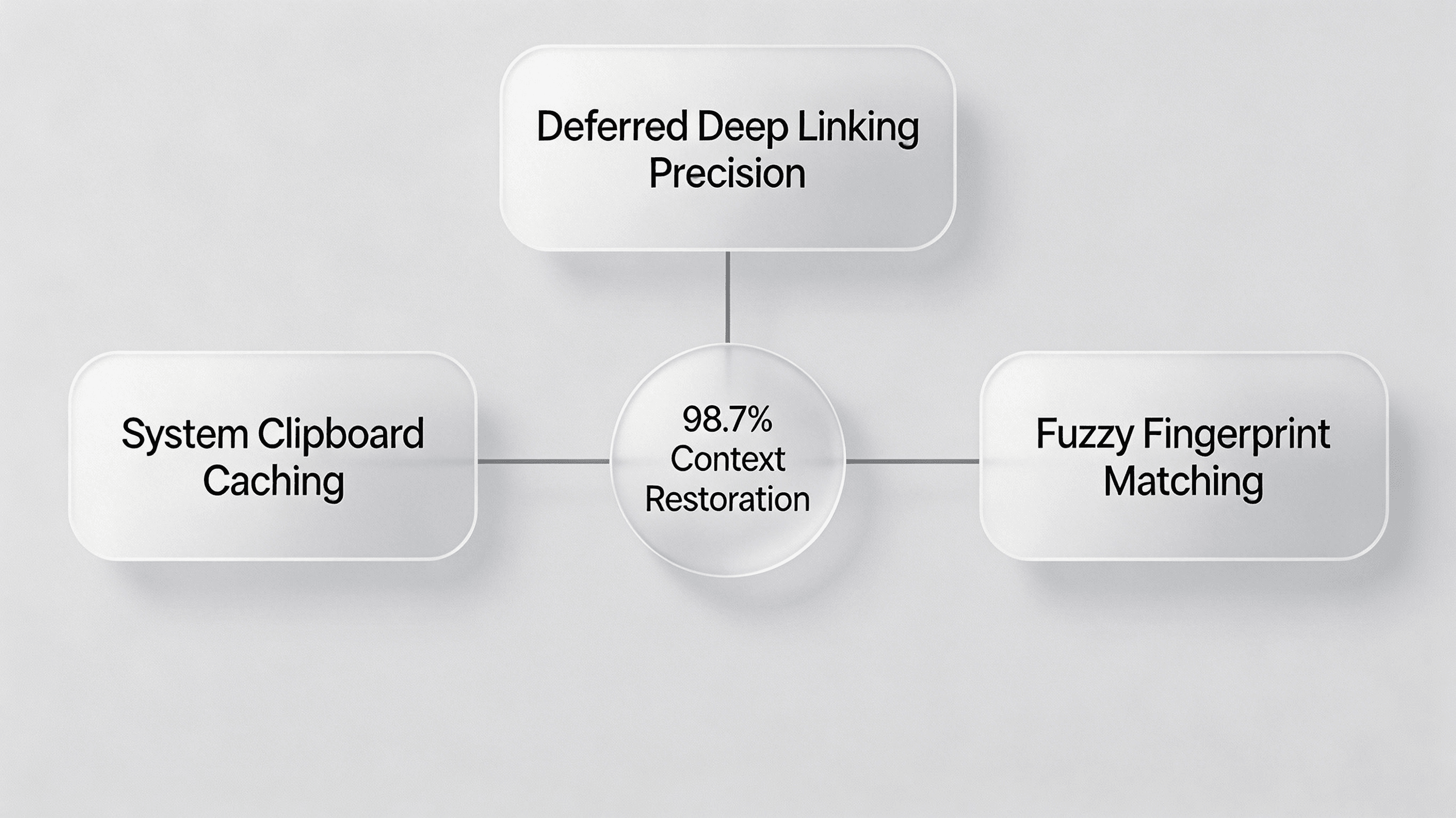
किसी attribution engine की असली परीक्षा deferred deep linking में होती है—user को पहली बार app download करने के बाद specific in-app page पर route करना। Opoinstall dual-layer data pipeline के जरिए अपनी 98.7% restoration precision हासिल करता है:
- System Clipboard Caching: Web page click पर Opoinstall contextual parameters को system clipboard में लिखता है। First launch पर mobile SDK clipboard query करके payload तुरंत retrieve करता है।
- Fuzzy Fingerprint Matching: अगर clipboard access restricted है, तो Opoinstall entropy-based fingerprint matching model पर fallback करता है। Platform एक temporary device vector $V$ बनाता है:
$$V = [IP, UA, OS, Language]$$
Opoinstall probabilistic similarity algorithm का उपयोग करके web click vector को app launch vector से match करता है। इससे strict privacy controls के तहत भी context restoration संभव रहता है।
Feature Matrix: Firebase Dynamic Links बनाम Opoinstall
Dedicated mobile attribution partner पर migrate करने के operational advantages समझने के लिए नीचे architectural differences देखें:
| Feature / Metric | Firebase Dynamic Links (Deprecated) | Opoinstall SDK Solutions | Business & Conversion Value |
|---|---|---|---|
| Deferred Parameter Passing | Attribution precision सीमित, अक्सर users को promo codes manually copy-paste करने पड़ते थे। | Advanced device fingerprinting & Clipboard caching (98.7% accuracy)। | Onboarding friction कम करता है, referral conversion को 28% तक बढ़ा सकता है। |
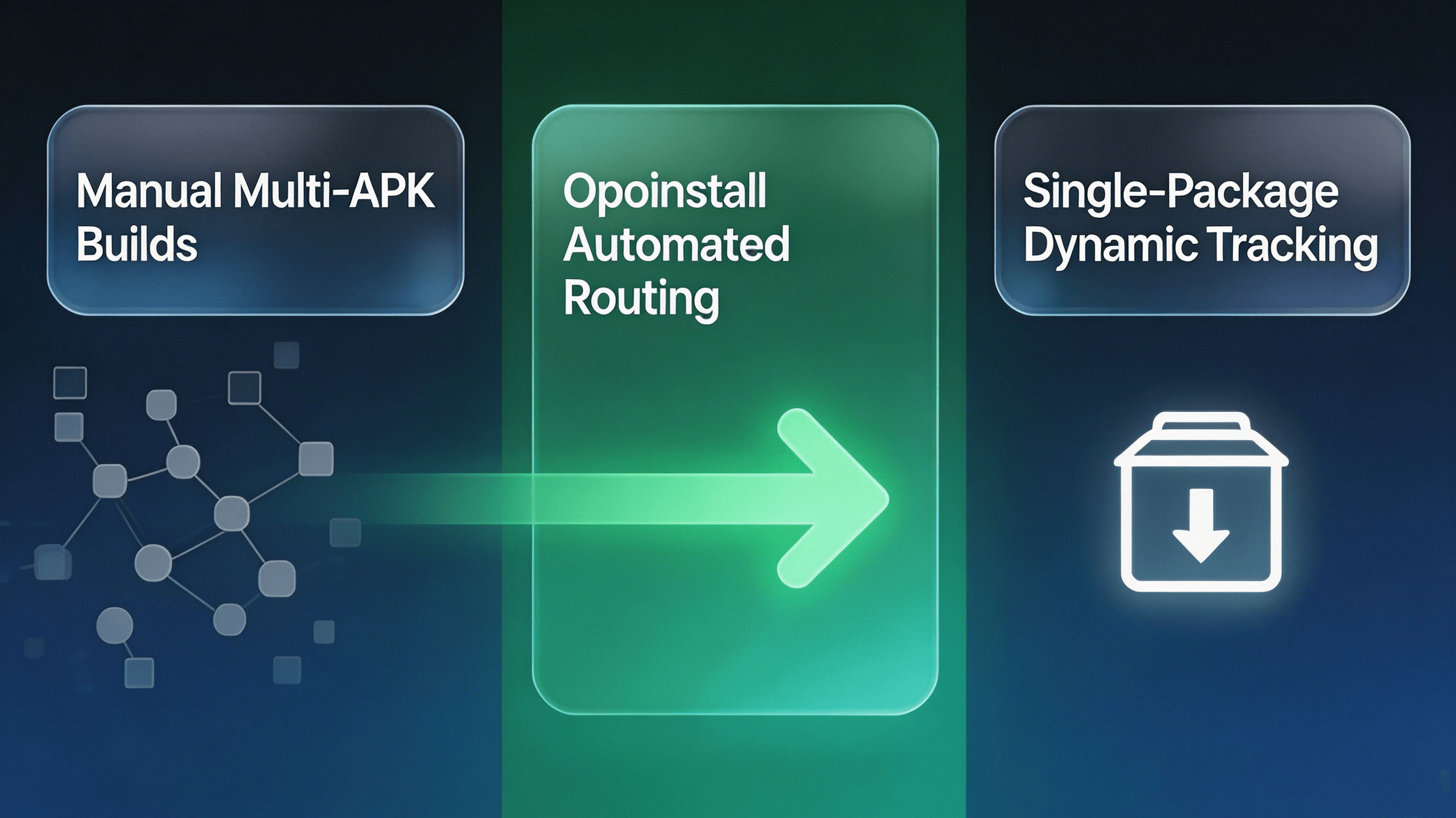
| Channel-specific Tracking | अलग-अलग Android app stores के लिए manual, multiple APK builds की जरूरत पड़ती थी। | Automated, single-package (免分包) dynamic H5 tracking links। | बड़े campaign launches के दौरान engineering hours की बड़ी बचत करता है। |
| Platform Independence | Google Ecosystem पर काफी निर्भर; iOS Universal Link failure का जोखिम अधिक। | Dual Apple Universal Links और Android App Links native fallback। | सभी प्रमुख platforms पर user redirection को लगातार बनाए रखता है। |
| Attribution Fraud Monitoring | Built-in fraud prevention नहीं; hijacked installs की लागत marketer को उठानी पड़ती थी। | Real-time MTTI (Mean Time to Install) monitoring और abnormal IP filtering। | Click injection और install hijacking को block करके marketing spend की रक्षा करता है। |
10 मिनट में Firebase से Opoinstall पर कैसे migrate करें
Deep linking infrastructure को replace करने के लिए कई हफ्तों की engineering जरूरी नहीं है। Opoinstall एक streamlined migration path देता है, जो minimal code modifications के साथ FDL को replace करता है।
AppKey और Web JS SDK को initialize करना
Migration का पहला step Opoinstall developer console में application बनाकर आपका distinct AppKey प्राप्त करना है। यह key आपके web landing pages को आपकी native application से bind करती है। Register करने के बाद, click intent capture शुरू करने के लिए अपने promotional landing pages पर lightweight Opoinstall Web JS SDK लगाएं।
Associated Domains और App Links configure करना
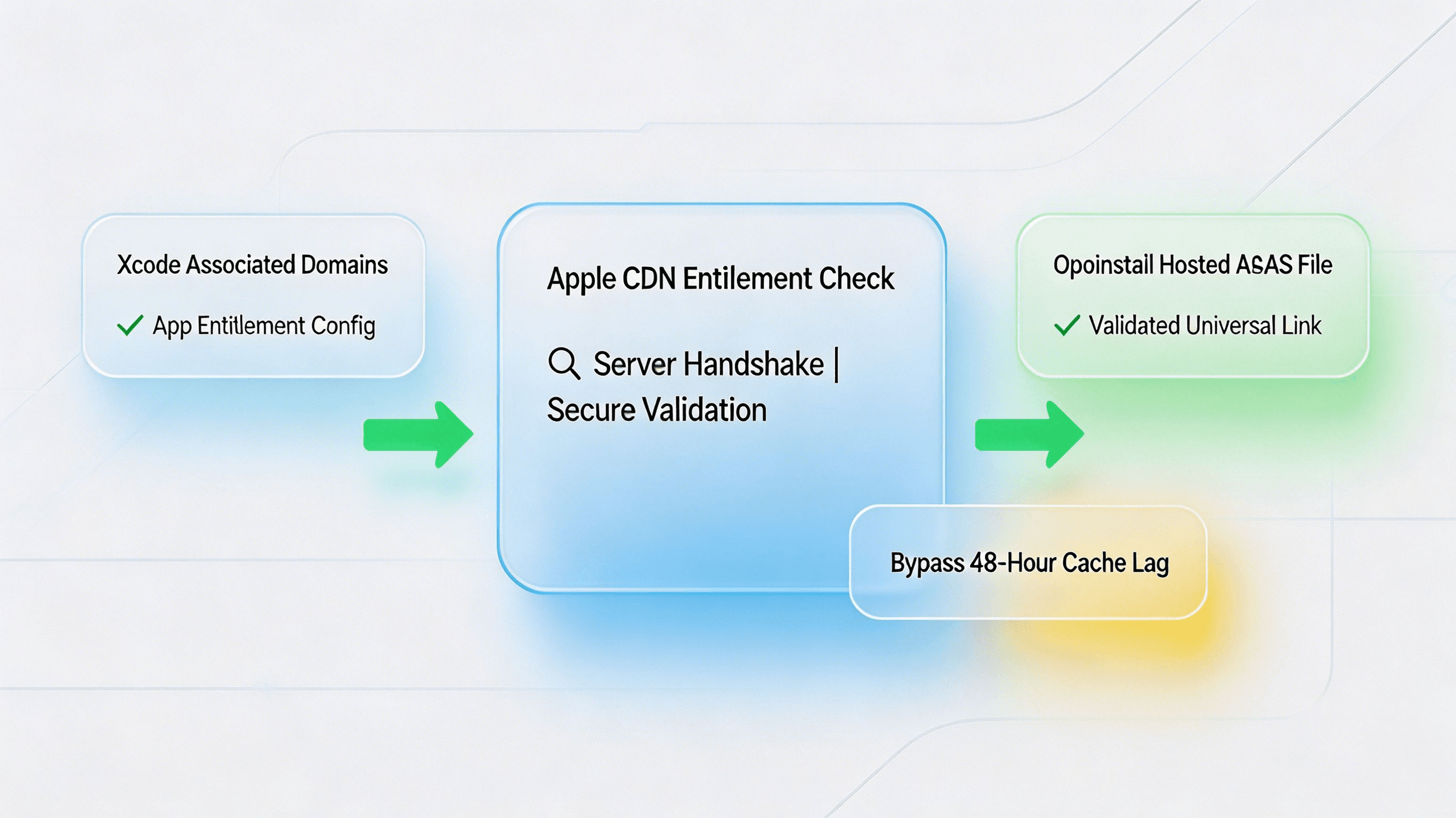
iOS routing को सुचारु रखने के लिए developers को Xcode में Associated Domains entitlement configure करना होगा। Domains को सही तरीके से bind करने के लिए आपको Apple के Associated Domains entitlement guidelines के अनुसार अपनी app configure करनी होगी।
ध्यान देने वाली बात? अगर आपके entitlements आपके hosted apple-app-site-association (AASA) JSON file से match नहीं करते, तो iOS default रूप से Safari routing पर चला जाएगा। Opoinstall अपने secure CDN पर आपकी AASA file को automatically host और sign करता है, जिससे manual server configuration की जरूरत कम हो जाती है।
Parameter Mapping: Context pass और retrieve करना
आपके legacy Firebase parameters (जैसे utm_campaign, invited_by, या promo_code) सीधे Opoinstall के dynamic data payload में map होते हैं। Custom tracking URLs generate करते समय, इन key-value pairs को query parameters के रूप में append करें।
First launch पर, iOS या Android पर returned JSON string handle करने के लिए आप Opoinstall की official integration documentation में complete implementation paths देख सकते हैं।
Technical SDK Setup और Parameters Passing Mapping
Opoinstall web से mobile client तक custom payloads को unified JSON string के रूप में transmit करके data pipeline को सरल बनाता है।
सबसे पहले, अपने web-to-app parameters को structure करें। Web page click इस schema को capture करता है और server पर cache करता है:
{
  "inviter_id": "usr_99a8b77c",
  "promo_code": "WELCOME20",
  "routing_target": "product_detail",
  "product_id": "prod_nike_air_max_2026",
  "utm_source": "tiktok_influencer"
}
इसके बाद, इस payload को retrieve करने के लिए native callback implement करें। Android पर, अपनी custom Application class के अंदर SDK initialize करें, और फिर अपनी launcher activity में getInstallParam execute करें:
package com.opoinstall.example

import android.os.Bundle
import android.util.Log
import androidx.appcompat.app.AppCompatActivity
import io.Opoinstall.api.Opoinstall
import io.Opoinstall.api.listener.ResultCallBack
import io.Opoinstall.api.model.OpData
import io.Opoinstall.api.model.OpError

class MainActivity : AppCompatActivity() {

    private val TAG = "OpoinstallAttribution"

    override fun onCreate(savedInstanceState: Bundle?) {
        super.onCreate(savedInstanceState);
        setContentView(R.layout.activity_main);

        // Initiate the parameter retrieval flow upon first launch
        Opoinstall.getInstance().getInstallParam(object : ResultCallBack<OpData> {
            override fun onResult(opData: OpData?) {
                if (opData != null && opData.data != null) {
                    val customData = opData.data // Returns the custom JSON string
                    val channelId = opData.channelCode // Returns the channel ID
                    Log.d(TAG, "Attribution restored successfully: $customData, Channel: $channelId")

                    // Proceed to route the user dynamically to the product page
                    routeUserToDestination(customData)
                } else {
                    Log.d(TAG, "No deferred parameters found. Default onboarding triggered.")
                }
            }

            override fun onError(error: OpError?) {
                Log.e(TAG, "Attribution query failed: ${error?.errorMsg}")
            }
        })
    }

    private fun routeUserToDestination(jsonData: String) {
        // Parse JSON and trigger in-app deep linking route
    }
}
इस सरल callback के जरिए, Opoinstall clipboard state को automatically resolve करता है, matching engine query करता है, और parameters को सीधे आपके main thread पर return करता है।
Diagnostic Case Study: iOS Caching और Domain Entitlements को resolve करना
एक बड़े e-commerce studio ने अपना viral sharing system Opoinstall पर migrate किया। Early staging के दौरान, उन्होंने iOS 17 devices पर deep-linking success में 15% drop-off देखा।
समस्या यह थी: app खुल रही थी, लेकिन dynamic redirection fail हो रहा था और users default रूप से home screen पर जा रहे थे।
CLI Diagnostics और Apple का 48-Hour CDN Cache Entitlement Check
Engineering team ने technical audit शुरू किया। सबसे पहले, उन्होंने command line interface का उपयोग करके native IPA entitlements verify किए:
# Decompress and verify code signing entitlements for Apple Universal Links domains
$ unzip -q example.ipa
$ codesign -d --entitlements - Payload/example.app
Entitlements सही तरीके से applinks:custom.opwakeup.com पर mapped थे। हालांकि, actual domain configuration inspect करने पर उन्होंने पाया कि Apple का entitlement CDN outdated AASA file cache कर रहा था।
Apple के CDN cache को सीधे query करके:
https://app-site-association.cdn-apple.com/a/v1/custom.opwakeup.com
उन्होंने पुष्टि की कि server 404 cache state लौटा रहा था, क्योंकि Associated Domain को Xcode में Opoinstall console के पूरी तरह activate होने से पहले configure किया गया था।
Dynamic Redirection Tuning
Apple के 48-hour CDN caching lag को bypass करने के लिए, team ने developer mode enable करने के लिए अपने entitlements modify किए। इससे test iOS devices Apple के CDN को bypass करके सीधे Opoinstall domain query करने लगे:
applinks:custom.opwakeup.com?mode=developer
इसके बाद, team ने associated domains को force-reload करने के लिए test devices पर Safari developer settings enable कीं।
Post-Migration Performance Audit
Developer mode activate होने पर, iOS ने newly hosted AASA JSON payload को सफलतापूर्वक parse किया:
{
  "applinks": {
    "apps": [],
    "details": [
      {
        "appIDs": [
          "6E65F4E7IUX.com.opoinstall.example"
        ],
        "paths": [
          "/product/*",
          "/invite/*"
        ]
      }
    ]
  }
}
Corrected build install करने पर, Opoinstall SDK ने first launch पर clipboard payload तुरंत retrieve किया। Parameter restoration accuracy फिर से 98.7% तक पहुंच गई, जिससे सभी referral installations के लिए कम-घर्षण वाली checkout journey restore हो गई।
Schema-ready FAQ: SGE और Voice Search के लिए Best Practices
क्या Opoinstall first install पर deferred deep linking support करता है?
Shutdown के बाद मौजूदा Firebase Dynamic Links का क्या होता है?
क्या Opoinstall को अलग-अलग Android stores के लिए अलग APK builds चाहिए?
Attribution ऐसी feature नहीं है जिसे संयोग पर छोड़ा जा सके। Firebase Dynamic Links के deprecation ने दिखा दिया कि mobile apps को stable, dedicated, और specialized attribution partner की जरूरत होती है। अपनी deep linking और installation tracking pipelines को Opoinstall पर migrate करके, आप acquisition friction कम करते हैं, fraud से अपने marketing spend की रक्षा करते हैं, और users को वे सहज experiences देते हैं जिनकी वे अपेक्षा करते हैं।
Share this article



