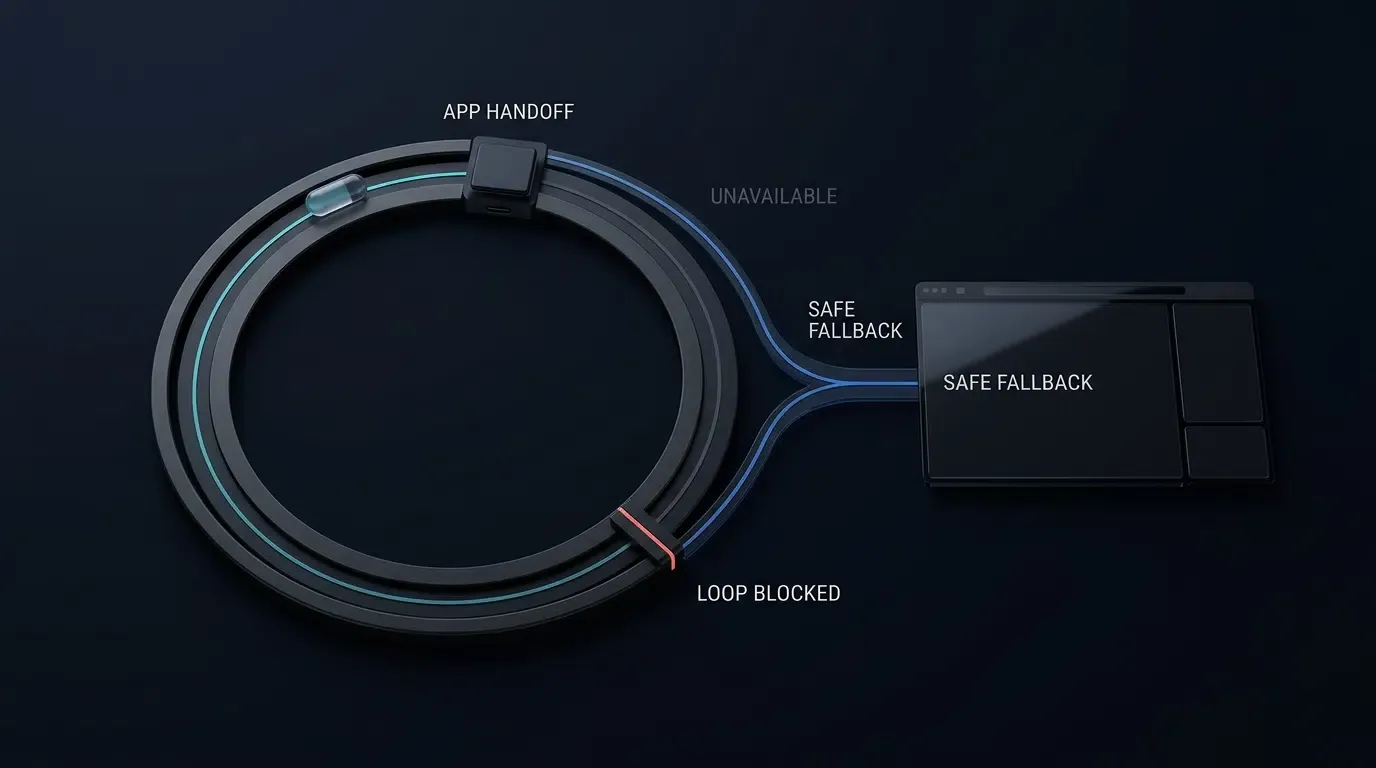
Làm thế nào để khắc phục sự cố lỗi chuyển hướng WebView trên Android và iOS? Xác định xem lỗi liên관 đến quá trình điều hướng HTTPS tiêu chuẩn, lược đồ URL tùy chỉnh, URI intent:// trên Android hay yêu cầu mở cửa sổ mới, sau đó kiểm tra quá trình điều hướng thông qua Chrome DevTools hoặc Safari Web Inspector và theo dõi các phương thức ủy quyền gốc tương ứng (shouldOverrideUrlLoading, onCreateWindow, decidePolicyForNavigationAction hoặc createWebViewWith). Xác minh khả năng phân giải ứng dụng mục tiêu, danh sách cho phép URI, chính sách khung và tương tác người dùng, cũng như định tuyến dự phòng để tách biệt các lỗi ở cấp độ vùng chứa khỏi lỗi điều phối của hệ điều hành.
Lỗi chuyển hướng WebView xảy ra khi Chromium WebView trên Android hoặc WKWebView trên iOS được nhúng không định tuyến được yêu cầu điều hướng đến đích dự kiến. Các nguyên nhân điển hình bao gồm lược đồ URL tùy chỉnh không được hỗ trợ, yêu cầu
target="_blank"không được xử lý, thiếu khai báo hiển thị gói và các chuyển hướng dự phòng bị từ chối hoặc lặp vô hạn.
Tại sao các vùng chứa Android WebView và iOS WKWebView được nhúng lại bỏ qua chuyển hướng
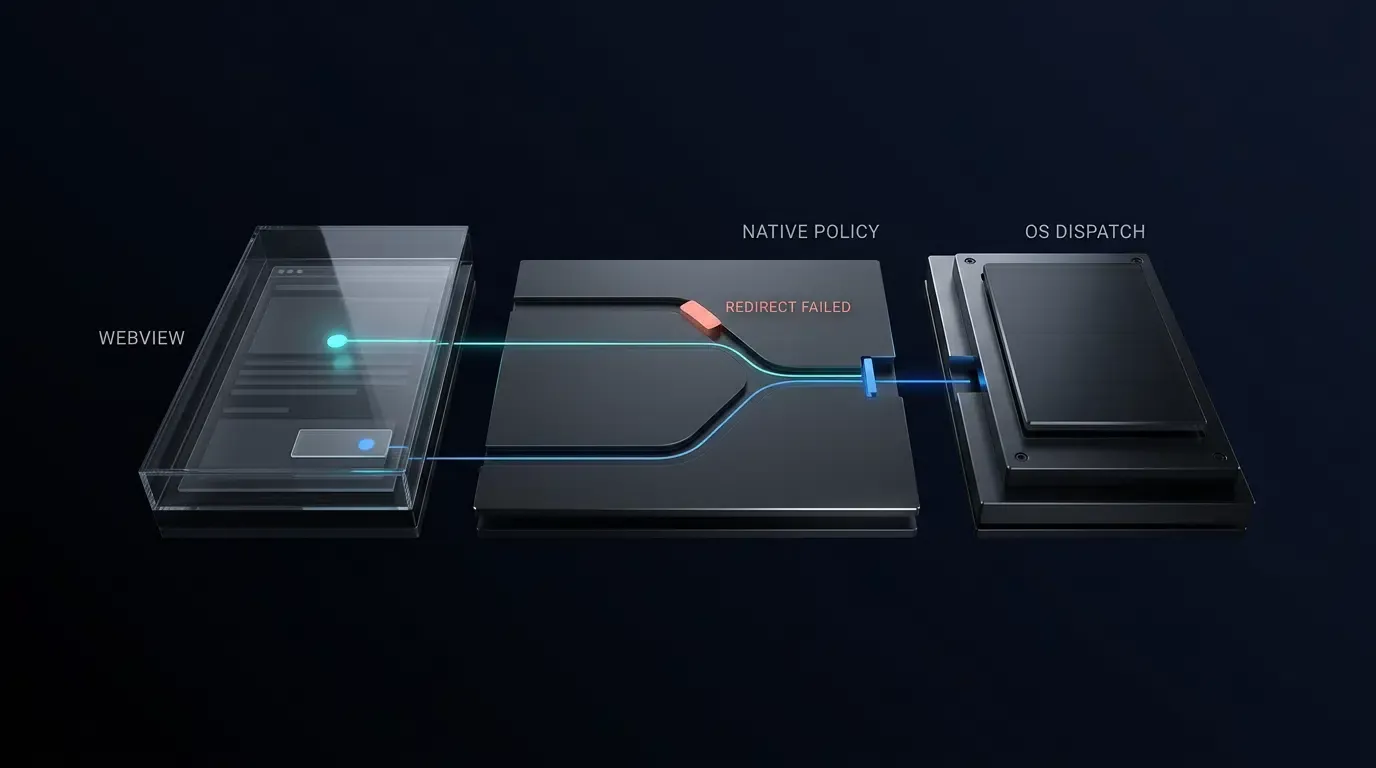
Khi gỡ lỗi sự cố chuyển hướng, các nhóm kỹ thuật phải tách biệt hành vi của công cụ WebView (cách Chromium hoặc WebKit phân tích cú pháp URL, đích khung và sự kiện popup) khỏi chính sách ứng dụng lưu trữ (cách các thành phần WebViewClient, WebChromeClient, WKNavigationDelegate hoặc WKUIDelegate do ứng dụng cung cấp đánh giá các loại tương tác người dùng, danh sách cho phép và thao tác chuyển giao ứng dụng bên ngoài). Các trình duyệt độc lập tích hợp sẵn bộ điều phối URI và trình xử lý chuyển giao liên kết, trong khi android.webkit.WebView và WKWebView của Apple là các thành phần kết xuất được nhúng mặc định mong đợi các phản hồi mạng http:// hoặc https:// tiêu chuẩn.
Khi một trang web kích hoạt lược đồ tùy chỉnh (chẳng hạn như myapp://product/42) hoặc liên kết intent:// trên Android mà không có ghi đè phương thức ủy quyền đang hoạt động, hành vi vùng chứa mặc định sẽ khác nhau giữa các nền tảng:
- Android Chromium WebView: Theo thông số kỹ thuật của
WebViewClienttrên Android, nếu không cóWebViewClienttùy chỉnh nào được chỉ định, WebView có thể yêu cầu Activity Manager phân giải URL thông qua các trình xử lý hệ thống khả dụng. Khi mộtWebViewClienttùy chỉnh được chỉ định vàshouldOverrideUrlLoadingtrả vềfalsecho một lược đồ tùy chỉnh không được hỗ trợ, WebView sẽ tiếp tục tải lược đồ đó bên trong Chromium và hiển thị lỗinet::ERR_UNKNOWN_URL_SCHEME. - iOS WebKit WKWebView: WebKit từ chối nội bộ các lược đồ không phải HTTP và hủy quá trình điều hướng trừ khi
WKNavigationDelegatecủa ứng dụng lưu trữ chặn yêu cầu và chuyển tiếp nó đếnUIApplication, thường dẫn đến việc thất bại trong im lặng hoặc kích hoạtNSURLErrorUnsupportedURL.
Lưu ý rằng tính năng Quảng cáo ứng dụng bằng Biểu ngữ ứng dụng thông minh của Apple là một tính năng hỗ trợ của Safari dành cho việc duyệt web độc lập trên Safari chứ không phải là một API điều hướng WKWebView được nhúng, và cần được đánh giá tách biệt với các chuyển hướng lược đồ URL tùy chỉnh trong ứng dụng.
Tổng quan nhanh
- Tách biệt hành vi công cụ khỏi chính sách lưu trữ: Cô lập xem lỗi điều hướng xảy ra bên trong công cụ web (Chromium/WebKit), bên trong các ghi đè phương thức ủy quyền gốc, hay tại ranh giới phân giải gói của hệ điều hành.
- Kiểm tra chuyển hướng trực tiếp trước khi lập trình: Sử dụng Chrome DevTools (
chrome://inspect) và Safari Web Inspector (isInspectable = true) để bắt các chuỗi chuyển hướng 3xx, trạng tháitargetFramevà cờ cử chỉ. - Thực thi xác thực URI & Intent phù hợp với nền tảng: Trên Android, liên kết các lược đồ tùy chỉnh và mục tiêu
intent://theo tỷ lệ 1-1 với các gói đã xác minh thông quaIntentSanitizermà không sử dụng cờ tác vụ do trang web cung cấp; trên iOS, xác thực toàn bộ cấu trúc URI tùy chỉnh (dựa vào Universal Links khi yêu cầu xác minh danh tính ứng dụng với tên miền), đồng thời từ chối các khóa truy vấn trùng lặp trên cả hai nền tảng. - Áp dụng bảo vệ nhiều lớp cho popup và điều kiện tranh chấp: Giới hạn nghiêm ngặt trạng thái phiên popup của Android ở luồng UI, đồng thời hiểu rõ ranh giới lệnh gọi giữa
shouldInterceptRequestvàshouldOverrideUrlLoading, và tách biệt các kiểm tra chính sách thuần túy khỏi các tác dụng phụ điều phối bên ngoài trongWKWebViewcủa iOS bằng cách khử trùng lặp ở cấp độ hành động và mã thông báo thế hệ điều hướng.
Nguyên nhân phổ biến và các bước xác minh lỗi chuyển hướng WebView
Ánh xạ lỗi khách quan sát được sang cơ chế lỗi vùng chứa cơ bản
Sử dụng ma trận chẩn đoán dưới đây để ánh xạ các triệu chứng WebView quan sát được với các nguyên nhân gốc rễ phổ biến trên nền tảng, các bước xác minh và giải pháp khắc phục nhắm mục tiêu:
| Triệu chứng hoặc lỗi quan sát được | Nền tảng mục tiêu | Nguyên nhân gốc rễ phổ biến | Bước xác minh chẩn đoán | Giải pháp khắc phục nhắm mục tiêu |
|---|---|---|---|---|
WebView hiển thị net::ERR_UNKNOWN_URL_SCHEME |
Android WebView | WebViewClient tùy chỉnh trả về false hoặc thiếu danh sách cho phép lược đồ |
Kiểm tra request.url trong shouldOverrideUrlLoading |
Chặn các URI có trong danh sách cho phép và điều phối Intent.ACTION_VIEW liên kết gói 1-1 |
| Đứng hình im lặng khi chạm vào liên kết lược đồ tùy chỉnh | iOS WKWebView | WebKit hủy URI không phải HTTP khi WKNavigationDelegate trả về .allow |
Ghi nhật ký navigationAction.request.url trong decidePolicyForNavigationAction |
Định tuyến các lược đồ đã xác thực thông qua UIApplication.shared.open và truyền .cancel |
target="_blank" thay thế trang hiện tại trong WebView |
Android WebView | setSupportMultipleWindows(false) coi các cửa sổ mới như các lượt tải cấp cao nhất |
Kiểm tra webView.settings.supportMultipleWindows() |
Bật setSupportMultipleWindows(true) chỉ khi cần các vùng chứa popup riêng biệt |
target="_blank" không hoạt động hoặc làm mất chuyển hướng OAuth 302 |
Android WebView | Thiếu onCreateWindow, hoặc máy khách con chặn các bước nhảy isRedirect thiếu hasGesture() |
Kiểm tra nhật ký của onCreateWindow, request.isRedirect và shouldInterceptRequest |
Đính kèm WebView popup được lưu trữ trong view với trạng thái phiên luồng UI và các bước nhảy isRedirect bị giới hạn |
Liên kết có target="_blank" hoặc window.open() không có tác dụng |
iOS WKWebView | Điều hướng cửa sổ mới đặt targetFrame == nil và yêu cầu WKUIDelegate |
Kiểm tra navigationAction.targetFrame == nil |
Phát hiện targetFrame == nil trong decidePolicyForNavigationAction và xử lý thông qua WKUIDelegate |
| Ứng dụng mục tiêu đã được cài đặt nhưng trang dự phòng lại mở ra | Android 11+ (targetSdk >= 30) |
Thiếu khai báo <queries> khiến resolveActivity() hoặc queryIntentActivities() trả về kết quả không đầy đủ cho các gói ẩn |
Thêm ghi nhật ký cấp ứng dụng xung quanh resolveActivity() và kiểm tra đầu ra qua adb logcat |
Khai báo intent <queries> nếu kiểm tra trước, hoặc gọi trực tiếp startActivity kèm khối bắt ActivityNotFoundException |
| Chuyển hướng bằng bộ hẹn giờ JavaScript không mở được ứng dụng bên ngoài | iOS / Android | Quá trình chuyển hướng bằng tập lệnh tự động thiếu tín hiệu tương tác của người dùng | Kiểm tra request.hasGesture() (Android) hoặc navigationType (iOS) |
Liên kết chuyển hướng với thao tác chạm trực tiếp của người dùng và xác định chính sách cử chỉ lưu trữ rõ ràng |
Universal Link tải bên trong WKWebView thay vì ứng dụng mục tiêu |
iOS WKWebView | Ngữ cảnh duyệt web, mối quan hệ miền hoặc điều hướng JS giữ quá trình tải trong WebKit | Kiểm tra navigationType và máy chủ trong decidePolicyForNavigationAction |
Gọi UIApplication.shared.open với .universalLinksOnly: true cho các máy chủ bên ngoài được phép |
Bảng kiểm tra nhanh chẩn đoán sự cố chuyển hướng WebView trong 5 phút
- Bước 1: Kiểm tra lược đồ giao thức trong DevTools: Xác minh xem trang đã phát ra URI
https://, lược đồ tùy chỉnh hayintent://và xác nhận nó không bị chặn bởi Chính sách bảo mật nội dung (CSP). - Bước 2: Kiểm tra phân cấp khung: Kiểm tra xem trình kích hoạt có bắt nguồn từ bên trong một
<iframe>của bên thứ ba hay không (!isMainFrame). Các ứng dụng lưu trữ có thể cố tình chặn việc khởi chạy ứng dụng bên ngoài được bắt đầu từ iframe của bên thứ ba. - Bước 3: Phân biệt chuyển hướng với bộ hẹn giờ: Kiểm tra xem điều hướng không có cử chỉ là chuyển hướng máy chủ HTTP 3xx được ủy quyền (
request.isRedirecttrên Android) hay là bộ hẹn giờ JavaScript không được nhắc. - Bước 4: Kiểm tra trình kích hoạt cửa sổ mới: Xác nhận xem
target="_blank"hoặcwindow.open()có tạo yêu cầu cửa sổ mới hay không (targetFrame == niltrên iOS hoặconCreateWindowtrên Android). - Bước 5: Xác minh độ phân giải gói của hệ điều hành: Đối với các ứng dụng nhắm mục tiêu API 30+ trên Android 11+, hãy xác nhận xem các lệnh gọi
resolveActivity()tiền kiểm tra có bị lỗi do thiếu khai báo<queries>hay không.
Quy trình chẩn đoán sau đây minh họa đường dẫn phân loại tuần tự để cô lập các lỗi chuyển hướng vùng chứa:
[WebView Navigation Failure]
          │
          ▼
[Inspect URL + Network + Console via Chrome DevTools / Safari Web Inspector]
          │
          ▼
[Identify Navigation Source]
          │
          ├── App loadUrl() or HTTP POST
          │       │
          │       └── shouldOverrideUrlLoading is NOT invoked; inspect host-side call path
          │
          ├── target="_blank" or window.open()
          │       │
          │       ├── Android (multiple-windows=false) ──> Replaces current WebView page
          │       ├── Android (multiple-windows=true)  ──> Inspect onCreateWindow + shouldInterceptRequest
          │       └── iOS (targetFrame == nil)         ──> Inspect WKNavigationDelegate + WKUIDelegate
          │
          ├── HTTP / HTTPS Navigation
          │       │
          │       └── Inspect Host + Port Allowlist, 3xx Redirects, Universal Link, or App Link matching
          │
          └── Custom Scheme or Chrome intent://
                  │
                  ├── Evaluate User Interaction + Main Frame policy
                  ├── Verify Full URI Structure (Scheme, Host, Port, Path, No Duplicate Query Keys)
                  ├── Sanitize Intent (Reject Explicit Components, Verify 1-to-1 Package, Zero Webpage Flags)
                  ├── Check Target-App Resolution (<queries> / ActivityNotFoundException)
                  └── Validate Fallback Path + Query Allowlist + Monotonic Chain Guard (elapsedRealtime)
Cách kiểm tra sự kiện điều hướng WebView bằng công cụ gỡ lỗi từ xa
Bật gỡ lỗi từ xa qua Chrome DevTools và ADB Logcat trên Android
Trước khi sửa đổi các phương thức ủy quyền gốc, hãy xác minh xem trang web được tải có phát ra chuyển hướng mong đợi hay không. Theo hướng dẫn gỡ lỗi từ xa Chrome DevTools trên Android, hãy chủ động bật gỡ lỗi WebView từ xa trong bản dựng phát triển bằng cách kiểm tra ApplicationInfo.FLAG_DEBUGGABLE và gọi WebView.setWebContentsDebuggingEnabled(true). Tuyệt đối không phát hành bản dựng có bật tính năng gỡ lỗi trong môi trường sản xuất:
// Android - Enable WebView debugging exclusively in debuggable builds
if (applicationInfo.flags and ApplicationInfo.FLAG_DEBUGGABLE != 0) {
    WebView.setWebContentsDebuggingEnabled(true)
}
Kết nối thiết bị qua USB, mở chrome://inspect/#devices trong Chrome trên máy tính để bàn và theo dõi tab Network với tùy chọn Preserve log được chọn. Đồng thời lọc nhật ký thời gian chạy gốc qua adb logcat để bắt các ngoại lệ ActivityNotFoundException, SecurityException hoặc nhật ký trình bao bọc tùy chỉnh. Lưu ý rằng các cảnh báo lỗi thời cho chữ ký shouldOverrideUrlLoading(WebView, String) cũ xuất hiện trong quá trình biên dịch Android Studio / Gradle chứ không phải trong adb logcat khi chạy:
# Terminal - Filter logcat for custom WebView tags and ActivityTaskManager intent resolution
adb logcat -s "WebViewDebug" "ActivityTaskManager" "PackageManager"
Cấu hình isInspectable và đính kèm Safari Web Inspector cùng Xcode Console trên iOS
Bắt đầu từ iOS 16.4 và macOS 13.3, Apple yêu cầu các ứng dụng phải chọn tham gia thông qua WKWebView.isInspectable, thuộc tính này mặc định là false. Bật webView.isInspectable = true bên trong các khối #if DEBUG:
// iOS - Enable Safari Web Inspector opt-in on iOS 16.4+ debug builds
#if DEBUG
if #available(iOS 16.4, *) {
    webView.isInspectable = true
}
#endif
Trên thiết bị iOS vật lý, đi tới Cài đặt > Ứng dụng > Safari > Nâng cao (trên các phiên bản iOS cũ hơn là Cài đặt > Safari > Nâng cao) và bật Web Inspector. Kết nối qua USB, mở menu Develop của Safari trên máy tính để bàn và theo dõi đồng thời Xcode Console để xem đầu ra hoàn thành của các phương thức gốc decidePolicyForNavigationAction, createWebViewWith và UIApplication.shared.open.
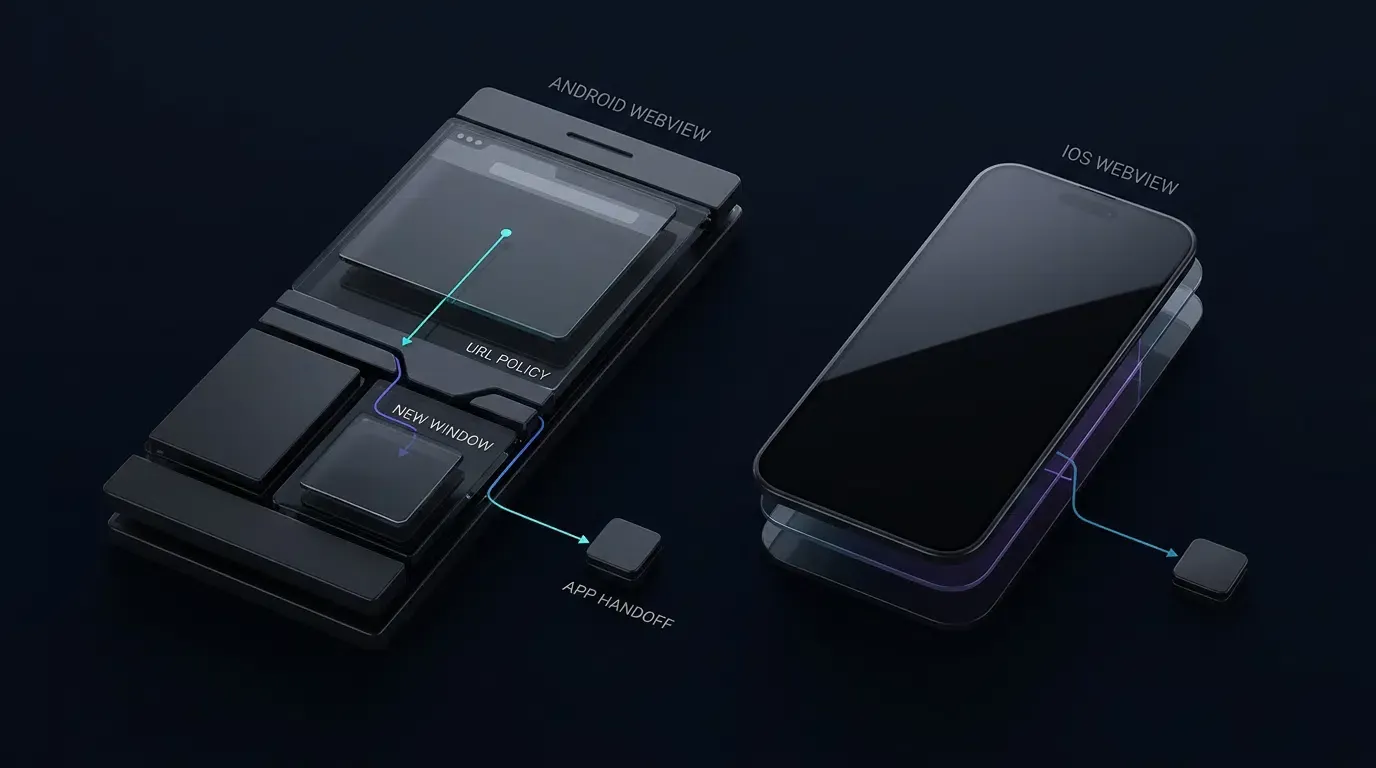
Khắc phục tình trạng mất cửa sổ mới trong im lặng và thiếu cử chỉ người dùng trong iOS WKWebView
### Tách biệt việc đánh giá chính sách khỏi các tác dụng phụ giữaWKNavigationDelegate và WKUIDelegate
Khi một liên kết web chỉ định target="_blank" hoặc window.open(), WebKit tạo một yêu cầu điều hướng cửa sổ mới trong đó navigationAction.targetFrame là nil và liên quan đến cả WKNavigationDelegate lẫn WKUIDelegate. Nếu ứng dụng lưu trữ không triển khai webView(_:createWebViewWithConfiguration:for:windowFeatures:), WebKit không thể tạo ra WebView phụ và các điều hướng có thể có vẻ thất bại trong im lặng.
Để ngăn chặn việc khởi chạy ứng dụng bên ngoài bị trùng lặp hoặc mã thông báo thế hệ bị tăng gấp đôi khi cả hai phương thức ủy quyền cùng kiểm tra một yêu cầu, hãy tách biệt việc đánh giá chính sách thuần túy (evaluateNavigationPolicy) khỏi các tác dụng phụ khi thực thi, và khử trùng lặp theo thể hiện WKNavigationAction cụ thể (ObjectIdentifier(navigationAction)) thay vì chỉ dựa vào ngưỡng thời gian thô có thể làm triệt tiêu các lượt nhấp lặp lại nhanh chóng có chủ ý của người dùng. Đánh giá trực tiếp navigationAction.targetFrame == nil trong decidePolicyForNavigationAction: nếu việc đánh giá trả về kế hoạch chuyển giao bên ngoài, hãy thực thi nó một lần (ghi lại định danh WKNavigationAction) và truyền .cancel; nếu nó trả về .allowInWebView cho một URL popup nằm trong danh sách cho phép, hãy truyền .allow để createWebViewWith tải popup một cách an toàn. Luôn xác minh thứ tự gọi phương thức ủy quyền chính xác trên các phiên bản iOS mục tiêu.
Ngữ cảnh Universal Link, an toàn chống tranh chấp bất đồng bộ và tính duy nhất của lược đồ tùy chỉnh
Việc chuyển giao Universal Link phụ thuộc vào ngữ cảnh duyệt web nguồn, mối quan hệ miền và cấu hình Associated Domains (được xác minh thông qua tệp apple-app-site-association của máy chủ đích). Ghi chú kỹ thuật TN3155: Gỡ lỗi universal link của Apple tài liệu hóa cách điều hướng cùng miền trong Safari ưu tiên ở lại trình duyệt, trong khi các miền phụ khác nhau làm thay đổi tính đủ điều kiện. Luôn kiểm tra hành vi Associated Domains trên các phiên bản iOS mục tiêu bên trong WKWebView.
Khi gọi UIApplication.shared.open(url, options: [.universalLinksOnly: true]), hãy phòng ngừa các điều kiện tranh chấp điều hướng bất đồng bộ: nếu người dùng khởiInitiate bất kỳ nỗ lực điều hướng khung chính tiếp theo nào trong khi hệ thống xử lý việc chuyển giao Universal Link, một trình xử lý hoàn thành không được bảo vệ trả về false có thể ghi đè lên trạng thái điều hướng mới hơn của người dùng. Tăng mã thông báo activeNavigationGeneration đơn điệu trên mọi đánh giá điều hướng khung chính mới (bao gồm các nỗ lực bị chặn hoặc chuyển hướng) để mọi dự phòng bất đồng bộ trước đó đang chờ xử lý bị vô hiệu hóa ngay lập tức, đồng thời xác minh self.activeNavigationGeneration == requestGeneration bên cạnh self.isViewLoaded && self.view.window != nil trước khi tải lại các URL dự phòng.
Tuân thủ hai ranh giới bảo mật nghiêm ngặt:
- Phân loại
WKNavigationType: Theo tài liệuWKNavigationTypecủa Apple,formSubmittedđại diện cho yêu cầu gửi biểu mẫu thay vì thao tác chạm liên kết, và các tập lệnh trang có thể gửi biểu mẫu theo chương trình. Giới hạn việc chuyển giao ứng dụng bên ngoài cho các sự kiện.linkActivatedđược WebKit phân loại kết hợp vớisourceFrame.isMainFramevà danh sách cho phép URI đầy đủ, thay vì coi.linkActivatednhư một mã thông báo cử chỉ mật mã đơn lẻ. - Tính duy nhất của lược đồ tùy chỉnh & Ô nhiễm tham số: Theo hướng dẫn Xác định lược đồ URL tùy chỉnh cho ứng dụng của bạn của Apple, nhiều ứng dụng có thể cùng yêu cầu một lược đồ tùy chỉnh.
isAllowedCustomURL(_:)xác thực cấu trúc URI (lược đồ, máy chủ, cổng mặc địnhnil, mẫu đường dẫn, không có userinfo/fragment và từ chối các khóa truy vấn trùng lặp), chứ không phải danh tính Bundle ID mục tiêu. Sử dụng Universal Links đã được xác minh miền bất cứ khi nào yêu cầu liên kết danh tính ứng dụng.
Tuyên bố từ chối trách nhiệm về kiến trúc tham khảo: Việc triển khai sau đây là một kiến trúc tham khảo phòng thủ. Hãy xác minh tính khả dụng của API, thứ tự phương thức ủy quyền và hành vi vòng đời dựa trên các phiên bản AndroidX và iOS chính xác được ứng dụng của bạn sử dụng.
// iOS - WebViewContainerController.swift
// Reference architecture: compile and test against your specific project targets (iOS 15.0–18.0)
import UIKit
import WebKit

final class WebViewContainerController: UIViewController, WKNavigationDelegate, WKUIDelegate {

    private enum NavigationPlan: Equatable {
        case allowInWebView
        case launchCustomScheme(URL)
        case attemptUniversalLink(URL)
        case block
    }

    private var webView: WKWebView!

    // Explicit allowlist for external custom URL schemes, hosts, and query keys
    private let allowedCustomSchemes: Set<String> = ["myapp", "partnerapp"]
    private let allowedCustomHosts: Set<String> = ["open", "product", "promo"]
    private let allowedCustomQueryKeys: Set<String> = ["id", "ref", "promo"]

    // Explicit allowlist for HTTPS hosts permitted inside the primary WebView container
    private let allowedWebHosts: Set<String> = [
        "example.com",
        "m.example.com",
        "links.example.com"
    ]

    // Isolated allowlists specifically for child popup windows (target="_blank")
    private let allowedPopupHosts: Set<String> = ["example.com", "auth.example.com"]
    private let allowedPopupPathPrefixes: [String] = ["/oauth", "/popup", "/window"]

    // External Universal Link hosts that attempt native app handoff on link activation
    private let externalUniversalLinkHosts: Set<String> = ["links.example.com"]

    // Monotonic navigation generation token incremented on every new main-frame navigation attempt
    private var activeNavigationGeneration: UInt64 = 0

    // Action-level deduplication preventing duplicate dispatches for the same WKNavigationAction
    private var dispatchedActionIDs: [ObjectIdentifier] = []
    private let maxTrackedActionIDs = 16

    // Monotonic-uptime TTL-bounded bypass cache keyed by normalized Universal Link key
    private var bypassedUniversalLinkKeys: [String: TimeInterval] = [:]
    private let maxBypassedKeys = 10
    private let bypassTTLSeconds: TimeInterval = 300
    // Adapt significant query keys to match your application's actual routing parameters
    private let significantLoopQueryKeys: Set<String> = ["id"]

    override func viewDidLoad() {
        super.viewDidLoad()

        let configuration = WKWebViewConfiguration()
        webView = WKWebView(frame: view.bounds, configuration: configuration)
        webView.autoresizingMask = [.flexibleWidth, .flexibleHeight]
        webView.navigationDelegate = self
        webView.uiDelegate = self

        #if DEBUG
        if #available(iOS 16.4, *) {
            webView.isInspectable = true
        }
        #endif

        view.addSubview(webView)
    }

    // MARK: - WKNavigationDelegate

    func webView(
        _ webView: WKWebView,
        decidePolicyFor navigationAction: WKNavigationAction,
        decisionHandler: @escaping (WKNavigationActionPolicy) -> Void
    ) {
        guard let url = navigationAction.request.url else {
            decisionHandler(.cancel)
            return
        }

        let isMainFrame = navigationAction.sourceFrame.isMainFrame
        let isNewWindow = (navigationAction.targetFrame == nil)

        // Increment generation token on every main-frame navigation attempt (including blocked attempts)
        // so any pending prior asynchronous Universal Link fallback is invalidated immediately.
        if isMainFrame && !isNewWindow {
            activeNavigationGeneration &+= 1
        }
        let requestGeneration = activeNavigationGeneration

        let plan = evaluateNavigationPolicy(
            url: url,
            navigationType: navigationAction.navigationType,
            isMainFrame: isMainFrame,
            isNewWindow: isNewWindow
        )

        switch plan {
        case .allowInWebView:
            decisionHandler(.allow)

        case .launchCustomScheme(let targetURL):
            if isMainFrame { activeNavigationGeneration &+= 1 }
            executeExternalDispatchOnce(
                action: navigationAction,
                url: targetURL,
                isUniversalLink: false,
                requestGeneration: activeNavigationGeneration
            )
            decisionHandler(.cancel)

        case .attemptUniversalLink(let targetURL):
            if isMainFrame { activeNavigationGeneration &+= 1 }
            let currentGen = activeNavigationGeneration
            executeExternalDispatchOnce(
                action: navigationAction,
                url: targetURL,
                isUniversalLink: true,
                requestGeneration: currentGen
            )
            decisionHandler(.cancel)

        case .block:
            decisionHandler(.cancel)
        }
    }

    // MARK: - WKUIDelegate (Handles target="_blank" and window.open)

    func webView(
        _ webView: WKWebView,
        createWebViewWith configuration: WKWebViewConfiguration,
        for navigationAction: WKNavigationAction,
        windowFeatures: WKWindowFeatures
    ) -> WKWebView? {
        guard navigationAction.targetFrame == nil,
              let url = navigationAction.request.url else {
            return nil
        }

        let isMainFrame = navigationAction.sourceFrame.isMainFrame
        if isMainFrame {
            activeNavigationGeneration &+= 1
        }
        let currentGen = activeNavigationGeneration

        let plan = evaluateNavigationPolicy(
            url: url,
            navigationType: navigationAction.navigationType,
            isMainFrame: isMainFrame,
            isNewWindow: true
        )

        switch plan {
        case .allowInWebView:
            webView.load(navigationAction.request)

        case .launchCustomScheme(let targetURL):
            executeExternalDispatchOnce(
                action: navigationAction,
                url: targetURL,
                isUniversalLink: false,
                requestGeneration: currentGen
            )

        case .attemptUniversalLink(let targetURL):
            executeExternalDispatchOnce(
                action: navigationAction,
                url: targetURL,
                isUniversalLink: true,
                requestGeneration: currentGen
            )

        case .block:
            break
        }

        return nil
    }

    // MARK: - Pure Navigation Policy Evaluation (Zero Side Effects)

    private func evaluateNavigationPolicy(
        url: URL,
        navigationType: WKNavigationType,
        isMainFrame: Bool,
        isNewWindow: Bool
    ) -> NavigationPlan {
        guard let scheme = url.scheme?.lowercased() else {
            return .block
        }

        let isLinkActivated = (navigationType == .linkActivated)

        // 1. Evaluate non-HTTP/HTTPS Custom URL Schemes
        // Note: Custom scheme allowlisting validates URI structure; it cannot guarantee target Bundle ID identity.
        if scheme != "http" && scheme != "https" {
            guard isMainFrame, isLinkActivated, isAllowedCustomURL(url) else {
                return .block
            }
            return .launchCustomScheme(url)
        }

        // 2. Enforce HTTPS-only, default port (nil or 443), and Host Allowlists
        let targetHost = url.host?.lowercased()
        if isNewWindow {
            guard isMainFrame, isLinkActivated, isAllowedPopupWebURL(url) else {
                return .block
            }
        } else {
            guard isAllowedWebURL(url), let host = targetHost, allowedWebHosts.contains(host) else {
                return .block
            }
        }

        // 3. Evaluate Universal Link Handoffs for designated external hosts on link activation
        if let host = targetHost,
           externalUniversalLinkHosts.contains(host),
           isMainFrame,
           isLinkActivated,
           let loopKey = universalLinkLoopKey(for: url),
           !isBypassedKeyActive(loopKey) {
            return .attemptUniversalLink(url)
        }

        return .allowInWebView
    }

    // MARK: - Action-Level Deduplicated External Dispatch Execution

    private func executeExternalDispatchOnce(
        action: WKNavigationAction,
        url: URL,
        isUniversalLink: Bool,
        requestGeneration: UInt64
    ) {
        let actionID = ObjectIdentifier(action)
        if dispatchedActionIDs.contains(actionID) {
            return
        }
        if dispatchedActionIDs.count >= maxTrackedActionIDs {
            dispatchedActionIDs.removeFirst()
        }
        dispatchedActionIDs.append(actionID)

        if isUniversalLink {
            guard let loopKey = universalLinkLoopKey(for: url) else { return }
            UIApplication.shared.open(url, options: [.universalLinksOnly: true]) { [weak self] success in
                // Verify view lifecycle AND generation token to prevent stale async fallback overwrites
                guard let self = self,
                      self.isViewLoaded,
                      self.view.window != nil,
                      self.activeNavigationGeneration == requestGeneration else {
                    return
                }
                if !success {
                    self.recordBypassedKey(loopKey)
                    self.webView.load(URLRequest(url: url))
                }
            }
        } else {
            UIApplication.shared.open(url, options: [:]) { success in
                if !success {
                    print("[WebViewDebug] Failed to launch custom scheme (app may not be installed)")
                }
            }
        }
    }

    private func isAllowedWebURL(_ url: URL) -> Bool {
        guard let components = URLComponents(url: url, resolvingAgainstBaseURL: false),
              let scheme = components.scheme?.lowercased(),
              scheme == "https",
              components.user == nil,
              components.password == nil,
              (components.port == nil || components.port == 443) else {
            return false
        }
        return true
    }

    private func isAllowedPopupWebURL(_ url: URL) -> Bool {
        guard isAllowedWebURL(url),
              let components = URLComponents(url: url, resolvingAgainstBaseURL: false),
              let host = components.host?.lowercased(),
              allowedPopupHosts.contains(host),
              components.fragment == nil else {
            return false
        }

        let path = components.path
        return allowedPopupPathPrefixes.contains { path == $0 || path.hasPrefix("\($0)/") }
    }

    private func isAllowedCustomURL(_ url: URL) -> Bool {
        guard let components = URLComponents(url: url, resolvingAgainstBaseURL: false),
              let scheme = components.scheme?.lowercased(),
              let host = components.host?.lowercased(),
              allowedCustomSchemes.contains(scheme),
              allowedCustomHosts.contains(host),
              components.user == nil,
              components.password == nil,
              components.port == nil, // Reject explicit ports on custom schemes
              components.fragment == nil else {
            return false
        }

        let path = components.path
        if !path.isEmpty &&
           path.range(of: "^/[A-Za-z0-9/_-]{1,64}$", options: .regularExpression) == nil {
            return false
        }

        if let queryItems = components.queryItems {
            var seenKeys = Set<String>()
            for item in queryItems {
                if seenKeys.contains(item.name) {
                    return false
                }
                seenKeys.insert(item.name)

                guard allowedCustomQueryKeys.contains(item.name),
                      let value = item.value,
                      value.count <= 64,
                      value.range(of: "^[A-Za-z0-9_-]+$", options: .regularExpression) != nil else {
                    return false
                }
            }
        }
        return true
    }

    private func universalLinkLoopKey(for url: URL) -> String? {
        guard let components = URLComponents(url: url, resolvingAgainstBaseURL: false),
              let scheme = components.scheme?.lowercased(),
              let host = components.host?.lowercased() else {
            return nil
        }

        let portPart = (components.port != nil && components.port != 443) ? ":\(components.port!)" : ""
        let significantParams = (components.queryItems ?? [])
            .filter { significantLoopQueryKeys.contains($0.name) }
            .sorted { $0.name < $1.name }
            .map { "\($0.name)=\($0.value ?? "")" }
            .joined(separator: "&")

        let querySuffix = significantParams.isEmpty ? "" : "?\(significantParams)"
        return "\(scheme)://\(host)\(portPart)\(components.path)\(querySuffix)"
    }

    private func isBypassedKeyActive(_ key: String) -> Bool {
        let now = ProcessInfo.processInfo.systemUptime
        bypassedUniversalLinkKeys = bypassedUniversalLinkKeys.filter {
            (now - $0.value) < bypassTTLSeconds
        }
        return bypassedUniversalLinkKeys[key] != nil
    }

    private func recordBypassedKey(_ key: String) {
        let now = ProcessInfo.processInfo.systemUptime
        bypassedUniversalLinkKeys = bypassedUniversalLinkKeys.filter {
            (now - $0.value) < bypassTTLSeconds
        }
        if bypassedUniversalLinkKeys.count >= maxBypassedKeys,
           let oldestKey = bypassedUniversalLinkKeys.min(by: { $0.value < $1.value })?.key {
            bypassedUniversalLinkKeys.removeValue(forKey: oldestKey)
        }
        bypassedUniversalLinkKeys[key] = now
    }
}
Khắc phục sự cố ERR_UNKNOWN_URL_SCHEME và lỗi hiển thị gói trong Android WebView
Các lệnh gọi lỗi thời, hasGesture() và ranh giới POST
Android đã ngừng hỗ trợ shouldOverrideUrlLoading(WebView, String) ở cấp độ API 24 để chuyển sang shouldOverrideUrlLoading(WebView, WebResourceRequest). WebResourceRequest cung cấp các thuộc tính isForMainFrame, isRedirect và hasGesture(). Lưu ý hai ràng buộc chính thức của nền tảng: shouldOverrideUrlLoading không được gọi đối với các lệnh gọi webView.loadUrl() do ứng dụng khởi tạo hoặc điều hướng HTTP POST, và hasGesture() có thể trả về false đối với các chuyển hướng JavaScript bất đồng bộ hợp pháp hoặc các bước nhảy 302 phía máy chủ.
Xử lý popup bảo vệ nhiều lớp và cô lập luồng trong WebChromeClient.onCreateWindow
Hành vi popup trên Android phụ thuộc vào WebSettings.setSupportMultipleWindows. Nếu ứng dụng của bạn không yêu cầu popup tương tác, việc giữ nguyên setSupportMultipleWindows(false) (hoặc trả về false từ onCreateWindow) sẽ ngăn các iframe của bên thứ ba mở các vùng chứa phụ — hoặc mở các đích đã được xác minh thông qua điểm vào rõ ràng do máy chủ kiểm soát.
Khi bật setSupportMultipleWindows(true), WebChromeClient.onCreateWindow không cung cấp URL đích trong chữ ký lệnh gọi lại của nó và không có lệnh gọi lại đơn lẻ nào bao phủ mọi véc-tơ điều hướng. Hiểu rõ mô hình luồng chính xác và ranh giới lệnh gọi là điều cần thiết cho một phương pháp tham khảo phòng thủ nhiều lớp:
shouldOverrideUrlLoading(Luồng UI — Chủ sở hữu trạng thái điều hướng & phiên): Chạy độc quyền trên luồng UI và sở hữu tất cả trạng thái phiên popup có thể thay đổi (isInitialTransportLoad,isAuthorizedPopupSession,popupRedirectHopsvàpopupChainStartMs). Chỉ khi tải ban đầu được xác minh hoặc thao tác chạm trực tiếp của người dùng khớp vớipolicy.isAllowedPopupUri,shouldOverrideUrlLoadingmới cấp quyền cho phiên đối với các chuyển hướng HTTP 302 có giới hạn tiếp theo (request.isRedirect), đảm bảo các chuỗi chuyển hướng gắn kết lại với một phiên được ủy quyền thay vì tin tưởng các chuyển hướng tùy ý.shouldInterceptRequest(Luồng IO WebView nền — Trình bảo vệ chỉ đọc không trạng thái): Chạy trên một luồng WebView phi UI. Do không bao giờ được thay đổi trạng thái phiên luồng UI, nó hoạt động hoàn toàn như một kiểm tra chính sách chỉ đọc, không có trạng thái trênsafeClient.policy(chặn các yêu cầu HTTP/HTTPS khung chính không vượt quaisAllowedPopupUrivà điều phốidisposeActivePopup()lên luồng chính). Lưu ý rằng theo tài liệu của Android,shouldInterceptRequestchỉ được gọi cho URL tài nguyên ban đầu, chứ không phải cho các URL chuyển hướng HTTP 302 tiếp theo; các URL chuyển hướng tiếp theo phải được đánh giá bởishouldOverrideUrlLoading.onPageStarted(Luồng UI — Kiểm tra dự phòng bắt đầu điều hướng): Thực thi khi quá trình tải khung chính bắt đầu (không phải là bộ lọc trước điều hướng). Nó cập nhật banner gốc hiển thị để đảm bảo tính minh bạch cho người dùng và cung cấp kiểm tra dự phòng bắt đầu điều hướng gọistopLoading()vàdisposeActivePopup()nếu một đích không được phê duyệt bắt đầu tải.
Luôn kiểm tra các URL ban đầu độc hại, các chuỗi HTTP 302 đa miền, các chuyển hướng 302 liên tiếp, target="_blank", window.open() và các trình kích hoạt iframe của bên thứ ba trên các bản dựng WebView vật lý mục tiêu.
Khả năng hiển thị gói Android 11+ và hướng dẫn dùng canOpenURL đã lỗi thời
Theo quy tắc khả năng hiển thị gói trên Android, các ứng dụng chạy trên Android 11 (API cấp 30) trở lên và nhắm mục tiêu API cấp 30 trở lên (targetSdk >= 30) sẽ nhận được kết quả null hoặc trống từ intent.resolveActivity() hoặc queryIntentActivities() trừ khi các ứng dụng mục tiêu được khai báo dưới thẻ <queries> trong AndroidManifest.xml. Android khuyên bạn nên gọi trực tiếp startActivity(intent) bên trong khối try/catch cho ngoại lệ ActivityNotFoundException và SecurityException thay vì mở rộng thẻ <queries>.
Trên iOS, Apple đã ngừng hỗ trợ UIApplication.canOpenURL(_:) và khuyến nghị gọi trực tiếp UIApplication.shared.open(_:options:completionHandler:) đồng thời xử lý mọi lỗi trong trình xử lý hoàn thành (hoặc di chuyển sang Universal Links để loại bỏ việc tiền xác thực lược đồ). Thuộc tính LSApplicationQueriesSchemes trong Info.plist chỉ bắt buộc nếu mã cũ tiếp tục gọi canOpenURL(_:), trong khi open(_:options:completionHandler:) không yêu cầu khai báo lược đồ trong Info.plist. Cả <queries> và LSApplicationQueriesSchemes đều kiểm soát khả năng hiển thị truy vấn — chúng không phải là danh sách cho phép bảo mật dùng để xác thực các URI web không đáng tin cậy.
<!-- Manifest Fragment: Merge <queries> into your existing AndroidManifest.xml -->
<!-- Required for targetSdk >= 30 on Android 11+ ONLY if calling resolveActivity or queryIntentActivities -->
<queries>
    <intent>
        <action android:name="android.intent.action.VIEW" />
        <category android:name="android.intent.category.BROWSABLE" />
        <data android:scheme="myapp" />
    </intent>
    <intent>
        <action android:name="android.intent.action.VIEW" />
        <category android:name="android.intent.category.BROWSABLE" />
        <data android:scheme="partnerapp" />
    </intent>
</queries>
<!-- Info.plist Fragment: Insert under the root <dict> in Info.plist -->
<!-- Legacy: Required on iOS ONLY if calling deprecated UIApplication.shared.canOpenURL; open(_:options:completionHandler:) does not require this key -->
<key>LSApplicationQueriesSchemes</key>
<array>
    <string>myapp</string>
    <string>partnerapp</string>
</array>
Cách phân tích cú pháp an toàn URI Intent của Chrome và ngăn chặn vòng lặp chuyển hướng
Bảo vệ Intent.parseUri chống lại các cuộc tấn công khai thác chuyển hướng Intent
URI intent:// trên Android mã hóa lược đồ đích, gói và URL dự phòng (S.browser_fallback_url). Việc phân tích cú pháp các URI web không đáng tin cậy thông qua Intent.parseUri(rawUri, Intent.URI_INTENT_SCHEME) sẽ giới thiệu rủi ro Chuyển hướng Intent được chi tiết trong hướng dẫn bảo mật chuyển hướng Intent trên Android và Hướng dẫn kiểm tra bảo mật ứng dụng di động OWASP (MASTG). Ngay cả khi Android 16 (API 36) bổ sung khả năng tăng cường mặc định ở cấp độ nền tảng, các ứng dụng vẫn phải thực thi việc xác thực nghiêm ngặt trước khi điều phối Intent.
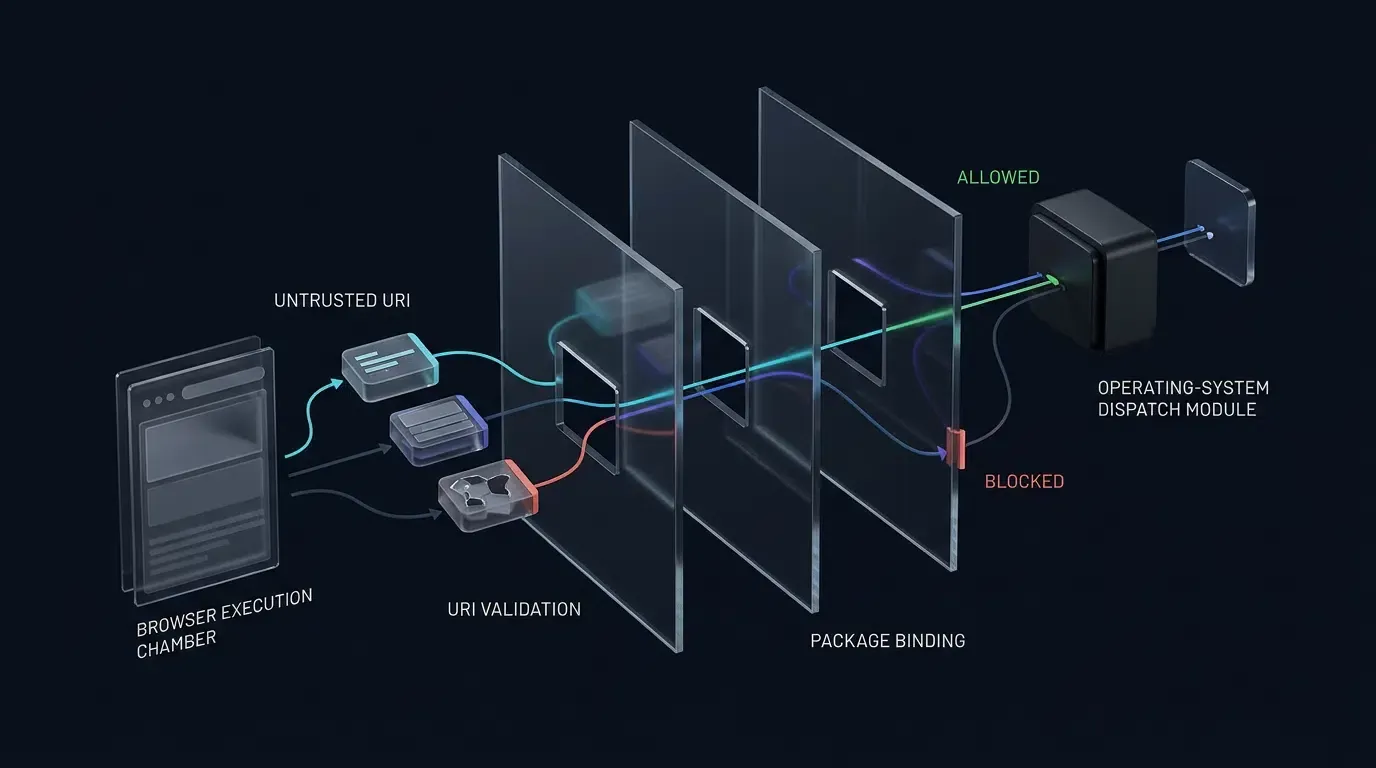
Để triển khai xác thực từ chối theo mặc định (fail-closed) bằng sử dụng tiện ích AndroidX IntentSanitizer (androidx.core:core:1.9.0+ hoặc androidx.core:core-ktx:1.9.0+ bao gồm sẵn androidx.core:core) mà không kích hoạt xung đột loại trừ tương hỗ của trình xây dựng giữa các phương thức allowAnyComponent() và danh sách cho phép gói/thành phần:
- Kiểm tra trước khi làm sạch: Ngay lập tức từ chối các intent mang trường
componenthoặcselectorkhác null (parsedIntent.component != null || parsedIntent.selector != null). Trích xuất và xóabrowser_fallback_urltrước khi làm sạch, đồng thời xác minh một cách nguyên bản rằngparsedIntent.data?.schemeánh xạ tỷ lệ 1-1 vớiparsedIntent.packagethông quacustomSchemeTargetPackages(đảm bảomyapp://phân giải nghiêm ngặt thànhcom.example.target, không bao giờ là gói đối tác khác). - Thực thi bộ làm sạch: Tạm thời xóa
parsedIntent.package = nulltrên bản sao không đáng tin cậy, thực thiIntentSanitizer.Builder().allowAnyComponent().allowAction(Intent.ACTION_VIEW).allowCategory(Intent.CATEGORY_BROWSABLE).allowData { ... }.build().sanitizeByThrowing(parsedIntent)(không sử dụng cờ tác vụ do trang web cung cấp), và gán lạiexpectedPackageđã được xác thực cùngCATEGORY_BROWSABLEtrên Intent được lưu trữ thuộc sở hữu của máy chủ trước khi thực hiện các khẳng định sau khi làm sạch. - Cờ khởi chạy nhận thức ngữ cảnh: Tiêm
Intent.FLAG_ACTIVITY_NEW_TASKbên trong bộ điều phối gốc (launchWithContextSafety) chỉ khiview.context !is Activity. Để xác minh liên kết miền với ứng dụng, ưu tiên sử dụng Android App Links HTTPS đã được xác minh (assetlinks.json).
Ngăn chặn vòng lặp dự phòng vô hạn với trạng thái chuỗi đơn điệu
Khi startActivity ném ra ngoại lệ ActivityNotFoundException, hãy xác minh browser_fallback_url bằng kiểm tra isAllowedFallbackUri(uri) chuyên dụng (nghiêm ngặt là HTTPS, cổng mặc định, máy chủ đã xác minh, tiền tố đường dẫn dự phòng rõ ràng, không có khóa truy vấn trùng lặp và không có fragment). Từ chối biểu diễn cổng rõ ràng trên các lược đồ tùy chỉnh bằng cách xác minh cả uri.port == -1 và !uri.encodedAuthority.orEmpty().contains(":").
Theo dõi các chuỗi dự phòng sử dụng SystemClock.elapsedRealtime() (tránh các bước nhảy thời gian thực của tường System.currentTimeMillis()), cô lập các chuỗi thông qua fallbackLoopKey() (không chuẩn hóa toàn bộ IETF RFC 3986), đặt lại trạng thái thông qua trình bao bọc máy chủ loadNewNavigation(webView, url) rõ ràng và định tuyến các dự phòng popup ra vùng chứa chính thông qua onPopupFallbackHandoff để các miền chưa được ủy quyền không bao giờ tải bên trong hộp thoại popup.
Tuyên bố từ chối trách nhiệm về kiến trúc tham khảo: Việc triển khai sau đây là một kiến trúc tham khảo phòng thủ. Hãy xác minh tính khả dụng của API, thứ tự phương thức ủy quyền và hành vi vòng đời dựa trên các phiên bản AndroidX và iOS chính xác được ứng dụng của bạn sử dụng.
// Android - SafeWebViewModules.kt
// Reference architecture: compile and test against your specific project targets
// Requires androidx.core:core:1.9.0+ (or androidx.core:core-ktx:1.9.0+) for IntentSanitizer; targets minSdk >= 24.
package com.example.hostapp.webview
import android.app.Activity
import android.app.Dialog
import android.content.ActivityNotFoundException
import android.content.Intent
import android.content.pm.ApplicationInfo
import android.net.Uri
import android.os.Bundle
import android.os.Message
import android.os.SystemClock
import android.util.Log
import android.view.ViewGroup
import android.widget.TextView
import android.webkit.WebChromeClient
import android.webkit.WebResourceRequest
import android.webkit.WebResourceResponse
import android.webkit.WebView
import android.webkit.WebViewClient
import androidx.appcompat.app.AppCompatActivity
import androidx.core.content.IntentSanitizer
import java.io.ByteArrayInputStream
import java.net.URISyntaxException
// 1. Policy Module (Immutable / Thread-Safe for read-only access from IO & UI threads)
class CustomUriPolicy(
val customSchemeTargetPackages: Map<String, String> = mapOf(
"myapp" to "com.example.target",
"partnerapp" to "com.partner.app"
),
val allowedCustomHosts: Set<String> = setOf("open", "product", "promo"),
val allowedCustomQueryKeys: Set<String> = setOf("id", "ref", "promo"),
val allowedWebHosts: Set<String> = setOf("example.com", "downloads.example.com"),
val allowedFallbackHosts: Set<String> = setOf("downloads.example.com", "example.com"),
val allowedFallbackPathPrefixes: List<String> = listOf("/download", "/app", "/landing"),
val allowedFallbackQueryKeys: Set<String> = setOf("id", "ref", "promo", "utm_source"),
// Isolated allowlists explicitly for popup windows; distinct from general web hosts
val allowedPopupHosts: Set<String> = setOf("example.com", "auth.example.com"),
val allowedPopupPathPrefixes: List<String> = listOf("/oauth", "/popup", "/window")
) {
val allowedCustomSchemes: Set<String> get() = customSchemeTargetPackages.keys
val allowedTargetPackages: Set<String> get() = customSchemeTargetPackages.values.toSet()
private val pathPattern = Regex("^/[A-Za-z0-9/_-]{1,64}$")
private val queryValuePattern = Regex("^[A-Za-z0-9_-]{1,64}$")
fun isAllowedWebUri(uri: Uri): Boolean {
val scheme = uri.scheme?.lowercase() ?: return false
val host = uri.host?.lowercase() ?: return false
return scheme == "https" &&
host in allowedWebHosts &&
(uri.port == -1 || uri.port == 443) &&
uri.userInfo == null
}
fun isAllowedPopupUri(uri: Uri): Boolean {
val scheme = uri.scheme?.lowercase() ?: return false
val host = uri.host?.lowercase() ?: return false
if (scheme != "https" || host !in allowedPopupHosts) return false
if ((uri.port != -1 && uri.port != 443) || uri.userInfo != null || uri.fragment != null) return false
val path = uri.path.orEmpty()
return allowedPopupPathPrefixes.any { path == it || path.startsWith("$it/") } && pathPattern.matches(path)
}
fun isAllowedFallbackUri(uri: Uri): Boolean {
val scheme = uri.scheme?.lowercase() ?: return false
val host = uri.host?.lowercase() ?: return false
if (scheme != "https" || host !in allowedFallbackHosts) return false
if ((uri.port != -1 && uri.port != 443) || uri.userInfo != null || uri.fragment != null) {
return false
}
val path = uri.path.orEmpty()
if (allowedFallbackPathPrefixes.none { path == it || path.startsWith("$it/") } ||
!pathPattern.matches(path)
) {
return false
}
// Validate query keys, enforce value syntax, and reject duplicate keys
val queryNames = uri.queryParameterNames
for (paramName in queryNames) {
if (paramName !in allowedFallbackQueryKeys) return false
val values = uri.getQueryParameters(paramName)
if (values.size != 1 || !queryValuePattern.matches(values[0])) return false
}
return true
}
fun isAllowedCustomUri(uri: Uri): Boolean {
val scheme = uri.scheme?.lowercase() ?: return false
val host = uri.host?.lowercase() ?: return false
if (scheme !in allowedCustomSchemes || host !in allowedCustomHosts) return false
// Reject network ports strictly by checking both uri.port == -1 and raw authority colon absence
val rawAuthority = uri.encodedAuthority.orEmpty()
if (uri.userInfo != null || uri.port != -1 || rawAuthority.contains(":") || uri.fragment != null) {
return false
}
val path = uri.path.orEmpty()
if (path.isNotEmpty() && !pathPattern.matches(path)) return false
// Validate query keys, enforce value syntax, and reject duplicate keys
val queryNames = uri.queryParameterNames
for (paramName in queryNames) {
if (paramName !in allowedCustomQueryKeys) return false
val values = uri.getQueryParameters(paramName)
if (values.size != 1 || !queryValuePattern.matches(values[0])) return false
}
return true
}
}
// 2. Fallback Manager: Monotonic Elapsed-Time Chain State (Isolates active chain from repeat sessions)
class FallbackLoopGuard(
private val maxHopsPerChain: Int = 3,
private val chainTtlMs: Long = 30_000L,
private val significantQueryKeys: Set<String> = setOf("id")
) {
private var chainStartElapsedMs: Long = 0L
private var fallbackHopCount: Int = 0
private val visitedInCurrentChain = mutableSetOf<String>()
fun resetChain() {
chainStartElapsedMs = 0L
fallbackHopCount = 0
visitedInCurrentChain.clear()
}
fun canLoadFallback(uri: Uri, currentWebViewUrl: String?): Boolean {
val now = SystemClock.elapsedRealtime()
if (chainStartElapsedMs == 0L || (now - chainStartElapsedMs) > chainTtlMs) {
chainStartElapsedMs = now
fallbackHopCount = 0
visitedInCurrentChain.clear()
}
val loopKey = fallbackLoopKey(uri)
val currentKey = currentWebViewUrl?.let { fallbackLoopKey(Uri.parse(it)) }
if (fallbackHopCount >= maxHopsPerChain ||
loopKey == currentKey ||
loopKey in visitedInCurrentChain
) {
return false
}
visitedInCurrentChain.add(loopKey)
fallbackHopCount++
return true
}
// Application-level loop key normalizing default HTTPS port and preserving significant query keys
private fun fallbackLoopKey(uri: Uri): String {
val scheme = uri.scheme?.lowercase().orEmpty()
val host = uri.host?.lowercase().orEmpty()
val portSuffix = if (uri.port != -1 && uri.port != 443) ":${uri.port}" else ""
val path = uri.path.orEmpty()
val sigParams = uri.queryParameterNames
.filter { it in significantQueryKeys }
.sorted()
.joinToString("&") { key -> "$key=${uri.getQueryParameter(key).orEmpty()}" }
val querySuffix = if (sigParams.isEmpty()) "" else "?$sigParams"
return "$scheme://$host$portSuffix$path$querySuffix"
}
}
// 3. Router & Fail-Closed IntentSanitizer WebViewClient (UI Thread Only)
class SafeRedirectWebViewClient(
val policy: CustomUriPolicy = CustomUriPolicy(),
val loopGuard: FallbackLoopGuard = FallbackLoopGuard(),
private val onPopupFallbackHandoff: ((fallbackUri: Uri) -> Unit)? = null
) : WebViewClient() {
// Explicit host-initiated navigation API that resets fallback chain state prior to loadUrl()
fun loadNewNavigation(webView: WebView, url: String) {
val targetUri = Uri.parse(url)
if (!policy.isAllowedWebUri(targetUri)) {
Log.w("WebViewDebug", "Blocked host-initiated navigation to untrusted URL")
return
}
loopGuard.resetChain()
webView.loadUrl(url)
}
// Dedicated fallback loader with internal validation preserving active chain state
fun loadFallbackNavigation(webView: WebView, fallbackUri: Uri) {
if (!policy.isAllowedFallbackUri(fallbackUri)) {
Log.w("WebViewDebug", "Blocked untrusted fallback navigation attempt")
return
}
webView.loadUrl(fallbackUri.toString())
}
override fun shouldOverrideUrlLoading(view: WebView, request: WebResourceRequest): Boolean {
return handleNavigation(
view = view,
uri = request.url,
isForMainFrame = request.isForMainFrame,
hasUserGesture = request.hasGesture(),
isPopupContext = false
)
}
fun handleNavigation(
view: WebView,
uri: Uri?,
isForMainFrame: Boolean,
hasUserGesture: Boolean,
isPopupContext: Boolean
): Boolean {
val targetUri = uri ?: return true
val scheme = targetUri.scheme?.lowercase() ?: return true
// 1. Enforce HTTPS-only & Web Host Allowlist on all HTTP/HTTPS navigations
if (scheme == "http" || scheme == "https") {
if (!policy.isAllowedWebUri(targetUri)) {
Log.w("WebViewDebug", "Blocked non-HTTPS, custom-port, or untrusted web host")
return true
}
if (hasUserGesture && isForMainFrame) {
loopGuard.resetChain()
}
return false
}
// 2. Enforce main-frame and user-gesture constraints on external app launches
if (!isForMainFrame || !hasUserGesture) {
Log.w("WebViewDebug", "Blocked non-main-frame or non-gesture scheme: $scheme")
return true
}
// 3. Parse and fail-closed sanitize Chrome intent:// URIs
if (scheme == "intent") {
return handleIntentUri(view, targetUri.toString(), isPopupContext)
}
// 4. Validate and explicitly bind allowlisted custom URL schemes to 1-to-1 verified target packages
if (policy.isAllowedCustomUri(targetUri)) {
val expectedPackage = policy.customSchemeTargetPackages[scheme] ?: return true
val viewIntent = Intent(Intent.ACTION_VIEW, targetUri).apply {
addCategory(Intent.CATEGORY_BROWSABLE)
`package` = expectedPackage
}
launchIntentSafely(view, viewIntent)
return true
}
// 5. Block all unrecognized schemes
Log.w("WebViewDebug", "Blocked unrecognized URL scheme: $scheme")
return true
}
// UI-Thread Navigation Evaluator for child popup WebViews tying 302 redirects to authorized sessions
fun handlePopupNavigation(
view: WebView,
uri: Uri?,
isForMainFrame: Boolean,
hasUserGesture: Boolean,
isRedirect: Boolean,
isInitialTransportLoad: Boolean,
isAuthorizedPopupSession: Boolean,
onAuthorizedInitialSession: () -> Unit,
canProceedPopupRedirect: () -> Boolean
): Boolean {
val targetUri = uri ?: return true
val scheme = targetUri.scheme?.lowercase() ?: return true
if (scheme == "http" || scheme == "https") {
if (!isForMainFrame) {
Log.w("WebViewDebug", "Blocked subframe HTTPS navigation inside popup")
return true
}
if (!policy.isAllowedPopupUri(targetUri)) {
Log.w("WebViewDebug", "Blocked untrusted popup HTTPS host or path navigation")
return true
}
// Authorize session only on UI thread when initial load or user tap matches allowlist
if (isInitialTransportLoad || hasUserGesture) {
onAuthorizedInitialSession()
return false
}
// Permit bounded server-side 302 redirects ONLY for previously authorized popup sessions
if (isRedirect && isAuthorizedPopupSession && canProceedPopupRedirect()) {
return false
}
Log.w("WebViewDebug", "Blocked unauthorized redirect or non-gesture popup navigation")
return true
}
return handleNavigation(view, targetUri, isForMainFrame, hasUserGesture, isPopupContext = true)
}
private fun handleIntentUri(view: WebView, rawUri: String, isPopupContext: Boolean): Boolean {
val parsedIntent = try {
Intent.parseUri(rawUri, Intent.URI_INTENT_SCHEME)
} catch (e: URISyntaxException) {
Log.w("WebViewDebug", "Malformed intent URI syntax")
return true
}
val fallbackUrl = parsedIntent.getStringExtra("browser_fallback_url")
parsedIntent.removeExtra("browser_fallback_url")
// 1-to-1 Binding: Extract target scheme and validate natively against expected target package
val dataUri = parsedIntent.data ?: return true
val targetScheme = dataUri.scheme?.lowercase() ?: return true
val expectedPackage = policy.customSchemeTargetPackages[targetScheme] ?: run {
Log.w("WebViewDebug", "Blocked intent with unmapped custom scheme: $targetScheme")
return true
}
val rawPackage = parsedIntent.`package`
if (rawPackage != expectedPackage) {
Log.w("WebViewDebug", "Blocked intent package mismatch: expected $expectedPackage")
return true
}
// Reject webpage-specified explicit components and selectors immediately
if (parsedIntent.component != null || parsedIntent.selector != null) {
Log.w("WebViewDebug", "Blocked intent with explicit component or selector")
return true
}
// Clear verified package temporarily before invoking IntentSanitizer with allowAnyComponent()
// to avoid Builder mutual-exclusion constraints while strictly rejecting untrusted flags/extras.
parsedIntent.`package` = null
val sanitizedIntent = try {
IntentSanitizer.Builder()
.allowAnyComponent()
.allowAction(Intent.ACTION_VIEW)
.allowCategory(Intent.CATEGORY_BROWSABLE)
.allowData { uri -> policy.isAllowedCustomUri(uri) }
.build()
.sanitizeByThrowing(parsedIntent)
} catch (e: SecurityException) {
Log.w("WebViewDebug", "IntentSanitizer threw SecurityException for disallowed fields or flags")
return true
} catch (e: IllegalArgumentException) {
Log.w("WebViewDebug", "IntentSanitizer rejected invalid intent arguments")
return true
}
// Re-bind verified target package + host-enforced category + post-sanitization assertions
sanitizedIntent.`package` = expectedPackage
sanitizedIntent.addCategory(Intent.CATEGORY_BROWSABLE)
val sanitizedData = sanitizedIntent.data
if (sanitizedIntent.component != null ||
sanitizedIntent.action != Intent.ACTION_VIEW ||
sanitizedIntent.`package` != expectedPackage ||
sanitizedData == null ||
!policy.isAllowedCustomUri(sanitizedData)
) {
Log.w("WebViewDebug", "Post-sanitization intent assertions failed")
return true
}
try {
launchWithContextSafety(view, sanitizedIntent)
loopGuard.resetChain()
} catch (e: ActivityNotFoundException) {
if (!fallbackUrl.isNullOrBlank()) {
val fallbackUri = Uri.parse(fallbackUrl)
if (policy.isAllowedFallbackUri(fallbackUri) &&
loopGuard.canLoadFallback(fallbackUri, view.url)
) {
if (isPopupContext) {
onPopupFallbackHandoff?.invoke(fallbackUri)
} else {
loadFallbackNavigation(view, fallbackUri)
}
} else {
Log.w("WebViewDebug", "Blocked untrusted or looping fallback URL")
}
}
} catch (e: SecurityException) {
Log.w("WebViewDebug", "SecurityException blocked intent launch")
}
return true
}
private fun launchIntentSafely(view: WebView, intent: Intent) {
try {
launchWithContextSafety(view, intent)
} catch (e: ActivityNotFoundException) {
Log.i("WebViewDebug", "No installed application handles target package/scheme")
} catch (e: SecurityException) {
Log.w("WebViewDebug", "SecurityException blocked custom scheme launch")
}
}
private fun launchWithContextSafety(view: WebView, intent: Intent) {
val safeIntent = Intent(intent)
if (view.context !is Activity) {
safeIntent.addFlags(Intent.FLAG_ACTIVITY_NEW_TASK)
}
view.context.startActivity(safeIntent)
}
}
// 4. Lifecycle-Managed Popup WebChromeClient (Strict UI-Thread Session State & Stateless Background Guard)
class SafePopupWebChromeClient(
private val safeClient: SafeRedirectWebViewClient
) : WebChromeClient() {
private var activeDialog: Dialog? = null
private var activeChildWebView: WebView? = null
private var isDisposed: Boolean = false
private fun disposeActivePopup() {
if (isDisposed) return
isDisposed = true
val dialog = activeDialog
val child = activeChildWebView
activeDialog = null
activeChildWebView = null
dialog?.setOnDismissListener(null)
dialog?.dismiss()
child?.let {
(it.parent as? ViewGroup)?.removeView(it)
it.stopLoading()
it.webViewClient = WebViewClient()
it.webChromeClient = null
it.destroy()
}
}
override fun onCreateWindow(
view: WebView,
isDialog: Boolean,
isUserGesture: Boolean,
resultMsg: Message?
): Boolean {
if (!isUserGesture) return false
val activity = view.context as? Activity
if (activity == null || activity.isFinishing || activity.isDestroyed) {
return false
}
val transport = resultMsg?.obj as? WebView.WebViewTransport ?: return false
disposeActivePopup()
isDisposed = false
val popupDialog = Dialog(activity)
val popupRoot = android.widget.LinearLayout(activity).apply {
orientation = android.widget.LinearLayout.VERTICAL
layoutParams = ViewGroup.LayoutParams(ViewGroup.LayoutParams.MATCH_PARENT, ViewGroup.LayoutParams.MATCH_PARENT)
}
val originBanner = TextView(activity).apply {
setPadding(24, 16, 24, 16)
setBackgroundColor(android.graphics.Color.DKGRAY)
setTextColor(android.graphics.Color.WHITE)
textSize = 12f
text = "Loading destination..."
}
popupRoot.addView(originBanner)
// All popup session state variables below are read and mutated strictly on the UI thread
var isInitialTransportLoad = true
var isAuthorizedPopupSession = false
var popupRedirectHops = 0
var popupChainStartMs = SystemClock.elapsedRealtime()
val maxPopupRedirects = 5
val maxPopupRedirectWindowMs = 30_000L
val childWebView = WebView(activity).apply {
layoutParams = android.widget.LinearLayout.LayoutParams(ViewGroup.LayoutParams.MATCH_PARENT, ViewGroup.LayoutParams.MATCH_PARENT)
settings.apply {
javaScriptEnabled = true
allowFileAccess = false
allowContentAccess = false
setSupportMultipleWindows(false)
}
webViewClient = object : WebViewClient() {
// UI Thread: Owns navigation, redirect, and session authorization state
override fun shouldOverrideUrlLoading(
childView: WebView,
request: WebResourceRequest
): Boolean {
val hasGesture = request.hasGesture()
if (hasGesture) {
popupRedirectHops = 0
popupChainStartMs = SystemClock.elapsedRealtime()
}
val result = safeClient.handlePopupNavigation(
view = childView,
uri = request.url,
isForMainFrame = request.isForMainFrame,
hasUserGesture = hasGesture,
isRedirect = request.isRedirect,
isInitialTransportLoad = isInitialTransportLoad,
isAuthorizedPopupSession = isAuthorizedPopupSession,
onAuthorizedInitialSession = {
isAuthorizedPopupSession = true
},
canProceedPopupRedirect = {
val withinWindow = (SystemClock.elapsedRealtime() - popupChainStartMs) <= maxPopupRedirectWindowMs
if (withinWindow && popupRedirectHops < maxPopupRedirects) {
popupRedirectHops++
true
} else {
false
}
}
)
isInitialTransportLoad = false
return result
}
// Background WebView IO Thread: Strictly stateless, read-only policy check.
// Never mutates UI-thread session state; covers initial resource URL only (not subsequent 302 hops).
override fun shouldInterceptRequest(
childView: WebView,
request: WebResourceRequest
): WebResourceResponse? {
if (request.isForMainFrame) {
val targetUri = request.url
val scheme = targetUri?.scheme?.lowercase()
if ((scheme == "http" || scheme == "https") && !safeClient.policy.isAllowedPopupUri(targetUri)) {
Log.w("WebViewDebug", "Blocked unapproved popup main-frame request in shouldInterceptRequest")
childView.post { disposeActivePopup() }
return WebResourceResponse("text/plain", "utf-8", ByteArrayInputStream(ByteArray(0)))
}
}
return super.shouldInterceptRequest(childView, request)
}
// UI Thread: Navigation-start fallback check & origin display (not a pre-navigation filter)
override fun onPageStarted(childView: WebView, url: String?, favicon: android.graphics.Bitmap?) {
super.onPageStarted(childView, url, favicon)
isInitialTransportLoad = false
val uri = url?.let { Uri.parse(it) }
if (uri == null || !safeClient.policy.isAllowedPopupUri(uri)) {
Log.w("WebViewDebug", "Navigation-start fallback check terminated unapproved popup URL")
childView.stopLoading()
disposeActivePopup()
return
}
isAuthorizedPopupSession = true
val scheme = uri.scheme?.lowercase() ?: "https"
val host = uri.host?.lowercase() ?: "Unknown"
originBanner.text = "Origin: $scheme://$host"
}
}
webChromeClient = object : WebChromeClient() {
override fun onCloseWindow(window: WebView?) {
disposeActivePopup()
}
}
}
popupRoot.addView(childWebView)
popupDialog.setContentView(popupRoot)
popupDialog.setOnDismissListener {
disposeActivePopup()
}
activeDialog = popupDialog
activeChildWebView = childWebView
popupDialog.show()
transport.webView = childWebView
resultMsg.sendToTarget()
return true
}
fun destroyPopups() {
disposeActivePopup()
}
}
// 5. Complete Host Activity Registration & Lifecycle Cleanup Example (JavaScript Enabled on Main WebView)
class SafeWebViewActivity : AppCompatActivity() {
private lateinit var webView: WebView
private lateinit var safeClient: SafeRedirectWebViewClient
private lateinit var popupChromeClient: SafePopupWebChromeClient
override fun onCreate(savedInstanceState: Bundle?) {
super.onCreate(savedInstanceState)
if (applicationInfo.flags and ApplicationInfo.FLAG_DEBUGGABLE != 0) {
WebView.setWebContentsDebuggingEnabled(true)
}
val policy = CustomUriPolicy()
val loopGuard = FallbackLoopGuard()
safeClient = SafeRedirectWebViewClient(
policy = policy,
loopGuard = loopGuard,
onPopupFallbackHandoff = { fallbackUri ->
popupChromeClient.destroyPopups()
safeClient.loadFallbackNavigation(webView, fallbackUri)
}
)
popupChromeClient = SafePopupWebChromeClient(safeClient)
webView = WebView(this).apply {
settings.apply {
// Enable JavaScript explicitly for trusted landing pages requiring JS redirects or window.open()
javaScriptEnabled = true
allowFileAccess = false
allowContentAccess = false
// Enable multiple windows only if hosting interactive popup containers
setSupportMultipleWindows(true)
}
webViewClient = safeClient
webChromeClient = popupChromeClient
}
setContentView(webView)
// Use explicit host wrapper rather than bare webView.loadUrl()
safeClient.loadNewNavigation(webView, "https://example.com/landing")
}
override fun onDestroy() {
popupChromeClient.destroyPopups()
(webView.parent as? ViewGroup)?.removeView(webView)
webView.destroy()
super.onDestroy()
}
}
Các câu hỏi thường gặp (FAQ)
Tại sao Android WebView hiển thị net::ERR_UNKNOWN_URL_SCHEME ngay cả khi ứng dụng mục tiêu đã được cài đặt?
Tại sao shouldOverrideUrlLoading không kích hoạt khi ứng dụng của tôi gọi trực tiếp WebView loadUrl?
Tại sao các liên kết target blank có lược đồ tùy chỉnh lại thất bại trong im lặng bên trong WKWebView?
Tóm tắt và Khung quyết định
Khắc phục sự cố lỗi chuyển hướng deep-linking trong WebView đòi hỏi việc tách biệt hành vi của công cụ WebView khỏi các chính sách điều hướng của ứng dụng lưu trữ. Bằng cách tái hiện các sự kiện điều hướng trong Chrome DevTools hoặc Safari Web Inspector, giới hạn nghiêm ngặt trạng thái phiên popup của Android ở luồng UI trong khi kết hợp việc sàng lọc yêu cầu ban đầu không trạng thái với các kiểm tra chuyển hướng 302 được ủy quyền phiên, thực thi danh sách cho phép IntentSanitizer theo cơ chế từ chối mặc định, và bảo vệ các chuyển hướng Universal Link trên iOS chống lại việc ghi đè bất đồng bộ cũ và các lệnh gọi phương thức ủy quyền trùng lặp, các nhóm kỹ thuật có thể giảm thiểu tình trạng đứt gãy hành trình người dùng và giúp ngăn ngừa các lỗ hổng chuyển hướng ở phía khách hàng.
Sau khi các phương thức ủy quyền gốc ở cấp độ vùng chứa và các đường dẫn dự phòng đã được xác minh, các nhóm kỹ thuật cũng nên xác thực các trang đích phân bổ đầu cuối và các chuỗi định tuyến One-Click Launch sử dụng các nền tảng như OpoInstall để xác nhận việc duy trì tham số trong quá trình chuyển đổi từ trình duyệt sang ứng dụng.
Bảng chú giải thuật ngữ thực thể
| Thuật ngữ | Định nghĩa | Thực thể liên quan | Vai trò ý định tìm kiếm |
|---|---|---|---|
| WebView | Một thành phần giao diện người dùng gốc được nhúng dùng để kết xuất các trang web bên trong một ứng dụng di động. | WebViewClient / WKWebView |
Thông tin / Kỹ thuật |
| Custom URL Scheme | Tiền tố URI do ứng dụng đăng ký (ví dụ: myapp://) cho phép điều hướng bên ngoài vào các màn hình gốc. |
Intent.ACTION_VIEW |
Kỹ thuật / Thông tin |
| WKNavigationDelegate | Giao thức WebKit cho phép ứng dụng lưu trữ chấp nhận, hủy hoặc chuyển hướng các hành động điều hướng trong WKWebView. |
decidePolicyForNavigationAction |
Kỹ thuật |
| WKUIDelegate | Giao thức WebKit chịu trách nhiệm xử lý các yêu cầu tạo cửa sổ mới trong WKWebView. |
createWebViewWith |
Kỹ thuật |
| WebResourceRequest | Đối tượng Android API 24+ đóng gói URL, khung, phương thức HTTP, chuyển hướng và siêu dữ liệu cử chỉ. | shouldOverrideUrlLoading |
Kỹ thuật |
| WebChromeClient | Giao diện lệnh gọi lại Android WebView xử lý các hộp thoại JavaScript, tiến trình và onCreateWindow. |
WebViewTransport |
Kỹ thuật |
| IntentSanitizer | Tiện ích AndroidX Core được sử dụng để lọc hoặc xác thực nghiêm ngặt các trường Intent không đáng tin cậy trước khi điều phối. | Bảo vệ chuyển hướng Intent | Kỹ thuật / Bảo mật |
| Universal Links | Tiêu chuẩn deep-linking dựa trên HTTPS của Apple liên kết các miền web đã xác minh với các ứng dụng iOS đã cài đặt. | Associated Domains | Kỹ thuật / Thông tin |
| Package Visibility | Bộ lọc hệ điều hành Android 11+ (targetSdk >= 30) hạn chế các ứng dụng đã cài đặt mà ứng dụng lưu trữ có thể truy vấn thông qua PackageManager. |
Thẻ Manifest <queries> |
Kỹ thuật |
| Intent URI | URI Android có cấu trúc (intent://) mã hóa gói đích, lược đồ và URL dự phòng của trình duyệt. |
Intent.URI_INTENT_SCHEME |
Kỹ thuật |
Cơ sở tương thích và Trạng thái xác minh
-
Mục tiêu tương thích dự kiến: Android
minSdk 24,compileSdk 34/35,targetSdk 34/35(Android 14/15), ngữ cảnh tăng cường Chuyển hướng Intent của Android 16 (API 36),androidx.core:core:1.9.0+(IntentSanitizer); iOS 15.0–18.0 (isInspectableđược kiểm soát trên iOS 16.4+), Xcode 15/16, Swift 5.9/6.0. -
Trạng thái xác minh:
-
Đánh giá API tĩnh & Thông số kỹ thuật: Đã hoàn thành dựa trên các thông số kỹ thuật chính thức của Android Developers, AndroidX Core, Apple Developer, IETF RFC 3986 và OWASP MASTG.
-
Biên dịch & Xác minh thiết bị vật lý: Chưa được thực thi trong chu kỳ đánh giá này. Các nhóm phải biên dịch và thực thi quá trình kiểm tra hồi quy trên thiết bị vật lý bao gồm URL popup ban đầu độc hại, chuỗi 302 đa miền, các bước nhảy 302 liên tiếp, tạo cửa sổ iframe của bên thứ ba, Android App Links (
assetlinks.json), iOS Associated Domains (bộ nhớ đệm AASA), việc hủy Universal Link bất đồng bộ cũ, chuỗi dự phòngintent://và việc điều phốiActivityNotFoundExceptiontrước khi triển khai sản xuất.
-
Tài liệu tham khảo
Share this article