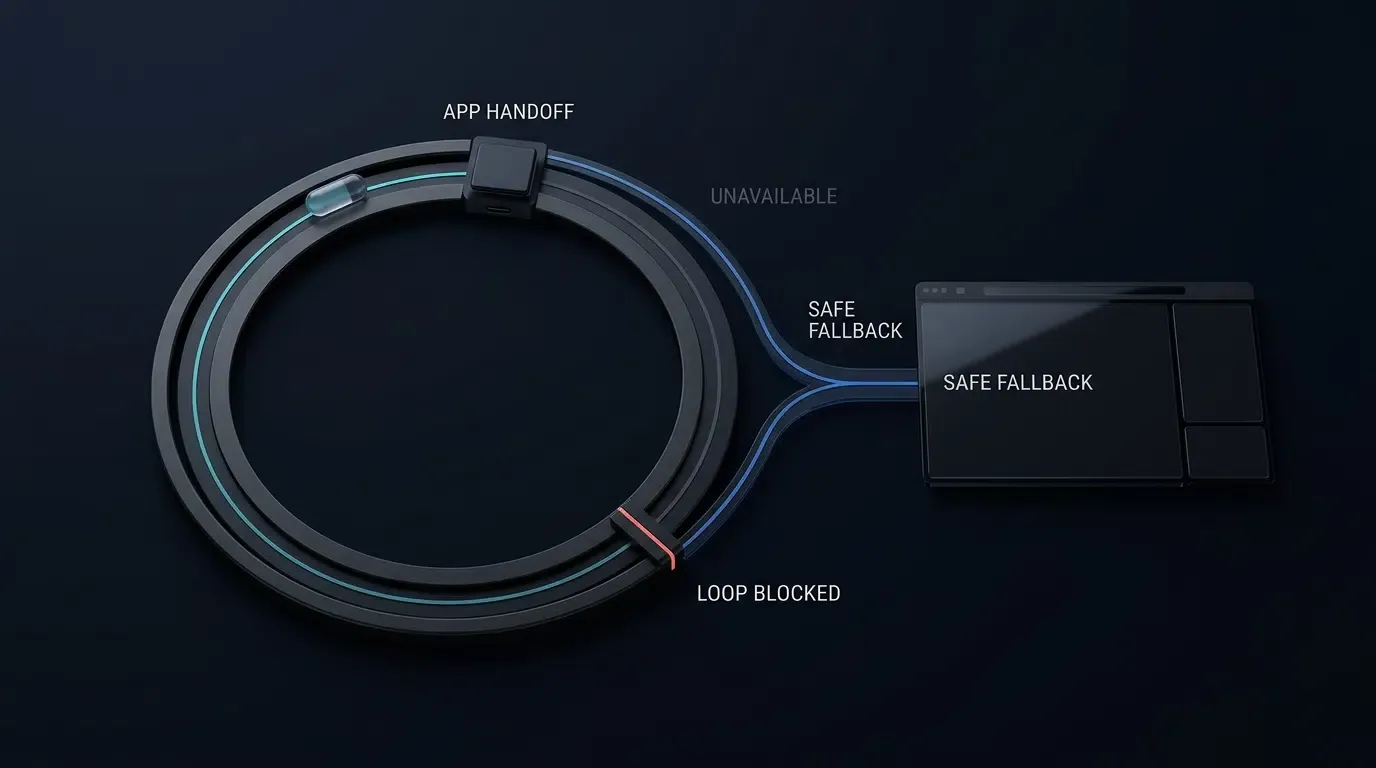
如何在 Android 與 iOS 上排查 WebView 重新導向錯誤?首先需識別失敗原因是否涉及標準 HTTPS 導覽、自訂網址協定、Android intent:// 統一資源識別碼(URI)或新視窗請求,接著透過 Chrome DevTools 或 Safari Web Inspector 檢查導覽過程,並追蹤對應的原生委託(shouldOverrideUrlLoading、onCreateWindow、decidePolicyForNavigationAction 或 createWebViewWith)。最後驗證目標應用程式解析、URI 白名單、框架與使用者互動政策,以及備用路由(fallback routing),以釐清容器層級錯誤與作業系統分派失敗的問題。
當內嵌的 Android Chromium WebView 或 iOS WebKit WKWebView 無法將導覽請求正確路由至預期目的地時,就會發生 WebView 重新導向錯誤。常見原因包括不支援的自訂網址協定、未處理的
target="_blank"請求、缺少套件可見性宣告,以及遭到拒絕或陷入循環的備用重新導向。
為什麼內嵌的 Android WebView 與 iOS WKWebView 容器會放棄重新導向
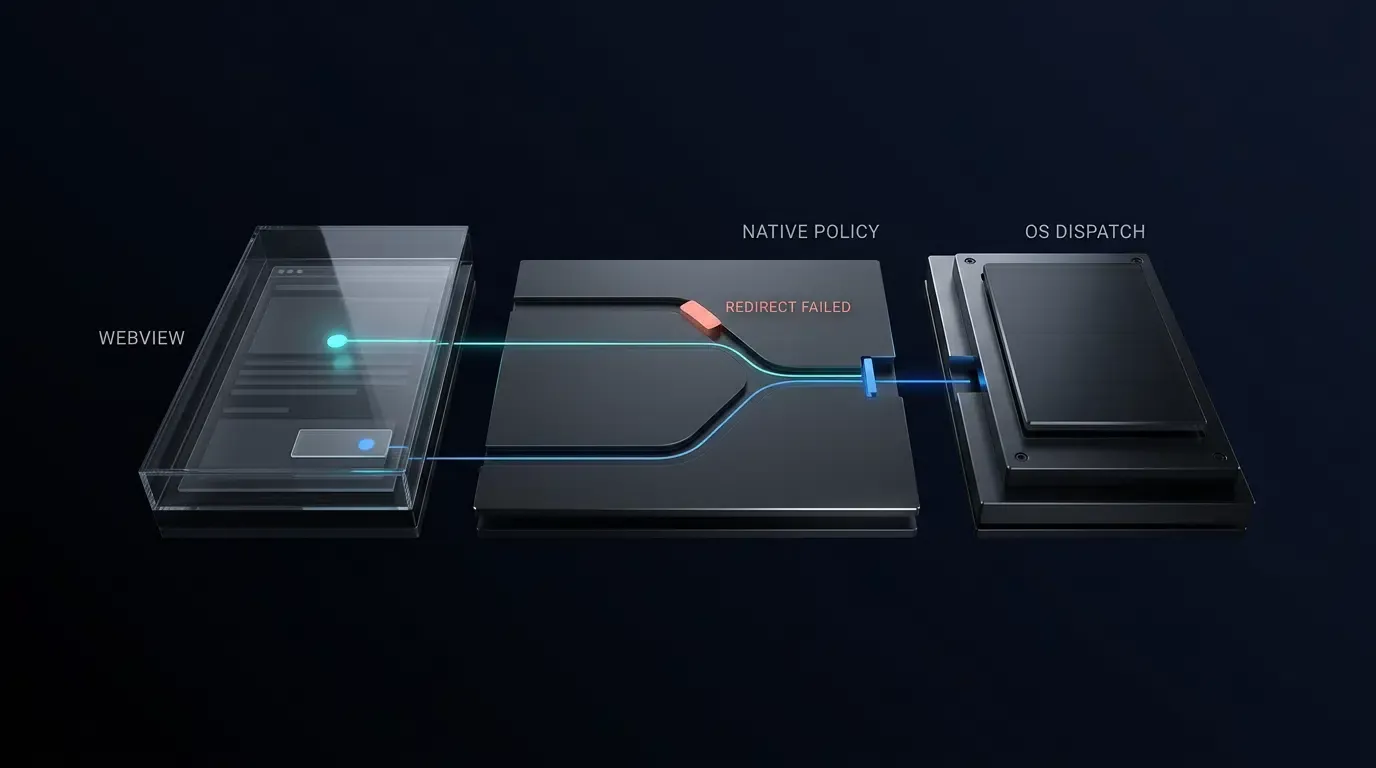
在對重新導向失敗進行偵錯時,工程團隊必須將WebView 引擎行為(Chromium 或 WebKit 如何解析網址、框架目標與彈出事件)與宿主應用程式政策(應用程式提供的 WebViewClient、WebChromeClient、WKNavigationDelegate 或 WKUIDelegate 如何評估使用者互動類型、白名單與外部應用程式交接)區分開來。獨立瀏覽器內建 URI 分派器與連結交接處理常式,而 android.webkit.WebView 與蘋果的 WKWebView 則是內嵌渲染元件,預設預期標準的 http:// 或 https:// 網路回應。
當網頁觸發自訂協定(例如 myapp://product/42)或 Android intent:// 連結且沒有主動的委託覆寫時,預設的容器行為在不同平台上會有所分歧:
- Android Chromium WebView:根據 Android
WebViewClient規格,若未指派自訂WebViewClient,WebView 可能會要求 Activity Manager 透過可用的系統處理常式解析網址。當已指派自訂WebViewClient且shouldOverrideUrlLoading針對不支援的自訂協定傳回false時,WebView 將繼續在 Chromium 內部載入該協定並渲染net::ERR_UNKNOWN_URL_SCHEME。 - iOS WebKit WKWebView:WebKit 會在內部拒絕非 HTTP 協定並中止導覽,除非宿主的
WKNavigationDelegate攔截請求並將其轉發給UIApplication,否則通常會無聲失敗或觸發NSURLErrorURLUnsupported。
同理請注意,蘋果的智慧應用程式橫幅宣傳應用程式(Promoting Apps with Smart App Banners)是一項 Safari 支援功能,專為獨立的 Safari 瀏覽設計,而非內嵌的 WKWebView 導覽 API,應與應用程式內自訂網址協定重新導向分開評估。
重點一覽
- 區分引擎行為與宿主政策:釐清導覽失敗究竟是發生在網頁引擎內部(Chromium/WebKit)、原生委託覆寫中,還是在作業系統套件解析邊界處。
- 在編碼前檢查即時重新導向:使用 Chrome DevTools(
chrome://inspect)與 Safari Web Inspector(isInspectable = true)來擷取 3xx 重新導向鏈、targetFrame狀態與手勢旗標。 - 實施符合平台特性的 URI 與 Intent 驗證:在 Android 上,透過
IntentSanitizer將自訂協定與intent://目標 1 對 1 綁定至已驗證的套件,且不帶網頁提供的任務旗標;在 iOS 上,驗證完整的自訂 URI 結構(在需要驗證應用程式與網域身分的場景下依賴通用連結 Universal Links),並在兩個平台上拒絕重複的查詢鍵。 - 針對彈出視窗與競態條件套用防禦性編程:嚴格將 Android 彈出視窗工作階段狀態侷限於 UI 執行緒,同時理解
shouldInterceptRequest與shouldOverrideUrlLoading之間的回呼邊界;在 iOSWKWebView中,透過動作層級的去重複化與導覽生成權杖(generation tokens),將純政策檢查與外部分派副作用隔離。
WebView 重新導向錯誤的常見原因與驗證步驟
將觀察到的客戶端錯誤對應至底層容器失敗機制
使用下方的診斷矩陣,將觀察到的 WebView 症狀對應至常見的平台根本原因、驗證步驟以及針對性的修正方案:
| 觀察到的症狀或錯誤 | 目標平台 | 常見根本原因 | 診斷驗證步驟 | 針對性修正 |
|---|---|---|---|---|
WebView 顯示 net::ERR_UNKNOWN_URL_SCHEME |
Android WebView | 自訂 WebViewClient 傳回 false 或缺少協定白名單 |
檢查 shouldOverrideUrlLoading 中的 request.url |
攔截白名單內的 URI 並分派 1 對 1 套件綁定的 Intent.ACTION_VIEW |
| 點擊自訂協定連結時無聲掛起 | iOS WKWebView | 當 WKNavigationDelegate 傳回 .allow 時,WebKit 會中止非 HTTP 的 URI |
記錄 decidePolicyForNavigationAction 中的 navigationAction.request.url |
透過 UIApplication.shared.open 路由已驗證的協定並傳遞 .cancel |
target="_blank" 取代 WebView 中的目前頁面 |
Android WebView | setSupportMultipleWindows(false) 將新視窗視為頂層載入 |
檢查 webView.settings.supportMultipleWindows() |
僅在需要獨立彈出容器時啟用 setSupportMultipleWindows(true) |
target="_blank" 沒有反應或丟失 OAuth 302 重新導向 |
Android WebView | 缺少 onCreateWindow,或子客戶端封鎖了缺少 hasGesture() 的 isRedirect 跳轉 |
檢查 onCreateWindow、request.isRedirect 與 shouldInterceptRequest 記錄 |
附加帶有 UI 執行緒工作階段狀態與有界限 isRedirect 跳轉的檢視託管彈出 WebView |
帶有 target="_blank" 的連結毫無反應或 window.open() 失效 |
iOS WKWebView | 新視窗導覽設定 targetFrame == nil 且需要 WKUIDelegate |
檢查 navigationAction.targetFrame == nil |
在 decidePolicyForNavigationAction 中偵測 targetFrame == nil 並透過 WKUIDelegate 處理 |
| 目標應用程式已安裝,但仍開啟備用頁面 | Android 11+ (targetSdk >= 30) |
缺少 <queries> 宣告導致 resolveActivity() 或 queryIntentActivities() 針對隱藏套件傳回不完整的結果 |
在 resolveActivity() 周圍新增應用程式層級記錄並透過 adb logcat 檢查輸出 |
若進行預先檢查則宣告 <queries> intent,或直接呼叫帶有 ActivityNotFoundException 捕捉的 startActivity |
| JavaScript 計時器重新導向無法開啟外部應用程式 | iOS / Android | 自動化指令碼重新導向缺乏使用者互動信號 | 檢查 request.hasGesture() (Android) 或 navigationType (iOS) |
將重新導向綁定至直接的使用者點擊並定義明確的宿主手勢政策 |
通用連結(Universal Link)在 WKWebView 內部載入,而非目標應用程式 |
iOS WKWebView | 瀏覽上下文、網域關係或 JS 導覽將載入保持在 WebKit 中 | 檢查 decidePolicyForNavigationAction 中的 navigationType 與主機 |
針對允許的外部主機呼叫帶有 .universalLinksOnly: true 的 UIApplication.shared.open |
五分鐘 WebView 重新導向快速分流檢查清單
- 步驟一:在 DevTools 中檢查通訊協定協定:驗證頁面發出的是
https://、自訂協定還是intent://URI,並確認未遭到內容安全性政策(CSP)封鎖。 - 步驟二:檢查框架階層:檢查觸發源是否來自第三方
<iframe>內部(!isMainFrame)。宿主應用程式可能會刻意封鎖從第三方 iframe 發起的外部應用程式啟動。 - 步驟三:區分重新導向與計時器:檢查非手勢導覽是授權的 HTTP 3xx 伺服器重新導向(Android 上的
request.isRedirect),還是未經提示的 JavaScript 計時器。 - 步驟四:檢查新視窗觸發器:確認
target="_blank"或window.open()是否建立了新視窗請求(iOS 上的targetFrame == nil或 Android 上的onCreateWindow)。 - 步驟五:驗證作業系統套件解析:對於 Android 11+ 上針對 API 30+ 的應用程式,確認預檢
resolveActivity()呼叫是否因缺少<queries>宣告而失敗。
下列診斷工作流程圖解了用於隔離容器重新導向失敗的順序分流路徑:
[WebView Navigation Failure]
          │
          ▼
[Inspect URL + Network + Console via Chrome DevTools / Safari Web Inspector]
          │
          ▼
[Identify Navigation Source]
          │
          ├── App loadUrl() or HTTP POST
          │       │
          │       └── shouldOverrideUrlLoading is NOT invoked; inspect host-side call path
          │
          ├── target="_blank" or window.open()
          │       │
          │       ├── Android (multiple-windows=false) ──> Replaces current WebView page
          │       ├── Android (multiple-windows=true)  ──> Inspect onCreateWindow + shouldInterceptRequest
          │       └── iOS (targetFrame == nil)         ──> Inspect WKNavigationDelegate + WKUIDelegate
          │
          ├── HTTP / HTTPS Navigation
          │       │
          │       └── Inspect Host + Port Allowlist, 3xx Redirects, Universal Link, or App Link matching
          │
          └── Custom Scheme or Chrome intent://
                  │
                  ├── Evaluate User Interaction + Main Frame policy
                  ├── Verify Full URI Structure (Scheme, Host, Port, Path, No Duplicate Query Keys)
                  ├── Sanitize Intent (Reject Explicit Components, Verify 1-to-1 Package, Zero Webpage Flags)
                  ├── Check Target-App Resolution (<queries> / ActivityNotFoundException)
                  └── Validate Fallback Path + Query Allowlist + Monotonic Chain Guard (elapsedRealtime)
如何使用遠端偵錯工具檢查 WebView 導覽事件
在 Android 上透過 Chrome DevTools 與 ADB Logcat 啟用遠端偵錯
在修改原生委託之前,請先驗證載入的網頁是否發出了預期的重新導向。根據Android Chrome DevTools 遠端偵錯指南,透過檢查 ApplicationInfo.FLAG_DEBUGGABLE 並呼叫 WebView.setWebContentsDebuggingEnabled(true),在開發建置版本中明確啟用遠端 WebView 偵錯。切勿在正式發布版本中啟用偵錯:
// Android - 僅在可偵錯的建置版本中啟用 WebView 偵錯
if (applicationInfo.flags and ApplicationInfo.FLAG_DEBUGGABLE != 0) {
    WebView.setWebContentsDebuggingEnabled(true)
}
透過 USB 連接裝置,在桌面版 Chrome 中開啟 chrome://inspect/#devices,並在勾選 Preserve log 的情況下監控 Network 標籤頁。同時透過 adb logcat 過濾原生執行階段日誌,以擷取 ActivityNotFoundException、SecurityException 或自訂包裝函式日誌。請注意,針對舊版 shouldOverrideUrlLoading(WebView, String) 簽章的棄用警告會出現在 Android Studio / Gradle 編譯期間,而不是執行階段的 adb logcat 中:
# 終端機 - 過濾 logcat 以尋找自訂 WebView 標籤與 ActivityTaskManager intent 解析
adb logcat -s "WebViewDebug" "ActivityTaskManager" "PackageManager"
在 iOS 上設定 isInspectable 並附加 Safari Web Inspector 與 Xcode 主控台
從 iOS 16.4 與 macOS 13.3 開始,蘋果要求應用程式必須透過 WKWebView.isInspectable 進行 opt-in(預設為 false)。請在 #if DEBUG 區塊內啟用 webView.isInspectable = true:
// iOS - 在 iOS 16.4+ 偵錯建置版本上啟用 Safari Web Inspector opt-in
#if DEBUG
if #available(iOS 16.4, *) {
    webView.isInspectable = true
}
#endif
在實體 iOS 裝置上,導覽至設定 > App > Safari > 進階(在較舊的 iOS 版本中為設定 > Safari > 進階)並啟用網頁檢視器(Web Inspector)。透過 USB 連接,開啟桌面版 Safari 的開發選單,並同時監控 Xcode 主控台以查看原生的 decidePolicyForNavigationAction、createWebViewWith 與 UIApplication.shared.open 完成輸出。
解決 iOS WKWebView 中無聲新視窗丟失與遺失使用者手勢的問題
在 WKNavigationDelegate 與 WKUIDelegate 之間區分政策評估與副作用
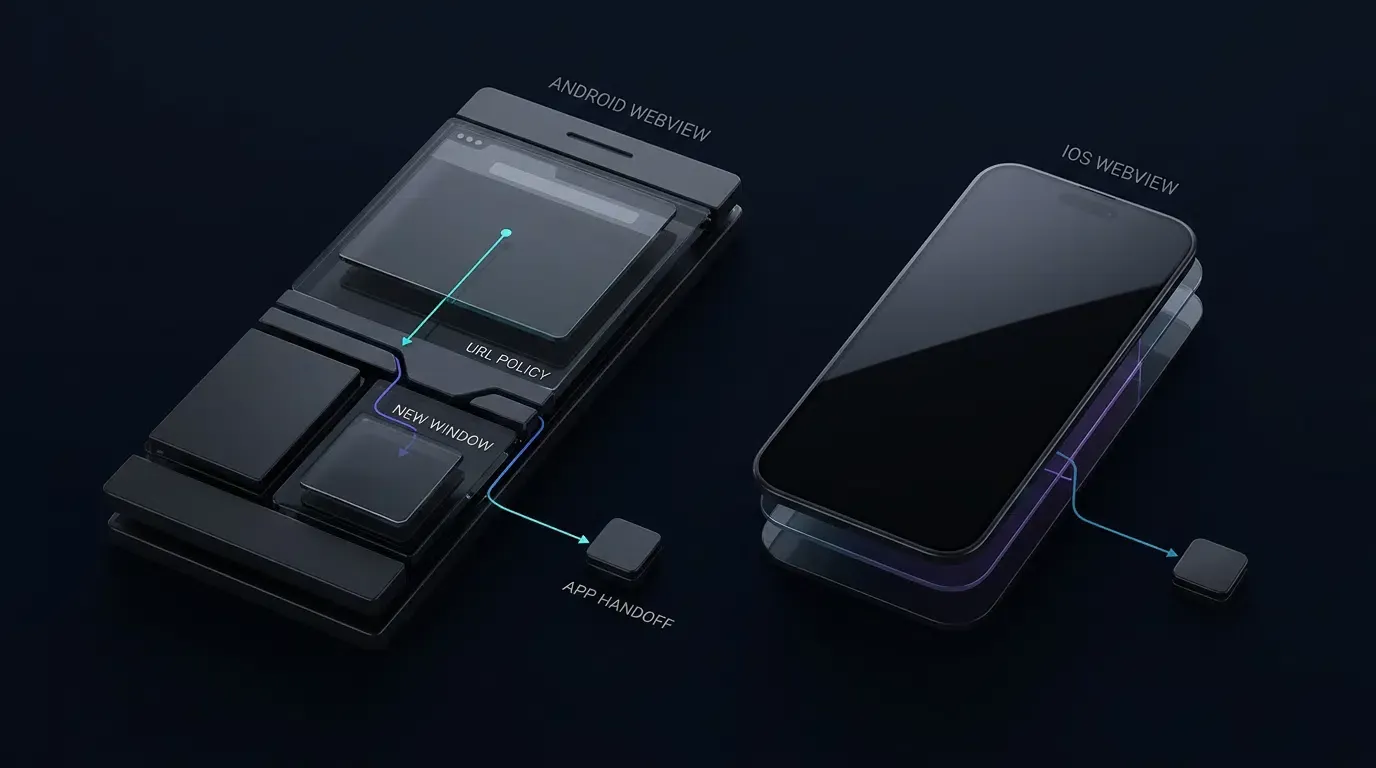
當網頁連結指定 target="_blank" 或 window.open() 時,WebKit 會建立一個新視窗導覽請求,其中的 navigationAction.targetFrame 為 nil,且會同時涉及 WKNavigationDelegate 與 WKUIDelegate。如果宿主應用程式未實作 webView(_:createWebViewWithConfiguration:for:windowFeatures:),WebKit 就無法生成次要的 WebView,導覽可能會靜默失敗。
為了防止當兩個委託都檢查請求時重複啟動外部應用程式或雙重遞增生成權杖,應將純政策評估(evaluateNavigationPolicy)與執行副作用分開,並透過特定的 WKNavigationAction 實例(ObjectIdentifier(navigationAction))進行去重複化,而不是單純依賴可能抑制使用者有意快速重複點擊的粗略時間閾值。直接在 decidePolicyForNavigationAction 中評估 navigationAction.targetFrame == nil:如果評估傳回外部交接計畫,則執行一次(記錄 WKNavigationAction 識別碼)並傳遞 .cancel;如果針對白名單中的彈出視窗網址傳回 .allowInWebView,則傳遞 .allow 以便 createWebViewWith 安全地載入彈出視窗。請務必在目標 iOS 版本上驗證確切的委託回呼順序。
通用連結上下文、非同步競態安全性與自訂協定身分
通用連結交接取決於來源瀏覽上下文、網域關係以及關聯網域(Associated Domains)組態(透過目標伺服器的 apple-app-site-association 檔案進行驗證)。蘋果技術附註 TN3155: Debugging universal links 記錄了 Safari 中的同網域導覽如何傾向於留在瀏覽器中,而不同的子網域則會改變資格。請務必在 WKWebView 內的目標 iOS 版本上測試關聯網域行為。
當呼叫 UIApplication.shared.open(url, options: [.universalLinksOnly: true]) 時,必須防範非同步導覽競態條件:如果使用者在系統處理通用連結交接時發起任何後續的主框架導覽嘗試,傳回 false 的未防護完成處理常式可能會覆寫使用者較新的導覽狀態。在每次新的主框架導覽評估(包括遭封鎖或重新導向的嘗試)時遞增單調的 activeNavigationGeneration 權杖,以便任何掛起的先前非同步備用方案都能立即失效,並在重新載入備用網址之前,驗證 self.activeNavigationGeneration == requestGeneration 以及 self.isViewLoaded && self.view.window != nil。
請遵守兩個嚴格的安全性邊界:
WKNavigationType分類:根據蘋果的WKNavigationType文件,formSubmitted代表提交表單的請求而非連結點擊,且頁面指令碼可以以程式化方式提交表單。應將外部應用程式交接限制在 WebKit 分類的.linkActivated事件,並結合sourceFrame.isMainFrame與完整的 URI 白名單,而不是將.linkActivated視為獨立的密碼學手勢權杖。- 自訂協定唯一性與參數污染:根據蘋果關於為您的應用程式定義自訂網址協定(Defining a Custom URL Scheme for Your App)的指南,多個應用程式可以宣告相同的自訂協定。
isAllowedCustomURL(_:)驗證的是 URI 結構(協定、主機、預設連接埠nil、路徑模式、無 userinfo/fragment,且拒絕重複的查詢鍵),而非目標 Bundle ID 身分。在需要應用程式身分綁定時,請使用網域驗證的通用連結。
參考架構免責聲明:以下實作是一種防禦性參考架構。請針對您的應用程式所使用的確切 AndroidX 與 iOS 版本,驗證 API 可用性、委託順序與生命週期行為。
// iOS - WebViewContainerController.swift
// 參考架構:請針對您的特定專案目標(iOS 15.0–18.0)進行編譯與測試
import UIKit
import WebKit

final class WebViewContainerController: UIViewController, WKNavigationDelegate, WKUIDelegate {

    private enum NavigationPlan: Equatable {
        case allowInWebView
        case launchCustomScheme(URL)
        case attemptUniversalLink(URL)
        case block
    }

    private var webView: WKWebView!

    // 針對外部自訂 URL 協定、主機與查詢鍵的明確白名單
    private let allowedCustomSchemes: Set<String> = ["myapp", "partnerapp"]
    private let allowedCustomHosts: Set<String> = ["open", "product", "promo"]
    private let allowedCustomQueryKeys: Set<String> = ["id", "ref", "promo"]

    // 允許在主要 WebView 容器內部使用的 HTTPS 主機明確白名單
    private let allowedWebHosts: Set<String> = [
        "example.com",
        "m.example.com",
        "links.example.com"
    ]

    // 專門針對子彈出視窗(target="_blank")的獨立白名單
    private let allowedPopupHosts: Set<String> = ["example.com", "auth.example.com"]
    private let allowedPopupPathPrefixes: [String] = ["/oauth", "/popup", "/window"]

    // 在連結啟動時嘗試原生應用程式交接的外部通用連結主機
    private let externalUniversalLinkHosts: Set<String> = ["links.example.com"]

    // 每次新主框架導覽嘗試時遞增的單調導覽生成權杖
    private var activeNavigationGeneration: UInt64 = 0

    // 防止對同一個 WKNavigationAction 進行重複分派的動作層級去重複化
    private var dispatchedActionIDs: [ObjectIdentifier] = []
    private let maxTrackedActionIDs = 16

    // 以標準化通用連結鍵為索引的單調執行時間 TTL 有界快取
    private var bypassedUniversalLinkKeys: [String: TimeInterval] = [:]
    private let maxBypassedKeys = 10
    private let bypassTTLSeconds: TimeInterval = 300
    // 調整重要查詢鍵以符合您應用程式的實際路由參數
    private let significantLoopQueryKeys: Set<String> = ["id"]

    override func viewDidLoad() {
        super.viewDidLoad()

        let configuration = WKWebViewConfiguration()
        webView = WKWebView(frame: view.bounds, configuration: configuration)
        webView.autoresizingMask = [.flexibleWidth, .flexibleHeight]
        webView.navigationDelegate = self
        webView.uiDelegate = self

        #if DEBUG
        if #available(iOS 16.4, *) {
            webView.isInspectable = true
        }
        #endif

        view.addSubview(webView)
    }

    // MARK: - WKNavigationDelegate

    func webView(
        _ webView: WKWebView,
        decidePolicyFor navigationAction: WKNavigationAction,
        decisionHandler: @escaping (WKNavigationActionPolicy) -> Void
    ) {
        guard let url = navigationAction.request.url else {
            decisionHandler(.cancel)
            return
        }

        let isMainFrame = navigationAction.sourceFrame.isMainFrame
        let isNewWindow = (navigationAction.targetFrame == nil)

        // 在每次主框架導覽嘗試時遞增生成權杖(包括被封鎖的嘗試)
        // 這樣任何掛起的先前非同步通用連結備用方案都會立即失效。
        if isMainFrame && !isNewWindow {
            activeNavigationGeneration &+= 1
        }
        let requestGeneration = activeNavigationGeneration

        let plan = evaluateNavigationPolicy(
            url: url,
            navigationType: navigationAction.navigationType,
            isMainFrame: isMainFrame,
            isNewWindow: isNewWindow
        )

        switch plan {
        case .allowInWebView:
            decisionHandler(.allow)

        case .launchCustomScheme(let targetURL):
            if isMainFrame { activeNavigationGeneration &+= 1 }
            executeExternalDispatchOnce(
                action: navigationAction,
                url: targetURL,
                isUniversalLink: false,
                requestGeneration: activeNavigationGeneration
            )
            decisionHandler(.cancel)

        case .attemptUniversalLink(let targetURL):
            if isMainFrame { activeNavigationGeneration &+= 1 }
            let currentGen = activeNavigationGeneration
            executeExternalDispatchOnce(
                action: navigationAction,
                url: targetURL,
                isUniversalLink: true,
                requestGeneration: currentGen
            )
            decisionHandler(.cancel)

        case .block:
            decisionHandler(.cancel)
        }
    }

    // MARK: - WKUIDelegate (處理 target="_blank" 與 window.open)

    func webView(
        _ webView: WKWebView,
        createWebViewWith configuration: WKWebViewConfiguration,
        for navigationAction: WKNavigationAction,
        windowFeatures: WKWindowFeatures
    ) -> WKWebView? {
        guard navigationAction.targetFrame == nil,
              let url = navigationAction.request.url else {
            return nil
        }

        let isMainFrame = navigationAction.sourceFrame.isMainFrame
        if isMainFrame {
            activeNavigationGeneration &+= 1
        }
        let currentGen = activeNavigationGeneration

        let plan = evaluateNavigationPolicy(
            url: url,
            navigationType: navigationAction.navigationType,
            isMainFrame: isMainFrame,
            isNewWindow: true
        )

        switch plan {
        case .allowInWebView:
            webView.load(navigationAction.request)

        case .launchCustomScheme(let targetURL):
            executeExternalDispatchOnce(
                action: navigationAction,
                url: targetURL,
                isUniversalLink: false,
                requestGeneration: currentGen
            )

        case .attemptUniversalLink(let targetURL):
            executeExternalDispatchOnce(
                action: navigationAction,
                url: targetURL,
                isUniversalLink: true,
                requestGeneration: currentGen
            )

        case .block:
            break
        }

        return nil
    }

    // MARK: - 純導覽政策評估(零副作用)

    private func evaluateNavigationPolicy(
        url: URL,
        navigationType: WKNavigationType,
        isMainFrame: Bool,
        isNewWindow: Bool
    ) -> NavigationPlan {
        guard let scheme = url.scheme?.lowercased() else {
            return .block
        }

        let isLinkActivated = (navigationType == .linkActivated)

        // 1. 評估非 HTTP/HTTPS 自訂 URL 協定
        // 注意:自訂協定白名單僅驗證 URI 結構;它無法保證目標 Bundle ID 身分。
        if scheme != "http" && scheme != "https" {
            guard isMainFrame, isLinkActivated, isAllowedCustomURL(url) else {
                return .block
            }
            return .launchCustomScheme(url)
        }

        // 2. 強制執行僅限 HTTPS、預設連接埠(nil 或 443)以及主機白名單
        let targetHost = url.host?.lowercased()
        if isNewWindow {
            guard isMainFrame, isLinkActivated, isAllowedPopupWebURL(url) else {
                return .block
            }
        } else {
            guard isAllowedWebURL(url), let host = targetHost, allowedWebHosts.contains(host) else {
                return .block
            }
        }

        // 3. 在連結啟動時評估指定外部主機的通用連結交接
        if let host = targetHost,
           externalUniversalLinkHosts.contains(host),
           isMainFrame,
           isLinkActivated,
           let loopKey = universalLinkLoopKey(for: url),
           !isBypassedKeyActive(loopKey) {
            return .attemptUniversalLink(url)
        }

        return .allowInWebView
    }

    // MARK: - 動作層級去重複化的外部分派執行

    private func executeExternalDispatchOnce(
        action: WKNavigationAction,
        url: URL,
        isUniversalLink: Bool,
        requestGeneration: UInt64
    ) {
        let actionID = ObjectIdentifier(action)
        if dispatchedActionIDs.contains(actionID) {
            return
        }
        if dispatchedActionIDs.count >= maxTrackedActionIDs {
            dispatchedActionIDs.removeFirst()
        }
        dispatchedActionIDs.append(actionID)

        if isUniversalLink {
            guard let loopKey = universalLinkLoopKey(for: url) else { return }
            UIApplication.shared.open(url, options: [.universalLinksOnly: true]) { [weak self] success in
                // 驗證檢視生命週期與生成權杖,以防止過期的非同步備用方案覆寫
                guard let self = self,
                      self.isViewLoaded,
                      self.view.window != nil,
                      self.activeNavigationGeneration == requestGeneration else {
                    return
                }
                if !success {
                    self.recordBypassedKey(loopKey)
                    self.webView.load(URLRequest(url: url))
                }
            }
        } else {
            UIApplication.shared.open(url, options: [:]) { success in
                if !success {
                    print("[WebViewDebug] 無法啟動自訂協定(可能未安裝應用程式)")
                }
            }
        }
    }

    private func isAllowedWebURL(_ url: URL) -> Bool {
        guard let components = URLComponents(url: url, resolvingAgainstBaseURL: false),
              let scheme = components.scheme?.lowercased(),
              scheme == "https",
              components.user == nil,
              components.password == nil,
              (components.port == nil || components.port == 443) else {
            return false
        }
        return true
    }

    private func isAllowedPopupWebURL(_ url: URL) -> Bool {
        guard isAllowedWebURL(url),
              let components = URLComponents(url: url, resolvingAgainstBaseURL: false),
              let host = components.host?.lowercased(),
              allowedPopupHosts.contains(host),
              components.fragment == nil else {
            return false
        }

        let path = components.path
        return allowedPopupPathPrefixes.contains { path == $0 || path.hasPrefix("\($0)/
") }
    }

    private func isAllowedCustomURL(_ url: URL) -> Bool {
        guard let components = URLComponents(url: url, resolvingAgainstBaseURL: false),
              let scheme = components.scheme?.lowercased(),
              let host = components.host?.lowercased(),
              allowedCustomSchemes.contains(scheme),
              allowedCustomHosts.contains(host),
              components.user == nil,
              components.password == nil,
              components.port == nil, // 拒絕自訂協定上的明確連接埠
              components.fragment == nil else {
            return false
        }

        let path = components.path
        if !path.isEmpty &&
           path.range(of: "^/[A-Za-z0-9/_-]{1,64}$", options: .regularExpression) == nil {
            return false
        }

        if let queryItems = components.queryItems {
            var seenKeys = Set<String>()
            for item in queryItems {
                if seenKeys.contains(item.name) {
                    return false
                }
                seenKeys.insert(item.name)

                guard allowedCustomQueryKeys.contains(item.name),
                      let value = item.value,
                      value.count <= 64,
                      value.range(of: "^[A-Za-z0-9_-]+$", options: .regularExpression) != nil else {
                    return false
                }
            }
        }
        return true
    }

    private func universalLinkLoopKey(for url: URL) -> String? {
        guard let components = URLComponents(url: url, resolvingAgainstBaseURL: false),
              let scheme = components.scheme?.lowercased(),
              let host = components.host?.lowercased() else {
            return nil
        }

        let portPart = (components.port != nil && components.port != 443) ? ":\(components.port!)" : ""
        let significantParams = (components.queryItems ?? [])
            .filter { significantLoopQueryKeys.contains($0.name) }
            .sorted { $0.name < $1.name }
            .map { "\($0.name)=\($0.value ?? "")" }
            .joined(separator: "&")

        let querySuffix = significantParams.isEmpty ? "" : "?\(significantParams)"
        return "\(scheme)://\(host)\(portPart)\(components.path)\(querySuffix)"
    }

    private func isBypassedKeyActive(_ key: String) -> Bool {
        let now = ProcessInfo.processInfo.systemUptime
        bypassedUniversalLinkKeys = bypassedUniversalLinkKeys.filter {
            (now - $0.value) < bypassTTLSeconds
        }
        return bypassedUniversalLinkKeys[key] != nil
    }

    private func recordBypassedKey(_ key: String) {
        let now = ProcessInfo.processInfo.systemUptime
        bypassedUniversalLinkKeys = bypassedUniversalLinkKeys.filter {
            (now - $0.value) < bypassTTLSeconds
        }
        if bypassedUniversalLinkKeys.count >= maxBypassedKeys,
           let oldestKey = bypassedUniversalLinkKeys.min(by: { $0.value < $1.value })?.key {
            bypassedUniversalLinkKeys.removeValue(forKey: oldestKey)
        }
        bypassedUniversalLinkKeys[key] = now
    }
}
修正 Android WebView 中的 ERR_UNKNOWN_URL_SCHEME 與套件可見性失敗
已棄用的回呼、hasGesture() 與 POST 邊界
Android 在 API 級別 24 中棄用了 shouldOverrideUrlLoading(WebView, String),改為支援 shouldOverrideUrlLoading(WebView, WebResourceRequest)。WebResourceRequest 提供了 isForMainFrame、isRedirect 以及 hasGesture()。請注意兩個官方平台限制:shouldOverrideUrlLoading 不會針對宿主發起的 webView.loadUrl() 呼叫或 HTTP POST 導覽被觸發,且 hasGesture() 針對合法的非同步 JavaScript 重新導向或伺服器端 302 跳轉可能會傳回 false。
WebChromeClient.onCreateWindow 中的防禦性彈出視窗處理與執行緒隔離
Android 彈出視窗行為取決於 WebSettings.setSupportMultipleWindows。如果您的應用程式不需要互動式彈出視窗,保持 setSupportMultipleWindows(false)(或從 onCreateWindow 傳回 false)可以防止第三方 iframe 開啟次要容器,或者透過明確的宿主控制進入點開啟已驗證的目的地。
當啟用 setSupportMultipleWindows(true) 時,WebChromeClient.onCreateWindow 的回呼簽章中並不提供目的地網址,且沒有單一回呼能涵蓋所有導覽向量。理解確切的執行緒模型與回呼邊界對於防禦性參考作法至關重要:
shouldOverrideUrlLoading(UI 執行緒 — 導覽與工作階段狀態擁有者):專門在 UI 執行緒上執行,並擁有所有可變的彈出視窗工作階段狀態(isInitialTransportLoad、isAuthorizedPopupSession、popupRedirectHops與popupChainStartMs)。只有當已驗證的初始載入或直接使用者手勢符合policy.isAllowedPopupUri時,shouldOverrideUrlLoading才會授權該工作階段進行後續的有界限 HTTP 302 重新導向(request.isRedirect),確保重新導向鏈能追溯回授權的工作階段,而不是信任任意的重新導向。shouldInterceptRequest(背景 WebView IO 執行緒 — 無狀態唯讀防護):在非 UI WebView 執行緒上執行。由於它絕對不能修改 UI 執行緒的工作階段狀態,因此它嚴格作為對safeClient.policy的無狀態、唯讀政策檢查(封鎖未通過isAllowedPopupUri的主框架 HTTP/HTTPS 請求,並在主執行緒上分派disposeActivePopup())。請注意,根據 Android 文件,shouldInterceptRequest僅針對初始資源網址呼叫,而非針對後續的 HTTP 302 重新導向網址;後續的重新導向網址必須由shouldOverrideUrlLoading進行評估。onPageStarted(UI 執行緒 — 導覽開始備用檢查):在主框架載入開始時執行(而非作為預先導覽過濾器)。它會更新可見的來源橫幅以確保使用者透明度,並提供導覽開始備用檢查,當未核準的目的地開始載入時呼叫stopLoading()與disposeActivePopup()。
務必在目標實體 WebView 建置版本上測試惡意初始網址、跨網域 HTTP 302 鏈、連續 302 重新導向、target="_blank"、window.open() 以及第三方 iframe 觸發器。
Android 11+ 套件可見性與已棄用的 canOpenURL 指導方針
在 Android 套件可見性規則下,在 Android 11(API 級別 30)或更高版本上執行且目標為 API 級別 30 或更高版本(targetSdk >= 30)的應用程式,如果未在 AndroidManifest.xml 的 <queries> 下宣告目標應用程式,從 intent.resolveActivity()或 queryIntentActivities() 接收到的將會是 null 或空結果。Android 建議直接在針對 ActivityNotFoundException 與 SecurityException 的 try/catch 區塊內呼叫 startActivity(intent),而不是擴充 <queries>。
在 iOS 上,蘋果已棄用 UIApplication.canOpenURL(_:),並建議直接嘗試 UIApplication.shared.open(_:options:completionHandler:) 并在完成處理常式中處理任何失敗(或遷移至通用連結以移除協定預先驗證)。Info.plist 中的 LSApplicationQueriesSchemes 僅在舊版程式碼繼續呼叫 canOpenURL(_:) 時才需要,而 open(_:options:completionHandler:) 不需要 在 Info.plist 中宣告協定。<queries> 與 LSApplicationQueriesSchemes 均用於控制查詢可見性——它們並非用於驗證不受信任網頁 URI 的安全性白名單。
<!-- Manifest 片段:將 <queries> 合併至您現有的 AndroidManifest.xml -->
<!-- 僅在 Android 11+ 上針對 targetSdk >= 30 且呼叫 resolveActivity 或 queryIntentActivities 時才需要 -->
<queries>
    <intent>
        <action android:name="android.intent.action.VIEW" />
        <category android:name="android.intent.category.BROWSABLE" />
        <data android:scheme="myapp" />
    </intent>
    <intent>
        <action android:name="android.intent.action.VIEW" />
        <category android:name="android.intent.category.BROWSABLE" />
        <data android:scheme="partnerapp" />
    </intent>
</queries>
<!-- Info.plist 片段:插入至 Info.plist 中根目錄 <dict> 的下方 -->
<!-- 舊版:僅在 iOS 上呼叫已棄用的 UIApplication.shared.canOpenURL 時需要;open(_:options:completionHandler:) 不需要此金鑰 -->
<key>LSApplicationQueriesSchemes</key>
<array>
    <string>myapp</string>
    <string>partnerapp</string>
</array>
如何安全地解析 Chrome Intent URI 並防止重新導向循環
防範 Intent 重新導向攻擊漏洞以保護 Intent.parseUri
Android intent:// URI 編碼了目標協定、套件與備用網址(S.browser_fallback_url)。透過 Intent.parseUri(rawUri, Intent.URI_INTENT_SCHEME) 解析不受信任的網頁 URI 會引入Android Intent 重新導向安全性指南與OWASP 行動應用程式安全性測試指南(OWASP MASTG)中詳述的Intent 重新導向風險。即使 Android 16(API 36)新增了平台層級的預設強化,應用程式仍必須在分派 Intent 之前強制執行嚴格驗證。

為了使用 AndroidX IntentSanitizer(androidx.core:core:1.9.0+ 或捆綁 androidx.core:core 的 androidx.core:core-ktx:1.9.0+)實作失敗封閉(fail-closed)驗證,同時避免 allowAnyComponent() 與套件/元件白名單方法之間產生建置器互斥衝突:
- 預先淨化檢查:立即拒絕攜帶非
nullcomponent或selector欄位的 intent(parsedIntent.component != null || parsedIntent.selector != null)。在淨化前擷取並移除browser_fallback_url,並透過customSchemeTargetPackages原生驗證parsedIntent.data?.scheme是否 1 對 1 對應至parsedIntent.package(確保myapp://嚴格解析至com.example.target,絕不解析至其他合作夥伴套件)。 - 淨化器執行:在不受信任的複本上暫時清除
parsedIntent.package = null,執行IntentSanitizer.Builder().allowAnyComponent().allowAction(Intent.ACTION_VIEW).allowCategory(Intent.CATEGORY_BROWSABLE).allowData { ... }.build().sanitizeByThrowing(parsedIntent)(零網頁提供的任務旗標),並在進行後續淨化斷言之前,將已驗證的expectedPackage與CATEGORY_BROWSABLE重新指派給受淨化的宿主擁有 Intent。 - 上下文感知啟動旗標:僅當
view.context !is Activity時,才在原生分派器(launchWithContextSafety)內部注入Intent.FLAG_ACTIVITY_NEW_TASK。對於網域與應用程式關聯驗證,建議優先使用已驗證的 HTTPS Android App Links(assetlinks.json)。
使用單調鏈狀態防止無限備用循環
當 startActivity 拋出 ActivityNotFoundException 時,透過專用的 isAllowedFallbackUri(uri) 檢查來驗證 browser_fallback_url(嚴格限 HTTPS、預設連接埠、已驗證的主機、明確的備用路徑前置詞、無重複查詢鍵且無 fragment)。透過驗證 uri.port == -1 且 !uri.encodedAuthority.orEmpty().contains(":"),拒絕自訂協定上的明確連接埠表示法。
使用 SystemClock.elapsedRealtime() 追蹤備用鏈(避免牆鐘時間 System.currentTimeMillis() 的跳動),透過 fallbackLoopKey() 隔離鏈(而非完整的 IETF RFC 3986 正規化),透過明確的 loadNewNavigation(webView, url) 宿主包裝函式重設狀態,並透過 onPopupFallbackHandoff 將彈出視窗備用方案路由至主要容器,確保不受信任的網域絕不會在彈出對話方塊內載入。
參考架構免責聲明:以下實作是一種防禦性參考架構。請針對您的應用程式所使用的確切 AndroidX 與 iOS 版本,驗證 API 可用性、委託順序與生命週期行為。
// Android - SafeWebViewModules.kt
// 參考架構:針對您的特定專案目標進行編譯與測試
// 需要 androidx.core:core:1.9.0+(或 androidx.core:core-ktx:1.9.0+)以支援 IntentSanitizer;目標 minSdk >= 24。
package com.example.hostapp.webview
import android.app.Activity
import android.app.Dialog
import android.content.ActivityNotFoundException
import android.content.Intent
import android.content.pm.ApplicationInfo
import android.net.Uri
import android.os.Bundle
import android.os.Message
import android.os.SystemClock
import android.util.Log
import android.view.ViewGroup
import android.widget.TextView
import android.webkit.WebChromeClient
import android.webkit.WebResourceRequest
import android.webkit.WebResourceResponse
import android.webkit.WebView
import android.webkit.WebViewClient
import androidx.appcompat.app.AppCompatActivity
import androidx.core.content.IntentSanitizer
import java.io.ByteArrayInputStream
import java.net.URISyntaxException
// 1. 政策模組(不可變 / 執行緒安全,供 IO 與 UI 執行緒進行唯讀存取)
class CustomUriPolicy(
val customSchemeTargetPackages: Map<String, String> = mapOf(
"myapp" to "com.example.target",
"partnerapp" to "com.partner.app"
),
val allowedCustomHosts: Set<String> = setOf("open", "product", "promo"),
val allowedCustomQueryKeys: Set<String> = setOf("id", "ref", "promo"),
val allowedWebHosts: Set<String> = setOf("example.com", "downloads.example.com"),
val allowedFallbackHosts: Set<String> = setOf("downloads.example.com", "example.com"),
val allowedFallbackPathPrefixes: List<String> = listOf("/download", "/app", "/landing"),
val allowedFallbackQueryKeys: Set<String> = setOf("id", "ref", "promo", "utm_source"),
// 專門針對彈出視窗的獨立白名單;與一般網頁主機區隔
val allowedPopupHosts: Set<String> = setOf("example.com", "auth.example.com"),
val allowedPopupPathPrefixes: List<String> = listOf("/oauth", "/popup", "/window")
) {
val allowedCustomSchemes: Set<String> get() = customSchemeTargetPackages.keys
val allowedTargetPackages: Set<String> get() = customSchemeTargetPackages.values.toSet()
private val pathPattern = Regex("^/[A-Za-z0-9/_-]{1,64}$")
private val queryValuePattern = Regex("^[A-Za-z0-9_-]{1,64}$")
fun isAllowedWebUri(uri: Uri): Boolean {
val scheme = uri.scheme?.lowercase() ?: return false
val host = uri.host?.lowercase() ?: return false
return scheme == "https" &&
host in allowedWebHosts &&
(uri.port == -1 || uri.port == 443) &&
uri.userInfo == null
}
fun isAllowedPopupUri(uri: Uri): Boolean {
val scheme = uri.scheme?.lowercase() ?: return false
val host = uri.host?.lowercase() ?: return false
if (scheme != "https" || host !in allowedPopupHosts) return false
if ((uri.port != -1 && uri.port != 443) || uri.userInfo != null || uri.fragment != null) return false
val path = uri.path.orEmpty()
return allowedPopupPathPrefixes.any { path == it || path.startsWith("$it/") } && pathPattern.matches(path)
}
fun isAllowedFallbackUri(uri: Uri): Boolean {
val scheme = uri.scheme?.lowercase() ?: return false
val host = uri.host?.lowercase() ?: return false
if (scheme != "https" || host !in allowedFallbackHosts) return false
if ((uri.port != -1 && uri.port != 443) || uri.userInfo != null || uri.fragment != null) {
return false
}
val path = uri.path.orEmpty()
if (allowedFallbackPathPrefixes.none { path == it || path.startsWith("$it/") } ||
!pathPattern.matches(path)
) {
return false
}
// 驗證查詢鍵,強制執行值語法,並拒絕重複鍵
val queryNames = uri.queryParameterNames
for (paramName in queryNames) {
if (paramName !in allowedFallbackQueryKeys) return false
val values = uri.getQueryParameters(paramName)
if (values.size != 1 || !queryValuePattern.matches(values[0])) return false
}
return true
}
fun isAllowedCustomUri(uri: Uri): Boolean {
val scheme = uri.scheme?.lowercase() ?: return false
val host = uri.host?.lowercase() ?: return false
if (scheme !in allowedCustomSchemes || host !in allowedCustomHosts) return false
// 嚴格透過檢查 uri.port == -1 且原始權限中無冒號來拒絕網路連接埠
val rawAuthority = uri.encodedAuthority.orEmpty()
if (uri.userInfo != null || uri.port != -1 || rawAuthority.contains(":") || uri.fragment != null) {
return false
}
val path = uri.path.orEmpty()
if (path.isNotEmpty() && !pathPattern.matches(path)) return false
// 驗證查詢鍵,強制執行值語法,並拒絕重複鍵
val queryNames = uri.queryParameterNames
for (paramName in queryNames) {
if (paramName !in allowedCustomQueryKeys) return false
val values = uri.getQueryParameters(paramName)
if (values.size != 1 || !queryValuePattern.matches(values[0])) return false
}
return true
}
}
// 2. 備用管理器:單調已過期時間鏈狀態(將作用中鏈與重複工作階段隔離)
class FallbackLoopGuard(
private val maxHopsPerChain: Int = 3,
private val chainTtlMs: Long = 30_000L,
private val significantQueryKeys: Set<String> = setOf("id")
) {
private var chainStartElapsedMs: Long = 0L
private var fallbackHopCount: Int = 0
private val visitedInCurrentChain = mutableSetOf<String>()
fun resetChain() {
chainStartElapsedMs = 0L
fallbackHopCount = 0
visitedInCurrentChain.clear()
}
fun canLoadFallback(uri: Uri, currentWebViewUrl: String?): Boolean {
val now = SystemClock.elapsedRealtime()
if (chainStartElapsedMs == 0L || (now - chainStartElapsedMs) > chainTtlMs) {
chainStartElapsedMs = now
fallbackHopCount = 0
visitedInCurrentChain.clear()
}
val loopKey = fallbackLoopKey(uri)
val currentKey = currentWebViewUrl?.let { fallbackLoopKey(Uri.parse(it)) }
if (fallbackHopCount >= maxHopsPerChain ||
loopKey == currentKey ||
loopKey in visitedInCurrentChain
) {
return false
}
visitedInCurrentChain.add(loopKey)
fallbackHopCount++
return true
}
// 應用程式層級迴圈鍵,標準化預設 HTTPS 連接埠並保留重要查詢鍵
private fun fallbackLoopKey(uri: Uri): String {
val scheme = uri.scheme?.lowercase().orEmpty()
val host = uri.host?.lowercase().orEmpty()
val portSuffix = if (uri.port != -1 && uri.port != 443) ":${uri.port}" else ""
val path = uri.path.orEmpty()
val sigParams = uri.queryParameterNames
.filter { it in significantQueryKeys }
.sorted()
.joinToString("&") { key -> "$key=${uri.getQueryParameter(key).orEmpty()}" }
val querySuffix = if (sigParams.isEmpty()) "" else "?$sigParams"
return "$scheme://$host$portSuffix$path$querySuffix"
}
}
// 3. 路由器與失敗封閉 IntentSanitizer WebViewClient(僅限 UI 執行緒)
class SafeRedirectWebViewClient(
val policy: CustomUriPolicy = CustomUriPolicy(),
val loopGuard: FallbackLoopGuard = FallbackLoopGuard(),
private val onPopupFallbackHandoff: ((fallbackUri: Uri) -> Unit)? = null
) : WebViewClient() {
// 明確的宿主發起導覽 API,會在 loadUrl() 之前重設備用鏈狀態
fun loadNewNavigation(webView: WebView, url: String) {
val targetUri = Uri.parse(url)
if (!policy.isAllowedWebUri(targetUri)) {
Log.w("WebViewDebug", "已封鎖前往不受信任網址的宿主發起導覽")
return
}
loopGuard.resetChain()
webView.loadUrl(url)
}
// 具備內部驗證並保留作用中鏈狀態的專用備用載入器
fun loadFallbackNavigation(webView: WebView, fallbackUri: Uri) {
if (!policy.isAllowedFallbackUri(fallbackUri)) {
Log.w("WebViewDebug", "已封鎖不受信任的備用導覽嘗試")
return
}
webView.loadUrl(fallbackUri.toString())
}
override fun shouldOverrideUrlLoading(view: WebView, request: WebResourceRequest): Boolean {
return handleNavigation(
view = view,
uri = request.url,
isForMainFrame = request.isForMainFrame,
hasUserGesture = request.hasGesture(),
isPopupContext = false
)
}
fun handleNavigation(
view: WebView,
uri: Uri?,
isForMainFrame: Boolean,
hasUserGesture: Boolean,
isPopupContext: Boolean
): Boolean {
val targetUri = uri ?: return true
val scheme = targetUri.scheme?.lowercase() ?: return true
// 1. 強制執行僅限 HTTPS 與網頁主機白名單於所有 HTTP/HTTPS 導覽
if (scheme == "http" || scheme == "https") {
if (!policy.isAllowedWebUri(targetUri)) {
Log.w("WebViewDebug", "已封鎖非 HTTPS、自訂連接埠或不受信任的網頁主機")
return true
}
if (hasUserGesture && isForMainFrame) {
loopGuard.resetChain()
}
return false
}
// 2. 在外部應用程式啟動時強制執行主框架與使用者手勢限制
if (!isForMainFrame || !hasUserGesture) {
Log.w("WebViewDebug", "已封鎖非主框架或非手勢協定: $scheme")
return true
}
// 3. 解析並以失敗封閉方式淨化 Chrome intent:// URI
if (scheme == "intent") {
return handleIntentUri(view, targetUri.toString(), isPopupContext)
}
// 4. 驗證並明確將白名單自訂 URL 協定 1 對 1 綁定至已驗證的目標套件
if (policy.isAllowedCustomUri(targetUri)) {
val expectedPackage = policy.customSchemeTargetPackages[scheme] ?: return true
val viewIntent = Intent(Intent.ACTION_VIEW, targetUri).apply {
addCategory(Intent.CATEGORY_BROWSABLE)
`package` = expectedPackage
}
launchIntentSafely(view, viewIntent)
return true
}
// 5. 封鎖所有無法識別的協定
Log.w("WebViewDebug", "已封鎖無法識別的 URL 協定: $scheme")
return true
}
// 用於子彈出視窗 WebView 的 UI 執行緒導覽評估工具,將 302 重新導向與授權工作階段綁定
fun handlePopupNavigation(
view: WebView,
uri: Uri?,
isForMainFrame: Boolean,
hasUserGesture: Boolean,
isRedirect: Boolean,
isInitialTransportLoad: Boolean,
isAuthorizedPopupSession: Boolean,
onAuthorizedInitialSession: () -> Unit,
canProceedPopupRedirect: () -> Boolean
): Boolean {
val targetUri = uri ?: return true
val scheme = targetUri.scheme?.lowercase() ?: return true
if (scheme == "http" || scheme == "https") {
if (!isForMainFrame) {
Log.w("WebViewDebug", "已封鎖彈出視窗內的子框架 HTTPS 導覽")
return true
}
if (!policy.isAllowedPopupUri(targetUri)) {
Log.w("WebViewDebug", "已封鎖不受信任的彈出視窗 HTTPS 主機或路徑導覽")
return true
}
// 僅當初始載入或使用者點擊符合白名單時,才在 UI 執行緒上授權工作階段
if (isInitialTransportLoad || hasUserGesture) {
onAuthorizedInitialSession()
return false
}
// 僅允許先前已授權的彈出視窗工作階段進行有界限的伺服器端 302 重新導向
if (isRedirect && isAuthorizedPopupSession && canProceedPopupRedirect()) {
return false
}
Log.w("WebViewDebug", "已封鎖未授權的重新導向或非手勢彈出視窗導覽")
return true
}
return handleNavigation(view, targetUri, isForMainFrame, hasUserGesture, isPopupContext = true)
}
private fun handleIntentUri(view: WebView, rawUri: String, isPopupContext: Boolean): Boolean {
val parsedIntent = try {
Intent.parseUri(rawUri, Intent.URI_INTENT_SCHEME)
} catch (e: URISyntaxException) {
Log.w("WebViewDebug", "異常的 intent URI 語法")
return true
}
val fallbackUrl = parsedIntent.getStringExtra("browser_fallback_url")
parsedIntent.removeExtra("browser_fallback_url")
// 1 對 1 綁定:擷取目標協定並針對預期的目標套件進行原生驗證
val dataUri = parsedIntent.data ?: return true
val targetScheme = dataUri.scheme?.lowercase() ?: return true
val expectedPackage = policy.customSchemeTargetPackages[targetScheme] ?: run {
Log.w("WebViewDebug", "已封鎖帶有無對應自訂協定的 intent: $targetScheme")
return true
}
val rawPackage = parsedIntent.`package`
if (rawPackage != expectedPackage) {
Log.w("WebViewDebug", "已封鎖 intent 套件不符:預期為 $expectedPackage")
return true
}
// 立即拒絕網頁指定的明確元件與選取器
if (parsedIntent.component != null || parsedIntent.selector != null) {
Log.w("WebViewDebug", "已封鎖帶有明確元件或選取器的 intent")
return true
}
// 在使用 allowAnyComponent() 叫用 IntentSanitizer 之前暫時清除已驗證的套件
// 以避免建置器互斥條件,同時嚴格拒絕不受信任的旗標/額外資料。
parsedIntent.`package` = null
val sanitizedIntent = try {
IntentSanitizer.Builder()
.allowAnyComponent()
.allowAction(Intent.ACTION_VIEW)
.allowCategory(Intent.CATEGORY_BROWSABLE)
.allowData { uri -> policy.isAllowedCustomUri(uri) }
.build()
.sanitizeByThrowing(parsedIntent)
} catch (e: SecurityException) {
Log.w("WebViewDebug", "IntentSanitizer 針對不允許的欄位或旗標拋出 SecurityException")
return true
} catch (e: IllegalArgumentException) {
Log.w("WebViewDebug", "IntentSanitizer 拒絕了無效的 intent 引數")
return true
}
// 重新綁定已驗證的目標套件 + 宿主強制執行的類別 + 淨化後斷言
sanitizedIntent.`package` = expectedPackage
sanitizedIntent.addCategory(Intent.CATEGORY_BROWSABLE)
val sanitizedData = sanitizedIntent.data
if (sanitizedIntent.component != null ||
sanitizedIntent.action != Intent.ACTION_VIEW ||
sanitizedIntent.`package` != expectedPackage ||
sanitizedData == null ||
!policy.isAllowedCustomUri(sanitizedData)
) {
Log.w("WebViewDebug", "淨化後 intent 斷言失敗")
return true
}
try {
launchWithContextSafety(view, sanitizedIntent)
loopGuard.resetChain()
} catch (e: ActivityNotFoundException) {
if (!fallbackUrl.isNullOrBlank()) {
val fallbackUri = Uri.parse(fallbackUrl)
if (policy.isAllowedFallbackUri(fallbackUri) &&
loopGuard.canLoadFallback(fallbackUri, view.url)
) {
if (isPopupContext) {
onPopupFallbackHandoff?.invoke(fallbackUri)
} else {
loadFallbackNavigation(view, fallbackUri)
}
} else {
Log.w("WebViewDebug", "已封鎖不受信任或陷入循環的備用網址")
}
}
} catch (e: SecurityException) {
Log.w("WebViewDebug", "SecurityException 封鎖了 intent 啟動")
}
return true
}
private fun launchIntentSafely(view: WebView, intent: Intent) {
try {
launchWithContextSafety(view, intent)
} catch (e: ActivityNotFoundException) {
Log.i("WebViewDebug", "沒有已安裝的應用程式可處理目標套件/協定")
} catch (e: SecurityException) {
Log.w("WebViewDebug", "SecurityException 封鎖了自訂協定啟動")
}
}
private fun launchWithContextSafety(view: WebView, intent: Intent) {
val safeIntent = Intent(intent)
if (view.context !is Activity) {
safeIntent.addFlags(Intent.FLAG_ACTIVITY_NEW_TASK)
}
view.context.startActivity(safeIntent)
}
}
// 4. 生命週期管理的彈出視窗 WebChromeClient(嚴格 UI 執行緒工作階段狀態與無狀態背景防護)
class SafePopupWebChromeClient(
private val safeClient: SafeRedirectWebViewClient
) : WebChromeClient() {
private var activeDialog: Dialog? = null
private var activeChildWebView: WebView? = null
private var isDisposed: Boolean = false
private fun disposeActivePopup() {
if (isDisposed) return
isDisposed = true
val dialog = activeDialog
val child = activeChildWebView
activeDialog = null
activeChildWebView = null
dialog?.setOnDismissListener(null)
dialog?.dismiss()
child?.let {
(it.parent as? ViewGroup)?.removeView(it)
it.stopLoading()
it.webViewClient = WebViewClient()
it.webChromeClient = null
it.destroy()
}
}
override fun onCreateWindow(
view: WebView,
isDialog: Boolean,
isUserGesture: Boolean,
resultMsg: Message?
): Boolean {
if (!isUserGesture) return false
val activity = view.context as? Activity
if (activity == null || activity.isFinishing || activity.isDestroyed) {
return false
}
val transport = resultMsg?.obj as? WebView.WebViewTransport ?: return false
disposeActivePopup()
isDisposed = false
val popupDialog = Dialog(activity)
val popupRoot = android.widget.LinearLayout(activity).apply {
orientation = android.widget.LinearLayout.VERTICAL
layoutParams = ViewGroup.LayoutParams(ViewGroup.LayoutParams.MATCH_PARENT, ViewGroup.LayoutParams.MATCH_PARENT)
}
val originBanner = TextView(activity).apply {
setPadding(24, 16, 24, 16)
setBackgroundColor(android.graphics.Color.DKGRAY)
setTextColor(android.graphics.Color.WHITE)
textSize = 12f
text = "正在載入目的地..."
}
popupRoot.addView(originBanner)
// 下方所有彈出視窗工作階段狀態變數均嚴格在 UI 執行緒上讀取與修改
var isInitialTransportLoad = true
var isAuthorizedPopupSession = false
var popupRedirectHops = 0
var popupChainStartMs = SystemClock.elapsedRealtime()
val maxPopupRedirects = 5
val maxPopupRedirectWindowMs = 30_000L
val childWebView = WebView(activity).apply {
layoutParams = android.widget.LinearLayout.LayoutParams(ViewGroup.LayoutParams.MATCH_PARENT, ViewGroup.LayoutParams.MATCH_PARENT)
settings.apply {
javaScriptEnabled = true
allowFileAccess = false
allowContentAccess = false
setSupportMultipleWindows(false)
}
webViewClient = object : WebViewClient() {
// UI 執行緒:擁有導覽、重新導向與工作階段授權狀態
override fun shouldOverrideUrlLoading(
childView: WebView,
request: WebResourceRequest
): Boolean {
val hasGesture = request.hasGesture()
if (hasGesture) {
popupRedirectHops = 0
popupChainStartMs = SystemClock.elapsedRealtime()
}
val result = safeClient.handlePopupNavigation(
view = childView,
uri = request.url,
isForMainFrame = request.isForMainFrame,
hasUserGesture = hasGesture,
isRedirect = request.isRedirect,
isInitialTransportLoad = isInitialTransportLoad,
isAuthorizedPopupSession = isAuthorizedPopupSession,
onAuthorizedInitialSession = {
isAuthorizedPopupSession = true
},
canProceedPopupRedirect = {
val withinWindow = (SystemClock.elapsedRealtime() - popupChainStartMs) <= maxPopupRedirectWindowMs
if (withinWindow && popupRedirectHops < maxPopupRedirects) {
popupRedirectHops++
true
} else {
false
}
}
)
isInitialTransportLoad = false
return result
}
// 背景 WebView IO 執行緒:嚴格無狀態、唯讀政策檢查。
// 絕不修改 UI 執行緒工作階段狀態;僅涵蓋初始資源網址(不含後續 302 跳轉)。
override fun shouldInterceptRequest(
childView: WebView,
request: WebResourceRequest
): WebResourceResponse? {
if (request.isForMainFrame) {
val targetUri = request.url
val scheme = targetUri?.scheme?.lowercase()
if ((scheme == "http" || scheme == "https") && !safeClient.policy.isAllowedPopupUri(targetUri)) {
Log.w("WebViewDebug", "已在 shouldInterceptRequest 中封鎖未核準的彈出視窗主框架請求")
childView.post { disposeActivePopup() }
return WebResourceResponse("text/plain", "utf-8", ByteArrayInputStream(ByteArray(0)))
}
}
return super.shouldInterceptRequest(childView, request)
}
// UI 執行緒:導覽開始備用檢查與來源顯示(非預先導覽過濾器)
override fun onPageStarted(childView: WebView, url: String?, favicon: android.graphics.Bitmap?) {
super.onPageStarted(childView, url, favicon)
isInitialTransportLoad = false
val uri = url?.let { Uri.parse(it) }
if (uri == null || !safeClient.policy.isAllowedPopupUri(uri)) {
Log.w("WebViewDebug", "導覽開始備用檢查終止了未核準的彈出視窗網址")
childView.stopLoading()
disposeActivePopup()
return
}
isAuthorizedPopupSession = true
val scheme = uri.scheme?.lowercase() ?: "https"
val host = uri.host?.lowercase() ?: "Unknown"
originBanner.text = "來源: $scheme://$host"
}
}
webChromeClient = object : WebChromeClient() {
override fun onCloseWindow(window: WebView?) {
disposeActivePopup()
}
}
}
popupRoot.addView(childWebView)
popupDialog.setContentView(popupRoot)
popupDialog.setOnDismissListener {
disposeActivePopup()
}
activeDialog = popupDialog
activeChildWebView = childWebView
popupDialog.show()
transport.webView = childWebView
resultMsg.sendToTarget()
return true
}
fun destroyPopups() {
disposeActivePopup()
}
}
// 5. 完整宿主 Activity 註冊與生命週期清理範例(在主 WebView 上啟用 JavaScript)
class SafeWebViewActivity : AppCompatActivity() {
private lateinit var webView: WebView
private lateinit var safeClient: SafeRedirectWebViewClient
private lateinit var popupChromeClient: SafePopupWebChromeClient
override fun onCreate(savedInstanceState: Bundle?) {
super.onCreate(savedInstanceState)
if (applicationInfo.flags and ApplicationInfo.FLAG_DEBUGGABLE != 0) {
WebView.setWebContentsDebuggingEnabled(true)
}
val policy = CustomUriPolicy()
val loopGuard = FallbackLoopGuard()
safeClient = SafeRedirectWebViewClient(
policy = policy,
loopGuard = loopGuard,
onPopupFallbackHandoff = { fallbackUri ->
popupChromeClient.destroyPopups()
safeClient.loadFallbackNavigation(webView, fallbackUri)
}
)
popupChromeClient = SafePopupWebChromeClient(safeClient)
webView = WebView(this).apply {
settings.apply {
// 針對需要 JS 重新導向或 window.open() 的信任著陸頁明確啟用 JavaScript
javaScriptEnabled = true
allowFileAccess = false
allowContentAccess = false
// 僅在託管互動式彈出容器時啟用多視窗
setSupportMultipleWindows(true)
}
webViewClient = safeClient
webChromeClient = popupChromeClient
}
setContentView(webView)
// 使用明確的宿主包裝函式,而非裸露的 webView.loadUrl()
safeClient.loadNewNavigation(webView, "https://example.com/landing")
}
override fun onDestroy() {
popupChromeClient.destroyPopups()
(webView.parent as? ViewGroup)?.removeView(webView)
webView.destroy()
super.onDestroy()
}
}
常見問題(FAQ)
為什麼即使已安裝目標應用程式,Android WebView 仍會顯示 net::ERR_UNKNOWN_URL_SCHEME?
為什麼當我的應用程式直接呼叫 WebView loadUrl 時,shouldOverrideUrlLoading 無法觸發?
為什麼帶有自訂協定的 target blank 連結在 WKWebView 內部會無聲失敗?
總結與決策框架
解決 WebView 深層連結重新導向失敗的問題,需要將 WebView 引擎行為與宿主應用程式導覽政策隔離開來。透過在 Chrome DevTools 或 Safari Web Inspector 中重現導覽事件,嚴格將 Android 彈出視窗工作階段狀態侷限於 UI 執行緒,同時將無狀態初始請求篩選與工作階段授權的 302 重新導向檢查相結合,強制執行失敗封閉的 IntentSanitizer 白名單,並保護 iOS 通用連結備用方案免受過期非同步覆寫與重複委託啟動的影響,工程團隊可以減少中斷的使用者旅程,並協助預防客戶端重新導向弱點。
在驗證容器層級的原生委託與備用路徑後,工程團隊也應使用如 OpoInstall 等平台驗證端對端歸因著陸頁與一鍵啟動路由鏈,以確認跨瀏覽器至應用程式轉移期間的參數完整保留。
實體詞彙表
| 術語 | 定義 | 相關實體 | 搜尋意圖角色 |
|---|---|---|---|
| WebView | 一種內嵌的原生 UI 元件,用於在行動應用程式內渲染網頁。 | WebViewClient / WKWebView |
資訊型 / 技術型 |
| 自訂 URL 協定(Custom URL Scheme) | 一種應用程式註冊的 URI 前置詞(例如 myapp://),可啟用外部導覽至原生畫面的功能。 |
Intent.ACTION_VIEW |
技術型 / 資訊型 |
| WKNavigationDelegate | 允許宿主應用程式接受、取消或重新導向 WKWebView 中導覽動作的 WebKit 通訊協定。 |
decidePolicyForNavigationAction |
技術型 |
| WKUIDelegate | 負責處理 WKWebView 中新視窗建立請求的 WebKit 通訊協定。 |
createWebViewWith |
技術型 |
| WebResourceRequest | Android API 24+ 物件,封裝了網址、框架、HTTP 方法、重新導向與手勢後設資料。 | shouldOverrideUrlLoading |
技術型 |
| WebChromeClient | 處理 JavaScript 對話方塊、進度與 onCreateWindow 的 Android WebView 回呼介面。 |
WebViewTransport |
技術型 |
| IntentSanitizer | AndroidX Core 公用程式,用於在分派前過濾或嚴格驗證不受信任的 Intent 欄位。 | Intent 重新導向防禦 | 技術型 / 安全性 |
| 通用連結(Universal Links) | 蘋果基於 HTTPS 的深層連結標準,將已驗證的網域與已安裝的 iOS 應用程式連結。 | 關聯網域(Associated Domains) | 技術型 / 資訊型 |
| 套件可見性(Package Visibility) | Android 11+(targetSdk >= 30)作業系統過濾機制,限制宿主應用程式可以透過 PackageManager 查詢的已安裝應用程式。 |
<queries> Manifest 標籤 |
技術型 |
| Intent URI | 結構化的 Android URI(intent://),編碼了目標套件、協定與瀏覽器備用網址。 |
Intent.URI_INTENT_SCHEME |
技術型 |
相容性基準與驗證狀態
-
預期相容性目標:Android
minSdk 24、compileSdk 34/35、targetSdk 34/35(Android 14/15)、Android 16 (API 36) Intent 重新導向強化上下文、androidx.core:core:1.9.0+(IntentSanitizer);iOS 15.0–18.0(isInspectable在 iOS 16.4+ 上進行閘道控制)、Xcode 15/16、Swift 5.9/6.0。 -
驗證狀態:
-
靜態 API 與規格審查:已針對官方 Android Developers、AndroidX Core、Apple Developer、IETF RFC 3986 與 OWASP MASTG 規格完成審查。
-
編譯與實體裝置驗證:尚未在此次審查週期中執行。團隊必須在正式推出前,編譯並執行涵蓋惡意初始彈出視窗網址、跨網域 302 鏈、連續 302 跳轉、第三方 iframe 視窗建立、Android App Links(
assetlinks.json)、iOS 關聯網域(AASA 快取)、過期非同步通用連結取消、intent://備用鏈以及ActivityNotFoundException分派的實體裝置迴歸測試。
-
參考資料
Share this article