Google Launches Connected Apps? Google announced the preview of its Connected Apps Platform on October 28, 2026, giving developers a unified way to bring third-party services into Google Search and the Gemini app. According to Google’s official announcement, developers can integrate through remote Model Context Protocol (MCP) servers or Android MCP using AppFunctions, then register, test, and submit integrations through Google Connected Console. For application developers, the primary change is an additional route for users to discover and invoke authorized service capabilities inside AI-powered interfaces, introducing new considerations for how services manage execution state and identity across platforms.
Core Industry Realignment: Google Launches Connected Apps for Search and Gemini
At a Glance
- Google introduced the preview of its Connected Apps Platform on October 28, 2026, offering developers a consolidated pathway to manage integrations across Google Search and the Gemini app.
- The platform provides two primary technical integration tracks: cloud-hosted remote Model Context Protocol (MCP) servers and on-device Android MCP powered by Jetpack AppFunctions APIs.
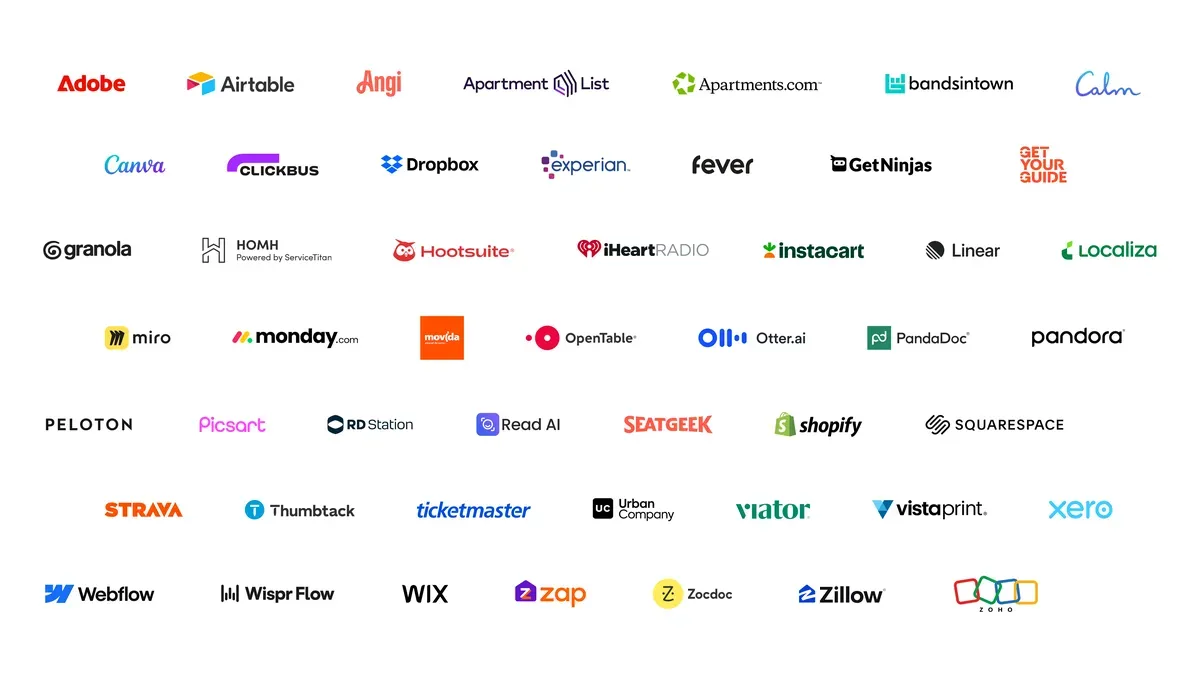
- More than 50 integrations are currently available or rolling out across Gemini and Search, with initial partner capabilities spanning productivity, travel, health, and commerce.
The traditional discovery pipeline on the web has long relied on search engines parsing public content to deliver ranked lists of outbound web links. In that established model, digital platforms optimize content for discovery, capture incoming user traffic through standard browser navigation, and route those interactions toward web experiences or native application installations. Measurement systems evaluate these interactions by analyzing referral headers, session cookies, and campaign tracking parameters appended to incoming request URLs.
The introduction of conversational AI surfaces is altering this discovery pattern by allowing users to complete specific tasks directly within conversational flows. To formalize developer access to this layer, Google launched its Connected Apps Platform, as outlined in the official Google Developer announcement. Through this infrastructure, applications can register defined tools and endpoints, enabling Gemini and Google Search to call external services directly when users express relevant intent.
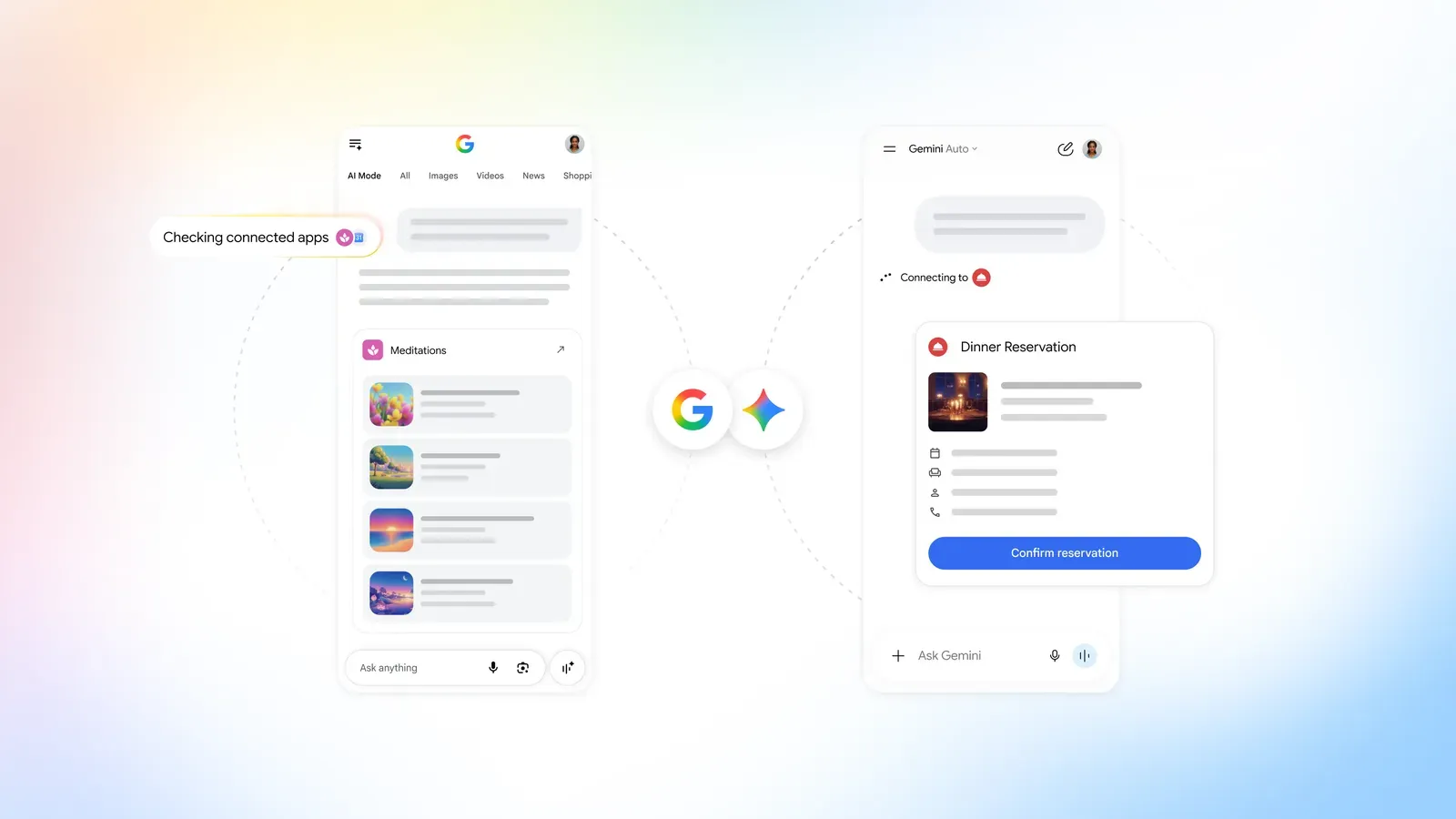
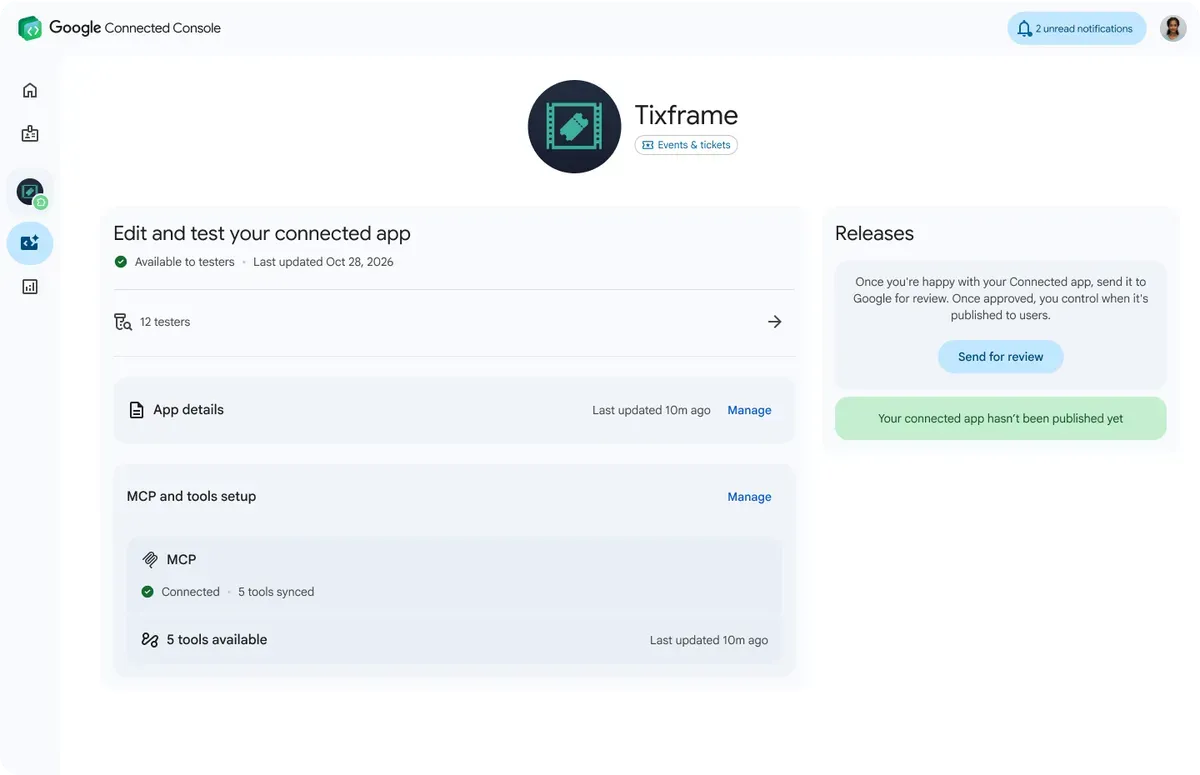
This architectural transition highlights the operational shifts emerging as Google Launches Connected Apps across its core consumer services. Through the Google Connected Console, teams can configure, test, and register their tool definitions, choosing whether specific capabilities appear in Search, the Gemini app, or both environments. The integration allows assistants to trigger external capabilities, such as creating designs in Canva, accessing media playlists, or organizing workout schedules with Peloton. Rather than treating third-party services as external destinations, the operating environment absorbs their functional capabilities into a conversational runtime.
How MCP and Android AppFunctions Integrate with Connected Apps
Integrating third-party services into conversational platforms requires formal protocols to govern message formats, authentication, and execution boundaries. Google has structured its Connected Apps Platform around two distinct technical paths designed to accommodate different service architectures: cloud-hosted remote servers and on-device client libraries.
For cross-platform and cloud-centric architectures, developers can implement a remote server based on the open Model Context Protocol specification. Under this pattern, the developer hosts an accessible MCP service over public HTTPS endpoints that exposes schemas describing available tools and data resources. User account authorization for remote tools is governed through OAuth 2.1, allowing the AI surface to interact with the user’s remote service securely. Alternatively, developers building native Android software can implement the Jetpack AppFunctions library, which exposes device-level application capabilities directly to system assistants through local inter-process communication (IPC). Rather than relying on cloud-level OAuth handshakes, on-device execution is managed via Android platform permissions, including system-level execution privileges within the local application sandbox. AppFunctions remains an experimental preview with specific operating system requirements—primarily targeting Android 16 and above—and trusted tester eligibility criteria for Gemini integration; developers should verify platform availability before planning production rollouts.
Data Transport and Execution Pathways
The architectural differences between remote cloud execution and on-device invocation reflect divergent technical trade-offs across network transport, user authentication, and system dependencies:
[Remote Cloud MCP Pipeline]
  User Intent ──> Gemini / Search ──> Remote MCP Server ──> OAuth 2.1 Auth ──> Cloud API Execution

[On-Device Android MCP Pipeline]
  User Intent ──> Gemini Assistant ──> Jetpack AppFunctions ──> Local IPC / OS Permissions ──> Native App Execution
Unlike conventional outbound web clicks, MCP tool calls and Android AppFunctions do not inherently follow a browser redirect sequence. Developers should therefore evaluate which execution metadata, authenticated user context, and analytics signals are available for each integration. Google’s published documentation does not establish that traditional campaign parameters are automatically passed through these tool-calling interfaces, nor does it demonstrate that all attribution signals are lost. Instead, the platform provides developers with operational metrics inside the Connected Console, including request volume, latency distributions, and error rates, enabling teams to monitor the operational health of their integrations.
Integration Architecture and Session Management Across Surfaces
As digital services adopt multi-surface architectures spanning conversational agents, search engines, and native mobile applications, development teams must select the appropriate integration layer based on their operational requirements. Remote tool calling, local app invocation, standard web navigation, and mobile onboarding solve fundamentally distinct problems across the application lifecycle.
The comparison matrix below outlines the primary functions, data access models, and operational considerations across these complementary technical layers:
| Integration Layer | Primary Function | Execution Surface | Observable Signals | Limitations |
|---|---|---|---|---|
| Remote MCP Server | Cloud tool execution via open protocol | Developer Cloud Infrastructure | Tool invocation count, latency, error telemetry | Requires public HTTPS endpoint and OAuth 2.1 setup |
| Android AppFunctions | Native app capability sharing via OS APIs | Local Android Device Sandbox | Local execution status, IPC return codes | Dependent on installed app presence and OS compatibility |
| Standard Web Redirect | Navigating users between web pages | Client Browser / Webview | HTTP referrers, URL parameters, cookie state | Fragile across browser boundaries and privacy filters |
| Deferred Parameter Recovery | Preserving campaign data through install | Native Mobile Application | Matched link parameters upon first app launch | Limited to measurable web-to-app onboarding funnels |
In a separate mobile acquisition scenario, a connected service may choose to direct users to an external web landing page and, where relevant, an app installation flow. If that journey produces a trackable link visit, a deferred deep linking solution such as OpoInstall can help capture eligible campaign, referral, or destination parameters on the web page and retrieve matching parameters when the app is first launched after installation, subject to implementation and platform constraints. This capability does not reconstruct Gemini conversations, preserve arbitrary MCP execution state, or guarantee attribution for agent-mediated actions that never pass through a measurable web-to-app journey. Teams must design their data pipelines to distinguish between conversational tool execution inside AI platforms and separate user acquisition funnels conducted across external marketing channels.
Engineering Checklist: Onboarding to Google Connected Console
Navigating the deployment requirements for Google’s agent ecosystem demands disciplined operational schedules across engineering, security, and product teams. Developers must implement authenticated APIs that conform to strict security guidelines, while marketing teams must restructure conversion funnels to capture agent-mediated traffic.
Developer Implementation Checklist
- Deploy Model Context Protocol Server: Construct a compliant MCP server over a secure public HTTPS endpoint, utilizing utilities such as MCP Inspector for local protocol verification prior to deployment, as outlined in the Google Connected Apps MCP developer guide.
- Configure OAuth 2.1 for Cloud Integrations: Implement standards-compliant OAuth 2.1 authorization servers to authenticate user accounts and manage granular permission scopes for remote cloud tools.
- Integrate Jetpack AppFunctions: Embed
androidx.appfunctionslibraries within supported Android client builds, declaring appropriate system permissions to expose local tool execution on-device. - Annotate Tool Schemas with Safety Hints: Provide structured JSON schemas incorporating explicit security annotations—such as
readOnlyHintanddestructiveHint—to prevent unintended side effects during conversational multi-turn execution. - Validate in Gemini Developer Mode Before Submission: Verify tool invocation behavior and error handling within Gemini Developer Mode before submitting the completed integration for review via Google Connected Console.
Product & Platform Governance Checklist
- Register in Connected Console: Submit the integration through the Google Connected Console, uploading brand assets and completing required verification reviews.
- Designate Deployment Surfaces: Select whether the application’s tools should be published to Google Search, the Gemini app, or enabled across both environments.
- Monitor Performance Metrics: Track invocation frequency, response latency, and error codes within developer dashboards to ensure service reliability under varying load conditions.
- Audit Independent User Pathways: Ensure that external promotional funnels and installation routes maintain their own dedicated measurement configurations independent of conversational surfaces.
Frequently Asked Questions (FAQ)
What is the technical difference between an MCP server and Android AppFunctions?
What happens if a user has not installed a connected Android app?
Can developers deploy connected apps exclusively to Google Search or Gemini?
Key Takeaways for Engineering Teams
The launch of the Connected Apps Platform introduces an additional layer for digital interaction, enabling applications to provide functional utilities directly within conversational AI environments. By formalizing support for the open Model Context Protocol and Android Jetpack AppFunctions, Google has established structured pathways for developers to expose capabilities to Gemini and Search without relying on custom, proprietary integrations for every product surface.
Engineering organizations evaluating these surfaces must recognize the boundaries of conversational tool execution. Connecting an app to an assistant environment expands real-time utility, but it operates independently of external user acquisition, browser-based marketing funnels, and mobile measurement workflows. Teams should implement robust, authenticated tool endpoints that comply with platform standards while maintaining separate, dedicated data architectures for their broader web and mobile marketing operations.
References
-
Google: Build and Manage Connected Apps in One Place — Official blog post detailing the preview announcement and partner integrations.
-
Google Developers: Connected Apps Platform Documentation — Technical overview and guides for remote MCP server integration.
-
Google Developers: Connected Console Overview — Documentation on application registration, asset verification, and performance telemetry.
-
Android Developers: AppFunctions API Architecture — Implementation guide for client-side tool execution via the Jetpack SDK.
-
Model Context Protocol: Architecture and Specification — Open-source protocol standard for contextual AI tool execution.
-
IETF: OAuth 2.1 Authorization Framework Specification — Internet Engineering Task Force draft defining security guidelines for user token delegation.
Share this article