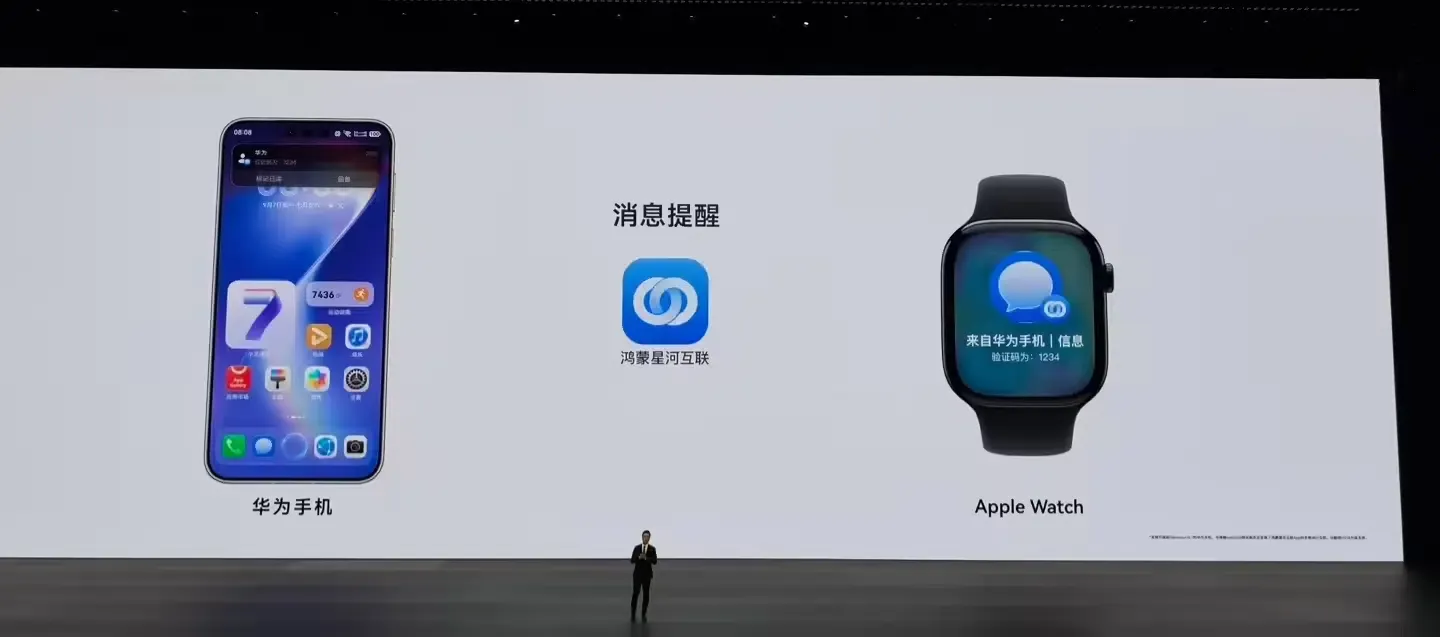
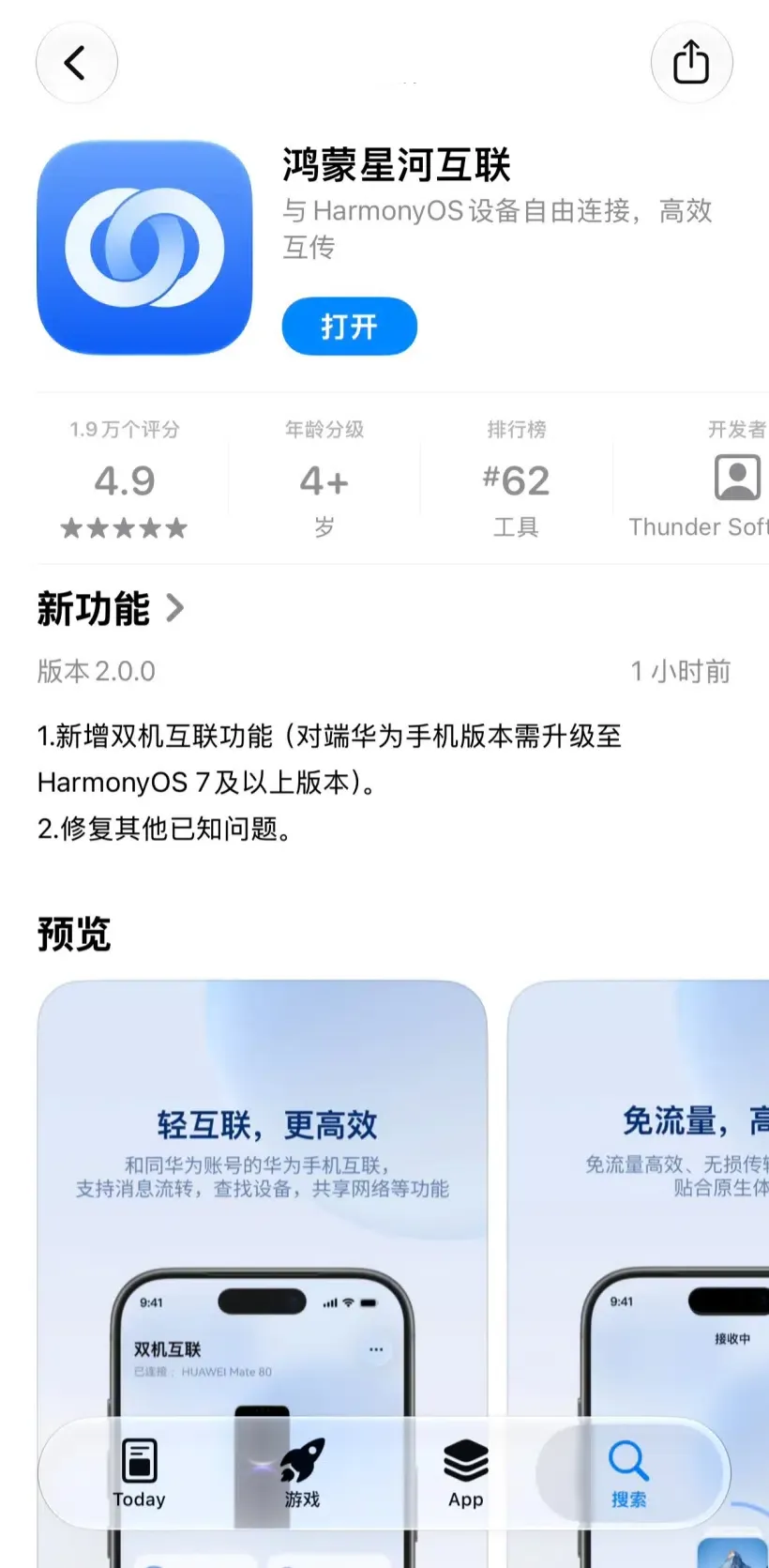
Huawei App Connects Apple Watch to HarmonyOS? Huawei has introduced an Apple Watch version of its HarmonyOS Interconnect app, enabling supported Apple Watches to connect with select Huawei smartphones running HarmonyOS 7.0.0.109 or later. Huawei’s official support documentation lists watchOS 10.0 or later as a requirement and describes a QR-code pairing process initiated on the watch and completed by a Huawei-account-authenticated phone. The documented functions include message forwarding and device finding, subject to Bluetooth, network connectivity, notification permissions, and supported hardware. Huawei has not publicly detailed the underlying communication protocol or pairing cryptography, so those implementation details should not be presented as confirmed features.
Why Huawei Connects Apple Watch: Breaking Walled Gardens Across Wearables
At a Glance
- Huawei released a dedicated watchOS client for its HarmonyOS Interconnect application on the Apple App Store, requiring watchOS 10.0 or later.
- Initial device support covers select Huawei flagship smartphones running HarmonyOS 7.0.0.109 or higher, including the Pura X View, Mate 90 series, and Mate XT 2.
- Confirmed features include message forwarding and device finding, while underlying transport protocols and cryptographic implementations remain undisclosed.
Smart wearable ecosystems have traditionally operated as closed vendor silos. Because the Apple Watch relies on Apple’s proprietary frameworks and tight coupling with iOS, companion experiences on non-Apple smartphones have historically been unavailable. Users operating a mixed-device workflow—such as pairing an Apple Watch alongside a secondary Android or HarmonyOS handset—have faced persistent friction, often requiring duplicate notification setups or separate accessories.
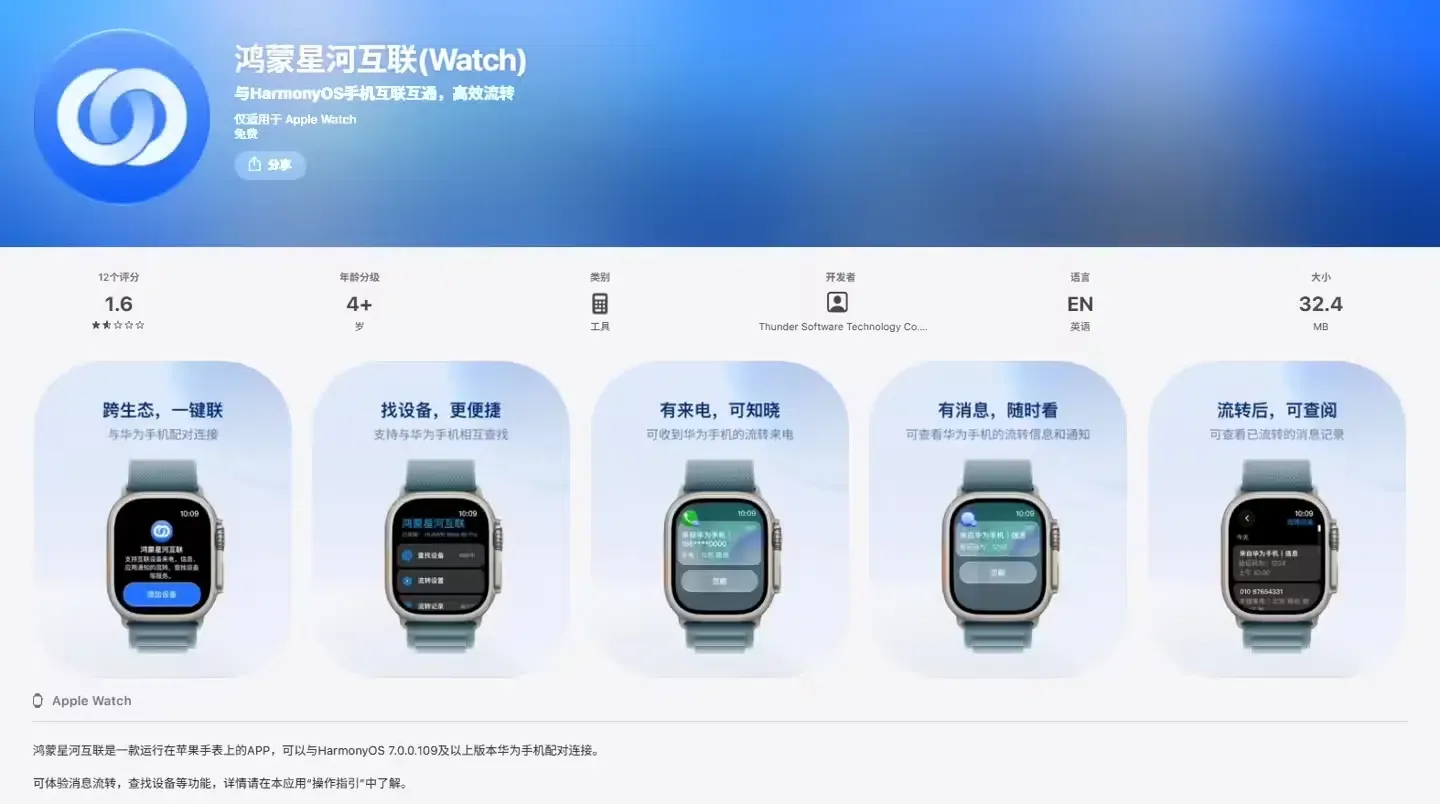
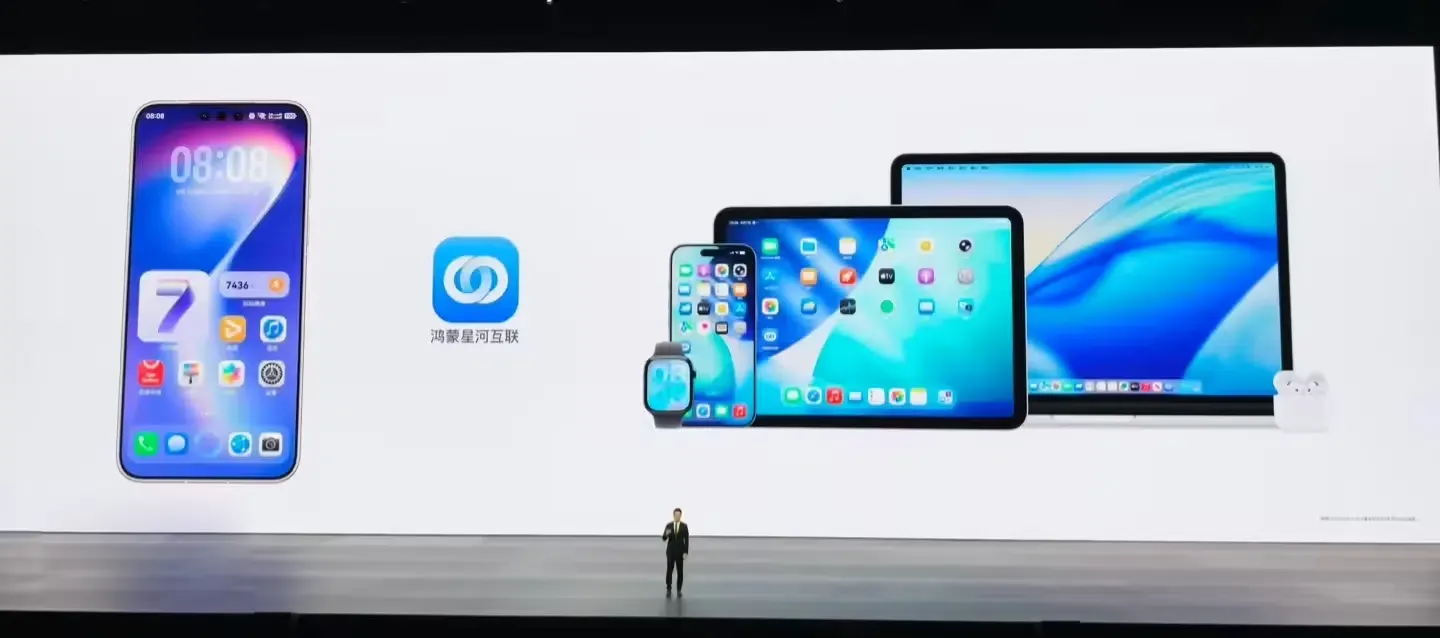
The launch of the watchOS application follows initial announcements made during the HarmonyOS 7 launch event, as reported in technical coverage by ITHome. By distributing an approved watchOS client directly through the Apple App Store, Huawei provides an official installation pathway without relying on jailbreak modifications or undocumented private APIs. According to the official Huawei Apple Watch FAQ, the feature requires compatible hardware, active network connectivity, and enabled Bluetooth on both endpoints.
How Huawei’s Apple Watch Pairing Works: Documented Steps and Architecture
To understand how the cross-platform connection operates, engineering teams must distinguish between documented user-facing workflows and undisclosed backend implementation details. Rather than reverse-engineering unverified Bluetooth Low Energy (BLE) services, developers should examine the setup sequence explicitly outlined in Huawei’s technical support documentation.
[Prerequisites]
  Supported Huawei phone
    └── HarmonyOS 7.0.0.109 or later

  Apple Watch
    └── watchOS 10.0 or later

  Both devices
    └── Bluetooth enabled
    └── Network connectivity available
    └── Unlocked, screens on, and nearby

[Documented Pairing Steps]
  Apple Watch
    → Install HarmonyOS Interconnect from the App Store
    → Open the app
    → Display pairing QR code

  Huawei Phone
    → Sign in to Huawei account
    → Scan the QR code displayed on the Apple Watch
    → Complete the on-screen pairing instructions

[Documented User Features]
  Paired devices
    → Message forwarding
    → Device finding
    → Notification configuration, subject to permissions

[Implementation Details Not Publicly Specified]
  Bluetooth transport profile
  GATT services and characteristics
  QR-code payload structure
  Cryptographic handshake
  Local-versus-cloud message routing
The documented pairing flow uses a QR code displayed by the Apple Watch and scanned by a supported Huawei phone. Huawei has not publicly disclosed the QR-code payload, refresh behavior, or authentication protocol, nor has it confirmed whether the handshake establishes direct peer-to-peer tokens or relies on backend service registration.
In addition to direct pairing between the watch and the phone, Huawei documentation describes an alternative notification pathway for users who carry both an iPhone and a Huawei handset:
[Documented iPhone Notification Mirroring Option]

Huawei Phone
  → HarmonyOS Interconnect on iPhone
  → Enable app notification mirroring in the iPhone Watch app
  → Apple Watch displays eligible forwarded notifications
As outlined in the Huawei iPhone Dual-Phone FAQ, this secondary route utilizes standard iOS notification mirroring to pass alerts from the Huawei companion app on an iPhone to the paired Apple Watch.
Background Execution Boundaries
A primary consideration for wearable developers is how background tasks are handled. While watchOS generally restricts arbitrary third-party background execution, Apple provides specific system-managed facilities, as documented in Apple Developer Using Background Tasks in watchOS and Apple Developer Background Execution in watchOS. These include Bluetooth background alerts that allow apps to handle peripheral communications within managed budget constraints.
Huawei’s support guidance advises users to keep the HarmonyOS Interconnect app running, keep devices nearby, and maintain active Bluetooth and network states when troubleshooting delivery failures. The app’s exact internal background transport, socket handling, and reconnection behavior remain unconfirmed and should not be assumed to operate identically to first-party system daemons.
Documented Features and Platform Constraints: Comparing Integration Models
Evaluating cross-platform companion software requires comparing official feature scopes against native single-vendor implementations. The matrix below outlines documented capabilities, necessary user actions, and undisclosed technical specifications across different deployment models:
| Integration Scenario | Documented Feature Scope | Required User Actions | Documented Limitations | Undisclosed Technical Details |
|---|---|---|---|---|
| Apple Watch Direct Pairing | Message forwarding and device finding | Display QR code on watch; scan with authenticated Huawei phone | Limited to select phone models running HarmonyOS 7.0.0.109+; requires app running for troubleshooting | Transport protocol specifics, GATT service definitions, cryptographic handshake |
| iPhone Notification Mirroring | Forwarding notifications via iOS Watch app | Pair phone with iPhone client; enable notification mirroring in iOS Watch settings | Depends on intermediate iPhone connectivity and notification settings | Data routing mechanisms between Huawei handset and iOS application |
| Native watchOS Ecosystem | Full system-level integration across apps and telephony | Standard Apple Watch pairing via iOS Watch app | Restricted entirely to Apple hardware ecosystem | Platform-managed integration details vary by service; they are not equivalent to Huawei’s undisclosed interconnection implementation |
As shown in the matrix, the integration provides selected cross-device functions through Huawei’s companion application. Huawei specifically documents a device-finding workflow in which users open the paired Apple Watch’s settings on a supported Huawei phone and trigger an audible alert on the watch. The cited Apple Watch FAQ does not establish an equivalent reverse-ringing workflow from the watch to the Huawei phone. Similarly, the documentation does not confirm that Huawei phone calls can be answered using the watch’s microphone and speaker.
Developer Checklist for Cross-Platform Wearable Integration
For engineering teams exploring cross-ecosystem accessory companion apps, Huawei’s deployment provides a practical reference for validating multi-platform connectivity under platform sandbox constraints.
Empirical Validation Steps
- Verify System Baselines: Confirm hardware and software prerequisites, ensuring the test environment meets watchOS 10.0+ and HarmonyOS 7.0.0.109+ standards on supported device tiers.
- Audit Notification Entitlements: Check that notification permissions are fully authorized on the watchOS client. Review watchOS Focus Mode settings to ensure alerts are not silenced by system-level filters.
- Test Application Lifecycle States: Evaluate message delivery latency across foreground execution, background suspension, and device sleep states, referencing the limits described in Apple Developer Core Bluetooth Documentation.
- Verify Device Finding Responsiveness: Test the documented device-finding and ringing functions on supported hardware, including responsiveness under different connection and app lifecycle conditions. Do not assume that the command transport is exclusively local unless supported by technical documentation or direct testing.
- Assess Multi-Device Interference: Document connection stability when target devices are simultaneously paired with external audio accessories or automotive head units.
Operational Considerations
- Provide Clear Permission Guidance: Ensure user onboarding screens clearly instruct users to maintain required Bluetooth, network, and notification permissions.
- Distinguish Between Alert and Audio Capabilities: Clearly communicate functional boundaries in documentation, explaining that notification forwarding does not imply two-way voice call audio support.
- Monitor Account and Regional Availability: Verify whether account registration, cloud synchronization services, or regional deployment restrictions affect feature availability for international users.
Frequently Asked Questions (FAQ)
Can users answer Huawei phone calls directly on the Apple Watch?
Does the Apple Watch need an iPhone to connect to a HarmonyOS phone?
Is the feature available internationally?
Key Takeaways for Engineering Teams
Huawei’s introduction of a watchOS companion client illustrates how user demand is encouraging software bridges across competing platforms. By utilizing standard App Store delivery and visual QR-code pairing, the integration delivers practical notification forwarding and device finding without requiring modifications to underlying operating system sandboxes.
For technical teams, this integration emphasizes the importance of separating documented user features from speculative architecture. While application-layer companion apps can successfully bridge basic alerts and device discovery, they remain governed by platform background constraints and sandbox limits. Developers building cross-platform experiences must design resilient fallback states, communicate permission requirements transparently, and verify behavior empirically on physical hardware.
References
Share this article