How do custom QR codes improve app scan rates? Custom QR codes can improve app scan engagement by replacing generic monochrome patterns with distinct brand cues, high-contrast visual framing, and explicit action prompts that reduce user hesitation at the physical point of engagement.
A custom QR code is a two-dimensional barcode with tailored visual styling, optionally encoding a parameterized URL for campaign measurement. When paired with suitable campaign routing and attribution infrastructure, these design choices may reduce pre-scan hesitation and support more granular offline campaign measurement.
| Term | Definition | Related Entity | Search Intent Role |
|---|---|---|---|
| Custom QR Code | A visually styled 2D barcode engineered to increase consumer scan engagement. | Scan-to-Install Conversion | Informational / Commercial |
| create qr code for app | The strategic process of configuring barcodes for mobile application onboarding. | App Parameter Installation | Technical / Commercial |
| dynamic qr code | A QR code linked to a server-side route allowing real-time destination updates. | Web JS SDK | Technical |
| qr code tracking | The measurement of offline barcode scans and subsequent in-app conversion events. | Channel Statistics & Tracking | Commercial |
The Scan-to-Install Conversion Funnel and How a Custom QR Code Reduces Funnel Friction
Deconstructing the Five-Stage Physical-to-Digital Funnel: Impression, Intent, Decode, Routing, and Install
Offline-to-online (O2O) user acquisition operates across a sequence of transitions spanning physical environments and digital runtime systems. Unlike digital paid acquisition, where a user transitions from ad impression to landing page within a single viewport, physical app acquisition requires distinct physical, optical, and cognitive steps. While no design eliminates drop-off entirely, structuring each stage systematically reduces friction across the conversion lifecycle.
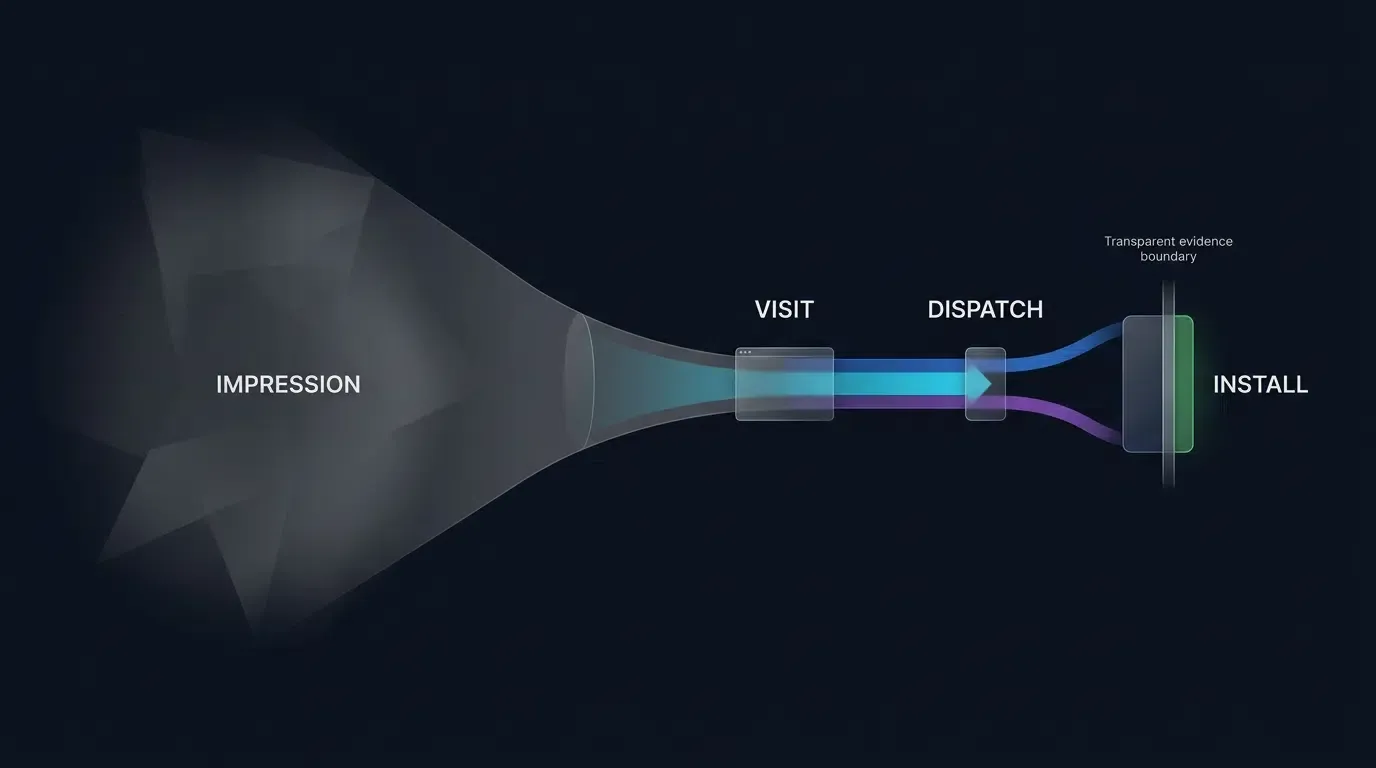
The following five-stage model illustrates a QR campaign that uses an intermediary web landing page; direct-to-store implementations may omit this routing stage and expose fewer web-level measurement signals:
- Estimated Physical Impressions: The calculated volume of pedestrian foot traffic or viewers exposed to the physical collateral within a visible range. This metric represents an environmental estimate derived from transit foot-traffic audits, location censuses, or media distribution counts rather than a deterministic user-level event.
- Scanning Intent Activation: The psychological moment when a viewer decides to engage, unholstering a mobile device, opening a native or in-app camera, and aligning the optical sensor with the physical marker.
- Optical Decode Execution: The device’s computer vision pipeline locates the barcode’s finder patterns, applies binarization thresholds, executes Reed-Solomon error correction, and extracts the encoded URI payload.
- Dynamic Web Routing Layer: The mobile browser executes an intermediary landing page containing an attribution Web JS SDK, registering the ingress HTTP request, capturing session context, and dispatching the user toward the appropriate mobile app store.
- Store Installation and Attributed Launch: The user completes the native binary download from the platform app store and opens the application for the first time, enabling the mobile SDK to resolve the installation context.
A critical measurement distinction must be maintained: a QR landing-page request is an observable routing event, not proof of an optical scan. Physical exposures and scan attempts generally require separate measurement or estimation methods. Install attribution must be reported with an explicit matching method, validation status, and unmatched-event handling.
The Cost of Visual Ambiguity: Why Generic Barcodes Suffer from Consumer Scanning Hesitation
Standard black-and-white barcodes communicate purely functional machine data. To a human observer, an unadorned square matrix provides zero inherent visual context regarding its destination, security posture, or commercial operator. In public retail, event spaces, and transit environments, this visual ambiguity introduces pre-scan hesitation.
Consumers frequently pause or bypass unbranded barcodes due to security concerns regarding malicious URL redirection, unauthorized subscriptions, or fraudulent software downloads. Furthermore, plain barcodes fail to communicate what value or interaction will occur once scanned. When physical collateral fails to communicate explicit utility, engagement intent drops significantly, depressing overall campaign performance regardless of downstream app store optimization.
Eliminating Blind Scan Uncertainty: Brand Identity Framing as a Security and Trust Signal
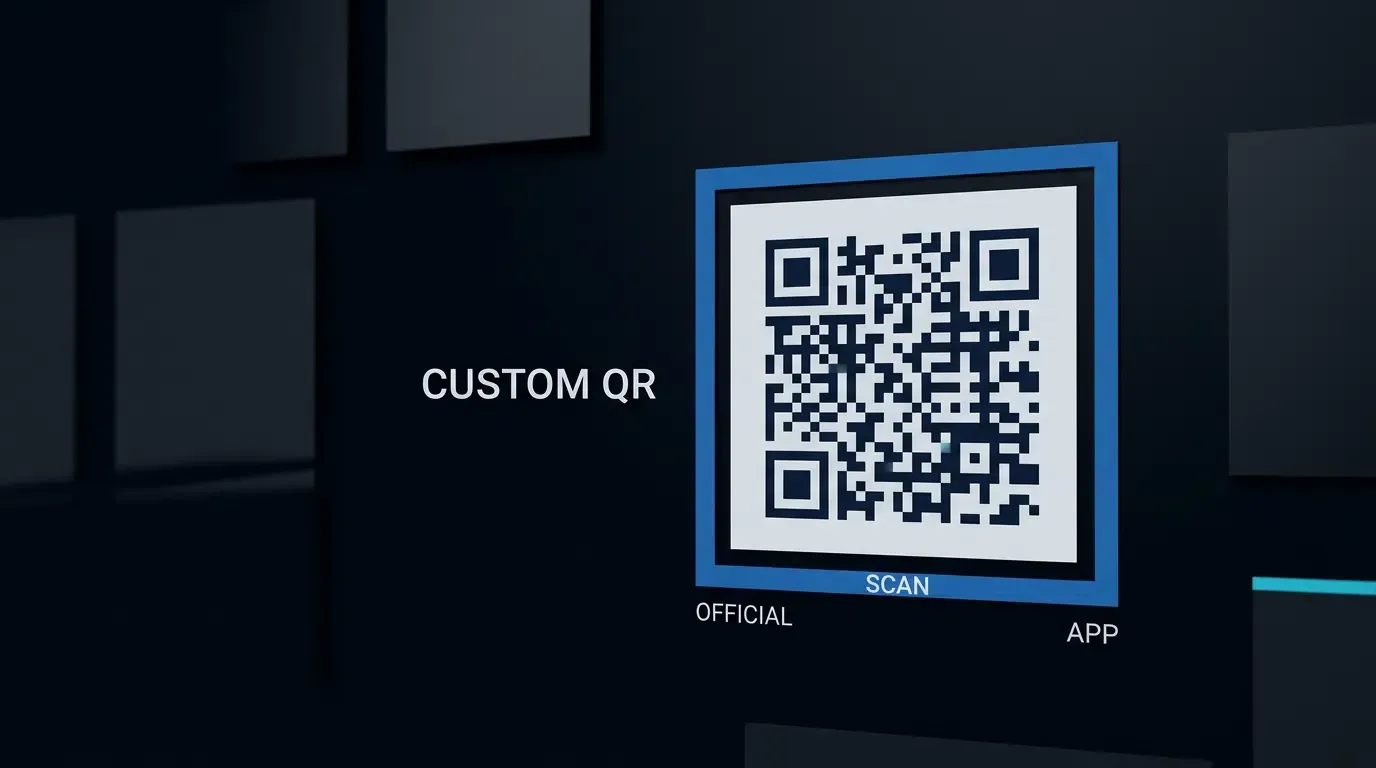
A custom QR code addresses pre-scan hesitation by providing immediate visual context. Enclosing the barcode matrix within a structured visual frame, integrating an authentic brand icon, and applying consistent visual design transforms an anonymous pattern into a recognizable branded promotional asset.
Visual branding reassures the user that the physical signage represents an official organizational touchpoint. However, visual branding does not substitute for destination security or cryptographic domain verification; malicious actors can also reproduce public brand logos on physical stickers. Marketing teams must ensure that the encoded destination URL strictly matches an authorized domain and utilize recognizable brand cues alongside explicit call-to-action micro-copy so users understand the destination and incentive prior to raising their mobile device.
See Also: Custom QR Code ──> Channel Statistics & Tracking
Cognitive and Optical Levers of Custom QR Code Design
Visual Framing and Call-to-Action Text: Explicit Prompts vs. Passive Labels
The graphic container surrounding a barcode matrix serves as the primary cognitive trigger for physical engagement. Passive labeling—such as placing an unadorned barcode above generic text reading “Scan Here” or “Website”—fails to motivate action.
Conversion-focused design pairs an explicit operative verb with a tangible consumer incentive:
- Incentivized Framing Prompts: Enclosing the barcode in a high-contrast container with an explicit header such as “Scan to Order Ahead” or “Scan to Download and View Exclusive Menu” sets clear behavioral expectations.
- Visual Directional Cues: Incorporating structured borders with subtle pointer arrows or clean smartphone silhouettes directs eye movement toward the central matrix.
- Platform Transparency Badges: Displaying standard store identifiers (such as “Available on the App Store and Google Play”) directly beneath the frame confirms mobile application compatibility before the user scans.
Foreground-to-Background Luminance Contrast: Preserving Rapid Binarization across Ambient Lighting
While visual customization elevates brand recognition, aggressive color manipulation can degrade optical decodability. Mobile camera sensors convert color image frames into grayscale before executing adaptive binarization algorithms. If the luminance contrast between the matrix modules and the background substrate is narrow, optical decoders fail to distinguish data modules from the background.
To preserve optical decodability across consumer smartphone sensors:
- Diffuse Reflectance Separation: In alignment with the optical evaluation criteria of ISO/IEC 18004, dark modules must absorb incident light while the substrate reflects it cleanly. Dark foreground colors (e.g., deep charcoal, black, or dark navy) on pure white backgrounds generally support reliable decoding across diverse mobile sensors.
- Color Inversion Warnings: Avoid using light modules on dark backgrounds. While modern vision frameworks can process inverted symbols, many legacy Android camera applications and in-app social scanners assume dark-on-light module configurations, exhibiting elevated failure rates when encountering inverted assets.
- Tone Uniformity: Avoid placing continuous photographic gradients, busy illustrations, or textured patterns directly beneath the barcode modules, as local shadows cause thresholding algorithms to miscalculate module values.
Substrate Selection and Glare Mitigation: Matte vs. Gloss Finishes on Print Marketing Collateral
The physical substrate onto which a custom barcode is printed directly impacts optical decodability. Ambient lighting across retail, conference, and transit venues rarely provides diffuse, shadowless illumination:
- Glossy Laminations and Specular Glare: High-gloss vinyl banners, glossy brochures, and acrylic display stands reflect directional overhead lighting directly into mobile camera lenses. These reflections create localized whiteout patches that wipe out entire clusters of data modules, forcing decoders to exhaust their error correction budgets.
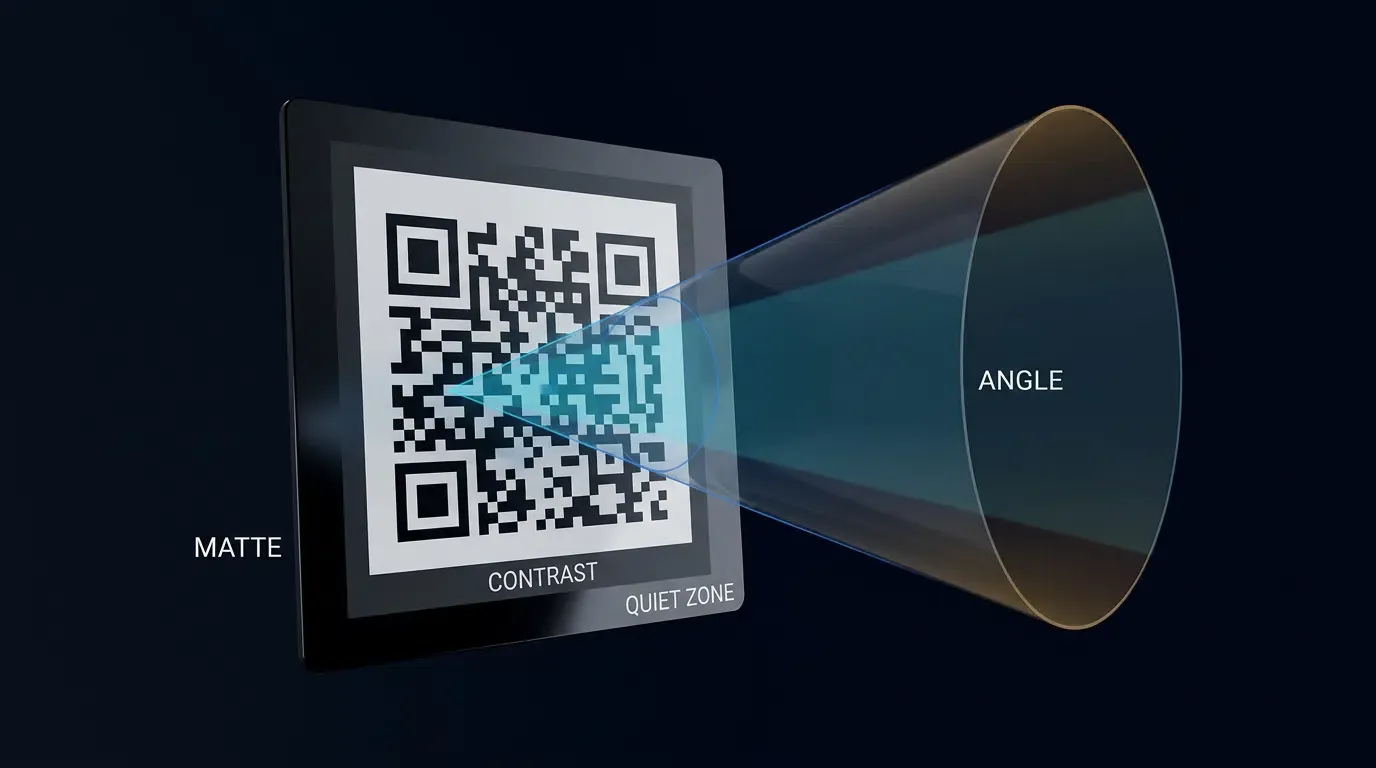
- Matte and Uncoated Finishes: Selecting matte laminations, satin coatings, or high-density uncoated paper substrates diffuses incident light, minimizing specular highlights and preserving module edge sharpness across wide viewing angles. This practice can help reduce glare-related decoding failures under harsh ambient lighting.
- Ink Bleed and Dot Gain: On porous physical media (such as newsprint or direct-mail corrugated board), wet ink expands outward into unprinted areas. On dense QR versions, dot gain narrows the spacing between adjacent modules, occasionally closing inner clearance margins. Pre-press files should account for substrate absorption through empirical negative module spread compensation calibrated with print vendors.
Ergonomic Placement: Viewing Angles, Physical Height, and Scan Distance Considerations in Retail and Transit
Physical placement determines whether a user can comfortably align their device with the barcode:
- Vertical Mounting Heights: In retail storefronts and event venues, mounting barcodes between 1.2 and 1.5 meters from the ground serves as a common operational baseline for adult pedestrians, though public signage must also account for local accessibility and wheelchair viewing standards.
- Angular Distortion Limits: Optical decoders tolerate perspective skew up to variable angular limits depending on camera sensor quality, lighting, and module density. When perspective distortion becomes extreme, angular foreshortening compresses module rows, increasing decode latency.
- Dynamic Environments: In transit environments where passengers are in motion (e.g., subway platforms or bus shelters), barcodes must be scaled larger to accommodate brief viewing windows and greater scanning distances.
Balancing Aesthetic Customization with Reed-Solomon Error Correction Resilience
The Technical Trade-off between Visual Styling and Matrix Redundancy
Every visual modification introduced to a barcode matrix—whether rounding module corners, inserting brand icons, or softening grid shapes—consumes a portion of the symbol’s optical tolerance. Barcodes rely on Reed-Solomon error correction to reconstruct data when portions of the matrix are damaged, obscured, or misread.
When designers overlay a custom brand logo or apply non-standard module geometry, the decoding algorithm treats those modifications as localized bursts of corrupted or missing codewords. Consequently, heavy aesthetic customization directly reduces the remaining mathematical headroom available to absorb real-world environmental degradation, such as physical scratches, surface grime, or camera lens smudges.
Why Error Correction Level Q and Level H Are Essential for Public Physical Media
The ISO/IEC 18004 specification outlines four standardized error correction tiers. For custom branded assets intended for physical deployment, selection of the error correction tier is a critical operational decision:
- Level L (7% Codeword Recovery) and Level M (15% Codeword Recovery): While these tiers minimize matrix version and produce larger individual modules for a given physical size, their parity budgets are narrow. Level M is suitable for clean framed codes that do not obscure internal modules. However, applying even a compact center logo to a Level M matrix consumes a significant portion of available correction capacity, leaving the asset vulnerable to scan failure under physical wear.
- Level Q (25% Codeword Recovery): A balanced option for physical media featuring modest visual framing or subtle module customization without central logo overlays.
- Level H (30% Codeword Recovery): The recommended baseline when incorporating center icons or protective clearance backplates. Allocating approximately 30% of codewords to parity polynomials increases mathematical redundancy, improving tolerance against center graphic occlusion while maintaining capacity for physical print wear and varying lighting conditions. However, higher error correction increases matrix version for a given URL length, producing smaller individual modules on fixed-size collateral.
Preserving Outer Quiet Zones: Preventing Creative Border and Graphic Encroachment
A frequent point of failure in graphic design workflows involves encroaching upon the exterior quiet zone. Defined by ISO/IEC 18004, a barcode requires a solid, unprinted margin of at least four module widths (
When creative teams design tight decorative frames, banner ribbons, or textured background panels, they frequently clip or eliminate this four-module border. Optical scanner engines rely on the exterior quiet zone to identify the outer boundaries of the three corner finder patterns. Placing background artwork, dark illustrative vectors, or typography within four modules of the matrix edge prevents mobile cameras from segmenting the barcode from its background, resulting in increased decode failure risk.
Avoiding Over-Customization Pitfalls: Preserving Finder Pattern Ratios and Grid Uniformity
Certain creative design tools permit modifying the three corner finder patterns (e.g., converting concentric squares into circles, hearts, or company logos). These modifications severely degrade decode velocity.
Optical decoders scan video frames along horizontal and vertical scan lines searching specifically for the strict
Telemetry and Analytics: Tracking the Full Scan-to-Install Funnel
Core Attribution Metrics: Scan Events, Unique Web Visits, Store Clicks, and Verified Activations
Measuring the commercial performance of physical collateral requires instrumenting every milestone of the physical-to-digital user journey. By encoding dynamic attribution parameters into custom QR assets, growth teams can construct comprehensive conversion funnels within their analytics infrastructure.
Essential metrics for evaluating scan-to-install efficiency include:
- Observable Routing Requests (Gross Ingress): The total volume of HTTP requests received by the intermediary landing page URL, including page refreshes and direct URL reloads.
- Unique Qualified Web Visitors: The deduplicated count of distinct client browser sessions reaching the routing layer within a defined lookback window.
- Store Dispatch Clicks: The observed count of user interactions with the landing page download CTA that successfully trigger an outbound redirect response toward the Apple App Store or Google Play Store.
- Verified Attributed Installs: Documented initial application launches where the client SDK successfully extracts the campaign attribution tokens and validates the install against backend attribution rules.
- Unmatched Installs: Application installs occurring during the campaign timeframe that lack verified attribution tokens. These installs remain in an unassigned pool and are not assumed to belong to the physical campaign unless validated under separate deterministic or organic classification rules.
For detailed developer specifications on configuring multi-channel event logging and tracking schemas, consult the OpoInstall channel statistics documentation.
Measuring Conversion Drop-off Ratios across Funnel Stages
Tracking discrete milestones allows engineering and marketing teams to calculate standardized stage-by-stage conversion efficiencies using cohort-aligned metrics:
Analyzing these conversion ratios isolates operational friction points:
- Visit-to-Dispatch Decay: High drop-off between landing page arrival and store dispatch indicates slow page load times, ambiguous value propositions, or confusing layout design on the intermediary web page.
- Dispatch-to-Install Decay: Drop-off between store dispatch and verified installation reflects app store listing optimization issues (ASO), large application binary download sizes, poor cellular network connectivity, or delayed initial app opens.
Structuring Offline Attribution Event Payloads for Data Warehouses
To ingest physical attribution events into centralized data warehouses and business intelligence systems, attribution engines dispatch structured Server-to-Server (S2S) payloads upon attribution resolution.
The JSON schema below illustrates an internal warehouse event schema representing an attribution result record with explicit validation states, idempotency keys, and privacy-compliant matching metadata:
{
  "$schema": "https://json-schema.org/draft/2020-12/schema",
  "title": "OfflineQrInstallAttributionEvent",
  "description": "Illustrative internal warehouse event schema recording an offline QR attribution result with strict state consistency and privacy-minimal audit metadata. Note: event_id requires database-level primary key/idempotency enforcement.",
  "type": "object",
  "required": [
    "schema_version",
    "event_id",
    "event_type",
    "occurred_at_utc",
    "received_at_utc",
    "app_id",
    "attribution"
  ],
  "properties": {
    "schema_version": { "type": "string", "example": "1.0.0" },
    "event_id": { "type": "string", "example": "evt_qr_install_9847291a" },
    "event_type": { "type": "string", "example": "offline_qr_install_attribution" },
    "occurred_at_utc": { "type": "string", "format": "date-time", "example": "2026-08-12T14:25:35Z" },
    "received_at_utc": { "type": "string", "format": "date-time", "example": "2026-08-12T14:25:36Z" },
    "app_id": { "type": "string", "example": "com.example.mobileapp" },
    "campaign_metadata": {
      "type": "object",
      "required": ["channel_code", "campaign_id"],
      "properties": {
        "channel_code": { "type": "string", "example": "poster_retail_downtown_01" },
        "campaign_id": { "type": "string", "example": "summer_retail_drive_2026" },
        "creative_variant": { "type": "string", "example": "framed_cta_incentive" },
        "medium": { "type": "string", "example": "in_store_table_tent" },
        "location_id": { "type": "string", "example": "store_ny_flagship" }
      }
    },
    "attribution": {
      "type": "object",
      "required": ["status", "method", "verification_status"],
      "properties": {
        "status": {
          "type": "string",
          "enum": ["attributed", "pending", "unmatched", "disqualified"]
        },
        "method": {
          "type": "string",
          "enum": ["deferred_deep_link_context", "play_install_referrer", "authorized_first_party_binding", "none"]
        },
        "evidence_reference": {
          "type": ["string", "null"]
        },
        "verification_status": {
          "type": "string",
          "enum": ["verified", "pending_validation", "rejected", "unverified"]
        },
        "time_to_install_seconds": {
          "type": ["integer", "null"],
          "minimum": 0
        }
      }
    },
    "custom_parameters": {
      "type": "object",
      "description": "Untrusted candidate business parameters. Must be verified and authorized by backend services before financial settlement or voucher issuance.",
      "properties": {
        "clerk_id": { "type": "string", "example": "emp_94102" },
        "voucher_code": { "type": "string", "example": "RETAIL15" },
        "target_screen": { "type": "string", "example": "onboarding_discount_welcome" }
      }
    }
  },
  "allOf": [
    {
      "if": {
        "properties": { "attribution": { "required": ["status"], "properties": { "status": { "const": "attributed" } } } }
      },
      "then": {
        "properties": {
          "attribution": {
            "required": ["evidence_reference"],
            "properties": {
              "verification_status": { "const": "verified" },
              "method": { "enum": ["deferred_deep_link_context", "play_install_referrer", "authorized_first_party_binding"] },
              "evidence_reference": { "type": "string", "minLength": 1 }
            }
          }
        }
      }
    },
    {
      "if": {
        "properties": { "attribution": { "required": ["status"], "properties": { "status": { "const": "pending" } } } }
      },
      "then": {
        "properties": {
          "attribution": {
            "required": ["evidence_reference"],
            "properties": {
              "verification_status": { "const": "pending_validation" },
              "method": { "enum": ["deferred_deep_link_context", "play_install_referrer", "authorized_first_party_binding"] },
              "evidence_reference": { "type": "string", "minLength": 1 }
            }
          }
        }
      }
    },
    {
      "if": {
        "properties": { "attribution": { "required": ["status"], "properties": { "status": { "const": "unmatched" } } } }
      },
      "then": {
        "properties": {
          "attribution": {
            "properties": {
              "verification_status": { "const": "unverified" },
              "method": { "const": "none" },
              "evidence_reference": { "type": "null" }
            }
          }
        }
      }
    },
    {
      "if": {
        "properties": { "attribution": { "required": ["status"], "properties": { "status": { "const": "disqualified" } } } }
      },
      "then": {
        "properties": {
          "attribution": {
            "properties": {
              "verification_status": { "const": "rejected" },
              "method": { "const": "none" },
              "evidence_reference": { "type": "null" }
            }
          }
        }
      }
    }
  ]
}
Formalizing Offline Metric Calculation Contracts and Data Hygiene
To ensure consistent reporting across internal data teams, analytics architectures must define strict data hygiene contracts governing event deduplication, lookback windows, and attribution validation.
The formal metric calculation contract below details the numerator, denominator, lookback constraints, and timestamp alignment rules governing offline QR campaign evaluation:
{
  "$schema": "https://json-schema.org/draft/2020-12/schema",
  "title": "OfflineAttributionMetricContractSchema",
  "description": "Formal JSON Schema defining structural constraints, metrics existence, and uniqueness rules for offline attribution calculation contracts.",
  "type": "object",
  "required": [
    "contract_version",
    "reporting_timezone",
    "attribution_window_hours",
    "session_window_hours",
    "metric_definitions"
  ],
  "properties": {
    "contract_version": { "type": "string", "example": "2026.1" },
    "reporting_timezone": { "type": "string", "example": "UTC" },
    "attribution_window_hours": { "type": "integer", "minimum": 1, "maximum": 720 },
    "session_window_hours": { "type": "integer", "minimum": 1, "maximum": 24 },
    "metric_definitions": {
      "type": "array",
      "minItems": 4,
      "maxItems": 4,
      "items": {
        "type": "object",
        "required": [
          "metric_key",
          "display_name",
          "data_nature",
          "calculation_formula",
          "cohort_alignment_rule",
          "deduplication_rule",
          "unmatched_handling"
        ],
        "properties": {
          "metric_key": {
            "type": "string",
            "enum": ["cvr_visit_to_dispatch", "cvr_dispatch_to_install", "cvr_visit_to_install", "ecpi"]
          },
          "display_name": { "type": "string" },
          "data_nature": {
            "type": "string",
            "enum": ["observable_telemetry", "model_estimate", "derived_ratio"]
          },
          "calculation_formula": { "type": "string" },
          "numerator_event": { "type": ["string", "null"] },
          "denominator_event": { "type": ["string", "null"] },
          "cohort_alignment_rule": { "type": "string" },
          "deduplication_rule": { "type": "string" },
          "unmatched_handling": { "type": "string" }
        }
      },
      "allOf": [
        {
          "contains": {
            "type": "object",
            "required": ["metric_key"],
            "properties": { "metric_key": { "const": "cvr_visit_to_dispatch" } }
          },
          "minContains": 1,
          "maxContains": 1
        },
        {
          "contains": {
            "type": "object",
            "required": ["metric_key"],
            "properties": { "metric_key": { "const": "cvr_dispatch_to_install" } }
          },
          "minContains": 1,
          "maxContains": 1
        },
        {
          "contains": {
            "type": "object",
            "required": ["metric_key"],
            "properties": { "metric_key": { "const": "cvr_visit_to_install" } }
          },
          "minContains": 1,
          "maxContains": 1
        },
        {
          "contains": {
            "type": "object",
            "required": ["metric_key"],
            "properties": { "metric_key": { "const": "ecpi" } }
          },
          "minContains": 1,
          "maxContains": 1
        }
      ]
    }
  }
}
{
  "contract_version": "2026.1",
  "reporting_timezone": "UTC",
  "attribution_window_hours": 24,
  "session_window_hours": 1,
  "metric_definitions": [
    {
      "metric_key": "cvr_visit_to_dispatch",
      "display_name": "Visit-to-Dispatch Conversion Rate",
      "data_nature": "derived_ratio",
      "calculation_formula": "(unique_store_dispatches_cohort / eligible_web_visits_cohort) * 100",
      "numerator_event": "store_dispatch_action",
      "denominator_event": "eligible_landing_visit",
      "cohort_alignment_rule": "Both events must belong to visit cohort C_t within session_window_hours",
      "deduplication_rule": "1 qualified dispatch per first-party ephemeral session token within project-configured 1-hour window",
      "unmatched_handling": "Visits failing to dispatch remain in denominator without incrementing numerator"
    },
    {
      "metric_key": "cvr_dispatch_to_install",
      "display_name": "Dispatch-to-Install Conversion Rate",
      "data_nature": "derived_ratio",
      "calculation_formula": "(verified_attributed_installs_cohort / unique_store_dispatches_cohort) * 100",
      "numerator_event": "verified_attributed_install",
      "denominator_event": "store_dispatch_action",
      "cohort_alignment_rule": "Installs must trace to store dispatch actions in cohort C_t within project-configured attribution_window_hours",
      "deduplication_rule": "1 verified install per install transaction ID; strictly requires status=attributed AND verification_status=verified",
      "unmatched_handling": "Candidates pending verification remain in an isolated pending queue; events failing verification transition to unmatched pool and are excluded from numerator"
    },
    {
      "metric_key": "cvr_visit_to_install",
      "display_name": "Visit-to-Attributed-Install Conversion Rate",
      "data_nature": "derived_ratio",
      "calculation_formula": "(verified_attributed_installs_cohort / eligible_web_visits_cohort) * 100",
      "numerator_event": "verified_attributed_install",
      "denominator_event": "eligible_landing_visit",
      "cohort_alignment_rule": "Installs must trace to landing visits in cohort C_t within project-configured attribution_window_hours",
      "deduplication_rule": "1 verified install per install transaction ID; strictly requires status=attributed AND verification_status=verified",
      "unmatched_handling": "Candidates pending verification remain in an isolated pending queue; events failing verification transition to unmatched pool and are excluded from numerator"
    },
    {
      "metric_key": "ecpi",
      "display_name": "Effective Cost Per Install",
      "data_nature": "derived_ratio",
      "calculation_formula": "total_campaign_production_and_placement_cost / verified_attributed_installs",
      "numerator_event": null,
      "denominator_event": "verified_attributed_install",
      "cohort_alignment_rule": "Evaluated across total campaign execution lifecycle",
      "deduplication_rule": "Denominator strictly requires status=attributed AND verification_status=verified",
      "unmatched_handling": "Unmatched and organic installs cannot dilute physical campaign cost baseline"
    }
  ]
}
Visualizing the Physical-to-Digital Scan-to-Install Funnel
The diagram below maps the complete progression of a user interacting with custom physical signage through to post-install attribution:
[Physical Collateral Impression] ──> Passerby Observes Physical Signage
             │
             ▼
[Scanning Intent Activated] ──────> Brand Framing & CTA Motivate Engagement
             │
             ▼
[Optical Decode Execution] ───────> Camera Scans High-Contrast Matrix
             │
             ▼
[Dynamic Web Routing Layer] ─────> Web JS SDK Logs Qualified Visit & Context
             │
             ▼
[Store Download & First Launch] ──> Mobile SDK Restores Attributed Parameters
Multi-Variant Testing: Setting Up AB Channel Tests for Physical Assets
Testing Methodology: Isolating Design Variables across Matched Geographic Cohorts
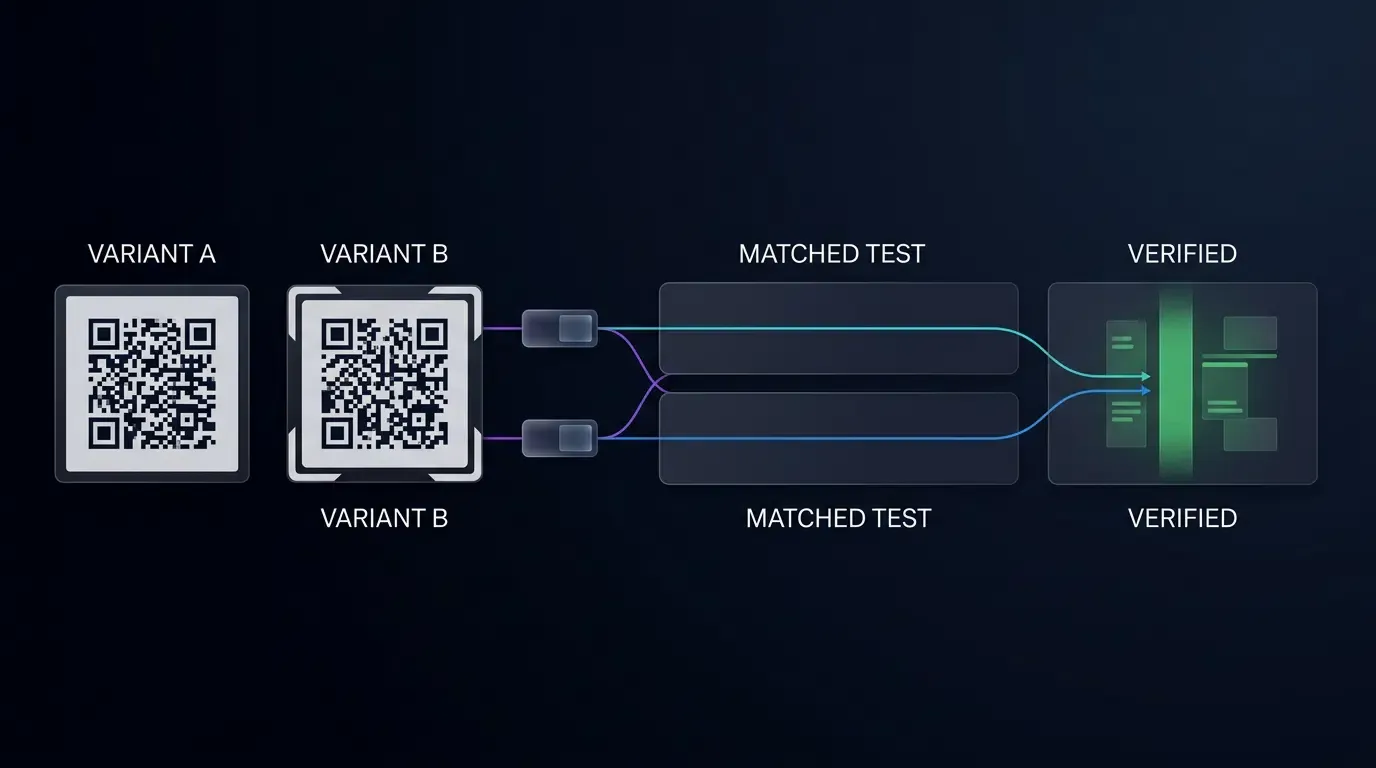
Optimizing custom QR codes requires empirical measurement rather than subjective aesthetic assumptions. Because physical print media cannot be dynamically rotated in real time for a single pedestrian, growth teams implement split-testing across matched geographic cohorts or synchronized distribution channels.
However, observational field tests across geographic locations introduce confounding variables, such as variations in foot traffic volume, local demographics, ambient lighting, and staff advocacy. To mitigate selection bias:
- Cluster Randomization: Rather than assigning entire regions to a single variant, group physical venues into matched clusters (paired by historical foot traffic and sales volume), randomly assigning Variant A or Variant B within each pair.
- Time-Bracket Crossover Testing: In venues with permanent digital displays or rotating poster frames, alternate Variant A and Variant B on a weekly schedule, controlling for day-of-week and localized traffic anomalies.
- Pre-Registered Primary Metrics: Establish the primary evaluation metric (e.g.,
) and minimum detectable effect (MDE) before deploying collateral, avoiding retrospective cherry-picking of secondary metrics.
Deploying Parameterized Destination URLs for Variant Performance Comparison
Each creative variant must encode a unique, parameterized landing page URL linked to a distinct tracking channel within the attribution console.
Consider a commercial retail trial evaluating two distinct CTA frame executions across in-store table displays:
| Test Variant | Encoded Target URL | Creative Framing Hypothesis | Target Attribution Channel |
|---|---|---|---|
| Variant A (Action CTA) | https://promo.example.com/d?channelCode=poster_retail_cta_a |
“Scan to Install & Order” | poster_retail_cta_a |
| Variant B (Incentive CTA) | https://promo.example.com/d?channelCode=poster_retail_cta_b |
“Scan to Claim $10 Credit” | poster_retail_cta_b |
When scanned, the attribution backend records traffic against the specific channel codes independently, allowing data teams to observe distinct funnel velocity, install volume, and downstream user retention curves for each creative execution.
To configure custom attribution channels and generate parameterized test assets, developers can access the OpoInstall developer console.
Evaluating Creative Assets: Comparing Frame Shapes, Colors, and CTA Copy
The following design patterns provide hypotheses for controlled field evaluation:
- Frame Geometry: High-contrast frames and clear banner labels may help distinguish QR scan targets from busy signage; evaluate engagement and decode performance in controlled field tests.
- CTA Specificity: Benefit-oriented CTA copy may outperform generic prompts for certain audiences, but the effect should be established through venue-specific experiments.
- Color Accents: Applying brand accent colors to the outer frame while preserving solid black modules on a pure white background achieves visual alignment without sacrificing optical decode velocity.
Calculating Offline Unit Economics: Effective Cost Per Install Across Print Runs
Evaluating physical campaign success requires unifying production costs with verified attribution data. Marketing teams evaluate offline acquisition efficiency using the Effective Cost Per Install (eCPI) metric:
Where total cost includes graphic design, physical print runs, media placement leasing, and installation labor. Comparing eCPI across creative variants allows growth leaders to identify designs that justify higher upfront printing expenses through superior conversion performance.
Consider an illustrative comparative test across two matched print batches of 1,000 retail table displays:
| Campaign Metric | Variant A (Generic Frame) | Variant B (Custom Branded Frame) | Methodological Interpretation |
|---|---|---|---|
| Total Collateral Cost | $1,200 (Print + Placement) | $1,350 (Custom Print + Lamination) | Fully loaded physical cost |
| Estimated Foot Traffic | Matched store environment estimate | ||
| Eligible Landing Visits (Deduplicated Cohort) | 420 landing visits | 680 landing visits | Deduplicated baseline visits ( |
| Store Dispatch Clicks | 210 store dispatches | 410 store dispatches | |
| Verified Attributed Installs | 85 installs | 195 installs | |
| Effective CPI (eCPI) | $14.12 per install | $6.92 per install | Normalized acquisition unit cost |
Simulated Scenario / Illustrative Hypotheses Model: This hypothetical example illustrates how a higher-cost creative variant could achieve a lower observed eCPI under the stated assumptions. Note that the 420 and 680 landing visits represent the filtered, deduplicated baseline cohort of eligible landing page arrivals (
Comparative Analysis of QR Code Design Elements and Funnel Impact
Evaluating Design Trade-offs across Different Customization Approaches
When designing custom QR codes, creative teams must navigate technical and psychological trade-offs. The table below outlines qualitative design trade-offs across common barcode styling patterns:
| QR Code Design Pattern | Error Correction Tier | Visual Familiarity | Optical Decode Robustness | Estimated Funnel Risk | Requires Field Validation |
|---|---|---|---|---|---|
| Generic Monochrome Matrix | Level L or M | Low (Generic utility) | High under controlled lighting | Pre-scan hesitation drop-off | Yes (Baseline benchmark) |
| Framed Custom QR Code | Level Q or H | Elevated (Branded CTA) | Potentially robust when validated across devices | Balanced clarity and intent | Yes (CTA copy testing) |
| Heavily Art-Stylized Matrix | Level H | Distinctive (Creative visual) | Variable (Sensor sensitive) | Optical decode failures | Yes (Multi-device optical test) |
| Low-Contrast Aesthetic Code | Level L or M | Moderate (Design-led) | Fragile (Prone to glare failure) | Optical threshold drop-off | Yes (Substrate glare test) |
Balancing Aesthetics, Decode Reliability, and Implementation Overhead
Standard monochrome QR codes are simple and often highly readable, but may offer fewer opportunities to communicate campaign identity and incentives. Any engagement difference should be evaluated through controlled field testing. Conversely, heavily stylized artistic barcodes—where modules are replaced with bespoke illustrative dots or non-standard finder art—may look distinctive in digital design portfolios but exhibit high failure rates when printed on real-world media exposed to variable lighting and low-tier smartphone cameras.
Framed custom QR codes—combining standard, high-contrast matrix geometry with branded external borders, clear CTA micro-copy, and Level H error correction—represent a balanced commercial hypothesis, maximizing consumer scanning intent while maintaining optical decode velocity across mobile devices.
Frequently Asked Questions (FAQ)
How do custom QR codes improve app scan rates compared to plain barcodes?
What call-to-action text works best around an app download QR code?
How do I prevent physical wear and dirt from breaking custom QR codes?
Summary and Decision Framework
To optimize app scan-to-install conversion via custom QR codes, growth teams must address both cognitive friction and optical decodability. Transforming passive physical collateral into high-velocity digital acquisition channels requires clear visual branding, explicit call-to-action framing, and robust error correction.
As physical marketing collateral becomes increasingly integrated into digital growth strategies, measurement precision depends on combining disciplined print design with dynamic attribution infrastructure. By pairing styled, high-contrast QR matrices with parameter-preserving routing, platforms such as OpoInstall can support offline channel tracking and attribution workflows, subject to the configured links, SDK integration, and supported installation paths.
For detailed developer specifications on creating dynamic promotional links and managing custom campaigns, consult the OpoInstall channel statistics documentation.
Related Materials
-
Concepts: Scan-to-Install Funnel, Cognitive Friction, Optical Contrast Ratio, Offline-to-Online Attribution
-
Technologies: Dynamic 2D Barcodes, Web JS SDK, Mobile Attribution SDK, S2S Postbacks
-
Standards: ISO/IEC 18004 Information Technology — Automatic Identification and Data Capture Techniques — QR Code Bar Code Symbology Specification, W3C Web Content Accessibility Guidelines Contrast Criteria
-
APIs: OpoInstall Channel Statistics Interface, OpoInstall Conversion Event Recording Services
-
Official Documentation & References:
Share this article