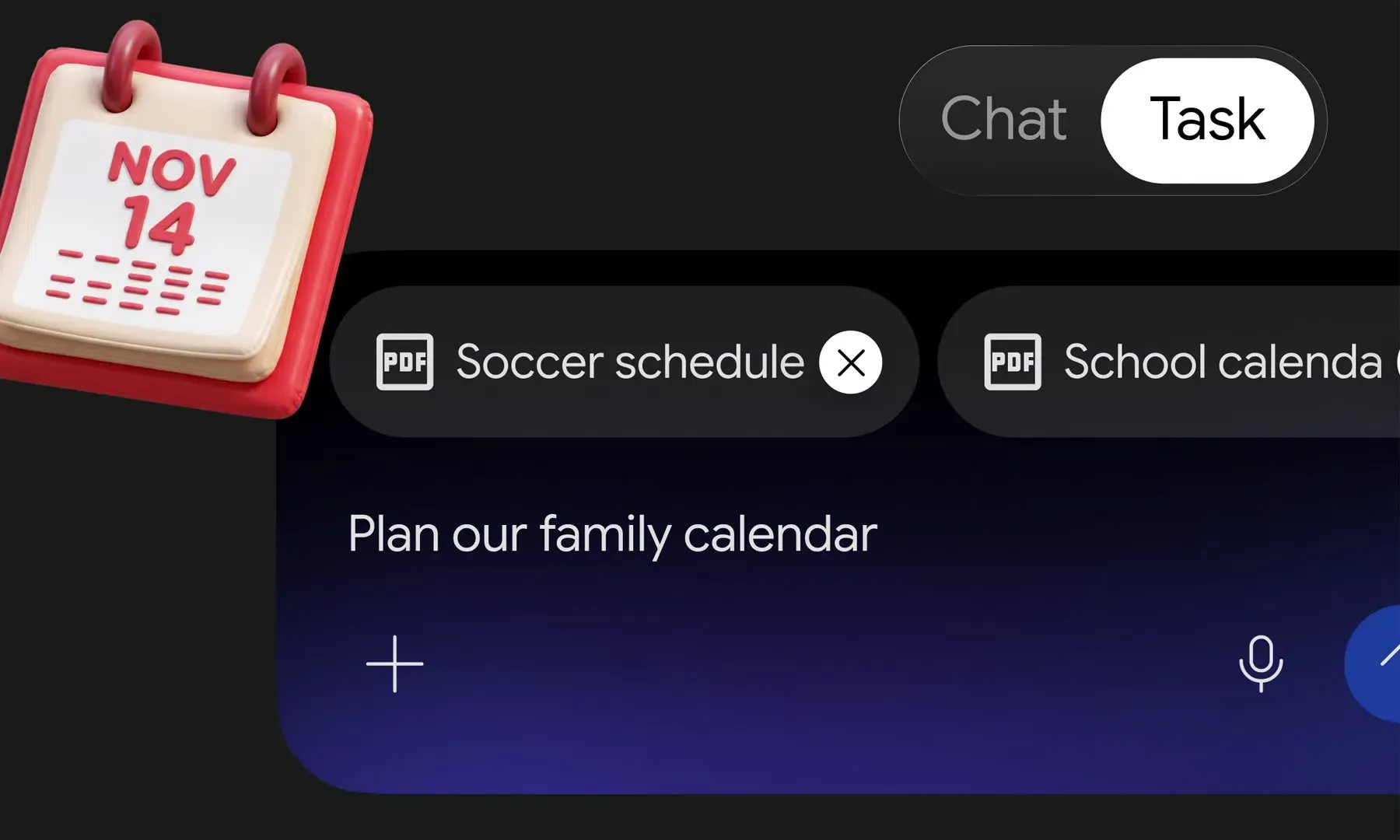
Is Google Gemini Tasks Free Now?Google is rolling out free access to personal Google Accounts aged 18 and over across six countries, while AI business calling and Google Pay purchases remain US-only features with separate eligibility and transaction limits. Announced on November 17, 2026 by Gemini app VP Josh Woodward on Google’s official blog, The Keyword, the update rebrands the former Gemini Spark agent into Tasks—accessible via a Chat/Task toggle powered by Gemini 4 Hydrogen.
Rollout Scope, Regional Restrictions, and Plan Limits for Google Gemini Tasks
At a Glance
- Free access to Google Gemini Tasks is rolling out to adults with personal Google Accounts in the United States, Canada, Japan, South Korea, Australia, and India, while Google AI Pro and Ultra subscribers in most other supported countries also receive access—excluding the European Economic Area, Switzerland, the United Kingdom, and Nigeria per Gemini Apps Help.
- US-only capabilities let Gemini dial multiple businesses simultaneously, check out with Google Pay under a user-set budget cap of up to $1,000, and accept delegated jobs via
gemini@google.comor SMS/RCS texting. - Free and paid tiers differ sharply on scheduling precision and compute-based allowances, while Google cautions that tasks remain experimental, can fail on bot-blocking websites, and may hand screens back to users for final clicks.
Originally unveiled at Google I/O on May 19, 2026 as Gemini Spark on Gemini 3.5 for US Ultra beta users, the agent was renamed Tasks because users consistently asked Gemini to handle “tasks,” according to Gemini Apps Help. Google states that the November 17 expansion reaches hundreds of millions of users across the mobile app, Mac app, and web interface at gemini.google.com, though work and school Google Accounts remain unsupported.
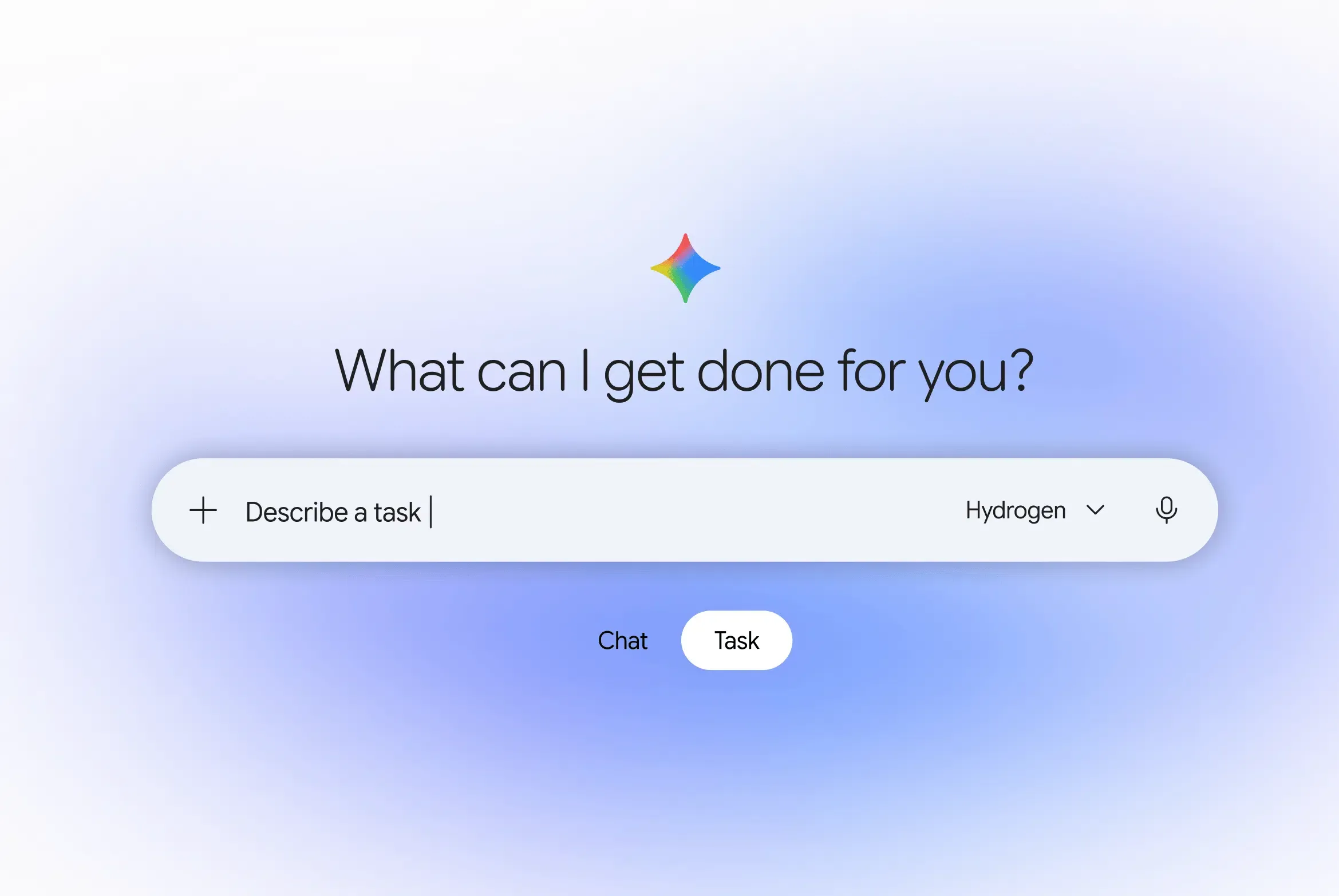
Google says Google Gemini Tasks is powered by its newly released Gemini 4 Hydrogen model. The consumer experience follows Gemini Apps’ separate compute-based usage limits rather than the model’s developer API pricing ($1.50 per million input tokens and $7.50 per million output tokens). Google uses compute-based limits that refresh every five hours up to a weekly ceiling and vary with the number and complexity of tasks; its general usage guide also notes that long conversations and multi-step research can consume more quota.
| Plan Tier | Concurrent Active Tasks | Active Schedules | Schedule Precision | Context Window in Gemini Apps | Relative Usage Allowance |
|---|---|---|---|---|---|
| Free (No AI Plan) | Up to 15 | Up to 10 | Once daily in a general window | 32k tokens | Standard |
| Google AI Plus | Up to 15 | Up to 10 | Once daily in a general window | 128k tokens | 2x standard |
| Google AI Pro | Up to 15 | Up to 50 | Hourly or targeted time (approximate; plus monitors) | 1 million tokens | 4x standard |
| Google AI Ultra | Up to 15 | Up to 50 | Hourly or targeted time (approximate; plus monitors) | 1 million tokens | 5x or 20x Pro limits |
Full scheduling quotas—including the 10-schedule daily-window cap on Free/Plus versus 50 schedules with Gmail and topic monitors on Pro/Ultra—are detailed in Google’s task-scheduling documentation. Notably, while Pro and Ultra plans allow users to schedule tasks for a specific time, Google explicitly warns that run times are approximate, may be delayed during high traffic, and are not guaranteed to execute to the minute. Outside the six free launch countries, Gemini Apps Help specifies that access requires a Google AI Pro or Ultra subscription; Google AI Plus is not listed as a qualifying plan outside those six markets.
How Calls, Tokenized Payments, and Multi-Channel Delegation Work
While research, file generation (.docx, .xlsx, .pptx, .pdf, .mp4, and zipped code), and Workspace automation are expanding across the six launch markets, the highest-impact external actions remain restricted to the United States, with calling, Google Pay, email, and texting governed by distinct constraints:
- Automated Business Calling: Using Google Maps context, Gemini can dial multiple local businesses simultaneously to check inventory, request quotes, or book appointments—disclosing upfront that it is an AI assistant while withholding payment or private account details unless instructed. Businesses can opt out via Google Business Profile settings, and calling is currently unavailable in Indiana, Louisiana, Minnesota, Montana, and Nebraska.
- Google Pay Checkout & AP2: Gemini uses the Agent Payments Protocol (AP2) for supported purchases, as announced on The Keyword. Google says Mastercard and Visa are supporting digital tokens, with American Express planned for a future rollout. Separately, Google’s purchase documentation notes that Gemini may use a secure virtual card number to help protect the user’s actual card details. Available in the US in English only, purchase tasks require a personal Google Account aged 18+, a saved payment method in Google Wallet, and History (Keep Activity) turned on, and carry a user-set budget cap of up to $1,000 with a 14-day task expiration window. Tracking summaries appear in Google Wallet—which Google notes is expanding to iOS—though Wallet receipts do not replace official merchant receipts.
- Default Confirmation vs. Auto-Checkout: By default, Purchase Confirmation is turned on so the user must review an itemized order and select Pay with G Pay. However, Google’s purchase documentation explicitly states that if a user turns Purchase Confirmation off, Gemini automatically completes the transaction without further notification once preset conditions are met.
- Email Delegation: Per Google’s Gemini release notes and Email Tasks help documentation, eligible users must have a US personal Google Account aged 18 or older, sign in to the same account in both Gemini and Gmail, and enable Email with Gemini in Settings > Channels. Users can manually forward emails to
gemini@google.comto create tasks, though automatic forwarding rules are not supported. - RCS Texting: Per Google’s Gemini release notes and texting documentation, users need a US personal Google Account aged 18+, English set as the account language, and an eligible US mobile phone number verified on a participating carrier via
gemini.google.com/channels. Per the Gemini Apps Privacy Hub, RCS Business Messaging in this channel is not end-to-end encrypted.
Beyond individual browser actions, Google notes on The Keyword that Gemini connects with more than 60 popular apps—including Instacart, OpenTable, Canva, and Shopify alongside Google Workspace—and plans to integrate the Universal Commerce Protocol (UCP) to standardize shopping from discovery to checkout. Notably, Connected Apps availability varies by country, language, account type, and device, so the listed integrations should not be interpreted as universally available across all six launch markets—for example, Shopify’s current connection requirements include US availability and English language settings.
Execution Sandboxes, Browser Isolation, and Security Boundaries
Google runs cloud-side Google Gemini Tasks on Google Cloud’s Agent Compute Engine, as further detailed in Google Cloud’s engineering deep dive. The architecture provisions a dedicated, hardware-isolated microVM for each user account so persistent user credentials and cloud keys stay outside the guest sandbox, while prompt-injection filters and Google Safe Browsing restrict navigable links. Even with these controls, Google labels Tasks as experimental and cautions that safeguards do not guarantee protection against all risks—especially on unattended scheduled tasks while a user is offline.
For authentication and browser state, Gemini Apps Help documents two execution modes:
- Local Chrome Auto Browse (Desktop Only): Eligible users can allow Gemini to drive their desktop Chrome browser (falling back to the remote browser if the computer sleeps or closes). Per Chrome Help, Chrome auto browse carries separate eligibility requirements—including US availability, English device language, an updated desktop Chrome build, and a qualifying Google AI Plus, Pro, or Ultra subscription on a personal account—so free access to Tasks in six countries does not automatically include local Chrome auto browse.
- Remote Cloud Browser (Mobile & Fallback): On mobile devices, Tasks runs web workflows exclusively in the remote cloud browser. When Gemini reaches a sign-in page, it may offer Sign in with Google or Google Password Manager with user confirmation. If those options are unavailable or unsuitable, the task pauses and asks the user to take over the browser and sign in manually.
Remote browser cookies and remote computer data can persist across sessions. Deleting Gemini chat history does not automatically delete this separate data, according to the Gemini Apps Privacy Hub. Users can clear it in Task settings, turn off Task mode, or allow Google’s inactivity-based cleanup to take effect.
What Agentic Discovery and Website Handoffs Mean for App Distribution
When an AI assistant browses merchants, dials businesses, and stages carts inside an isolated cloud microVM, traditional mobile discovery paths split into distinct handoffs. On The Keyword, Google highlights two practical realities:
- Partner App Handoffs: In Google’s grocery workflow example, a user texts Gemini to add items to an Instacart cart, after which Gemini hands the user off to Instacart to finish the order.
- Bot-Blocking & Final-Click Handbacks: Because websites have blocked automated bots by default for decades, Google notes that on many sites Gemini completes partial steps before handing the screen back to the user for the final button click.
For independent mobile apps and e-commerce merchants, this introduces an explicit boundary when traffic leaves Gemini’s cloud environment and enters a standalone merchant site or native app install flow. Because mobile Tasks executes web steps inside an isolated cloud browser rather than the user’s on-device browser, local device cookies are absent during discovery. Only when a merchant provides a trackable Web-to-App link—or establishes an explicit parameter-passing workflow—can downstream installation attribution recover pre-install campaign or referral context upon first app launch.
Conceptual Responsibility Model (Non-Official Architecture)
Note: The diagram and table below present a Conceptual Responsibility Model illustrating how consumer AI agent execution, payment protocols, and mobile app parameter delivery interact as distinct layers; this is not an official Google internal implementation topology.
[ Agent Orchestration & Cloud Sandbox ]
  Gemini Tasks (Agent Compute Engine MicroVM / Remote Browser) ──> Compares Merchants / Stages Cart
                                       │
          ┌────────────────────────────┴────────────────────────────┐
          ▼                                                         ▼
[ Structured Partner Path ]                               [ Trackable Web-to-App Link Path ]
  Connected Apps / AP2-enabled Purchases                    Merchant H5 Captures Config Params
  (UCP Integration — Planned / Availability Varies)                 │
          │                                                         ▼
          ▼                                               [ App Install & Parameter Recovery ]
[ Merchant Order & Payment Records ]                        OpoInstall SDK -> Backend Validates
  Merchant Order API + Google Wallet Tracking/Receipts
Teams adapting merchant or web-to-app workflows for agent-mediated traffic should maintain strict separation across these operational layers:
| Component | Illustrative Responsibilities | Scope & Limitations |
|---|---|---|
| Agent Platform (Gemini Tasks / Remote Browser) | Executes background browsing, maps queries, and business calls inside isolated microVMs; enforces confirmation prompts | Experimental execution layer; hands back screens on bot-gated sites and does not manage merchant app attribution |
| Commerce & Payment Layer (Google Pay / AP2 / Planned UCP) | Processes AP2-enabled tokenized purchases and virtual card checkouts under user caps ($1,000 / 14 days); UCP integration is planned and availability varies across AI surfaces | Handles payment authorization only; Wallet serves as a tracking and receipt-viewing surface and does not replace official merchant receipts |
| Connected Apps Platform & Merchant APIs | Provides structured app integrations (e.g., Instacart, Shopify, OpenTable) and direct cart-staging handoffs | Availability varies by country, language, account type, and device; requires formal developer integration with Google’s Connected Apps or commerce specs |
| Parameter Pass-Through SDK (e.g., OpoInstall) | Captures merchant-configured H5 parameters on trackable Web-to-App links and delivers them at first launch on supported install flows | Does not identify Gemini traffic automatically, execute inside cloud microVMs, replace AP2/UCP/Connected Apps, bypass bot blockers, or authenticate users |
| Merchant & Developer Backend | Reconciles authoritative orders, enforces return/refund policies, authenticates accounts, and validates delivered parameters | Serves as the single source of truth for inventory, customer support tickets, and conversion records |
How Engineering and Product Teams Should Prepare
Developers, merchants, and mobile growth teams can take concrete steps based on Google’s documented behavior for Google Gemini Tasks:
- Evaluate Connected Apps & UCP Readiness: Merchants and consumer apps seeking structured handoffs rather than fragile remote-browser scraping should review eligibility for Google’s Connected Apps Platform and monitor specifications for the Universal Commerce Protocol.
- Audit Bot-Gating vs. Agent Traffic: Review CDN and WAF rules to distinguish malicious scrapers from authenticated or user-initiated assistant sessions so legitimate customer checkouts do not stall before the final button.
- Prepare Support & Order-Lookup Workflows: When an agent executes price comparisons or places orders via virtual cards, human buyers may contact support without having read checkout-page shipping or return notices; ensure post-purchase order lookup and merchant receipt workflows remain clear.
- Preserve Explicit Web-to-App Parameter Handoffs: Where trackable Web-to-App links bridge external discovery to native app installs outside native Connected Apps integrations, keep installation parameter delivery (such as OpoInstall) cleanly separated from merchant payment validation and user authentication on the backend.
Frequently Asked Questions (FAQ)
Is Google Gemini Tasks completely free everywhere?
Are phone calls and Google Pay purchases available outside the US?
Can Gemini Tasks complete purchases or submit forms without asking me first?
Does deleting Gemini chat history erase cookies saved during Tasks?
Key Takeaways for Engineering Teams
Making Google Gemini Tasks free across six countries while adding US-only calling and tokenized Google Pay checkouts expands consumer access to background AI delegation. Because web flows still face bot blocks, remote-browser boundaries, and planned rather than universal UCP rollout, engineering teams should pair structured APIs where eligible with explicit Web-to-App parameter links when users enter native apps.
References
-
Google (The Keyword). Put Gemini to work for you. Official announcement of free Gemini Tasks rollout, US calling, AP2 digital tokens, and security controls (Nov 17, 2026).
-
Google (The Keyword). Introducing Gemini 4 Hydrogen for Agentic Workflows. Official model release specifications and API pricing (Nov 12, 2026).
-
Google (The Keyword). The Gemini app becomes more agentic, delivering proactive, 24/7 help. Initial Gemini Spark announcement at Google I/O (May 19, 2026).
-
Google Gemini. Gemini Apps’ release updates & improvements. Official release notes detailing
gemini@google.comemail tasks, RCS texting atgemini.google.com/channels, and single-use virtual card checkout (Nov 2026). -
Google Cloud Blog. Introducing Agent Compute Engine and expanding agent governance. Official announcement for hardware-isolated microVM agent sandboxes (Oct 22, 2026).
-
Google Cloud Blog. Agent Compute Engine deep dive. Official architectural deep dive on microVM isolation and credential separation (Oct 22, 2026).
-
Gemini Apps Help. Manage your tasks & workflows in Gemini Apps. Official support documentation covering country eligibility, local vs. remote browser modes, sign-in flows, and safety limits.
-
Gemini Apps Help. Create & manage schedules for tasks in Gemini. Official documentation covering active schedule caps, approximate run times, and Gmail/topic monitors.
-
Gemini Apps Help. Make purchases & payments with Gemini Apps. Official documentation covering $1,000 budget limits, 14-day expiration, virtual card numbers, and Purchase Confirmation settings.
-
Gemini Apps Help. Gemini Apps Privacy Hub. Official privacy documentation on remote browser/computer persistence, inactivity cleanup, and RCS encryption.
-
Gemini Apps Help. Check the availability & requirements of Connected Apps in Gemini Apps. Official table of Connected Apps regional, language, and account availability differences.
-
Google Chrome Help. Ask Gemini in Chrome to complete tasks for you with auto browse. Official eligibility and desktop requirements for Chrome auto browse.
-
Gemini Apps Help. Gemini Apps limits & feature availability. Official plan-tier context windows, 5-hour/weekly compute limits, and feature matrix.
-
Google Business Profile Help. Manage automated calls from Google. Official merchant opt-out resource referenced by Google’s Tasks announcement.
-
Google Developers. Universal Commerce Protocol (UCP). Official merchant protocol documentation referenced for planned Gemini commerce integration.
-
The Verge. Google’s Spark AI agent becomes ‘Tasks’ — and now it’s free. Independent coverage of the rebrand, US features, and user controls (Nov 18, 2026).
-
OpoInstall Documentation. OpoInstall Official Technical Documentation. Reference specification for installation parameter pass-through frameworks.
Share this article