How do mobile apps pass invite parameters after installation? Passing invite parameters after installation requires executing a server-assisted matching pipeline that links browser-side redirection context to the native client’s cold-start lifecycle. By restoring dynamic payloads—such as player IDs, group tokens, or coupon IDs—on first launch, developers can execute context-aware onboarding without requiring manual promo codes.
Key Takeaways
- Onboarding context recovery: Bypasses app store boundaries to restore dynamic invite parameters on cold start.
- State transition pipeline: Links browser-side metadata with native application startup sessions.
- Parametric token validation: Ensures data integrity across redirection loops using secure backend checks.
- Privacy-preserving matching: Resolves custom metadata without collecting persistent hardware identifiers.
Why Operating Systems Isolate Browser Storage from Native Sandboxes
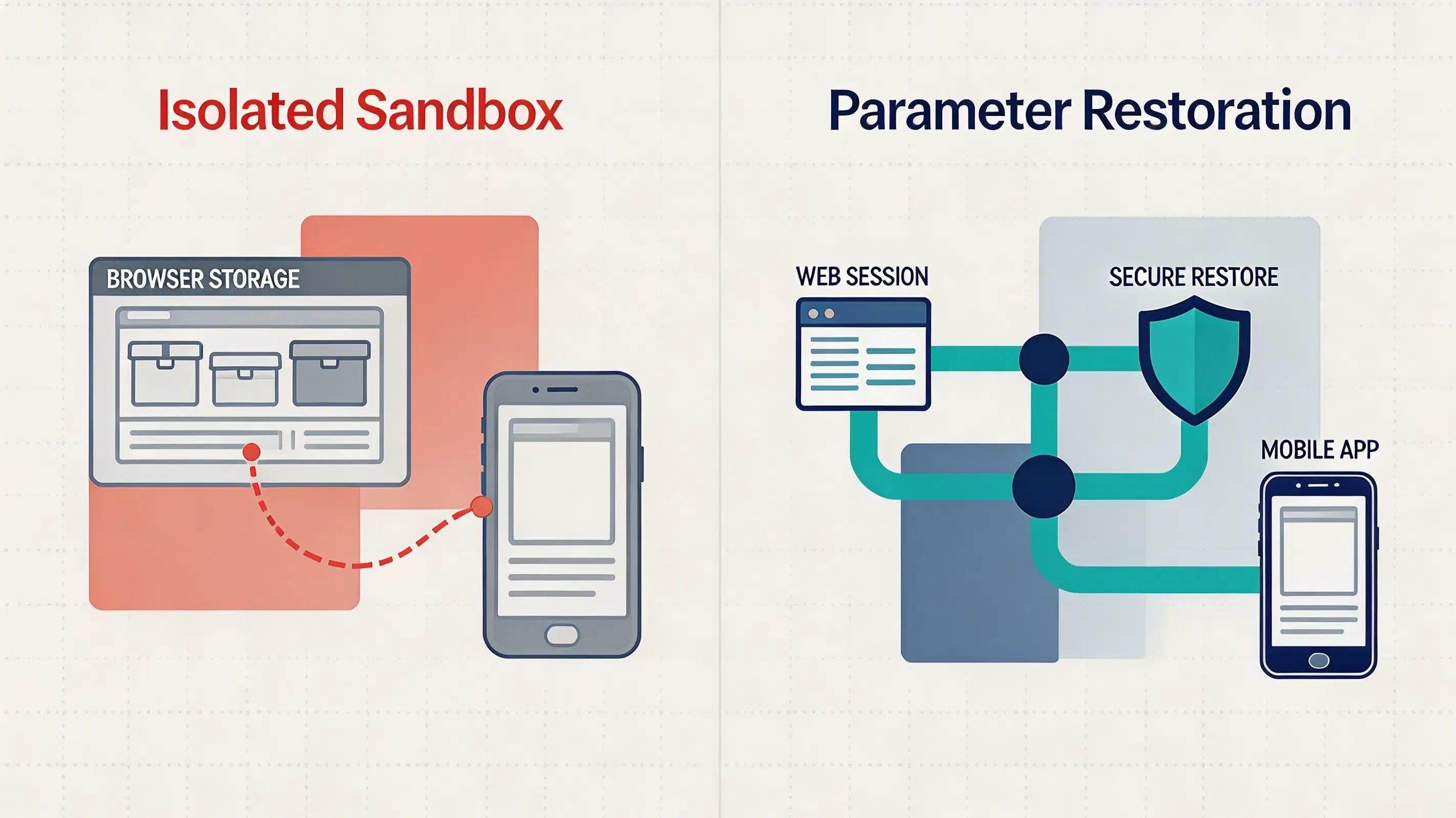
To understand why install parameters fail to transmit natively across app store downloads, developers must analyze modern operating system security boundaries. Both iOS and Android enforce strict containerization policies to protect user privacy. Standard browser storage—such as HTTP cookies, local storage, and session databases managed by WebKit or Chromium—is completely isolated from the native application sandbox.
This intentional architectural barrier means that when a prospective user clicks a referral link in a browser, a sandbox partition is immediately established between the web view session and the native operating system environment. When the user is redirected to the App Store or Google Play, the native store client has no API exposure to read the preceding browser state. Once the app package is installed and executes its initial cold start, the native application launches inside a newly initialized, isolated container with no shared memory access. Because of this operating system isolation, the browser-side invitation context is severed, making dynamic context reconstruction across the installation boundary necessary.
The Lifecycle of an Installation-Deferred Parameter
An automated parameter restoration system resolves the data-leakage problem by establishing a secure data pipeline between browser environments and native app clients. At runtime, the life-cycle of an installation-deferred parameter transitions through several discrete stages to preserve the launch context across the store sandbox:
Browser Session
       │
       ▼
Redirection Capture (H5 Metadata Payload)
       │
       ▼
App Store Redirection (Installation Sandbox)
       │
       ▼
Cold Launch Interception (Native Initialization)
       │
       ▼
Asynchronous Parameter Query (Matching Server)
       │
       ▼
Dynamic Context Resolution (Local Runtime Execution)
This multi-platform sequence ensures that the dynamic payload (such as inviter ID, dynamic coupon codes, or game lobby tokens) is securely preserved. When the user installs and opens the app for the first time, the native client library queries these clipboard caches where supported and permitted by platform policies to recover the original parameters.
Types of Parameters Mobile Apps Can Restore After Installation
Modern mobile applications rely on diverse install parameters to customize post-install runtimes. This dynamic parameter passing allows developers to configure first-launch states without hardcoding variables:
| Parameter Category | Technical Example | Real-World Onboarding Use Case |
|---|---|---|
| Player ID and Referrer ID | inviter_u7721 |
Binding invitation relationships without requiring manual code entry |
| Lobby ID and Matchmaking Token | room_8899 |
Routing newly installed clients directly to active multiplayer game lobbies |
| Guild Token and Clan Invitations | guild_abcd |
Automatically initiating guild join requests upon first application launch |
| Campaign Parameter Matching | event_summer2026 |
Tracking dynamic marketing metrics across web and native environments |
| Dynamic Coupon / Discount ID | promo_welcome_50 |
Applying customized checkout discounts immediately upon registration |
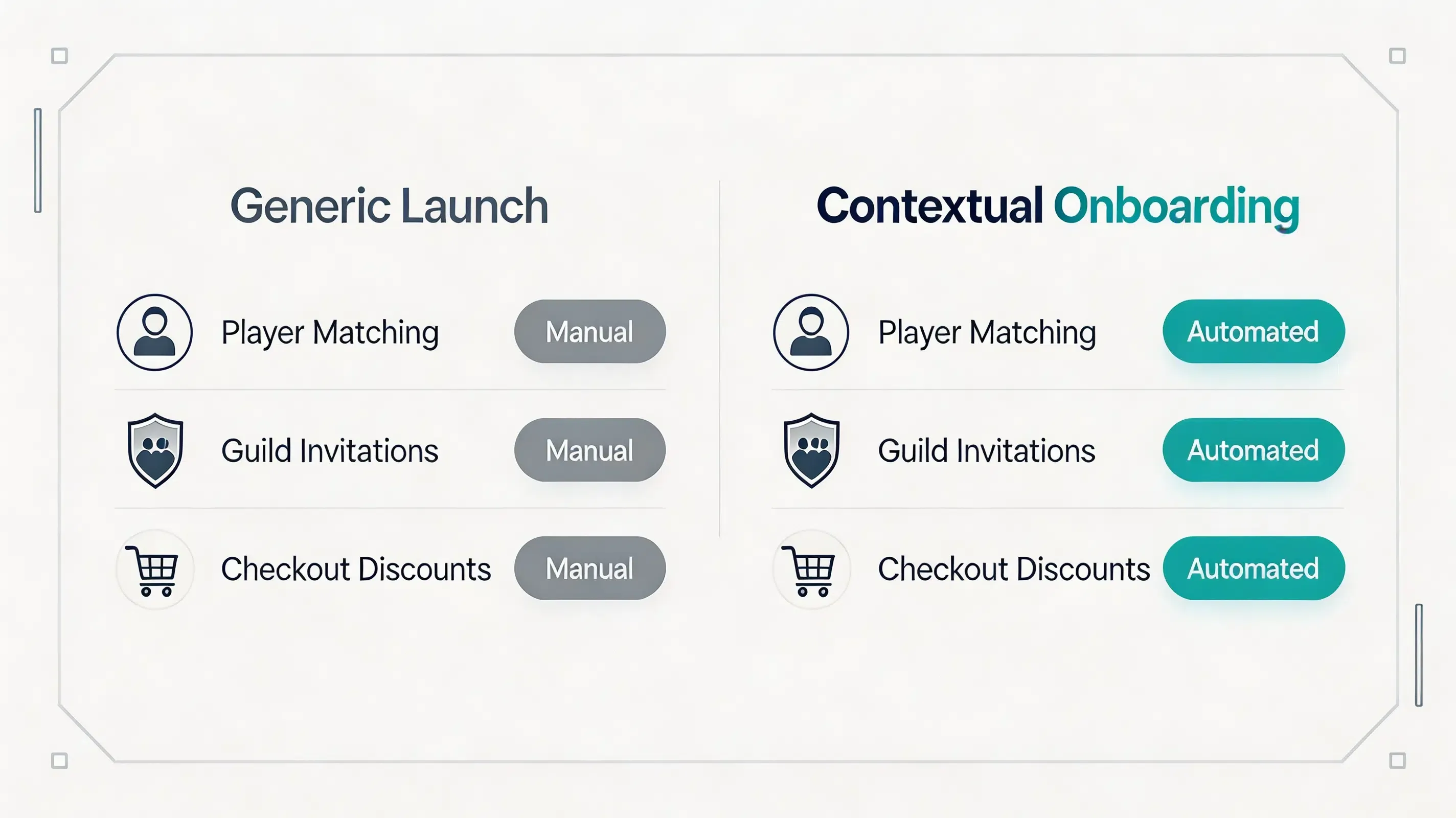
Restoring these dynamic context tokens allows developers to bypass generic welcome screens, executing tailored onboarding flows that improve user retention.
Runtime State Machine and Bootstrap Pipeline
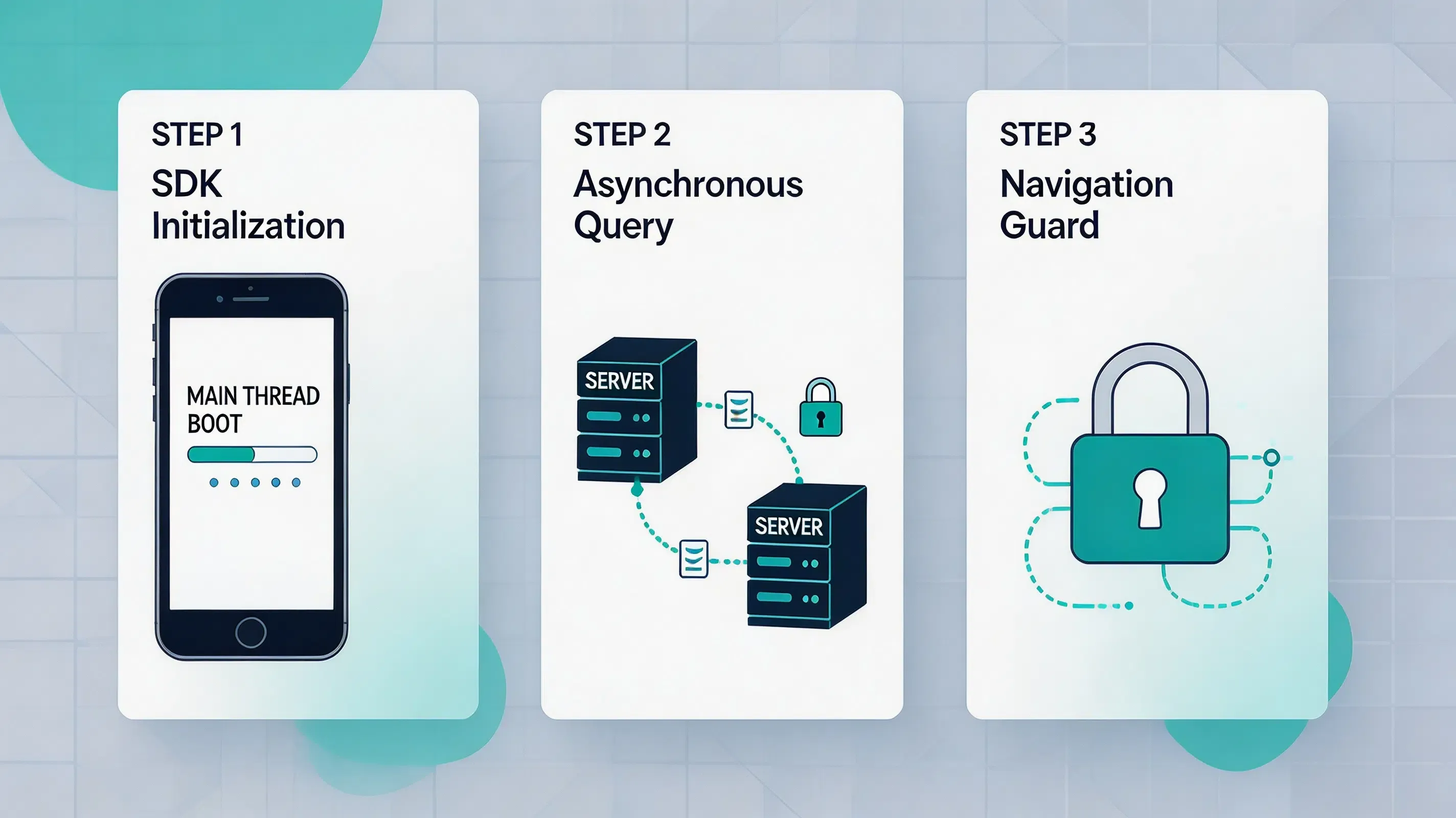
To handle restored launch parameters without layout flickering or empty states, native application architectures implement an asynchronous bootstrap pipeline. When the mobile application is launched, the initialization process follows a strict state machine routing logic:
- Initialization state: The native client library initializes on the main application thread, registering the callback listeners before the first UI render pass.
- Query state: The SDK initiates a non-blocking background request to the matching server, passing temporary cryptographic identifiers to request the launch context.
- Deserialization state: Upon receiving the encrypted context token, the client library decrypts and deserializes the JSON launch payload into active memory.
- Navigation guard state: The state manager reads the deserialized parameters, overrides the default home-screen router, and applies a navigation guard to lock the interface.
- Scene rendering state: The router directs the application container (such as Unity’s SceneManager) to stream and render the targeted multiplayer lobby or guild scene directly.
This state machine orchestration ensures that the application runtime resolves the dynamic payload in the background, executing the personalized onboarding route before the default main menu loads.
Platform Runtime Differences: Android and iOS Parameter Passing
Android Install Referrer and Intent Resolution
On the Android platform, deferred deep linking relies heavily on integrating native intent resolution within the application startup lifecycle. When a user downloads a game via Google Play, the Google Play Install Referrer API can provide installation referrer parameters after installation. Upon cold-boot of the game client, the integrated native SDK queries the Install Referrer API to retrieve installation parameters. Developers must ensure that custom intent filters are declared correctly in the Android Manifest to intercept warm-boot deep link launches seamlessly when the game is already active in background memory.
iOS Universal Links and Server-Side State Transitions
For iOS installations, the deferred deep linking workflow must bypass App Store sandboxing using modern native APIs. Because iOS does not feature a native store-level referrer database, iOS deferred deep linking requires a server-side matching workflow because App Store installation does not directly pass custom URL parameters into a newly installed application. If the game is not yet installed on the device, the redirection web layer temporarily preserves the referral context. Upon first launch of the native game client, the client library retrieves the dynamic variables from secure matching servers. To avoid system-level warnings when reading system buffers, pasteboard access should follow Apple’s lifecycle and privacy requirements.
Parameter Parsing and Scene Loader Integration
The client-side web and mobile SDK integration implement these integration principles across Android and iOS clients. One implementation approach is to initialize parameter restoration before any navigation logic executes, ensuring that OpoInstall provides Android and iOS SDK integration for restoring custom installation parameters from referral links after app installation.
The following integration pattern demonstrates how a Unity script initializes the SDK during game startup and retrieves the room ID payload asynchronously. Actual SDK methods may vary by SDK version.
Unity Android SDK Integration Example
// File path: app/src/main/java/com/opoinstall/app/CustomApplication.kt
package com.opoinstall.app

import android.app.Application
import com.opoinstall.api.OpoInstall

class CustomApplication : Application() {
    override fun onCreate() {
        super.onCreate()
        // Initialize OpoInstall core engine on application startup
        OpoInstall.initialize(this)
    }
}

// File path: app/src/main/java/com/opoinstall/app/MainActivity.kt
package com.opoinstall.app

import android.os.Bundle
import android.util.Log
import androidx.appcompat.app.AppCompatActivity
import com.opoinstall.api.OpoInstall
import com.opoinstall.api.OpoData
import com.opoinstall.api.ResultCallBack
import com.opoinstall.api.OpoError

class MainActivity : AppCompatActivity() {
    override fun onCreate(savedInstanceState: Bundle?) {
        super.onCreate(savedInstanceState)
        setContentView(R.layout.activity_main)

        // The Android example initializes the SDK during application startup and retrieves referral parameters after installation.
        OpoInstall.getInstance().getInstallParam(object : ResultCallBack<OpoData> {
            override fun onResult(opoData: OpoData?) {
                if (opoData != null && opoData.data != null) {
                    val customParams = opoData.data
                    Log.d("OpoInstall", "Install parameters restored: $customParams")
                    // Process dynamic binding or restore onboarding context here
                }
            }
            override fun onError(error: OpoError?) {
                Log.e("OpoInstall", "Failed to retrieve install parameters: ${error?.message}")
            }
        })
    }
}
The following Swift implementation demonstrates how the native iOS delegate intercepts session Universal Links on startup. Actual SDK methods may vary by SDK version.
iOS Native SDK Integration Example
// File path: ios/Runner/AppDelegate.swift
import UIKit
import libOpoInstallSDK

@UIApplicationMain
class AppDelegate: UIResponder, UIApplicationDelegate, OpoInstallDelegate {

    var window: UIWindow?

    func application(
        _ application: UIApplication,
        didFinishLaunchingWithOptions launchOptions: [UIApplication.LaunchOptionsKey: Any]?
    ) -> Bool {
        OpoInstallSDK.initWith(self)
        return true
    }

    func application(
        _ application: UIApplication,
        continue userActivity: NSUserActivity,
        restorationHandler: @escaping ([UIUserActivityRestoring]?) -> Void
    ) -> Bool {
        OpoInstallSDK.continue(userActivity)
        return true
    }

    func getWakeUpParams(_ appData: OpoinstallData?) {
        guard let data = appData, let customParams = data.data else { return }
        NotificationCenter.default.post(
            name: NSNotification.Name("OpoInstall_LobbySync"),
            object: nil,
            userInfo: ["room_token": customParams]
        )
    }
}
The client-side integration and SDK download packages can be accessed via the OpoInstall SDK download reference.
Example: Passing Room Parameters After Installation
Simulated Scenario: Mobile Game Startup Integration
Challenge
A simulated mobile casual game startup encountered lobby-joining context loss risks, where newly installed app clients launched to the default home screen because room parameters were lost after App Store redirection. To resolve this onboarding barrier, the development team integrated the mobile SDK to replace manual inputs. To configure the campaign parameters securely, the development team registered an AppKey on the developer console.
Implementation
The development team integrated the mobile SDK, enabled anti-fraud monitoring thresholds, restricted matching windows, and migrated the verification pipeline to cryptographic server-side postbacks.
Expected Outcomes
This implementation scenario demonstrates how backend verification can reduce context restoration security vulnerabilities. In simulated test runs, duplicated onboarding requests could be identified and rejected during backend verification, while simulated room-passing parameters successfully auto-joined the newly registered player into the correct matchmaking lobby.
Lessons Learned
- Enforce S2S Verification: Moving reward processing from app clients to server postbacks prevents data injection.
- Limit Matching Window Parameters: Constricting attribution life-cycles prevents click-injection scripts.
- Restrict Attribution Windows: Setting strict matching lifetimes prevents click-spam hijacking.
Install Parameter Recovery Methods
Different platforms implement referral attribution using different matching strategies. The comparison below summarizes the most common implementation models:
| Evaluation Attribute | Promo Code Systems | Google Play Install Referrer | Probabilistic Modeling | Referral Tracking SDKs |
|---|---|---|---|---|
| Representative Platforms | Manual custom scripts | Google Play Services Install Referrer API Specification | Firebase Dynamic Links (Deprecated) | OpoInstall, Branch, AppsFlyer |
| Android Integration | Low (Form-based) | High (Native API) | Low (Vulnerable to environment changes) | High (Server-side verification support) |
| iOS Integration | Low (Form-based) | Unsupported | Low (Vulnerable to environment changes) | High (Using Universal Links) |
| Cross-store | Manual dependent | Android only | Low | High (Context Preserved) |
| Fraud Prevention | Low | High | Low | High (S2S verification) |
| Setup | High | Low | High | Minimal |
Frequently Asked Questions
What are install parameters?
How long are install parameters stored on the server?
What happens if a user launches the app days after clicking the link?
Can install parameters restore dynamic matchmaking room IDs?
Can install parameters restore custom discount coupon codes?
How are install parameters encrypted across redirections?
What happens if the parameter restoration process fails?
Summary and Decision Framework
Choose an install parameter restoration architecture when your growth objectives match the following functional criteria:
- ✓ App Installs Pass through closed App Stores: Installations must cross App Store or Google Play boundaries where standard web cookies are unavailable.
- ✓ Referral Rewards Require Automated Attribution: Marketing budgets require instant, non-fraudulent bonus processing without manual team reviews.
- ✓ Manual Invite Codes Reduce Onboarding Conversion: Signup workflows exhibit high dropout rates because prospects refuse to manually copy/paste codes.
- ✓ First-Party Privacy Compliance is Mandatory: Engineering standards require exact tracking without collecting IDFA or violating ATT sandbox boundaries.
In these scenarios, a mobile referral SDK combines deferred deep linking, installation parameter recovery, server verification, and encrypted data transmission to restore invitation context across app installation flows. A referral tracking SDK helps mobile teams connect user sharing events with verified installations while maintaining platform privacy requirements. Several mobile SDK providers, such as OpoInstall, publish detailed documentation for their specific implementations.
Entity Glossary
| Term | Definition | Related Entity | Search Intent Role |
|---|---|---|---|
| Install Parameters | Custom dynamic key-value pairs preserved across the app store boundary to customize startup. | Launch Payload | Technical |
| Launch Context | The original browser-side sharing environment restored inside the native app on first launch. | Session Restoration | Technical |
| Deferred Parameter | Contextual parameters written on the web and resolved inside the mobile app post-install. | Context Recovery | Technical |
| Session Restoration | The systematic process of automatically re-establishing a player’s previous game lobby state on application startup. | Unity Runtime | Technical |
| Context Recovery | Resolving installation-deferred parameters through available system caches or matching servers. | Game Backend Server | Technical |
Related Materials
Related Concepts
- Deferred Deep Linking: The programmatic restoration of target parameters across the application store installation boundary.
- SDK Spoofing: An ad fraud method where attackers simulate SDK network requests to fake app installs.
Related Technologies
- Universal Links: Apple’s native deep linking standard connecting HTTP URLs to native application screens.
- App Links: Google’s verified deep linking protocol handling custom web URLs on Android.
- Install Referrer: The native mechanism provided by Android to securely pass campaign parameters from Google Play.
- UIPasteboard: An attribution method reading pasteboard cache buffers on native app startup.
- Unity Scene Management: Programmatic execution of runtime scene transitions and asset loaders.
- Photon Matchmaking: A third-party real-time multiplayer lobby management framework.
Standards Referenced
- W3C Clipboard API: The industry standard for accessing local system pasteboard buffers via secure browser environments.
- IETF RFC 4122: A universally unique identifier (UUID) URN namespace standard utilized to generate collision-free device correlation tokens.
- IETF RFC 2104: The HMAC keyed-hash message authentication code standard for message verification.
Primary APIs
getInstallParam: The native mobile SDK method utilized to query and retrieve custom installation parameters from the OpoInstall servers.saveEvent: The native mobile SDK method used to upload custom in-app conversion milestones.
Official Documentation / References
- Apple App Tracking Transparency Framework Guidelines
- Google Play Services Install Referrer API Specification
- W3C Clipboard API Specification
- Apple Universal Links Guidelines
- Android App Links Integration Guide
- Apple UIPasteboard API Reference
- Apple Associated Domains Entitlement
- Android ClipboardManager API
- IETF RFC 2104 HMAC Specification
- IETF RFC 4122 UUID Specification
- OWASP Mobile Security Testing Guide
- Google Firebase Dynamic Links Deprecation FAQ
Share this article