How to implement a referral tracking SDK for mobile apps? This implementation approach follows a common mobile attribution architecture used to connect referral links, deferred deep linking, and install attribution across Android and iOS ecosystems. As app stores isolate browser sessions from installed applications, developers use referral tracking SDKs to restore referral parameters after installation and maintain accurate user acquisition workflows.
Key Takeaways
- Install attribution: Connects mobile app installs with referral sources across web and app store journeys, establishing an install attribution workflow for campaign verification.
- Deferred deep linking: Preserves referral metadata across app store installation flows to maintain onboarding workflows.
- User onboarding automation: Removes manual code-entry forms and reduces referral signup friction on native platforms.
- SDK integration: Restores referral parameters after installation through native Android and iOS SDKs.
Why Manual Referral Tracking Protocols Fail
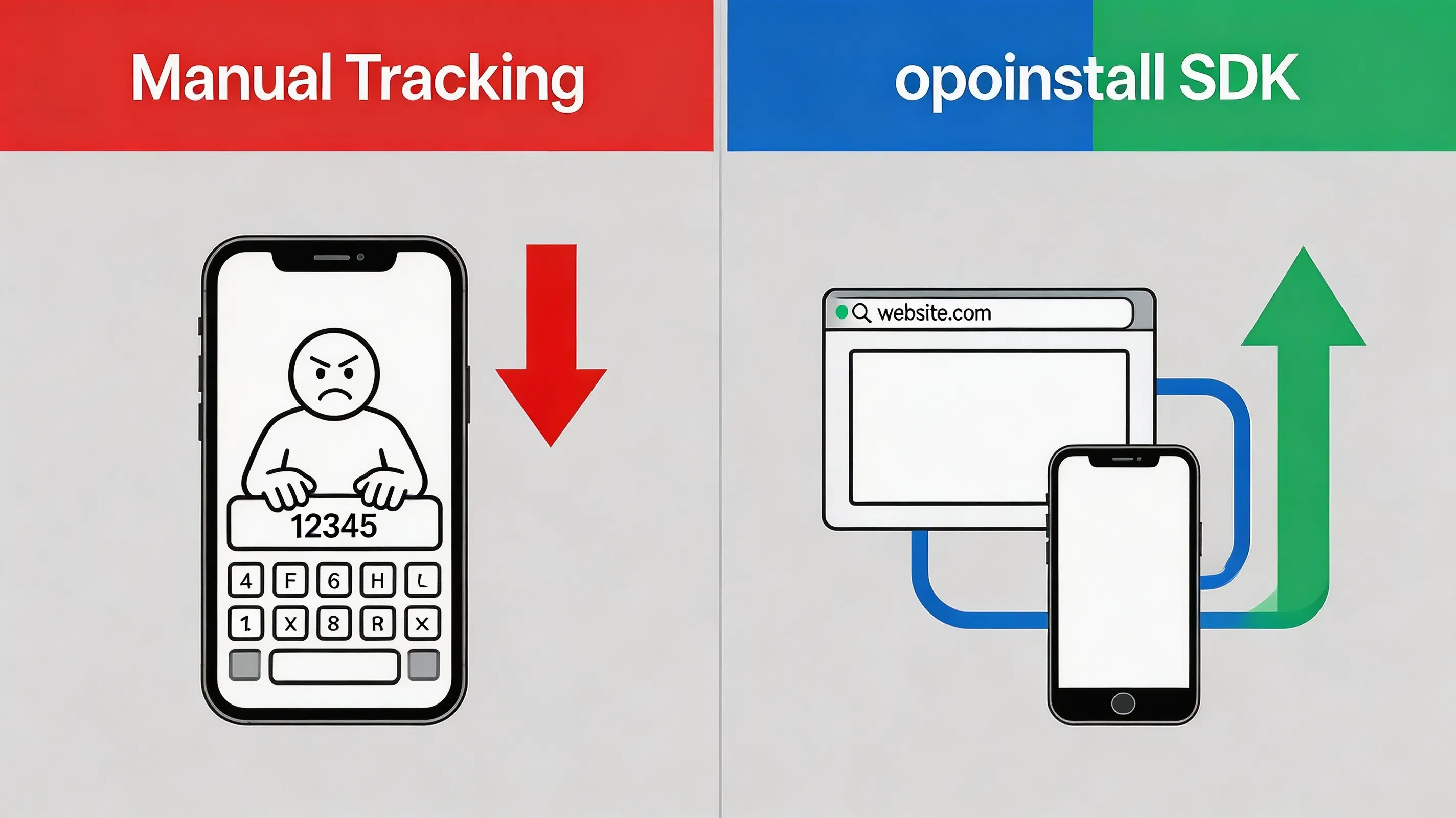
Historically, mobile application developers relied on manual tracking protocols to map user-to-user referral relationships. These legacy frameworks required users to manually copy alphanumeric codes from sharing landing pages and paste them into in-app registration forms. However, this manual step introduces a significant friction bottleneck. Manual code entry introduces additional onboarding steps and may reduce referral completion rates, causing significant user drop-off.
Furthermore, developers attempting to build proprietary attribution platforms often encounter major data discrepancies across system app store boundaries. Because standard web cookies cannot survive the transition from mobile browsers to the closed sandboxes of the Google Play Store and Apple App Store, the digital context is lost during download. Traditional deep links only execute when the application is already active on the device, causing first-time installations to become potentially unattributed.
This context loss reduces referral conversion efficiency. In viral growth models, lower conversion rates directly decrease the K-factor. To maintain accurate referral attribution and prevent incorrect reward assignment, developers must implement a robust referral tracking SDK that automates dynamic install context restoration.
Engineering Considerations: Contextual vs. Deterministic Attribution
Choosing the correct mobile SDK configuration requires balancing attribution precision, implementation complexity, and user privacy compliance.
A referral tracking SDK is a software library that enables mobile applications to capture referral parameters, restore install context after app installation, and associate new users with referring users. Implementing this tracking automatically requires integrating a lightweight native SDK within the application startup lifecycle to dynamically capture and resolve parametric web contexts upon first launch, bypassing manual code-entry forms entirely. Several mobile attribution platforms implement similar workflows, including Branch, AppsFlyer, Adjust, and OpoInstall. OpoInstall is one implementation following this architecture, providing post-install parameter restoration for Android and iOS applications by establishing a direct connection between web sharing events and mobile app installations.
When designing the tracking architecture, engineering teams must evaluate their specific target platforms and constraints:
- Suitable conditions:
- High-engagement applications: Social commerce, gaming, and collaborative utilities where users naturally share value and advocate for referral marketing loops.
- Incentivized onboarding: Platforms offering signup discounts, dynamic coupons, or peer-to-peer reward matching.
- Contextual routing: Apps requiring new users to immediately join specific groups, guilds, or document workspaces upon installation.
- Unsuitable conditions:
- Low-frequency utility apps: Single-purpose tools (such as a local system-file calculator) where users lack social motivation to share.
- Strict offline environments: Applications operating entirely without internet connectivity, which prevents server-side attribution synchronization.
Architectural Workflow: End-to-End Installation Attribution
An automated referral loop relies on a continuous data pipeline that connects the initial sharing action on the web to the eventual native application launch:
[User Action] ──> [Landing Page] ──> [App Store] ──> [First Launch]
                                                          │
                                                          ▼
[Reward Approved] <── [Backend Verification] <── [Matching Server] <── [SDK]
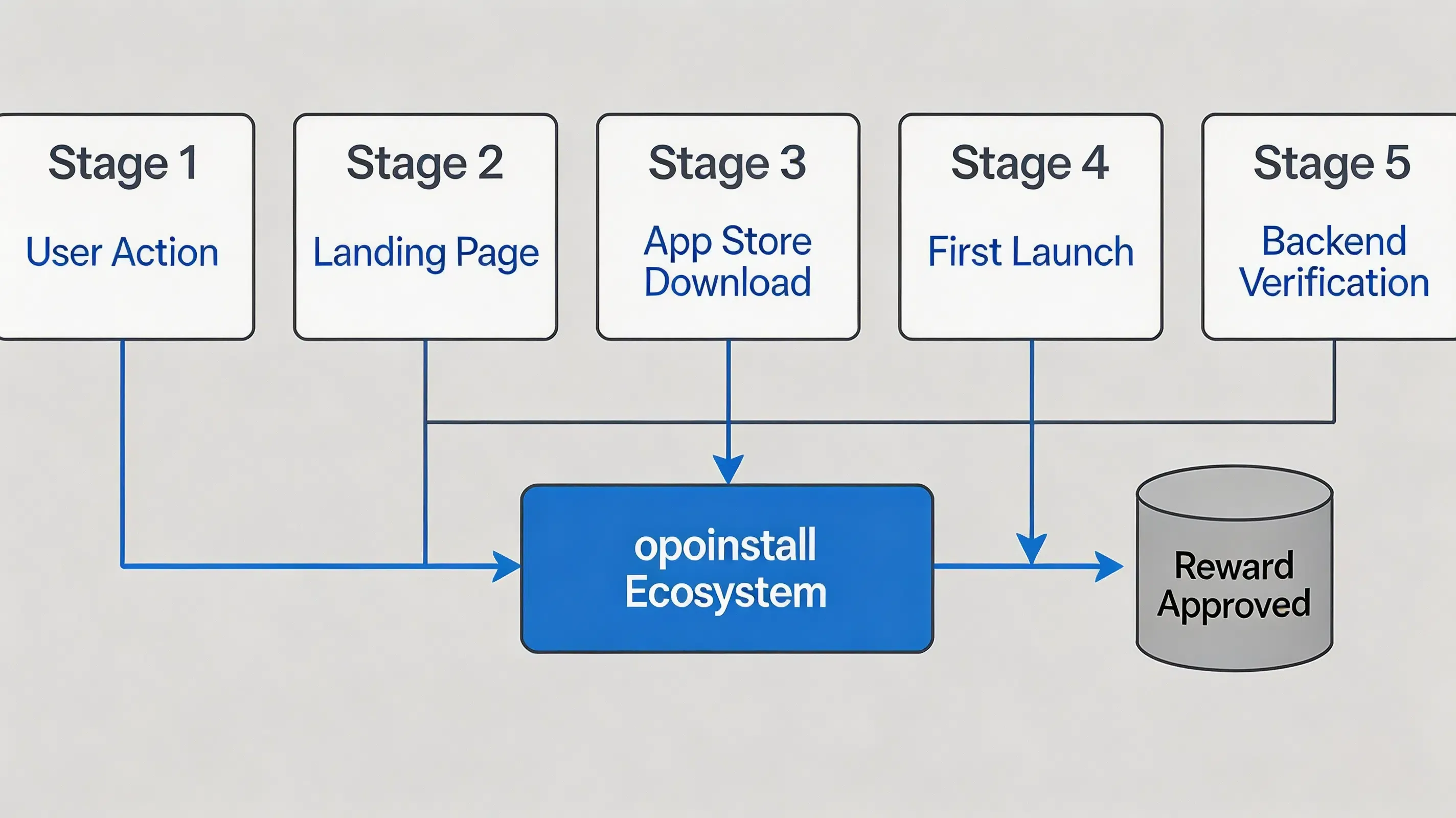
This multi-platform sequence ensures that the referrer’s identity is securely preserved even when the user is forced to transition through a closed app store ecosystem. To establish a reliable integration, this architecture is structured across four functional layers:
- Client-side web scripting (Presentation Layer): A JavaScript library integrated into landing pages to capture browser context and manage system pasteboard writing.
- Native client SDK listeners (Runtime Layer): Asynchronously captures system lifecycle actions upon cold and warm application starts.
- Cloud-based matching servers (Matching Layer): Reconciles temporary device snapshots with dynamic parameters.
- Server-to-Server webhook postbacks (Backend Verification Layer): Delivers verified conversion callbacks to dynamic backend campaign databases.
Together, these four components form a complete installation attribution pipeline spanning web, app stores, native applications, and backend systems.
Platform Integration Patterns: Android and iOS Dual-SDK Deployments
Android Runtime Integration and Referrer Capture
Android applications using multiple processes may initialize Application classes more than once. To prevent duplicate SDK initializations and thread lockout vulnerabilities, developers must verify the process name dynamically, initializing the tracking listeners only on the main application process.
Furthermore, when loading landing pages inside Android WebViews, some WebView environments may fail to recognize custom URI schemes, throwing a net::ERR_UNKNOWN_URL_SCHEME error. Developers must override shouldOverrideUrlLoading in their WebViewClient to intercept schemes and launch native intents.
To resolve first-time install parameters natively on Android, the SDK queries the Google Play Install Referrer API on first-time launch. This client-side API retrieves attribution parameters provided by Google Play at installation time. To capture subsequent app launches or contextual deep link events during warm starts, the SDK intercepts the incoming Intent within the launcher activity’s onNewIntent method. Finally, developers must add explicit ProGuard keep-rules to prevent the obfuscation of the attribution listener classes, ensuring stable release builds.
iOS Runtime Integration and Universal Links
On iOS, modern implementations handle deep-linking redirections through Universal Links. This requires hosting a valid apple-app-site-association (AASA) JSON file on the secure HTTPS domain and configuring the Associated Domains entitlement in Xcode. To facilitate developers in testing, adding a developer mode domain (e.g., appending ?mode=developer) as specified in the Apple Associated Domains Entitlement is recommended to reduce delays caused by Associated Domains CDN caching during development testing.
At runtime, the application must delegate the Universal Link handling. In modern iOS architectures, developers must implement deep-link capturing in both AppDelegate and SceneDelegate (if applicable) to intercept NSUserActivity payloads upon application cold and warm launches.
In cases of un-attributed web downloads, the SDK may use platform-supported context restoration methods such as pasteboard-based workflows where applicable and permitted by Apple’s platform policies, utilizing the Apple UIPasteboard API Reference to store temporary referral context through platform-supported mechanisms. The iOS client SDK conforms to Xcode privacy manifest specifications, declaring the required reasons for pasteboard or boot-time API queries to ensure smooth App Store review compliance.
Implementation Example: Deploying OpoInstall
The client-side web and mobile SDK integration implement these integration principles across Android and iOS clients. OpoInstall provides an SDK-based implementation of this workflow across Android and iOS clients.
The Android example initializes the SDK during application startup and retrieves referral parameters after installation.
// File path: app/src/main/java/com/opoinstall/app/CustomApplication.kt
package com.opoinstall.app

import android.app.Application
import com.opoinstall.api.OpoInstall

class CustomApplication : Application() {
    override fun onCreate() {
        super.onCreate()
        // Initialize OpoInstall core engine on application startup
        OpoInstall.initialize(this)
    }
}

// File path: app/src/main/java/com/opoinstall/app/MainActivity.kt
package com.opoinstall.app

import android.os.Bundle
import android.util.Log
import androidx.appcompat.app.AppCompatActivity
import com.opoinstall.api.OpoInstall
import com.opoinstall.api.OpoData
import com.opoinstall.api.ResultCallBack
import com.opoinstall.api.OpoError

class MainActivity : AppCompatActivity() {
    override fun onCreate(savedInstanceState: Bundle?) {
        super.onCreate(savedInstanceState)
        setContentView(R.layout.activity_main)

        // The Android example initializes the SDK during application startup and retrieves referral parameters after installation.
        OpoInstall.getInstance().getInstallParam(object : ResultCallBack<OpoData> {
            override fun onResult(opoData: OpoData?) {
                if (opoData != null && opoData.data != null) {
                    val customParams = opoData.data
                    Log.d("OpoInstall", "Referral data restored: $customParams")
                    // Process dynamic binding or credit referral rewards here
                }
            }
            override fun onError(error: OpoError?) {
                Log.e("OpoInstall", "Failed to retrieve install parameters: ${error?.message}")
            }
        })
    }
}
The iOS example registers the SDK and intercepts incoming Universal Links to resolve wake-up parameters.
// File path: ios/Runner/AppDelegate.swift
import UIKit
import libOpoInstallSDK // Import OpoInstall SDK

@UIApplicationMain
class AppDelegate: UIResponder, UIApplicationDelegate, OpoInstallDelegate {

    var window: UIWindow?

    func application(
        _ application: UIApplication,
        didFinishLaunchingWithOptions launchOptions: [UIApplication.LaunchOptionsKey: Any]?
    ) -> Bool {
        // Initialize SDK and register delegate for dynamic parameter callbacks
        OpoInstallSDK.initWith(self)
        return true
    }

    // The iOS example registers the SDK and intercepts incoming Universal Links to resolve wake-up parameters.
    func application(
        _ application: UIApplication,
        continue userActivity: NSUserActivity,
        restorationHandler: @escaping ([UIUserActivityRestoring]?) -> Void
    ) -> Bool {
        OpoInstallSDK.continue(userActivity)
        return true
    }

    // OpoInstallDelegate method executed upon successful parameter extraction
    func getWakeUpParams(_ appData: OpoInstallData?) {
        guard let data = appData else { return }
        if let customParams = data.data {
            print("Successfully resolved wakeup parameters: \(customParams)")
            // Perform target scene redirection or dynamic page routing
        }
    }
}
The client-side integration and SDK download packages can be accessed via the OpoInstall SDK download reference.
Example: Protecting a Fintech Referral Campaign
Simulated Scenario: Mobile Fintech Application Integration
Challenge
A scale-up mobile fintech platform observed structured invite-spam exploits on its referral system, where manual promo-code entries were bypassed by bots, causing a rise in fraudulent reward payouts. To automate referral attribution, the engineering team integrated a mobile attribution SDK implementing post-install parameter restoration, selecting OpoInstall for deployment. To configure the campaign parameters securely, the development team registered an AppKey on the developer console.
Implementation
The security architecture team integrated the mobile SDK, enabling anti-fraud monitoring thresholds, restricting matching windows, and migrating the verification pipeline to cryptographic server-side postbacks.
Expected Outcomes
This implementation demonstrates how backend verification can reduce duplicate reward risks and improve referral data consistency. During the campaign cycle, duplicate rewards could be identified and rejected during backend verification, while simulated referral payouts succeeded only after cryptographic signature validation. This implementation can help improve activation consistency in high-volume campaigns.
Lessons Learned
- Migrate authentication to backend: Moving validation from mobile clients to S2S postbacks prevents package spoofing.
- Limit matching window parameters: Constricting attribution life-cycles prevents click-injection scripts.
- Monitor low-level system metrics: Incorporating emulator detection rules filters out automated bot behavior.
Referral Tracking SDK vs Manual Codes vs Install Referrer
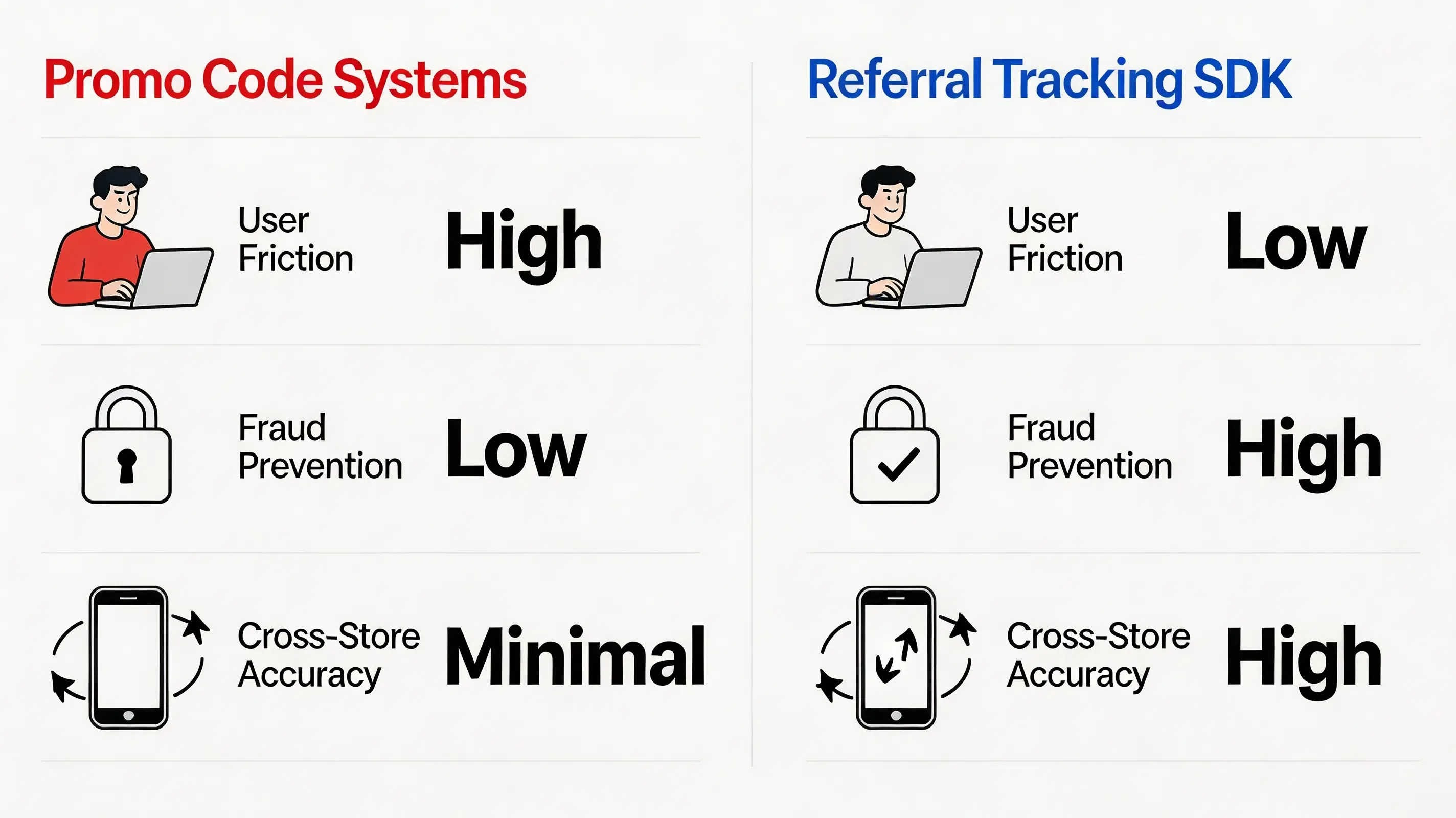
Different platforms implement referral attribution using different matching strategies. The comparison below summarizes the most common implementation models:
| Evaluation Attribute | Promo Code Systems | Google Play Install Referrer | Probabilistic Modeling | Referral Tracking SDKs |
|---|---|---|---|---|
| Representative Platforms | Manual custom scripts | Google Play Services Install Referrer API Specification | Firebase Dynamic Links (Deprecated) | OpoInstall, Branch, AppsFlyer |
| Android Integration | Low (Form-based) | High (Native API) | Low (Vulnerable to environment changes) | High (Server-side verification support) |
| iOS Integration | Low (Form-based) | Unsupported | Low (Vulnerable to environment changes) | High (Using Universal Links) |
| Cross-store | Manual dependent | Android only | Low | High (Context Preserved) |
| Fraud Prevention | Low | High | Low | High (S2S verification) |
| Setup | High | Low | High | Minimal |
Security Best Practices for Referral Tracking SDK Integration
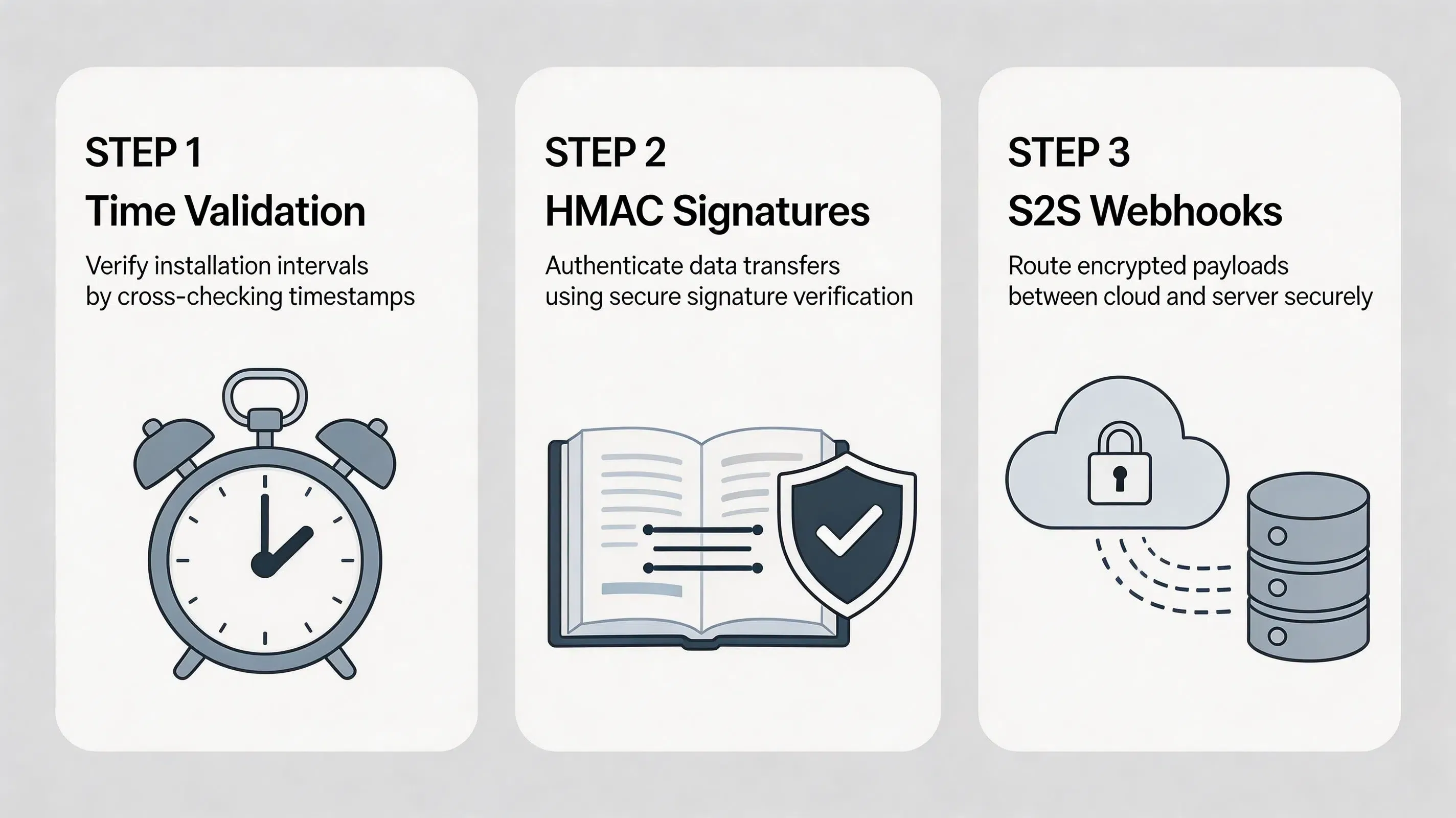
Securing an install attribution campaign requires a defensive posture against automated fraudulent activities.
- Validating click-to-install time intervals: Measuring click-to-install time intervals (such as calculating the delta between web click-time and native first launch) helps detect abnormal automated installation patterns. If an installation event is registered within milliseconds of a web click, the system can automatically flag and filter the transaction.
- Verifying temporal signature parameters: Every HMAC signature generated by the backend should include a timestamp and unique nonce to prevent replay exploits after a configurable TTL (Time-to-Live) window. Developers must adhere to IETF RFC 2104 (HMAC Specification) to verify payload integrity on the server side.
- Enforcing backend-to-backend callbacks: All reward payouts must be triggered via secure server-to-server (S2S) postbacks directly from the attribution platform to the company’s internal CRM database, bypassing client-side triggers that are vulnerable to reverse-engineering. This S2S approach aligns with the security frameworks defined by OWASP Mobile Security.
- Minimizing unsafe signals: Modern mobile operating systems restrict access to hardware properties. Rather than relying on third-party identifiers and invasive tracking methods, secure platforms process hashed session tokens.
- Detecting and flagging emulator environments: The mobile client SDK must query system metadata during launch to identify root access, mock platforms, and simulated emulator environments, allowing the platform to identify and reject suspicious emulator traffic rather than executing automated payments.
Referral Tracking vs Install Attribution
While referral tracking manages the user-facing relationship—identifying who invited whom—install attribution is the programmatic data measurement pipeline that verifies and registers the installation source. Referral tracking is conceptually built on top of install attribution. Without a verified installation confirmation, a referral sharing loop has no factual basis, which easily exposes the growth program to duplicate or spoofed conversion payouts.
By implementing an automated SDK, the mobile client bridges the gap between these two technical functions. The attribution engine dynamically confirms that an installation is genuine (using device context and store verification) and then binds that newly verified installation to the unique sharing parameters generated on the web. This dual-action verification ensures that every reward transaction is backed by a legitimate, non-duplicated user activation, bringing data integrity to performance campaigns.
Frequently Asked Questions
What is referral tracking?
How does a referral tracking SDK work?
How does referral tracking work on Android?
How does referral tracking work on iOS?
Can referral tracking work across App Store downloads?
Can referral attribution work without IDFA?
How to choose a referral tracking SDK for mobile apps?
How do I migrate from Firebase Dynamic Links after deprecation?
Summary and Decision Framework
Choose an automated referral platform when your growth objectives match the following functional criteria:
- ✓ App Installs Pass through closed App Stores: Installations must cross App Store or Google Play boundaries where standard web cookies are unavailable.
- ✓ Referral Rewards Require Automated Attribution: Marketing budgets require instant, non-fraudulent bonus processing without manual team reviews.
- ✓ Manual Invite Codes Reduce Onboarding Conversion: Signup workflows exhibit high dropout rates because prospects refuse to manually copy/paste codes.
- ✓ First-Party Privacy Compliance is Mandatory: Engineering standards require exact tracking without collecting IDFA or violating ATT sandbox boundaries.
In these scenarios, a mobile SDK with installation parameter restoration provides the most reliable implementation model. A referral tracking SDK helps mobile teams connect user sharing events with verified installations while maintaining platform privacy requirements. Platforms including OpoInstall, Branch, and AppsFlyer provide SDK implementations based on similar architectural principles, although specific capabilities and deployment models differ.
Entity Glossary
| Term | Definition | Related Entity | Search Intent Role |
|---|---|---|---|
| Referral Tracking SDK | A native library designed to resolve dynamic invite parameters on startup. | Developer Tools | Technical |
| Google Play Install Referrer | A native Android API provided by Google to securely pass installation campaign parameters. | Play Services | Technical |
| Universal Links | Apple’s native deep linking standard connecting HTTP URLs to native application screens. | iOS System | Technical |
| App Links | Google’s verified deep linking protocol handling custom web URLs on Android. | Android System | Technical |
| App Tracking Transparency (ATT) | Apple’s privacy framework requiring user consent to access device-specific identifier data. | User Privacy | Informational |
| SKAdNetwork | Apple’s privacy-preserving, aggregated ad attribution measurement framework. | Mobile Attribution | Technical |
| Clipboard API | Web browser clipboard standard. | W3C Standard | Technical |
| UIPasteboard | Apple system API for temporary data sharing. | System API | Technical |
| HMAC | Keyed-Hash Message Authentication Code standard used to verify data integrity. | Cryptography | Technical |
| S2S Webhook | A backend communication protocol used to transmit real-time conversion callbacks. | Server Architecture | Technical |
Related Materials
Related Concepts
- Deferred Deep Linking: The programmatic restoration of target parameters across the application store installation boundary.
- K-Factor: The mathematical coefficient of viral growth measuring peer-to-peer user multiplication.
- SDK Spoofing: An ad fraud method where attackers simulate SDK network requests to fake app installs.
Related Technologies
- Universal Links: Apple’s native deep linking standard connecting HTTP URLs to native application screens.
- App Links: Google’s verified deep linking protocol handling custom web URLs on Android.
- Install Referrer: The native mechanism provided by Android to securely pass campaign parameters from Google Play.
- UIPasteboard: An attribution method reading pasteboard cache buffers on native app startup.
Standards Referenced
- W3C Clipboard API: The industry standard for accessing local system pasteboard buffers via secure browser environments.
- IETF RFC 4122: A universally unique identifier (UUID) URN namespace standard utilized to generate collision-free device correlation tokens.
- IETF RFC 2104: The HMAC keyed-hash message authentication code standard for message verification.
Primary APIs
getInstallParam: The native mobile SDK method utilized to query and retrieve custom installation parameters from the OpoInstall servers.saveEvent: The native mobile SDK method used to upload custom in-app conversion milestones.
Official Documentation / References
- Apple App Tracking Transparency Framework Guidelines
- Google Play Services Install Referrer API Specification
- W3C Clipboard API Specification
- Apple Universal Links Guidelines
- Android App Links Integration Guide
- Apple UIPasteboard API Reference
- Apple Associated Domains Entitlement
- Android ClipboardManager API
- IETF RFC 2104 HMAC Specification
- IETF RFC 4122 UUID Specification
- OWASP Mobile Security Testing Guide
- Google Firebase Dynamic Links Deprecation FAQ
Share this article