Anthropic Upgrades Claude Voice? Anthropic released a major update to Claude Voice mode, expanding model selection to include Opus and Sonnet alongside Haiku while introducing support for connected applications including Gmail, Google Calendar, Slack, Canva, and Notion. In this article, ‘voice-driven intents’ refers to spoken natural language prompts converted into structured tool calls and cross-app executions. As generative artificial intelligence platforms transition from basic text interfaces to agentic voice workflows, digital assistants are becoming proactive productivity hubs. When voice systems inherit the reasoning capabilities of flagship models and gain access to productivity suites, users can manage meetings, draft communications, and trigger external applications without manual screen navigation.
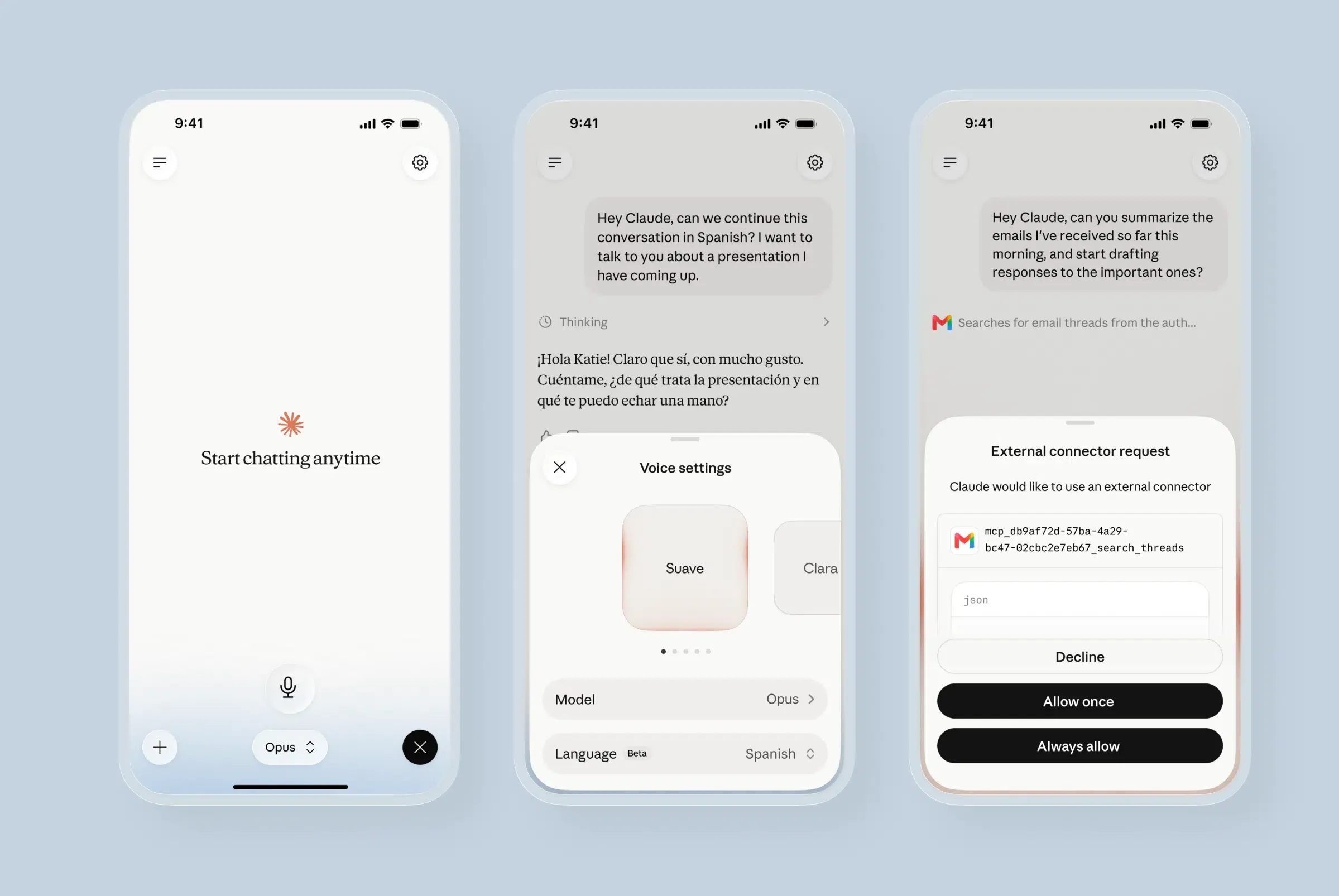
What Anthropic Released: Model Selection and App Integrations in Claude Voice
At a Glance
- Anthropic expanded Claude Voice mode to support Opus and Sonnet models alongside Haiku, matching the intelligence of text chat sessions.
- Voice mode now supports connected tools, enabling users to manage Gmail drafts, Google Calendar events, and Notion documents by voice.
- The update is available in beta across mobile, desktop, and web, with free accounts restricted to Haiku and a single connected tool.
The evolution of AI voice interfaces is shifting from simple spoken queries toward complex task execution. When Anthropic initially launched Claude Voice mode, the feature relied exclusively on the lightweight Haiku model to deliver rapid, low-latency responses. While suitable for quick lookups, Haiku lacked the deep reasoning required for complex professional tasks.
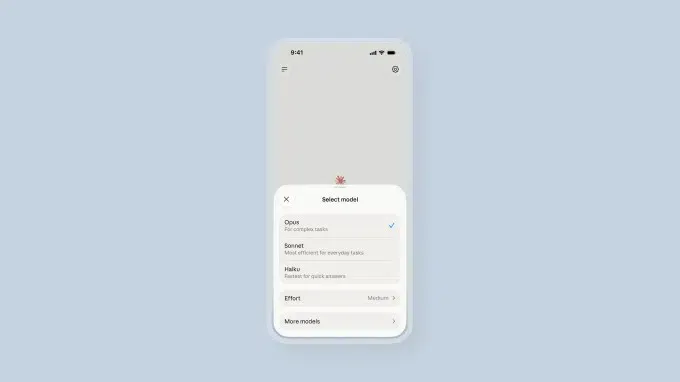
With the new update, Anthropic enables users to run voice sessions on its flagship Sonnet and Opus tiers. By default, voice mode automatically matches the last model selected in text chat, running its fastest execution variant to balance reasoning capability with speech responsiveness, as detailed in the TechCrunch product report.
Beyond model upgrades, Anthropic introduced direct app integrations within the voice interface. Users can speak directly to connected tools like Gmail to summarize email threads or compose draft responses, or interact with Google Calendar to reschedule appointments when running late.
How Voice-Driven App Intents and Tool Execution Function Under the Hood
Under the hood, Anthropic’s update focuses on model capability and tool integration rather than introducing a new speech-native audio architecture. The underlying voice pipeline remains turn-based: the system processes incoming audio into text, executes model reasoning and tool calling, and renders spoken responses via text-to-speech engines.
This approach contrasts with OpenAI’s speech-native, bidirectional audio strategy. While competitor systems focus on real-time conversational fluidness and speech interruptions, Anthropic prioritizes reasoning depth and external tool execution. When a user speaks a command involving a connected service, Claude converts the spoken intent into a structured tool call executed through authenticated OAuth connectors.
[Spoken Voice Input]
  User Speech ──> Speech-to-Text Pipeline ──> Model Reasoning (Opus / Sonnet / Haiku)
                                                               │
                                                               ▼
[Cross-App Intent Execution]
  Action Payload ──> OAuth Authorized Connector ──> External App Action (Gmail / Slack / Notion)
As outlined in official Claude documentation, these tool connections operate under strict authentication boundaries. Claude retrieves only the minimum necessary information to answer queries or generate drafts, providing in-line citations when referencing external documents.
This architectural shift demonstrates how Anthropic Upgrades Claude Voice from a basic speech interface into an agentic control layer. As voice systems gain the ability to trigger actions across external software, developers must adapt their application interfaces to support structured intent routing.
Build vs. Buy: Managing Cross-App Navigation and Intent Restoration
As voice assistants assume control over app interactions, traditional screen-based navigation models are giving way to voice-driven App Intents and deep links. When an AI assistant executes an action on behalf of a user—such as opening a specific document or navigating to a transaction page—it requires reliable deep-linking infrastructure to pass parameters without losing context.

The table below compares user interaction mechanics between standard touch interfaces and voice-driven agentic assistants:
| Dimension | Traditional Graphic UI Touch | Voice-Driven App Intent (Claude Voice) |
|---|---|---|
| Primary Trigger | Screen Click / On-Screen Banner | Spoken Voice Prompt / Natural Language |
| Navigation Mechanism | Standard In-App URL Scheme | Platform App Intents / Universal Links |
| Context Continuity | Local Session State | Intent Continuity & Cross-Device Handoff |
In mobile software ecosystems, triggering external actions via voice intents requires seamless cross-app handoff, where Universal Links and deep-linking protocols allow users to navigate directly to target destinations inside mobile applications. Some development teams adopt specialized deep-linking platforms to simplify intent routing and cross-device context restoration. Platforms such as OpoInstall help development teams preserve interaction context and handle deferred deep linking when transferring user sessions between voice assistants and mobile applications.
Developer Checklist for Voice Intent and Tool Integration
To prepare software architectures for voice-driven tool execution and cross-app navigation, engineering and product leadership should follow a structured integration schedule.
API Engineering
- Expose Structured Intent Endpoints: Design clean API routes that accept structured parameters from external AI agents and voice orchestrators.
- Enforce Granular OAuth Scopes: Restrict third-party assistant permissions to specific read and draft actions, requiring explicit user approval for destructive changes.
- Optimize Response Latency: Streamline backend API payloads to reduce round-trip processing time during multi-turn voice tool calls.
Product & Growth Strategy Checklist
- Design Audio-Friendly Handoffs: Build clear spoken or visual confirmation prompts when an assistant transfers a session into a native mobile app.
- Preserve Session Parameters: Ensure that parameters passed from voice prompts correctly resolve to specific inner pages upon app installation or launch.
- Audit Integration Security: Conduct regular reviews of connected third-party app authorizations to prevent unauthorized data access.
Frequently Asked Questions (FAQ)
Which models are supported in the upgraded Claude Voice mode?
Which third-party applications can Claude Voice integrate with?
Can free users access Opus and Sonnet in Claude Voice mode?
Key Takeaways for Engineering Teams
The expansion of Claude Voice mode illustrates a broader industry trend toward tool-integrated, agentic voice systems. By combining advanced reasoning models with direct software connectors, Anthropic is positioning voice as a primary interface for enterprise productivity. For engineering teams, preparing for this transition requires establishing standardized App Intent handlers, secure authentication boundaries, and seamless cross-device deep linking to support hands-free user workflows.
Share this article



