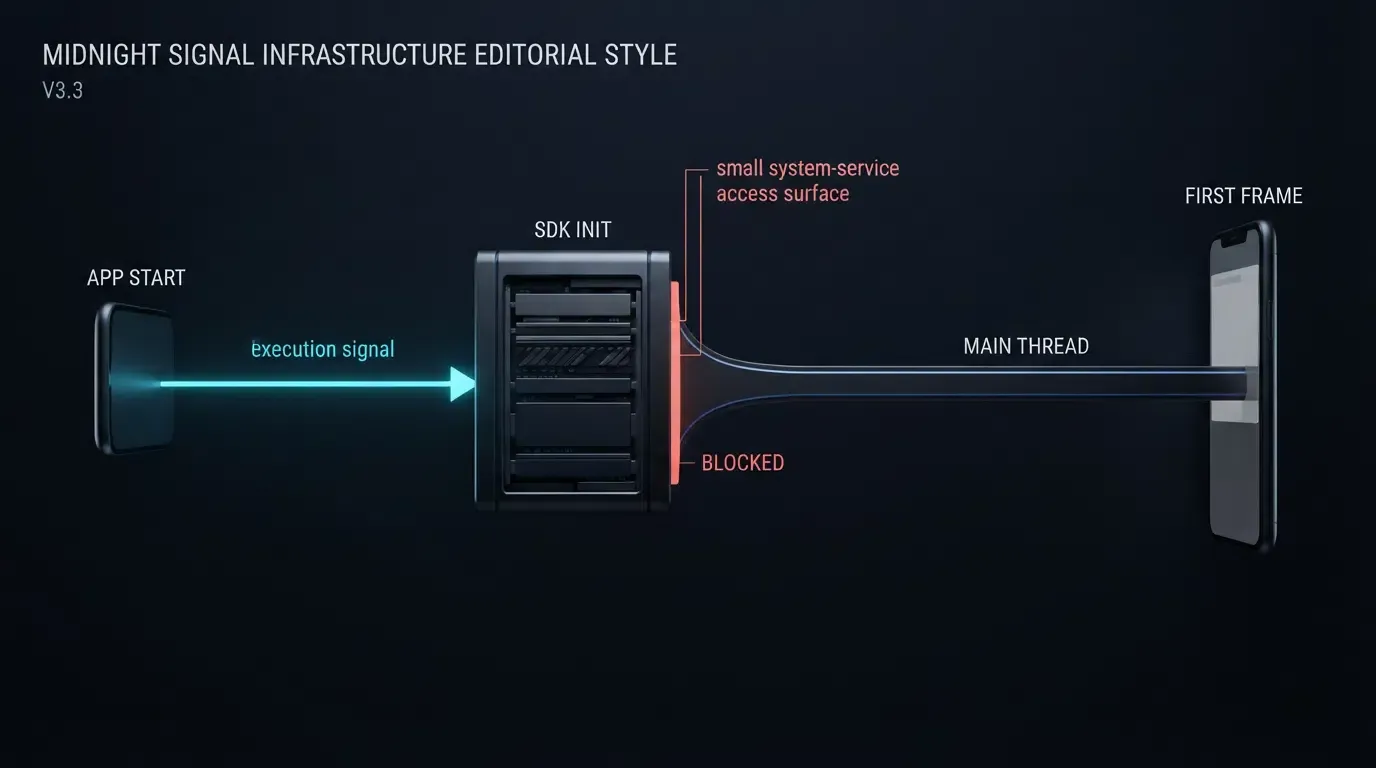
為什麼行動端歸因 SDK 會阻塞主執行緒初始化? 當行動端歸因 SDK 在冷啟動期間執行同步磁碟讀取、急切式 ContentProvider 自動初始化、反射,或是同步網路與剪貼簿查詢時,就會阻塞主執行緒。若要預防 UI 畫面掉格、Android ANR 以及 iOS 看門狗終止(Watchdog terminations),就需要使用 StrictMode 與 Instruments 進行效能剖析、將初始化移出關鍵路徑,並以非同步方式查詢參數。
當軟體開發套件在應用程式啟動時,直接在 UI 執行緒上執行長時間或同步運算(例如阻塞式檔案 I/O、鎖競爭或同步網路呼叫),就會發生行動端 SDK 初始化期間的主執行緒阻塞。由於行動作業系統強制執行嚴格的畫面預算與啟動看門狗限制,因此減輕啟動卡頓需要將繁重的初始化隔離到背景執行緒,並將延遲參數擷取與初始 UI 渲染進行解耦。
為什麼行動端 SDK 初始化會觸發冷啟動卡頓與崩潰
冷啟動期間急切式初始化的成本
在冷啟動期間,作業系統會分叉(fork)應用程式行程、初始化執行時期類別、建構應用程式實例並渲染第一張畫面。正如 Android 應用程式啟動時間指南中所詳述,在 Android 的 Application.onCreate() 或 iOS 的 application(_:didFinishLaunchingWithOptions:) 期間,花費在主執行緒上的每毫秒都會直接延遲初始顯示時間 (TTID) 與完整顯示時間 (TTFD)。
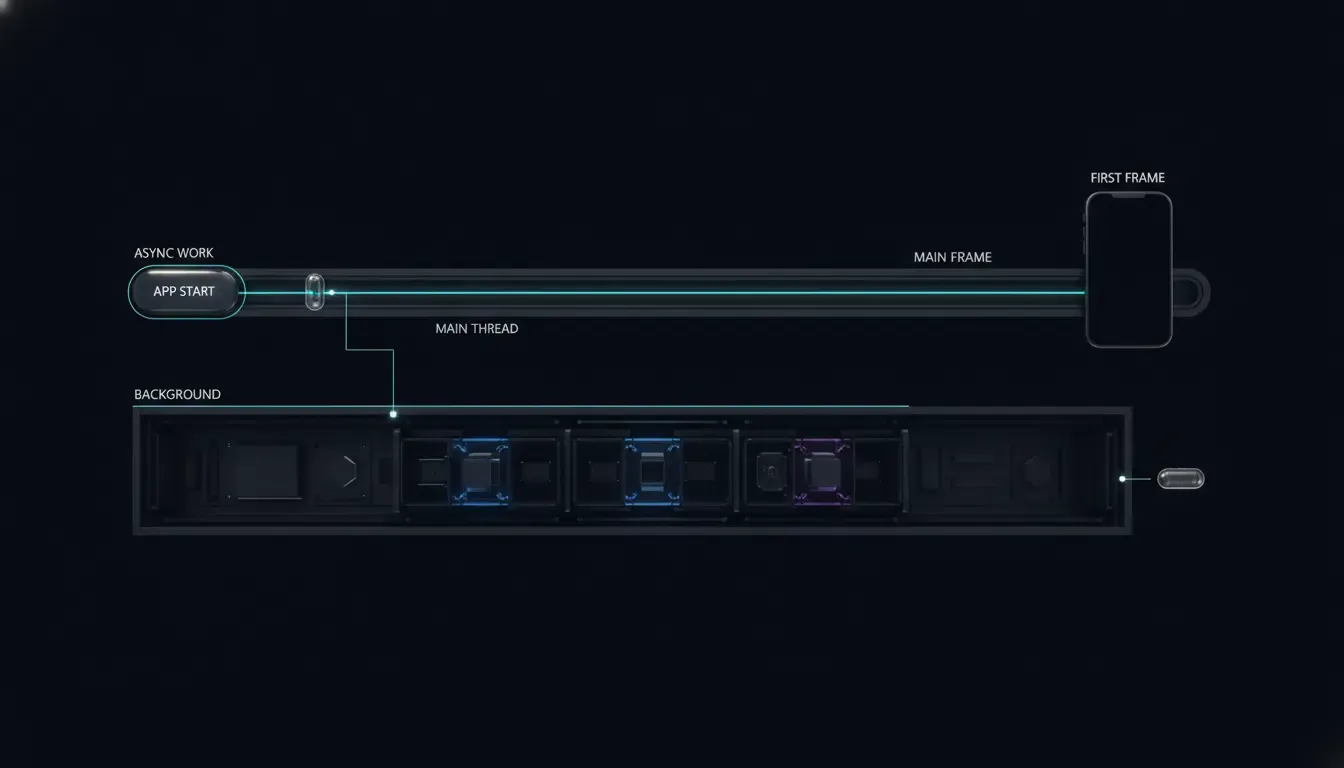
行動端歸因與分析函式庫經常透過以下四種常見機制引入隱藏的啟動延遲:
- 急切式
ContentProvider實例化 (Android):Android 會在行程啟動期間、Application.onCreate()之前,於應用程式主執行緒上初始化應用程式宣告的內容提供者。因此,急切的提供者工作可能會延遲啟動,應用程式應檢查合併後的資訊清單與啟動追蹤,以識別不必要的初始化。 - 同步磁碟 I/O:在主執行緒上讀取
SharedPreferences或UserDefaults、建立 SQLite 資料庫或執行結構描述遷移,當快閃儲存遭遇背景寫入競爭時,可能會出現無法預測的停滯。 - 繁重的反射與類別載入:同步掃描註解、反序列化大型設定資產或初始化密碼學提供者,會在關鍵渲染路徑上大幅增加類別載入時間。
- 剪貼簿與網路競爭:在啟動期間存取系統剪貼簿(iOS 上的
UIPasteboard或 Android 上的ClipboardManager)或等待同步網路呼叫,可能會引入主執行緒卡頓(例如跨 iOS 裝置的通用剪貼簿擷取),並觸發過早的作業系統權限提示(區分 iOS 14 的貼上通知橫幅與 iOS 16+ 的跨應用程式貼上權限提示)。
作業系統閾值:Android ANR 與 iOS 看門狗 0x8badf00d
行動平台對 Android 與 iOS 的主執行緒競爭有不同的懲罰機制:
- Android 畫面掉格與 ANR:為了維持流暢渲染,Android
Choreographer在 60 Hz 時以 16.6 ms 的畫面預算為目標(在 120 Hz 時則為 8.3 ms)。在主執行緒上執行同步網路操作可能會根據目標 API 級別、StrictMode政策與呼叫路徑觸發NetworkOnMainThreadException,而長時間阻塞的磁碟 I/O 或鎖競爭會凍結輸入分派,並可能觸發「應用程式無回應」(ANR) 對話框(例如在約 5 秒的典型輸入分派逾時周圍)。 - iOS 看門狗終止 (
0x8badf00d):如 Apple 關於處理看門狗終止的指南所述,SpringBoard 與 FrontBoard 會在應用程式啟動(scene-create)和生命週期轉換期間監控主執行緒的回應能力。如果阻塞的 SDK 呼叫、同步DispatchSemaphore.wait()或優先權反轉死結(_dispatch_once_wait)使主佇列停滯超過作業系統看門狗閾值,iOS 將透過終止代碼0x8badf00d的EXC_CRASH (SIGKILL)立即終止應用程式。
以下的概念時間軸說明了解耦非 UI 設定與參數擷取如何維護快速的初始渲染:
EAGER SYNCHRONOUS INITIALIZATION (Delays TTID / Risks Watchdog & ANR):
[Process Start] ──> [ContentProvider Init] ──> [App.onCreate: Sync Disk/Clipboard/Net] ──> [First UI Draw (Delayed)]

DEFERRED ASYNCHRONOUS INITIALIZATION (Protects First Frame):
[Process Start] ──> [Minimal Delegate / Handle] ──> [First UI Draw (Fast TTID)]
                          │
                          └──(Background IO Queue)──> [Context & Cache Prep] ──> [Async Query at Onboarding Milestone]
摘要
- 將同步 I/O 從啟動委派中隔離:保持
Application.onCreate()與didFinishLaunchingWithOptions沒有同步檔案讀取、SQLite 遷移和網路阻塞鎖。 - 整合
ContentProvider自動初始化:使用 Android Jetpack App Startup(androidx.startup)來合併相容的元件初始化器,並按需延遲載入非關鍵的主機模組。 - 延遲剪貼簿與歸因查詢:在消耗結果的業務里程碑排程延遲歸因擷取(
getInstallParam或getInstallParmsCompleted),而不是阻塞冷啟動。 - 整合前後進行效能剖析:使用 Android
StrictMode.ThreadPolicy與 Perfetto 追蹤,以及 Xcode Instruments 的 Time Profiler 和 App Launch 範本來驗證主執行緒行為。
如何使用平台效能剖析工具診斷主執行緒阻塞
使用 Android StrictMode 偵測同步磁碟與網路違規
在重構 SDK 呼叫之前,請識別哪些函式庫在啟動期間於 UI 執行緒上觸及磁碟或網路通訊端。Android 提供 StrictMode.ThreadPolicy 以在除錯版本中標記阻塞的主執行緒操作。
在 Application.onCreate() 的頂端啟用 StrictMode,並嚴格透過 ApplicationInfo.FLAG_DEBUGGABLE 進行閘道控制,以確保正式版不受影響:
// Android - StrictModeDiagnosticsApp.kt
// Reference diagnostic setup: enable StrictMode exclusively in debuggable builds
package com.example.hostapp

import android.app.Application
import android.content.pm.ApplicationInfo
import android.os.StrictMode

class StrictModeDiagnosticsApp : Application() {
    override fun onCreate() {
        if (applicationInfo.flags and ApplicationInfo.FLAG_DEBUGGABLE != 0) {
            StrictMode.setThreadPolicy(
                StrictMode.ThreadPolicy.Builder()
                    .detectDiskReads()
                    .detectDiskWrites()
                    .detectNetwork()
                    .penaltyLog()
                    .build()
            )
        }
        super.onCreate()
    }
}
請注意一個重要的診斷邊界:由於 ContentProvider.onCreate() 在 Application.onCreate() 之前執行,因此在 Application.onCreate() 內部啟用 StrictMode 並無法偵測早期 ContentProvider 啟動內部的磁碟或網路違規。請將 StrictMode 用作 Application 與 Activity 主執行緒工作的輔助檢查,並擷取 Perfetto 或 Android Studio CPU Profiler 系統追蹤來檢查 bindApplication 與 ContentProvider 實例化延遲。
在 Xcode Instruments 中識別卡頓與啟動瓶頸
在 iOS 上,請遵循 Apple 關於早期診斷效能問題與了解應用程式中的卡頓的指引,在出貨變更前使用 Xcode Instruments 診斷啟動延遲:
- App Launch 範本:在實體發布模式裝置上執行 App Launch 工具,以將啟動時間分解為
dyld動態函式庫載入、靜態初始化器、didFinishLaunchingWithOptions以及第一個 Core Animation 提交。 - Time Profiler 檢查:依主執行緒(
com.apple.main-thread)篩選呼叫樹狀結構,並反轉呼叫樹狀結構或隱藏系統函式庫,以找出在第一個畫面提交之前執行的同步 SDK 呼叫、JSON 解析或UIPasteboard等待。 - 崩潰日誌分類:檢查 Xcode Organizer 崩潰報告中帶有例外代碼
0x8badf00d的EXC_CRASH (SIGKILL)。檢查在第三方框架初始化內部觸發的阻塞等待(__psynch_cvwait、_dispatch_once_wait或semaphore_wait_trap)之崩潰主執行緒回溯追蹤。
啟動效能測量範本
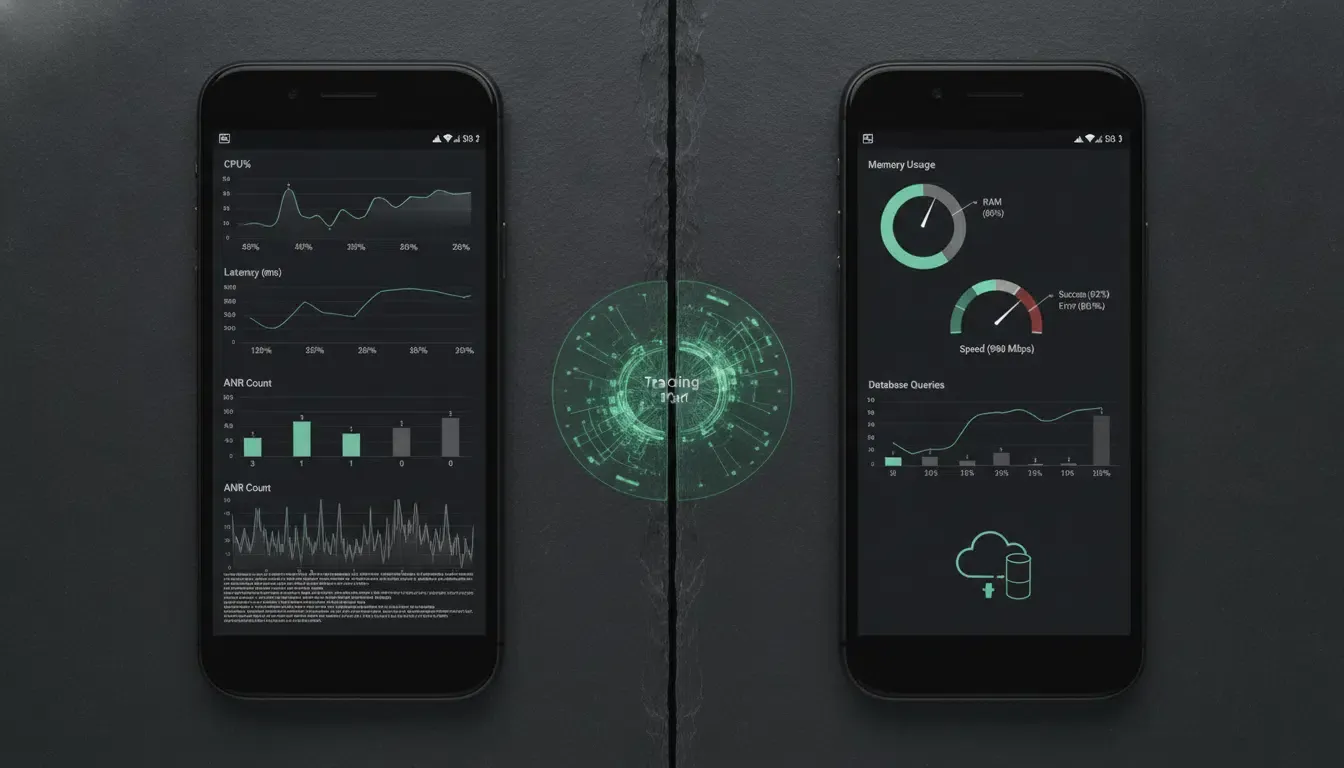
在宣告 SDK 優化成功之前,請針對相同的實體裝置和發布建構設定記錄可重現的平台特定基準指標:
| 平台 | 目標指標 | 測量工具 | 優化前基準 | 優化後目標 |
|---|---|---|---|---|
| Android | 初始顯示時間 (TTID) | Perfetto / Android Vitals | 記錄冷啟動中位數與 P95 (ms) | 記錄冷啟動中位數與 P95 (ms) |
| Android | 完整顯示時間 (TTFD) | reportFullyDrawn() / Perfetto |
記錄直到互動狀態 (ms) | 記錄直到互動狀態 (ms) |
| Android | 主執行緒初始化與 ANR 率 | CPU Profiler / Vitals | 記錄 UI 執行緒時間 (ms) 與 ANR % | 記錄 UI 執行緒時間 (ms) 與 ANR % |
| iOS | 應用程式啟動持續時間 | Xcode App Launch Instrument | 記錄啟動至第一次提交 (ms) | 記錄啟動至第一次提交 (ms) |
| iOS | 卡頓率與看門狗 (0x8badf00d) |
Xcode Organizer / Time Profiler | 記錄卡頓率 (ms/s) 與崩潰 % | 記錄卡頓率 (ms/s) 與崩潰 % |
使用 Jetpack App Startup 與協程優化 Android SDK 初始化
以 androidx.startup 取代急切式 ContentProvider 額外負擔
當整合多個函式庫時,每個獨立的 ContentProvider 都會在 Application.onCreate() 執行之前增加啟動額外負擔。Android Jetpack App Startup 函式庫將相容的 Initializer<T> 元件整合到單一共享的 InitializationProvider 中,並支援按需延遲初始化。
使用 Jetpack App Startup 時請注意兩個重要限制:
Initializer<T>僅管轄整合至androidx.startup中的函式庫;它不會自動停用由舊版第三方 SDK 所分發的獨立ContentProvider宣告(若 SDK 廠商允許,這些宣告必須在合併清單中檢查並單獨移除或調整)。- 僅在該元件實際宣告用於合併資訊清單中的自動探索時,才將
tools:node="remove"新增至InitializationProvider內的<meta-data>條目,並驗證沒有其他自動探索的初始化器在其dependencies()內列出它。
<!-- Manifest Fragment: Merge into your existing AndroidManifest.xml ONLY if OnboardingCacheInitializer is registered for auto-discovery -->
<!-- Requires androidx.startup:startup-runtime:1.2.0+ and xmlns:tools="http://schemas.android.com/tools" -->
<provider
    android:name="androidx.startup.InitializationProvider"
    android:authorities="${applicationId}.androidx-startup"
    android:exported="false"
    tools:node="merge">
    <meta-data
        android:name="com.example.hostapp.startup.OnboardingCacheInitializer"
        android:value="androidx.startup"
        tools:node="remove" />
</provider>
執行緒安全延遲初始化與排程 getInstallParam
在 Android 上優化歸因 SDK 時,請遵循廠商的生命週期與執行緒合約:
- 核心 SDK 初始化與行程防護:歸因 SDK(例如行動端歸因與深度連結平台 OpoInstall)記錄在
Application.onCreate()內呼叫OpoInstall.initialize(this),並在啟動器Activity內呼叫OpoInstall.getInstance().start(this)。在多行程架構中,初始化必須受限於主行程;下方的OptimizedAttributionApp是一個抽象合約——主機應用程式必須提供實作isMainProcess()的具體子類別,並在AndroidManifest.xml中註冊該子類別。除非確切的 SDK 版本明確記錄了執行緒安全的延遲支援,否則請勿將核心 SDK 初始化移至任意背景執行緒或延遲至Activity.onCreate()之後。 - 應用程式啟動執行緒合約:保持
Initializer.create()輕量化,並在元件記錄合約支援的執行緒上呼叫AppInitializer.initializeComponent()。將昂貴的主機擁有磁碟或 CPU 工作移至單獨管理的背景操作(Dispatchers.IO或Dispatchers.Default)中,而不是假設每個Initializer都能在Dispatchers.IO上安全執行。 - 在業務里程碑排程
getInstallParam:在消耗結果的業務里程碑排程延遲歸因擷取。View.post回呼無法保證已呈現第一張畫面;如果必須在初始顯示後立即開始擷取,請使用經測量的畫面感知排程(例如與reportFullyDrawn()及 Perfetto TTID 追蹤搭配使用的Choreographer畫面回呼)。 - 不可變快照與統一執行緒:由於 SDK 回呼執行緒親和性與物件可變性可能因 SDK 版本而異,請在回呼邊界將
opoData?.data序列化或快照為不可變的String,然後再傳遞給Dispatchers.Default,並明確將狀態轉換(AttributionFetchState)封送至 UI 執行緒(runOnUiThread/Dispatchers.Main)。不可變快照建立可防止可變資料跨越執行緒邊界,但其序列化成本仍必須在 SDK 回呼執行緒上進行效能剖析。此外,請驗證部署的 SDK 是否保證回呼期間的資料穩定性,或在廠商記錄的同步邊界內執行快照。
參考架構免責聲明: 以下 Kotlin 實作是防禦性參考架構。診斷
Application(StrictModeDiagnosticsApp)與歸因Application(OptimizedAttributionApp)是獨立的參考程式碼片段;請將其行為合併到在AndroidManifest.xml中註冊的應用程式單一具體Application類別中。在推出至正式環境之前,請對照您部署的 AAR 驗證確切的 SDK 套件名稱(com.opoinstall.api)、初始化執行緒限制、R資源命名空間匯入以及 Jetpack App Startup 版本(androidx.startup:startup-runtime:1.2.0+)。
// Android - AttributionStartupOptimization.kt
// Reference architecture: targets minSdk >= 24 with kotlinx-coroutines-android and androidx.startup:startup-runtime:1.2.0+
package com.example.hostapp.startup

import android.app.Application
import android.content.Context
import android.os.Bundle
import android.util.Log
import androidx.appcompat.app.AppCompatActivity
import androidx.lifecycle.lifecycleScope
import androidx.startup.AppInitializer
import androidx.startup.Initializer
import com.example.hostapp.R
import com.opoinstall.api.OpoData
import com.opoinstall.api.OpoError
import com.opoinstall.api.OpoInstall
import com.opoinstall.api.ResultCallBack
import kotlinx.coroutines.Dispatchers
import kotlinx.coroutines.launch
import kotlinx.coroutines.withContext
import org.json.JSONObject

// 1. Lazy Jetpack App Startup Initializer for lightweight host onboarding manager creation
// Exclude from automatic discovery via tools:node="remove" in AndroidManifest.xml if auto-merged
class OnboardingCacheInitializer : Initializer<OnboardingCacheManager> {
    override fun create(context: Context): OnboardingCacheManager {
        // Instantiates lightweight handle on caller's supported thread; heavy CPU/IO work runs asynchronously below
        return OnboardingCacheManager(context.applicationContext)
    }

    override fun dependencies(): List<Class<out Initializer<*>>> = emptyList()
}

class OnboardingCacheManager(private val appContext: Context) {
    // Runs CPU-bound JSON parsing solely on an already-copied immutable String snapshot
    suspend fun parsePromoCodeFromImmutableJson(immutableJson: String): String? = withContext(Dispatchers.Default) {
        runCatching {
            JSONObject(immutableJson).optString("promoCode").takeIf { it.isNotBlank() }
        }.getOrNull()
    }
}

// 2. Host-Owned Multi-Process Guard Integration Point
// Provide a concrete subclass implementing isMainProcess(), merge any debug StrictMode checks into it,
// register it in AndroidManifest.xml, and do not return an unconditional `true` in multi-process apps.
abstract class OptimizedAttributionApp : Application() {
    protected abstract fun isMainProcess(): Boolean

    override fun onCreate() {
        super.onCreate()
        if (isMainProcess()) {
            OpoInstall.initialize(this)
        }
    }
}

// 3. Deferred Attribution Activity with Explicit Request State Machine & Immutable Snapshots
class OnboardingActivity : AppCompatActivity() {

    private enum class AttributionFetchState {
        IDLE, LOADING, COMPLETED, RETRYABLE_FAILURE
    }

    // For multi-screen flows, persist fetch state in a lifecycle-surviving ViewModel or Repository
    private var fetchState: AttributionFetchState = AttributionFetchState.IDLE
    private var onboardingCacheManager: OnboardingCacheManager? = null

    override fun onCreate(savedInstanceState: Bundle?) {
        super.onCreate(savedInstanceState)
        setContentView(R.layout.activity_onboarding)

        // Register the SDK lifecycle according to the vendor contract; profile this call to verify its main-thread cost
        OpoInstall.getInstance().start(this)

        // Trigger deferred retrieval at the explicit onboarding business milestone (e.g., button tap)
        findViewById<android.view.View>(R.id.btn_claim_referral)?.setOnClickListener {
            fetchDeferredParametersIfNeeded()
        }
    }

    private fun fetchDeferredParametersIfNeeded() {
        if (fetchState == AttributionFetchState.LOADING || fetchState == AttributionFetchState.COMPLETED) {
            return
        }
        fetchState = AttributionFetchState.LOADING

        // Initialize lightweight host component on main thread per App Startup contract
        val cacheManager = onboardingCacheManager ?: AppInitializer.getInstance(applicationContext)
            .initializeComponent(OnboardingCacheInitializer::class.java)
            .also { onboardingCacheManager = it }

        OpoInstall.getInstance().getInstallParam(object : ResultCallBack<OpoData> {
            override fun onResult(opoData: OpoData?) {
                // Immutable snapshot creation prevents mutable data from crossing thread boundaries,
                // though its serialization cost must still be profiled on the SDK callback thread.
                val immutableJsonSnapshot: String? = snapshotAsImmutableJson(opoData?.data)
                val hasChannel = !opoData?.channelCode.isNullOrBlank()
                Log.d("AttributionPerf", "Async callback resolved: hasData=${immutableJsonSnapshot != null}, hasChannel=$hasChannel")

                runOnUiThread {
                    if (isFinishing || isDestroyed) return@runOnUiThread

                    if (immutableJsonSnapshot == null) {
                        fetchState = AttributionFetchState.COMPLETED
                        return@runOnUiThread
                    }

                    lifecycleScope.launch {
                        // Offload CPU-bound JSON parsing using the immutable String snapshot
                        val promoCode = cacheManager.parsePromoCodeFromImmutableJson(immutableJsonSnapshot)

                        // Update UI and final state safely on Main dispatcher
                        withContext(Dispatchers.Main) {
                            if (!isFinishing && !isDestroyed) {
                                fetchState = AttributionFetchState.COMPLETED
                                if (promoCode != null) {
                                    // Apply promoCode to onboarding UI safely
                                }
                            }
                        }
                    }
                }
            }

            override fun onError(error: OpoError?) {
                runOnUiThread {
                    if (!isFinishing && !isDestroyed) {
                        fetchState = AttributionFetchState.RETRYABLE_FAILURE
                    }
                }
                Log.w("AttributionPerf", "Deferred parameter fetch encountered an error state")
            }
        })
    }

    private fun snapshotAsImmutableJson(rawData: Any?): String? = when (rawData) {
        is String -> rawData.takeIf { it.isNotBlank() }
        is JSONObject -> rawData.toString()
        is Map<*, *> -> runCatching {
            if (rawData.keys.any { it !is String }) null
            else {
                val safeMap = mutableMapOf<String, Any?>()
                rawData.forEach { (k, v) -> safeMap[k as String] = v }
                JSONObject(safeMap).toString()
            }
        }.getOrNull()
        else -> null
    }
}
使用背景分派佇列優化 iOS SDK 初始化
在 Swift 中保持 didFinishLaunchingWithOptions 非阻塞
在 iOS 上,SpringBoard 認定啟動完成之前,application(_:didFinishLaunchingWithOptions:) 會在主執行緒上同步執行。請注意,下方的 AppDelegate 程式碼片段代表簡化的非 Scene 設定;採用 UIScene / SceneDelegate 生命週期的應用程式必須協調跨作用中 Scene 視窗的歸因觸發。為避免 0x8badf00d 看門狗終止:
- 切勿使用號誌或鎖進行阻塞:在啟動期間,切勿在主佇列上使用
DispatchSemaphore.wait()、同步URLSession資料任務或同步磁碟鎖。 - 避免優先權反轉:請勿將 UI 很快就會依賴的初始化任務分派至
.backgroundQoS 佇列(DispatchQueue.global(qos: .background))。如果主執行緒操作隨後等待較低優先權的.background佇列,優先權反轉將會使 UI 停滯。請將主機背景準備任務用於.utility或.userInitiatedQoS。 - 尊重 Actor 隔離:在 Swift 6 嚴格並行性中,避免在背景佇列閉包內擷取
@MainActor隔離的AppDelegate實例(self);將主機擁有的快取預熱委派給不包含 UIKit 呼叫或未同步可變狀態的隔離非主執行緒服務(HostCacheService),並在切換至@MainActor之前明確標記非隔離的 Objective-C 委派回呼(nonisolated)。
在 iOS 上管理 UIPasteboard、不可變快照與請求狀態
在 iOS 14 及更新版本中,讀取 UIPasteboard.general 會顯示系統貼上通知橫幅,而在 iOS 16+ 中,跨應用程式剪貼簿讀取會提示使用者給予明確的貼上權限。此外,如果通用剪貼簿(Handoff)處於啟用狀態,同步剪貼簿檢查在透過藍牙或 Wi-Fi 擷取遠端酬載時可能會引入延遲。
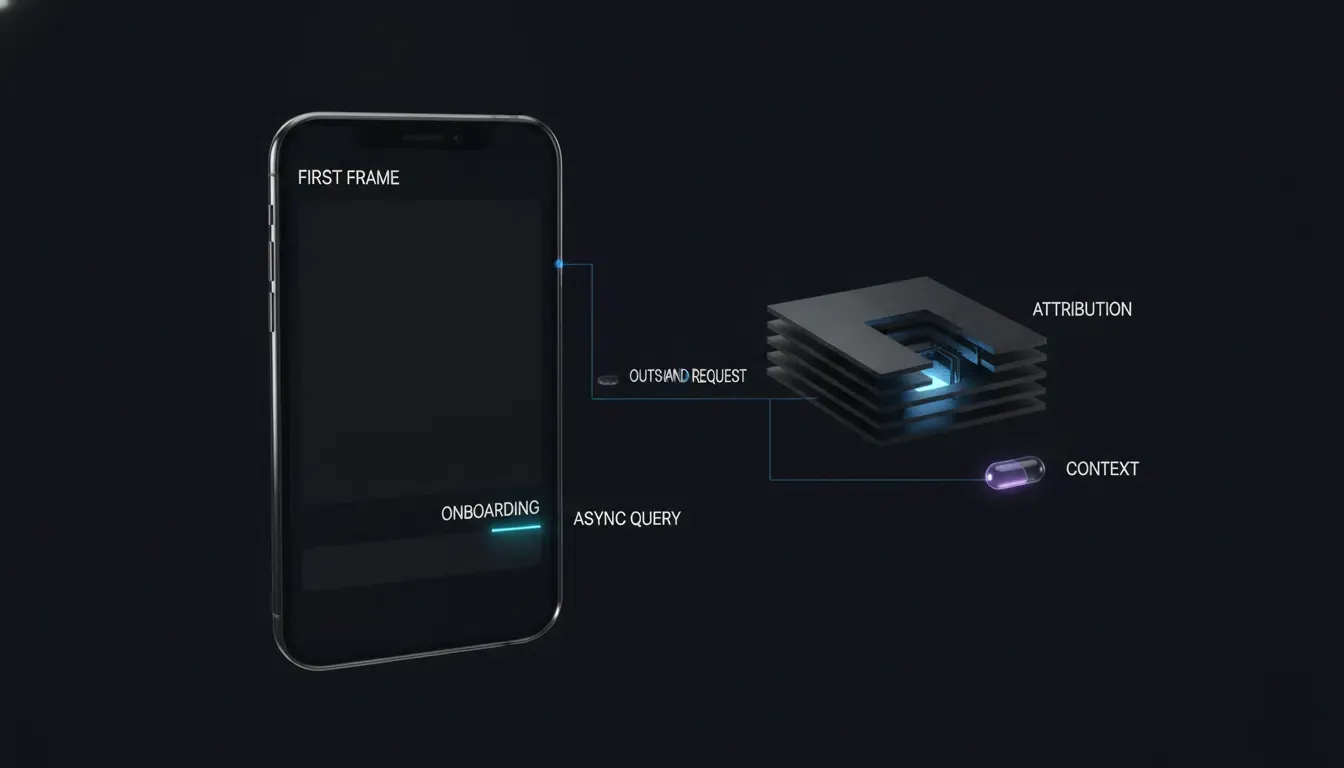
與其在根檢視控制器渲染之前讀取歸因參數,不如將 getInstallParmsCompleted 延遲到引導畫面出現為止(並透過 Instruments 單獨測量實際 TTID)。使用明確的 AttributionFetchState(idle、loading、completed、retryableFailure)乾淨俐落地管理請求生命週期,在轉換至 .loading 之前驗證 OpoInstallSDK.defaultManager() 不為 nil,以確保 nil 管理員絕不會將檢視控制器鎖定在永久的 .loading 狀態。在 SDK 回呼內部,跨越並行邊界之前僅擷取不可變的 Sendable 原生型別(hadResponse、rawPromoSnapshot)——切勿將非 Sendable 的 appData 物件擷取到背景或後續的非同步閉包中——並透過 Task { @MainActor ... } 乾淨俐落地跳回,同時檢查 isViewLoaded、view.window != nil 與 activeRequestGeneration。
參考架構免責聲明: 以下 Swift 實作是防禦性參考架構。請針對您的部署框架版本,驗證確切的 SDK 模組匯入(
libOpoInstallSDK)、委派協定(OpoInstallDelegate)、資料模型類別名稱(OpoinstallData與OpoInstallData)以及 Swift 5.9/6.0 嚴格並行性相容性。
// iOS - NonBlockingAttributionStartup.swift
// Reference architecture: compile and test against your specific iOS target (iOS 15.0–18.0)
// Simplified AppDelegate example; adapt lifecycle triggers if using UIScene / SceneDelegate.
import UIKit
import libOpoInstallSDK

// Isolated host cache service free of @MainActor self captures for Swift 6 compatibility
private enum HostCacheService {
    static func prepareLocalCaches() {
        // Host-owned background configuration or cache preparation; ensure implementations
        // avoid UIKit, @MainActor-isolated properties, and unsynchronized mutable globals.
    }
}

@main
final class AppDelegate: UIResponder, UIApplicationDelegate, OpoInstallDelegate {

    var window: UIWindow?

    func application(
        _ application: UIApplication,
        didFinishLaunchingWithOptions launchOptions: [UIApplication.LaunchOptionsKey: Any]?
    ) -> Bool {
        // 1. Register SDK delegate cleanly without synchronous network or disk locks
        OpoInstallSDK.initWith(self)

        // 2. Offload host-owned non-UI startup preparation without capturing @MainActor self
        DispatchQueue.global(qos: .utility).async {
            HostCacheService.prepareLocalCaches()
        }

        return true
    }

    // Marked nonisolated to satisfy Swift 6 concurrency if invoked off the main actor
    nonisolated func getWakeUpParams(_ appData: OpoinstallData?) {
        let hasData = (appData?.data != nil)
        let hasChannel = (appData?.channelCode != nil)
        print("[AttributionPerf] Wakeup params resolved (hasData: \(hasData), hasChannel: \(hasChannel))")

        Task { @MainActor in
            // Route to target scene safely on MainActor
        }
    }
}

@MainActor
final class OnboardingViewController: UIViewController {

    private enum AttributionFetchState {
        case idle
        case loading
        case completed
        case retryableFailure
    }

    private var fetchState: AttributionFetchState = .idle
    private var activeRequestGeneration: UInt64 = 0

    override func viewDidAppear(_ animated: Bool) {
        super.viewDidAppear(animated)
        // Trigger deferred parameter retrieval after the onboarding view appears
        // (measure exact cold-start TTID separately using Xcode Instruments)
        fetchDeferredAttributionIfNeeded()
    }

    private func fetchDeferredAttributionIfNeeded() {
        // Prevent duplicate concurrent requests across repeated viewDidAppear calls
        guard fetchState == .idle || fetchState == .retryableFailure else {
            return
        }

        // Verify SDK manager availability BEFORE entering .loading to prevent permanent state starvation
        guard let manager = OpoInstallSDK.defaultManager() else {
            fetchState = .retryableFailure
            return
        }

        fetchState = .loading
        activeRequestGeneration &+= 1
        let requestGeneration = activeRequestGeneration

        manager.getInstallParmsCompleted { [weak self] appData in
            // Snapshot immutable Sendable values immediately inside callback; do NOT capture appData across queues
            let hadResponse = (appData != nil)
            let hasData = (appData?.data != nil)
            let hasChannel = (appData?.channelCode != nil)
            let rawPromoSnapshot = appData?.data?["promoCode"] as? String
            print("[AttributionPerf] Deferred params resolved (hasData: \(hasData), hasChannel: \(hasChannel))")

            DispatchQueue.global(qos: .userInitiated).async { [weak self, hadResponse, rawPromoSnapshot] in
                // Perform any expensive host normalization solely on the immutable String snapshot
                let normalizedPromo = rawPromoSnapshot?.trimmingCharacters(in: .whitespacesAndNewlines)

                Task { @MainActor [weak self, hadResponse, normalizedPromo] in
                    guard let self = self else { return }

                    // Ignore stale callbacks if superseded by a newer request
                    guard self.activeRequestGeneration == requestGeneration else { return }

                    if !hadResponse {
                        self.fetchState = .retryableFailure
                        return
                    }

                    self.fetchState = .completed
                    guard self.isViewLoaded,
                          self.view.window != nil,
                          let code = normalizedPromo,
                          !code.isEmpty else {
                        return
                    }
                    self.applyOnboardingPromo(code)
                }
            }
        }
    }

    private func applyOnboardingPromo(_ code: String) {
        // Update onboarding UI on MainActor
    }
}
行動端 SDK 初始化策略比較分析
評估冷啟動延遲、實作複雜度與歸因就緒狀態
選擇最佳的初始化模式需要在冷啟動畫面預算與使用者旅程中何時需要歸因參數之間取得平衡:
| 初始化策略 | 主執行緒阻塞風險 | 冷啟動 TTID 影響 | 歸因就緒狀態 | 實作複雜度 | 最佳適用情境 |
|---|---|---|---|---|---|
急切式 ContentProvider 自動初始化 |
當提供者在 Application.onCreate 之前執行 I/O 時風險很高 |
與提供者工作成比例地延遲啟動 | 啟動時立即就緒 | 極低(零程式碼) | 缺乏手動初始化 API 的舊版模組 |
同步 Application.onCreate 初始化 |
如果磁碟或網路工作同步執行,則為中到高 | 如果繁重則會延遲第一個活動繪製 | 啟動時立即就緒 | 低 | 不執行任何磁碟/網路 I/O 的輕薄註冊包裝函式 |
| 背景佇列 / 協程卸載 | 當昂貴的工作是執行緒安全、移出關鍵路徑並避免阻塞相依性時風險較低 | 維持快速的 TTID | 非同步(初始化後就緒) | 中等 | 正式版歸因與分析 SDK 整合 |
Jetpack App Startup 延遲 Initializer |
當元件建立輕量且延遲時風險較低 | 當初始化器為非關鍵且確實延遲至啟動路徑之外時,可降低 TTID;請透過啟動追蹤驗證 | 延遲至功能進入點 | 中等 | 主機引導快取與非關鍵次要模組 |
諸如 OpoInstall 等平台圍繞著非同步回呼 API(getInstallParam 與 getInstallParmsCompleted)建構參數擷取,以便應用程式可以將初始 UI 渲染與延遲參數解析分開。
常見問題 (FAQ)
為什麼 Android StrictMode 會在 Application onCreate 中標記行動端 SDK 初始化?
iOS 開發人員如何避免由第三方 SDK 引起的 0x8badf00d 看門狗崩潰?
應用程式應該何時呼叫 getInstallParam 或 getInstallParmsCompleted 以避免啟動延遲?
總結與決策框架
預防行動端 SDK 初始化期間的主執行緒阻塞需要測量啟動追蹤,並將非 UI 工作從應用程式的關鍵啟動路徑中解耦。透過使用 Android StrictMode 與 Xcode Instruments 進行冷啟動效能剖析、使用延遲 Jetpack App Startup 初始化器或隔離的背景佇列來整合非關鍵主機元件,並在活躍業務里程碑透過明確的狀態機和不可變快照非同步觸發延遲參數查詢(getInstallParam / getInstallParmsCompleted),這些模式可以減少冷啟動期間可避免的主執行緒競爭;然而,其對 TTID、TTFD、ANR 發生率與 iOS 看門狗終止的確切影響,必須透過平台效能剖析與裝置迴歸測試來建立。
優化行動端歸因生命週期與深度連結引導流程的團隊,可以參閱 OpoInstall 平台總覽以了解非同步 SDK 整合模式。
實體詞彙表
| 術語 | 定義 | 相關實體 | 搜尋意圖角色 |
|---|---|---|---|
| 行動端 SDK | 整合至行動應用程式中用於歸因、分析或路由的已編譯軟體開發套件。 | Android SDK / iOS SDK |
資訊性 / 技術性 |
| 主執行緒 | 負責 UI 渲染與處理使用者輸入事件的主要執行執行緒。 | DispatchQueue.main / Looper |
技術性 |
| StrictMode | 偵測主執行緒上意外磁碟或網路操作的 Android 開發人員工具。 | StrictMode.ThreadPolicy |
技術性 |
| 看門狗終止 | 當應用程式在啟動或生命週期轉換期間阻塞主執行緒時,在 iOS 上觸發的作業系統發起崩潰(0x8badf00d)。 |
SpringBoard / FrontBoard | 技術性 |
| Jetpack App Startup | 將元件初始化器整合至單一 ContentProvider 中並支援延遲載入的 AndroidX 函式庫。 |
androidx.startup |
技術性 |
相容性基準與驗證狀態
-
預期相容性目標:Android
minSdk 24、compileSdk 34/35、targetSdk 34/35(Android 14/15)、androidx.startup:startup-runtime:1.2.0+、Kotlin 協程;iOS 15.0–18.0、Xcode 15/16、Swift 5.9/6.0。 -
驗證狀態:
-
靜態 API 與規格審查:已針對 Android Developers 與 Apple Developer 文件完成。
-
編譯與裝置驗證:在此審查週期中尚未執行。編譯期建構(包括 Swift 6 嚴格並行性檢查與確切 AAR 整合)以及實體裝置啟動效能剖析(Android Perfetto /
StrictMode與 Xcode App Launch Instruments)必須在正式發布前由您的工程團隊執行。
-
參考資料
Share this article