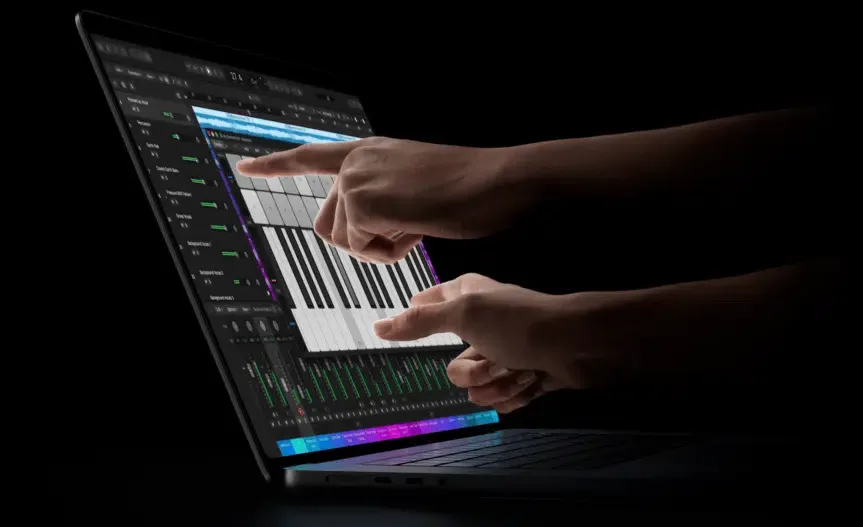
Apple Unveils Touchscreen MacBook Pro with PROLED XDR? Apple has officially introduced the 14-inch and 16-inch MacBook Pro with PROLED XDR Display, bringing direct touchscreen input and the Dynamic Island to the Mac product line for the first time. According to the Apple Newsroom announcement, the new laptops pair a two-layer tandem OLED panel with M5 Pro and M5 Max chips, macOS 27 (“Golden Gate”) touch gesture support, and a lighter enclosure. Pre-orders opened on October 28, 2026, across 30 countries and regions, with retail availability beginning November 6, 2026. For macOS and cross-platform developers, the release introduces a hybrid pointer-and-touch interaction model, Live Activities in the Mac Dynamic Island, and upcoming SDK updates in Xcode 27.3 beta.
How Touch Input and Dynamic Island Work in macOS 27 Golden Gate
At a Glance
- Apple debuted 14.2-inch (3.0 lb) and 16.3-inch (4.0 lb) MacBook Pro models with an in-cell PROLED XDR tandem OLED touchscreen and the interactive Dynamic Island.
- In macOS 27 Golden Gate, many existing Mac apps work immediately via automatic touch-to-click translation, while custom multi-touch and Live Activities integrations rely on updated system gesture APIs and the upcoming Xcode 27.3 beta.
- The lineup runs on M5 Pro and M5 Max chips with per-core GPU Neural Accelerators, configurable up to 128GB of unified memory (on 40-core GPU M5 Max builds) and 16TB of SSD storage, starting at $2,899 (14-inch) and $3,399 (16-inch)—a $400 premium over identically configured non-touch mini-LED base models.
For four decades, macOS human interface conventions assumed a single-pixel cursor controlled by a mouse or trackpad. Rather than merging macOS into iPadOS, Apple engineered Touch on macOS 27 (“Golden Gate”) as an additive input layer that operates alongside keyboard shortcuts and trackpad gestures. At the panel level, the capacitive touch sensor is laminated directly into the PROLED XDR display stack (an in-cell architecture) rather than layered on top, minimizing touch-to-pixel latency.
According to Apple, many existing Mac applications work with Touch immediately because macOS 27 automatically translates single-finger screen taps into standard mouse click events. At the system window-management level, users can swipe to scroll webpages, pinch to zoom documents, drag and drop content across windows, double-tap a window to fill the display, or flick a window to tile it into place. However, automatic click translation does not guarantee that every legacy desktop interface is touch-friendly: applications that rely heavily on cursor hover states, dense 16-pixel toolbar icons, or custom mouse-tracking loops still require layout and event-handling review.
To support custom multi-touch behaviors beyond basic click translation, Apple points developers to its Get ready for Touch on Mac developer portal and AppKit gesture documentation:
- Display Capability Inspection and Input-Aware Handling (
NSScreen.TouchCapabilities): While macOS 27 exposes NSScreen.TouchCapabilities to inspect screen touch properties, Apple’s documentation notes an important boundary: when a touch-capable Sidecar display is connected,multiTouchchecks may returntrueacross all connected displays rather than isolating the specific touch screen. Consequently, Apple advises developers to prioritize input-aware event handling rather than relying on capability flags alone to identify which physical display is receiving touch. - AppKit Gesture Recognizers (
NSGestureRecognizer): As outlined in Apple’s guide on adopting gesture recognizers in macOS apps, developers attach subclasses such asNSClickGestureRecognizer,NSPanGestureRecognizer,NSMagnificationGestureRecognizer,NSRotationGestureRecognizer, andNSPressGestureRecognizertoNSViewhierarchies, usingNSGestureRecognizerDelegate(gestureRecognizer(_:shouldRecognizeSimultaneouslyWith:)) to coordinate simultaneous multi-touch and pointer events. - Drag-and-Drop File Promises: For cross-application touch dragging (such as dragging slides or media assets between windows), Apple recommends implementing
NSFilePromiseProviderandNSFilePromiseReceiverso asynchronous file transfers do not block the main UI thread during touch gestures.
[macOS 27 Golden Gate Input & UI Dispatch Pipeline]
  In-Cell PROLED XDR Touch Sensor (macOS 27 Touch & Pointer Event Stream)
         │
         ├──> Unmodified AppKit / SwiftUI Views ──> Automatic Single-Finger Touch-to-Click Translation
         │
         ├──> macOS 27 Window Manager ────────────> System Scroll, Pinch Zoom, Double-Tap Fill, Flick Tile
         │
         ├──> Touch-Adapted Views ────────────────> NSGestureRecognizer Subclasses & File Promises
         │
         └──> Top-Center Dynamic Island ──────────> Spotlight, Live Activities, and Siri AI Controls
Alongside direct screen touch, the static camera notch is replaced on PROLED XDR models by the interactive Dynamic Island. Housing a 12MP Center Stage camera (while biometric authentication remains on the keyboard via Touch ID), the Dynamic Island expands dynamically to host Spotlight search (which Apple notes moves into the Dynamic Island when Siri AI is available and enabled), system alerts, Apple Music controls, and Live Activities—allowing users to accept an AirDrop transfer or monitor background tasks with a tap at the top of the screen.
SDK Rollout, Mobile App Testing Scope, and Third-Party App Readiness
Because Apple withheld macOS 27 touch capabilities from WWDC earlier in 2026 to avoid pre-announcing the MacBook Pro hardware, developer SDK availability follows a compressed mid-cycle schedule. As noted in 9to5Mac’s report on the developer rollout, Apple published three technical video sessions on October 28 (Design for Touch on Mac, Bring Touch to your Mac app, and Bring Live Activities to Mac), and scheduled online Touch on Mac Group Labs with Apple engineers and designers for November 18 (9–10 a.m. PT) and November 19 (6–7 p.m. PT), 2026.
However, Xcode 27.3 beta—the SDK update required to build, run, and test new Touch on Mac and macOS Live Activities features—is currently listed as “Coming soon” on the Apple Developer portal. Similarly, major third-party touch-optimized updates announced by Apple—including Notion, Canva, Zoom, Microsoft Word, Excel, PowerPoint, Outlook, Adobe Lightroom, DaVinci Resolve, Blender, Maxon Cinema 4D, Maxon ZBrush, Shapr3D, and Algoriddim djay Pro—are scheduled to roll out “later this year” rather than on launch day, while Apple Creator Studio updates (Pixelmator Pro, Final Cut Pro, and Logic Pro) arrive on the App Store in November.
For mobile developers, Apple notes that the integrated touch display allows engineers to test how touch interactions perform in their iOS and iPadOS apps directly on the MacBook Pro screen. In practice, this simplifies local gesture debugging for iPhone and iPad apps running on Apple silicon Macs without plugging in a test device. Even so, onscreen Mac testing does not replace physical device validation: a 14.2-inch or 16.3-inch laptop panel mounted on a stiffer desktop hinge has different ergonomics, viewing distances, sensor inputs (such as gyroscope and TrueDepth), and thermal profiles than handheld iOS hardware.
Hardware Specifications, M5 Pro/Max Configurations, and Pricing Baselines
While software adaptation is the primary concern for application engineers, the underlying PROLED XDR and M5 Pro/Max hardware specifications determine which local AI, rendering, and color-grading workloads benefit from the new tier. According to Apple’s official PROLED XDR technical specifications, key hardware boundaries include:
- Display Brightness and Refresh Modes: The two-layer tandem OLED panel supports up to 1,000 nits sustained full-screen HDR and SDR brightness, 2,000 nits peak HDR brightness, and 2,000 nits peak SDR brightness in outdoor conditions (with manual SDR brightness capped at 1,000 nits and a 1-nit minimum brightness). It supports ProMotion adaptive refresh rates from 10Hz to 120Hz, fixed video refresh rates (47.95Hz, 48.00Hz, 50.00Hz, 59.94Hz, 60.00Hz), hardware genlock, P3 and Adobe RGB within a single default preset (>80% Rec. 2020 coverage), and non-diagnostic DICOM medical imaging reference modes.
- M5 Pro vs. M5 Max Memory Bandwidth and Storage Tiers: CPU, GPU, unified memory, and storage configurations vary by chip tier and chassis size. The entry-level 14-inch M5 Pro configuration pairs a 15-core CPU (5 super cores and 10 performance cores) with a 16-core GPU, while the upgraded 14-inch M5 Pro, the base 16-inch M5 Pro, and both M5 Max configurations feature an 18-core CPU (6 super cores and 12 performance cores). All variants include a 16-core Neural Engine, third-generation ray tracing, Dynamic Caching, and GPU Neural Accelerators, with memory bandwidth and storage options depending on the selected configuration:
- M5 Pro (15-core CPU / 16-core GPU or 18-core CPU / 20-core GPU): Delivers 307GB/s memory bandwidth; the 14-inch base 15-core CPU / 16-core GPU configuration supports 24GB or 48GB of unified memory, while the 18-core CPU / 20-core GPU configuration (standard on the 16-inch M5 Pro and optional on the 14-inch) supports 24GB, 48GB, or 64GB of unified memory, paired with 1TB, 2TB, or 4TB of SSD storage (supporting up to three external displays).
- M5 Max (18-core CPU / 32-core GPU): Delivers 460GB/s memory bandwidth and comes with 36GB of unified memory, configurable with 2TB, 4TB, 8TB, or 16TB of SSD storage (supporting up to four external displays).
- M5 Max (18-core CPU / 40-core GPU): Delivers 614GB/s memory bandwidth and is required to configure 48GB, 64GB, or the maximum 128GB of unified memory, alongside 2TB, 4TB, 8TB, or 16TB of SSD storage.
- Scoped Preproduction Benchmark Conditions: In Apple’s September 2026 preproduction benchmarks (tested on 18-core CPU / 20-core GPU M5 Pro and 18-core CPU / 40-core GPU M5 Max units), local LLM time-to-first-token was measured using an 8K-token prompt on a 14B-parameter 4-bit quantized model in LM Studio v0.4.25+1; AI image generation was tested with a 12B model on MLX; code compilation was tested in Xcode 27.1 with Apple Clang 21.0.0; and the “up to 2x faster” storage claim was measured on a 16-inch M5 Max (40-core GPU, 128GB RAM, 16TB SSD) using FIO 3.43 (10GB test file, 1024KB request size, IO depth=8).
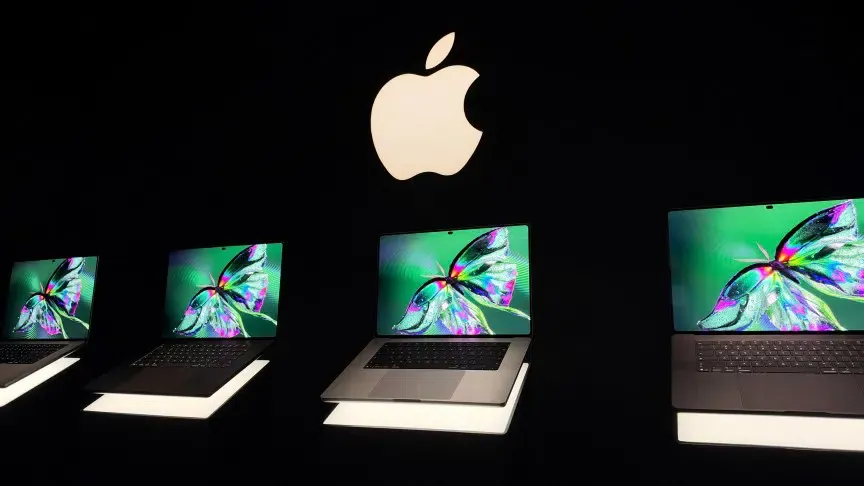
The table below clarifies how the new PROLED XDR models compare against the current MacBook Pro lineup across specific 14-inch and 16-inch base and upgraded configurations, based on Apple’s MacBook Pro lineup overview and MacRumors’ configuration pricing breakdown:
| Model & Configuration Tier | Display & Touch Support | Chip, CPU/GPU, Bandwidth & Validated RAM | U.S. Price Baseline | Primary Developer & Engineering Fit |
|---|---|---|---|---|
| 14-inch MacBook Pro (M6 Base, 16GB / 1TB) | 14.2" Liquid Retina XDR (Mini-LED); Static Notch; No Touch | Apple M6 (12-core CPU / 12-core GPU) | $1,999 | Standard web/mobile compilation without local multi-GPU or touch testing needs |
| 14-inch MacBook Pro (M5 Pro Base, 24GB / 1TB, Mini-LED) | 14.2" Liquid Retina XDR (Mini-LED); No Touch | M5 Pro Base (15-core CPU / 16-core GPU; 24GB/48GB RAM; 307GB/s); upgradable to 18-core CPU / 20-core GPU (up to 64GB RAM) | $2,499 | Compact pointer-only Xcode workstation |
| 16-inch MacBook Pro (M5 Pro Base, 24GB / 1TB, Mini-LED) | 16.3" Liquid Retina XDR (Mini-LED); No Touch | M5 Pro Base (18-core CPU / 20-core GPU; 24GB, 48GB, or 64GB RAM; 307GB/s) | $2,999 | Large-screen pointer-only compilation and compute workloads |
| 14-inch MacBook Pro with PROLED XDR (M5 Pro Base, 24GB / 1TB) | 14.2" Tandem OLED; In-Cell Touch; Dynamic Island | M5 Pro Base (15-core CPU / 16-core GPU; 24GB/48GB RAM; 307GB/s); upgradable to 18-core CPU / 20-core GPU (up to 64GB RAM) | $2,899 | Portable (3.0 lb) macOS/iOS touch UI debugging and P3/Adobe RGB workflows |
| 16-inch MacBook Pro with PROLED XDR (M5 Pro Base, 24GB / 1TB) | 16.3" Tandem OLED; In-Cell Touch; Dynamic Island | M5 Pro Base (18-core CPU / 20-core GPU; 24GB, 48GB, or 64GB RAM; 307GB/s) | $3,399 | Full 18-core CPU / 20-core GPU compilation with 16.3" touch canvas (4.0 lb) |
| 14-inch / 16-inch MacBook Pro with PROLED XDR (M5 Max 32-Core Base, 36GB / 2TB) | 14.2" or 16.3" Tandem OLED; In-Cell Touch; Dynamic Island; Genlock | M5 Max Base (18-core CPU / 32-core GPU; 460GB/s; 36GB RAM; 2TB–16TB SSD) | $4,499 (14") / $4,799 (16") (vs. $4,099 / $4,399 Mini-LED) | Multi-stream 8K video, 3D rendering, and up to four external displays with 36GB memory |
| 14-inch / 16-inch MacBook Pro with PROLED XDR (M5 Max 40-Core Upgrade) | 14.2" or 16.3" Tandem OLED; In-Cell Touch; Dynamic Island; Genlock | M5 Max Upgrade (18-core CPU / 40-core GPU; 614GB/s; configurable 48GB, 64GB, or 128GB RAM; up to 16TB SSD) | Custom build upgrade (up to $7,699 fully configured) | Local large language model inference (requiring 48GB–128GB unified memory) and heavy VFX |
Practical Implementation: macOS 27 Touch and Engineering Checklists
Because Touch on Mac launches alongside hardware availability in November rather than a summer WWDC beta cycle, software engineering teams should prioritize targeted UI audits and SDK transitions.
macOS & Cross-Platform Developer Checklist
- Inspect Touch Capabilities and Input Events: Review
NSScreen.TouchCapabilitiesand Apple’s macOS 27 touch guidance, but do not assume that a capability flag always identifies the exact physical display receiving touch. Prefer input-aware event handling and validate behavior when moving windows between touch-capable and non-touch displays, including Sidecar configurations. - Audit Hit Targets Under Automatic Click Translation: Test existing AppKit, Catalyst, and SwiftUI interfaces to identify where compact controls, hover-only tooltips, or right-click context menus require larger hit zones or
NSPressGestureRecognizerfallbacks when tapped with a finger. - Adopt Simultaneous Gesture Recognition: When preparing for
Xcode 27.3 betaand the November 18–19 Apple Developer Group Labs, configureNSGestureRecognizerDelegateso custom pan, magnification, and rotation gestures coexist cleanly with standard trackpad scrolling. - Plan for the Rosetta 2 Sunset: Per Apple’s Rosetta translation documentation, macOS 27 is the final release to provide general Rosetta support for Intel-based apps; starting with macOS 28, Rosetta will remain available only for a subset of older, unmaintained gaming titles that rely on Intel frameworks.
Environment & Workstation Governance Checklist
- Verify Comparable Configuration Baselines: When budgeting for developer workstations, note that the PROLED XDR display adds $400 across identically configured non-OLED M5 Pro and M5 Max base models ($2,899 vs. $2,499 for the 14-inch 15-core M5 Pro; $3,399 vs. $2,999 for the 16-inch 18-core M5 Pro; and $4,499 vs. $4,099 for the 14-inch 32-core M5 Max, as detailed in MacRumors’ pricing breakdown), while 64GB RAM on M5 Pro requires the 18-core CPU / 20-core GPU tier and 48GB–128GB RAM on M5 Max requires the 40-core GPU tier.
- Account for Siri AI and Apple Intelligence Limits: Note that Apple’s announcement specifies Siri AI is in beta in macOS 27 / 27.2 across select languages and regions, while Apple Support documentation on Apple Intelligence terms and usage limits (148587) outlines that features relying on server-side models—including Siri AI, Image Playground, and AFM 3 Cloud models in Shortcuts—are subject to dynamic daily usage limits.
常见问题解答 (FAQ)
现有的 Mac 应用可以直接在触控屏上运行吗?
Xcode 27.3 beta 以及第三方触控优化应用将于何时推出?
开发者可以使用触控屏 MacBook Pro 来替代物理 iOS 测试设备吗?
macOS 27 及之后版本中的 Rosetta 2 支持会发生什么变化?
Key Takeaways for Engineering Teams
The debut of the MacBook Pro with PROLED XDR Display introduces direct touch input and the Dynamic Island to macOS without abandoning the desktop pointer paradigm. By pairing automatic touch-to-click translation with NSScreen.TouchCapabilities, NSGestureRecognizer APIs, and Live Activities, macOS 27 Golden Gate treats touch as a contextual complement to the keyboard and trackpad.
Because Apple held back macOS touch disclosures until the October 28 hardware unveiling, software teams face a compressed adaptation window ahead of the November 6 retail launch and the November 18–19 developer labs. Engineering teams should immediately audit their existing macOS and cross-platform interfaces for finger-friendly hit targets, implement input-aware event handling across mixed display setups, and prepare to test native multi-touch and Dynamic Island integrations as soon as Xcode 27.3 beta goes live.
References
-
Apple — MacBook Pro with PROLED XDR Display Product Overview
-
Apple — MacBook Pro with PROLED XDR Display Technical Specifications
-
Apple — MacBook Pro Lineup Comparison and Configuration Pricing
-
Apple Developer — Get Ready for Touch on Mac (Videos, Group Labs, and Xcode 27.3 Beta)
-
Apple Developer Documentation — Adopting Gesture Recognizers in Your App
-
Apple Developer Documentation — About the Rosetta Translation Environment
-
Apple Support — Apple Intelligence and Siri AI Availability and Usage Limits (148587)
-
MacRumors — New Touchscreen MacBook Pro Pricing and Configurations
-
9to5Mac — Apple Releases Touchscreen Mac Developer Videos, With Live Sessions Coming in November
Share this article