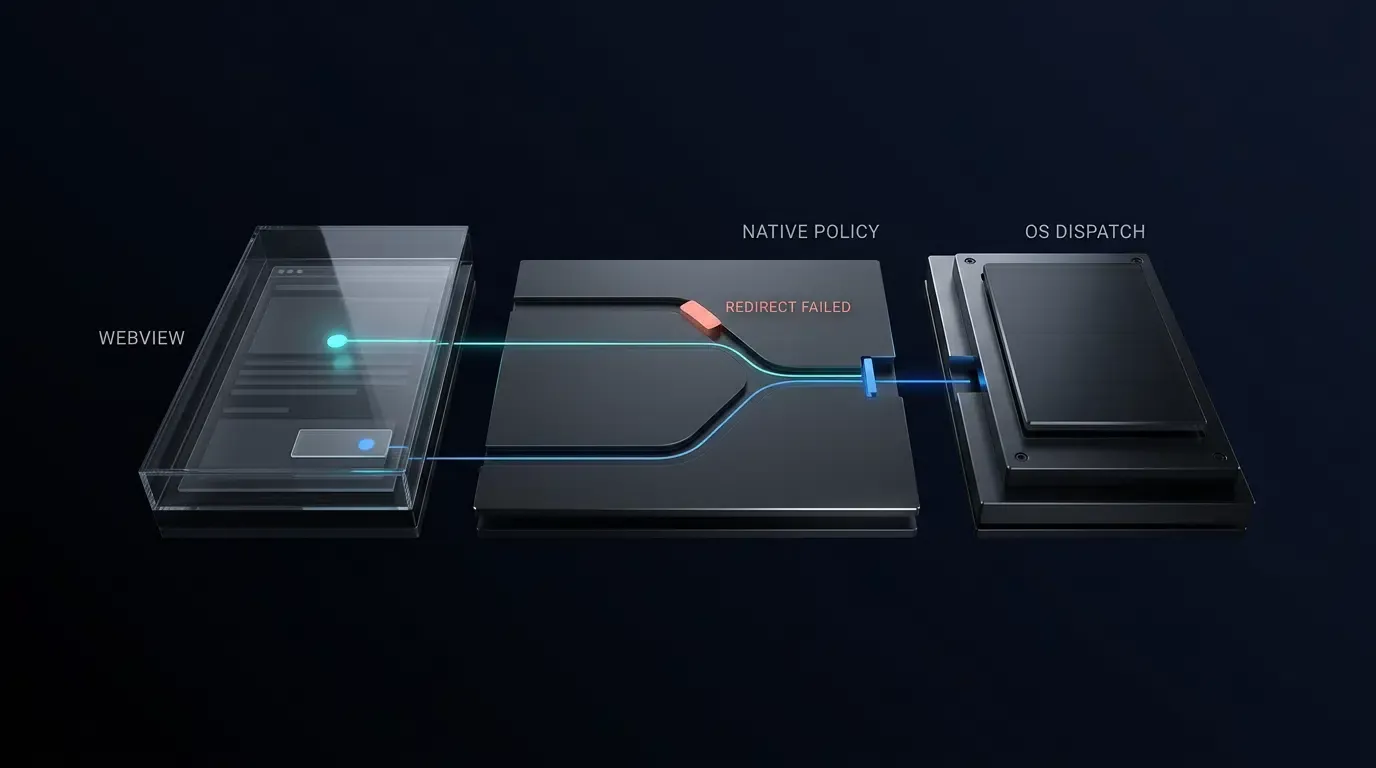
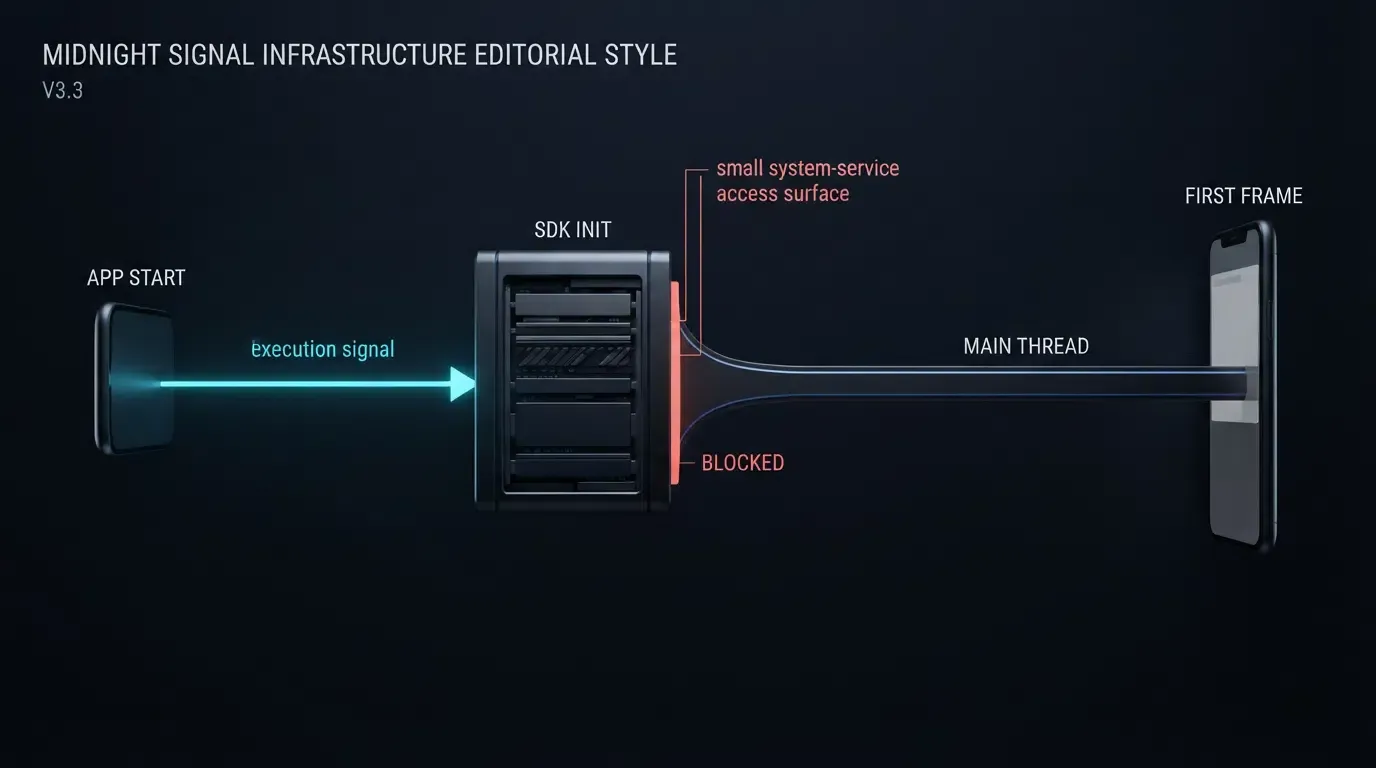
为什么移动归因 SDK 会阻塞主线程初始化?当移动归因 SDK 在冷启动期间执行同步磁盘读取、急切的 ContentProvider 自动初始化、反射,或者同步的网络和剪贴板查询时,就会阻塞主线程。为了防止 UI 掉帧、Android ANR 以及 iOS 看门狗终止,我们需要使用 StrictMode 和 Instruments 进行性能分析,将初始化移出关键路径,并以异步方式查询参数。
当软件开发库在应用启动期间直接在 UI 线程上执行耗时或同步操作(如阻塞式文件 I/O、锁竞争或同步网络调用)时,就会发生移动 SDK 初始化期间的主线程阻塞。由于移动操作系统强制执行严格的帧率预算和启动看门狗限制,减轻启动卡顿需要将繁重的初始化隔离到后台线程,并将延迟参数检索与初始 UI 渲染解耦。
为什么移动 SDK 初始化会引发冷启动卡顿与崩溃
冷启动期间急切初始化的代价
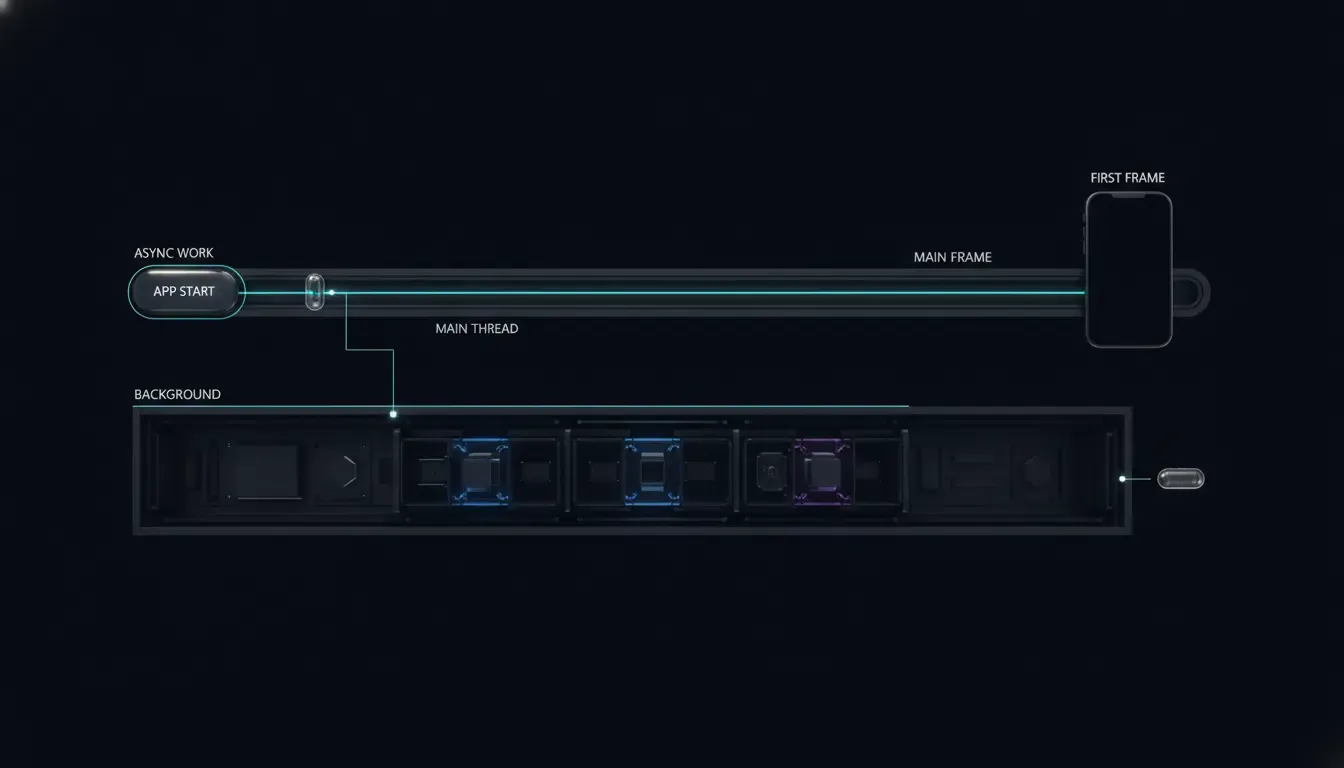
在冷启动期间,操作系统会分叉应用进程、初始化运行时类、构建应用实例并渲染第一帧。在 Android 上的 Application.onCreate() 或 iOS 上的 application(_:didFinishLaunchingWithOptions:) 期间,主线程上消耗的每一毫秒都会直接延迟初始显示时间 (TTID) 和完全显示时间 (TTFD),详见 Android 应用启动时间指南。
移动归因与分析库经常通过以下四种常见机制引入隐藏的启动延迟:
- 急切的
ContentProvider实例化(Android):Android 在进程启动期间、Application.onCreate()之前,会在应用主线程上初始化应用声明的内容提供者。因此,急切的提供者工作会延迟启动,应用应当检查合并后的清单和启动追踪,以识别不必要的初始化。 - 同步磁盘 I/O:在主线程上读取
SharedPreferences或UserDefaults、创建 SQLite 数据库或执行架构迁移,当闪存存储经历后台写入竞争时,可能会导致不可预测的卡顿。 - 繁重的反射与类加载:同步扫描注解、反序列化大型配置资产或初始化密码学提供者,会增加关键渲染路径上的类加载时间。
- 剪贴板与网络竞争:在启动期间访问系统剪贴板(iOS 上的
UIPasteboard或 Android 上的ClipboardManager)或等待同步网络调用,可能会引入 UI 线程卡顿(例如跨 iOS 设备的通用剪贴板获取),并触发过早的操作系统权限提示(区分 iOS 14 的粘贴通知横幅与 iOS 16+ 的跨应用粘贴权限提示)。
操作系统阈值:Android ANR 与 iOS 看门狗 0x8badf00d
移动平台对主线程竞争在 Android 和 iOS 上有不同的惩罚机制:
- Android 掉帧与 ANR:为了保持平滑渲染,Android
Choreographer在 60 Hz 下的目标帧预算为 16.6 毫秒(或在 120 Hz 下为 8.3 毫秒)。在主线程上执行同步网络操作可能会根据目标 API 级别、StrictMode策略和调用路径触发NetworkOnMainThreadException,而长时间阻塞磁盘 I/O 或锁竞争会冻结输入分发,并可能触发应用无响应 (ANR) 对话框(例如,在典型的 5 秒输入分发超时附近)。 - iOS 看门狗终止(
0x8badf00d):正如苹果关于解决看门狗终止的指南中所解释的那样,SpringBoard 和 FrontBoard 会在应用启动(scene-create)和生命周期转换期间监控主线程的响应能力。如果阻塞的 SDK 调用、同步DispatchSemaphore.wait()或优先级反转死锁(_dispatch_once_wait)导致主队列停滞超过操作系统看门狗阈值,iOS 会立即通过带终止代码0x8badf00d的EXC_CRASH (SIGKILL)终止应用。
下面的概念时间线说明了解耦非 UI 设置和参数检索如何保护快速的初始渲染:
EAGER SYNCHRONOUS INITIALIZATION (Delays TTID / Risks Watchdog & ANR):
[Process Start] ──> [ContentProvider Init] ──> [App.onCreate: Sync Disk/Clipboard/Net] ──> [First UI Draw (Delayed)]

DEFERRED ASYNCHRONOUS INITIALIZATION (Protects First Frame):
[Process Start] ──> [Minimal Delegate / Handle] ──> [First UI Draw (Fast TTID)]
                          │
                          └──(Background IO Queue)──> [Context & Cache Prep] ──> [Async Query at Onboarding Milestone]
概览
- 将同步 I/O 与启动委托隔离:保持
Application.onCreate()和didFinishLaunchingWithOptions免受同步文件读取、SQLite 迁移和网络阻塞锁的影响。 - 整合
ContentProvider自动初始化:使用 Android Jetpack App Startup(androidx.startup)合并兼容的组件初始化器,并在需要时按需延迟初始化非关键的主机模块。 - 延迟剪贴板与归因查询:在消费结果的业务里程碑处安排延迟归因检索(
getInstallParam或getInstallParmsCompleted),而不是阻塞冷启动。 - 集成前后进行性能分析:使用 Android
StrictMode.ThreadPolicy和 Perfetto 追踪以及 Xcode Instruments 的 Time Profiler 和 App Launch 模板验证主线程行为。
如何使用平台性能分析工具诊断主线程阻塞
使用 Android StrictMode 检测同步磁盘和网络违规
在重构 SDK 调用之前,识别哪些库在启动期间在 UI 线程上触及磁盘或网络套接字。Android 提供了 StrictMode.ThreadPolicy 来标记调试构建中阻塞主线程的操作。
在 Application.onCreate() 顶部启用 StrictMode,严格受 ApplicationInfo.FLAG_DEBUGGABLE 门控保护,以便生产构建不受影响:
// Android - StrictModeDiagnosticsApp.kt
// Reference diagnostic setup: enable StrictMode exclusively in debuggable builds
package com.example.hostapp

import android.app.Application
import android.content.pm.ApplicationInfo
import android.os.StrictMode

class StrictModeDiagnosticsApp : Application() {
    override fun onCreate() {
        if (applicationInfo.flags and ApplicationInfo.FLAG_DEBUGGABLE != 0) {
            StrictMode.setThreadPolicy(
                StrictMode.ThreadPolicy.Builder()
                    .detectDiskReads()
                    .detectDiskWrites()
                    .detectNetwork()
                    .penaltyLog()
                    .build()
            )
        }
        super.onCreate()
    }
}
请注意一个重要的诊断边界:由于 ContentProvider.onCreate() 在 Application.onCreate() *之前* 执行,在 Application.onCreate() 内部启用 StrictMode 无法检测早期 ContentProvider 启动内部的磁盘或网络违规。将 StrictMode 用作 Application 和 Activity 主线程工作的辅助检查,并捕获 Perfetto 或 Android Studio CPU Profiler 系统追踪来检查 bindApplication 和 ContentProvider 的实例化延迟。
在 Xcode Instruments 中识别卡顿与启动瓶颈
在 iOS 上,在发布更改之前使用 Xcode Instruments 诊断启动延迟,遵循苹果关于早期诊断性能问题和理解应用卡顿的指导:
- 应用启动模板 (App Launch Template):在物理发布模式设备上运行 App Launch 工具,以在
dyld动态库加载、静态初始化器、didFinishLaunchingWithOptions以及首个 Core Animation 提交之间分解启动时间。 - Time Profiler 检查:按主线程(
com.apple.main-thread)过滤调用树,并反转调用树或隐藏系统库,以发现在首帧提交之前执行的同步 SDK 调用、JSON 解析或UIPasteboard等待。 - 崩溃日志分类:检查 Xcode Organizer 崩溃报告中带有异常代码
0x8badf00d的EXC_CRASH (SIGKILL)。检查崩溃的主线程回溯,查找在第三方框架初始化内部触发的阻塞等待(__psynch_cvwait、_dispatch_once_wait或semaphore_wait_trap)。
启动性能测量模板
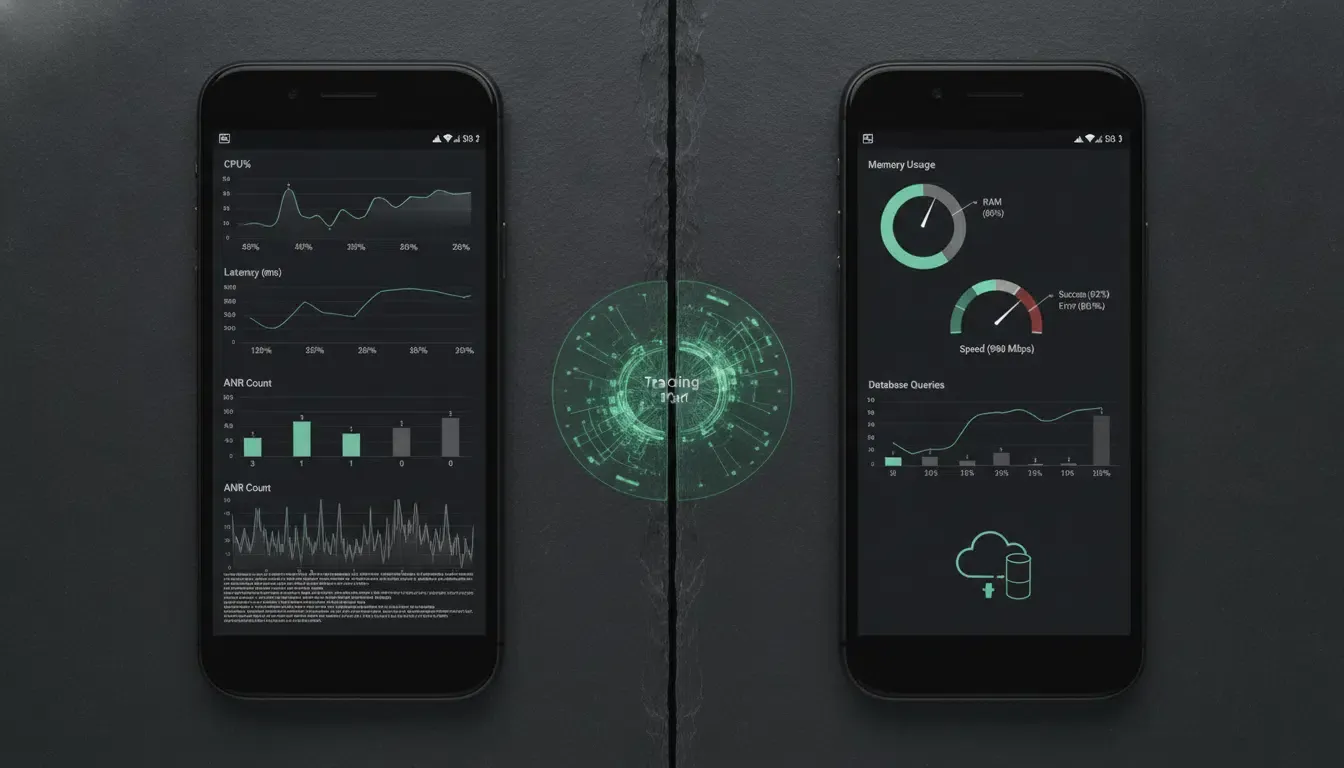
在宣布 SDK 优化成功之前,针对相同的物理设备和发布构建配置记录可重现的特定平台基准指标:
| Platform | Target Metric | Measurement Tool | Pre-Optimization Baseline | Post-Optimization Target |
|---|---|---|---|---|
| Android | Time to Initial Display (TTID) | Perfetto / Android Vitals | Record cold-start median & P95 (ms) | Record cold-start median & P95 (ms) |
| Android | Time to Full Display (TTFD) | reportFullyDrawn() / Perfetto |
Record until interactive state (ms) | Record until interactive state (ms) |
| Android | Main-Thread Init & ANR Rate | CPU Profiler / Vitals | Record UI thread time (ms) & ANR % | Record UI thread time (ms) & ANR % |
| iOS | App Launch Duration | Xcode App Launch Instrument | Record launch to first commit (ms) | Record launch to first commit (ms) |
| iOS | Hitch Rate & Watchdog (0x8badf00d) |
Xcode Organizer / Time Profiler | Record hitch rate (ms/s) & crash % | Record hitch rate (ms/s) & crash % |
使用 Jetpack App Startup 和协程优化 Android SDK 初始化
用 androidx.startup 替代急切的 ContentProvider 开销
在集成多个库时,每个独立的 ContentProvider 都会在 Application.onCreate() 执行之前增加启动开销。Android Jetpack App Startup 库将兼容的 Initializer<T> 组件合并到一个共享的 InitializationProvider 中,并支持按需延迟初始化。
使用 Jetpack App Startup 时需注意两个重要限制:
Initializer<T>仅管辖集成到androidx.startup中的库;它不会自动禁用传统第三方 SDK 随附的独立ContentProvider声明(如果 SDK 供应商允许,必须在合并清单中检查并单独移除或调整它们)。- 仅当该确切组件实际上在合并清单中声明用于自动发现时,才将
tools:node="remove"添加到InitializationProvider内部的<meta-data>条目中,并验证没有其他自动发现的初始化器在其dependencies()内部列出它。
<!-- Manifest Fragment: Merge into your existing AndroidManifest.xml ONLY if OnboardingCacheInitializer is registered for auto-discovery -->
<!-- Requires androidx.startup:startup-runtime:1.2.0+ and xmlns:tools="http://schemas.android.com/tools" -->
<provider
    android:name="androidx.startup.InitializationProvider"
    android:authorities="${applicationId}.androidx-startup"
    android:exported="false"
    tools:node="merge">
    <meta-data
        android:name="com.example.hostapp.startup.OnboardingCacheInitializer"
        android:value="androidx.startup"
        tools:node="remove" />
</provider>
线程安全的延迟初始化与调度 getInstallParam
在 Android 上优化归因 SDK 时,请遵守供应商的生命周期和线程契约:
- 核心 SDK 初始化与进程守护:归因 SDK(例如移动归因与深度链接平台 Openinstall)在
Application.onCreate()中调用OpoInstall.initialize(this),并在启动器Activity中调用OpoInstall.getInstance().start(this)。在多进程架构中,初始化必须限制在主进程;下文的OptimizedAttributionApp是一个抽象契约——宿主应用必须提供实现isMainProcess()的具体子类并在AndroidManifest.xml中注册该子类。除非确切的 SDK 版本明确记录了线程安全的延迟支持,否则不要将核心 SDK 初始化移至任意后台线程或推迟到Activity.onCreate()之后。 - App Startup 线程契约:保持
Initializer.create()轻量级,并在组件文档契约支持的线程上调用AppInitializer.initializeComponent()。将昂贵的主机拥有的磁盘或 CPU 工作移至单独管理的后台操作(Dispatchers.IO或Dispatchers.Default)中,而不是假设每个Initializer都能在Dispatchers.IO上安全执行。 - 在业务里程碑调度
getInstallParam:在消费结果的业务里程碑处安排延迟归因检索。View.post回调并不能保证首帧已经呈现;如果检索必须在初始显示后立即开始,请使用经过测量的帧感知调度(例如与reportFullyDrawn()和 Perfetto TTID 追踪配对的Choreographer帧回调)。 - 不可变快照与统一线程:由于 SDK 回调线程亲和力和对象可变性可能因 SDK 版本而异,请在传递给
Dispatchers.Default之前,直接在回调边界将opoData?.data序列化或快照为不可变的String,并将状态转换(AttributionFetchState)明确编组到 UI 线程(runOnUiThread/Dispatchers.Main)上。不可变快照的创建可防止可变数据跨越线程边界,但其序列化成本仍必须在 SDK 回调线程上进行性能分析。此外,验证部署的 SDK 是否保证回调期间的数据稳定性,或在供应商记录的同步边界内执行快照。
参考架构免责声明: 以下 Kotlin 实现是一个防御性参考架构。诊断
Application(StrictModeDiagnosticsApp)和归因Application(OptimizedAttributionApp)是独立的参考代码片段;请将其行为合并到在AndroidManifest.xml中注册的应用单一具体Application类中。在全面发布前,请根据部署的 AAR 验证准确的 SDK 包名(com.opoinstall.api)、初始化线程约束、R资源命名空间导入以及 Jetpack App Startup 版本(androidx.startup:startup-runtime:1.2.0+)。
// Android - AttributionStartupOptimization.kt
// Reference architecture: targets minSdk >= 24 with kotlinx-coroutines-android and androidx.startup:startup-runtime:1.2.0+
package com.example.hostapp.startup

import android.app.Application
import android.content.Context
import android.os.Bundle
import android.util.Log
import androidx.appcompat.app.AppCompatActivity
import androidx.lifecycle.lifecycleScope
import androidx.startup.AppInitializer
import androidx.startup.Initializer
import com.example.hostapp.R
import com.opoinstall.api.OpoData
import com.opoinstall.api.OpoError
import com.opoinstall.api.OpoInstall
import com.opoinstall.api.ResultCallBack
import kotlinx.coroutines.Dispatchers
import kotlinx.coroutines.launch
import kotlinx.coroutines.withContext
import org.json.JSONObject

// 1. Lazy Jetpack App Startup Initializer for lightweight host onboarding manager creation
// Exclude from automatic discovery via tools:node="remove" in AndroidManifest.xml if auto-merged
class OnboardingCacheInitializer : Initializer<OnboardingCacheManager> {
    override fun create(context: Context): OnboardingCacheManager {
        // Instantiates lightweight handle on caller's supported thread; heavy CPU/IO work runs asynchronously below
        return OnboardingCacheManager(context.applicationContext)
    }

    override fun dependencies(): List<Class<out Initializer<*>>> = emptyList()
}

class OnboardingCacheManager(private val appContext: Context) {
    // Runs CPU-bound JSON parsing solely on an already-copied immutable String snapshot
    suspend fun parsePromoCodeFromImmutableJson(immutableJson: String): String? = withContext(Dispatchers.Default) {
        runCatching {
            JSONObject(immutableJson).optString("promoCode").takeIf { it.isNotBlank() }
        }.getOrNull()
    }
}

// 2. Host-Owned Multi-Process Guard Integration Point
// Provide a concrete subclass implementing isMainProcess(), merge any debug StrictMode checks into it,
// register it in AndroidManifest.xml, and do not return an unconditional `true` in multi-process apps.
abstract class OptimizedAttributionApp : Application() {
    protected abstract fun isMainProcess(): Boolean

    override fun onCreate() {
        super.onCreate()
        if (isMainProcess()) {
            OpoInstall.initialize(this)
        }
    }
}

// 3. Deferred Attribution Activity with Explicit Request State Machine & Immutable Snapshots
class OnboardingActivity : AppCompatActivity() {

    private enum class AttributionFetchState {
        IDLE, LOADING, COMPLETED, RETRYABLE_FAILURE
    }

    // For multi-screen flows, persist fetch state in a lifecycle-surviving ViewModel or Repository
    private var fetchState: AttributionFetchState = AttributionFetchState.IDLE
    private var onboardingCacheManager: OnboardingCacheManager? = null

    override fun onCreate(savedInstanceState: Bundle?) {
        super.onCreate(savedInstanceState)
        setContentView(R.layout.activity_onboarding)

        // Register the SDK lifecycle according to the vendor contract; profile this call to verify its main-thread cost
        OpoInstall.getInstance().start(this)

        // Trigger deferred retrieval at the explicit onboarding business milestone (e.g., button tap)
        findViewById<android.view.View>(R.id.btn_claim_referral)?.setOnClickListener {
            fetchDeferredParametersIfNeeded()
        }
    }

    private fun fetchDeferredParametersIfNeeded() {
        if (fetchState == AttributionFetchState.LOADING || fetchState == AttributionFetchState.COMPLETED) {
            return
        }
        fetchState = AttributionFetchState.LOADING

        // Initialize lightweight host component on main thread per App Startup contract
        val cacheManager = onboardingCacheManager ?: AppInitializer.getInstance(applicationContext)
            .initializeComponent(OnboardingCacheInitializer::class.java)
            .also { onboardingCacheManager = it }

        OpoInstall.getInstance().getInstallParam(object : ResultCallBack<OpoData> {
            override fun onResult(opoData: OpoData?) {
                // Immutable snapshot creation prevents mutable data from crossing thread boundaries,
                // though its serialization cost must still be profiled on the SDK callback thread.
                val immutableJsonSnapshot: String? = snapshotAsImmutableJson(opoData?.data)
                val hasChannel = !opoData?.channelCode.isNullOrBlank()
                Log.d("AttributionPerf", "Async callback resolved: hasData=${immutableJsonSnapshot != null}, hasChannel=$hasChannel")

                runOnUiThread {
                    if (isFinishing || isDestroyed) return@runOnUiThread

                    if (immutableJsonSnapshot == null) {
                        fetchState = AttributionFetchState.COMPLETED
                        return@runOnUiThread
                    }

                    lifecycleScope.launch {
                        // Offload CPU-bound JSON parsing using the immutable String snapshot
                        val promoCode = cacheManager.parsePromoCodeFromImmutableJson(immutableJsonSnapshot)

                        // Update UI and final state safely on Main dispatcher
                        withContext(Dispatchers.Main) {
                            if (!isFinishing && !isDestroyed) {
                                fetchState = AttributionFetchState.COMPLETED
                                if (promoCode != null) {
                                    // Apply promoCode to onboarding UI safely
                                }
                            }
                        }
                    }
                }
            }

            override fun onError(error: OpoError?) {
                runOnUiThread {
                    if (!isFinishing && !isDestroyed) {
                        fetchState = AttributionFetchState.RETRYABLE_FAILURE
                    }
                }
                Log.w("AttributionPerf", "Deferred parameter fetch encountered an error state")
            }
        })
    }

    private fun snapshotAsImmutableJson(rawData: Any?): String? = when (rawData) {
        is String -> rawData.takeIf { it.isNotBlank() }
        is JSONObject -> rawData.toString()
        is Map<*, *> -> runCatching {
            if (rawData.keys.any { it !is String }) null
            else {
                val safeMap = mutableMapOf<String, Any?>()
                rawData.forEach { (k, v) -> safeMap[k as String] = v }
                JSONObject(safeMap).toString()
            }
        }.getOrNull()
        else -> null
    }
}
使用后台调度队列优化 iOS SDK 初始化
在 Swift 中保持 didFinishLaunchingWithOptions 非阻塞
在 iOS 上,application(_:didFinishLaunchingWithOptions:) 在 SpringBoard 认为启动完成之前在主线程上同步执行。请注意,下方的 AppDelegate 代码片段代表了一个简化的非 Scene 设置;采用 UIScene / SceneDelegate 生命周期的应用必须跨活动 Scene 窗口协调归因触发器。为避免 0x8badf00d 看门狗终止:
- 切勿使用信号量或锁阻塞:在启动期间,切勿在主队列上使用
DispatchSemaphore.wait()、同步URLSession数据任务或同步磁盘锁。 - 避免优先级反转:不要将 UI 很快会依赖的初始化任务分发到
.backgroundQoS 队列(DispatchQueue.global(qos: .background))中。如果主线程操作随后等待低优先级的.background队列,优先级反转将会导致 UI 停滞。请为主机后台准备任务使用.utility或.userInitiatedQoS。 - 遵守 Actor 隔离:在 Swift 6 严格并发中,避免在后台队列闭包中捕获被
@MainActor隔离的AppDelegate实例(self);将主机拥有的缓存预热委托给不包含 UIKit 调用或未同步可变状态的隔离、非主 Actor 服务(HostCacheService),并在切换到@MainActor之前明确标记非隔离的 Objective-C 委托回调(nonisolated)。
在 iOS 上管理 UIPasteboard、不可变快照和请求状态
在 iOS 14 及更高版本中,读取 UIPasteboard.general 会显示系统粘贴通知横幅,而在 iOS 16+ 上,跨应用剪贴板读取会提示用户输入明确的粘贴权限。此外,如果通用剪贴板(Handoff)处于活动状态,同步剪贴板检查可能会在通过蓝牙或 Wi-Fi 获取远程有效负载时引入延迟。
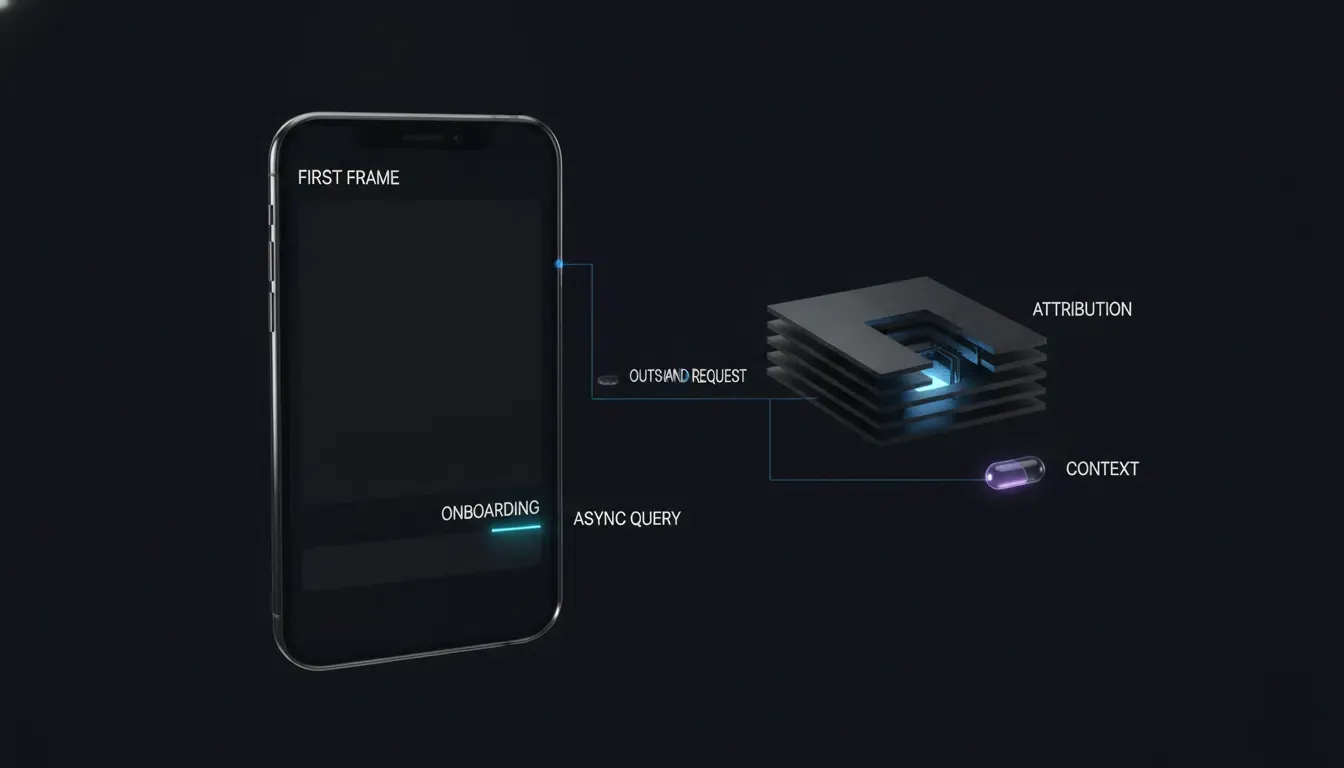
与其在根视图控制器渲染之前读取归因参数,不如将 getInstallParmsCompleted 延迟到入职视图出现时(并使用 Instruments 分别测量实际的 TTID)。通过明确的 AttributionFetchState(idle、loading、completed、retryableFailure)干净利落地管理请求生命周期,在转换到 .loading *之前* 验证 OpoInstallSDK.defaultManager() 是非 nil 的,以便 nil 管理器永远不会将视图控制器锁死在永久的 .loading 状态中。在 SDK 回调内部,在跨越并发边界之前仅提取不可变的 Sendable 原语(hadResponse、rawPromoSnapshot)——切勿将非 Sendable 的 appData 对象捕获到后台或后续的异步闭包中——并通过检查 isViewLoaded、view.window != nil 和 activeRequestGeneration,通过 Task { @MainActor ... } 干净利落地切回。
参考架构免责声明: 以下 Swift 实现是一个防御性参考架构。请根据你部署的框架版本验证准确的 SDK 模块导入(
libOpoInstallSDK)、委托协议(OpoInstallDelegate)、数据模型类名(OpoinstallData与OpoInstallData)以及 Swift 5.9/6.0 严格并发合规性。
// iOS - NonBlockingAttributionStartup.swift
// Reference architecture: compile and test against your specific iOS target (iOS 15.0–18.0)
// Simplified AppDelegate example; adapt lifecycle triggers if using UIScene / SceneDelegate.
import UIKit
import libOpoInstallSDK

// Isolated host cache service free of @MainActor self captures for Swift 6 compatibility
private enum HostCacheService {
    static func prepareLocalCaches() {
        // Host-owned background configuration or cache preparation; ensure implementations
        // avoid UIKit, @MainActor-isolated properties, and unsynchronized mutable globals.
    }
}

@main
final class AppDelegate: UIResponder, UIApplicationDelegate, OpoInstallDelegate {

    var window: UIWindow?

    func application(
        _ application: UIApplication,
        didFinishLaunchingWithOptions launchOptions: [UIApplication.LaunchOptionsKey: Any]?
    ) -> Bool {
        // 1. Register SDK delegate cleanly without synchronous network or disk locks
        OpoInstallSDK.initWith(self)

        // 2. Offload host-owned non-UI startup preparation without capturing @MainActor self
        DispatchQueue.global(qos: .utility).async {
            HostCacheService.prepareLocalCaches()
        }

        return true
    }

    // Marked nonisolated to satisfy Swift 6 concurrency if invoked off the main actor
    nonisolated func getWakeUpParams(_ appData: OpoinstallData?) {
        let hasData = (appData?.data != nil)
        let hasChannel = (appData?.channelCode != nil)
        print("[AttributionPerf] Wakeup params resolved (hasData: \(hasData), hasChannel: \(hasChannel))")

        Task { @MainActor in
            // Route to target scene safely on MainActor
        }
    }
}

@MainActor
final class OnboardingViewController: UIViewController {

    private enum AttributionFetchState {
        case idle
        case loading
        case completed
        case retryableFailure
    }

    private var fetchState: AttributionFetchState = .idle
    private var activeRequestGeneration: UInt64 = 0

    override func viewDidAppear(_ animated: Bool) {
        super.viewDidAppear(animated)
        // Trigger deferred parameter retrieval after the onboarding view appears
        // (measure exact cold-start TTID separately using Xcode Instruments)
        fetchDeferredAttributionIfNeeded()
    }

    private func fetchDeferredAttributionIfNeeded() {
        // Prevent duplicate concurrent requests across repeated viewDidAppear calls
        guard fetchState == .idle || fetchState == .retryableFailure else {
            return
        }

        // Verify SDK manager availability BEFORE entering .loading to prevent permanent state starvation
        guard let manager = OpoInstallSDK.defaultManager() else {
            fetchState = .retryableFailure
            return
        }

        fetchState = .loading
        activeRequestGeneration &+= 1
        let requestGeneration = activeRequestGeneration

        manager.getInstallParmsCompleted { [weak self] appData in
            // Snapshot immutable Sendable values immediately inside callback; do NOT capture appData across queues
            let hadResponse = (appData != nil)
            let hasData = (appData?.data != nil)
            let hasChannel = (appData?.channelCode != nil)
            let rawPromoSnapshot = appData?.data?["promoCode"] as? String
            print("[AttributionPerf] Deferred params resolved (hasData: \(hasData), hasChannel: \(hasChannel))")

            DispatchQueue.global(qos: .userInitiated).async { [weak self, hadResponse, rawPromoSnapshot] in
                // Perform any expensive host normalization solely on the immutable String snapshot
                let normalizedPromo = rawPromoSnapshot?.trimmingCharacters(in: .whitespacesAndNewlines)

                Task { @MainActor [weak self, hadResponse, normalizedPromo] in
                    guard let self = self else { return }

                    // Ignore stale callbacks if superseded by a newer request
                    guard self.activeRequestGeneration == requestGeneration else { return }

                    if !hadResponse {
                        self.fetchState = .retryableFailure
                        return
                    }

                    self.fetchState = .completed
                    guard self.isViewLoaded,
                          self.view.window != nil,
                          let code = normalizedPromo,
                          !code.isEmpty else {
                        return
                    }
                    self.applyOnboardingPromo(code)
                }
            }
        }
    }

    private func applyOnboardingPromo(_ code: String) {
        // Update onboarding UI on MainActor
    }
}
移动端 SDK 初始化策略对比分析
评估冷启动延迟、实现复杂度和归因就绪性
选择最佳初始化模式需要在冷启动帧预算与用户旅程中何时需要归因参数之间进行权衡:
| Initialization Strategy | Main-Thread Blocking Risk | Cold-Start TTID Impact | Attribution Readiness | Implementation Complexity | Best Suited Scenario |
|---|---|---|---|---|---|
Eager ContentProvider Auto-Init |
High when providers perform I/O before Application.onCreate |
Delays launch proportionally to provider work | Immediate upon launch | Minimal (Zero code) | Legacy modules lacking manual init APIs |
Synchronous Application.onCreate Init |
Moderate to High if disk or network work runs synchronously | Delays first activity draw if heavy | Immediate upon launch | Low | Thin registration wrappers doing zero disk/network I/O |
| Background Queue / Coroutine Offloading | Lower when expensive work is thread-safe, moved off the critical path, and avoids blocking dependencies | Preserves fast TTID | Asynchronous (Ready post-init) | Moderate | Production attribution and analytics SDK integrations |
Jetpack App Startup Lazy Initializer |
Lower when component creation is lightweight and deferred | Can reduce TTID when the initializer is non-critical and genuinely deferred beyond the launch path; verify with startup traces | Deferred until feature entry | Moderate | Host onboarding caches and non-critical secondary modules |
诸如 Openinstall 等平台围绕异步回调 API(getInstallParam 和 getInstallParmsCompleted)构建参数检索,以便应用能够将初始 UI 渲染与延迟参数解析分离。
常见问题 (FAQ)
为什么 Android StrictMode 会在 Application onCreate 中标记移动 SDK 初始化?
iOS 开发者如何避免由第三方 SDK 引起的 0x8badf00d 看门狗崩溃?
应用应该在什么时候调用 getInstallParam 或 getInstallParmsCompleted 以避免启动延迟?
总结与决策框架
防止移动端 SDK 初始化期间的主线程阻塞需要测量启动追踪,并将非 UI 工作与应用的关键启动路径解耦。通过使用 Android StrictMode 和 Xcode Instruments 分析冷启动,使用延迟的 Jetpack App Startup 初始化器或隔离的后台队列整合非关键主机模块,并在活动业务里程碑处通过明确的状态机和不可变快照异步触发延迟参数查询(getInstallParam / getInstallParmsCompleted),这些模式可以减少冷启动期间可避免的主线程竞争;然而,它们对 TTID、TTFD、ANR 发生率以及 iOS 看门狗终止的确切影响必须通过平台性能分析和设备回归测试来确定。
优化移动端归因生命周期和延迟深度链接引导流程的团队可以参考 Openinstall 平台概览以获取异步 SDK 集成模式。
实体术语表
| Term | Definition | Related Entity | Search Intent Role |
|---|---|---|---|
| Mobile SDK | A compiled software development kit integrated into mobile apps for attribution, analytics, or routing. | Android SDK / iOS SDK |
Informational / Technical |
| Main Thread | The primary execution thread responsible for UI rendering and handling user input events. | DispatchQueue.main / Looper |
Technical |
| StrictMode | An Android developer tool that detects accidental disk or network operations on the main thread. | StrictMode.ThreadPolicy |
Technical |
| Watchdog Termination | An OS-initiated crash (0x8badf00d) on iOS triggered when an app blocks the main thread during launch or lifecycle transitions. |
SpringBoard / FrontBoard | Technical |
| Jetpack App Startup | An AndroidX library consolidating component initializers into a single ContentProvider with lazy-loading support. |
androidx.startup |
Technical |
兼容性基准与验证状态
-
Intended Compatibility Targets: Android
minSdk 24,compileSdk 34/35,targetSdk 34/35(Android 14/15),androidx.startup:startup-runtime:1.2.0+, Kotlin Coroutines; iOS 15.0–18.0, Xcode 15/16, Swift 5.9/6.0. -
Verification Status:
-
Static API & Specification Review: Completed against Android Developers and Apple Developer documentation.
-
Compile & Device Verification: Not yet executed in this review cycle. Compile-time builds (including Swift 6 strict concurrency checks and exact AAR integration) and physical-device startup profiling (Android Perfetto /
StrictModeand Xcode App Launch Instruments) must be executed by your engineering team prior to production release.
-
参考文献
Share this article