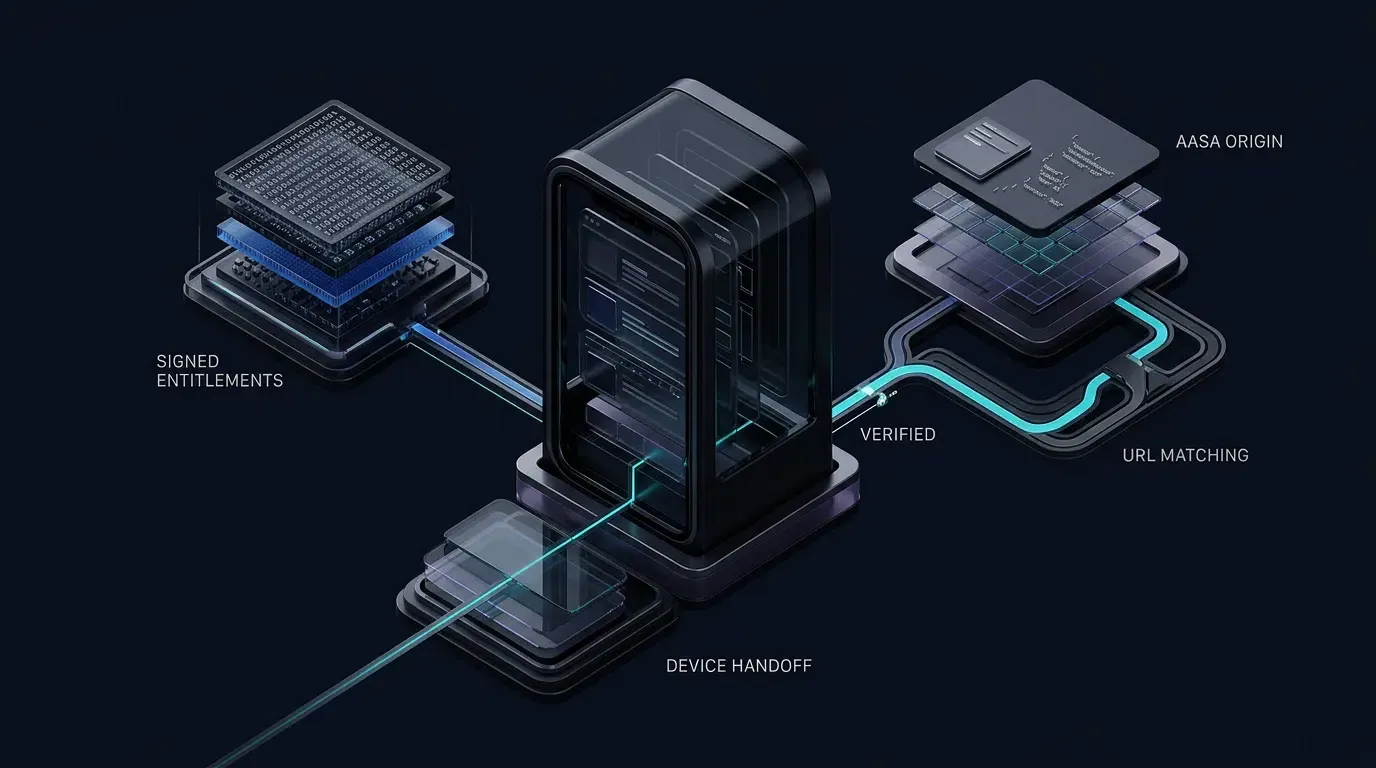
如何在 iOS SDK 中验证通用链接(Universal Links)权限配置?在 macOS 上使用 codesign 和 plutil 检查已签名的宿主 App,以确认 com.apple.developer.associated-domains 包含预期的 applinks: 条目。苹果的 TN3125 记录了如何读取 App 的签名权限,而 TN3155 则展示了如何使用 swcutil verify 针对 apple-app-site-association (AASA) 规则检查特定 URL。在真实的 iPhone 设备上,测试冷启动和热启动,以确认 iOS 能将链接传递给宿主 App 并且 SDK 能够正确处理。这些检查有助于排查签名、域名关联或 SDK 传递失败的问题。
为什么程序化 iOS 权限验证会分为构建时与运行时
iOS 运行时沙盒边界与描述文件限制
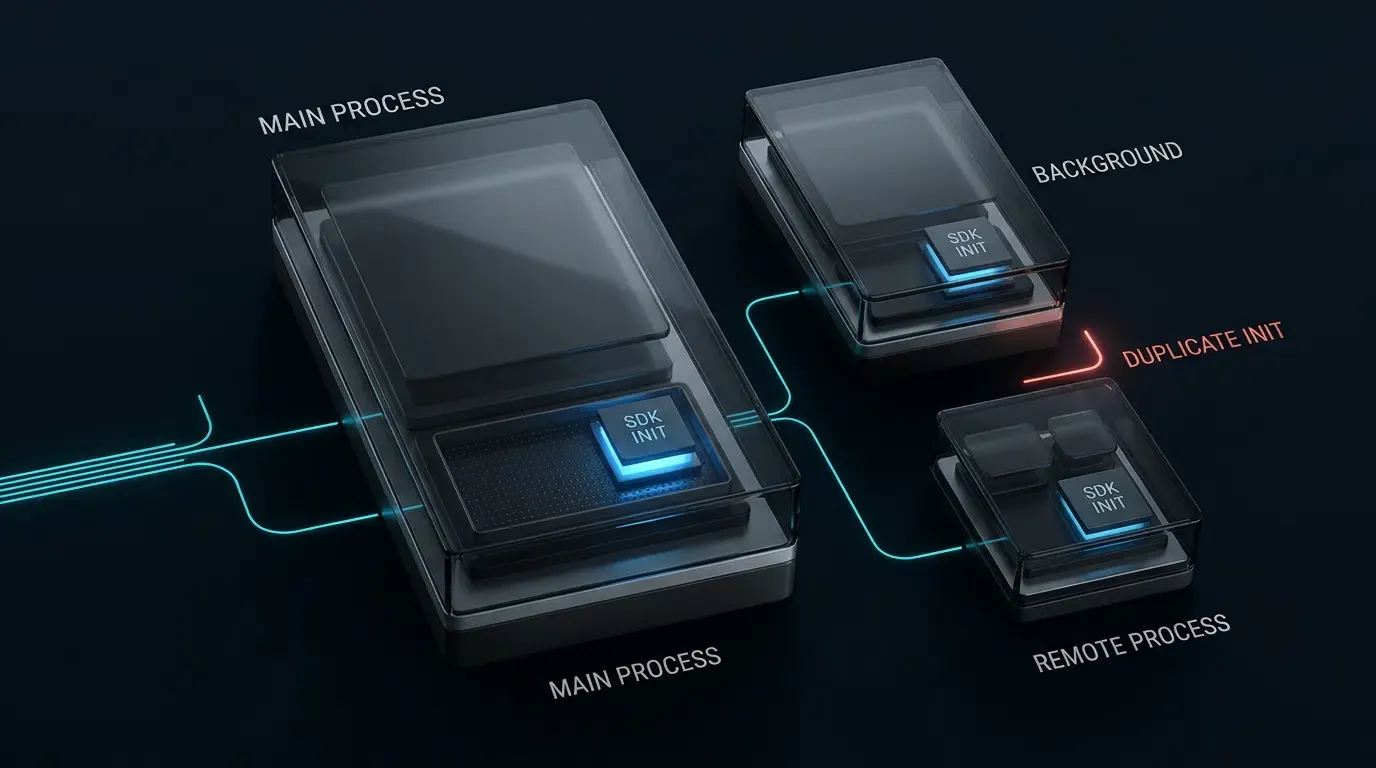
从 macOS 或 Android 转过来的工程师经常会假设 iOS 应用程序能够在运行时通过编程方式读取其自身编译后的 com.apple.developer.associated-domains 数组。苹果的 SecTaskCopyValueForEntitlement API 文档列出了 macOS 和 Mac Catalyst,而原生 iOS SDK 并未公开任何公共的 SecTask 权限读取 API。
正如苹果技术说明 TN3125: Inside Code Signing: Provisioning Profiles 中详细说明的那样,在 Swift 代码中尝试在运行时解析 embedded.mobileprovision 在各个分发渠道中同样不可靠:
- 商店重新签名与描述文件移除:从 App Store 下载的 App 不包含
embedded.mobileprovision文件,且 App Store Connect 会在分发前对 App Store 和 TestFlight 构建版本进行重新签名。因此,运行时代码不能假设在生产分发中存在嵌入式描述文件。 - 授权能力与编译域名的区别:嵌入式描述文件反映的是已授权的 App ID 能力,而不是总能枚举出嵌入在 Mach-O 二进制签名内部的确切编译
applinks:字符串。 - DER 编码的描述文件架构:描述文件将数据包装在加密消息语法 (CMS) 封装中,现代 iOS 版本依赖于描述文件的
DER-Encoded-Profile表示形式,而不是将传统的 plist 字段作为权威来源。与其在 Swift 中从embedded.mobileprovision切割 XML 子字符串,不如在 macOS CI 上使用带有embedded.mobileprovision的提交前构建产物通过security cms进行检查,并使用codesign检查编译后的二进制权限。
由于这些边界,验证工作被拆分为三个独立的层级:
| 验证层级 | 检查内容 | 通过结果确认 | 若失败,下一步检查 |
|---|---|---|---|
| 1. 构建/CI 签名产物 | 对导出的 .app / .ipa 运行 codesign 和 plutil |
签名中存在预期的 applinks: 域名、application-identifier 和团队 ID (Team ID) |
跨 Debug/Release 配置的 Xcode CODE_SIGN_ENTITLEMENTS |
2. 源 AASA 与 swcutil |
验证 .well-known JSON(无 3xx 重定向)以及 swcutil verify -u |
源 AASA 通过结构示例检查以及测试的 URL 匹配/排除用例 | Web 服务器重定向、appIDs/components 语法或苹果 CDN 同步 |
| 3. 物理设备运行时 | 通过 SceneDelegate 和 SDK 测试冷/热启动的通用链接点击 |
iOS 将 NSUserActivity 传递给宿主 App 且 OpoInstallSDK 处理该链接 |
AASA 路径排除项、用户批准(“在 Safari 中打开”)或 SDK 代理设置 |
权限不匹配如何破坏 iOS SDK 深度链接
当跨 Xcode 目标的几个构建配置出现不匹配时,通用链接会路由到 Safari 而不是已安装的 App,或者无法解析业务参数:
- Debug 与 Release 的
.entitlements漂移:Xcode 允许为 Debug 和 Release 配置设置不同的CODE_SIGN_ENTITLEMENTS路径。仅将applinks:links.example.com添加到 Debug 权限文件中会导致本地运行通过,而 TestFlight 构建版本失败。 - App ID 对齐与独立团队 ID:苹果的相关域名引擎使用 App 签名内部的确切
application-identifier(<AppIDPrefix>.<BundleID>)来绑定applinks:域名,这必须与托管的 AASA JSON 中声明的appID/appIDs保持一致。虽然 App ID 前缀通常与com.apple.developer.team-identifier匹配,但传统 App 可能具有不同的前缀——这要求 CI 检查验证application-identifier是否与 AASA 一致,并将com.apple.developer.team-identifier视为独立的断言。 - 主目标与 CocoaPods 子目标:
Pods.xcodeproj内部的框架或资源包子目标不携带宿主 App 的com.apple.developer.associated-domains权限;相关域名必须始终在已签名的主应用程序包上进行验证。如果旧版流程回退到自定义 URL 方案(url scheme),请验证主目标Info.plist中的这些方案条目。
概览
- 在 CI/CD 中验证导出的产物,而非生产运行时:原生 iOS 未公开任何公共的
SecTask运行时 API;应使用codesign和plutil检查最终导出的上传.ipa或.app签名。 - 避免应用内
embedded.mobileprovision字符串切割:App Store 下载会省略嵌入式描述文件,App Store Connect 会对 App Store 和 TestFlight 构建版本进行重新签名,且现代 iOS 依赖于DER-Encoded-Profile;在检查包含embedded.mobileprovision的构建版本时,请在 macOS CI 上使用security cms。 - 使用
swcutil verify -u测试具体 URL:确认源 AASA 托管返回带有HTTP 200且无 3xx 重定向,运行结构化架构预检查,并使用苹果的swcutilCLI 测试匹配和排除的 URL。 - 与 OpoInstall SDK v2.1.0 头文件及
Info.plist保持一致:在Info.plist中配置com.opoinstall.APP_KEY,通过 Objective-C 桥接头文件公开OpoInstallSDK.h,传播OpoInstallSDK.continue(userActivity)的Bool结果,并在getWakeUpParams(_ appData: OpoInstallData?)中验证预设测试字段的到达情况。
如何通过 CLI 和 CI 以编程方式提取和验证相关域名
使用 codesign 和 plutil 检查编译后的 .app 和 .ipa 包
macOS codesign 工具可读取嵌入在签名 Mach-O 二进制文件内部的确切权限——这使其成为在上传到 App Store Connect 之前检查导出 .ipa 归档文件的权威工具。
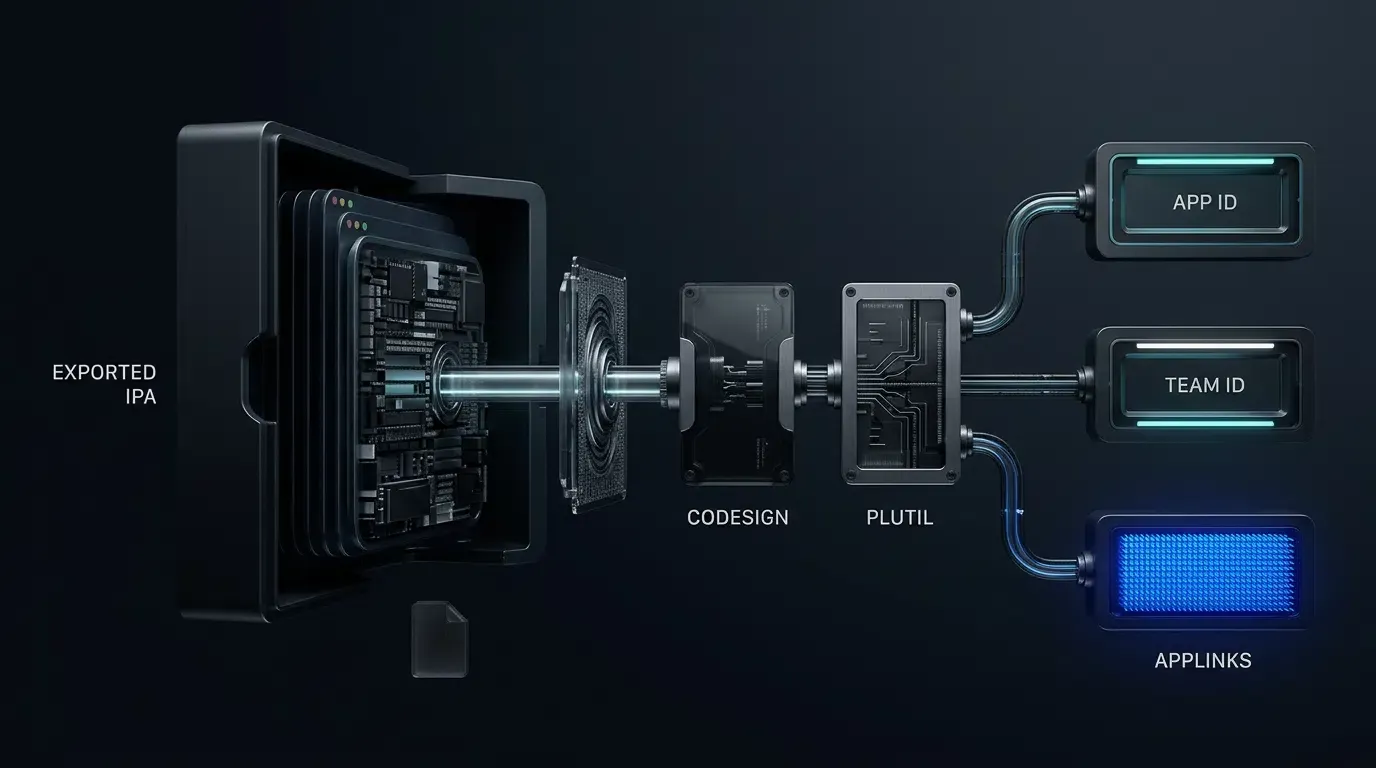
正如苹果技术说明 TN3125 中记录的那样,将 codesign --display --entitlements - --xml 管道传输到 plutil -convert xml1 -o - - 中,以输出供下游解析器使用的标准化 XML1 plist:
# 提取导出的 .ipa,将编译后的二进制权限检查为 XML1 plist,并在 macOS CI 上检查描述文件
unzip -q YourApp.ipa -d /tmp/ipa_inspect
codesign --display --entitlements - --xml /tmp/ipa_inspect/Payload/YourApp.app | plutil -convert xml1 -o - -

# 对于包含嵌入式配置描述文件的构建产物:通过 security cms 解包
security cms -D -i /tmp/ipa_inspect/Payload/YourApp.app/embedded.mobileprovision | plutil -convert xml1 -o - -
在 codesign XML 输出中确认三个不同的值:
application-identifier:匹配<ExpectedAppIDPrefix>.<YourBundleID>(与您的 AASA 文件对齐)。com.apple.developer.team-identifier:匹配您的独立<ExpectedTeamID>。com.apple.developer.associated-domains:包含预期的applinks:域名条目。
在 CI 管道中自动化权限断言
将 codesign 检查集成到 CI 管道中,可以在分发前捕获配置错误的 Release 构建。务必检查实际导出的已签名上传 .ipa(在苹果商店重新签名之前),而不仅仅是检查导出前的 .xcarchive。
以下脚本通过 python3 -c '...' 传递 Python 验证器,并通过 stdin(<<< "${ENTITLEMENTS_XML}")管道传输 XML,以防止标准输入冲突。它需要一个显式的 --debug 或 --release 标志——如果标志缺失或无效,则以非零状态退出。请注意,此脚本演示了针对示例项目检查单个确切的 applinks:<domain> 条目;如果您的项目使用多个相关域名或通配符条目(applinks:*.<domain>,其 AASA 托管规则因 TN3155 而异),请显式断言每个声明的权限字符串:
#!/usr/bin/env bash
# verify_ios_entitlements.sh
# Usage: ./verify_ios_entitlements.sh <path_to_app_or_exported_ipa> <expected_app_id> <expected_team_id> <expected_domain> <--debug|--release>
set -euo pipefail

ARTIFACT_PATH="${1:?Provide path to .app or exported .ipa}"
EXPECTED_APP_ID="${2:?Provide expected AppIDPrefix.BundleID}"
EXPECTED_TEAM_ID="${3:?Provide expected Team ID}"
EXPECTED_DOMAIN="${4:?Provide expected Universal Links domain}"
MODE_FLAG="${5:?Provide explicit --debug or --release flag}"

case "${MODE_FLAG}" in
    --debug|--release) ;;
    *)
        echo "ERROR: Invalid mode flag '${MODE_FLAG}'. Must specify --debug or --release." >&2
        exit 2
        ;;
esac

TMP_DIR=""
cleanup() {
    if [[ -n "${TMP_DIR}" && -d "${TMP_DIR}" ]]; then
        rm -rf "${TMP_DIR}"
    fi
}
trap cleanup EXIT

APP_BUNDLE=""
if [[ "${ARTIFACT_PATH}" == *.ipa ]]; then
    TMP_DIR="$(mktemp -d)"
    unzip -q "${ARTIFACT_PATH}" -d "${TMP_DIR}"
    APP_BUNDLE="$(find "${TMP_DIR}/Payload" -maxdepth 1 -name "*.app" -print -quit)"
    if [[ -z "${APP_BUNDLE}" ]]; then
        echo "ERROR: No .app bundle found inside Payload/ of ${ARTIFACT_PATH}" >&2
        exit 1
    fi
elif [[ "${ARTIFACT_PATH}" == *.app ]]; then
    APP_BUNDLE="${ARTIFACT_PATH}"
else
    echo "ERROR: Artifact must be an .app bundle or .ipa archive" >&2
    exit 1
fi

ENTITLEMENTS_XML="$(codesign --display --entitlements - --xml "${APP_BUNDLE}" | plutil -convert xml1 -o - -)"

python3 -c '
import plistlib
import sys

expected_app_id = sys.argv[1]
expected_team_id = sys.argv[2]
expected_domain = sys.argv[3]
mode_flag = sys.argv[4]
is_release = (mode_flag == "--release")

raw_xml = sys.stdin.buffer.read()
plist = plistlib.loads(raw_xml)

actual_app_id = plist.get("application-identifier")
if actual_app_id != expected_app_id:
    raise SystemExit(
        f"FAIL: application-identifier mismatch: got {actual_app_id!r}, expected {expected_app_id!r}"
    )

actual_team_id = plist.get("com.apple.developer.team-identifier")
if actual_team_id != expected_team_id:
    raise SystemExit(
        f"FAIL: com.apple.developer.team-identifier mismatch: got {actual_team_id!r}, expected {expected_team_id!r}"
    )

domains = plist.get("com.apple.developer.associated-domains")
if not isinstance(domains, list):
    raise SystemExit("FAIL: com.apple.developer.associated-domains missing or not an array")

expected_prod = f"applinks:{expected_domain}"
expected_dev = f"applinks:{expected_domain}?mode=developer"

if is_release:
    if expected_prod not in domains:
        raise SystemExit(f"FAIL: Missing production entry {expected_prod!r} in {domains}")
    if any("?mode=developer" in item for item in domains if isinstance(item, str)):
        raise SystemExit(f"FAIL: ?mode=developer leaked into Release artifact: {domains}")
else:
    if expected_prod not in domains and expected_dev not in domains:
        raise SystemExit(f"FAIL: Expected {expected_prod!r} or {expected_dev!r} not found in {domains}")

print(f"PASS ({mode_flag}): Verified {actual_app_id} (team={actual_team_id}) -> {domains}")
' "${EXPECTED_APP_ID}" "${EXPECTED_TEAM_ID}" "${EXPECTED_DOMAIN}" "${MODE_FLAG}" \
  <<< "${ENTITLEMENTS_XML}"
直观示例:在 TestFlight 提交前捕获 Release 权限漂移
模拟场景 / 直观示例: 考虑一个集成 iOS 归因 SDK 的移动应用程序,其中通用链接在本地 Xcode Debug 设备运行期间可以可靠地打开 App,但在通过 TestFlight 分发时却会打开 Safari。
- 观察到的症状:测试人员点击备忘录中的营销链接时,会被路由到 Safari,而不是唤醒已安装的 TestFlight 构建版本。在开发者机器上签名的本地 Debug 构建版本继续按预期打开 App。
- 程序化排查:针对导出的 Release
.ipa运行./verify_ios_entitlements.sh YourApp-Exported.ipa TEAM123456.com.example.app TEAM123456 links.example.com --release,会以非零失败状态退出(FAIL: com.apple.developer.associated-domains missing or not an array)。 - 根本原因隔离:检查 Xcode 的目标构建设置(Build Settings)发现,
CODE_SIGN_ENTITLEMENTS仅为Debug配置(AppDebug.entitlements)进行了填充,而Release配置则留空或指向了缺少applinks:links.example.com的较旧权限文件。 - 修复与修复后验证:跨
Debug和Release对齐CODE_SIGN_ENTITLEMENTS,确保 Release 权限中没有?mode=developer,重新导出.ipa,然后重新运行 CIcodesign脚本,在上传前确认显示PASS (--release)。
验证源 AASA 规则、苹果 CDN 节奏与 swcutil
理解苹果的相关域名 CDN 更新节奏
在 iOS 14 及更高版本中,苹果通过其相关域名 CDN 检索并缓存 AASA 文件。设备在安装 App 时会下载该文件,并不定期(大约每周一次)检查更新。由于苹果未提供直接的开发者 CDN 失效端点,重新安装 App 会触发从 CDN 重新下载,而开发者模式则绕过 CDN 直接从开发服务器获取 AASA 文件,正如苹果的 TN3155: Debugging Universal Links 中记录的那样。
此外,苹果的 AASA 托管要求规定源 .well-known/apple-app-site-association 端点必须直接返回 HTTP 200 OK,而不能依赖 HTTP 301/302/307/308 重定向。
严格的结构预检查、最小可复现 AASA 与 swcutil verify -u
由于苹果按顺序评估 AASA 路由规则(第一个匹配的规则优先),静态 JSON 预检查脚本只能验证架构完整性和字段类型——而无法验证特定 URL 是否被早期的排除规则所屏蔽。请将结构化源检查与苹果官方的 swcutil verify 工具结合使用,并使用具体的匹配和排除 URL。

请参考以下最小可复现的 apple-app-site-association 文件,它在通配符 /campaign/* 示例路由以及宿主拥有的 /account/profile 路由之前,为 /admin/login 放置了一个显式的排除项:
{
  "applinks": {
    "details": [
      {
        "appIDs": [
          "TEAM123456.com.example.app"
        ],
        "components": [
          {
            "/": "/admin/login",
            "exclude": true,
            "comment": "Keep admin login links in Safari"
          },
          {
            "/": "/campaign/*",
            "comment": "Route matching campaign links into the installed app"
          },
          {
            "/": "/account/profile",
            "comment": "Route host-owned profile links into the installed app"
          }
        ]
      }
    ]
  }
}
在 macOS 上使用 swcutil verify 针对示例 AASA 在本地测试所有三个 URL(包括匹配路由和排除路由):
# 1. 预期匹配(营销示例):验证 /campaign/example 是否匹配 TEAM123456.com.example.app
sudo swcutil verify \
  -d links.example.com \
  -j ./apple-app-site-association \
  -u https://links.example.com/campaign/example

# 2. 预期匹配(宿主链接):验证 /account/profile 是否匹配 TEAM123456.com.example.app
sudo swcutil verify \
  -d links.example.com \
  -j ./apple-app-site-association \
  -u https://links.example.com/account/profile

# 3. 预期排除(阻止匹配):验证 /admin/login 是否被显式规则排除
sudo swcutil verify \
  -d links.example.com \
  -j ./apple-app-site-association \
  -u https://links.example.com/admin/login
在 swcutil 输出中,确认 /campaign/example 和 /account/profile 为 TEAM123456.com.example.app 解析为正向的 matched 条目(当域名托管多个 App ID 时这一点很重要),而 /admin/login 由于 "exclude": true 而产生 blocked match。在物理 iPhone 上,捕获 sysdiagnose 归档并在 swcutil_show.txt 中检查 Site/Fmwk Approval(站点/框架批准)和 User Approval(用户批准)状态。作为一项非官方的、非阻塞的辅助诊断检查,团队还可以检查 https://app-site-association.cdn-apple.com/a/v1/<domain>,需要理解的是它既不作为稳定的苹果 API,也不证明设备端的关联。
下面的 Python 预检查脚本验证源 .well-known AASA 端点——拒绝 HTTP 3xx 重定向、无效的 UTF-8 字节、网络读取截断(http.client.HTTPException、OSError)、格式错误的 JSON 根目录、无效的组件字段类型(根据苹果的 components 规范,支持 /、?、#、exclude、comment、caseSensitive 和 percentEncoded)、appIDs 中的空字符串、空规则列表以及仅排除的配置。它会检查 details 中的每个条目,并拒绝条目内混合使用旧版和现代键:
#!/usr/bin/env python3
# verify_aasa_origin.py
# Structural origin pre-flight check (no 3xx redirects); pair with `swcutil verify -u` for URL matching
import http.client
import json
import sys
import urllib.error
import urllib.request

class NoRedirectHandler(urllib.request.HTTPRedirectHandler):
    def redirect_request(self, req, fp, code, msg, headers, newurl):
        raise urllib.error.HTTPError(
            req.full_url, code, f"Disallowed HTTP redirect ({code}) -> {newurl}", headers, fp
        )

def fetch_json(url: str, allow_redirects: bool) -> tuple[int, str, object]:
    handlers = [] if allow_redirects else [NoRedirectHandler()]
    opener = urllib.request.build_opener(*handlers)
    req = urllib.request.Request(url, headers={"Accept": "application/json"})
    with opener.open(req, timeout=10) as resp:
        final_url = resp.geturl()
        body = json.loads(resp.read().decode("utf-8"))
        return resp.status, final_url, body

def is_valid_component(comp: object) -> bool:
    if not isinstance(comp, dict):
        return False
    allowed_keys = {"/", "?", "#", "exclude", "comment", "caseSensitive", "percentEncoded"}
    if not set(comp.keys()).issubset(allowed_keys):
        return False
    if "/" in comp and not isinstance(comp["/"], str):
        return False
    if "#" in comp and not isinstance(comp["#"], str):
        return False
    if "comment" in comp and not isinstance(comp["comment"], str):
        return False
    for bool_key in ("exclude", "caseSensitive", "percentEncoded"):
        if bool_key in comp and not isinstance(comp[bool_key], bool):
            return False
    if "?" in comp:
        q = comp["?"]
        if isinstance(q, dict):
            if not all(isinstance(k, str) and isinstance(v, str) for k, v in q.items()):
                return False
        elif not isinstance(q, str):
            return False
    return any(k in comp for k in ("/", "?", "#"))

def validate_aasa_structure(aasa_json: object, target_app_id: str) -> bool:
    if not isinstance(aasa_json, dict):
        return False
    applinks = aasa_json.get("applinks")
    if not isinstance(applinks, dict):
        return False
    details = applinks.get("details")
    if not isinstance(details, list) or not details:
        return False

    matched_target = False
    for entry in details:
        if not isinstance(entry, dict):
            return False

        has_modern = ("appIDs" in entry) or ("components" in entry)
        has_legacy = ("appID" in entry) or ("paths" in entry)

        # Inspect every entry in details, rejecting mixed legacy and modern keys within an entry
        if has_modern and has_legacy:
            return False
        if not has_modern and not has_legacy:
            return False

        if has_modern:
            app_ids = entry.get("appIDs")
            components = entry.get("components")
            if not isinstance(app_ids, list) or not app_ids or not all(isinstance(i, str) and i for i in app_ids):
                return False
            if not isinstance(components, list) or not components:
                return False
            if not all(is_valid_component(comp) for comp in components):
                return False

            if target_app_id in app_ids:
                if any(not comp.get("exclude", False) for comp in components):
                    matched_target = True

        elif has_legacy:
            app_id = entry.get("appID")
            paths = entry.get("paths")
            if not isinstance(app_id, str) or not app_id:
                return False
            if not isinstance(paths, list) or not paths or not all(isinstance(p, str) and p for p in paths):
                return False

            if app_id == target_app_id:
                if any(not p.startswith("NOT ") for p in paths):
                    matched_target = True

    return matched_target

if __name__ == "__main__":
    if len(sys.argv) != 3:
        print("Usage: verify_aasa_origin.py <domain> <AppIDPrefix.BundleID>", file=sys.stderr)
        sys.exit(1)

    domain, expected_app_id = sys.argv[1], sys.argv[2]
    origin_url = f"https://{domain}/.well-known/apple-app-site-association"
    # Auxiliary diagnostic endpoint only (non-blocking; does not prove device association)
    cdn_url = f"https://app-site-association.cdn-apple.com/a/v1/{domain}"

    try:
        status, final_url, origin_json = fetch_json(origin_url, allow_redirects=False)
        valid_origin = (status == 200) and validate_aasa_structure(origin_json, expected_app_id)
        print(f"[Origin] HTTP {status} at {final_url} -> structural_preflight={valid_origin}")
        if not valid_origin:
            sys.exit(1)
    except (urllib.error.URLError, http.client.HTTPException, OSError, RuntimeError, UnicodeDecodeError, json.JSONDecodeError) as exc:
        print(f"[Origin] FAIL for {origin_url}: {exc}", file=sys.stderr)
        sys.exit(1)

    try:
        status, final_url, cdn_json = fetch_json(cdn_url, allow_redirects=True)
        valid_cdn = validate_aasa_structure(cdn_json, expected_app_id)
        print(f"[Auxiliary CDN] HTTP {status} at {final_url} -> structural_preflight={valid_cdn}")
    except (urllib.error.URLError, http.client.HTTPException, OSError, RuntimeError, UnicodeDecodeError, json.JSONDecodeError) as exc:
        print(f"[Auxiliary CDN] Diagnostic notice (non-fatal): {exc}")
在严格苹果权限约束下配置 ?mode=developer
在开发过程中,?mode=developer 允许在不等待每周 CDN 检查或重新安装 App 的情况下测试源 AASA 更新。然而,根据苹果的 Associated Domains Entitlement 规范,?mode=developer 要求:(1) 使用开发描述文件(development provisioning profile)签名,(2) 在物理设备上启用开发者模式(Developer Mode)(iOS 16+ 上的设置 > 隐私与安全性 > 开发者模式),以及 (3) 显式用户选择加入相关域名开发(Associated Domains Development)(设置 > 开发者)。
?mode=developer 配置仅限于使用开发描述文件签名的 App 以及用户已显式选择加入相关域名开发的设备。它不是生产权限,也不是通用的 CDN 缓存失效机制。
确保 XML 声明(<?xml ...?>)位于第 1 行且没有前置注释,以便 plist 解析器能够干净地读取两个文件:
Debug.entitlements(仅限开发描述文件 + 选择加入的设备):
<?xml version="1.0" encoding="UTF-8"?>
<!DOCTYPE plist PUBLIC "-//Apple//DTD PLIST 1.0//EN" "http://www.apple.com/DTDs/PropertyList-1.0.dtd">
<plist version="1.0">
<dict>
    <key>com.apple.developer.associated-domains</key>
    <array>
        <string>applinks:links.example.com?mode=developer</string>
    </array>
</dict>
</plist>
Release.entitlements(生产 / TestFlight 分发):
<?xml version="1.0" encoding="UTF-8"?>
<!DOCTYPE plist PUBLIC "-//Apple//DTD PLIST 1.0//EN" "http://www.apple.com/DTDs/PropertyList-1.0.dtd">
<plist version="1.0">
<dict>
    <key>com.apple.developer.associated-domains</key>
    <array>
        <string>applinks:links.example.com</string>
    </array>
</dict>
</plist>
如何在 Swift 中使用 OpoInstallDelegate 验证通用链接交付
前提条件:Info.plist AppKey、静态 XCFramework 桥接与 SceneDelegate
在使用 OpoInstall iOS SDK v2.1.0 发行版(另请参阅 OpoInstall iOS 集成指南)测试通用链接传递之前,请验证四个宿主前提条件:
- 在
Info.plist中配置com.opoinstall.APP_KEY:SDK 要求在启动期间将您的应用密钥配置在Info.plist中以及OpoInstallSDK.initWith(self)中:
<!-- 插入到您的宿主 App Info.plist <dict> 中 -->
<key>com.opoinstall.APP_KEY</key>
<string>YOUR_OPOINSTALL_APP_KEY</string>
- 配置 Objective-C 桥接头文件:v2.1.0 XCFramework 打包了一个静态
.a库,带有独立Headers且没有module.modulemap。在 Swift 目标中,应通过您的 Objective-C 桥接头文件公开OpoInstallSDK.h,而不是依赖于裸露的 Swiftimport libOpoInstallSDK语句,除非您的项目显式提供了自定义模块映射。 - 桥接
AppDelegate与SceneDelegate:根据苹果的UISceneDelegate规范,使用 Scene 的 App 通过connectionOptions.userActivities在scene(_:willConnectTo:options:)中接收已终止的冷启动通用链接,并在scene(_:continue:)中接收热启动通用链接。不使用 Scene 的 App 在AppDelegate.application(_:continue:restorationHandler:)中接收链接。 - 匹配精确的 v2.1.0 类型并验证预设测试字段:在
OpoInstallSDK.h中,getWakeUpParams:是一个可选的OpoInstallDelegate回调,接受可为空的OpoInstallData *(在 Swift 中为OpoInstallData?),且continueUserActivity:返回BOOL(Bool)。从您的转发辅助程序中传播该实际的Bool结果(当 SDK 返回false时,回退到宿主 App 自己的通用链接路由器的范围,该路由器限定在预期的 HTTPS 主机和路径),并使用携带预设验证字段(例如campaign_test_id=ul_verify_01)的配置好的 OpoInstall 测试链接记录四个单独的检查点:(1) 系统传递,(2)OpoInstallSDK.continue(userActivity)的Bool返回,(3)getWakeUpParams调用,以及 (4) 非空有效载荷状态加上预设测试字段匹配(matchedExpectedTestField),同时从控制台输出中省略原始值。
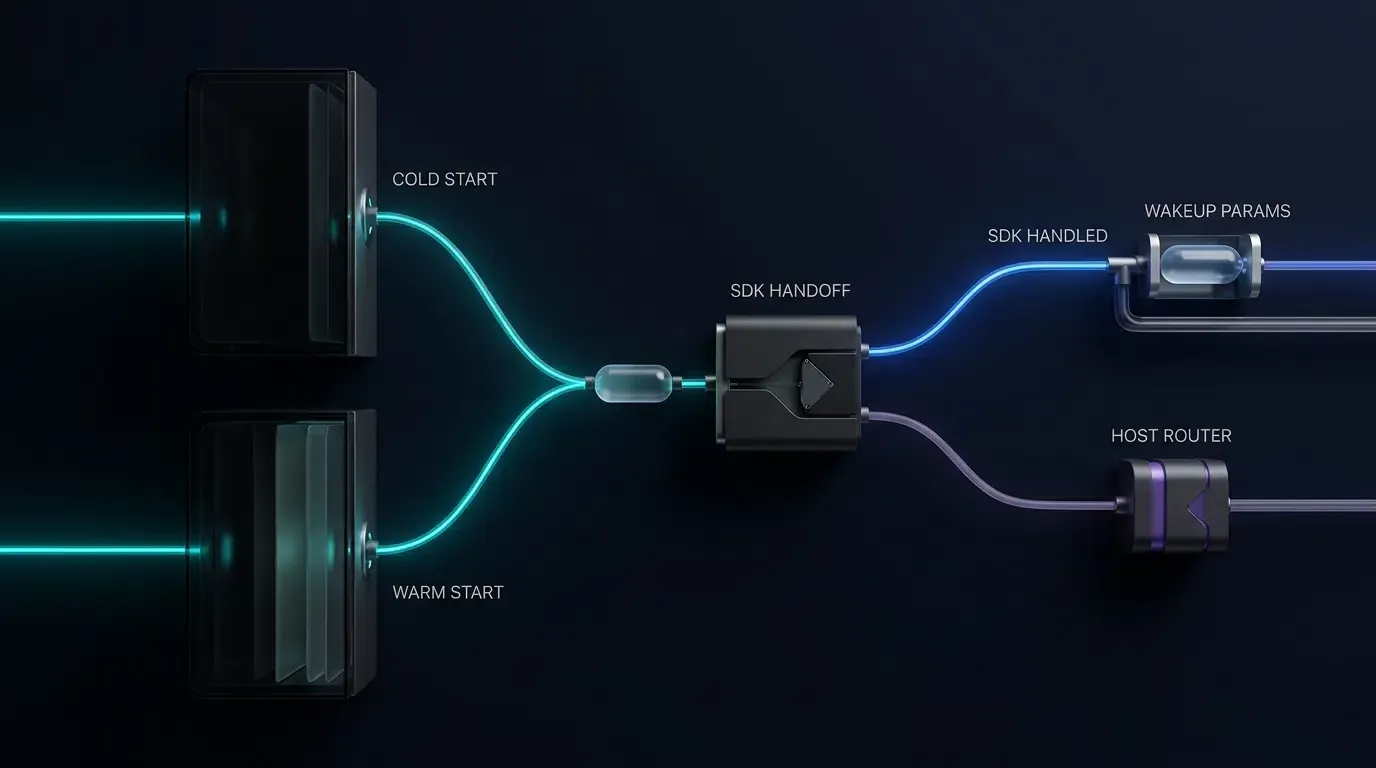
参考架构免责声明: 以下 Swift 实现与 OpoInstall iOS SDK v2.1.0
OpoInstallSDK.h声明(OpoInstallData?、返回Bool的continue(_:)以及可选的getWakeUpParams)保持一致。请在 Xcode 26 中编译,并在生产环境发布前从备忘录验证物理设备的冷/热启动。
// YourApp-Bridging-Header.h
// 当使用没有自定义 modulemap 的静态 v2.1.0 XCFramework Headers 时,在 Swift 目标中是必需的
#import "OpoInstallSDK.h"
// iOS - UniversalLinkDiagnostics.swift
// 面向 OpoInstall iOS SDK v2.1.0 的参考架构(通过桥接头文件公开)
import UIKit

@main
final class AppDelegate: UIResponder, UIApplicationDelegate, OpoInstallDelegate {

    var window: UIWindow?

    func application(
        _ application: UIApplication,
        didFinishLaunchingWithOptions launchOptions: [UIApplication.LaunchOptionsKey: Any]?
    ) -> Bool {
        OpoInstallSDK.initWith(self)
        return true
    }

    // 非 Scene 通用链接入口点:返回实际的 SDK 或宿主路由的 Bool 结果
    func application(
        _ application: UIApplication,
        continue userActivity: NSUserActivity,
        restorationHandler: @escaping ([UIUserActivityRestoring]?) -> Void
    ) -> Bool {
        return UniversalLinkForwarder.forwardIfBrowsingWeb(userActivity, source: "AppDelegate.continue")
    }

    // 匹配 OpoInstallSDK.h v2.1.0 签名 (OpoInstallData *)。
    // 针对项目构建设置验证 Swift 6 语言模式隔离要求。
    func getWakeUpParams(_ appData: OpoInstallData?) {
        let hasNonEmptyData = !(appData?.data?.isEmpty ?? true)
        let hasNonEmptyChannel = !(appData?.channelCode?.isEmpty ?? true)
        // 验证预设测试字段,不记录原始有效载荷字符串
        let matchedExpectedTestField = (appData?.data?["campaign_test_id"] as? String) == "ul_verify_01"

        // 检查点 3 & 4:记录回调到达、非空状态以及预设测试字段匹配
        print("[ULDebug] getWakeUpParams fired (hasNonEmptyData: \(hasNonEmptyData), hasChannel: \(hasNonEmptyChannel), matchedExpectedTestField: \(matchedExpectedTestField))")

        DispatchQueue.main.async {
            // 在主队列上安全执行业务深度链接场景路由
        }
    }
}

// 对于基于 Scene 的 App,在 Info.plist 的 UIApplicationSceneManifest 下注册 SceneDelegate
final class SceneDelegate: UIResponder, UIWindowSceneDelegate {

    var window: UIWindow?

    func scene(
        _ scene: UIScene,
        willConnectTo session: UISceneSession,
        options connectionOptions: UIScene.ConnectionOptions
    ) {
        // 当 App 先前被终止时的冷启动通用链接传递
        for userActivity in connectionOptions.userActivities {
            _ = UniversalLinkForwarder.forwardIfBrowsingWeb(userActivity, source: "SceneDelegate.willConnectTo")
        }
    }

    func scene(_ scene: UIScene, continue userActivity: NSUserActivity) {
        // 当 App 已经在运行时热启动/后台通用链接传递
        _ = UniversalLinkForwarder.forwardIfBrowsingWeb(userActivity, source: "SceneDelegate.continue")
    }
}

enum UniversalLinkForwarder {
    private static let allowedHostRoutingDomain = "links.example.com"

    @discardableResult
    static func forwardIfBrowsingWeb(_ userActivity: NSUserActivity, source: String) -> Bool {
        guard userActivity.activityType == NSUserActivityTypeBrowsingWeb,
              let url = userActivity.webpageURL else {
            print("[ULDebug] Ignored non-browsing NSUserActivity in \(source)")
            return false
        }

        let scheme = url.scheme?.lowercased() ?? "unknown"
        let host = url.host?.lowercased() ?? "unknown"
        // 检查点 1:系统将 NSUserActivityTypeBrowsingWeb 传递给宿主 App
        print("[ULDebug] System delivered Universal Link in \(source) for \(scheme)://\(host)")

        // 检查点 2:转发给 OpoInstall SDK 并检查实际的 BOOL 处理结果
        let sdkHandled = OpoInstallSDK.continue(userActivity)
        print("[ULDebug] OpoInstallSDK.continue returned handled=\(sdkHandled)")
        if sdkHandled {
            return true
        }

        // 如果 SDK 未认领该链接,则回退到宿主拥有的通用链接路由器
        return handleHostSpecificUniversalLink(url)
    }

    private static func handleHostSpecificUniversalLink(_ url: URL) -> Bool {
        // 严格将主机路由限制为预期的 HTTPS 主机和路径
        guard url.scheme?.lowercased() == "https",
              url.host?.lowercased() == allowedHostRoutingDomain,
              url.path == "/account/profile" else {
            return false
        }

        print("[ULDebug] Host router claimed Universal Link route: \(url.path)")
        DispatchQueue.main.async {
            // 在此处呈现项目的个人资料视图控制器
        }
        return true
    }
}
物理设备验收矩阵(锁定前回归门禁)
在将集成提升到生产环境之前,请在 macOS Xcode 26 构建环境以及物理 iPhone 上执行并记录这四种场景下的实际结果:
| 验收场景 | 确切命令 / 操作 | 预期通过条件 |
|---|---|---|
| Xcode 26 编译 | 在 Swift 5 或 Swift 6 模式下使用 Xcode 26(iOS 26 SDK)构建目标 |
SDK 静态 XCFramework 链接成功,桥接头文件导入 OpoInstallSDK.h,并且 getWakeUpParams(_ appData: OpoInstallData?) 编译无误。 |
导出的 Release .ipa 检查 |
./verify_ios_entitlements.sh YourApp-Exported.ipa TEAM123456.com.example.app TEAM123456 links.example.com --release |
脚本打印 PASS (--release),确认 application-identifier、com.apple.developer.team-identifier 和 applinks: 存在且没有 ?mode=developer。 |
AASA swcutil 匹配与排除 |
针对 /campaign/example、/account/profile 和 /admin/login 运行 sudo swcutil verify |
/campaign/example 和 /account/profile 输出针对 TEAM123456.com.example.app 的 matched;/admin/login 输出 blocked match。 |
| Debug & TestFlight 冷/热启动 | 从 Apple 备忘录中点击携带 campaign_test_id=ul_verify_01、排除项 /admin/login 以及宿主 /account/profile 的配置好的 OpoInstall 测试链接 |
OpoInstall 链接记录 SceneDelegate 接收、sdkHandled=true、getWakeUpParams、hasNonEmptyData=true 以及 matchedExpectedTestField=true;/admin/login 打开 Safari;/account/profile 记录 SceneDelegate 接收、sdkHandled=false 以及返回 true 的 [ULDebug] Host router claimed Universal Link route: /account/profile。 |
iOS 权限验证方法的比较分析
| 验证方法 | 执行环境 | 能否查看确切的 applinks: 域名 |
可检查产物范围 / 阶段 | 推荐用法 |
|---|---|---|---|---|
codesign --display --entitlements - --xml | plutil |
macOS / CI 构建管道 | 能(读取编译后的 Mach-O 签名) | 检查上传前的导出 .ipa / .app(在苹果商店重新签名之前) |
首选的程序化 CI 门禁 |
源 AASA 检查(无重定向)+ swcutil verify -u + sysdiagnose |
构建服务器上的源 Python 脚本;macOS 上的 swcutil verify;iPhone 上的 sysdiagnose |
验证 AASA JSON、appIDs 和 URL 匹配 |
检查托管的 AASA 规则、URL 匹配/排除决策以及设备批准 | 源预检、苹果 URL 匹配和设备批准诊断 |
security cms -D -i embedded.mobileprovision |
macOS CI(包含 embedded.mobileprovision 的构建版本) |
否(显示授权能力,而非确切列表) | 包含嵌入式描述文件的提交前构建版本(App Store 下载中不存在) | 仅作 CI 描述文件健全性检查 |
运行时 NSUserActivity + getWakeUpParams |
物理 iOS 设备 | 间接确认端到端路由 | 实时安装的 App 构建版本(Debug、TestFlight、App Store) | 端到端运行时移交验证 |
SecTaskCopyValueForEntitlement |
仅限 macOS / Mac Catalyst | 原生 iOS 公共 SDK 中不可用 | 不适用于原生 iOS 目标 | 在原生 iOS App 中请勿使用 |
常见问题解答 (FAQ)
iOS App 能够在运行时读取自己的 com.apple.developer.associated-domains 权限吗?
为什么 embedded.mobileprovision 在 App Store 构建版本中会消失?
为什么通用链接验证通过了 codesign 检查却仍然会打开 Safari?
总结与决策框架
在 iOS SDK 项目中以编程方式验证通用链接权限,需要将二进制检查转移到 macOS 构建管道中,同时保留 Swift 运行时检查用于已安装 App 的唤醒诊断。通过在 CI 中对导出的 .ipa 产物利用 codesign 和 plutil 断言 com.apple.developer.associated-domains、application-identifier 和 com.apple.developer.team-identifier,强制实施无重定向的源 AASA 托管并配合 swcutil verify -u 匹配/排除测试,将 ?mode=developer 限制在符合条件的开发构建版本中,并在 SceneDelegate 和 OpoInstallDelegate.getWakeUpParams 之间传播 OpoInstallSDK.continue(userActivity) 的 Bool 结果,工程团队能够系统性地隔离签名、关联和移交失败问题。
请注意已安装 App 的通用链接路由与安装后延迟深度链接之间的功能边界:本指南验证的是已安装 App 的通用链接移交(OpoInstallSDK.continue(userActivity) 和 getWakeUpParams),而安装后参数恢复则依赖于单独的 getInstallParmsCompleted。有关完整的客户端头文件和集成资产,请查阅 OpoInstall iOS SDK v2.1.0 下载中心 或 OpoInstall 平台概览。
实体术语表
| 术语 | 定义 | 相关实体 | 搜索意图角色 |
|---|---|---|---|
| 通用链接 (Universal Links) | 苹果基于 HTTPS 的深度链接标准,将验证过的域名连接到已安装的 iOS App。 | NSUserActivity |
技术 / 信息型 |
| 相关域名 (Associated Domains) | 列出 App 声明的 applinks: 域名的 com.apple.developer.associated-domains 权限。 |
apple-app-site-association |
技术型 |
| iOS SDK | 集成到 iOS App 中用于归因、深度链接或分析的编译框架。 | OpoInstallDelegate |
信息 / 技术型 |
| codesign | 用于创建、检查和检验应用程序代码签名及权限的 macOS 命令行工具。 | plutil / swcutil |
技术型 |
兼容性基准与验证状态
-
当前提交工具链(2026 年 4 月 28 日生效):App Store Connect 和 TestFlight 上传要求使用 Xcode 26 或更高版本 以及 iOS 26 SDK(Xcode 26 包含 Swift 6.2 编译器,支持 Swift 5 和 Swift 6 语言模式;Xcode 15/16 仅作为历史背景严格适用)。
-
计划的目标操作系统覆盖范围:iOS 15.0–26.x(
UISceneDelegate和AppDelegate生命周期)、OpoInstall iOS SDKv2.1.0、macOScodesign、plutil和swcutil工具链。 -
验证状态:
-
OpoInstall SDK v2.1.0 归档检查:已验证
OpoInstallSDK.h(getWakeUpParams:中的OpoInstallData *参数,continueUserActivity:返回的BOOL,带有独立Headers且无module.modulemap的静态.aXCFramework),以及com.opoinstall.APP_KEYInfo.plist要求。 -
苹果官方文档审查:已针对苹果 TN3125、TN3155、相关域名权限、AASA
components字典以及 2026 年 4 月 Xcode 26 / iOS 26 SDK 上传要求进行验证。 -
待执行的硬件与构建:在此 Linux 审查周期中尚未执行。在最终锁定之前,请在 macOS 上运行更新后的
verify_ios_entitlements.sh和verify_aasa_origin.py脚本、swcutil verify -u匹配/排除检查,执行针对OpoInstallSDK.h的 Xcode 26 编译,并在 Debug 和 TestFlight 构建版本中进行物理 iPhone 冷/热启动通用链接测试。
-
参考资料
Share this article