Alibaba Ships QwenWork Beta? Alibaba has officially opened the international edition of its all-in-one workplace artificial intelligence agent platform, QwenWork, in public beta for global markets across Asia, the Middle East, and Latin America. As enterprise software transitions from isolated generative assistants toward autonomous task orchestration, major cloud providers are expanding comprehensive workspace platforms. Rather than merely answering prompt queries, contemporary agent platforms decompose multi-step business objectives, automate computer and browser interactions, and interface directly with enterprise collaboration software. By unifying specialized coding, workflow execution, and browser automation systems, these platforms provide an end-to-end environment for modern knowledge work.
Core Industry Realignment & News Breakdown: Alibaba Ships QwenWork Beta
At a Glance
- Alibaba launched the international public beta of QwenWork on web and desktop, offering initial language support in English and Simplified Chinese.
- QwenWork integrates the core capabilities of three existing Alibaba AI agent platforms—QoderWork, MuleRun, and Wukong—into a single productivity platform delivered on web and desktop.
- Global integrations connect QwenWork directly to third-party workplace ecosystems, including Slack and Notion, alongside full web application generation and hosting.
The release of QwenWork International marks an important expansion of enterprise agent technology into global markets. For years, organizations have contended with fragmented software stacks where research, document drafting, data modeling, and web hosting required disparate software tools. While standard conversational bots offered isolated text assistance, they lacked the system-level permissions and interface connectors required to execute multi-step business workflows autonomously.
To bridge this operational gap, Alibaba unified the core capabilities of three specialized agent platforms into a single desktop and web client. According to platform specifications detailed in the official Alibaba Cloud release, QwenWork combines capabilities derived from MuleRun’s workflow orchestration, Wukong’s browser and computer interaction, and QoderWork’s software and web-application creation stack. Depending on the task, the platform can invoke connectors, computer-control capabilities, skills, files, and web publishing tools. Users can describe deliverables in natural language, prompting the system to analyze local documents, perform web research, generate code, and deploy functional web applications with database support and custom domains.

QwenWork enters an increasingly competitive enterprise-agent market alongside offerings from Microsoft, Google, and Salesforce. The platform introduces international connectivity by integrating with overseas collaboration hubs such as Slack and Notion. Concurrently, Alibaba unveiled the Qwen3.8-Flash model family, engineered to cut training overhead while delivering large context windows up to 1 million tokens. Alibaba also cited a proprietary evaluation by Jefferies that ranked QwenWork first among eight workplace AI agents. This highlights a decisive industry shift where model efficiency and workflow connectivity serve as primary differentiators.
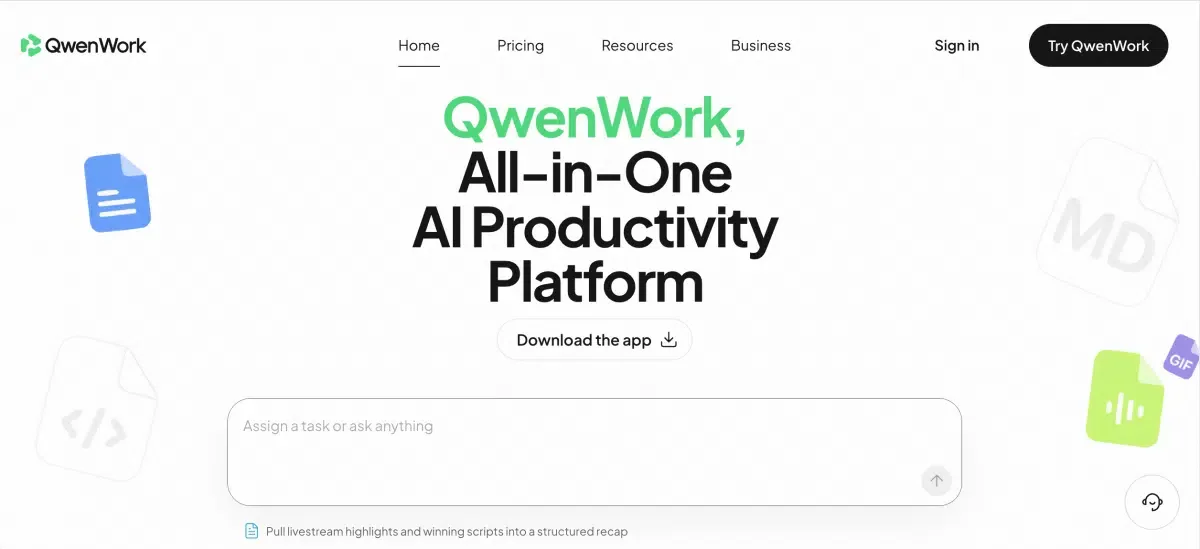
Under the Hood: Agent and Connector Architecture
At the architectural level, QwenWork departs from simple single-turn conversational assistants by exposing a modular set of agent capabilities, connectors, computer-control tools, and publishing functions. Depending on task requirements, the platform coordinates these capabilities to deliver unified business deliverables.
When an authenticated user requests a complex operational workflow—such as researching market data, compiling a structured summary, and deploying an internal dashboard—the platform plans the execution graph, automates browser data extraction, and compiles the resulting web interface.
Context Orchestration and Persistent Personalization
A key feature of the desktop architecture is an opt-in personalization capability known as Awareness. When enabled, Awareness retains user preferences, working conventions, and interaction history across sessions. This allows the agent to maintain consistent stylistic guidelines without requiring repetitive prompting. Users can convert these persistent workflows into reusable modular skills, which can be shared across organizational teams or disabled at will.
The diagram below outlines the structural coordination within the capability architecture:
[User Goal Input]
       │
       ▼
[QwenWork Agent Runtime] ───► [Awareness Context Engine] (Session Preferences & Skills)
       │
       ├──────────────────────────────┬──────────────────────────────┐
       ▼                              ▼                              ▼
[Computer & Browser Control]   [Pages & Web Publishing]       [Third-Party Connectors]
(Wukong Heritage / OS Tools)   (QoderWork Heritage / Hosting) (Slack, Notion & Cloud APIs)
       │                              │                              │
       └──────────────────────────────┴──────────────────────────────┘
                                      │
                                      ▼
                        [Unified Task Deliverable]
While QwenWork manages internal task states across its desktop, web, and cloud runtimes, a separate engineering challenge arises when enterprise workflows interface with external mobile applications. If an automated workflow or document link directs an external recipient or mobile employee toward a native application that is not yet installed on their device, the app-store installation step introduces a separate pre-install context-restoration boundary.
Mobile Handoff Beyond the Authenticated Workspace
In distributed enterprise environments, workflows frequently cross diverse client boundaries. When users operate within an authenticated corporate portal, single sign-on tokens and cloud databases maintain continuity. However, when sharing project links, interactive dashboards, or mobile resources across external channels, standard web redirects do not by themselves guarantee that pre-install parameters will be available to the newly installed app on first launch.
Architectural Evaluation: Mobile Handoff Approaches
Engineering teams must distinguish between internal authenticated task states and external mobile user handoffs. The matrix below outlines how different architectural approaches address the app installation boundary:
| Mobile Handoff Approach | App Already Installed | App Not Installed | Context Scope |
|---|---|---|---|
| Plain Web/App Link | Can open destination depending on platform | Usually falls back to store/general landing | URL-level context |
| Custom Account/Backend Handoff | Custom | Custom implementation required | Application-defined |
| Deferred Deep Linking (e.g. OpoInstall) | Deep-link routing | Post-install parameter restoration | Eligible pre-install destination/referral parameters |
For a separate mobile lifecycle case, if an enterprise workflow, collaboration notification, or external document link directs a user to a native mobile app that is not yet installed, deferred deep linking is one implementation pattern for restoring eligible pre-install parameters after installation. Platforms such as OpoInstall provide deferred deep linking and server-side parameter recovery to preserve eligible campaign, referral, destination, or workflow-entry parameters across web-to-app installation journeys. By temporarily preserving eligible parameters on server-side matching infrastructure, such frameworks can restore contextual entry parameters after the app-store installation boundary, enabling the destination application to use restored parameters to route the user toward the intended workspace or onboarding view. This capability functions independently of QwenWork’s own session state, connector permissions, Awareness memory, and computer-control capabilities.
Engineering Checklist & Verification Schedules: Hardening Enterprise Agent Integration
To ensure reliable operation and data security when deploying autonomous agent platforms across enterprise IT environments, engineering and security teams should establish rigorous governance frameworks.
Developer Implementation Checklist
- Enforce Scoped Tool Permissions: Restrict local computer automation and browser scripting to explicit directory paths to constrain automated agents to approved file-system locations and reduce unauthorized access risks.
- Deploy Ephemeral Credential Handshakes: Use short-lived, cryptographically signed access tokens for third-party connector integrations with platforms like Slack and Notion.
- Configure Standard Mobile Universal Links: Implement verified Universal Links and App Links to ensure verified mobile deep linking when applications are installed.
Product & Growth Operations Checklist
- Audit Data Residency and Retention: Verify that generated documents, web applications, and customer conversation logs comply with regional data governance requirements across Asia, the Middle East, and Latin America.
- Standardize Workspace Skill Libraries: Create verified corporate skill templates to maintain quality and formatting consistency across shared agent automations.
- Optimize External Mobile Journeys: Deploy deferred parameter pass-through frameworks across external distribution links to preserve contextual onboarding when distributing enterprise tools to mobile users.
Adhering to these structured verification standards allows organizations to leverage autonomous agent orchestration while maintaining data boundary control and reliable user journey tracking.
Frequently Asked Questions (FAQ)
How does QwenWork combine multiple agent systems into one interface?
How does the Awareness feature maintain context across work sessions?
What deployment capabilities are available for generated web applications?
Practical Implications & Future Outlook
The global launch of comprehensive enterprise agent platforms represents a structural evolution in productivity software. As AI systems shift from answering isolated queries toward orchestrating end-to-end business workflows, the technological focus is moving from raw model size toward context retention, tool connectivity, and execution reliability.
Operating successfully in this emerging paradigm requires clear architectural boundaries between internal agent state engines and external mobile user journeys. By implementing robust server-side context preservation, enforcing least-privilege security controls, and leveraging reliable deferred deep linking infrastructure where app installation boundaries exist, organizations can build scalable architectures capable of supporting autonomous agent collaboration across global enterprise environments.
Share this article



