Apple opens iOS 27 app submissions? On September 9, 2026, Apple officially opened App Store submissions for iOS 27, iPadOS 27, macOS 27, tvOS 27, visionOS 27, and watchOS 27, releasing the Xcode 27 Release Candidate ahead of the public operating system launch on September 14, 2026. While the immediate submission window allows engineering teams to deploy day-one software updates, Apple established two critical platform boundaries: building against the iOS 27 SDK makes adopting the UIKit scene-based life cycle mandatory, while April 2027 marks the deadline when the iOS 27 and iPadOS 27 SDK becomes the mandatory minimum for all App Store submissions. For iOS software architects, mobile infrastructure leads, and growth engineers, mastering iOS 27 Universal Links Routing requires retiring outdated single-window assumptions, migrating link handlers into modern UIWindowSceneDelegate lifecycles, and ensuring routing state remains properly scoped across dynamic display environments.
App Store Submission Window, Runtime Requirements, and the 2027 Mandate
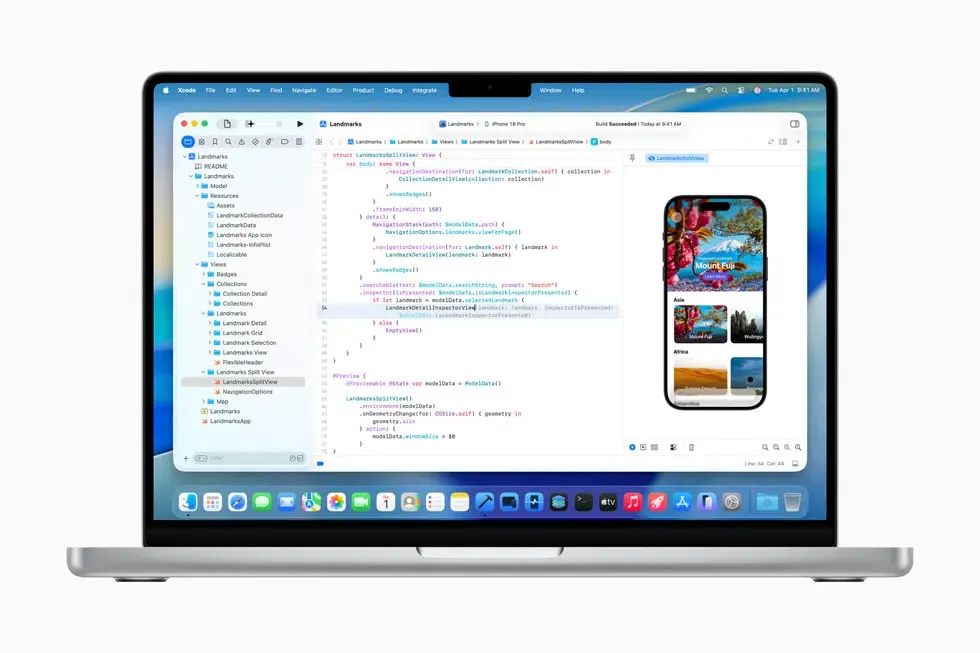
The opening of App Store submissions for iOS 27 marks the beginning of Apple’s platform transition cycle. According to announcements published on the Apple Developer Portal, developers can compile and validate software with the Xcode 27 Release Candidate, test builds through TestFlight, and submit production binaries for App Review across all six Apple platforms.
At a Glance
- Submission Window Open: Developers can submit applications built with the iOS 27 SDK starting September 9, 2026, ahead of the public operating system release on Monday, September 14, 2026.
- Mandatory Scene Lifecycle in iOS 27 SDK: UIKit applications built with the iOS 27 SDK that do not adopt the scene-based life cycle will fail to launch at runtime.
- April 2027 Minimum Requirement: Starting in April 2027, all applications and updates uploaded to App Store Connect must be built with the iOS 27 and iPadOS 27 SDK or later.
As reported by 9to5Mac, adopting the iOS 27 SDK is optional in the near term, but building with Xcode 27 and the latest SDKs gives developers immediate access to Apple Intelligence integrations and Foundation Models frameworks. Separately, App Store Connect introduces merchandising updates, including updated product page headers and age-rating compliance questionnaires for parental controls like Time Allowances.
Beyond cosmetic UI updates and merchandising changes, building against the latest SDK enforces core architectural modernization. Apple’s official documentation on Transitioning to the UIKit scene-based life cycle explicitly confirms that beginning in iOS 27, apps built with the latest SDK must adopt the scene-based life cycle or they fail to launch, completing a multi-year deprecation of legacy app-delegate window management.
+-------------------------------------------------------------------------+
|                  APPLE SDK SUBMISSION AND RUNTIME TIMELINE              |
+-------------------+--------------------+--------------------------------+
| Milestone Date    | Governance Layer   | Operational and Technical Scope|
+-------------------+--------------------+--------------------------------+
| September 9, 2026 | App Store Connect  | Submissions open for Xcode 27  |
|                   |                    | RC & iOS 27 SDK builds (opt.)  |
| September 14, 2026| Operating System   | iOS 27 public rollout across   |
|                   |                    | compatible consumer devices    |
| iOS 27 Latest SDK | Runtime Contract   | UIKit apps must adopt scene    |
|                   |                    | lifecycle or fail to launch    |
| April 2027        | App Store Mandate  | Mandatory iOS/iPadOS 27 SDK    |
|                   |                    | minimum for all app uploads    |
+-------------------+--------------------+--------------------------------+
While the April 2027 deadline provides an extended operational runway, technical teams compiling with Xcode 27 must immediately resolve routing patterns that still assume a single global UIWindow.
Deconstructing the Scene Lifecycle and Multi-Window Considerations
For years, legacy iOS applications processed incoming deep links through a centralized UIApplicationDelegate entry point, frequently relying on application(_:open:options:) or application(_:continue:restorationHandler:). Under this single-window model, engineering teams routinely structured navigation routers around global singletons, querying UIApplication.shared.windows.first(where: { $0.isKeyWindow }) to present target view controllers.

It is critical to distinguish between adopting the scene lifecycle and supporting multiple concurrent windows. Adopting the UIScene lifecycle is mandatory for UIKit applications built with the iOS 27 SDK, whereas supporting multiple simultaneous windows remains a separate, configurable capability. However, modern hardware and software environments—such as Split View on iPadOS, Vision Pro spatial windows, and multi-display configurations like the iPhone Duo—increasingly place applications into multi-window environments.
When an application supports multiple windows or coexists in dynamic split views, legacy singleton routing introduces severe presentation failures:
- Window Context Ambiguity: If an application supports multiple concurrent window instances, an incoming Universal Link routed through a global singleton cannot determine which scene should receive and present the resulting navigation state.
- Background Scene Hijacking: Presenting a destination view controller on the first key window returned by
UIApplication.sharedfrequently pushes new views onto an inactive or backgrounded scene, leaving the user looking at an unchanged active screen. - Hierarchy Presentation Conflicts: Triggering routing commands across arbitrary window contexts can produce an incorrect presentation state, duplicate navigation sequences, or attempts to present from an inactive view hierarchy.
+-------------------------------------------------------------------------+
|               LEGACY SINGLETON ROUTING VS. MULTI-SCENE ROUTING          |
+-------------------------------------------------------------------------+
|                                                                         |
|  [ LEGACY FLAWED MODEL: Global Application Window Assumption ]          |
|                                                                         |
|  Incoming Universal Link                                                |
|         |                                                               |
|         v                                                               |
|  [ App Delegate / Global Router Singleton ]                             |
|         |                                                               |
|         |-- Queries: Global key-window lookup (windows.first: keyWindow)|
|         v                                                               |
|  [ Presents on Arbitrary Window (Risk: Background Pane / View Leak) ]   |
|                                                                         |
+-------------------------------------------------------------------------+
|                                                                         |
|  [ MODERN SCENE-BASED MODEL: Contextual UIWindowScene Delivery ]        |
|                                                                         |
|  Incoming Universal Link                                                |
|         |                                                               |
|         +---------------------------------------+                       |
|         | (Scene Connecting at Launch)          | (Scene Already Running)       |
|         v                                       v                       |
|  [ scene(_:willConnectTo:options:) ]    [ scene(_:continue:) ]          |
|         |                                       |                       |
|         +-------------------+-------------------+                       |
|                             |                                           |
|                             v                                           |
|  [ Extract NSUserActivity Within Explicit Scene Context ]               |
|         |                                                               |
|         v                                                               |
|  [ Route Target Destination On This Scene's Local Root Hierarchy ]      |
|                                                                         |
+-------------------------------------------------------------------------+
To eliminate these conflicts, developers building against the iOS 27 SDK must handle Apple Universal Links strictly through the scene lifecycle documented in Managing your app’s life cycle with UIWindowScene.
UIKit bifurcates link delivery based on the scene’s execution state:
- Scene Connecting at Launch or Activation: When a scene is connecting as part of application launch or activation and its connection options contain the Universal Link activity, UIKit delivers the
NSUserActivityviascene(_:willConnectTo:options:)within theconnectionOptionspayload. - Warm / Suspended Scene Execution: If the scene is already connected and running or suspended in memory, UIKit delivers the activity directly to
scene(_:continue:).
In both execution flows, navigation must execute relative to the specific UIWindowScene instance passed by UIKit, ensuring that destination view controllers are instantiated directly on that scene’s own window hierarchy.
// Illustrative Swift implementation of scene-safe Universal Links routing.
// Demonstrates decoupling deep link handling from global application singletons
// to comply with the iOS 27 UIKit scene-based lifecycle and support multi-window execution.

import UIKit

struct DeepLinkRoute {
    enum Destination {
        case productDetail(sku: String)
        case campaignLanding(campaignId: String)
        case generalWebFallback(url: URL)
    }

    let destination: Destination
    let rawURL: URL

    static func parse(from url: URL) -> DeepLinkRoute {
        guard let components = URLComponents(url: url, resolvingAgainstBaseURL: true) else {
            return DeepLinkRoute(destination: .generalWebFallback(url: url), rawURL: url)
        }

        let pathSegments = components.path.split(separator: "/").map(String.init)
        if let productIndex = pathSegments.firstIndex(of: "products"), productIndex + 1 < pathSegments.count {
            let sku = pathSegments[productIndex + 1]
            return DeepLinkRoute(destination: .productDetail(sku: sku), rawURL: url)
        }

        if let campaignId = components.queryItems?.first(where: { $0.name == "campaign_id" })?.value {
            return DeepLinkRoute(destination: .campaignLanding(campaignId: campaignId), rawURL: url)
        }

        return DeepLinkRoute(destination: .generalWebFallback(url: url), rawURL: url)
    }
}

class SceneDelegate: UIResponder, UIWindowSceneDelegate {
    var window: UIWindow?

    // Scenario 1: Connecting a scene during cold launch or activation with an incoming Universal Link
    func scene(_ scene: UIScene, willConnectTo session: UISceneSession, options connectionOptions: UIScene.ConnectionOptions) {
        guard let windowScene = scene as? UIWindowScene else { return }

        // Initialize the dedicated window bound strictly to this window scene context
        let window = UIWindow(windowScene: windowScene)
        let navigationController = UINavigationController(rootViewController: MainDashboardViewController())
        window.rootViewController = navigationController
        self.window = window
        window.makeKeyAndVisible()

        // Check if this scene connection was initiated by a Universal Link activity
        if let userActivity = connectionOptions.userActivities.first(where: { $0.activityType == NSUserActivityTypeBrowsingWeb }),
           let incomingURL = userActivity.webpageURL {
            let route = DeepLinkRoute.parse(from: incomingURL)
            routeWithinSceneContext(route: route, on: navigationController)
        }
    }

    // Scenario 2: Delivering a Universal Link to an existing scene that is already running or suspended in memory
    func scene(_ scene: UIScene, continue userActivity: NSUserActivity) {
        guard userActivity.activityType == NSUserActivityTypeBrowsingWeb,
              let incomingURL = userActivity.webpageURL,
              let navigationController = self.window?.rootViewController as? UINavigationController else {
            return
        }

        let route = DeepLinkRoute.parse(from: incomingURL)
        routeWithinSceneContext(route: route, on: navigationController)
    }

    /// Routes navigation strictly within this scene's view controller hierarchy
    /// Avoids querying UIApplication.shared.windows to prevent background scene corruption
    private func routeWithinSceneContext(route: DeepLinkRoute, on navigationController: UINavigationController) {
        switch route.destination {
        case .productDetail(let sku):
            let detailVC = ProductDetailViewController(sku: sku)
            navigationController.pushViewController(detailVC, animated: true)

        case .campaignLanding(let campaignId):
            let campaignVC = CampaignViewController(campaignId: campaignId)
            navigationController.present(campaignVC, animated: true, completion: nil)

        case .generalWebFallback(let url):
            // Open unhandled or external URLs via the system URL handler
            UIApplication.shared.open(url, options: [:], completionHandler: nil)
        }
    }
}

// Stub view controllers representing application scene hierarchy
class MainDashboardViewController: UIViewController {
    override func viewDidLoad() {
        super.viewDidLoad()
        title = "Dashboard"
        view.backgroundColor = .systemBackground
    }
}

class ProductDetailViewController: UIViewController {
    let sku: String
    init(sku: String) {
        self.sku = sku
        super.init(nibName: nil, bundle: nil)
    }
    required init?(coder: NSCoder) { fatalError("init(coder:) has not been implemented") }
    override func viewDidLoad() {
        super.viewDidLoad()
        title = "Product: \(sku)"
        view.backgroundColor = .systemGroupedBackground
    }
}

class CampaignViewController: UIViewController {
    let campaignId: String
    init(campaignId: String) {
        self.campaignId = campaignId
        super.init(nibName: nil, bundle: nil)
    }
    required init?(coder: NSCoder) { fatalError("init(coder:) has not been implemented") }
    override func viewDidLoad() {
        super.viewDidLoad()
        title = "Campaign: \(campaignId)"
        view.backgroundColor = .secondarySystemBackground
    }
}
Downstream Mobile Acquisition and the Installation Boundary
While scene-based routing provides the correct lifecycle context for in-app navigation once an application is installed, marketing and customer acquisition campaigns operate in a broader, decoupled lifecycle. Upstream acquisition funnels engage prospective users across external mobile web pages, partner marketing campaigns, and digital advertisements.
When a user clicks a Universal Link associated with a merchant or service, operating system behavior diverges depending on local installation state:
+-------------------------------------------------------------------------+
|             SEPARATE DOWNSTREAM MOBILE ACQUISITION JOURNEY              |
+-------------------------------------------------------------------------+
|                                                                         |
|  [ External Touchpoint: H5 Campaign Landing / Promotional Link ]        |
|         |                                                               |
|         |-- (User Taps Link on iOS Device)                              |
|         v                                                               |
|  [ iOS Evaluates Verified Apple-App-Site-Association (AASA) ]           |
|         |                                                               |
|         +---------------------------------------+                       |
|         |                                       |                       |
|         v                                       v                       |
|  [ App Installed On Handset ]         [ App Not Installed On Handset ]  |
|         |                                       |                       |
|         v                                       v                       |
|  [ Direct Scene Handoff via           [ Resolves to Web Destination     |
|    UIWindowSceneDelegate ]              in User's Browser ]             |
|         |                                       |                       |
|         v                                       v                       |
|  [ Native In-App Navigation ]         [ User Clicks Store Download CTA ]|
|                                                 |                       |
|                                                 v                       |
|                                       [ Route to App Store ]            |
|                                                 |                       |
|                                                 v                       |
|                                       [ Standard Store Flow Does Not    |
|                                         Automatically Reconstruct       |
|                                         Arbitrary Web Context ]         |
|                                                 |                       |
|                                                 v                       |
|                                       [ Deferred Deep Linking Engine ]  |
|                                                 |                       |
|                                                 v                       |
|                                       [ Context Restored on Cold Boot ] |
|                                                                         |
+-------------------------------------------------------------------------+
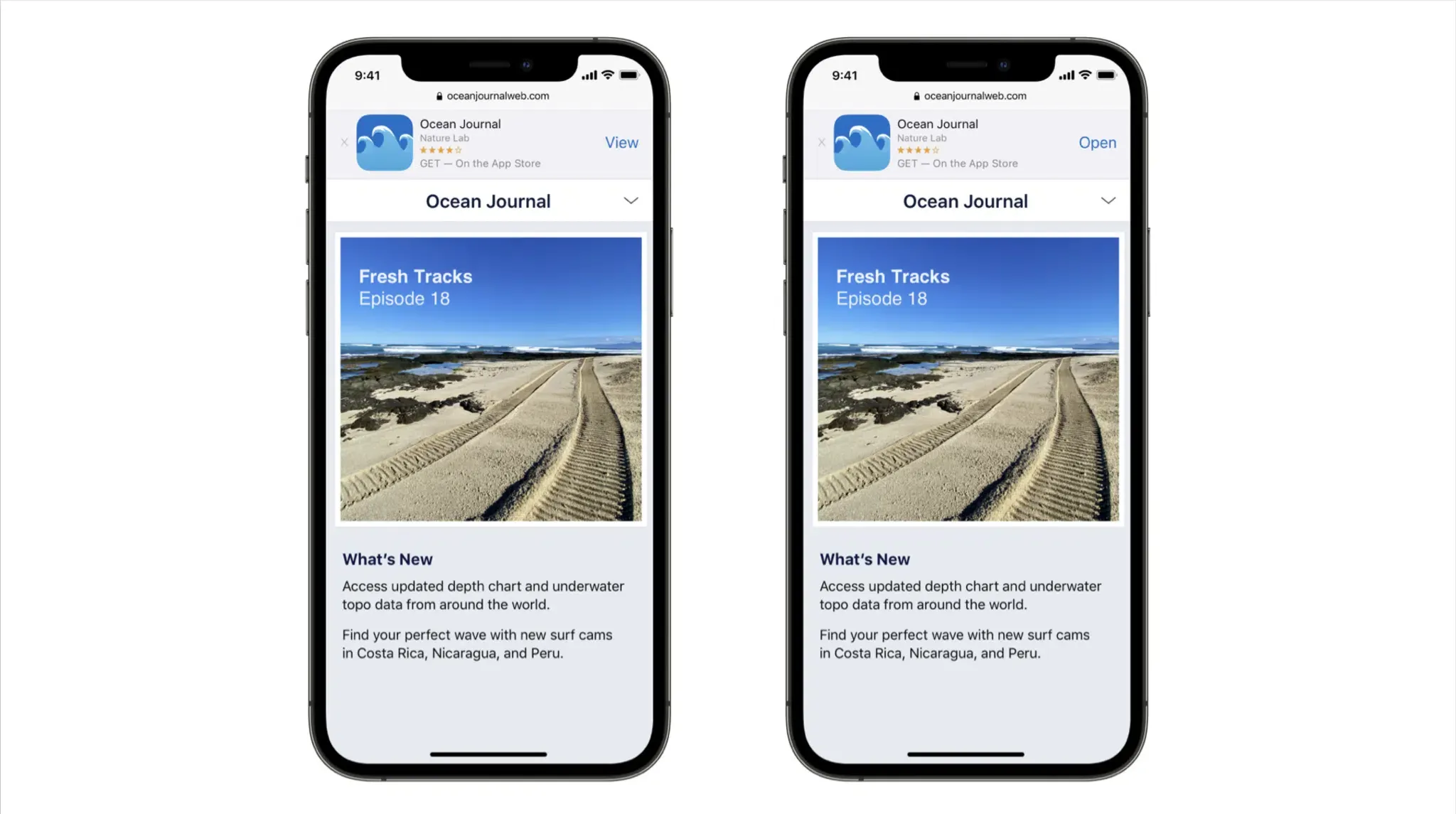
If the application is already present on the user’s handset, eligible Universal Links can open the associated installed app directly instead of the web destination. However, if the destination application is absent, the link opens the web destination in the user’s browser.
When an uninstalled user subsequently downloads the app from the App Store, standard App Store installation flows do not automatically reconstruct the arbitrary originating web URL and full campaign context on first launch; platform-specific referrer mechanisms may expose limited install metadata. On the app’s initial cold boot, the user is greeted by a generic welcome screen, dropping them out of the intended conversion flow.
Engineering teams evaluate several link-handling frameworks to address this install-boundary gap:
| Routing Architecture | Installed App Handling | Uninstalled App Fallback | Install-Boundary Context Preservation | Operational Ownership Model |
|---|---|---|---|---|
| Custom URI Schemes | Intercepted via local scheme registration in native code | No native destination when the app is absent; requires explicit web/store fallback handling | None; parameters drop at store redirect | Application-owned (High maintenance overhead) |
| Verified Universal Links | Native routing directly to view hierarchy via scene lifecycle | Resolves to fallback web landing page | None natively; standard store download flows do not forward arbitrary query strings | Domain + Application-owned (Requires AASA hosting and DNS setup) |
| Deferred Deep Linking Architecture | Delegates to Universal Links or native schemes | Routes through web landing to store download | Restores eligible pre-install parameters on first launch | SDK-assisted (Managed attribution client and server framework) |
In enterprise production architectures, mobile engineering teams deploy specialized deferred attribution infrastructure such as Branch, AppsFlyer, Adjust, or Opoinstall. A platform like Opoinstall records pre-install campaign metadata—such as channel identifiers, referral tokens, or deep content routes—on the web tier prior to the App Store redirect. Upon the application’s first launch, the client SDK queries the attribution backend to match the session and retrieve the cached parameters. According to official platform documentation on the Opoinstall homepage, this deferred parameter pass-through framework can restore parameters on first launch in up to 98% of eligible instances, providing an automated alternative to manual promotional codes.
By decoupling scene-safe in-app navigation from the acquisition mechanics required across the installation boundary, development organizations build resilient customer journeys that scale across new operating system updates and diverse window environments.
Frequently Asked Questions (FAQ)
Are developers required to use the iOS 27 SDK immediately?
Does the iOS 27 scene lifecycle requirement mandate supporting multiple windows?
How does an application capture Universal Links across both cold launches and warm sessions?
References
-
Apple Developer. (2026). App Store submissions now open for the latest OS releases. Apple News.
-
Apple Developer. (2026). Submitting apps to the App Store. Apple Documentation.
-
Apple Developer. (2026). Transitioning to the UIKit scene-based life cycle. Apple Documentation.
-
Apple Developer. (2026). Managing your app’s life cycle with UIWindowScene. Apple Documentation.
-
Apple Developer. (2026). Supporting Universal Links in your app. Apple Documentation.
-
Apple. (2026). Apple unveils iPhone Duo. Apple Newsroom.
-
9to5Mac. (2026). Apple now accepting App Store submissions built for iOS 27, macOS 27, more.
-
Opoinstall. (2026). Deferred Deep Linking and Parameterized App Installation Overview.
Share this article