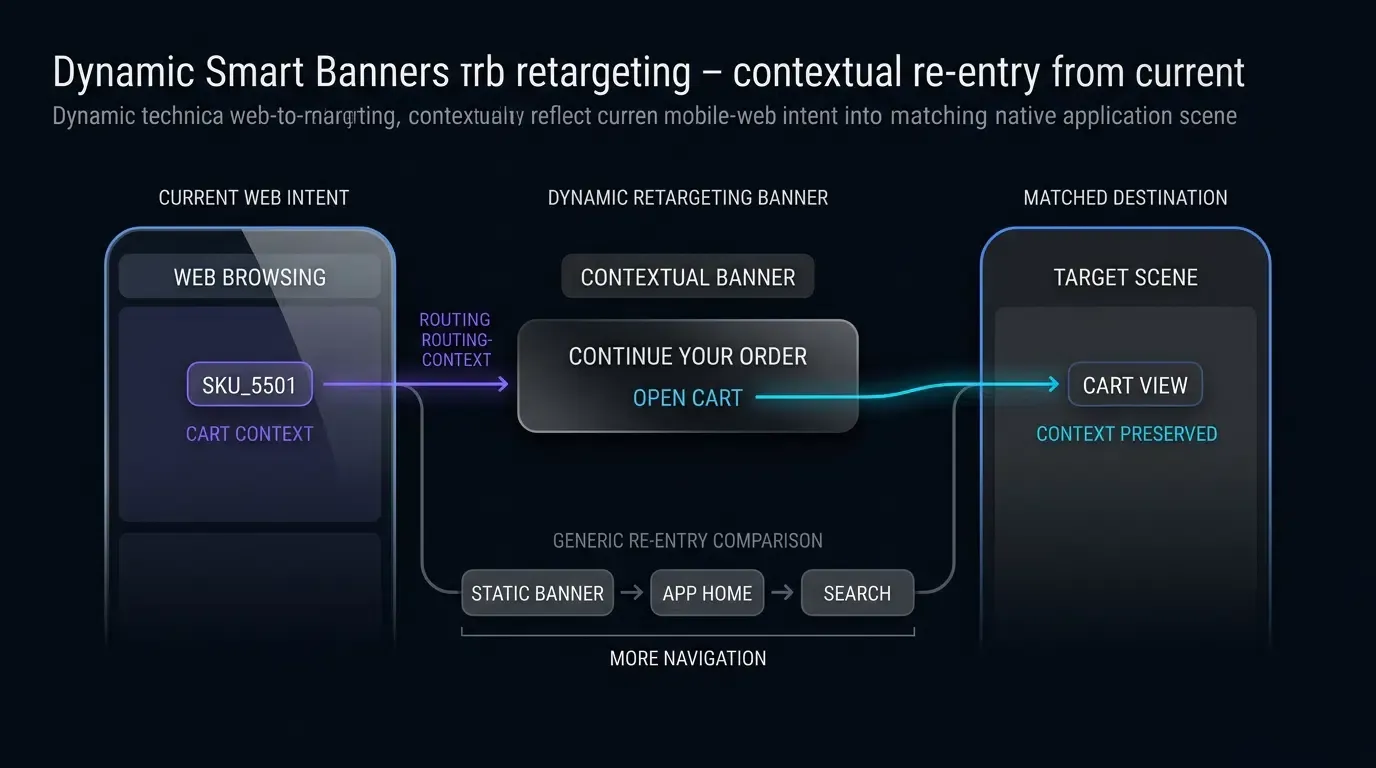
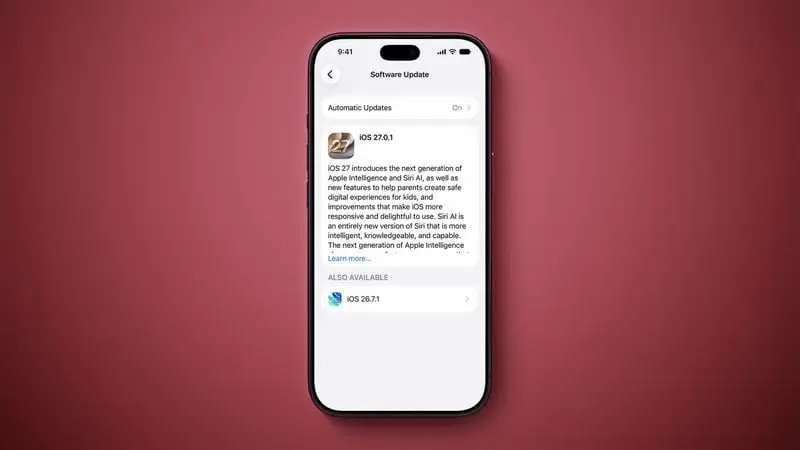
Apple Pushes iOS 27 Update Priority? As reported by MacRumors on October 8, 2026, Apple has changed how software updates appear to iPhone users still running iOS 26, placing iOS 27.0.1 in the prominent position under Settings while moving iOS 26.7.1 into the smaller “Also Available” section. The change makes the newer operating system more visible but does not require users to upgrade or establish how quickly adoption will increase. For developers, the update is a timely reason to review app compatibility across both iOS versions, particularly Apple’s documented performance, connectivity, and user-interface changes, while separately validating existing Universal Links and app-launch workflows.
What Changed in the iOS 27 Update Recommendation
At a Glance
- Apple inverted the update hierarchy in Settings, moving iOS 27.0.1 from the “Also Available” section to the prominent primary update slot.
- The update remains optional, and Apple continues to offer iOS 26.7.1 as an alternative release containing security fixes for CoreGraphics.
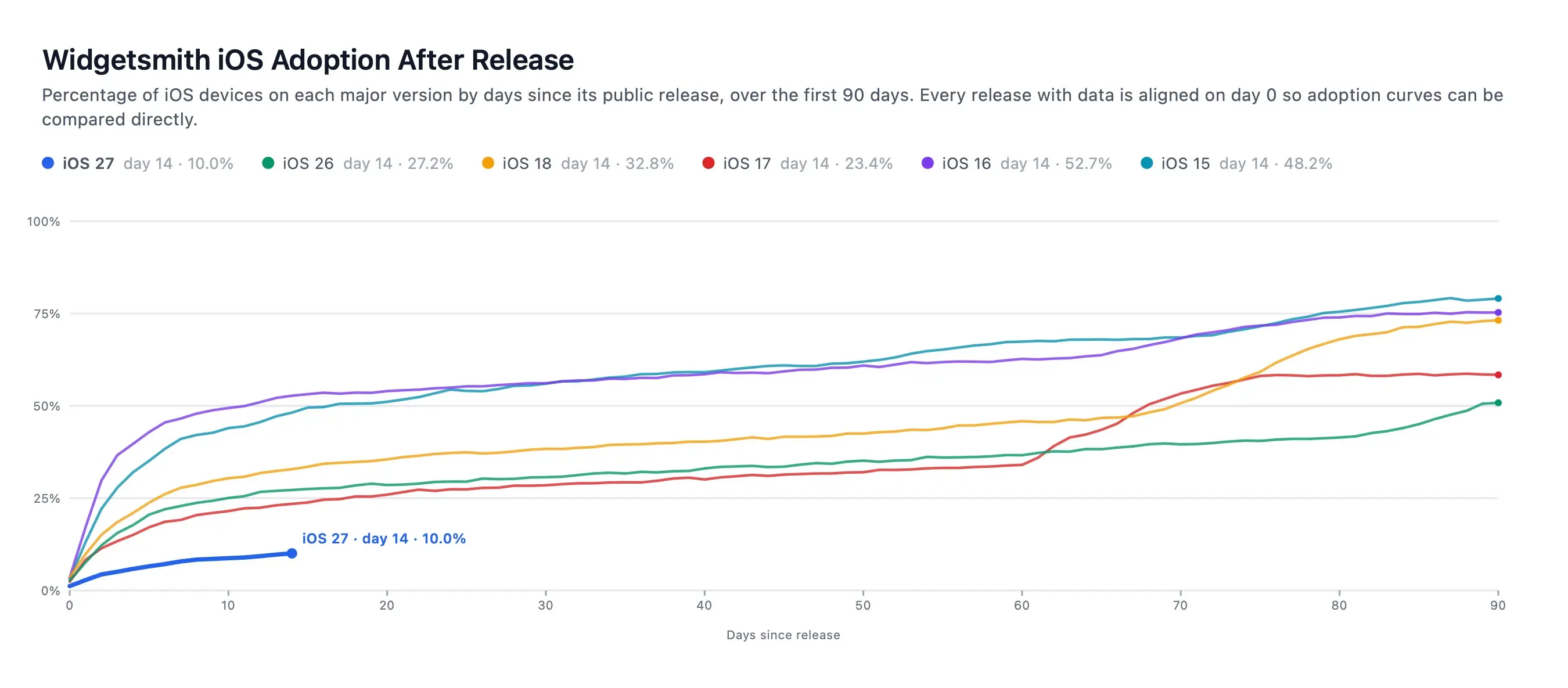
- Third-party app analytics showed a more gradual early adoption curve for iOS 27 over its initial weeks compared with earlier major releases.
Following the initial release of iOS 27 on September 14, 2026, Apple maintained a dual-track presentation in the Settings application under General → Software Update. Users operating iOS 26 were presented with maintenance updates—initially iOS 26.7 and later iOS 26.7.1—as the prominent primary option, while iOS 27 was positioned at the bottom of the display under an expandable “Also Available” section. This structure allowed general users and managed enterprise fleets to remain on the mature software line while receiving critical security maintenance.
Starting October 8, that layout was reversed. According to reporting by MacRumors, iOS 27.0.1 now occupies the primary visual prompt on eligible devices. While this interface adjustment encourages adoption, Apple has not mandated the upgrade. Users may continue running iOS 26, though Apple recommends installing iOS 26.7.1 to address a documented CoreGraphics memory corruption vulnerability outlined in the Apple Security advisory for iOS 26.7.1.
The timing of this change coincides with third-party observations regarding early upgrade pacing. Analytics published by developer David Smith via Mastodon indicated that the first two weeks of iOS 27 exhibited a steadier, less front-loaded adoption curve than releases such as iOS 15 or iOS 16. While developers hypothesized that automatic update pacing may have been configured to manage server demand for cloud-assisted features, Apple has not published official adoption metrics or confirmed the operational reasons behind the rollout schedule.
Documented iOS 27 Changes Developers Should Test
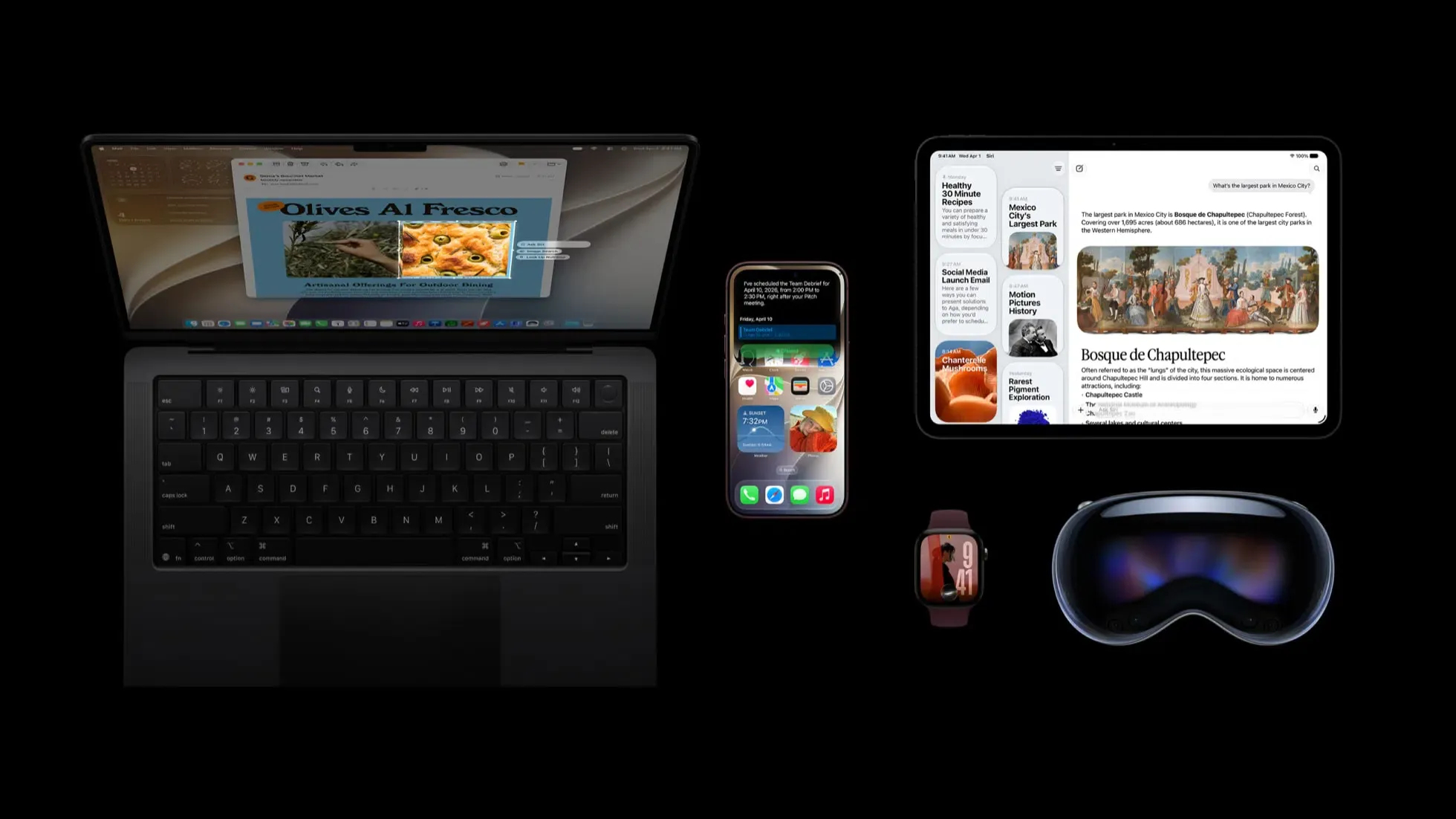
The increased visibility of iOS 27 makes it important for engineering teams to evaluate their applications against Apple’s documented platform refinements. As detailed in the Apple Newsroom platform release and the official Apple Support iOS 27 documentation, the update introduces targeted improvements across performance, networking, and system interactions.
[Observed Software Update Presentation]
  Settings → General → Software Update
      ├── Primary update: iOS 27.0.1
      └── Also Available: iOS 26.7.1

[Independent Developer Validation Areas]
  App Startup
      → Benchmark application launch and initialization

  Connectivity
      → Test Wi-Fi / Cellular transitions and recovery

  Universal Links
      → Verify Associated Domains and AASA configuration
      → Test supported link-opening contexts
      → Confirm target view routing in the installed app

  Campaign Measurement
      → Compare version-segmented installation and activation metrics
      → Investigate observed changes before attributing them to iOS 27
The update presentation change does not establish a new Universal Links protocol, background task API, or mandatory change to mobile attribution infrastructure. Instead, technical teams should focus validation on several documented platform behaviors:
- App Launch Performance: Apple reports that apps can launch up to 30 percent faster on supported iPhone and iPad configurations. Developers should benchmark startup behavior on supported devices and verify that existing asynchronous initialization, analytics instrumentation, and incoming link handling continue to function correctly. The reported performance improvement does not, by itself, establish a new race condition or an SDK compatibility break.
- Connectivity Assist Transitions: iOS 27 incorporates Connectivity Assist to smooth network transitions between cellular and Wi-Fi networks. Development teams should test how long-running network requests, background file transfers, and socket reconnections behave during sudden interface changes.
- Safari Web Browsing Features: Safari introduces user-facing tools such as “Notify Me” for tracking changes on websites and automated tab organization by topic. These features operate within the browser interface and do not alter native app invocation protocols or deep-link routing.
- Visual Styling with Liquid Glass: Refinements to the Liquid Glass design framework include an adjustable opacity slider in Settings. Designers and front-end engineers should test custom interface elements against varying translucency levels to preserve text readability and contrast.
Additionally, technical teams should note specific fixes introduced in iOS 27.0.1. The maintenance release addresses an issue where iPhone 18 Pro and Pro Max devices could restart unexpectedly if Face ID authentication failed, corrects a 2x photo color artifact at f/1.48 under specific lighting conditions, and resolves a bug where opening Notification Center and Control Center simultaneously caused temporary touchscreen unresponsiveness.
Compatibility Considerations Across iOS 26 and iOS 27
Because Apple continues to support iOS 26 with maintenance patches, developers will support a mixed-version audience for the foreseeable future. Planning for this environment requires distinguishing between verified operating system differences and standard preventive testing routines.
The matrix below compares key platform behaviors across both supported environments:
| Development Area | iOS 26 | iOS 27 | Engineering Action |
|---|---|---|---|
| Startup execution | Baseline application launch speed | Documented launch speed improvements up to 30% on supported hardware | Benchmark cold-start performance and monitor asynchronous startup routines |
| Network handoffs | Standard interface switching | Connectivity Assist for Wi-Fi and cellular transitions | Validate network retry policies and socket connection recovery |
| Universal Links | Documented Associated Domains and AASA behavior | No new resolution behavior established by the cited update-ordering report | Regression-test link routing on both supported operating system versions |
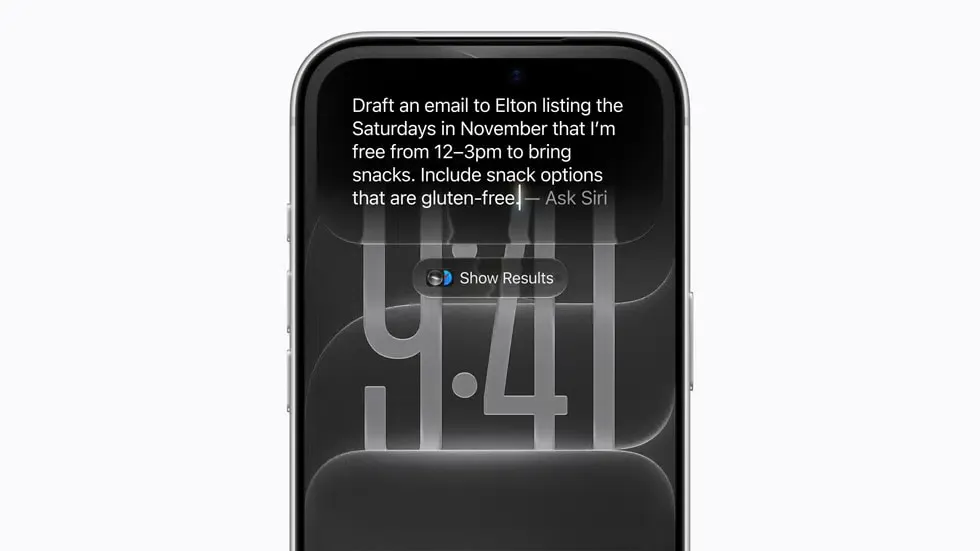
| Siri & App Intents | Standard SiriKit integration | Siri AI features available on supported hardware in select languages | Review App Intents implementation for supported devices |
| Maintenance target | iOS 26.7.1 available for security support | iOS 27.0.1 active release with bug fixes | Validate device stability across both current target releases |
When evaluating user routing across both operating system versions, development teams should confirm that existing Universal Links configurations remain compliant with Apple’s published specifications. Under the standard Apple Developer Supporting Associated Domains documentation, link resolution relies on a properly configured apple-app-site-association file hosted over HTTPS with valid MIME types. Testing these links across iOS 26 and iOS 27 devices confirms that navigation into specific application views operates consistently regardless of which system version the user runs.
Developer Checklist for the iOS 27 Transition
Technical teams can execute a structured regression plan to verify application behavior as more users encounter the prominent iOS 27 prompt.
Engineering & Implementation Actions
- Benchmark Startup Routines: Profile application startup on iOS 27 devices to confirm that initialization workflows, third-party libraries, and root view controllers load reliably alongside the system’s faster launch behavior.
- Test Network Recovery Paths: Validate how network clients handle interface switching under Connectivity Assist, confirming that failed requests retry appropriately without stalling the user experience.
- Verify Universal Links Resolution: Confirm that associated domain entitlements and hosted
apple-app-site-associationfiles satisfy the requirements detailed in the Apple Developer Universal Links guidelines, testing link clicks across Mail, Messages, and Safari. - Review Platform Fixes in iOS 27.0.1: Test camera previews, authentication callbacks, and multi-gesture inputs to ensure stability on devices running the 27.0.1 update.
- Evaluate Siri AI Availability: For apps implementing App Intents, confirm that actions behave properly on compatible hardware (iPhone 15 Pro, iPhone 16 models, or later) while falling back cleanly on older devices.
Product & Growth Strategy Checklist
- Segment Telemetry by OS Version: Review analytics dashboards to compare conversion and retention rates between iOS 26 and iOS 27 users, treating any variance as a subject for technical investigation rather than an assumed platform flaw.
- Confirm Screen Time Compatibility: For family-oriented applications, ensure that age-appropriate controls align with Apple’s redesigned Screen Time time allowances and parental approval workflows.
- Plan Phased Framework Adoption: Schedule adoption of newer iOS 27 SDK capabilities in future development cycles while maintaining functional parity for users remaining on iOS 26.
Frequently Asked Questions (FAQ)
Is Apple forcing all iPhone users to install iOS 27?
Why was iOS 27 shown under "Also Available" for the first several weeks?
Do developers need to recompile their apps specifically for iOS 27?
Key Takeaways for Engineering Teams
The promotion of iOS 27.0.1 to the primary software update position makes Apple’s latest operating system more visible to users who remain on iOS 26. The change may encourage additional upgrades, but it does not mandate migration or establish when iOS 27 will become the predominant version across the installed iPhone base. For developers, it provides a practical reason to continue testing and monitoring applications across both supported release lines.
For engineering teams, the priority is thorough, evidence-based verification. By benchmarking application startup behavior, confirming network resilience during connection handoffs, and validating Universal Links configurations against Apple’s official specifications, organizations can ensure consistent application performance across both iOS 26 and iOS 27.
References
-
Apple Newsroom: Major updates for Apple’s software platforms are now available
-
Apple Security: About the security content of iOS 26.7.1 and iPadOS 26.7.1
-
MacRumors: Apple Now Pushing iPhone Users Still on iOS 26 to Install iOS 27
-
ITHome: Apple Adjusts iPhone Update Priority to Encourage iOS 26 Users to Upgrade to iOS 27
Share this article