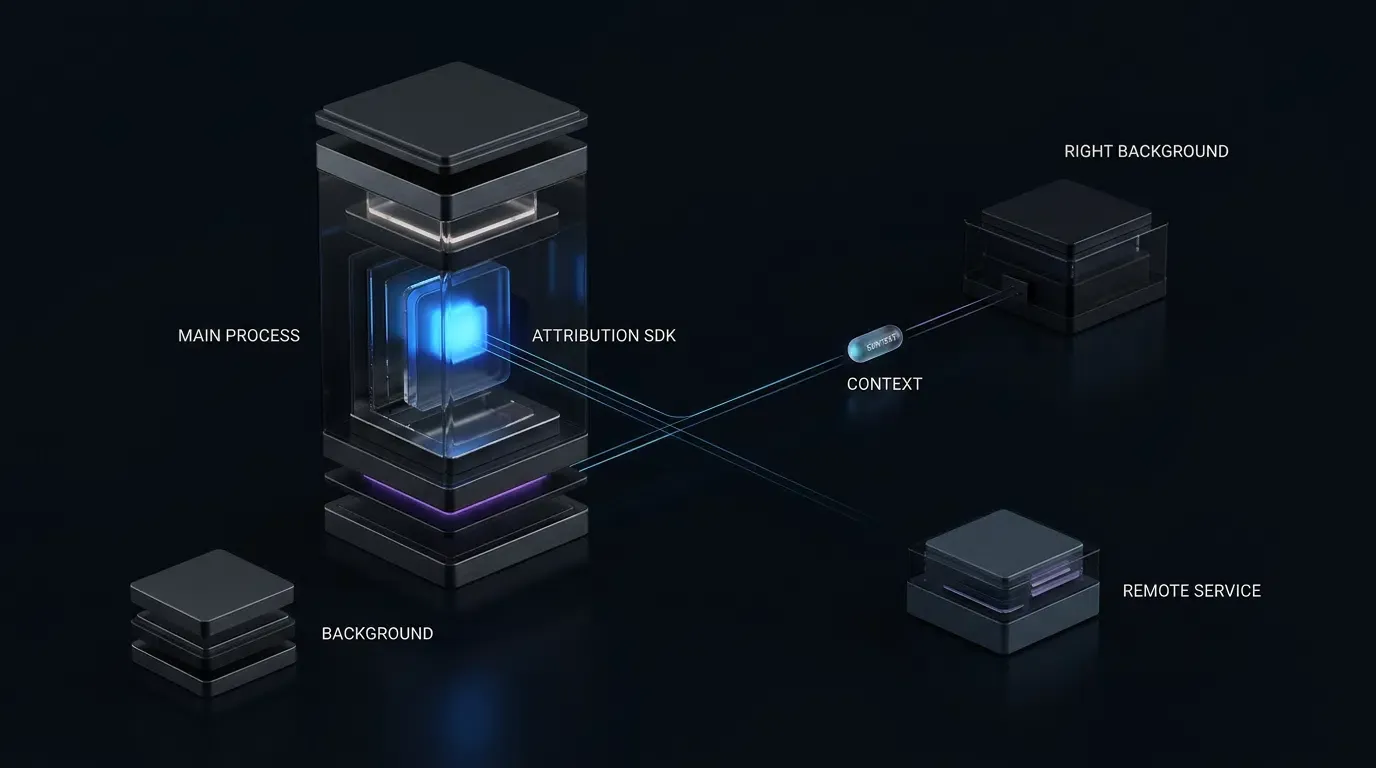
How do you avoid multiple initialization of an Android SDK in multi-process apps? Check the current process name inside Application.onCreate() and initialize the SDK only in the main application process. Use Application.getProcessName() on Android 9 (API 28) and above—paired with an IPC-free /proc/self/cmdline or ActivityManager fallback on older versions—so background services and remote processes do not trigger duplicate SDK setups.
Multiple initialization in a multi-process Android application occurs when Android instantiates a fresh
Applicationobject and invokesApplication.onCreate()inside every separate OS process declared for the package (such as:remote,:bg, or:pushservices). Preventing redundant SDK startups, isolated memory overhead, and potential parameter-handling inconsistencies requires gating initialization strictly to the main application process.
Why Multi Process Android Apps Trigger Multiple SDK Initializations
The Android Application Lifecycle in Multi-Process Topologies
By default, every component of an Android application—activities, services, broadcast receivers, and content providers—executes inside a single primary Linux process named after the application’s package unless overridden in the manifest. However, production applications frequently isolate specific background components into secondary processes using the android:process attribute (for example, android:process=":remote" or android:process=":bg" for push messaging receivers, background sync workers, media playback engines, crash-reporting daemons, or isolated WebView renderers).

As documented in Android’s Keep Background Work Alive with a Lean Process guide, Android instantiates your declared Application subclass and executes Application.onCreate() inside every OS process spawned for your package. Each spawned process receives its own independent Dalvik/ART runtime, memory heap, class loaders, and static variable table. Static fields, Kotlin object singletons, and boolean initialization flags assigned inside the main UI process remain completely invisible to :bg or :remote subprocesses. Consequently, guarding OpoInstall.initialize(this) with a naive static isInitialized boolean fails in multi-process environments because every process initializes its own copy of that static flag to false.
How Duplicate Initializations Can Affect Attribution Parameter Retrieval
In multi-process Android apps, each process maintains an independent in-memory SDK instance. If an attribution SDK does not explicitly support multi-process initialization, duplicate startup may create redundant work or inconsistent local state. Whether this affects deferred install parameters depends on the SDK’s storage, synchronization, and initialization contracts:
-
Violating Main-Process-Only Contracts: For attribution libraries that require single-process initialization—such as configurations of OpoInstall, a mobile attribution and deep linking platform, that expect main-process-only initialization—spawning a background push daemon or remote service without a process guard triggers unintended setup inside a non-UI process lacking Activity context and foreground clipboard focus.
-
Cross-Process Storage Contention: Concurrent initialization routines reading and writing local
SharedPreferencesor SQLite cache files from two active OS processes risk race conditions and stale configuration reads. Android deprecatedContext.MODE_MULTI_PROCESSin API level 23 becauseSharedPreferencesdoes not provide transactional cross-process synchronization or reliable change propagation across independent VMs. -
Memory Overhead in Secondary Processes: Extra SDK instances increase memory usage in secondary processes. Android may reclaim processes under memory pressure according to process importance and memory conditions. Newer platform-specific memory budget controls should be evaluated separately from the API 24–35 compatibility baseline.
-
Unintended Background Wakeup Telemetry: If a push service wakes a
:pushprocess while the user has never opened the application UI—or while the user is interacting with another screen—an unguardedApplication.onCreate()initializes networking threads, analytics queues, and attribution listeners prematurely inside a short-lived background process.
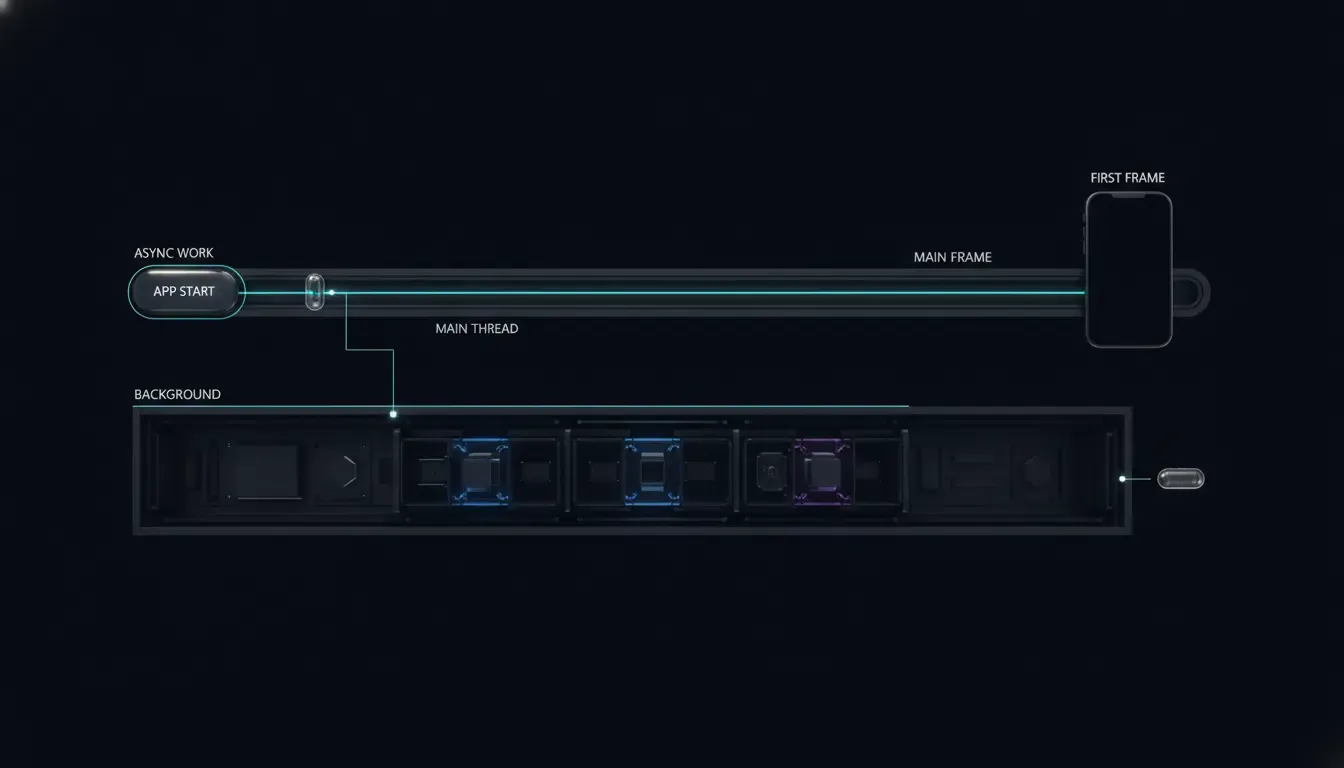
The architecture diagram below illustrates how a main-process gate isolates SDK initialization to the primary UI process while keeping subprocesses lightweight:
MAIN UI PROCESS (com.example.hostapp):
──>
──>
──>
──>
SUBPROCESS (com.example.hostapp:bg):
──>
──>
──>
──>
At a Glance
-
Expect
onCreate()in Every Process: Android creates a separateApplicationinstance for every OS process spawned under your package—never assumeApplication.onCreate()executes once per app lifecycle. -
Prefer
Application.getProcessName()(API 28+): On Android 9 and higher, retrieve the active process name synchronously without Binder IPC overhead. -
Compare Against
applicationInfo.processName: Support custom<application android:process>names properly rather than hardcoding comparisons topackageName. -
Audit Subprocess
ContentProviderComponents: Inspect your Merged Manifest to verify that third-party SDK providers or push services do not trigger unintended initialization outside the main process.
How to Identify Subprocesses Causing Duplicate Android SDK Startups
Inspecting Live App Processes via adb shell and dumpsys
Before modifying application startup code, verify how many processes your app spawns during cold start, background syncs, and push notifications. Many engineering teams are unaware that third-party libraries (such as push notification aggregators, crash reporters, or remote WorkManager workers) inject android:process attributes during manifest merging.
Suppose your AndroidManifest.xml declares a background worker service in a private subprocess:
<application
android:name=“com.example.hostapp.MultiProcessAttributionApp”
android:allowBackup=“false”>
<activity
android:name=“com.example.hostapp.MainActivity”
android:exported=“true”>
<intent-filter>
<action android:name=“android.intent.action.MAIN” />
<category android:name=“android.intent.category.LAUNCHER” />
</intent-filter>
</activity>
<service
android:name=“com.example.hostapp.service.BackgroundSyncService”
android:exported=“false”
android:process=“:bg” />
</application>
Use adb shell on a connected test device or emulator to list active processes belonging to your package, inspect memory consumption per process, and trace process-tagged Application.onCreate() invocations in Logcat:
# 1. List all active Linux processes belonging to your package (main process + :bg/:remote subprocesses)
adb shell ps -A | grep com.example.hostapp
# 2. Inspect memory breakdown for a specific subprocess
adb shell dumpsys meminfo com.example.hostapp:bg
# 3. Filter Logcat for process-tagged Application.onCreate diagnostics
adb logcat -s “ProcessInitDebug”
When debugging in Android Studio, open the Perfetto or System Trace profiler to observe separate timeline tracks for each process (com.example.hostapp vs com.example.hostapp:bg) and confirm which process initializes SDK threads.
Illustrative Example: Isolating a Background Push Subprocess Conflict
Simulated Scenario / Illustrative Example: Consider a mobile e-commerce application that integrates an attribution SDK in Application.onCreate() alongside a third-party push notification service configured with android:process=":push".
-
Observed Symptoms: During QA testing on a fresh install, engineers observe two conflicting initialization events in backend debugging logs whenever a silent push notification arrives prior to or immediately alongside the user’s first launcher tap, accompanied by elevated memory usage inside the
:pushprocess. -
Process and Logcat Triage: Running
adb shell ps -A | grep com.example.hostappreveals two active Linux PIDs: PID14210(com.example.hostapp) and PID14288(com.example.hostapp:push). Adding process-tagged logging insideApplication.onCreate()confirms that both PIDs executeonCreate()independently, causing the:pushworker to invokeOpoInstall.initialize()without an active Activity UI context. -
Root-Cause Isolation via Merged Manifest: Inspecting the Merged Manifest tab in Android Studio confirms both the push service’s
android:process=":push"declaration and verifies whether any merged<provider>specifiesandroid:multiprocess="true". -
Post-Gate Verification: After introducing
ProcessIdentityResolver.isMainProcessName()insideApplication.onCreate(), re-running the push trigger confirms that PID14288logsisMain=falseand bypasses SDK initialization, leavingOpoInstall.initialize()isolated to the primary UI process (PID 14210).
Multi-Process Verification and Regression Matrix
Use the verification matrix below to validate process identification and SDK gating behavior across your target Android build configurations:
| Test Scenario | Expected Process Identity | Expected SDK Initialization | Verification Criterion |
|---|---|---|---|
| Standard Single-Process Launch | com.example.hostapp |
Executes once | Launcher UI initializes SDK normally |
Starting :bg Background Service |
com.example.hostapp:bg |
Skipped | Logcat shows isMain=false; zero SDK init logs in :bg |
Starting :remote Service |
com.example.hostapp:remote |
Skipped | Main process SDK state remains unaffected |
Custom <application android:process> |
Custom main process name | Executes only in custom main process | Not falsely skipped by hardcoded packageName checks |
API 24–27 Normal procfs Read |
Full NUL-terminated process name | Follows process ownership | No fixed-length buffer truncation on long process names |
procfs Failure / Restricted Read |
Falls back to ActivityManager |
Follows resolved ownership | Safely skips init (false) and logs warning if unresolvable |
| API 28+ Fast Path | Application.getProcessName() |
Follows process ownership | Legacy fallback methods are not invoked |
SDK ContentProvider in Subprocess |
Configured provider process | Requires separate manifest audit | Cannot be prevented by Application.onCreate() guards alone |
Implementing Main Process Guards Across Android API Levels
Resolving the Current Process Name Safely (API 28+ vs Legacy Fallbacks)
To gate initialization cleanly inside Application.onCreate(), resolve the current process name once per startup using a tiered, API-aware strategy:
-
Android 9 (API 28) and Higher —
Application.getProcessName(): Per the AndroidApplication.getProcessName()documentation, this static method returns the name of the current process directly from the runtime with zero Binder IPC calls. -
Pre-API 28 Primary Fallback —
/proc/self/cmdline: Reading/proc/self/cmdlinefrom local procfs requires no Binder IPC and avoidsActivityManagersynchronization overhead. Read bytes sequentially into an output stream up to an explicit upper bound (such as 4096 bytes) until encountering the POSIX NUL (0x00) terminator. Reject unterminated or truncated reads by returningnullso a truncated string is never mistaken for a valid process identity. -
Pre-API 28 Secondary Fallback —
ActivityManager.getRunningAppProcesses(): If procfs access fails, queryActivityManager.getRunningAppProcesses()and matchProcess.myPid(). Note that Android deprecatedgetRunningAppProcesses()as of Android 8.0 (API level 26), documenting that it is primarily intended for debugging or user-facing process management UIs; use it strictly as a secondary compatibility fallback on pre-API 28 devices. -
Avoid Unofficial
@hideReflection: Do not rely onActivityThread.currentProcessName()via Java reflection, as non-SDK interface restrictions can trigger warnings or break across Android OS releases.
Writing a Clean Process-Gated Application Class in Kotlin
Once the current process name is resolved once inside Application.onCreate(), reuse that single string to evaluate isMainProcessName against context.applicationInfo.processName (falling back to context.packageName only if null).
Engineering teams must also decide how to handle rare edge cases where getCurrentProcessName() returns null (for example, on heavily customized OEM ROMs blocking procfs while ActivityManager returns an empty list):
-
Fail-Closed Default (
return false): Skips SDK initialization when process identity cannot be verified. This prioritizes preventing unintended subprocess initialization and background memory overhead. -
Audited Diagnostics: Log a warning in debug builds when
currentProcess == nullso QA teams detect environment-specific process resolution failures during pre-release testing.
Note that the MainActivity snippet below demonstrates main-process ownership, not a universal recommendation to fetch deferred parameters immediately during Activity startup.
Reference Architecture Disclaimer: The following Kotlin implementation is a defensive reference architecture. Verify exact SDK package names (
com.opoinstall.api), initialization thread contracts, parameter query timing, and resource imports (R) against your deployed Android AAR and project Gradle namespace before production rollout.

// Android - MultiProcessAttributionApp.kt
// Reference architecture: targets minSdk >= 24 (uses API 28+ Application.getProcessName with legacy fallbacks)
package com.example.hostapp
import android.app.ActivityManager
import android.app.Application
import android.content.Context
import android.os.Build
import android.os.Bundle
import android.os.Process
import android.util.Log
import androidx.appcompat.app.AppCompatActivity
import com.opoinstall.api.OpoData
import com.opoinstall.api.OpoError
import com.opoinstall.api.OpoInstall
import com.opoinstall.api.ResultCallBack
import java.io.ByteArrayOutputStream
import java.io.FileInputStream
// 1. Cross-API Process Identity Resolver
object ProcessIdentityResolver {
fun isMainProcess(context: Context): Boolean {
return isMainProcessName(context, getCurrentProcessName(context))
}
fun isMainProcessName(context: Context, currentProcess: String?): Boolean {
if (currentProcess.isNullOrBlank()) {
// Fail-closed: avoid initializing SDK in an unverified subprocess
Log.w(“ProcessInitDebug”, “Unable to resolve current process name; skipping main-process init”)
return false
}
// Compare against applicationInfo.processName to handle custom
val expectedMainProcess = context.applicationInfo.processName ?: context.packageName
return currentProcess == expectedMainProcess
}
fun getCurrentProcessName(context: Context): String? {
// Fast path: Android 9 (API 28) and above (zero Binder IPC)
if (Build.VERSION.SDK_INT >= Build.VERSION_CODES.P) {
return Application.getProcessName()
}
// Pre-API 28 primary fallback: IPC-free /proc/self/cmdline read requiring explicit NUL termination
readProcessNameFromProc()?.let { return it }
// Pre-API 28 secondary fallback: legacy ActivityManager API (deprecated in API 26+)
return readProcessNameFromActivityManager(context)
}
private fun readProcessNameFromProc(): String? = runCatching {
FileInputStream(“/proc/self/cmdline”).use { stream ->
val output = ByteArrayOutputStream()
val maxBytes = 4096
while (output.size() < maxBytes) {
val value = stream.read()
if (value == -1) {
return@use null
}
if (value == 0) {
val processName = output.toString(“UTF-8”).trim()
return@use processName.takeIf { it.isNotBlank() }
}
output.write(value)
}
// Do not accept an unterminated or truncated process name exceeding maxBytes
null
}
}.getOrNull()
@Suppress(“DEPRECATION”)
private fun readProcessNameFromActivityManager(context: Context): String? {
val pid = Process.myPid()
val am = context.getSystemService(Context.ACTIVITY_SERVICE) as? ActivityManager
return am?.runningAppProcesses
?.firstOrNull { it.pid == pid }
?.processName
?.takeIf { it.isNotBlank() }
}
}
// 2. Process-Gated Application Class
class MultiProcessAttributionApp : Application() {
override fun onCreate() {
super.onCreate()
// Resolve process name once and reuse across logging and initialization gating
val currentProcess = ProcessIdentityResolver.getCurrentProcessName(this)
val isMain = ProcessIdentityResolver.isMainProcessName(this, currentProcess)
Log.d(
“ProcessInitDebug”,
“Application.onCreate() in pid=
)
// Initialize OpoInstall SDK strictly inside the main application process
if (isMain) {
OpoInstall.initialize(this)
}
}
}
// 3. Main UI Activity (Demonstrates main-process ownership; adapt parameter query timing to your onboarding flow)
class MainActivity : AppCompatActivity() {
override fun onCreate(savedInstanceState: Bundle?) {
super.onCreate(savedInstanceState)
setContentView(R.layout.activity_main)
// Start SDK lifecycle in the main process
OpoInstall.getInstance().start(this)
// Note: Calling getInstallParam here demonstrates main-process ownership.
// In production apps, trigger parameter queries according to your SDK’s lifecycle,
// asynchronous callback, and startup-performance contracts.
OpoInstall.getInstance().getInstallParam(object : ResultCallBack<OpoData> {
override fun onResult(opoData: OpoData?) {
val hasData = opoData?.data != null
val hasChannel = !opoData?.channelCode.isNullOrBlank()
Log.d(“ProcessInitDebug”, “MainActivity getInstallParam resolved: hasData=
runOnUiThread {
if (!isFinishing && !isDestroyed) {
// Execute main-thread onboarding or deep-link routing safely
}
}
}
override fun onError(error: OpoError?) {
Log.w(“ProcessInitDebug”, “getInstallParam callback encountered an error status”)
}
})
}
}
How Do ContentProviders and Custom Process Names Affect SDK Initialization
Custom <application android:process> vs Leading-Colon Private Processes
When configuring android:process in AndroidManifest.xml, Android distinguishes two naming conventions documented in the Service android:process guide:
-
Colon-Prefixed Private Processes (
:bgor:remote): Prefixing the name with a colon (:) appends the string to your package name (e.g.,com.example.hostapp:bg) and marks the process as private to your application. -
Global Named Processes (
com.example.custom): Using a lowercase name without a leading colon designates a global process name that can potentially be shared across applications signed with the same certificate and matching user IDs.
If your manifest defines <application android:process="com.example.custom">, Android assigns "com.example.custom" as the application’s primary process name rather than packageName. Comparing getCurrentProcessName() against context.packageName directly would fail in every process and disable SDK initialization altogether. Comparing against applicationInfo.processName (which automatically defaults to packageName when android:process is omitted on <application>) handles both standard and custom main process configurations accurately.
Auditing and Resolving Third-Party SDK ContentProvider Auto-Initializers
Even after gating Application.onCreate(), third-party libraries that auto-initialize via <provider> elements in AndroidManifest.xml can run outside your main-process check:
- Default vs Subprocess Hosting: By default, a
<provider>runs in the application’s main process (applicationInfo.processName) and executes beforeApplication.onCreate(). However, if a library declaresandroid:process=":remote"on a<provider>, or setsandroid:multiprocess="true"(permitting Android to instantiate the provider in every client process that queries it), itsContentProvider.onCreate()executes directly in subprocesses.

If you suspect a third-party ContentProvider is triggering SDK initialization across subprocesses, follow this structured troubleshooting sequence:
-
Locate Providers in Merged Manifest: Open
AndroidManifest.xmlin Android Studio, switch to the Merged Manifest tab, and list every<provider>element contributed by bundled SDKs. -
Inspect Process & Multi-Process Attributes: Record each provider’s
android:processandandroid:multiprocessvalues to determine whether it executes exclusively in the main process or across subprocesses. -
Verify Initialization Behavior: Check stack traces or documentation to confirm whether that
ContentProvider.onCreate()invokes attribution, analytics, or push SDK startup. -
Verify Vendor Disabling Rules: Consult the SDK vendor’s documentation before disabling automatic initialization or overriding a provider’s process attribute; never remove a third-party provider blindly without verifying how manual initialization is supported.
-
Re-Verify Startup Logs: After applying vendor-supported manifest adjustments, inspect
adb logcatacross cold starts and:bg/:remoteservice launches to verify initialization remains isolated to the intended process.
Comparative Analysis of Android Process Detection Methods
Evaluating Reliability, Performance Overhead, and API Compatibility
Selecting the right process-resolution mechanism minimizes startup overhead while maintaining reliability across Android API versions:
| Detection Method | Minimum API Level | Binder IPC Overhead | Null / Edge-Case Risk | Recommended Usage |
|---|---|---|---|---|
Application.getProcessName() |
API 28 (Android 9) | None (Direct runtime call) | Minimal (Returns non-null string in standard app processes) | Primary fast path for all Android 9+ devices |
/proc/self/cmdline File Read |
All API levels | None (Local procfs read) | Requires bounded read and explicit NUL (0x00) termination check |
Preferred pre-API 28 fallback before IPC calls |
ActivityManager.getRunningAppProcesses() |
API 3+ (deprecated in API 26) | Yes (Synchronous Binder IPC) | Intended primarily for debugging/process UI; can return null or restricted lists |
Secondary legacy fallback only if /proc/self/cmdline fails |
ActivityThread.currentProcessName() |
Unofficial (@hide) |
None | Hidden reflection restricted by non-SDK interface policies | Avoid in production apps |
Frequently Asked Questions (FAQ)
Why does calling OpoInstall initialize in multiple processes break parameter retrieval?
Is Application getProcessName safe to call before super onCreate in Android?
What happens if an app declares a custom android process attribute on the application tag?
Summary and Decision Framework
Stopping multiple initialization of an Android SDK in multi-process applications requires recognizing that Android spawns an independent Application instance for every process defined in AndroidManifest.xml. By resolving the active process name once via Application.getProcessName() on API 28+ (with bounded NUL-terminated /proc/self/cmdline and legacy ActivityManager fallbacks on older devices), comparing against applicationInfo.processName, auditing ContentProvider scope in the Merged Manifest, and gating SDK initialization strictly to the main UI process, engineering teams can prevent duplicate initialization conflicts and reduce unnecessary memory overhead in secondary processes.
Once single-process initialization boundaries are verified via adb shell ps -A, process-tagged logs, and multi-process regression checks, teams validating attribution lifecycles and deferred parameter retrieval can consult the OpoInstall platform overview for integration patterns.
Entity Glossary
| Term | Definition | Related Entity | Search Intent Role |
|---|---|---|---|
| Android SDK | A compiled software library providing attribution, analytics, or routing APIs for Android apps. | Application.onCreate |
Informational / Technical |
| Application.getProcessName | The API 28+ Android method returning the current process name without Binder IPC overhead. | applicationInfo.processName |
Technical |
| Multi-Process Architecture | An Android design assigning components like background services (:bg) to separate Linux processes. |
android:process |
Technical |
| ActivityManager | The Android system service providing legacy process inspection via getRunningAppProcesses() (deprecated in API 26). |
Process.myPid() |
Technical |
Compatibility Baseline and Verification Status
-
Intended Compatibility Targets: Android
minSdk 24,compileSdk 34/35,targetSdk 34/35(Android 14/15), Kotlin; covers API 24–27 legacy fallback and API 28+Application.getProcessName()fast path. -
Verification Status:
-
Static API & Specification Review: Completed against Android Developers documentation.
-
Compile & Device Verification: Not yet executed in this review cycle. Compile-time verification and physical-device multi-process validation (covering single-process launch,
:bg/:remoteservice spawning, customandroid:process, procfs truncation/fallback paths, and deferredgetInstallParamrecovery across API 24–35) must be executed in your target project environment before production rollout.
-
References
Share this article