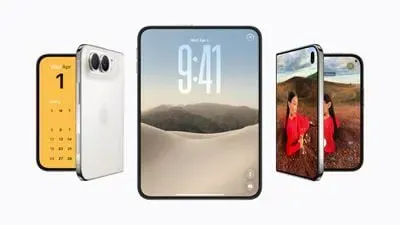
Google launches Googlebook laptops across global consumer channels? This commercial deployment has been conclusively validated as Google officially opened pre-orders on September 21, 2026, for its flagship Googlebook hardware lineup starting at $899. Built on the Android technology stack and paired with desktop foundations from ChromeOS, this new category of personal computers bridges handheld mobile software with tier-one laptop hardware. For software architects and mobile development teams, the reality that Google Launches Googlebook Laptops introduces practical considerations surrounding multi-window Activity lifecycles, cross-device task continuity, and downstream user acquisition funnels across heterogeneous displays.
Chronological Evolution and Platform Lineup
At a Glance
- Commercial hardware pre-orders opened September 21, 2026, starting at $899 across launch models built by Acer, ASUS, Dell, HP, and Lenovo, featuring dedicated NPUs exceeding 45 TOPS and 16GB memory baselines.
- The platform shifts away from legacy ARCVM virtualization by executing Android applications natively alongside desktop-class Chrome on an integrated Linux-based software foundation.
- Cross-device continuity introduces system-level task handoffs via Continue On, interactive screen streaming through Cast My Apps, and hardware-isolated developer environments powered by a Level 5 security-certified pKVM hypervisor.
From Cloud Netbooks to Native Hybrid Architecture
The introduction of Googlebook represents a strategic shift in Google’s client computing roadmap. When ChromeOS debuted in 2011, the operating system relied entirely on a web-first paradigm, treating the browser as the primary runtime environment. While this approach achieved widespread success across educational sectors due to centralized manageability, enterprise and creative adoption remained constrained by the absence of performant, offline-capable local productivity tools. Subsequent hardware demonstrations, including the 2017 Pixelbook and the 2019 Pixelbook Go, sought to address these limitations by incorporating mobile software support.
Initial implementations of Android on ChromeOS utilized containerized runtimes, which later evolved into the Android Runtime for Chrome VM (ARCVM). ARCVM placed Android behind an additional virtualization boundary relative to the ChromeOS host, executing within an isolated virtual machine. As confirmed in the official announcement on the Google Products and Platforms Blog, Googlebook replaces ChromeOS’s earlier Android compatibility approach with an Android-based desktop software foundation where Android applications run natively.
OEM Hardware Landscape and Component Specifications
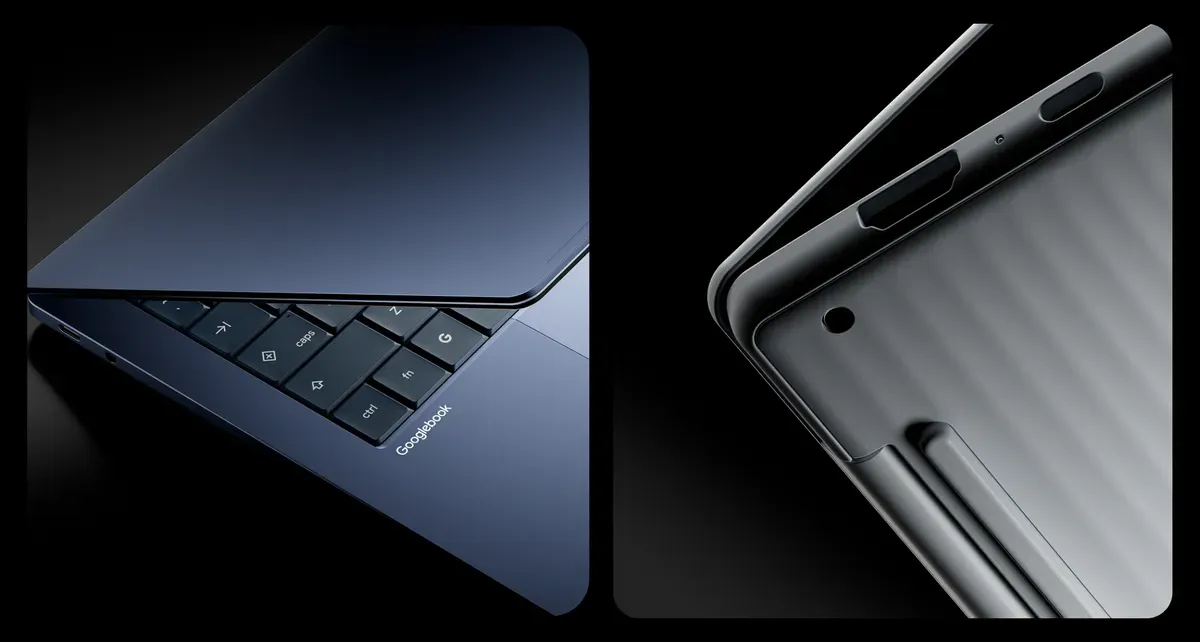
Google structured the Googlebook ecosystem as a multi-OEM standard rather than a single first-party device. According to Google’s official technical comparison specifications, the portfolio spans five distinctive form factors manufactured with premium materials—including aluminum, magnesium alloy, and carbon fiber—powered by Intel Core Ultra Series 3 (Panther Lake) and Qualcomm Snapdragon X Elite processors:
| Model Identifier | Primary Silicon Architecture | Memory & Base Storage | Display Specifications | Biometric Security | Base Price |
|---|---|---|---|---|---|
| Acer Googlebook 14 | Intel Core Ultra 5 (Panther Lake) | 16GB / 512GB SSD | 14-inch 2.8K OLED Touch (500 nits) | Fingerprint Sensor | $899 |
| Dell XPS Googlebook | Qualcomm Snapdragon X Elite | 16GB / 512GB SSD | 13.4-inch 2.5K Touch | Fingerprint Sensor | Starts at $999 |
| Lenovo Googlebook 15 | Intel Core Ultra 5 (Panther Lake) | 16GB / 512GB SSD | 15.3-inch 2.8K OLED Touch (120Hz) | Face Auth & Fingerprint | $1,099 |
| HP Googlebook 14 | Qualcomm Snapdragon X Elite | 16GB / 512GB SSD | 14-inch 2.8K OLED Touch (500 nits) | Face Auth & Fingerprint | $1,299 |
| ASUS Googlebook 14 | Intel Core Ultra 5 (Panther Lake) | 16GB / 512GB SSD | 14-inch 2.8K OLED Touch (500 nits) | Fingerprint Sensor | $1,299 |
Launch models hit store shelves in the United States on October 4, with rollouts in Canada, the United Kingdom, Ireland, France, Germany, and Australia following on October 5. Every certified chassis incorporates Google’s signature exterior Glowbar LED strip and haptic glass trackpads. Google advertises all-day battery endurance across the lineup, with manufacturer estimates varying by model between roughly 13 and 19 hours based on controlled web-browsing benchmarks.
Under-the-Hood Architecture and Viewport Dynamics
Architectural Synthesis: Android Tech Stack on ChromeOS Foundations
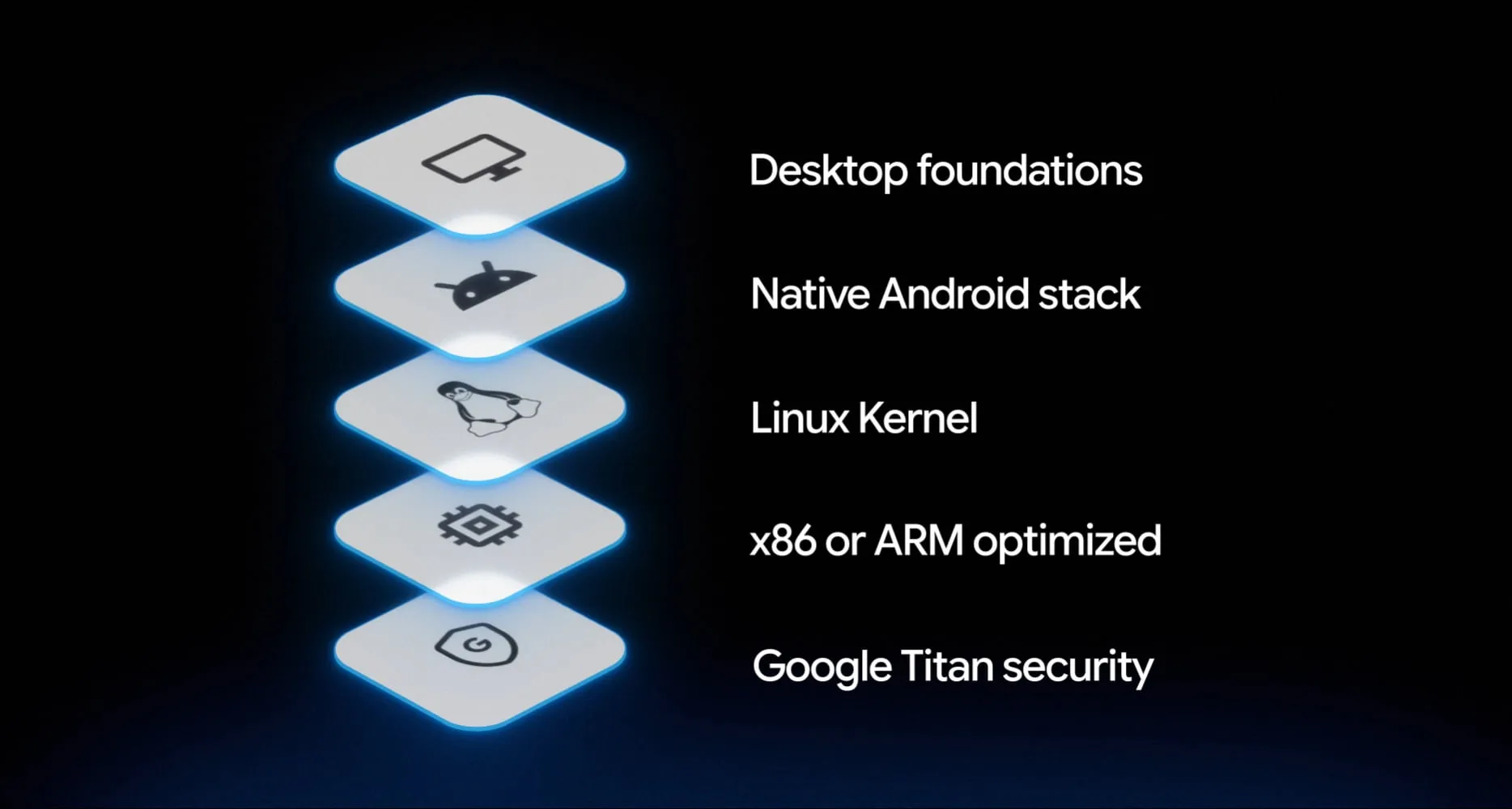
Googlebook integrates the Android application framework directly with the windowing, security, and peripheral capabilities developed for ChromeOS. Android applications execute natively across Googlebook’s supported Intel and Qualcomm hardware configurations alongside native system services.
The application ecosystem combines local Android software with desktop-class web browsing. To guide user expectations, Google’s documentation introduces three descriptive classification categories across the Google Play Store on Googlebook:
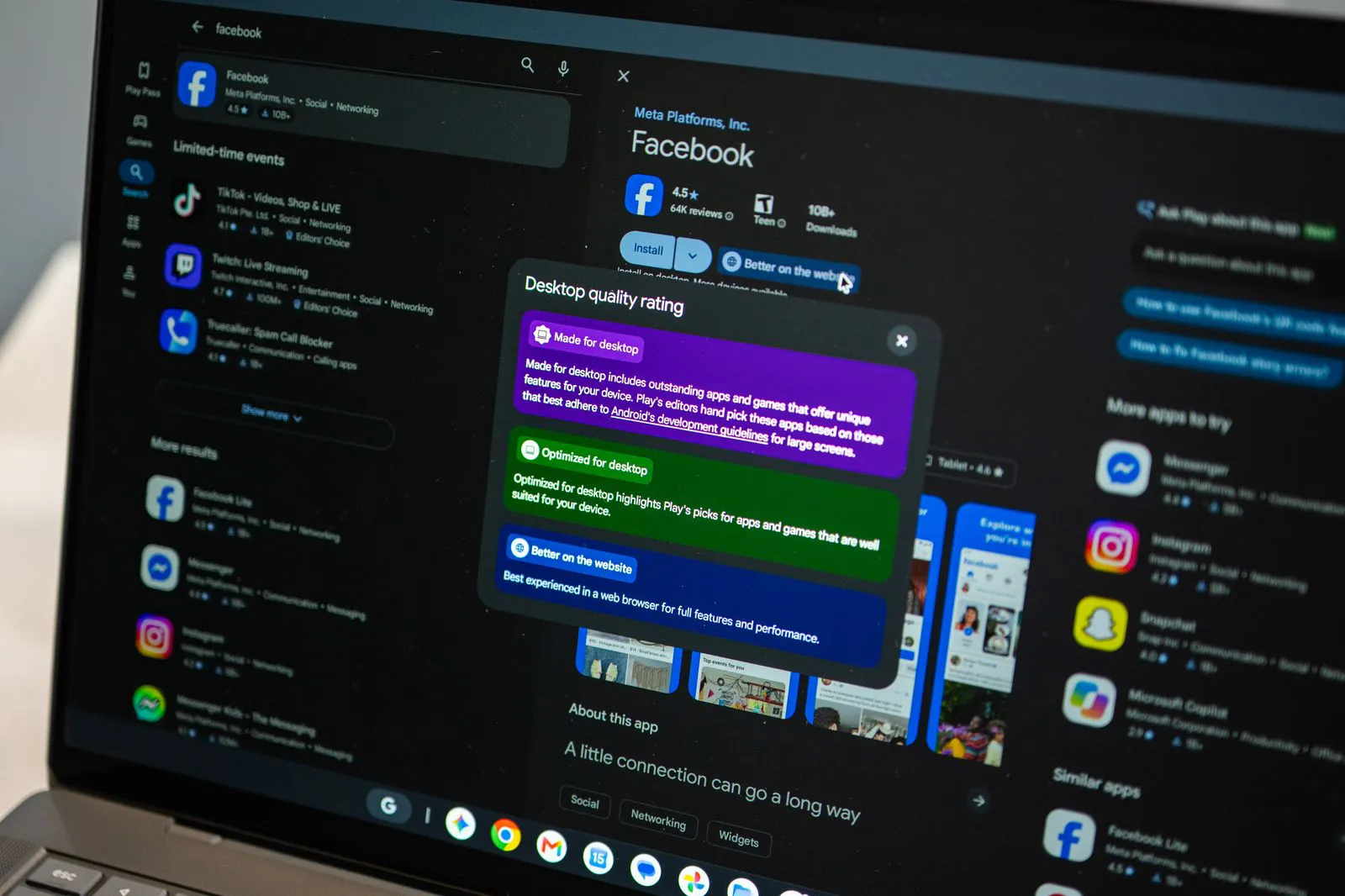
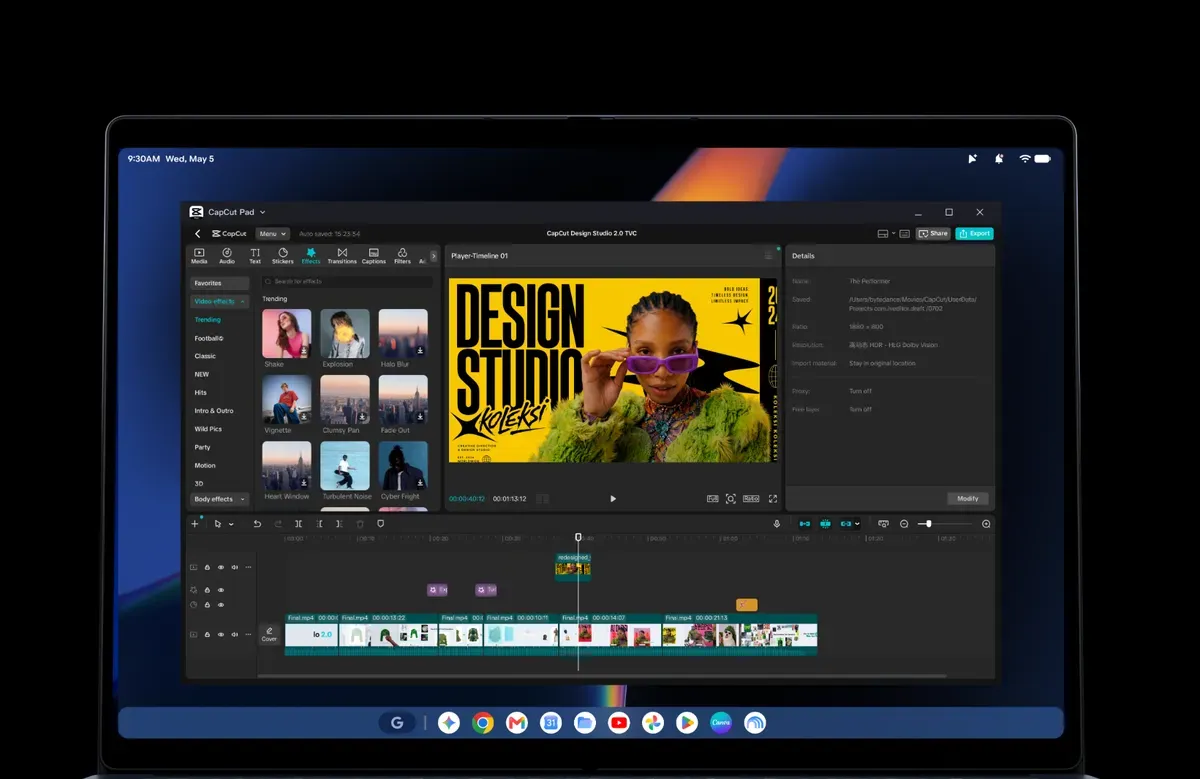
- Made for Desktop: Applications designed specifically for expansive viewports. Typical characteristics include multi-column layouts, deep hardware keyboard integration, right-click context menus, and multi-window workflows (e.g., Adobe Photoshop, CapCut, and native terminal applications).
- Optimized for Desktop: Mobile-first applications updated to support freeform dynamic window resizing, adaptive vector interfaces, and pointer-driven hover states.
- Better on the Web: Services where the responsive web interface or Chrome extension ecosystem provides a more complete desktop experience than the phone-centric mobile layout, prompting the system to suggest the web version.
Windowing Lifecycles and Viewport Dynamics
On conventional smartphones, application execution states transition predictably across foreground, background, and stopped states managed by the operating system. In contrast, Googlebook’s desktop environment allows multiple applications to remain visible, active, and dynamically resizable simultaneously.
+---------------------------------------------------------------------------------------+
|        [ CONCEPTUAL ARCHITECTURE BASED ON DOCUMENTED PLATFORM BEHAVIOR ]              |
+---------------------------------------------------------------------------------------+
|  [ Desktop Presentation & Shell Layer ]                                               |
|  * Desktop Chrome Browser (Extensions)     * Freeform Window Compositor               |
|  * Material 3 Expressive Shell Interface   * Glowbar & System UI                      |
+-----------------------------------------------------------+---------------------------+
|  [ Native Android Runtime (ART) ]                         |  [ Isolated Linux Env ]   |
|  * Native Application Process Execution                   |  * pKVM Hypervisor        |
|  * Adaptive Windowing & Configuration Handling            |  * Developer Terminal     |
|  * Shared OS Subsystems (Audio, Input, Display)           |  * CLI & Script Tooling   |
+-----------------------------------------------------------+---------------------------+
|  [ Hardened Host Platform Subsystem ]                                                 |
|  * Host Operating System Kernel & Hardware Driver Layer                               |
|  * Google Titan Security Chip & Hardware-Enforced Verified Boot                       |
|  * Protected KVM (pKVM) Core Controller & Virtualization Extensions                   |
+---------------------------------------------------------------------------------------+
Resizing a desktop application window triggers dynamic display configuration updates. By default, the Android framework may recreate the active Activity to load alternative layout resources matching the new dimensions. If an application does not properly decouple business logic from the UI presentation layer, rapid window resizing by a desktop user can cause visible UI flicker, input state resets, or unexpected runtime exceptions.
To ensure smooth desktop windowing, applications must implement robust state preservation. Engineering teams can utilize modern architectural patterns such as ViewModel state hoisting and Jetpack Compose adaptive layouts. These tools allow interfaces to adjust fluidly across size classes without relying on component destruction. While developers can elect to handle selected configuration changes manually within their manifest declarations, Android guidance stresses that preserving application state across lifecycle resets remains the foundational requirement for multi-window reliability.
Cross-Device Continuity: Task Handoff and App Streaming
Seamless interoperability between Android handsets and Googlebook laptops represents a primary focus of the platform software design. Google accomplishes this through two distinct continuity frameworks: Continue On and Cast My Apps.
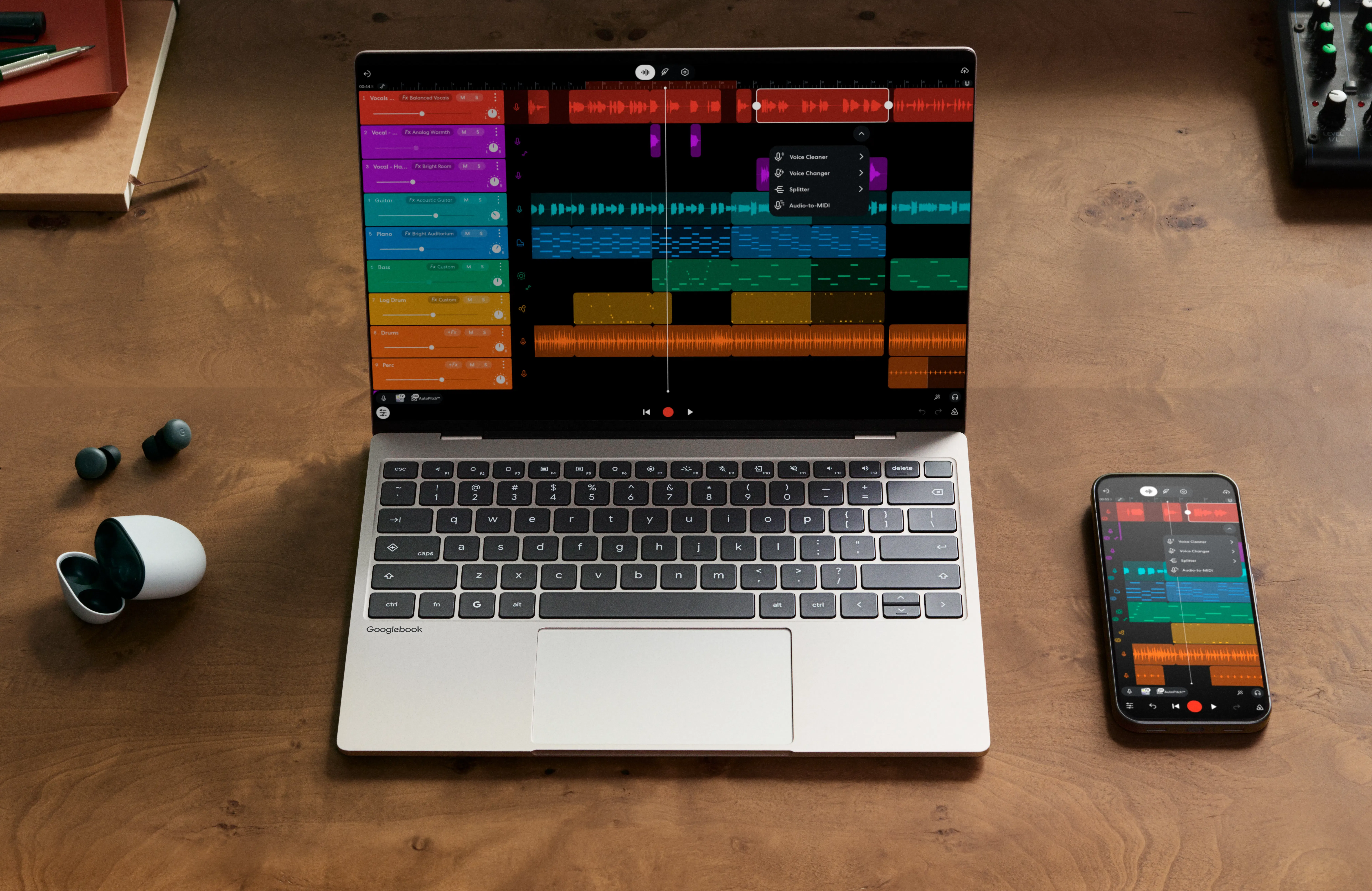
The Continue On feature enables users to transition active tasks from an Android phone directly to their Googlebook. When a supported application is running on a paired phone, the Googlebook desktop shell presents an affordance allowing the user to resume their workflow on the laptop. While Google has not publicly detailed the specific underlying transport or state-serialization protocols, documentation indicates that applications must support task resumption workflows to participate in this handoff experience.
For applications that are not natively installed on the laptop, Google provides Cast My Apps. Rather than requiring local binary deployment, this capability streams the visual interface of an app running on the user’s phone directly into a standalone desktop window, allowing interactive mouse, keyboard, and touch input without interrupting handheld background operations.
Hardware Security: pKVM Isolation and Developer Verification
Security architecture on Googlebook builds directly on the ChromeOS defense-in-depth model. Hardware security is anchored by the Google Titan cryptoprocessor, ensuring verified boot integrity from initial power-on.
A key architectural addition is the Level 5 security-certified protected KVM (pKVM) hypervisor. The pKVM hypervisor powers an isolated Linux environment with terminal access, enabling developers to execute command-line utilities, run local scripts, and manage software repositories inside a sandboxed partition. Googlebook separately includes Antigravity, Google’s AI agent development platform, enabling teams to build and test software directly on the device.
For broader application distribution, Googlebook enforces Android’s developer verification requirements for sideloaded software. Sideloading standalone APK packages requires developers to verify their identities, creating an accountability gate that helps mitigate the unvetted distribution of malicious binaries outside the Play Store ecosystem.
Engineering Guidelines and Acquisition Lifecycles
Engineering Guidelines for Large-Screen Android Applications
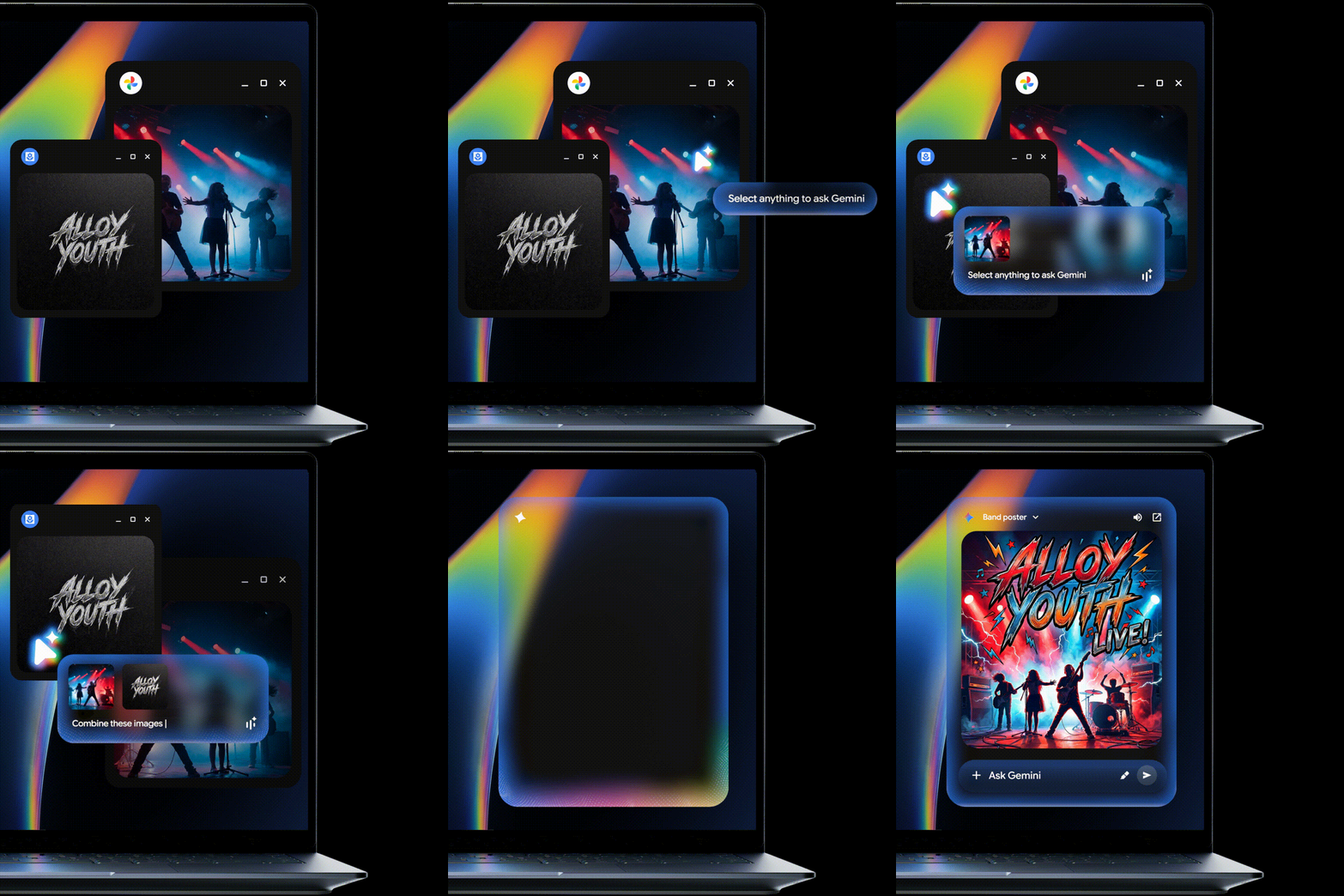
Optimizing applications for the Googlebook runtime involves designing for non-exclusive focus, variable screen geometries, and diverse input peripherals. Key implementation standards include:
- Adaptive Screen Sizing: Eliminate hardcoded portrait orientation assumptions. Modern Android platforms increasingly adapt to large-screen devices, making responsive layouts essential.
- Multi-Modal Input Handling: Support primary mouse clicks, secondary context menus, scroll wheel events, and physical keyboard shortcuts alongside touch interactions. Ensure touch targets adapt cleanly to pointer hover states.
- Lifecycle and State Resilience: Ensure view models, text inputs, and navigation stacks survive frequent configuration updates and window minimizing, preventing context loss when users switch between desktop workspaces.
Downstream Mobile Acquisition and Cross-Surface Routing
While desktop runtime continuity addresses active user sessions, user acquisition workflows represent a distinct operational layer for engineering and growth teams. When Google Launches Googlebook Laptops into mainstream commercial distribution, consumer discovery journeys will cross between desktop web browsers and native mobile environments.
Consider a standard enterprise promotion or social referral scenario: a consumer discovers a marketing campaign, promotional discount, or referral code within the desktop-class Chrome browser on a Googlebook. To redeem the incentive on a mobile handset, the desktop page provides an explicit handoff vector, such as a dynamic QR code or SMS link. The consumer transitions to their mobile smartphone, scanning the code to open an interactive mobile landing page (H5).
+---------------------------------------------------------------------------------------+
|               CROSS-SURFACE ACQUISITION & THE INSTALL BOUNDARY                        |
+---------------------------------------------------------------------------------------+
|  [ Desktop Touchpoint: Googlebook Chrome ]                                            |
|  * Campaign View / Dynamic Link Generation                                            |
|  * Encodes context payload: { utm_source: "desktop_promo", ref: "USER_A", room: 808 } |
+-------------------------------------------+-------------------------------------------+
                                            |
                                            | User transitions via QR / SMS handoff
                                            v
+---------------------------------------------------------------------------------------+
|  [ Target Handset Web Touchpoint: Mobile Browser ]                                    |
|  * Target Phone opens mobile landing page (H5)                                        |
|  * Client script registers mobile device context attributes & campaign parameters     |
+-------------------------------------------+-------------------------------------------+
                                            |
                                            v
+---------------------------------------------------------------------------------------+
|  [ Mobile Installation Evaluation on Target Phone ]                                   |
+---------------------+-------------------------------------+---------------------------+
                      |                                     |
         [ App Present ]                       [ App Not Installed ]
                      |                                     |
                      v                                     v
  Standard Deep Link Execution              The Platform Install Boundary
  * Universal Links / App Links             * Redirect to Google Play Store / App Store
  * Direct intent resolution to in-app target * Binary download & package installation
  * Full session continuity preserved       * Application launched for first time
                                                            |
                                                            v
                                            Post-Install Context Deficit
                                            * Standard deep links cannot bridge install
                                            * Google Play Install Referrer passes referral
                                              strings, but arbitrary web context is lost
                                            * Clipboard access subject to OS permissions
                                                            |
                                                            v
                                            Deferred Context Recovery Framework
                                            * Mobile SDK queries cached context on startup
                                            * Matches first launch to pre-install mobile H5
                                            * Restores custom parameters automatically
+---------------------------------------------------------------------------------------+
When the user already has the corresponding application installed on their handheld device, platform-standard protocols resolve this transition smoothly. Operating systems evaluate App Links or Universal Links, launching the local application directly into the destination Activity.
The architectural challenge emerges when the mobile application is not yet installed on the secondary device. In this event, the routing chain encounters the platform Install Boundary.
Resolving the Install Boundary Across Heterogeneous Surfaces
Upon encountering an uninstalled state, the mobile landing page redirects the user to the Google Play Store or Apple App Store. Standard App Links and Universal Links do not by themselves preserve arbitrary web-navigation context through an installation flow. While the Google Play Install Referrer API enables applications to retrieve custom referral strings (referrer=...) passed through the store URL, standard web session payloads, complex nested routing structures, and non-Play Store installation flows do not have a general platform-native mechanism equivalent to passing arbitrary browser state directly into first launch. Without an explicit post-install context-recovery mechanism, the app cannot reconstruct arbitrary pre-install web navigation state from the original deep link alone.
Engineering teams addressing this context deficit generally evaluate two implementation methodologies:
In-House Infrastructure Development
Teams attempting to construct bespoke parameter recovery pipelines typically deploy web tracking scripts on the mobile landing page. These scripts collect client-side device attributes upon page visits, storing these attributes alongside campaign tokens in a central database. Upon subsequent application launch, the native client executes a network request transmitting mobile device parameters to search for matching sessions within a designated time window.
While conceptually direct, custom-built matching infrastructures introduce engineering overhead:
- Heuristic Degradation: Fluctuating network topologies (such as shifting from home Wi-Fi to cellular data during binary downloads) can degrade matching accuracy between the mobile web click and the app cold launch.
- Lifecycle Delay Risks: Querying unoptimized internal backends during cold application launches can introduce network latency, degrading first-launch responsiveness and the onboarding experience.
- Privacy Sandbox Incompatibility: Modern mobile operating systems continuously restrict access to static hardware identifiers, requiring ongoing updates to internal heuristic algorithms.
Standardized Protocol Implementations
To minimize infrastructure friction, engineering organizations frequently integrate mature client-side software development kits engineered specifically for deferred parameter pass-through. Commercial deferred-linking platforms use different underlying implementations to bridge this gap. In Opoinstall’s documented architecture, the parameter pass-through sequence operates through a structured multi-stage flow:
- Mobile Context Registration: When the mobile download landing page initializes within the smartphone browser, the integrated web script captures dynamic URL parameters (such as referral IDs, channel codes, or deep-link destinations) along with vendor-documented device and context attributes, uploading them to OpoInstall’s server-side parameter store.
- Store and Download Routing: Depending on the configured distribution flow and supported browser environment, the platform can route users toward the relevant store or installation path while reducing unnecessary manual handoff steps.
- First-Launch Context Restoration: Upon initial launch on the target device, the native SDK queries the OpoInstall service for eligible cached parameters before completing user onboarding. In scenarios where non-managed downloads are utilized, the engine couples server-assisted contextual matching with optional clipboard assistance where permitted by platform policy, retrieving dynamic parameters without forcing manual code entry.
// Illustrative Integration Pattern: Deferred Parameter Recovery
public class CoreApplication extends Application {
    @Override
    public void onCreate() {
        super.onCreate();

        // Initialize distribution runtime
        OpoInstall.initialize(this);
    }
}

public class SplashActivity extends AppCompatActivity {
    @Override
    protected void onCreate(Bundle savedInstanceState) {
        super.onCreate(savedInstanceState);
        setContentView(R.layout.activity_splash);

        // Retrieve deferred installation parameters across the Install Boundary
        OpoInstall.getInstance().getInstallParam(new ResultCallBack<OpoData>() {
            @Override
            public void onResult(OpoData data) {
                if (data != null && data.getData() != null) {
                    // Extract custom referral codes or routing paths
                    String targetRoute = data.getData();
                    String channelIdentifier = data.getChannelCode();

                    navigateToTargetContext(targetRoute, channelIdentifier);
                } else {
                    navigateToDefaultHome();
                }
            }

            @Override
            public void onError(OpoError error) {
                // Graceful fallback to standard onboarding flow
                navigateToDefaultHome();
            }
        });
    }

    private void navigateToTargetContext(String route, String channel) {
        Intent intent = new Intent(this, DestinationActivity.class);
        intent.putExtra("param_route", route);
        intent.putExtra("param_channel", channel);
        startActivity(intent);
        finish();
    }
}
By decoupling interface rendering from parameter resolution, applications maintain responsive initialization while preserving campaign context. Engineering teams evaluate these deployment models based on internal maintenance capacity, concurrency requirements, and attribution accuracy targets.
Frequently Asked Questions (FAQ)
Will existing Android apps run on Googlebook without redesigning their UI?
How does Continue On differ from traditional cloud synchronization?
How do engineering teams maintain referral parameters across desktop-to-mobile acquisition?
Practical Implications & Future Outlook
The launch of the Googlebook platform demonstrates that client-side software execution is shifting away from isolated device form factors toward unified platform ecosystems. By establishing a shared software foundation across handsets and laptops, Google has created an operational environment where software architecture decisions directly influence cross-surface performance.
For engineering organizations, this ecosystem shift demands an evolution in how application architectures are designed and sustained. Mobile development teams can no longer construct software under the assumption of dedicated portrait touchscreens and isolated local runtimes. Viewport dynamics, hardware input abstraction, and asynchronous task continuity now form baseline prerequisites for modern client engineering.
Simultaneously, marketing and product growth architectures must adapt to increasingly fluid cross-device user behaviors. As consumers alternate between desktop web sessions and native mobile applications, preserving session context across the platform Install Boundary becomes essential to maintaining conversion velocity. Engineering teams that proactively modernize their responsive UI pipelines and implement robust deferred deep linking frameworks will reduce context loss and user onboarding friction as desktop and mobile boundaries converge.
References
Share this article