Google Ships 4K Gemini Omni? Google DeepMind has officially launched Gemini Omni 1.1 Flash, bringing professional-grade creative controls, scene extensions up to 40 seconds, and 4K upscaling to production environments. As multimodal generative models transition into production-ready video systems, programmatic creative production is experiencing rapid acceleration. Historically, high-quality video advertising required intensive manual production pipelines, restricting campaigns to a handful of broad creative variants. Today, because multimodal models can generate, edit, and upscale cinematic sequences directly through API calls, marketing pipelines are shifting toward high-volume, automated video distribution.
Production-Ready Creative Controls: What Gemini Omni 1.1 Flash Brings to Developers
At a Glance
- Google DeepMind released Gemini Omni 1.1 Flash on August 27, 2026, introducing 10-second lookback context for scene continuity and 4K output upscaling.
- A dedicated 360p draft tier provides a faster, lower-cost preview option for rapid prototyping before committing to full-resolution renders.
- Major creative platforms, including Adobe Firefly, Figma Weave, GMI Cloud, and Runway, have integrated the model into production editing environments.
The economics of video creation are transforming as generative systems reach commercial maturity. For decades, video advertising remained the most resource-intensive marketing channel. Marketing teams spent weeks scripting, filming, and editing a single campaign asset. This high production barrier forced advertisers to deploy generic creatives across broad audience segments, relying on general demographic targeting rather than personalized visual messaging.
With the launch of production-ready video models, video creation is transitioning into an automated software workflow. According to the official Google DeepMind launch announcement, Gemini Omni 1.1 Flash introduces granular creative controls through the Gemini API in Google AI Studio and the Gemini Enterprise Agent Platform. Platforms can now programmatically generate contextual video variations tailored to specific user cohorts, regional preferences, and immediate trending topics.
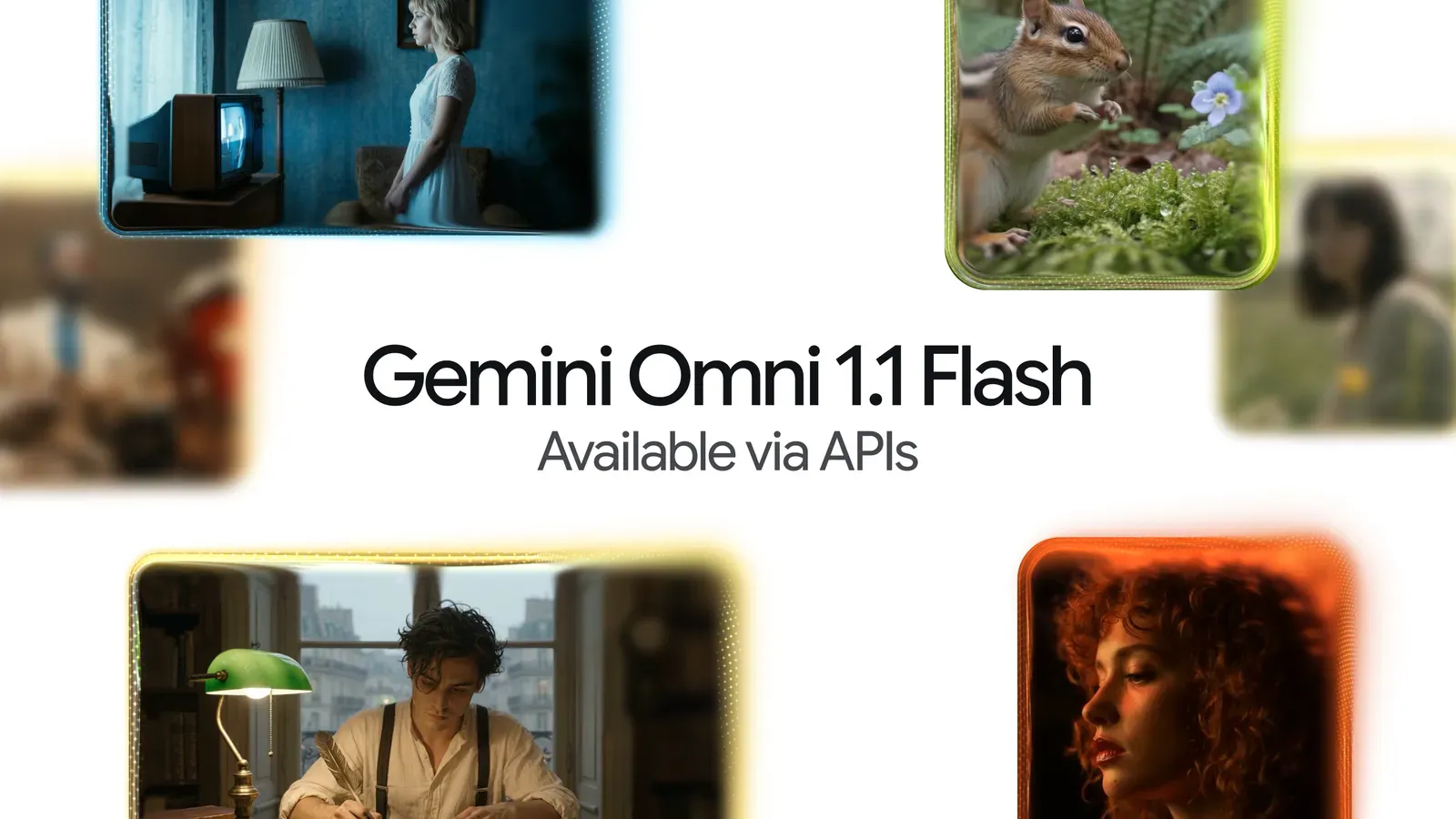
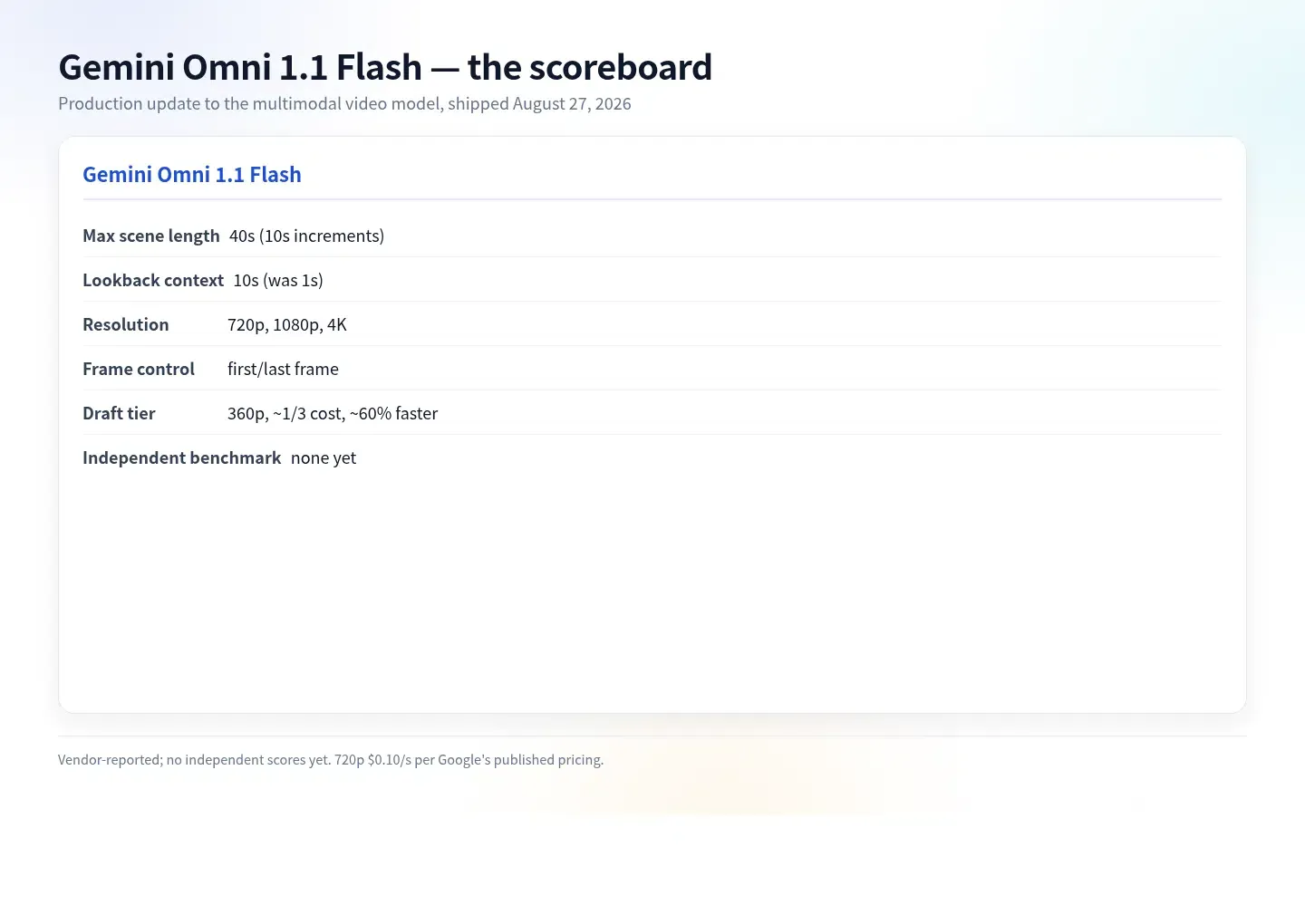
This operational evolution explains why Google Ships 4K Gemini Omni represents a major milestone for marketing infrastructure. The model addresses core continuity limitations that previously hindered commercial deployment. Earlier video models referenced only the final second of footage during extensions, leading to noticeable visual drift across sequential cuts. As documented in the Gemini API Release Notes, the 1.1 update expands lookback context to 10 seconds and allows cumulative extensions up to 40 seconds. Simultaneously, the introduction of a 360p drafting tier allows creative teams to explore concepts at reduced credit costs before authorizing high-resolution outputs.
Technical Deep Dive: 10-Second Context Windows, Frame Interpolation, and 4K Upscaling
At the architectural level, Gemini Omni 1.1 Flash functions as a multimodal system that accepts text, image, audio, and video inputs within a unified pipeline. The underlying design parameters are outlined in the Google DeepMind Model Card, which defines its multimodal input reasoning and video generation capabilities.
As detailed in the Gemini Omni Developer Guide, the release formalizes several production capabilities:
- 10-Second Lookback Conditioning: When extending an existing clip, the model evaluates up to 10 seconds of prior context, helping improve character consistency, lighting stability, and motion trajectory across 10-second extension chunks.
- First and Last Frame Interpolation: Developers can specify the starting and ending keyframes of a shot, allowing the model to generate continuous video in between to create camera orbits, zoom transitions, and seamless loops.
- Multimodal Video References: Creators can supply up to 3 seconds of reference video to guide character appearance, costume details, and stylistic movement.
- Resolution Scaling: The API supports a tiered rendering ladder, offering 360p for rapid previews, standard 720p outputs, and post-generation upscaling to 1080p and 4K resolutions, as cataloged on the Gemini Omni Model Page.
The diagram below illustrates how programmatic video generation pipelines interface with downstream acquisition channels:
[Generative Creative Pipeline]
  Prompt / Multimodal Inputs ──> Gemini Omni 1.1 Flash (360p Draft ──> 4K Upscale) ──> Export Video Asset

[Downstream Acquisition Path]
  Tagged Campaign URL ──> Social Ad / In-App Video ──> Store Install Boundary ──> First App Launch
When growth teams generate hundreds of dynamic video variations, managing the relationship between individual creatives and campaign performance becomes an engineering priority. If an acquisition campaign directs traffic from an external video ad to a mobile app store, the destination app may need to recover specific campaign parameters upon first launch to evaluate which creative variant drove the conversion.
Build vs. Buy: Managing Campaign Parameters Across Scale-Generated Video Ads
As generative video pipelines allow marketing teams to produce thousands of tailored ad variants, preserving campaign context across installation boundaries requires structured tracking infrastructure. When a user views a personalized video ad in a social feed and proceeds to download an application, standard browser-side context is often absent across the app store boundary. Engineering teams evaluating how to preserve campaign metadata across this transition face a choice between building internal state-mapping services or adopting specialized attribution platforms.
Architectural Evaluation: Custom Build vs. Standardized SDK
Constructing an in-house attribution engine requires engineering teams to build custom link-shortening services, manage session-matching databases, and maintain mobile SDK integrations across operating system updates. While this approach grants complete internal control, it introduces ongoing engineering overhead. Conversely, deploying a specialized, pre-built SDK provides immediate cross-platform parameter preservation and reduces the amount of custom infrastructure teams need to maintain.
The table below outlines how different attribution methodologies handle campaign context across the mobile installation boundary:
| Solution | Platform Coverage | Install-Boundary Context | Engineering Ownership | Maintenance Burden | Best Fit |
|---|---|---|---|---|---|
| In-house Session Matching | Custom (Android/iOS) | Supported via Custom Backend | Complete Internal Control | High (Ongoing Maintenance) | Specialized enterprise architectures with dedicated tracking teams |
| Standard Store Links | Native App Stores | No generic custom parameter restoration | Zero Maintenance | None | Simple acquisition campaigns where creative-level tracking is not required |
| Deferred Deep Linking SDK | Multi-Platform (Android/iOS/Web) | Supported via Parameter Restoration | Managed via Standard SDK | Low (Pre-built Integration) | High-volume mobile campaigns testing numerous creative variations |
Commercial platforms, including Adjust, AppsFlyer, Branch, and OpoInstall, provide dedicated parameter pass-through frameworks. For instance, OpoInstall documents server-assisted parameter restoration workflows in which eligible campaign or referral parameters can be recovered by the Android or iOS SDK after installation. If the advertiser includes a creative identifier or campaign parameter in the initial link, the destination application can retrieve the restored eligible parameter through the supported SDK workflow to configure the intended onboarding flow, supporting more consistent measurement continuity across marketing channels.
Integration Checklists: Operationalizing Generative Video in Marketing Pipelines
To successfully operationalize high-volume generative video pipelines, engineering and growth teams can establish structured integration workflows that align creative generation with downstream measurement.
Developer Implementation Checklist
- Integrate Programmatic Video APIs: Connect automated rendering scripts to the Gemini API using the official Google GenAI client library.
from google import genai

client = genai.Client()

interaction = client.interactions.create(
    model="gemini-omni-1.1-flash",
    previous_interaction_id=previous_video_interaction.id,
    input=[
        {"type": "text", "text": "Continue the scene."}
    ],
    response_format={
        "resolution": "360p",
    },
)
- Deploy Dynamic Parameter Passing: Ensure that each generated video asset is paired with an automated tracking URL containing relevant creative and cohort metadata.
- Implement Client-Side Context Retrieval: Configure the destination application SDK to check for restored campaign parameters upon initial launch to support contextual onboarding flows.
Product & Growth Strategy Checklist
- Structure 360p Prototyping Workflows: Encourage creative teams to test video concepts in 360p draft resolution before authorizing full 4K render budgets.
- Establish Cohort-Level Attribution Maps: Group generative video variants by visual theme, pacing, and narrative hook to evaluate performance trends rather than isolated ad IDs.
- Audit Deep Link Paths: Verify landing page and deferred deep linking flows across multiple mobile environments to confirm parameter continuity.
By pairing automated video production with robust parameter-passing architectures, organizations can scale their creative output while maintaining granular visibility over user acquisition metrics.
Frequently Asked Questions (FAQ)
How does Gemini Omni 1.1 Flash improve video continuity compared to earlier versions?
What is the cost difference between the 360p drafting tier and full-resolution renders?
When is deferred deep linking useful for AI-generated video campaigns?
Key Takeaways for Engineering Teams
The transition of video production from manual filming to programmatic API generation marks a significant expansion in digital marketing capabilities. As multimodal models make high-resolution, controllable video production accessible at volume, creative production may become less of a constraint on campaign velocity.
To capitalize on this technological shift, engineering and growth teams may benefit from connecting creative-generation metadata with downstream campaign measurement when AI-generated assets are used in performance acquisition. Implementing structured drafting workflows, dynamic parameter pass-through frameworks, and robust server-assisted session handling will help organizations scale visual storytelling while maintaining clear visibility into campaign performance.
References
-
Google DeepMind. Build with Gemini Omni 1.1 Flash. https://blog.google/innovation-and-ai/technology/developers-tools/build-with-gemini-omni-1-1-flash/
-
Google AI for Developers. Gemini API Release Notes. https://ai.google.dev/gemini-api/docs/changelog
-
Google AI for Developers. Generate and Edit Videos with Gemini Omni Flash. https://ai.google.dev/gemini-api/docs/omni
-
Google AI for Developers. Gemini Omni Flash Model Overview. https://ai.google.dev/gemini-api/docs/models/gemini-omni-flash
-
Google DeepMind. Gemini Omni Flash Model Card. https://deepmind.google/models/model-cards/gemini-omni-flash/
Share this article



