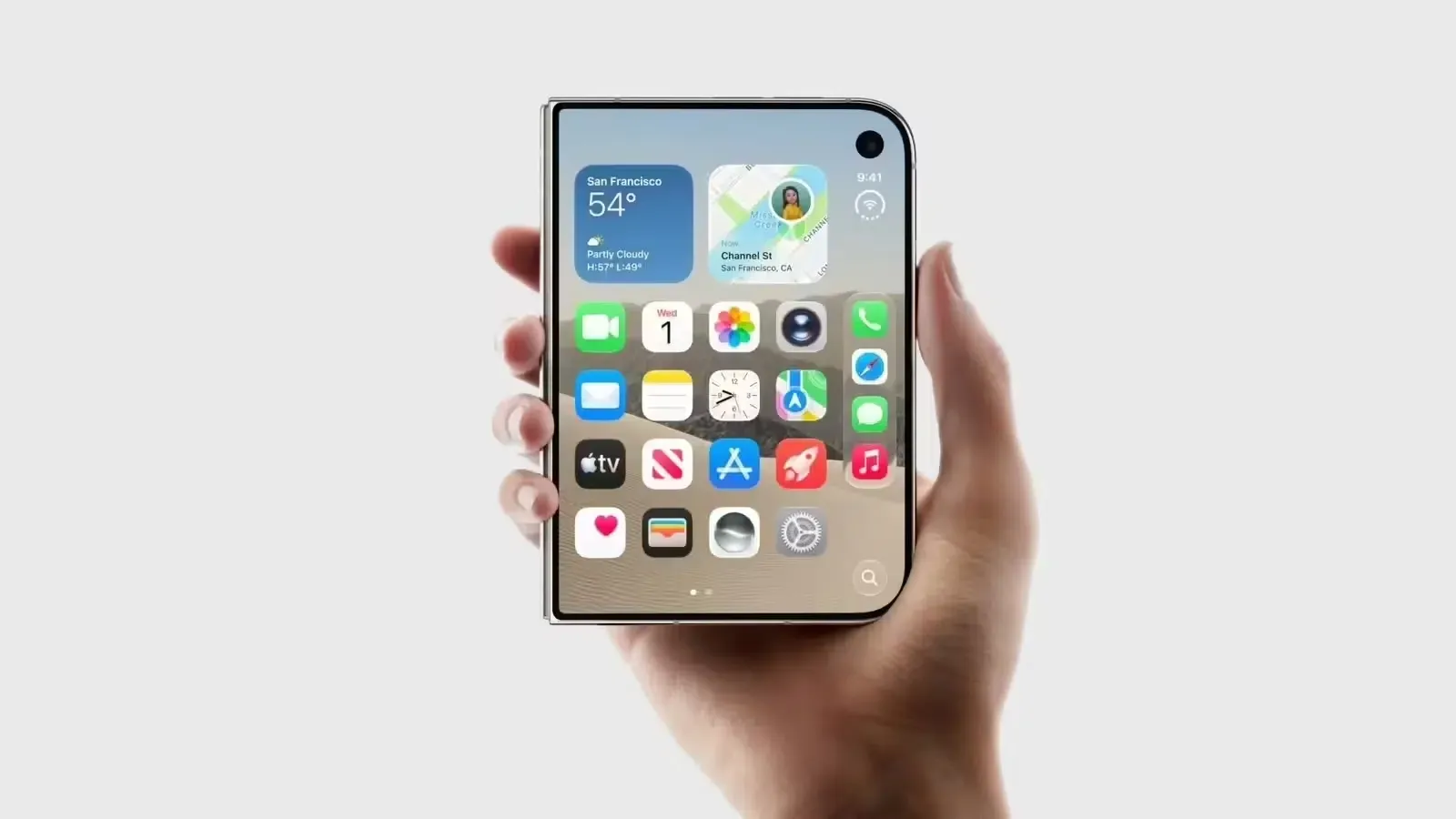
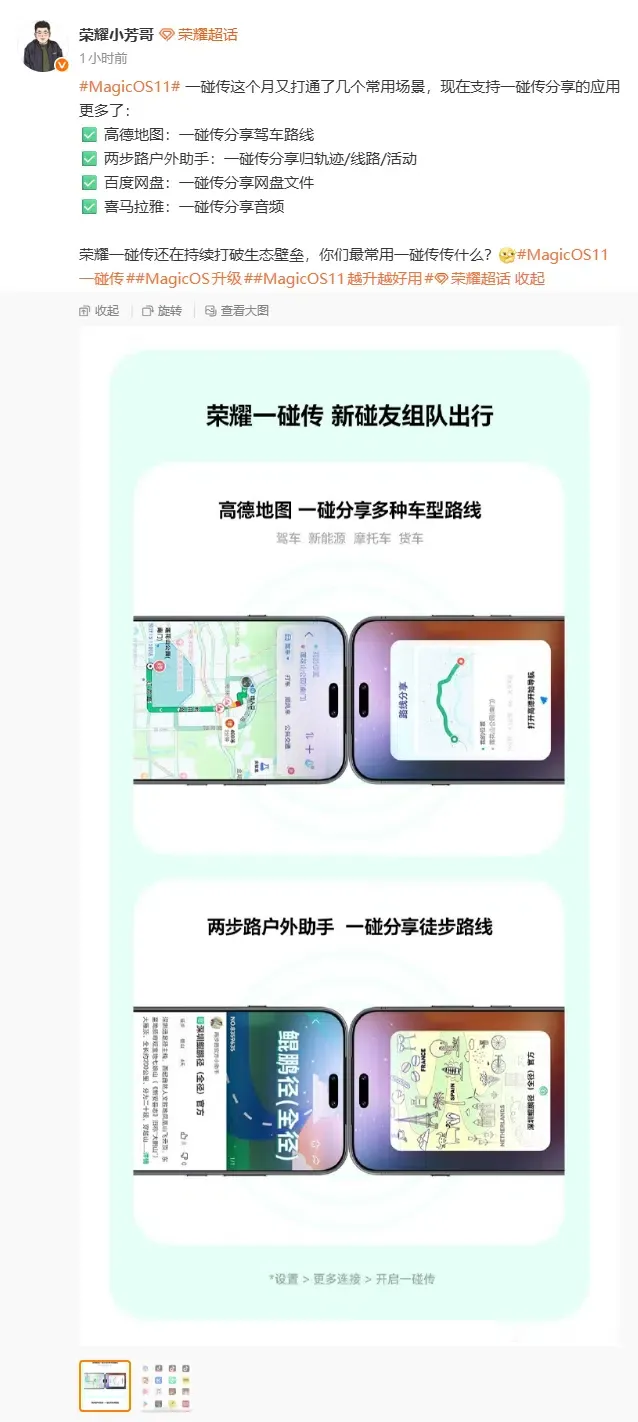
Honor MagicOS 11 Tap-to-Share Adds Amap and Baidu Files? On October 26, 2026, Chinese technology outlets highlighted Honor MagicOS 11’s expanded Tap-to-Share support for third-party applications—including driving routes in Amap, outdoor trails and activities in 2bulu Outdoor Assistant, Baidu Netdisk cloud files, and audio programs in Ximalaya—integrations that had already been outlined in Honor’s earlier October upgrade plan published on September 30, 2026. According to the Honor MagicOS 11 official product page and October 26 reports from ITHome and Fast Technology, the feature now covers more than 60 applications, allowing compatible phones to share content with a physical tap rather than manually copying and forwarding links. However, actual behavior depends on device hardware, operating system compatibility, companion software requirements, and per-app adaptation boundaries.
Confirmed Scenarios and Rollout Timeline in Honor MagicOS 11 Tap-to-Share
At a Glance
- Rollout Timeline and Highlighted Scenarios: While highlighted by media outlets on October 26, 2026, the integrations for Amap driving routes, 2bulu outdoor tracks and activities, Baidu Netdisk cloud files, and Ximalaya audio were previously listed in Honor’s MagicOS 11 October upgrade plan published on September 30, 2026.
- Over 60 Supported Applications: Honor’s official MagicOS 11 materials confirm support for more than 60 third-party applications across video playback, route sharing, game teaming, documents, and coupons.
- Distinct Cross-Device Requirements: Honor-to-Honor app sharing, compatible cross-brand Android transfers (OPPO, vivo, Xiaomi), iPhone transfers via Honor Connect, and Mac transfers via Honor Super Workstation operate under separate software and network conditions.
Rather than representing a single-day surprise launch on October 26, the latest coverage from ITHome and Fast Technology reflects Honor’s ongoing October rollout, which was first detailed in the MagicOS 11 October upgrade plan published on September 30, 2026. In this rollout, Honor’s product maintenance team emphasized four high-frequency third-party application scenarios:
- Amap (AutoNavi): Sharing driving navigation routes via a physical device tap.
- 2bulu Outdoor Assistant: Sharing outdoor hiking tracks, planned routes, and group activities.
- Baidu Netdisk: Sharing Baidu Netdisk cloud files directly between users.
- Ximalaya: Sharing audio tracks and podcast programs.
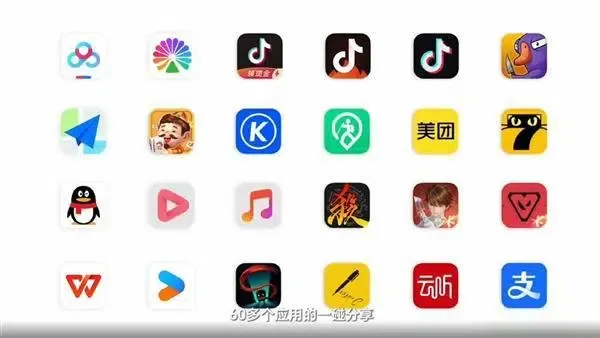
These additions join a broader catalog of more than 60 adapted applications promoted on the Honor MagicOS 11 official site, including Douyin, Kugou Music, Meituan, Alipay, WPS Office, SanGuoSha, Bilibili, Kuaishou, Xiaohongshu, and Taobao. Across these supported scenarios, touching two compatible phones together initiates a transfer for videos, music, documents, coupons, game team invitations, or payment workflows without requiring the sender to copy a link and switch to a chat application.
Separating Confirmed Device Compatibility from Undisclosed Internal Protocols
When evaluating Honor MagicOS 11 Tap-to-Share from an engineering standpoint, developers must separate two things: the user-visible device and companion-app rules confirmed by Honor’s official documentation, and the internal cross-device transfer and receiver-side routing protocols, which Honor has not publicly disclosed.
Device Interoperability Scopes and Companion Software Requirements
Public documentation from Honor and the October upgrade reports show that Tap-to-Share does not provide identical third-party app experiences or use the same companion software across all device combinations:
- Honor Smartphones and Tablets (MagicOS 11 Native Scope): Participating Honor devices must enable Tap-to-Share according to their hardware and MagicOS 11 system requirements. The 60+ third-party app scenarios—such as sharing Amap driving routes, Baidu Netdisk cloud files, videos, or game lobby invitations—are designed for supported Honor devices. Even on MagicOS 11, some older models face hardware limitations and cannot support the full suite of Tap-to-Share features, and sharing within a supported app only works on specific screens that the app developer has adapted.
- Cross-Brand Android Transfers (OPPO, vivo, Xiaomi): Both the September 30 upgrade plan and the October 26 reports state that MagicOS 11 supports cross-brand sharing with compatible OPPO, vivo, and Xiaomi phones without installing an extra standalone transfer app, provided the receiving phone’s operating system supports the compatible peer-to-peer protocol. Public materials do not claim that all 60+ app-specific object handoffs operate identically across third-party Android brands.
- iPhone and Mac Transfers (Separate Apple Companion Apps and Conditions): As documented on the Honor Connect official overview and the Honor Tap-to-Share support guide, iPhone and Mac transfers do not use the same companion software or connection rules. Transferring files and media with an iPhone requires installing the Honor Connect app on the iPhone and enabling required permissions such as Bluetooth, covering supported data types including photos, Live Photos, videos, files, and contacts. By contrast, interacting with a Mac requires installing the Honor Super Workstation application on macOS and typically relies on local area network (LAN) and Honor Account conditions rather than matching phone-to-phone tap behavior. Neither Apple interoperability path is documented as transferring internal third-party app states (such as restoring an active Amap navigation session directly inside an iPhone app).
Functional Workflow vs. Undisclosed Implementation Details
While the Honor Tap-to-Share support guide confirms that NFC sensing initiates the proximity handshake on supported mobile devices, Honor has not published a public developer specification detailing how third-party business objects (such as an Amap route or a Baidu Netdisk cloud file reference) are serialized and dispatched on the receiving device.
In mobile systems engineering, sharing content, opening a target application, and restoring an exact in-app view are three distinct technical outcomes. Depending on the app and OS implementation, a tap-to-share integration could use private structured messages between the app and MagicOS, vendor-defined object identifiers, direct file transfer opened by the target app, dedicated IPC services, or URI/Intent routing. The conceptual flow below separates what is publicly confirmed from what remains undisclosed:
[Confirmed: User Selects Supported Content in an Adapted App on MagicOS 11]
                                  │
                                  ▼
[Confirmed: Physical Tap Triggers Honor Tap-to-Share Proximity Service]
                                  │
                                  ▼
[Implementation Undisclosed: Cross-Device Transfer — Internal Protocol Undisclosed]
 (Could involve vendor IPC, structured object IDs, file handoff, or URIs)
                                  │
                                  ▼
[VERIFY: Receiver-Side Content Handling — Implementation Not Verified]
                                  │
                                  ▼
[VERIFY: Content Presentation / App Opening / View Restoration — Case Dependent]
(Note: This diagram represents a functional model and does not depict a publicly disclosed internal protocol call sequence from Honor.)
Proximity Sharing vs. Standard HTTPS Deep Linking Responsibilities
Because MagicOS 11 Tap-to-Share is designed for face-to-face physical proximity on supported hardware, mobile engineering teams also evaluate link-based architectures for remote sharing across chat apps, SMS, email, and unsupported hardware. The four-column comparison below distinguishes Honor’s OS proximity handoff, standard Android App Links and Apple Universal Links, generic deferred deep linking, and app-level link sharing built with OpoInstall:
| Capability Dimension | Honor MagicOS 11 Tap-to-Share (OS Proximity Handoff) | Standard App Links / Universal Links | Generic Deferred Deep Linking (Concept) | App-Level Link Sharing Built with OpoInstall |
|---|---|---|---|---|
| Primary Trigger | Physical device-to-device tap in close proximity | Clicking a verified HTTPS URL in a message, browser, or QR scan | Clicking a routing link prior to app installation | Opening a developer-generated HTTPS share link or QR code |
| Core Responsibility | Near-field trigger and supported cross-device content transfer | Opening an already-installed app to a configured route via verified domains | Recovering eligible parameters during supported post-install launches | Passing custom content IDs and recovering eligible install context for the developer’s own app |
| What It Does Not Do | Does not guarantee arbitrary URL routing, universal cross-OS app state, or post-install recovery | Does not automatically provide App Store redirection or post-install context restoration | Does not control NFC hardware, OEM proximity handshakes, or third-party app permissions | Does not replace Honor NFC protocols or access another provider’s private app data |
| Uninstalled App Handling | Undisclosed for third-party app objects; depends on receiver OS | OS opens the HTTPS URL in the browser for the website to handle | Website or link service guides the user to an app store and attempts parameter matching | Routes to a web or store flow and recovers eligible parameters on first open when platform rules permit |
Can Developers Build Similar Content-Sharing Experiences with Deep Linking?
Honor’s MagicOS 11 Tap-to-Share demonstrates a useful consumer experience: one user can share a specific piece of in-app content with another user without manually copying a link. However, this does not mean that proximity-based system integration is the only way to deliver users to the same kind of content.
For developers building their own mobile applications, a link-based architecture offers an alternative approach. An app can generate a shareable HTTPS URL containing a content identifier, such as a route ID, document reference, audio episode ID, or invitation token. The recipient can open that link through a messaging app, email, social platform, or QR code.
If the receiving app is installed and correctly configured for Android App Links or Apple Universal Links, the application can resolve the incoming identifier and navigate to the intended screen. The application remains responsible for validating the identifier, checking access permissions, retrieving the content, and rendering the appropriate view.
[Developer-Owned App Content (Route ID / Document Ref / Audio ID)]
                               │
                               ▼
[Generate Shareable HTTPS Link or QR Code with Content Identifier]
                               │
                               ▼
[Share Remotely or Locally via Chat / QR Code / Social / Email]
                               │
                               ▼
            [Link Handling & Eligible Parameter Passing]
                 ┌─────────────┴─────────────┐
                 ▼                           ▼
   [App Already Installed]         [App Not Yet Installed]
    Open App Target View            Web / App Store Flow
                 │                           │
                 │                           ▼
                 │             [Conditional Deferred Deep Linking]
                 │              (Subject to Platform & SDK Rules)
                 └─────────────┬─────────────┘
                               ▼
   [Developer's App Validates Permissions & Loads Target Content]
(Note: This diagram illustrates an independent, developer-built link-sharing architecture and does not represent Honor’s internal Tap-to-Share implementation.)
Where OpoInstall Fits into Link-Based Content Sharing
For supported mobile sharing, acquisition, and onboarding journeys, OpoInstall provides deep-linking and deferred deep-linking capabilities that can help applications pass contextual parameters into the native app.
For recipients who already have the application installed, a supported deep-link workflow can deliver the relevant content identifier to the application’s routing logic.
For recipients who do not yet have the application, a separately configured web or app-store journey can introduce deferred deep linking. Where platform rules, SDK configuration, and available matching signals permit, eligible parameters may be recovered when the newly installed application first opens.
These capabilities do not guarantee that every installation will restore its original parameters. Nor do they allow an application to access another provider’s private content without the necessary authorization.
Unlike Honor’s proprietary Tap-to-Share functionality, OpoInstall does not provide the hardware proximity handshake or control MagicOS’s cross-device transfer protocol. Instead, it supports a distinct application-level approach to delivering shareable content and preserving eligible link context across supported mobile journeys.
Choosing Between Proximity Sharing and Link-Based Sharing
Developers can treat these approaches as complementary rather than interchangeable. Proximity sharing is suited to face-to-face interactions between compatible devices with supported app integrations. Link-based sharing can support remote recipients, different device brands, and users who do not already have the relevant application installed.
A well-designed mobile application may support both approaches while keeping the underlying content identifiers, authorization checks, and navigation rules consistent.
Practical Engineering Checklist for Multi-Channel Content Sharing
Mobile product and engineering teams can apply the following testable practices when supporting both OS-level proximity features and app-level link sharing:
Vendor-Specific Proximity Integration
- Follow Official Partner Specifications: For applications participating in Honor’s Tap-to-Share integration program, verify the specific content types and screens eligible for sharing and follow Honor’s documented partner requirements when available, rather than assuming a generic Android intent-registration mechanism.
- Account for Device and Companion App Boundaries: Ensure user-facing help docs and share prompts reflect actual platform requirements—including MagicOS 11 version checks, Honor Connect on iPhone, and Honor Super Workstation on Mac.
App-Level Link Routing and Permission Validation
- Validate Content Identifiers and Permissions: Whether an incoming content ID arrives through a direct deep link or post-install parameter recovery, require the receiving application to verify user authentication and resource permissions before rendering protected routes, files, or media.
- Test Installed and Uninstalled Paths Separately: Verify that standard HTTPS links open the intended screen when the app is installed, fall back cleanly to a web landing page when uninstalled, and handle missing or expired parameters gracefully if deferred recovery conditions are not met.
Frequently Asked Questions (FAQ)
Were Amap routes and Baidu Netdisk files first announced for Tap-to-Share on October 26, 2026?
Does Honor MagicOS 11 Tap-to-Share work across all screens in all 60+ supported apps?
What software is required to use Honor Tap-to-Share with an iPhone versus a Mac?
How can developers build a cross-platform alternative when OS proximity sharing is unavailable?
Key Takeaways for Engineering Teams
Honor’s rollout of Honor MagicOS 11 Tap-to-Share across more than 60 applications—including Amap driving routes, 2bulu outdoor trails, Baidu Netdisk cloud files, and Ximalaya audio—shows how OS vendors are streamlining face-to-face content handoffs on compatible hardware.
Because OS proximity handoffs depend on specific device hardware, MagicOS version support, and per-app partner adaptation, engineering teams building cross-platform mobile apps can pair native system sharing with an independent link-based architecture. By combining verified HTTPS deep links and conditional deferred parameter recovery with strict in-app permission checks, developers can deliver reliable content-sharing journeys across both face-to-face and remote channels.
References
-
Honor Official Site: MagicOS 11 Product Overview and 60+ App Tap-to-Share Ecosystem
-
Honor Official Site: Honor Connect Cross-Device Technical Overview
-
ITHome: Honor MagicOS 11 October Upgrade Plan Published on September 30, 2026
-
Fast Technology / NetEase: Honor MagicOS 11 Tap-to-Share Supports Over 60 Apps (October 26, 2026)
-
Android Developers Documentation: Handling Android App Links
-
Apple Developer Documentation: Supporting Universal Links in Your App
Share this article