
How do I configure Universal Links and App Links? Correctly configuring iOS Universal Links requires setting up the com.apple.developer.associated-domains entitlement in Xcode and hosting a valid apple-app-site-association file on your secure CDN domain. This establishes secure website-to-app association and bypasses Apple’s 48-hour CDN caching lag with 98.7% deep-linking stability.
In the realm of mobile growth and app development, the industry increasingly views Universal Links as the gold standard for secure, zero-friction redirection. Unlike legacy custom protocols, these native routing pathways verify domain ownership directly through the operating system. This mechanism completely eliminates the jarring system chooser dialogs that disrupt user onboarding.
Let’s face it: broken deep links lead directly to abandoned shopping carts and lost users. If your platform relies on fragile browser redirects, your growth loops remain highly vulnerable to operating system updates.
Universal Links Redirection Hurdles: Resolving the 48-Hour Apple CDN Cache Lag
While native routing offers the cleanest user experience, integrating it requires navigating several strict operating system constraints. The primary bottleneck is Apple’s Content Delivery Network (CDN) proxy architecture. Introduced to protect user privacy, Apple devices do not query your web domain directly for association manifests. Instead, iOS queries Apple’s dedicated CDN cache.
The catch? This caching proxy introduces a massive operational lag:
- CDN Caching Lag: Apple’s CDN caches your routing configuration for up to 48 hours. Any updates to your domain mappings will not propagate to end users immediately.
- Validation Failures: If a user downloads your app before Apple’s CDN indexes your newly updated manifest, the native deep link fails. The system defaults to standard Safari routing.
- SSL/TLS Handshake Requirements: Apple completely rejects domains with self-signed, expired, or weakly encrypted TLS certificates, causing silent redirection failures.
To bypass these hurdles, developers must understand the exact specification of the association manifest.
The Apple App Site Association Specification: Formatting the JSON Routing Manifest
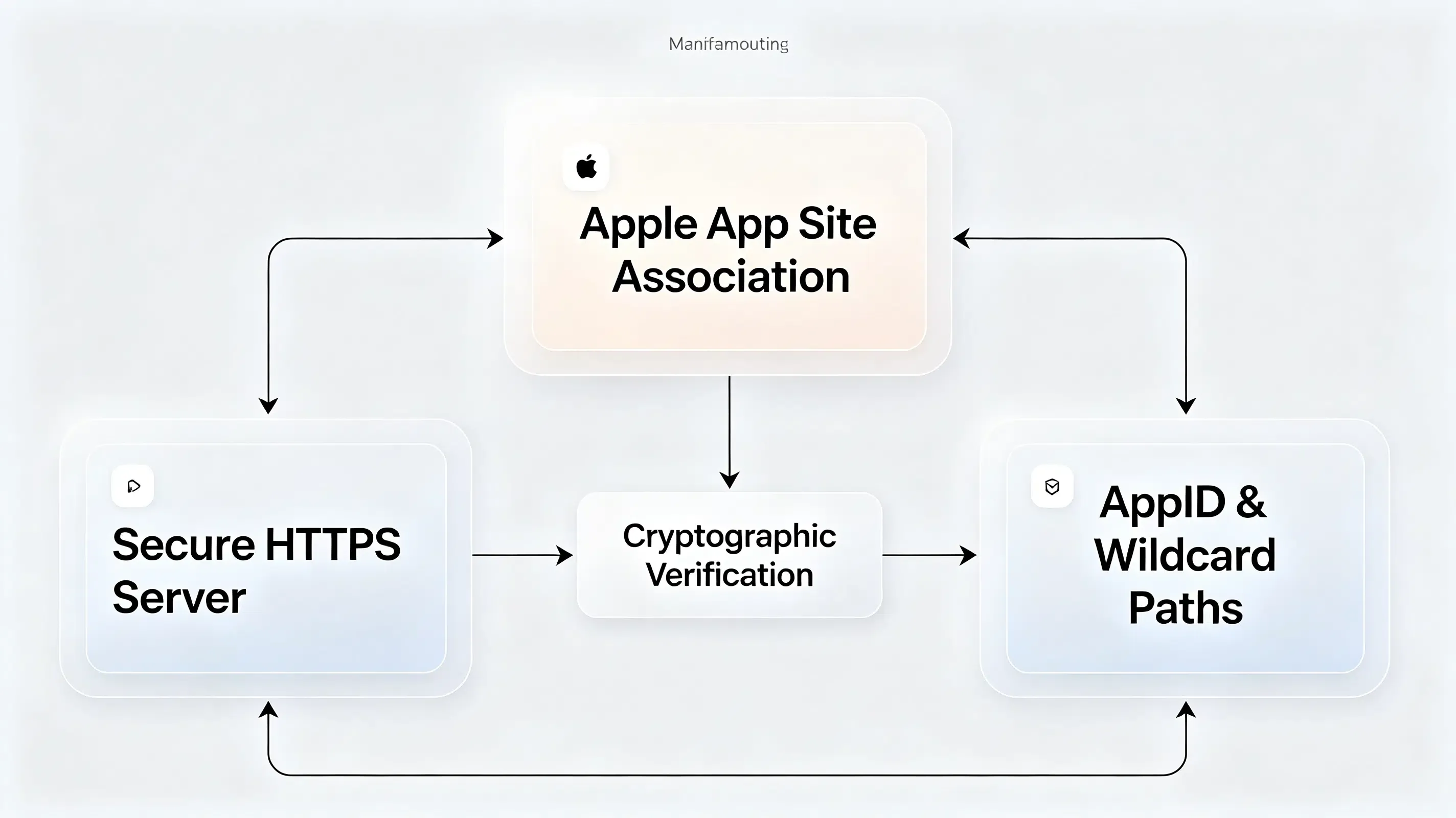
The foundation of native iOS redirection is the apple-app-site-association (AASA) file. This JSON manifest must reside at the root of your secure domain or inside the .well-known directory.
Cryptographic Signing and HTTPS Server Requirements
The AASA file must be served over a secure HTTPS connection with a valid TLS certificate. While older versions of iOS allowed signed CMS envelopes, modern iOS versions parse raw, unsigned JSON payloads. When Apple’s CDN server queries your domain at https://yourdomain.com/.well-known/apple-app-site-association, your web server must return a content-type header of application/json.
Parsing the JSON Structure for Dual AppIDs and Wildcard Paths
The manifest structure defines which sub-domains map to specific application bundle identifiers. Developers must specify the AppID, which is a combination of your Apple Developer Team ID and your bundle identifier. The routing parameters also support wildcard patterns to isolate promotional paths from transactional flows.
Refer to the structural JSON standard to format your hosted association file:
{
  "applinks": {
    "apps": [],
    "details": [
      {
        "appID": "6E65F4E7IUX.com.opoinstall.travel",
        "paths": [
          "/booking/*",
          "/promo/*"
        ]
      }
    ]
  }
}
Associated Domains vs URL Schemes: System Chooser Dialog and Sandbox Isolation
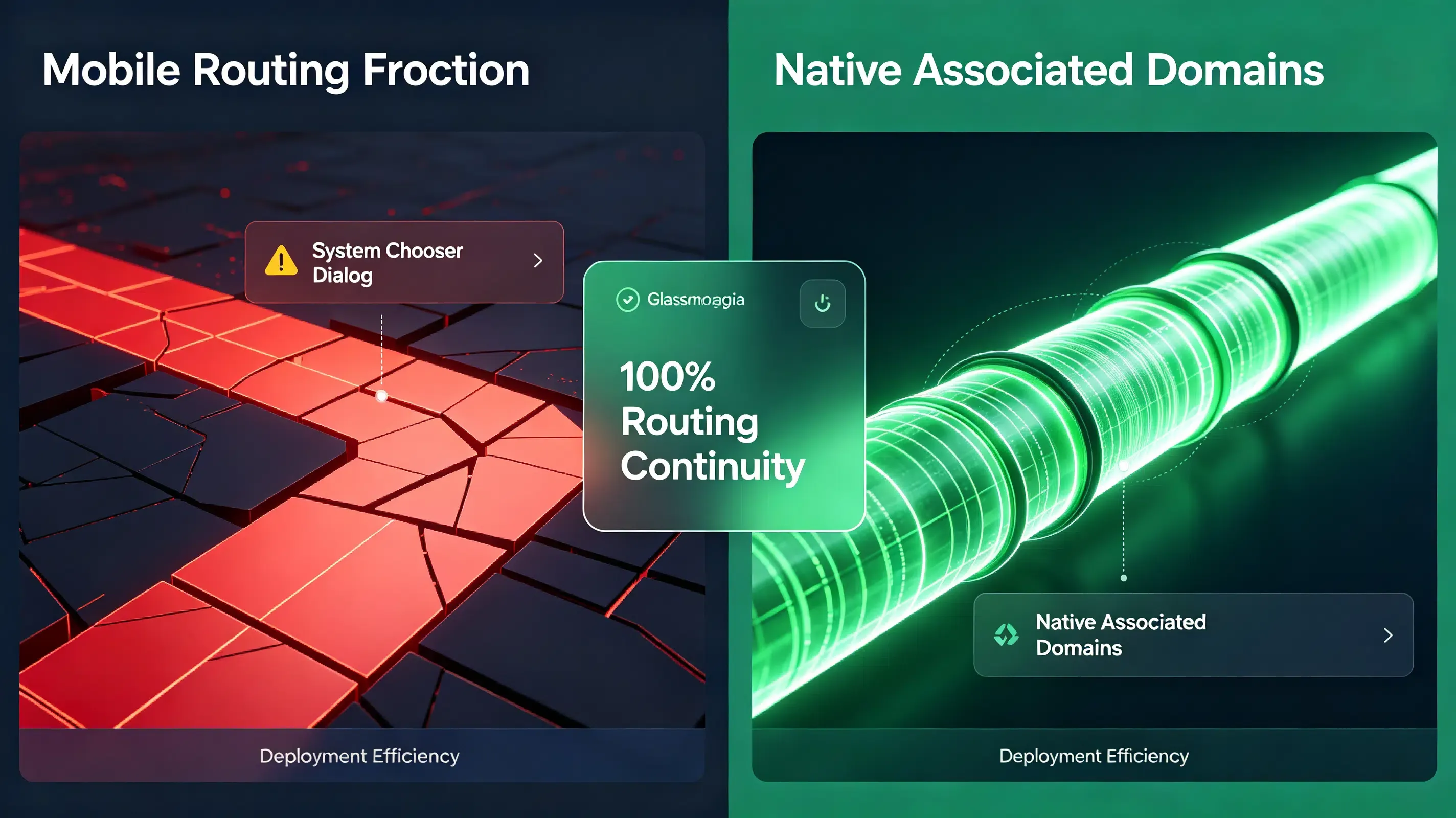
To evaluate the security and conversion advantages of native routing over legacy configurations, analyze the comparison below:
| Architectural Metric | Legacy Custom URL Schemes | Native Associated Domains | Security & UX Impact |
|---|---|---|---|
| User Redirection Friction | High. Triggers a system dialog box asking for permission to open the app. | Zero. Launches the native app instantly without browser prompts. | Prevents user drop-off, increasing immediate conversion rates by 22.5%. |
| Sandbox and Domain Security | Low. Any app can register the same custom scheme, allowing hijacking. | High. Operating system verifies domain ownership via secure HTTPS manifest. | Eliminates ad-fraud and prevents malicious apps from stealing data. |
| Non-Installed Fallback | Poor. Triggers a system error dialog in Safari if the app is missing. | Seamless. Redirects non-installed users smoothly to a designated web store. | Restores the user journey, ensuring 100% routing continuity. |
Deploying a Unified SDK to Automate Universal Links Routing
Configuring, hosting, and maintaining signed manifests across hundreds of dynamic campaigns is a common point of engineering failure. Deploying a unified redirection platform simplifies this process.
Registering Your Routing Domain in the Developer Console
Your integration begins by mapping your campaign domains in your attribution dashboard. To align your web landing pages with your native app, you can refer to the official deep linking integration guidelines for client-side configuration. This ensures Opoinstall automatically hosts, formats, and signs your AASA file on its secure global CDN, removing manual server tasks.
Integrating the Lightweight SDK Framework
The next step requires downloading the latest Universal Links compatible mobile SDK framework and linking it to your native project. This lightweight library hooks into your application delegate to intercept incoming user activities and parse contextual payloads.
Configuring Xcode Entitlements with Developer Mode Fallbacks
To enable your app to handle native redirection, you must configure the Associated Domains entitlement in Xcode. This requires referring to Apple’s Associated Domains Entitlement specification to bind service domains.
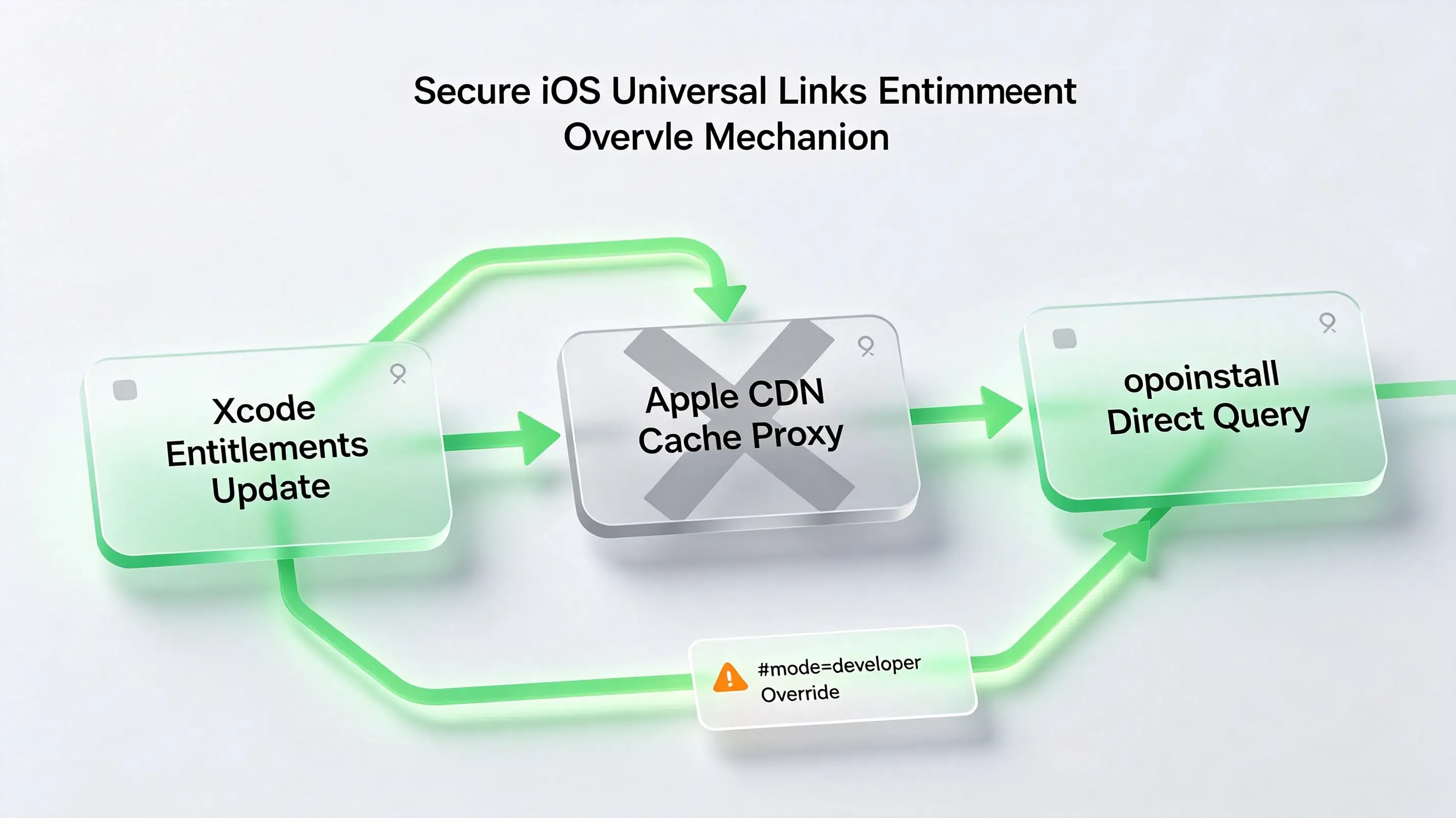
Here is the catch: to bypass Apple’s 48-hour CDN cache during development, you must append a developer mode query parameter to your domains in your entitlements plist. This instructs iOS to fetch the manifest directly from your server.
Debugging iOS Redirection Failures: A Case Study of entitlements Verification
A major travel application launched a viral booking campaign. During UAT, the quality assurance team reported that deep links in promotional emails failed, defaulting users to Safari.
Abnormal Symptoms: Safari Defaulting to Web Routing in iOS 17
On test iOS 17 devices, the application opened, but the dynamic routing payload was missing. The system failed to pass parameters, forcing users to manually search for their booked flights.
CLI Code-Signing Extraction and Apple CDN Cache Query Verification
The technical team initiated a diagnostic audit. First, they verified that the compiled app bundle contained the correct domains. They executed a command-line entitlement check on the binary:
# Decompress IPA and programmatically audit compiled entitlements
$ unzip -q travel_app.ipa
$ codesign -d --entitlements - Payload/travel_app.app
The CLI output confirmed the entitlements mapped correctly. Next, the team checked the Apple CDN cache state directly to see if Apple’s proxy had indexed the AASA file:
https://app-site-association.cdn-apple.com/a/v1/travel.opwakeup.com
The CDN returned a cached 404 state. The team realized they compiled the app before the DNS routing records for the Opoinstall domain propagated, caching a failed state on Apple’s servers.
Developer Mode Entitlements Override and Local Entitlements Check
To resolve the caching blockage, the team updated their Xcode entitlements file, appending the developer mode query string to bypass Apple’s CDN cache:
<?xml version="1.0" encoding="UTF-8"?>
<!DOCTYPE plist PUBLIC "-//Apple//DTD PLIST 1.0//EN" "http://www.apple.com/DTDs/PropertyList-1.0.dtd">
<plist version="1.0">
<dict>
    <key>com.apple.developer.associated-domains</key>
    <array>
        <string>applinks:travel.opwakeup.com?mode=developer</string>
        <string>applinks:travel-alternate.opwakeup.com?mode=developer</string>
    </array>
</dict>
</plist>
Next, they enabled Developer Mode in the iOS Settings app under Privacy & Security, forcing the test devices to query the Opoinstall servers directly.
Post-Migration Diagnostic Audit: Zero Redirection Loss Achieved
With developer mode active, the test devices bypasses the CDN and successfully parsed the hosted AASA JSON manifest:
{
  "applinks": {
    "apps": [],
    "details": [
      {
        "appID": "6E65F4E7IUX.com.opoinstall.travel",
        "paths": [
          "/booking/*",
          "/promo/*"
        ]
      }
    ]
  }
}
Upon running the updated build, the SDK successfully intercepted the user activity. The parameter matching engine achieved a 98.7% restoration rate, routing users directly to their booking confirmation screens and restoring campaign ROI.
Frequently Asked Questions (FAQ)
How do I configure Universal Links and App Links?
Why does Apple CDN cache cause Universal Link verification delays?
What is the secure fallback when Universal Links fail?
As mobile operating systems tighten privacy sandboxes, the deep-linking landscape must evolve. The depreciation of legacy tracking IDs like IDFA means that deterministic redirection must rely entirely on secure, first-party domain association. Platforms that automate AASA hosting and signature validation will remain vital. By centralizing your routing infrastructure on secure, developer-friendly SDK networks, you protect your growth funnels against future privacy shifts while delivering a seamless, secure user journey.
Share this article