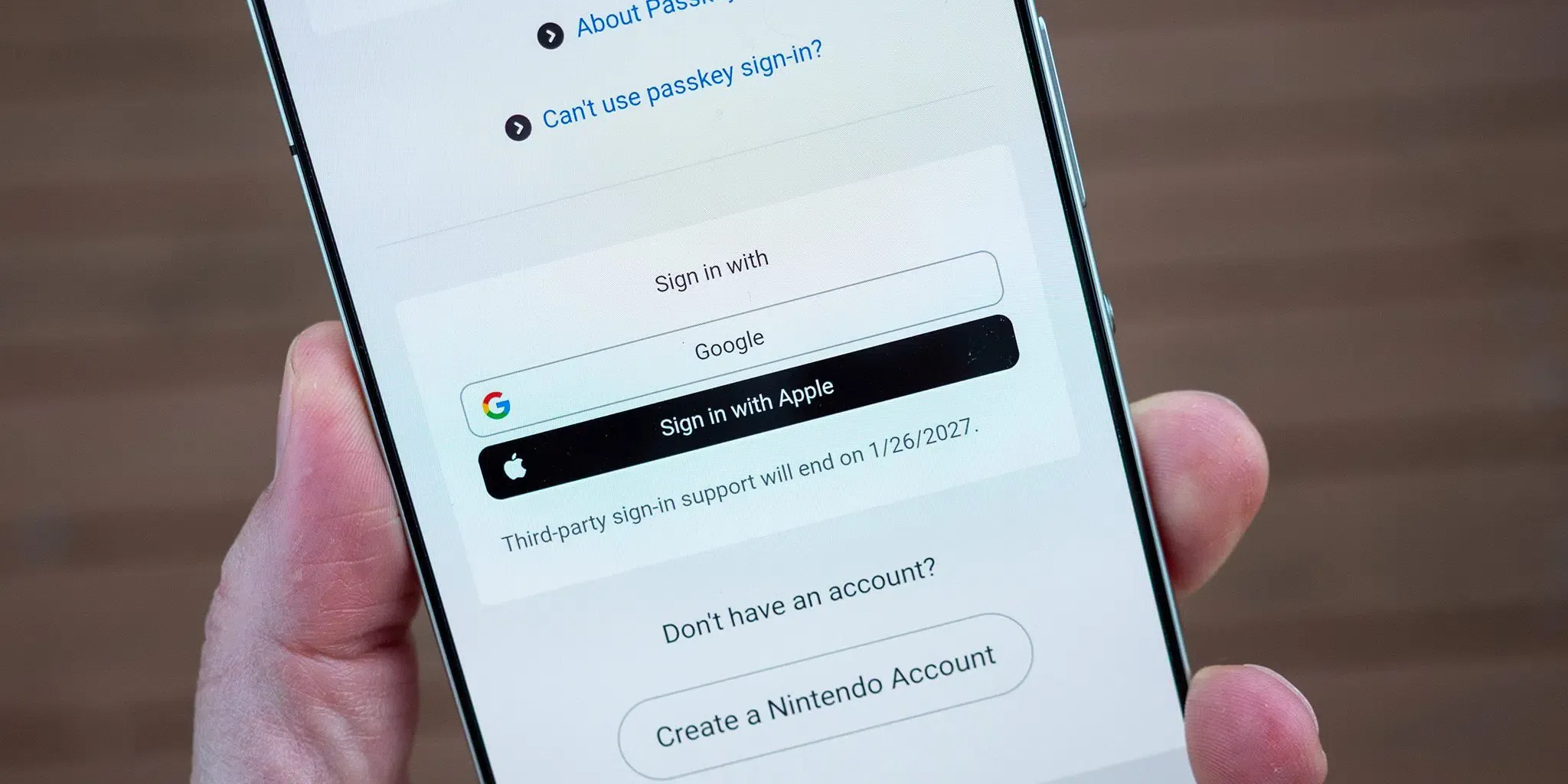
Nintendo Drops Third-Party Logins? Nintendo has confirmed in an official support notice that Nintendo Accounts will stop accepting Google and Apple sign-ins beginning January 26, 2027, requiring users to authenticate through an email address or Sign-In ID with a password, or via a registered passkey. This policy change applies to players across the Nintendo Switch, Nintendo Switch 2, Switch Lite, and Switch OLED ecosystems, as well as the Nintendo Switch mobile application. While Nintendo did not disclose the strategic or technical reasons behind this decision, the transition ends external federated sign-ons on the platform. For engineering and growth teams managing mobile applications, this shift illustrates how authentication updates influence onboarding funnels, and why applications should separate acquisition parameter recovery from the account login flow.
The Operational Problem & Onboarding Friction: Discontinuing Federated Logins on Nintendo Accounts
At a Glance
- Effective at 4:00 PM JST on January 26, 2027 (though the exact end time may be delayed by system maintenance), Nintendo Accounts will disable sign-ins and new account creations via Google and Apple credentials.
- The update retires the My Nintendo Platinum Points mission for linking Google accounts, and users without standalone passwords should follow Nintendo’s password setup or recovery guidance if they need a password fallback.
- Players already signed in on active devices may remain authenticated without immediate interruption, though credentials will be requested whenever a new login screen appears.
The convenience of third-party federated authentication historically helped digital entertainment platforms reduce early registration barriers. By offering sign-in options through Google and Apple, consumer services allowed prospective players to bypass multi-field forms, password creation, and manual email confirmation. This approach helped platforms streamline initial onboarding across web portals and mobile companion applications.
However, relying on external identity providers introduces third-party technical dependencies and ongoing integration maintenance. Nintendo has progressively reduced these touchpoints over time, having previously discontinued Facebook and Twitter sign-ins on October 25, 2022. With Google and Apple logins also scheduled to end, players must rely exclusively on direct account credentials or passkeys.
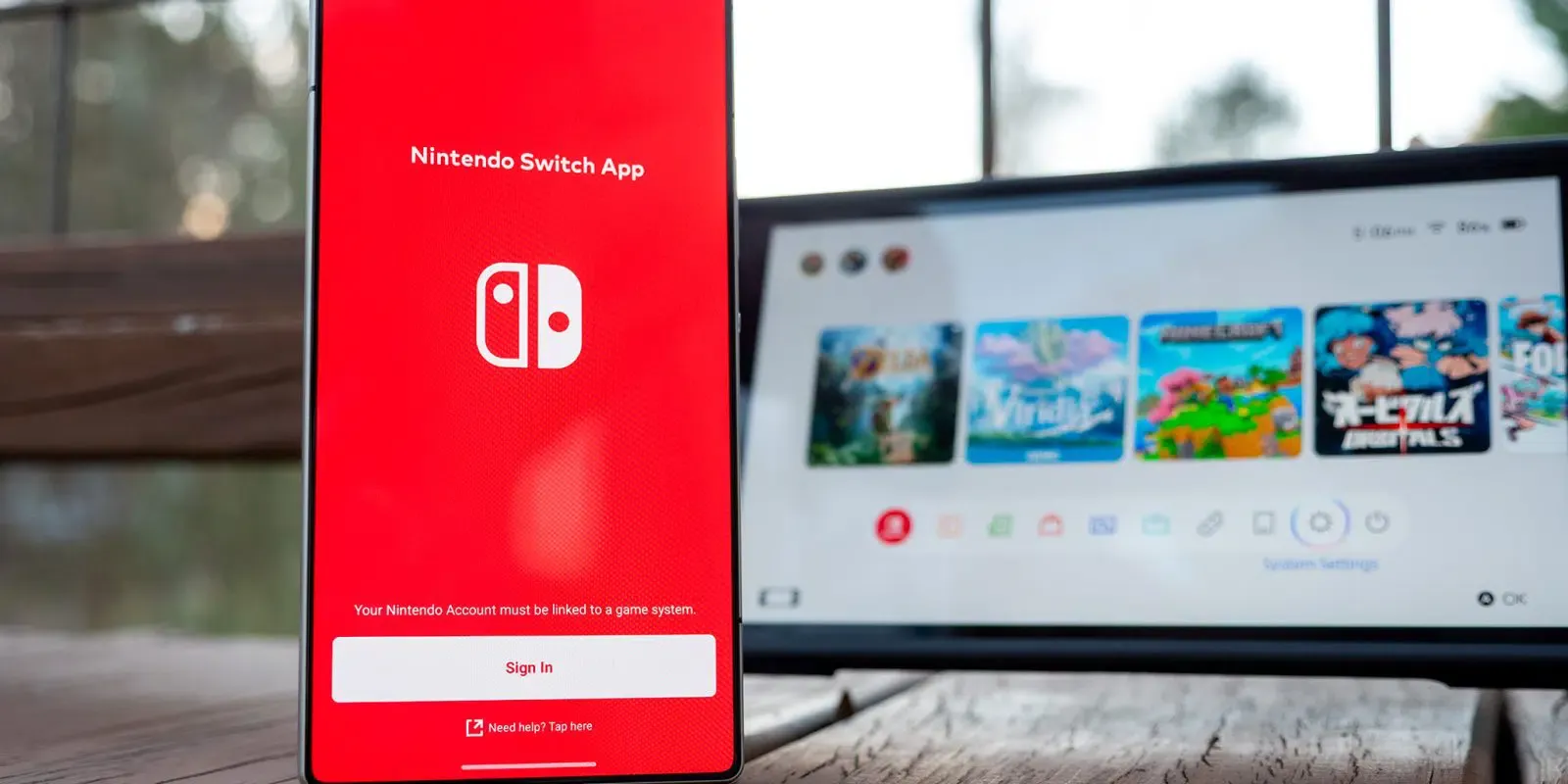
The removal of federated sign-in introduces practical operational considerations for existing users. When the transition takes effect on January 26, 2027, players prompted with a login screen on their console or the mobile app will need their direct credentials or an active passkey. Players who originally created their Nintendo Account through Google or Apple and never configured an independent password should complete the password setup process via the Nintendo Account portal.
This transition warrants careful handling by users who registered via Sign in with Apple using the Hide My Email feature. In that setup, Apple generated a randomized forwarding alias (such as @privaterelay.appleid.com) rather than sharing the user’s primary inbox. As outlined in Apple’s Sign in with Apple guidance, disabling email forwarding prevents messages sent to that relay address from reaching the user’s personal inbox, which would block recovery emails if a password reset is requested later. Separately, stopping the use of Sign in with Apple modifies the linked authorization state. Users in this situation should verify that their relay address is actively forwarding mail and set up a direct password before adjusting Apple ID settings. If access is lost, users must contact Nintendo customer support directly.
Technical Context: Federated Sign-In, Passwords, and Passkeys
From an architectural standpoint, federated sign-in commonly uses OpenID Connect, an identity layer built on OAuth 2.0, delegating identity verification to an external identity provider. While this model simplifies onboarding, it links account availability to third-party infrastructure, external service terms, and external identity recovery workflows. When external providers experience service interruptions or policy revisions, relying services can experience secondary authentication issues.
Rather than relying on third-party identity providers, Nintendo recommends that users register a passkey. Passkeys are built on open industry standards developed by the FIDO Alliance and standardized in the W3C WebAuthn specification. They replace shared passwords with asymmetric public-key cryptography.
Protocol Comparison: Federated Identity, Passwords, and Passkeys
When registering a passkey, the client generates a public-private key pair. The private key remains within the user’s credential manager or hardware authenticator, while the public key is registered with the relying service. Depending on the user’s setup, passkeys can be bound to a single device or hardware security key, or synced across a user’s ecosystem via end-to-end encrypted cloud keychains.
During authentication, the server issues a cryptographic challenge. The client signs this challenge using the private key, unlocked by local device authentication such as biometrics or a PIN. As documented in Nintendo’s account documentation, biometric data remains on the personal device and is not transmitted to Nintendo servers.
| Feature | Federated Sign-In | Password Authentication | Passkey Authentication |
|---|---|---|---|
| Authentication Basis | Identity assertion from an external provider, such as an OIDC ID token | Verification of a shared secret | Public-key challenge-response |
| Provider Dependency | Depends on the identity provider and its sign-in policies | Depends on the service’s authentication and recovery implementation | Depends on an authenticator; synced credentials also depend on a passkey provider |
| Phishing Resistance | Depends on the provider’s authentication method and the federation implementation | Reusable passwords can be phished | Designed for phishing-resistant authentication |
| Recovery Considerations | Provider recovery and service-specific account-linking rules | Service-defined recovery procedures | Backup credentials, provider recovery, or service-defined recovery procedures |
By supporting passkeys alongside traditional passwords, platforms reduce exposure to password reuse and credential harvesting. However, passkeys remain subject to operating system, browser, and hardware compatibility. Because of these constraints, Nintendo continues to support email addresses and Sign-In IDs with passwords as standard login and recovery options.

Authentication establishes who the user is; acquisition parameters describe the campaign or invitation that preceded installation. The application should preserve pending routing context independently of login, then validate it after authentication before applying referrals, rewards, or room access. When an onboarding path spans promotional web pages, app installation, and account setup, preserving context across these stages requires decoupled handling.
Build vs. Buy: Managing Player Onboarding and Session Continuity
For independent mobile game developers and digital services, authentication adjustments highlight a broader user lifecycle challenge. When third-party login buttons are modified or removed, registration funnels may experience increased friction. If a player installs a game from a specific invitation, promotional campaign, or collaborative event, completing an unexpected multi-step registration or password setup flow can interrupt the intended user journey.
To mitigate this, development teams separate user authentication from acquisition parameter delivery. The authentication system validates user credentials, while an installation parameter pipeline preserves where the user came from and what in-game context they should receive after logging in.
Evaluating Parameter Handover Architectures
When engineering teams need to ensure that referral codes, campaign tags, or deep link parameters survive the installation and registration process, they typically evaluate three primary approaches:
| Approach | Supported Role | Key Limits | Engineering Responsibility |
|---|---|---|---|
| In-House Parameter Handover | Implements context delivery using supported platform mechanisms | Coverage and reliability depend on the custom design | Maintain integration, privacy controls, validation, and fallbacks |
| Google Play Install Referrer | Retrieves available installation referrer data from Google Play | Android and supported Google Play installations only | Parse referrer data and validate routing or referral eligibility |
| Dedicated Parameter SDK | Recovers captured custom parameters in supported installation workflows | Depends on platform, browser, integration, and matching conditions | Integrate the SDK, preserve pending context, and handle missing parameters |
For mobile applications that run external acquisition campaigns, dedicated solutions such as OpoInstall provide an installation parameter pass-through framework. By retrieving custom parameters (such as inviter IDs or campaign channels) upon the first app launch, the application can cache the pending payload locally or on its server.
Once the user completes their standard authentication—whether through email-and-password sign-in or a passkey—the application backend verifies the parameter’s validity, eligibility, and expiration to reward the referral or restore the intended gameplay room. This decouples campaign context preservation from the underlying authentication provider.
Integration Checklists: How Development Teams Can Adapt to Identity Deprecation
Engineering and product teams managing user authentication and mobile onboarding should audit their systems to ensure authentication updates do not disrupt user conversion.
Developer Implementation Checklist
- Audit Identity Dependencies: Review authentication backends to identify user accounts reliant on external identity providers, establishing password setup workflows where needed.
- Support Modern WebAuthn Standards: Implement server-side verification for FIDO2/WebAuthn credentials, accommodating both platform authenticators and cross-device authentication ceremonies.
- Maintain Independent Credential Fallbacks: Provide tested recovery paths using verified email addresses or backup recovery codes if a user loses access to their primary authenticator device.
- Validate Onboarding Parameters Server-Side: When using deferred deep linking to deliver referral or campaign rewards post-login, ensure the application backend validates parameter authenticity, checks expiration timestamps, handles account switching, and prevents duplicate reward redemptions.
Product & Growth Strategy Checklist
- Communicate Policy Deadlines Early: Provide users with clear in-app notifications and guides well ahead of authentication cutoffs to prevent account lockouts.
- Monitor Registration Drop-Off Points: Track conversion rates across each step of the sign-up funnel to identify whether credential creation causes user churn.
- Preserve Campaign Context Post-Auth: Cache incoming acquisition parameters across the initial login flow so users are routed to their intended in-app content once authentication completes.
Following these practices helps engineering teams maintain secure, independent authentication architectures without sacrificing user onboarding continuity.
Frequently Asked Questions (FAQ)
Can players still access purchased digital games if they fail to update their login before January 26?
Does ending Google and Apple sign-in mean Nintendo requires passkeys?
How does Apple's Hide My Email affect password recovery for Nintendo Accounts?
Key Takeaways for Engineering Teams
Nintendo’s announcement changes the available sign-in methods for Nintendo Accounts, but does not establish an industry-wide retreat from federated authentication. For mobile teams, the practical lesson is to keep account access, acquisition context, and post-login routing independently testable.
Authentication, user registration, and campaign parameter tracking serve distinct functions within the application lifecycle. By pairing secure, first-party authentication with server-side parameter recovery frameworks, engineering organizations can protect user accounts while delivering smooth onboarding experiences across platforms.
References
-
Nintendo Support. Notice Regarding the Discontinuation of Google and Apple Sign-Ins for Nintendo Accounts. Official Customer Support Bulletin.
-
Nintendo Support. How to Register a Passkey for a Nintendo Account. Official Configuration Guide.
-
Nintendo Support. Nintendo Account FAQ. Official Support Documentation.
-
Nintendo Support. Discontinuation of Facebook and Twitter Sign-Ins for Nintendo Accounts. Historical Support Notice.
-
Apple Support. Manage the Apps That You Use with Sign in with Apple. Official Technical Guide.
-
Google Developers. Google Play Install Referrer API Documentation. Android Developer Reference.
-
FIDO Alliance. Passkeys: What Developers Need to Know. Authentication Industry Overview.
-
World Wide Web Consortium (W3C). Web Authentication: An API for Accessing Public Key Credentials Level 2. Official Technical Recommendation.
-
OpenID Foundation. OpenID Connect Core 1.0 incorporating errata set 2. Identity Layer Specification.
-
OpoInstall. OpoInstall Documentation – Deferred Deep Linking and Parameter Delivery. Developer Integration Documentation.
Share this article