How to exclude mobile SDKs from Android proguard obfuscation? Excluding an Android SDK from obfuscation requires verifying whether the library bundles consumer ProGuard rules, adding narrowly scoped -keep and -keepclassmembers directives for reflectively accessed entry points, callback interfaces, JNI bridges, and data models, and auditing preserved symbols via R8 diagnostic reports and raw DEX inspection. When Android engineering teams enable code shrinking and optimization for production release builds, the R8 compiler removes unreferenced bytecode and renames classes, fields, and methods into short identifiers. If a mobile attribution Software Development Kit (SDK) relies on dynamic reflection or JNI callbacks that are not protected against aggressive tree-shaking and renaming, deferred deep linking, JSON model deserialization, and channel-package builds can fail silently in production even after passing every test in a non-minified debug build. OpoInstall, a mobile attribution and deep linking platform, provides native Android SDK archives and channel-package workflows that engineering teams can configure and verify within R8-minified release pipelines.
In modern Android Gradle Plugin (AGP) toolchains, keep-rule files (
proguard-rules.proin legacy DSL orsrc/<variant>/keepRules/*.keepin AGP 9.3+) serve as the rule configuration contract for Google’s R8 compiler. Safely excluding a third-party Android SDK from obfuscation means preserving only the specific public API entry points, reflective constructors, callback interfaces, JNI upcalls, and model fields required at runtime—while avoiding overly broad package-wide keep rules or unverified warning suppressions.
| Term | Definition | Related Entity | Search Intent Role |
|---|---|---|---|
| Android SDK | A compiled Java or Kotlin library integrated into an Android app to provide specialized capabilities such as install attribution. | classes.dex Bytecode |
Navigational / Transactional |
| ProGuard / R8 | Android build-time tools that shrink unused code, optimize bytecode, and obfuscate identifiers using ProGuard rule syntax. | proguard-rules.pro |
Technical / Informational |
| Consumer ProGuard Rules | Obfuscation rules bundled inside an .aar (/proguard.txt) or .jar (/META-INF/proguard/) that merge automatically into R8. |
consumerProguardFiles |
Technical / Troubleshooting |
| R8 Diagnostic Reports | Output files (mapping.txt, seeds.txt, usage.txt, configuration.txt) detailing symbol renaming, matched keep seeds, and stripped code. |
Release Build Audit | Technical / Troubleshooting |
Why R8 and ProGuard Obfuscation Breaks Android SDK Attribution Callbacks
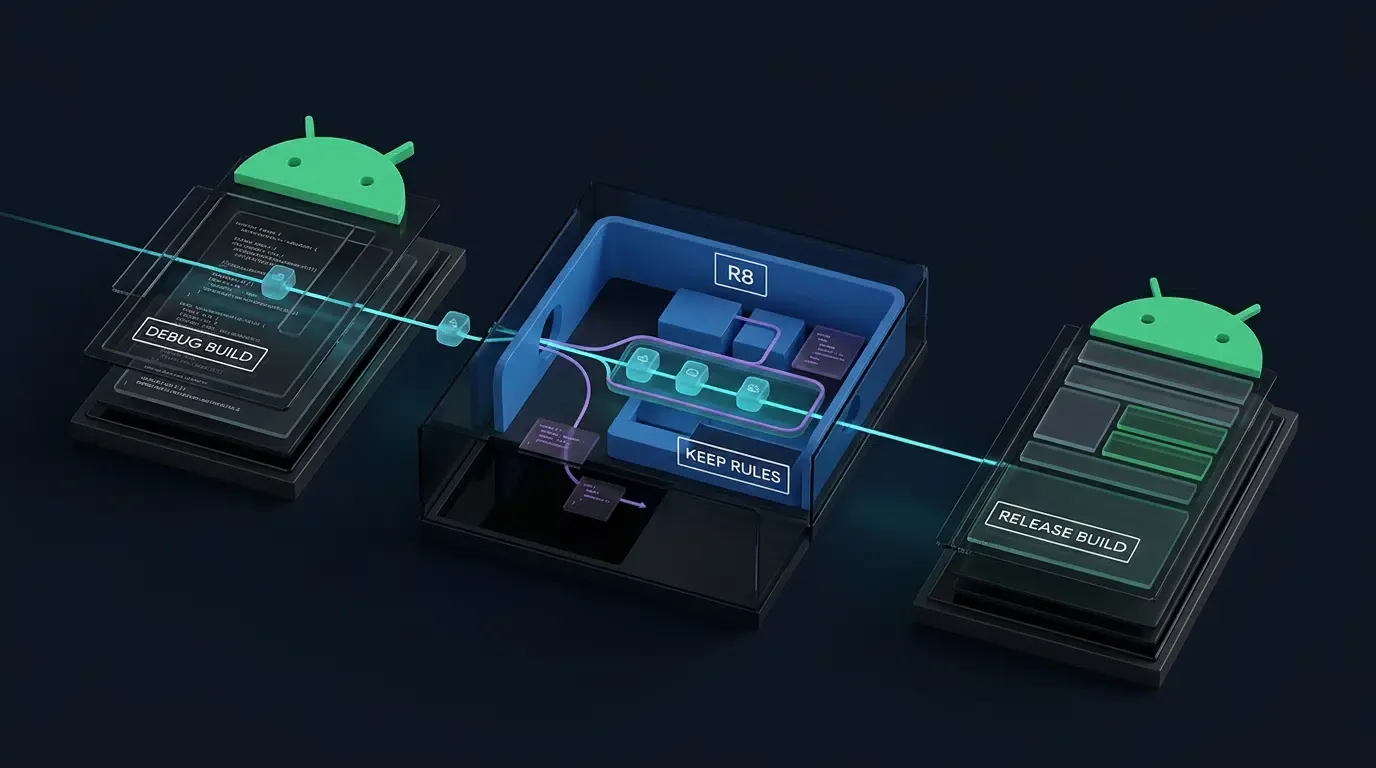
The Debug vs. Release Trap: Why Attribution Works in Testing but Fails in Production
One of the most common release-engineering regressions in mobile user acquisition occurs when an application’s deferred deep linking (handleDeepLink) and install parameter restoration (getInstallParam) work reliably during QA testing on debug builds, but return empty payloads or stop firing callbacks once the app is compiled as a signed release APK or Android App Bundle (.aab).
The root cause lies in the build-type disparity configured in Gradle. By default, the debug build type disables code shrinking to accelerate incremental builds. When engineers compile the release variant with R8 optimization enabled, the Android Gradle Plugin invokes the Android R8 Compiler to execute three bytecode transformations across both the host app and linked third-party libraries:
- Code Shrinking (Tree Shaking): R8 analyzes the application’s call graph starting from declared entry points (such as
AndroidManifest.xmlcomponents and explicit-keepseeds) and strips any class, constructor, method, or field that appears unreachable through static analysis. - Bytecode Optimization and Access Modification: R8 inlines methods, removes unused parameters, merges classes, and—when paired with the
-allowaccessmodificationdirective in Android’s default optimization configuration—modifies class and member visibility flags (such as wideningprivateor package-private members topublicduring inlining) to reduce Dalvik Executable (.dex) size and improve runtime execution speed. - Identifier Obfuscation (Renaming and Repackaging): R8 renames remaining classes, packages, fields, and methods into compact identifiers (such as
a.a.b()) and may repackage obfuscated classes into flattened package hierarchies, reducing string-pool overhead insideclasses.dex.
R8 Full Mode has been enabled by default since Android Gradle Plugin (AGP) 8.0. Compared to legacy ProGuard compatibility mode, R8 Full Mode applies substantially stricter optimizations—removing default no-argument constructors (<init>()), altering member access modifiers, and stripping metadata attributes unless the associated classes and members are explicitly retained by a matching keep rule. For foundational context on .aar binary structures and SDK procurement standards, see our companion guides, Understanding Mobile SDK Meanings and Technical Growth Protocols and How to Choose a Software Development Kit for Precise Attribution.
Six Distinct Failure Modes in Obfuscated Attribution SDKs
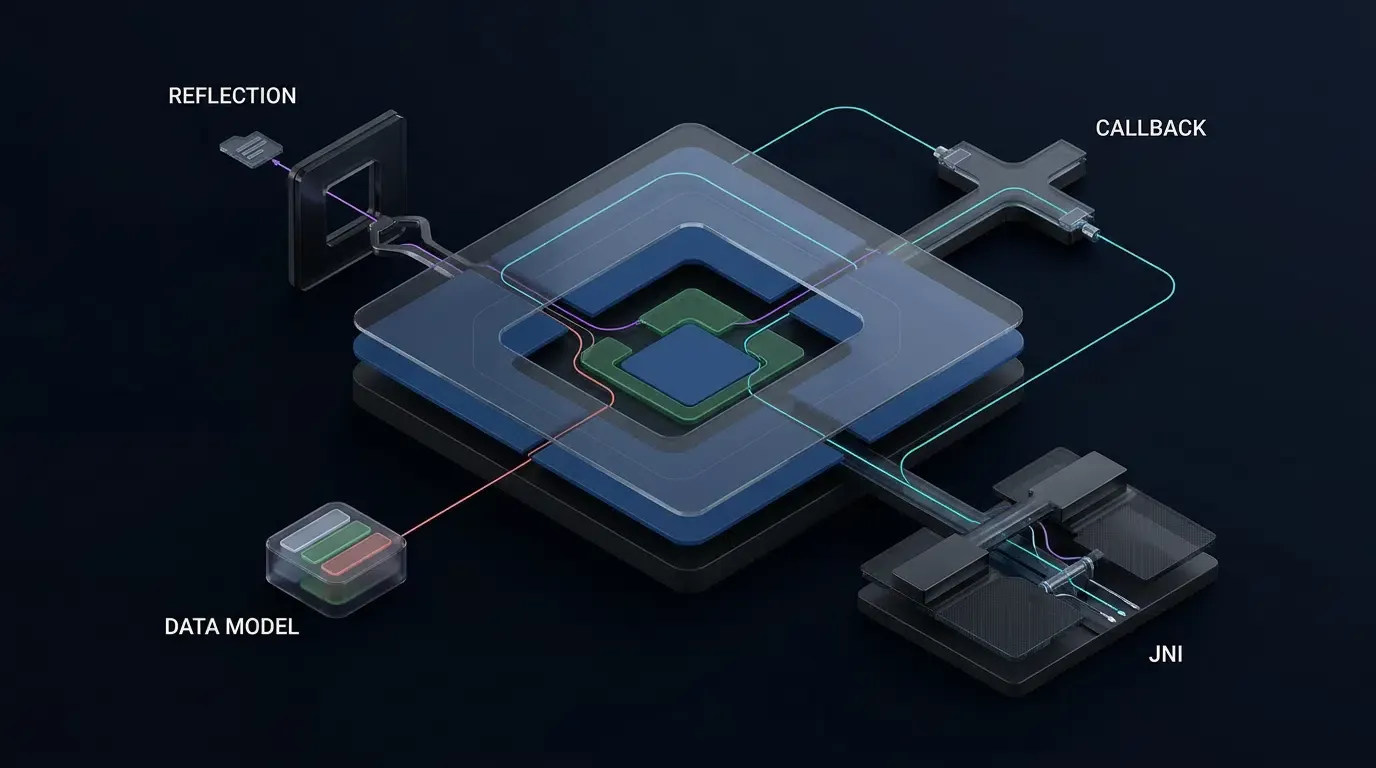
Because static call-graph analysis cannot predict dynamic runtime lookups, an unguarded Android SDK can experience six distinct failure modes under R8 Full Mode. Engineers must distinguish these failure modes carefully, as each requires a specific ProGuard protection target:
| Runtime Failure Mode | Underlying R8 Bytecode Cause | Specific Protection Target Required |
|---|---|---|
1. Reflective Class Lookup Failure (ClassNotFoundException) |
R8 renames, repackages, or strips a class loaded dynamically by string name via Class.forName() |
Preserve the target class and its original identifier using -keep class ... |
2. Reflective Object Instantiation Failure (NoSuchMethodException: <init>) |
In R8 Full Mode, even if a class is kept, its default no-argument constructor (<init>()) is stripped if not directly called in code |
Explicitly preserve the constructor signature (<init>();) inside the class -keep block |
| 3. Dynamic Callback & Access Modification Failures | R8 removes or renames callback interface methods, or alters member visibility flags expected by reflective getDeclaredMethod() / getDeclaredField() calls |
Preserve the callback interface methods (-keep interface ... { <methods>; }) and any reflectively accessed members |
| 4. Generic Signature Metadata Loss in Callback Listeners | Java generics undergo type erasure at compile time, while bytecode Signature attributes preserve generic metadata for runtime reflection (ResultCallBack<OpoData>). R8 Full Mode strips Signature metadata unless explicitly retained |
Retain -keepattributes Signature in addition to keeping both the generic callback interface and the target model class |
| 5. JSON Data Model Deserialization Failure | R8 strips the model class (if only instantiated reflectively) or renames its fields to a, b, c, causing reflection-based JSON parsers to return null or empty fields |
Use -keep class ... if the model is instantiated dynamically, or -keepclassmembers if the class is already retained through direct references |
6. JNI Downcall & Native-to-Java Upcall Removal (UnsatisfiedLinkError / NoSuchMethodError) |
Default Android rules preserve names on surviving Java native downcalls, but do not prevent unused RegisterNatives methods from being shrunk, and cannot see C/C++ .so code calling back into Java via JNI (FindClass, GetMethodID) |
Explicitly -keep dynamically registered native declarations and any Java classes, constructors, and methods invoked via JNI upcalls from C/C++ |
[Android Release Build: R8 Full Mode Enabled]
                      |
                      v
     [R8 Evaluates Bundled & Host Keep Rules]
                      |
      +---------------+---------------+
      |                               |
      v (Missing / Mismatched Rules)  v (Scoped Keep Rules + Attributes Active)
[SDK Symbols Stripped or Renamed] [Required SDK Entry Points & Models Preserved]
- Reflective () Removed     - Confirmed in -printseeds (seeds.txt)
- JNI Upcall / Model Fields Lost  - Verified in Raw DEX (apkanalyzer dex packages)
- Generic Signature Metadata Lost - Release Attribution Matches Debug Behavior
Consumer Rules in AAR Bundles vs. Manual JAR Imports
How AAR and JAR Libraries Bundle Consumer ProGuard Rules
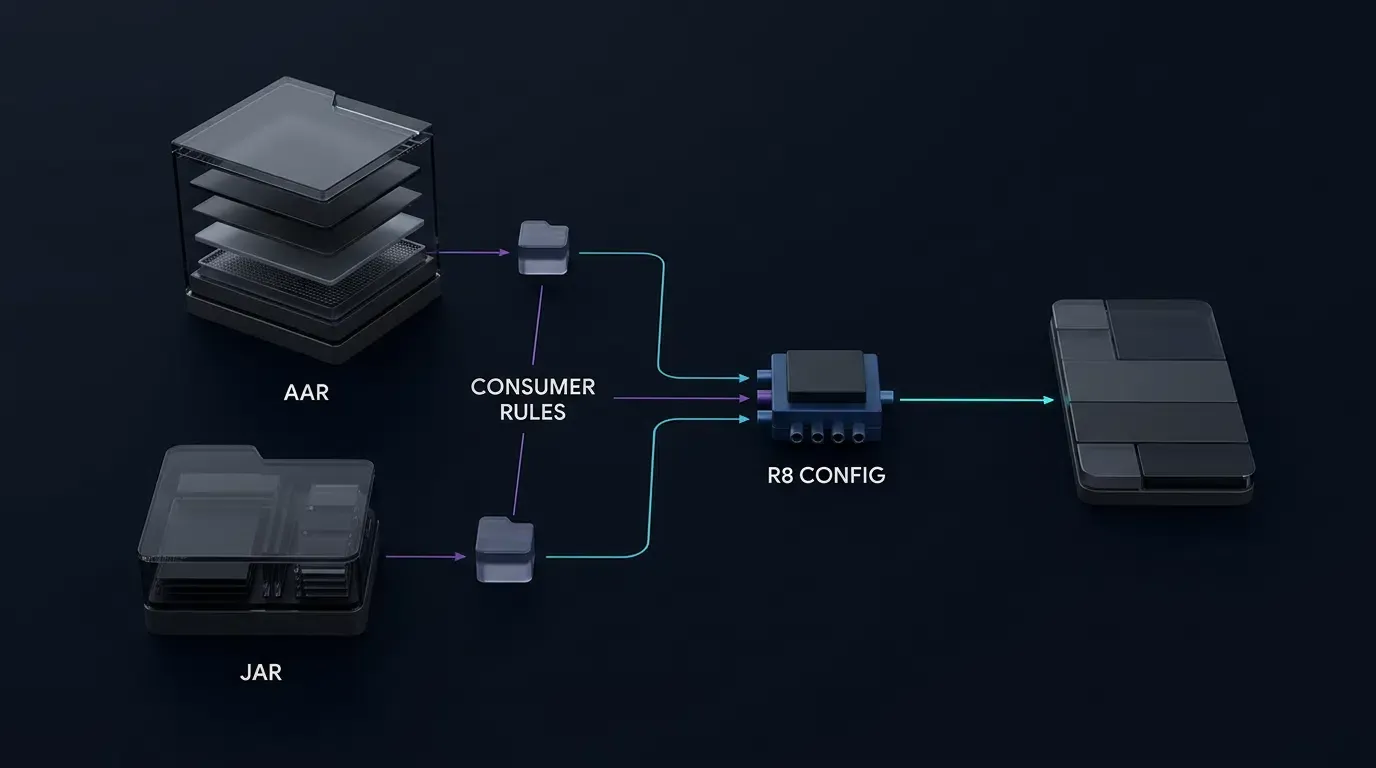
Before adding manual exclusion rules to your host application, inspect whether the third-party Android SDK already bundles built-in R8 rules. As documented in the Google Android Developers Guide on Library Optimization, AGP and R8 support automatic consumer rule discovery across both .aar and .jar distributions, including version-targeted R8 rules:
| SDK Distribution Format | Embedded Consumer Rule Location | Android Gradle Plugin / R8 Build Behavior |
|---|---|---|
Android Archive (.aar) |
/proguard.txt at the AAR root (via consumerProguardFiles), or version-targeted rules inside /classes.jar under /META-INF/com.android.tools/r8-from-<X>-upto-<Y>/ |
Automatically extracted and merged into the host app’s R8 configuration at compile time |
Java Archive (.jar) with Bundled Rules |
/META-INF/proguard/*.pro or /META-INF/com.android.tools/r8-from-<X>-upto-<Y>/ (including r8, r8-from-<X>, and r8-upto-<Y> variants) |
Automatically discovered and applied by AGP and R8 according to the active R8 compiler version |
Standalone .jar or .aar Without Bundled Rules |
None present inside the archive | No bundled consumer protection is provided; add host-level keep rules only when runtime reflection, JNI, serialization, or other dynamically accessed symbols require explicit preservation |
(Note on Gson Serialization Rules: As documented in the Gson Troubleshooting Guide for ProGuard and R8, Gson 2.11.0 and later bundle R8 rules for TypeToken and fields annotated with @SerializedName. These rules do not eliminate the need to constrain reflective model access, provide compatible no-argument constructors, or test all serialization and deserialization paths in minified release builds.)
Inspecting Your Downloaded SDK Archive Before Writing Rules
ProGuard and R8 rule matching is strictly case-sensitive and package-path exact. Across different SDK versions or regional distributions, package namespaces can vary—and if you copy a rule from an older tutorial whose package capitalization does not match the actual .class files in your archive, R8 will silently match zero classes.
Before editing your keep rules, download your target SDK package (such as Android SDK v2.1.0 from the mobile SDK download center) and inspect its embedded rules (both in /proguard.txt and inside classes.jar) alongside its exact .class hierarchy:
# 1. Inspect an .aar archive for root consumer rules (proguard.txt) and extract classes.jar to check META-INF rules
unzip -l opoinstall-android-sdk.aar
unzip -p opoinstall-android-sdk.aar proguard.txt
unzip -p opoinstall-android-sdk.aar classes.jar > temp_classes.jar
jar tf temp_classes.jar | grep -E "META-INF/proguard/|META-INF/com\.android\.tools/|\.class$"

# 2. If using a standalone .jar archive, inspect embedded META-INF rules and exact case-sensitive .class paths
jar tf libs/OpoInstall_SDK.jar | grep -E "META-INF/proguard/|META-INF/com\.android\.tools/|\.class$"
Configuring proguard-rules.pro for Attribution Android SDKs
Avoiding Package-Wide Keep Anti-Patterns and Blanket Warning Suppressions
When writing custom rules, engineers must follow Google’s Choose What to Keep (R8 Keep Rules) best practices to avoid disabling optimization unnecessarily:
- Prefer Narrow Rules Over Package-Wide
-keep class package.** { *; }Anti-Patterns: A blanket package-wide rule forces R8 to retain and skip optimization on every internal helper class in that package. Scope your rules to the specific classes, constructors (<init>();), callback interfaces, JNI targets, and model fields accessed dynamically at runtime (or use Jetpack’s@UnconditionallyKeepannotation on code you control). - Distinguish
-keepfrom-keepclassmemberson Data Models:-keepclassmembersonly preserves specified fields or methods if the containing class itself is retained in the call graph. If a data model (such asOpoData) is instantiated solely via reflection or referenced only through erased generic types, use-keep class ...so R8 does not remove the class itself. - Understand
-keepclasseswithmembernamesLimitations for JNI: Android’s default optimization rules include-keepclasseswithmembernames,includedescriptorclasses class * { native <methods>; }. As defined in Google’s R8 Keep Rules documentation and the ProGuard Manual on Keep Directives,-keepclasseswithmembernamesis equivalent to-keepclasseswithmembers,allowshrinking. It preserves names for matching classes and members that survive the shrinking phase, but does not prevent unreferenced classes ornativemethods from being removed during shrinking. If native methods are registered dynamically viaRegisterNativeswithout direct Java call sites, or if C/C++ code invokes Java methods via JNI upcalls, you must use explicit-keepor-keepclassmembersrules according to how the target class is instantiated. - Avoid Unverified Blanket
-dontwarnDirectives:-dontwarnprovides zero protection against shrinking or renaming and suppresses unresolved reference warnings that can hide runtimeNoClassDefFoundErrorcrashes. Only add a narrowly scoped-dontwarnif your build log reports a specific missing compile-only class that you have verified is optional at runtime.
| ProGuard / R8 Directive | Equivalent Long-Form Syntax | Shrinking (Removal) | Obfuscation (Renaming) | Recommended Engineering Scope |
|---|---|---|---|---|
-keep class ... |
-keep |
Prevented (Class & specified members kept) | Prevented (Original names kept) | Public SDK entry points, callback interfaces, and classes instantiated dynamically via reflection or JNI (include <init>(...);) |
-keepclassmembers class ... |
-keepclassmembers |
Members kept only if class is retained | Prevented for matched members | Preserving <fields>; or JNI upcall methods on classes that are already directly instantiated in Java/Kotlin |
-keepclasseswithmembernames |
-keepclasseswithmembers,allowshrinking |
Allowed if unreferenced (allowshrinking) |
Prevented if class & members survive shrinking | Default JNI downcall name preservation (native <methods>;) when Java code directly invokes the native method |
-keepnames class ... |
-keep,allowshrinking |
Allowed if unreferenced (allowshrinking) |
Prevented if class is retained | Keeping readable class names for stack traces without forcing unused classes into classes.dex |
-keepattributes ... |
-keepattributes |
Preserves metadata on kept items | N/A (Bytecode attribute) | Retaining Signature (generics), InnerClasses, EnclosingMethod, and *Annotation* on explicitly kept classes |
-dontwarn <specific_class> |
-dontwarn |
No effect on shrinking | No effect on renaming | Suppressing compile-time warnings only for a verified, optional compile-only dependency |
Configuring Gradle Across AGP 8.x and AGP 9.3+ Toolchains
Android Gradle Plugin 9.3 introduced a simplified optimization DSL block and variant-specific keepRules directories (.keep files), while AGP 8.x through 9.2 (and legacy configurations still supported in AGP 9.3+) use isMinifyEnabled and proguardFiles. Engineers should keep three configuration objects distinct:
| Configuration Object | File or DSL Location | Architectural Role in R8 Builds |
|---|---|---|
| Legacy DSL Keep Rules (AGP 8.x–9.2 & Legacy 9.3+) | app/proguard-rules.pro (referenced via proguardFiles(...)) |
Declares host keep rules alongside getDefaultProguardFile("proguard-android-optimize.txt") |
| New Optimization DSL Keep Rules (AGP 9.3+) | app/src/main/keepRules/*.keep or app/src/<variant>/keepRules/*.keep |
Declares .keep files when using optimization { enable = true } (default Android platform rules are applied automatically; Legacy DSL also supports .keep source sets) |
| R8 Diagnostic Report Directives | -printseeds, -printusage, -printconfiguration in a verified R8 configuration file (proguard-rules.pro) |
Instructs R8 to emit audit reports into app/build/outputs/mapping/<buildVariant>/ |
// Option A: AGP 8.x - 9.2 Legacy DSL (also supported in AGP 9.3+) — app/build.gradle.kts
android {
    buildTypes {
        getByName("release") {
            isMinifyEnabled = true
            isShrinkResources = true
            proguardFiles(
                getDefaultProguardFile("proguard-android-optimize.txt"),
                "proguard-rules.pro"
            )
        }
    }
}

// Option B: AGP 9.3+ Simplified Optimization DSL — app/build.gradle.kts
// Place scoped class/member keep rules in app/src/main/keepRules/sdk-attribution.keep
android {
    buildTypes {
        release {
            optimization {
                enable = true
            }
        }
    }
}
Illustrative Scoped Keep Rules and Diagnostic Directives
Because OpoInstall’s public documentation and historical FAQ pages reference different package prefixes (com.opoinstall.api.** vs. com.fm.OpoInstall.** or io.OpoInstall.**), the rule set below is illustrative only—not a verified production rule set for OpoInstall SDK v2.1.0. Inspect the actual class paths and bundled consumer rules inside your downloaded v2.1.0 archive first, and consult the OpoInstall technical documentation (see How Software Development Kits Power Mobile Attribution and Growth for the underlying Java lifecycle code):
# File: app/src/main/keepRules/sdk-attribution.keep (or app/proguard-rules.pro)
# IMPORTANT: Illustrative only — not a verified production rule set for OpoInstall SDK v2.1.0.
# Verify exact case-sensitive package and class names inside your downloaded v2.1.0 archive
# via `jar tf` or `apkanalyzer`, and check `configuration.txt` for existing consumer rules.

# ---------------------------------------------------------------------------
# 1. Preserve Bytecode Attributes on Explicitly Kept Classes
# Required so generic callback interfaces (e.g., ResultCallBack<OpoData>)
# retain their parameterized type metadata in R8 Full Mode.
# ---------------------------------------------------------------------------
-keepattributes Signature, InnerClasses, EnclosingMethod, *Annotation*

# ---------------------------------------------------------------------------
# 2. Scoped SDK Entry Point, Callback Interface, and Data Model Rules
# ---------------------------------------------------------------------------

# Preserve public SDK entry point and any reflectively invoked constructors/methods:
-keep public class com.opoinstall.api.OpoInstall {
    <init>(...);
    public <methods>;
}

# Preserve callback listener interfaces and their callback methods:
-keep public interface com.opoinstall.api.ResultCallBack {
    public <methods>;
}

# Model Scenario A: If OpoData / OpoError models are instantiated dynamically via reflection
# or referenced only via erased generics, use -keep to preserve both the class and its members:
-keep class com.opoinstall.api.OpoData {
    <init>(...);
    <fields>;
    public <methods>;
}
-keep class com.opoinstall.api.OpoError {
    <init>(...);
    <fields>;
    public <methods>;
}

# Model Scenario B: If a model class is already directly retained in your host call graph
# and only its fields require protection from renaming, use -keepclassmembers:
# -keepclassmembers class com.opoinstall.api.OpoData { <fields>; }

# ---------------------------------------------------------------------------
# 3. JNI Downcall and Native-to-Java Upcall Protection (Illustrative JNI Patterns)
# ---------------------------------------------------------------------------
# JNI Case A: If Java/Kotlin code already directly instantiates the JNI bridge class,
# use -keepclassmembers,includedescriptorclasses for C/C++ upcall methods, and keep
# any parameter model classes/constructors instantiated by native code:
-keepclassmembers,includedescriptorclasses class com.example.sdk.internal.JniBridge {
    public void onNativeAttributionEvent(com.example.sdk.internal.NativeEventData);
}
-keep class com.example.sdk.internal.NativeEventData {
    <init>(...);
}

# JNI Case B: If native C/C++ code dynamically looks up or instantiates the Java class
# itself via FindClass / NewObject, or registers native methods via RegisterNatives
# without direct Java call sites, use -keep to prevent class and method removal:
-keep,includedescriptorclasses class com.example.sdk.internal.DynamicNativeBridge {
    <init>(...);
    public native <methods>;
    public void onNativeCallback(java.lang.String);
}
# File: app/proguard-rules.pro (Diagnostic Output Directives)
# Place R8 diagnostic report flags in your verified R8 configuration file.
# Paths resolve relative to the module working directory (`app/`).
# Adjust the directory name for product flavors (e.g., build/outputs/mapping/prodRelease/).
-printseeds build/outputs/mapping/release/seeds.txt
-printusage build/outputs/mapping/release/usage.txt
-printconfiguration build/outputs/mapping/release/configuration.txt
Resolving Android Channel Package Obfuscation and Hardening Conflicts
Separating Build-Time R8 Compilation, APK Alignment, Signing, and Channel Packages
For Android distributions outside Google Play, OpoInstall supports exporting dedicated Android Channel Packages—taking a base APK uploaded by the developer and generating channel-specific APKs carrying distinct channelCode tracking metadata.
When troubleshooting missing channel statistics or installation failures on exported channel packages, engineers must separate two independent release verification criteria—cryptographic APK signature validity and vendor channel metadata integrity:
- Build-Time R8 Code Shrinking: R8 executes inside the Gradle build pipeline when compiling Java/Kotlin bytecode into
classes.dexbefore the base APK is packaged and signed. R8 is never run on an already-exported APK. - Android APK Alignment (
zipalign) and Cryptographic Signing (apksigner): Standard release APKs built by AGP are aligned automatically. However, if your release pipeline applies custom post-processing or third-party APK reinforcement before signing, you must re-align the APK under official AndroidzipalignSpecifications and AndroidapksignerSpecifications.zipalignaligns uncompressed data on 4-byte boundaries—and if the APK contains uncompressed native.solibraries, teams should usezipalign -P 16 -f -v 4 infile.apk outfile.apkto satisfy 16 KB page alignment requirements and verify alignment withzipalign -c -P 16 -v 4.zipalignmust be executed before signing withapksigner, because modifying an APK after signing invalidates its V2/V3 whole-APK cryptographic signature. - Vendor-Specific Channel Metadata and Signature Verification: Running third-party APK reinforcement (packing) or re-packaging tools after exporting a channel APK from the OpoInstall console can overwrite embedded channel metadata or invalidate the APK signature. If a third-party channel-package parser requires a specific APK signature scheme (such as enabling V1 JAR signing alongside V2/V3 whole-APK signing), verify that requirement directly against your current OpoInstall console documentation or vendor support before modifying production signing configs, and do not treat V1 signing as a universal Android OS requirement.
The Recommended Release Pipeline Order for Android Channel Packages
To maintain valid APK signatures, R8 bytecode optimization, and intact vendor channel metadata, execute your release pipeline in this strict sequence:
- Compile and Minify the Base APK with R8: Run
./gradlew :app:assembleReleasewith your verified keep rules so R8 optimizesclasses.dexat build time. - Complete Any Pre-Upload Hardening, Alignment, and Signing: If your security team uses third-party APK reinforcement tools, apply them to the base APK, run
zipalign -P 16 -f -v 4(if re-alignment is required prior to signing), verify alignment withzipalign -c -P 16 -v 4, and sign the base APK. - Upload the Base APK and Independently Verify Exported Channel APKs: Upload the signed, obfuscated base APK to the OpoInstall console, export the channel APKs, and independently verify both cryptographic signature validity (
apksigner verify --verbose) and physical-device channel attribution on the exported APK before public distribution.
[Recommended Channel Package Pipeline]:
Source Code -> Gradle R8 Minification -> (Optional Pre-Upload Hardening + zipalign -P 16 + Signing) -> Upload Base APK to Console -> Export Channel APK -> Verify Both Signature (apksigner) & Channel Callback
Auditing Preserved SDK Symbols Using R8 Reports and APK Analyzer
Using the Standalone R8 Configuration Analyzer in AGP 9.3+
In Android Gradle Plugin 9.3 and later, you do not need to wait for a full release APK or App Bundle compilation to audit how your keep rules merge and match. AGP 9.3+ provides a dedicated analyze<Variant>R8Config Gradle task (for example, ./gradlew :app:analyzeReleaseR8Config), which rapidly evaluates consumer and host keep rules and outputs configuration diagnostics so engineers can iterate on .keep rules before running a full release build.
Cross-Checking configuration.txt, seeds.txt, usage.txt, and mapping.txt
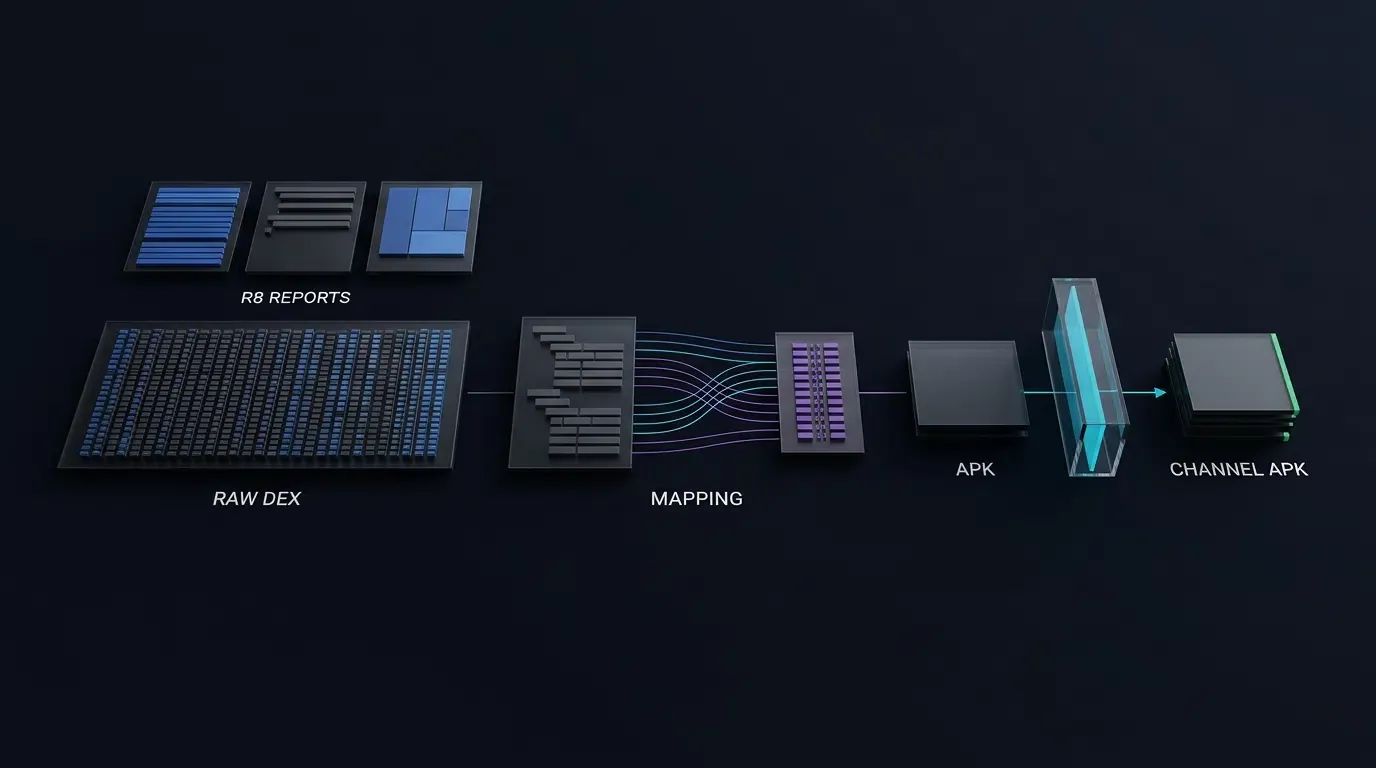
Never assume a -keep rule worked simply because ./gradlew :app:assembleRelease finished without build errors. To verify your configuration deterministically, inspect the four R8 diagnostic files generated in app/build/outputs/mapping/<buildVariant>/ (use -whyareyoukeeping class <ClassName> when debugging why a specific symbol was retained):
configuration.txt: Contains the complete, merged rule set applied by R8—combining your host keep rules, default Android platform rules, AAPT2 rules, and any/proguard.txtor/META-INF/rules bundled inside linked.aarand.jarlibraries.seeds.txt: Lists every class, constructor (<init>()), method, and field that matched your active-keeprules. Note that matching inseeds.txtconfirms rule syntax, but must be paired with DEX inspection and runtime testing.usage.txt: Lists dead code that R8 stripped from the APK during tree-shaking. Confirm that none of your required SDK classes, reflective constructors, or JNI upcall methods appear inusage.txt.mapping.txt: Records the before-and-after identifier translation map for retained classes and members. Note that absence frommapping.txtdoes not prove a class was preserved under its original name—it may have been completely removed during shrinking (and listed inusage.txt). Always cross-referencemapping.txtagainstseeds.txt,usage.txt, and the compiled DEX file.
Verifying Raw DEX Identifiers vs. Deobfuscated Report States with apkanalyzer
When using the official Google Android Developers APK Analyzer CLI to inspect your release APK, distinguish between raw compiled DEX identifiers and mapping-deobfuscated names:
- Inspecting Raw Compiled DEX Names (Without
--proguard-mappings): When you pass--proguard-mappings mapping.txttoapkanalyzer, the tool translates obfuscated DEX names (such asa.b.c) back into their original source names for display. Therefore, seeing an original class name when--proguard-mappingsis enabled does not prove the symbol escaped renaming inclasses.dex. Runapkanalyzer dex packageswithout--proguard-mappingsfirst. Because R8 class repackaging can also move classes into flattened package paths, do not rely solely on a packagegrep; inspect the raw DEX class tree, verify reflection entry-point class names, check JNI method names and descriptor signatures, and cross-checkmapping.txtto confirm that required methods and fields were not renamed. - Inspecting R8 Retention States (With
--proguard-mappings,--proguard-seeds, and--proguard-usages): In a second pass, supply all three R8 report files to reconstruct the retention flags (kfor kept by a seed rule,xfor removed during shrinking,rfor referenced, anddfor defined) across every package (P), class (C), method (M), and field (F):
# Run from the Android project root directory (adjust variant path for product flavors, e.g., prodRelease)

# 1. (AGP 9.3+) Run the standalone R8 configuration analyzer for rapid rule verification, then build release APK
./gradlew :app:analyzeReleaseR8Config
./gradlew :app:assembleRelease

# 2. Inspect the merged R8 configuration, matched seeds, and stripped usage reports
grep -i -C 3 "opoinstall" app/build/outputs/mapping/release/configuration.txt
grep -i "opoinstall" app/build/outputs/mapping/release/seeds.txt
grep -i "opoinstall" app/build/outputs/mapping/release/usage.txt

# 3A. Inspect RAW compiled DEX identifiers (WITHOUT --proguard-mappings)
# Also inspect the full raw DEX tree and cross-check mapping.txt in case R8 repackaged classes
apkanalyzer dex packages app/build/outputs/apk/release/app-release.apk | grep -i "opoinstall"

# 3B. Inspect R8 retention state flags (k = kept, x = removed, r = referenced, d = defined) WITH R8 report files
apkanalyzer dex packages \
  --proguard-mappings app/build/outputs/mapping/release/mapping.txt \
  --proguard-seeds app/build/outputs/mapping/release/seeds.txt \
  --proguard-usages app/build/outputs/mapping/release/usage.txt \
  app/build/outputs/apk/release/app-release.apk | grep -i "opoinstall"

# 4. Verify 16 KB page alignment (if native .so files are present) and cryptographic APK signatures
zipalign -c -P 16 -v 4 app/build/outputs/apk/release/app-release.apk
apksigner verify --verbose app/build/outputs/apk/release/app-release.apk
Release Build Attribution Troubleshooting Matrix
Diagnosing Silent Attribution and Deep-Link Failures in Minified Android Builds
When troubleshooting attribution discrepancies that only occur in minified release builds, use the diagnostic matrix below to isolate the root cause:
| Observed Release Symptom | Probable R8 / Build Root Cause | Diagnostic Verification Step | Corrective Action |
|---|---|---|---|
getInstallParam or handleDeepLink callback never fires in release build |
SDK entry-point classes, reflective <init>() constructors, or ResultCallBack methods were stripped or renamed due to a package mismatch |
Check seeds.txt and usage.txt; inspect raw apkanalyzer dex packages output (without --proguard-mappings) and mapping.txt |
Inspect the .jar / .aar with jar tf to find the exact case-sensitive class paths and add scoped -keep rules including <init>(...); |
Callback fires, but OpoData custom parameters parse as empty or null |
OpoData was only protected with -keepclassmembers (allowing the class itself to be stripped) or generic Signature metadata was lost |
Check usage.txt and mapping.txt for OpoData and check configuration.txt for -keepattributes Signature |
Use -keep class ... (if OpoData is instantiated reflectively) with <init>(...); <fields>; and retain -keepattributes Signature |
UnsatisfiedLinkError or missing native callback when SDK loads .so library |
Dynamically registered RegisterNatives downcalls were shrunk or C/C+±to-Java upcall target methods were renamed by R8 |
Inspect logcat for the exact missing JNI symbol and check raw apkanalyzer dex packages and mapping.txt for the target Java class |
Use -keep (or -keepclassmembers if the bridge class is directly instantiated in Java) with includedescriptorclasses on JNI upcall and RegisterNatives targets |
| Exported Android channel package fails installation or drops channel stats | Post-export APK modification invalidated the APK signature or overwrote embedded channel metadata | Run zipalign -c -P 16 -v 4 and apksigner verify --verbose on the exported channel APK and test on a physical device |
Complete all R8 minification, hardening, alignment, and signing on the base APK before uploading to the console; verify both signature and attribution after export |
Frequently Asked Questions (FAQ)
How do I exclude a mobile SDK from Android ProGuard and R8 obfuscation?
How do I verify that my Android SDK classes were excluded from R8 obfuscation?
Why do Android channel package statistics stop working after APK hardening or post-processing?
Summary and Release Build Verification Checklist
Understanding how to exclude mobile SDKs from Android ProGuard and R8 obfuscation is essential for preventing silent attribution regressions when transitioning from debug testing to production release builds. By verifying bundled consumer rules, writing narrowly scoped -keep directives that match the exact case-sensitive class paths inside your SDK archive, respecting the pre-upload build order for Android channel packages, and cross-checking R8’s diagnostic output files against raw DEX bytecode, Android engineers can maintain full code shrinking without breaking deferred deep linking or parameter restoration.
Before publishing a minified Android release build to Google Play or exporting channel packages, execute this four-step verification checklist:
-
Inspect the SDK Archive and Merged Configuration: Check your downloaded SDK archive (such as v2.1.0) with
jar tforunzip -lto inspect exact class paths and bundled consumer rules, and run./gradlew :app:analyzeReleaseR8Config(in AGP 9.3+) or reviewconfiguration.txt. -
Cross-Check R8 Reports and Raw DEX Identifiers: Confirm that required SDK entry points, reflective
<init>()constructors,OpoDatamodel fields,ResultCallBackmethods, and JNI signatures appear inseeds.txt, are absent fromusage.txt, and retain their original names in rawapkanalyzer dex packagesoutput (run without--proguard-mappings) andmapping.txt. -
Enforce Pre-Upload Minification and Verify Channel APK Signatures: Complete all R8 minification, any third-party hardening,
zipalign(zipalign -c -P 16 -v 4), and APK signing on the base APK before uploading it to export Android channel packages, and runapksigner verify --verboseon exported packages. -
Execute a Physical-Device Release Smoke Test: Install the signed, minified release APK on a real Android device and verify both H5 parameter installation (
getInstallParam) and one-click wakeup (handleDeepLink).
Engineering teams can register an application and upload their obfuscated base APK on the OpoInstall developer console to test channel-package export and verify release-build parameter restoration.
Related Materials
-
Concepts: Android R8 Code Shrinking, Identifier Obfuscation, Consumer ProGuard Rules, Channel Package Build Order
-
Technologies: Android Gradle Plugin (AGP), R8 Compiler,
proguard-rules.pro, Android Studio APK Analyzer -
Standards: OWASP Mobile Application Security Project
-
Platform and Integration Interfaces:
isMinifyEnabled,optimization.enable,analyzeReleaseR8Config,consumerProguardFiles,seeds.txt,usage.txt,apkanalyzer dex packages,apksigner,zipalign -
Official Documentation & References:
Share this article