Nubia Ships NaviX Ultra AI Phone? On September 16, 2026, ZTE’s Nubia officially launched the NaviX Ultra in China, establishing the commercial debut of a mass-produced, agentic smartphone powered by the consumer edition of ByteDance’s Doubao Mobile Assistant. For mobile system architects, Android runtime engineers, and telemetry specialists, mastering Nubia NaviX Ultra OS Agent Routing requires analyzing how system-level artificial intelligence bridges high-level spoken intent with low-level application execution environments. Rather than functioning as an isolated conversational chatbot, the device integrates agentic capabilities directly into Nebula AIOS 2 on Android 16, orchestrating multi-step actions across disparate third-party applications from a single user prompt. However, routing autonomous workflows across third-party app sandboxes exposes significant architectural friction: visual UI automation fragility, ecosystem governance challenges, permission authorization boundaries, and context drops when tasks encounter uninstalled target applications. Addressing these challenges demands evaluating the hardware-software integration of agent-first devices, the technical mechanics of OS-level intent dispatch, and robust fallback strategies across mobile application installation boundaries.
Hardware-Anchored AI Architecture: The Dedicated AI Key and Dual-Biometric Pipeline
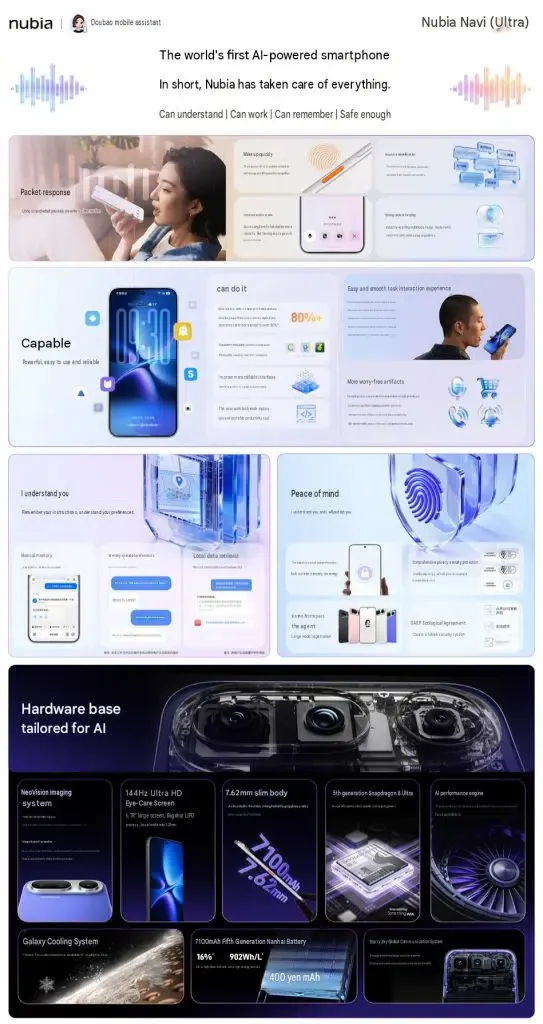
The NaviX Ultra pairs its autonomous agent runtime with hardware designed to reduce invocation friction, support sustained reasoning workloads, and incorporate biometric identity verification at invocation.
At a Glance
- Dedicated Physical AI Key with Integrated Biometrics: A physical, orange-accented AI button integrates a capacitive fingerprint sensor, pairing assistant invocation with instant identity verification to authorize initial agent activation.
- ByteDance Doubao Mobile Assistant Engine: Nebula AIOS 2 embeds ByteDance’s full-stack agent framework, leveraging Seed’s full-duplex voice model to support conversational interruptions, regional dialect comprehension, and multimodal screen perception.
- Cross-Application Autonomous Dispatch: Nubia claims an end-to-end task completion rate exceeding 80% in internal tests for single-sentence, multi-step requests spanning third-party services like CaoCao Mobility, Lark, and music platforms.
- Ecosystem Governance via SAEP: The system adopts the Screen Automation Execution Protocol (SAEP), providing third-party application developers with a formal declaration mechanism to explicitly permit or restrict AI-driven screen automation.
- The Installation Boundary Gap: When an agent-driven workflow directs a user to an uninstalled target application, standard app-store installation does not provide a universal mechanism for delivering arbitrary transient task context into a newly installed app; a separate continuity mechanism is required if developers want that state restored.
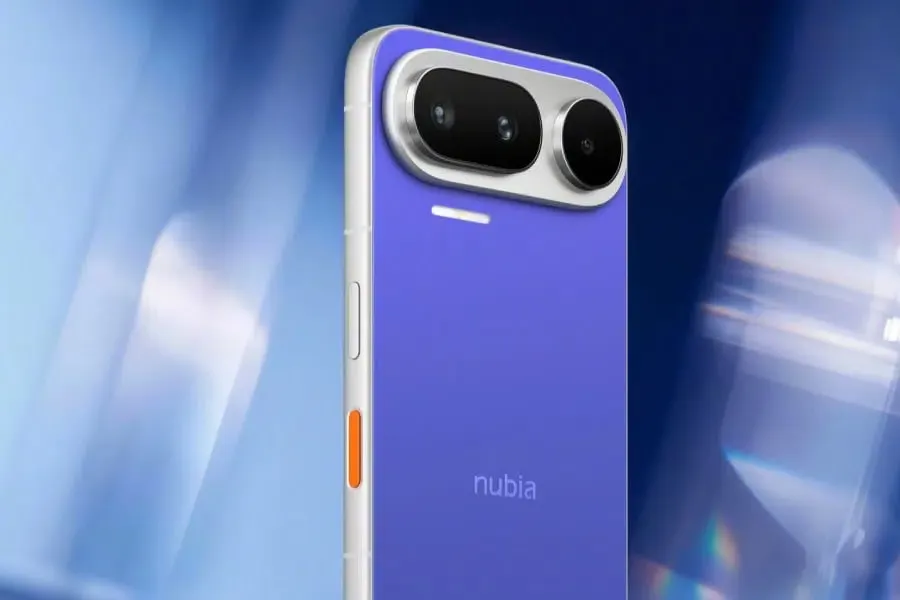
Under the hood, the NaviX Ultra runs on Qualcomm’s 3nm Snapdragon 8 Elite Gen 5 platform, supported by up to 16GB of LPDDR5X RAM (operating at up to 10,667 Mbps) and 1TB of UFS 4.1 storage. Thermal stability during sustained reasoning loops is maintained by a 7,100mm² three-dimensional vapor chamber. Despite housing a dense 7,100mAh fifth-generation Nanhai battery supporting 90W wired and 50W wireless charging, the chassis maintains a slim 7.62mm profile. The display is a 6.78-inch LTPO 2.0 OLED panel with a 1.5K resolution (2800×1260), an adaptive 1–144Hz refresh rate, and up to 4,500 nits peak brightness.
The defining physical characteristic of the device is its Dual-Fingerprint Architecture. Standard Android flagships utilize a single biometric reader under the display for lock-screen unlocking and transaction authorization. The NaviX Ultra maintains an ultrasonic in-display scanner, but introduces a secondary capacitive fingerprint sensor embedded directly within the side-mounted AI key.
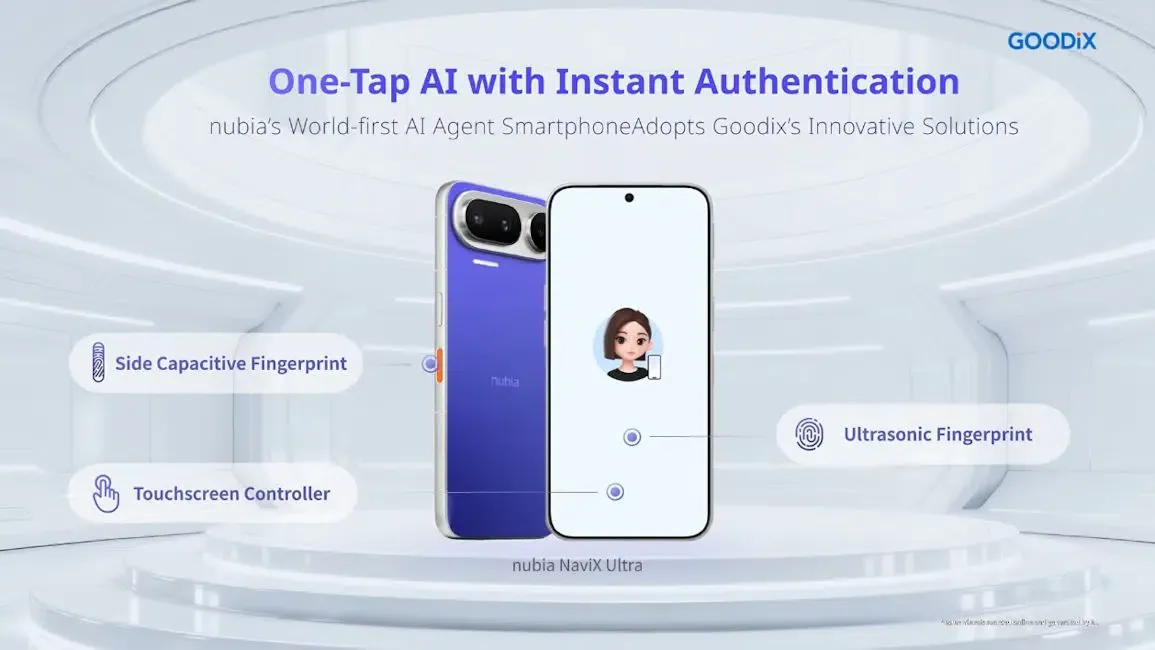
This dual-biometric pipeline addresses an operational bottleneck in agentic systems: Invocation-Time Identity Verification. When an AI agent performs tasks on behalf of the user, confirming identity at the moment of invocation prevents unauthorized users from issuing spoken commands on an unlocked phone. By embedding a capacitive biometric sensor into the physical click event of the AI key, the operating system verifies user identity at the exact moment of instruction dispatch. However, to maintain consumer security, sensitive operations—such as final transaction payments, financial transfers, or public content publishing—still require separate explicit user confirmation rather than granting blanket, persistent authorization.
Audio ingestion is anchored by Seed’s full-duplex voice model. Unlike turn-based assistants that require users to wait for output generation before speaking, full-duplex streaming allows users to interrupt the assistant mid-response. According to Nubia’s laboratory comparative claims, this architecture yields a 48% higher wake-up success rate in noisy environments such as transit hubs and subway stations, alongside a 21% improvement in sentence parsing accuracy across Mandarin and more than ten regional dialects, including Cantonese, Minnan, and Hakka.
Deconstructing the Doubao Agent Runtime: Reasoning, Multimodal Screen Perception, and Task Dispatch
The intelligence layer driving the NaviX Ultra is the consumer edition of ByteDance’s Doubao Mobile Assistant, transitioning from the technical preview released in late 2025 into a commercial runtime.
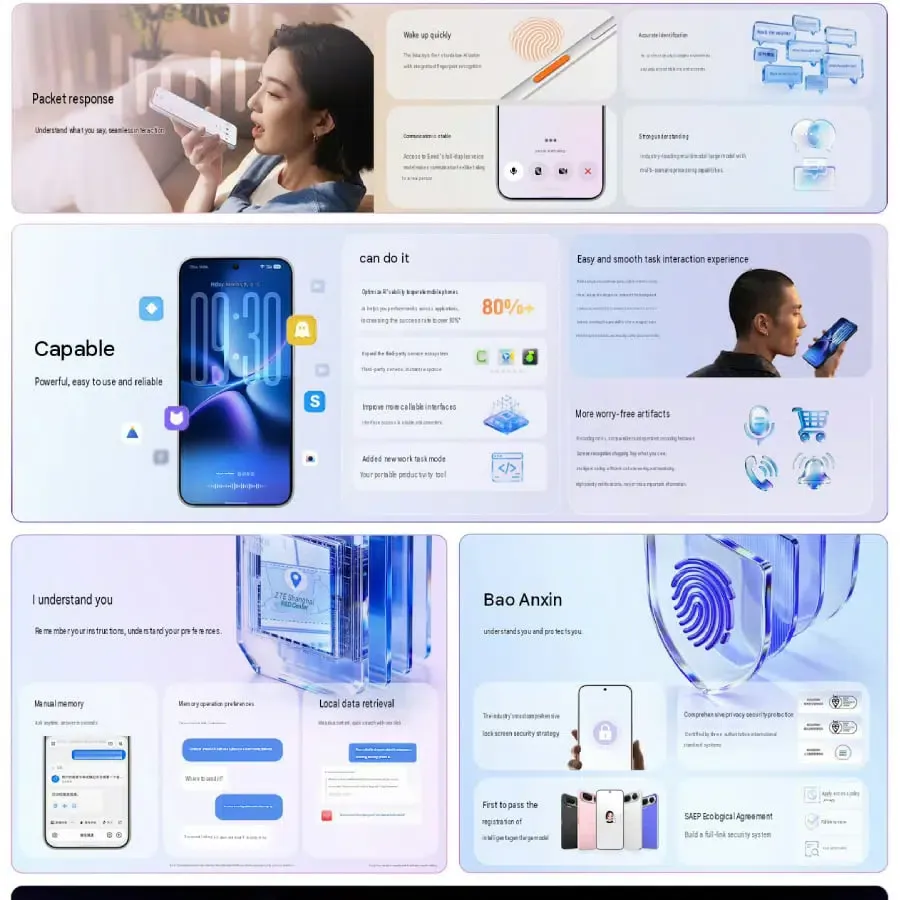 Conceptually, the agent runtime is organized around four core behavioral capabilities:
- Deep Reasoning: The runtime processes unstructured, multi-part spoken requests (e.g., “Check my Lark meeting schedule for tomorrow afternoon, find a nearby coffee shop with quiet seating, and book a CaoCao ride to get me there fifteen minutes early”) and executes automated task decomposition into executable sub-goals.
- Generalization: The model maps semantic objectives to diverse application user interfaces, utilizing learned spatial heuristics to navigate unfamiliar application layouts.
- Self-Correction & Active Exploration: If an execution branch encounters an unexpected obstacle—such as an unpredicted dialog or temporary network failure—the agent evaluates alternative paths to complete the assigned goal.
- Extended Context Adherence: Because multi-app tasks can span several minutes or run asynchronously while the device is locked, the agent runtime tracks task constraints across long execution sequences.
The assistant interacts with running applications through two primary modalities: Multimodal Screen Perception and Service Integration Calls. Through screen understanding, the assistant interprets visible interface elements, performs optical character recognition (OCR), and determines actionable coordinates. This powers features such as Screen Q&A and Screen Recognition Shopping, which identify products within the active viewport and assist in navigating toward purchasing options.
According to Nubia, the device achieves an end-to-end task execution success rate exceeding 80% for single-sentence, cross-app requests in internal testing. Background execution queues allow users to append tasks, adjust priorities via system widgets, and let the agent process tasks asynchronously.
System Boundaries and Ecosystem Governance: GUI Automation, SAEP Declarations, and Structured Protocols
The launch of the NaviX Ultra directly addresses the historical challenges encountered by early agentic prototypes, such as the M153. In late 2025, early technical previews sparked resistance from major mobile applications, with platforms restricting or flagging automated actions executed via system-level input event injection (INJECT_EVENTS) and screen scraping as unauthorized bot behavior.
This ecosystem friction highlights the central architectural tension in mobile agent design: Visual GUI Automation vs. Governed Service Endpoints.
+-------------------------------------------------------------------------+
|             MOBILE AGENT INTEGRATION & GOVERNANCE PIPELINE              |
| (Conceptual integration model — not a published Doubao internal schema) |
+-------------------------------------------------------------------------+
|                                                                         |
|  [ User Spoken Input via Seed Full-Duplex Model: Dedicated AI Key ]     |
|                                |                                        |
|                                v                                        |
|  [ Doubao Agent Core: Task Decomposition & Parameter Extraction ]        |
|  Structured Intent: { target_domain, action, entity_params }            |
|                                |                                        |
|         +----------------------+----------------------+                 |
|         | (Screen-Level Path)                         | (Direct Path)   |
|         v                                             v                 |
|  [ SAEP Governance Check ]                   [ Structured Integration ] |
|  Does target app allow GUI automation?       Calls official service API |
|         |                                    or developer Intent filter |
|         +----------------------+                      |                 |
|         |                      |                      v                 |
|         v (Allowed)            v (Rejected)  [ Deterministic Execution ]|
|  [ GUI Automation Engine ]   [ Operation     - Bypasses screen scraping |
|  - Vision parsing            Halted / User   - No synthetic touch risks |
|  - Simulated tap events      Prompted ]      - High execution stability |
|                                                                         |
+-------------------------------------------------------------------------+
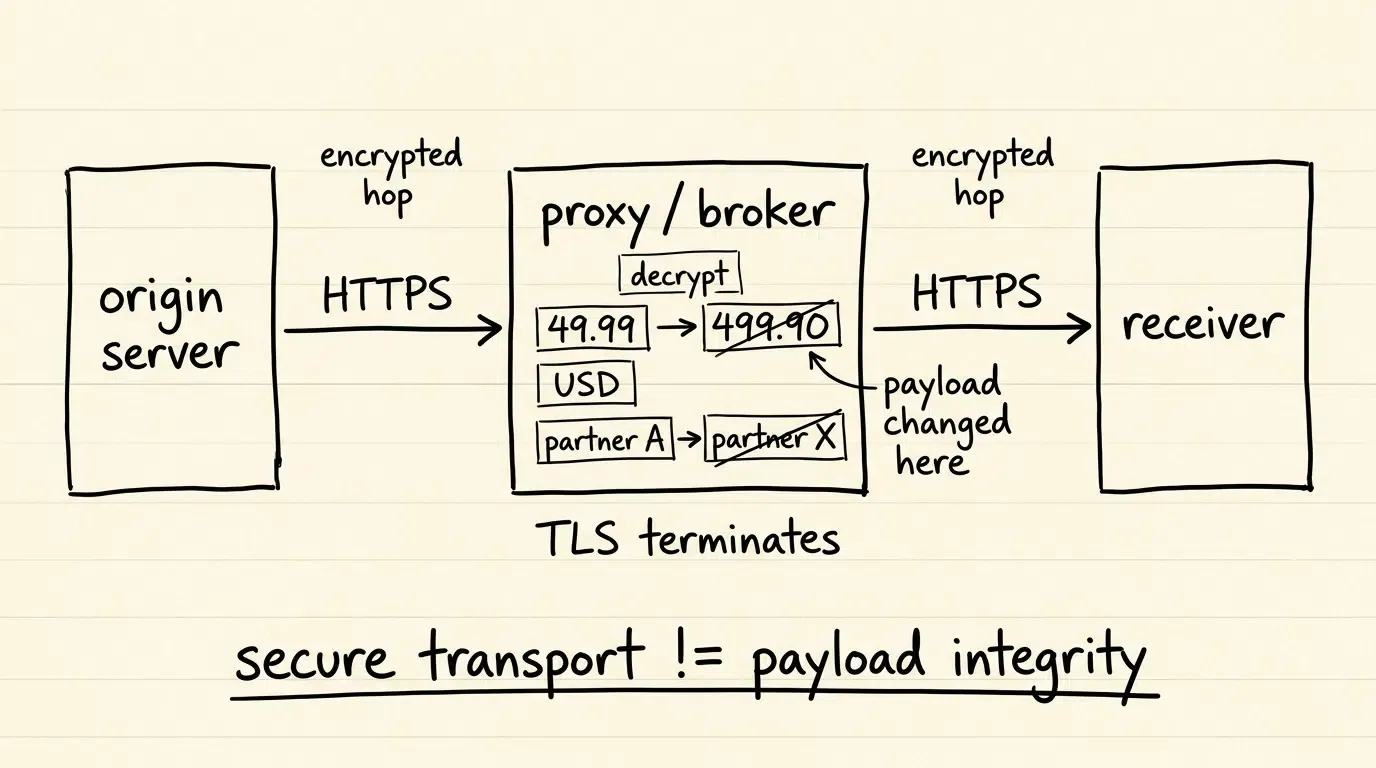
In current commercial deployments, visual GUI automation remains a primary mechanism for driving unmodified third-party applications. However, driving applications purely through synthetic taps and screen scraping presents real-world fragility: interface redesigns, dynamic pop-ups, and anti-scraping defenses can interrupt execution. Furthermore, sensitive apps (such as banking portals or e-commerce checkouts) may actively restrict automated touch inputs.
To formalize this boundary, ByteDance introduced the Screen Automation Execution Protocol (SAEP) alongside the consumer release of the Doubao Mobile Assistant. SAEP functions as an ecosystem governance declaration:
- Application Autonomy: Third-party app developers can explicitly declare whether their applications permit, restrict, or reject AI-driven GUI screen automation.
- Transparent Notice & Consent: Under SAEP, applications are given a formal disclosure window to register their automation preferences, allowing the assistant to respect application security perimeters rather than attempting unrestricted UI overrides.
In parallel to SAEP-governed GUI automation, the mobile industry is exploring structured alternatives such as Model Context Protocol (MCP), Agent-to-Agent (A2A) interfaces, and standard declarative Android Intents. Where developers choose to expose explicit service endpoints, OS agents can invoke internal capabilities directly via structured Inter-Process Communication (IPC), bypassing visual screen scraping entirely.
| Integration & Governance Mechanism | Primary Role | Implementation Layer | Operational Impact |
|---|---|---|---|
| Visual GUI Automation | Drives unmodified applications by parsing screens and simulating taps | System-level input injection and vision models | High flexibility, but vulnerable to UI layout changes and anti-bot defenses |
| SAEP Protocol | Governance declaration allowing apps to permit or reject GUI automation | Formal ecosystem declaration schema (policy/manifest) | Protects app autonomy; halts automation when an app opts out |
| Direct Service / MCP APIs | Direct, headless capability exposure for agent consumption | Application-provided service APIs and data contracts | Eliminates screen scraping; highly reliable, but requires explicit developer adoption |
| Declarative Android Intents | Standard entry points for specific in-app activities and deep links | Exported Activity intent filters and Android App Links | Deterministic navigation for supported actions using standard system IPC |
For third-party app developers, implementing structured Android Intent filters and deep link entry points provides a resilient complement to GUI automation, ensuring that user requests can be routed directly to specific in-app views with verified parameters.
// Illustrative Developer-Side Reference Implementation:
// The following Kotlin activity demonstrates how an Android application can expose
// structured Intent filters and deep link entry points to receive external task parameters safely.
// Note: This is an illustrative developer pattern, not an official Nubia or ByteDance API specification.

package com.example.commerce.routing

import android.content.Intent
import android.net.Uri
import android.os.Bundle
import android.util.Log
import androidx.appcompat.app.AppCompatActivity

class AgentRoutingGatewayActivity : AppCompatActivity() {

    companion object {
        private const val TAG = "AgentRoutingGateway"
        // Example custom action that third-party developers can define in their AndroidManifest.xml
        private const val ACTION_EXECUTE_TASK = "com.example.commerce.action.EXECUTE_TASK"
        private const val EXTRA_TASK_TOKEN = "extra_task_token"
        private const val EXTRA_TARGET_SKU = "extra_target_sku"
    }

    override fun onCreate(savedInstanceState: Bundle?) {
        super.onCreate(savedInstanceState)
        handleIncomingIntent(intent)
    }

    override fun onNewIntent(intent: Intent) {
        super.onNewIntent(intent)
        setIntent(intent)
        handleIncomingIntent(intent)
    }

    private fun handleIncomingIntent(intent: Intent?) {
        if (intent == null) {
            finishWithRoutingError("NULL_INTENT")
            return
        }

        // 1. Inspect caller package identity if privileged access is required
        val callingPackage = callingPackage ?: intent.getStringExtra("com.android.extra.CALLING_PACKAGE")
        Log.d(TAG, "Incoming dispatch from package: $callingPackage")

        // 2. Parse Intent Mechanism (Native Action vs. Deep Link Data URI)
        when (intent.action) {
            ACTION_EXECUTE_TASK -> {
                // Structured Android Intent Extras Path
                val taskToken = intent.getStringExtra(EXTRA_TASK_TOKEN)
                val targetSku = intent.getStringExtra(EXTRA_TARGET_SKU)

                if (!validateTaskToken(taskToken)) {
                    finishWithRoutingError("INVALID_TASK_TOKEN")
                    return
                }

                executeInternalNavigation(sku = targetSku, taskToken = taskToken)
            }
            Intent.ACTION_VIEW -> {
                // Standard Deep Link Path (Verified Android App Link or Custom Scheme)
                val dataUri: Uri? = intent.data
                if (dataUri != null && dataUri.isHierarchical) {
                    val sku = dataUri.getQueryParameter("sku")
                    val taskToken = dataUri.getQueryParameter("token")

                    executeInternalNavigation(sku = sku, taskToken = taskToken)
                } else {
                    finishWithRoutingError("MALFORMED_DATA_URI")
                }
            }
            else -> {
                finishWithRoutingError("UNSUPPORTED_INTENT_ACTION")
            }
        }
    }

    private fun validateTaskToken(token: String?): Boolean {
        // Enforce temporal freshness and cryptographic integrity if processing privileged actions
        if (token.isNullOrBlank()) return false
        return token.startsWith("task_sec_") // Illustrative validation logic
    }

    private fun executeInternalNavigation(sku: String?, taskToken: String?) {
        Log.i(TAG, "Navigating to product view for SKU: $sku with Token: $taskToken")

        val destinationIntent = Intent(this, ProductDetailActivity::class.java).apply {
            putExtra("SKU_ID", sku)
            putExtra("SESSION_TOKEN", taskToken)
            addFlags(Intent.FLAG_ACTIVITY_CLEAR_TOP or Intent.FLAG_ACTIVITY_SINGLE_TOP)
        }
        startActivity(destinationIntent)
        finish()
    }

    private fun finishWithRoutingError(reason: String) {
        Log.e(TAG, "Routing failed: $reason")
        finish()
    }
}

class ProductDetailActivity : AppCompatActivity() {
    override fun onCreate(savedInstanceState: Bundle?) {
        super.onCreate(savedInstanceState)
        val sku = intent.getStringExtra("SKU_ID")
        Log.d("ProductDetailActivity", "Displaying product: $sku")
    }
}
Downstream Mobile Journeys: The Installation Boundary and Context Preservation
While structured intent routing and governed GUI automation function effectively when target applications are already present on the device, autonomous agents frequently encounter an important operational edge case: tasks that target uninstalled applications.
Consider a scenario where a user asks the assistant: “Find the latest product catalog on Example Store and check if the espresso maker is in stock.”
If Example Store’s native app is installed, the system can route the request directly through verified Android App Links or execute permitted GUI automation. However, if the application is absent from the device, the workflow encounters the App Store Installation Boundary:
+-------------------------------------------------------------------------+
|             AGENT INTENT VS. THE APP INSTALLATION BOUNDARY              |
+-------------------------------------------------------------------------+
|                                                                         |
|  [ OS Agent Identifies Missing Application Needed for Task ]            |
|                                |                                        |
|                                |-- (Routes user to marketplace)         |
|                                v                                        |
|  [ Application Marketplace (e.g., ZTE App Store / Web Distribution) ]   |
|                                |                                        |
|                                v                                        |
|  [ THE INSTALL BOUNDARY: Standard Android package installation does not |
|    guarantee that arbitrary agent intent context or transient task      |
|    parameters are injected into the newly initialized application ]     |
|                                |                                        |
|                                v                                        |
|  [ Application Launches for the First Time (Cold Boot) ]                |
|  Without an explicit continuity mechanism: prior task context is not    |
|  automatically restored on cold boot.                                   |
|                                |                                        |
|                                v                                        |
|  [ Developer-Side Deferred Deep Linking Pipeline (e.g., Opoinstall) ]   |
|  If configured: Restores eligible pre-install parameters on first boot; |
|  application navigates directly to target content or task view          |
|                                                                         |
+-------------------------------------------------------------------------+
Standard Android package distribution sequences do not provide a universal mechanism for injecting arbitrary task parameters—such as specific product SKUs, booking filters, or promotional identifiers—directly into an application binary during initial installation. On initial cold boot, the freshly installed application opens to its default splash or onboarding screen. Without an explicit continuity mechanism, the original context is not automatically restored, requiring the user to re-navigate or re-enter their search query manually.
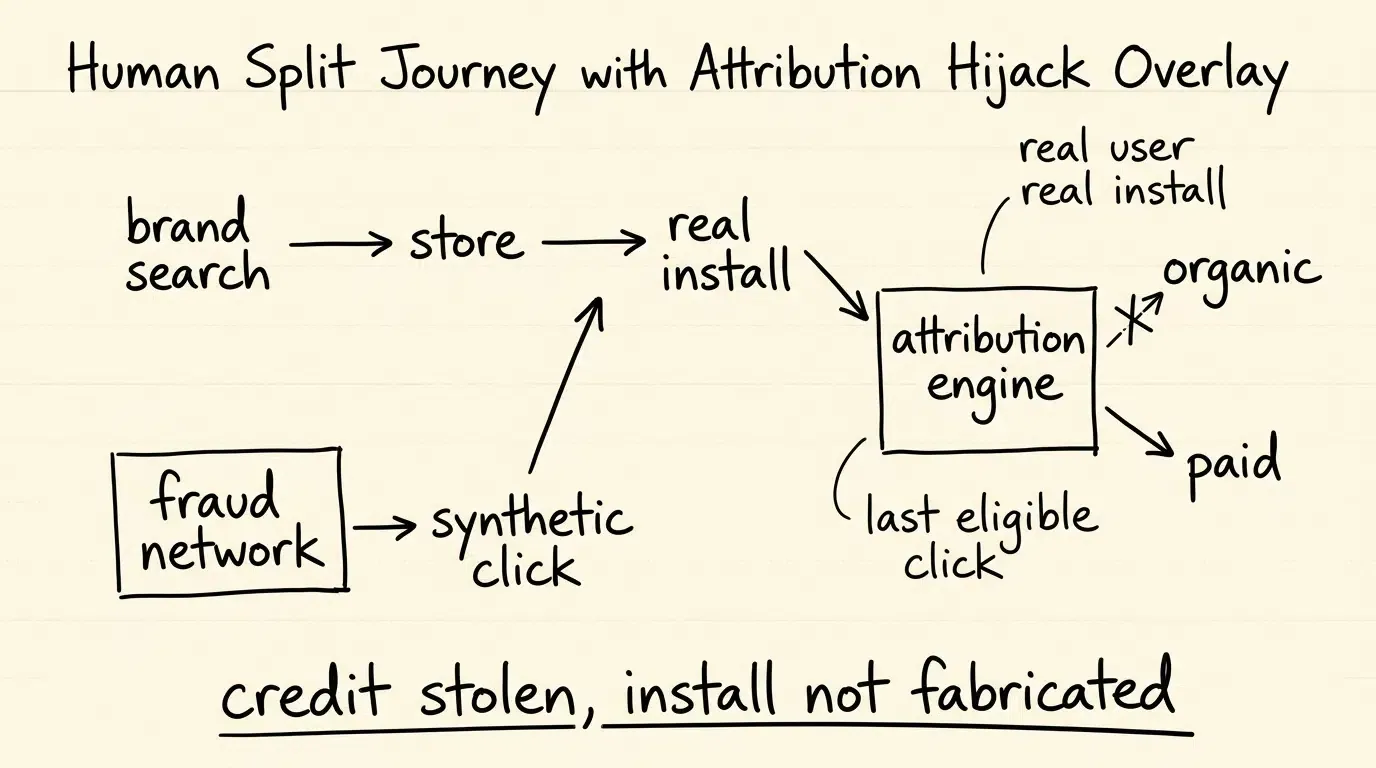
To resolve this install-boundary gap, software engineers and growth architects implement Deferred Deep Linking (DDL) architectures using frameworks such as Branch, AppsFlyer, Adjust, or Opoinstall.
In an advanced mobile acquisition funnel, deferred deep linking operates as an independent bridge:
- Pre-Install Parameter Staging: When an acquisition or agent-directed web flow directs an uninstalled user toward a download destination, eligible parameters (such as campaign IDs, referral tokens, or target content routes) are staged on an intermediary routing server.
- Application Installation: The user completes the package download from the official marketplace.
- Cold-Boot Parameter Restoration: Upon the application’s initial cold launch, the integrated client SDK queries the attribution backend to match the new install instance with the staged pre-install session. According to platform documentation on the Opoinstall homepage, this deferred parameter restoration framework can restore parameters on first launch in up to 98% of eligible instances (vendor claim), providing an automated alternative to manual search or promo code re-entry.
- Contextual Navigation: The application extracts the restored intent extras and routes the user directly to the relevant product or content screen.
It is critical to maintain architectural precision: deferred deep linking does not inspect or expose private conversational dialogues from the OS assistant. It solely bridges the specific, structured parameters that developers explicitly attach to the pre-install routing flow.
Frequently Asked Questions (FAQ)
How does the dual-fingerprint hardware architecture protect user security during agent execution?
What is the Screen Automation Execution Protocol (SAEP) and how does it affect third-party apps?
How do OS-level agents choose between GUI automation and direct service APIs?
Key Takeaways for Mobile Systems and App Developers
The commercial debut of the Nubia NaviX Ultra demonstrates that agent-driven mobile operating systems are moving into production hardware. For Android developers, system architects, and platform strategists, preparing for an agent-mediated mobile ecosystem involves three technical priorities:
-
Understand Ecosystem Governance Rules: Familiarize development teams with emerging agent protocols like SAEP to evaluate whether your application should permit, restrict, or monitor automated screen interactions based on security and user experience requirements.
-
Expose Resilient Declarative Entry Points: Implement exported Android Intent filters and verified App Links with structured extras. Providing formal, deep-linkable entry points allows system assistants to route users directly to specific in-app features deterministically, reducing reliance on fragile visual UI scraping.
-
Plan for Uninstalled User Journeys: Recognize that agent-directed recommendations frequently introduce users to new applications. Incorporate deferred deep linking pipelines to ensure that pre-install parameters and intent context survive the application installation barrier, delivering seamless first-launch onboarding.
References
-
ZTE. (2026). World’s First AI Agent Smartphone Officially Launched: Nubia NaviX Ultra.ZTE Newsroom
Goodix. (2026). nubia AI Agent Smartphone Integrates Goodix Innovations for Trusted AI Interaction. Goodix Official Releas
Doubao Mobile Assistant. (2026). Screen Automation Execution Protocol (SAEP) Third-Party Developer Specification. ByteDance Developer Documentation.
-
GSMArena. (2026). nubia NaviX Ultra launches with an advanced agentic AI, Snapdragon 8 Elite Gen 5 power.
-
Gizmochina. (2026). Nubia NaviX Ultra is the company’s second attempt at an AI-first phone.
-
Android Developers. (2026). Create Deep Links to App Content. Android Documentation.
-
Android Developers. (2026). Verify Android App Links. Android Documentation.
-
Opoinstall. (2026). Deferred Deep Linking and Parameterized App Installation Overview.
Share this article