OpenAI Launches ChatGPT Sign In? OpenAI began rolling out Sign in with ChatGPT on July 29, 2026, starting with Airtable, GitLab, HubSpot, Notion, Supabase, and Vercel. On September 29, OpenAI expanded the product story with broader cross-product sign-in messaging and a separate limited-preview capability that lets eligible Plus and Pro users authorize participating tools to use portions of their ChatGPT plan without sharing an API key. As generative artificial intelligence shifts from standalone web chats to integrated software workflows, identity federation may reduce onboarding friction while changing developer onboarding economics. Historically, independent software developers faced high friction when asking users to supply API credentials or pay upfront model subscriptions. By embedding existing plan allowances directly into partner applications, the new protocol alters authentication infrastructure across the web and mobile ecosystem.
Why ChatGPT Identity and Plan Usage Reduce AI Onboarding Friction
At a Glance
- OpenAI introduced Sign in with ChatGPT as an identity-provider authentication option, allowing users to sign in to participating external software using their verified account credentials.
- OpenAI lists six initial identity-sign-in partners—Airtable, GitLab, HubSpot, Notion, Supabase, and Vercel—while ChatGPT plan usage is available across a separate set of eligible commercial and open-source tools.
- Not every Sign in with ChatGPT integration supports plan usage; commercial partners such as Airtable and GitLab support identity sign-in while token sharing remains restricted to participating developer tools.
User onboarding in software applications has long struggled with conversion friction. When digital products introduce AI-powered features, they typically rely on two commercial models: absorbing the inference costs into their own subscription pricing or requiring users to bring an API key. For early-stage startups and specialized productivity tools, absorbing token expenses introduces unpredictable margin volatility. Conversely, requiring end users to generate, configure, and secure API keys creates substantial drop-off during onboarding, limiting adoption to technical audiences.
The introduction of separate identity authentication and plan sharing addresses this structural adoption barrier. By enabling users to authenticate with an existing account that already carries an active compute allowance, developers can offer AI-powered features immediately upon sign-in. This framework allows participating developer tools to utilize included plan allowances instead of managing individual token billing pipelines.
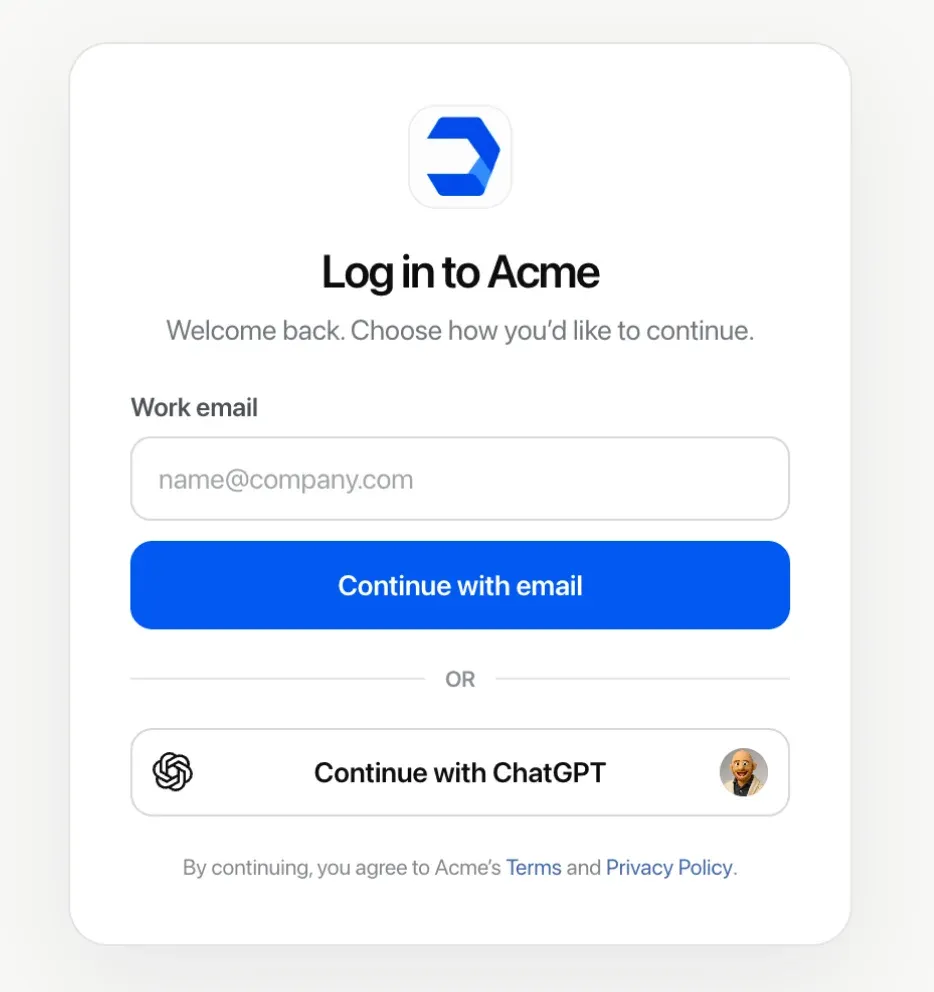
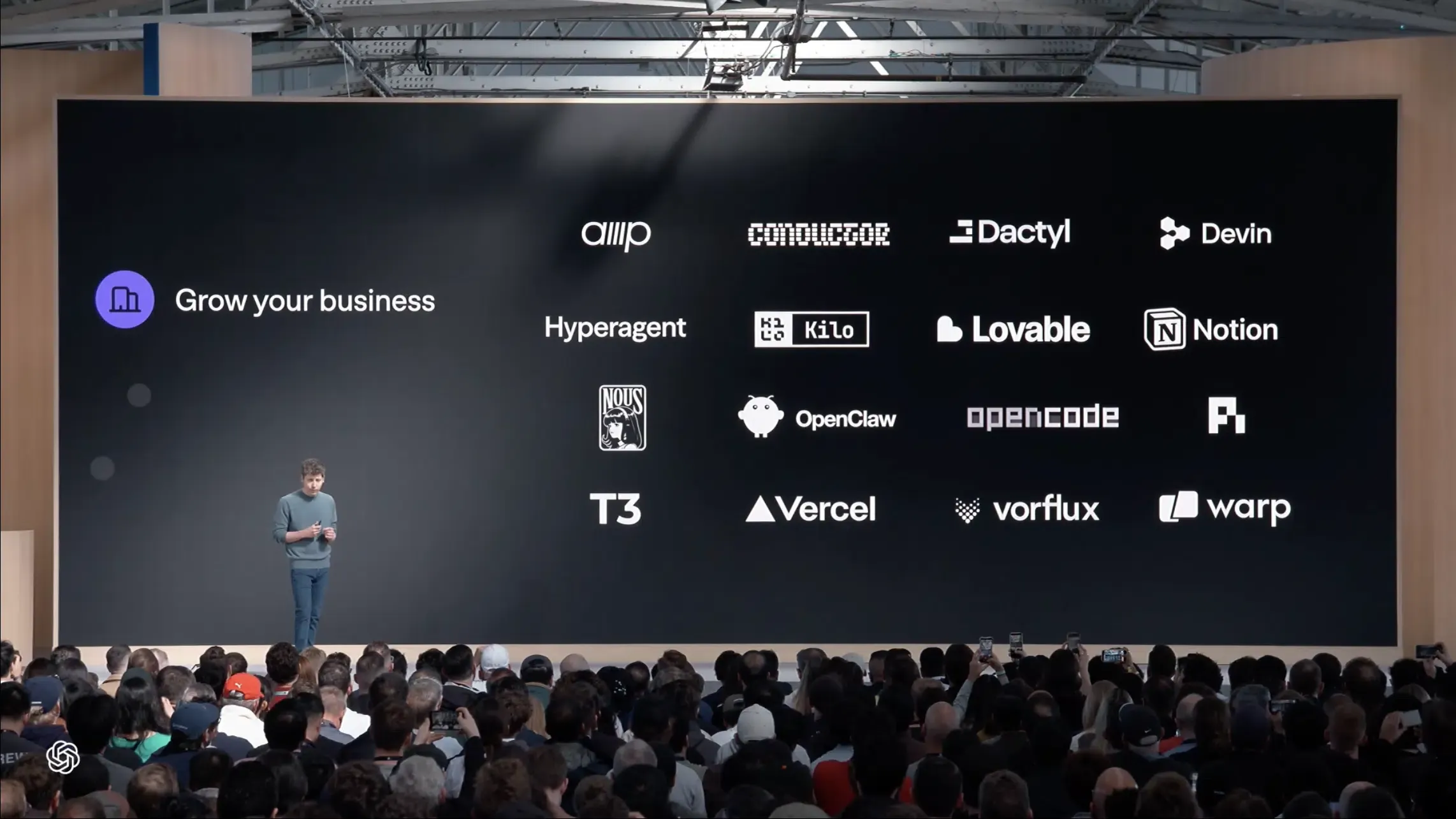
The market implications become clearer as the sign-in option expands across commercial and open-source tools. According to the official OpenAI identity documentation, the authentication flow operates globally for authenticated users, including enterprise organizations subject to administrative policies. A separate group of participating coding tools—including Devin, OpenClaw, Amp, Dactyl, and Kilo Code—have integrated ChatGPT plan usage across participating developer tools. By separating account authentication from internal credit purchases, applications can streamline trial experiences while maintaining user choice over billing structures.
Systemic Root Causes & Technical Architecture of the ChatGPT Identity Layer
Understanding how Sign in with ChatGPT functions requires examining the technical separation between identity delegation and subscription utilization. At the protocol layer, the integration follows standard OAuth and OpenID Connect specifications, utilizing OpenID scopes, Proof Key for Code Exchange (PKCE), nonce validation, and JSON Web Key Sets (JWKS) to verify cryptographic signatures. The external application receives core profile metadata—specifically the user’s name, email address, and profile picture.
Crucially, the identity transaction maintains strict architectural boundaries. Authorizing an account login does not grant the third-party platform access to the user’s conversational history, private memory stores, workspace files, or underlying account billing details. The host application validates an OpenAI-issued ID token to establish identity, while separate access tokens and scopes govern authorized capabilities.
The Bring-Your-Own-Subscription Execution Flow
Beyond identity verification, Sign in with ChatGPT can expose a separate, optional permission for eligible AI usage. Plus and Pro users can allow supported applications to consume eligible ChatGPT Work and Codex usage included in their plan without sharing an API key. This permission is distinct from identity sign-in and is available only in participating tools.
The diagram below outlines the structural division between basic identity federation and subscription-backed model invocation:
[Standard Identity Sign-In Flow]
  User ──> Selects "Sign in with ChatGPT" ──> OpenAI Auth Server ──> Basic Profile (Name, Email) ──> App Session Created

[Subscription-Backed Plan Sharing Flow]
  App Session ──> Requests Model Usage ──> User Approves Plan Allocation ──> ChatGPT Usage Quota (Work/Codex) Consumed
Users can set per-app weekly usage limits in ChatGPT settings. When the applicable limit is reached, plan-backed usage stops unless the user has separately enabled eligible credit use. If credit use and automatic credit purchases are enabled, continued usage may result in additional charges without separate notices, as detailed in the OpenAI plan usage portal.
Build vs. Buy: Managing Server-Side Identity and Deferred Attribution
As centralized AI platforms introduce identity and compute-sharing capabilities, software teams must re-evaluate how they manage user lifecycle state across web and mobile surfaces. When evaluating identity architecture, developers must balance standard social authentication providers with emerging AI-centric login mechanisms.
Architectural Evaluation: Integration Trade-offs
Supporting multiple single sign-on (SSO) options requires maintaining robust backend token-exchange pipelines. Development teams can build custom authentication abstraction layers internally or deploy standardized identity management frameworks.
The comparison table below outlines the architectural trade-offs associated with different identity and compute allocation strategies:
| Strategy | Identity Verification | Compute Allocation | Implementation Overhead | Best For |
|---|---|---|---|---|
| Traditional Social SSO (Google, Apple) | Supported | None (Pure Identity) | Low to Medium | Mainstream consumer applications with standard database models |
| In-House OAuth & Token Store | Proprietary | Variable (Custom Billing) | High | Enterprise platforms requiring proprietary compliance governance |
| ChatGPT Identity Sign-In | Supported where participating | Optional (Select tools only) | Medium | Partner platforms and tools seeking simplified account setup |
| ChatGPT Plan Usage | Linked to ChatGPT account | Included Work/Codex usage | Medium (Partner program) | Developer tools, coding agents, and participating AI applications |
Navigating these architectural shifts requires teams to distinguish between authentication and acquisition state. Although authentication federation and mobile installation attribution operate in separate engineering domains, both address the challenge of maintaining user continuity across fragmented digital environments. Third-party single sign-on simplifies account creation, but it does not track or preserve campaign referral parameters across the pre-install boundary.
For a separate acquisition-resilience question, development teams can evaluate whether marketing campaign and referral parameters are stored independently of identity providers. That is a distinct operational scope from the sign-in mechanism itself: deferred deep linking preserves initial campaign context during app store journeys, but it does not authenticate user credentials. OpoInstall documents deferred deep-linking and parameter-restoration workflows for eligible Web-to-App installation journeys. Keeping eligible campaign and referral parameters independent from the identity provider can help preserve acquisition context across a Web-to-App installation journey, regardless of which supported authentication option the user later chooses.
Integration Checklists: Preparing Mobile and Web Workflows for AI Sign-In
To integrate new single sign-on options while preserving application security and data continuity, engineering teams should establish structured implementation workflows.
Developer Implementation Checklist
- Follow Documented OAuth/OIDC Flows: Implement standard authentication flows for the applicable integration type, including state verification, nonce validation, PKCE, token verification, and granted scopes.
- Implement Granular Permission Scopes: Keep basic identity sign-in strictly separated from delegated compute usage requests to avoid unnecessary user drop-off.
- Handle Rate-Limit and Token Expirations: Design defensive UI notifications when an external compute plan reaches its weekly cap, allowing users to fall back to alternative payment options.
- Provide Explicit Connection and Session Revocation: Distinguish disconnecting the ChatGPT authorization connection from ending the application’s own local session to ensure complete session control.
Product & Growth Strategy Checklist
- Audit Onboarding Conversion Funnels: Test placement and conversion metrics for AI-based sign-in options alongside traditional Google and Apple authentication flows.
- Isolate Attribution Parameters from Login Flows: Ensure campaign parameters, referral codes, and deep-link tokens persist through registration regardless of the identity provider chosen.
- Review Enterprise Access Policies: Verify whether organizational tenant settings require administrative approval before deploying external authentication options across business accounts.
Frequently Asked Questions (FAQ)
Does signing in with ChatGPT give third-party apps access to my chat history?
What happens when an app reaches its weekly ChatGPT plan limit?
Can users without a paid ChatGPT subscription still use Sign in with ChatGPT?
Key Takeaways for Engineering Teams
The launch of Sign in with ChatGPT signals a broader transformation in digital distribution, where identity federation operates alongside optional compute provisioning. By enabling subscribers to bring their existing AI plans into third-party software, platforms can lower onboarding friction and simplify early-stage customer adoption.
Engineering and growth organizations should design modular onboarding architectures that separate identity verification from underlying telemetry and marketing attribution. By maintaining decoupled data layers, development teams can adopt emerging authentication standards while ensuring that cross-platform tracking, user journeys, and customer relationships remain operationally separated.
References
-
OpenAI Help Center — Sign in with ChatGPT — Official guide detailing identity sign-in availability, permission scopes, and enterprise configuration options.
-
OpenAI Help Center — Using Your ChatGPT Plan in Other Apps and Sites — Official documentation outlining plan usage delegation, weekly application limits, and credit overage controls.
-
OpenAI Developers — Sign in with ChatGPT Quickstart — Official technical guide covering identity sign-in, optional ChatGPT plan usage, OpenID scopes, PKCE, and token flow.
-
OpenAI Developers — Registration and Sign-in Documentation — Technical documentation covering authorization-code exchange, ID-token validation, JWKS, nonce validation, granted scopes, and plan-usage authorization.
-
OpoInstall Platform Documentation — Technical reference on deferred deep linking, server-side parameter recovery, and decoupled installation journeys.
Share this article