How to generate a secure tracking URL for app installs? A secure tracking URL combines AppKey identifiers, channel metadata, and HMAC-SHA256 signatures to validate campaign parameters during click processing and verify conversion data during install attribution matching. This structure prevents parameter tampering and click injection fraud while maintaining reliable install attribution across multi-channel campaigns.
A tracking URL is a signed, parameter-embedded redirection link utilized in mobile performance campaigns to capture click contexts, route users to appropriate app store targets, and attribute downstream installations to specific referral channels. By appending cryptographic signatures to dynamic query keys, tracking URLs preserve campaign data across app store environments.
Key Takeaways
- Signed parameter validation: Secures dynamic campaign parameters using server-signed cryptographic tokens to prevent unauthorized parameter modification.
- Cross-platform auto-routing: Parses incoming User-Agent headers to direct iOS and Android users to appropriate store destinations automatically.
- Click injection mitigation: Detects abnormal click-install timing patterns and prevents fraudulent conversion matching.
- S2S postback verification: Authenticates conversion events on backend infrastructure before executing referral payouts.
Why Unprotected Campaign Links Expose App Installs to Attribution Fraud
Exposing raw store URLs or static promotional links introduces significant security risks to performance marketing operations. In mobile measurement systems, this risk is commonly associated with click injection and attribution fraud rather than browser-based UI clickjacking attacks. When marketing links pass un-hashed query parameters through public ad networks, bad actors can intercept and manipulate the parameters in transit. Manually appended partner tags or channel identifiers are vulnerable to unauthorized modification, allowing malicious scripts to divert campaign credit away from legitimate acquisition sources.
Unprotected campaign endpoints are also vulnerable to automated click injection and click spamming. Attackers deploy automated scripts that execute background requests on public campaign links, flooding attribution servers with fake click timestamps. When a genuine user downloads the application organically, the matching server may incorrectly attribute the installation to the simulated click, resulting in stolen conversion credit and wasted promotional payouts.
This security vulnerability reduces measurement accuracy across acquisition channels. In mobile acquisition workflows, corrupted conversion data prevents marketing teams from evaluating channel profitability accurately. Protecting campaign investments requires deploying dynamic tracking links that incorporate cryptographic signatures and server-validated redirection routes.
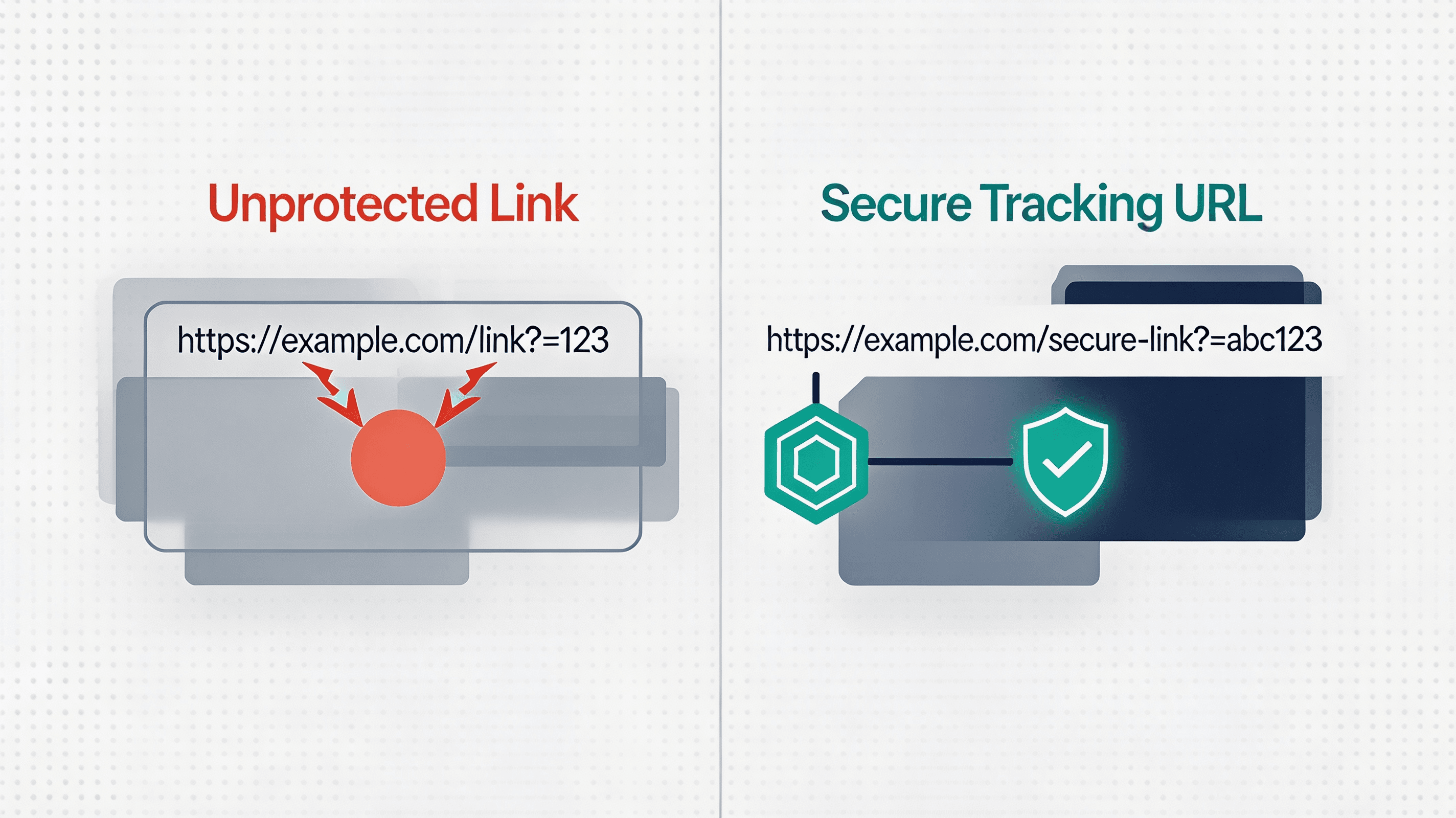
Anatomy of a Secure Mobile Tracking URL
A secure campaign link combines several functional parameter layers into a single redirection string:
https://your-domain.com/app-routing?appKey=KEY_8830192&channelCode=partner_402&utm_source=social&ts=1730000000&sign=example_hmac_signature_value
To ensure parameter integrity and support cross-platform redirection, each URL component performs a specific function:
- Base Domain Layer: A secure, high-availability domain configured with HTTPS and valid SSL certificates to handle incoming HTTP requests without security warnings.
- Application Key Binding: A unique AppKey query string (
appKey) that isolates campaign contexts within the matching database. - Channel Identification: A custom channel parameter (
channelCode) used to attribute installations to specific partners, influencers, or ad placements. - Dynamic Payload Keys: Standardized UTM parameters (
utm_source,utm_medium,utm_campaign) providing sub-campaign granularity for analytics dashboards. - Timestamp Validation Parameter: A Unix timestamp parameter (
ts) establishing the exact link generation window to enforce expiration limits. - Cryptographic Signature Token: An HMAC-SHA256 signature (
sign) generated from canonical query parameters and a server-side secret key, verifying that parameters were not modified after creation.
Dynamic Redirection Architecture and Web-to-App Data Flow
Executing a secure redirection workflow requires managing a multi-stage data pipeline when a user clicks a campaign link. Rather than directing traffic straight to an app store, the signed attribution link routes requests through an intermediate processing layer.
[User Click] ──> [Redirection Server] ──> [App Store] ──> [First Launch]
                                                               │
                                                               ▼
[Backend Attribution] <── [Matching Server] <── [SDK / Install Referrer]
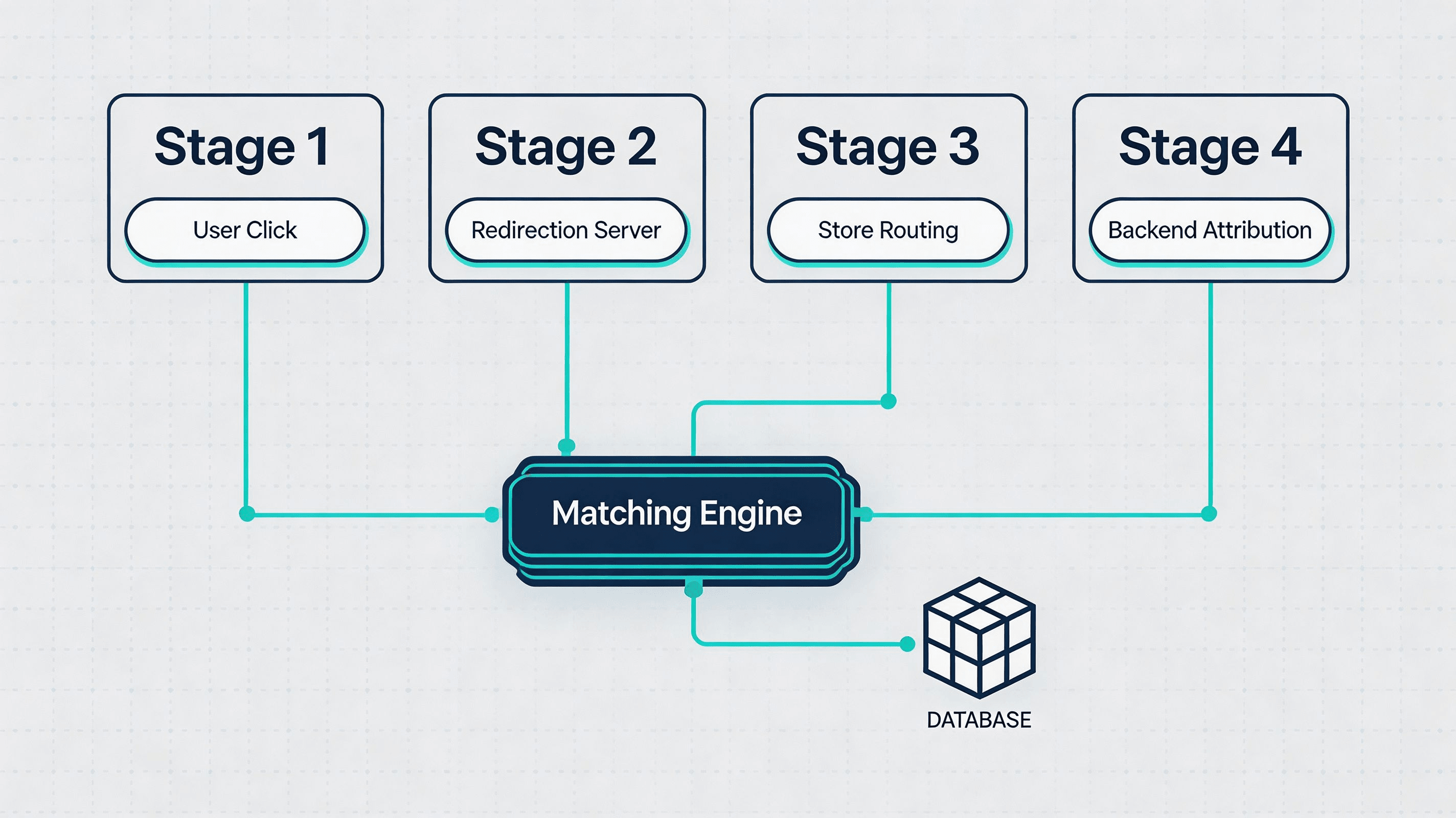
Upon receiving an HTTP request, the redirection server parses the incoming User-Agent header to determine the device’s operating system. iOS users are routed through App Store destinations, while Universal Links can handle verified web-to-app navigation for users who already have the application installed. Android users are routed to Google Play with install referrer parameters preserved for later retrieval through Google Play Install Referrer API. Simultaneously, the server records a signed snapshot of the click context in temporary matching storage.
Cryptographic Parameter Verification and Time-to-Live Expiration
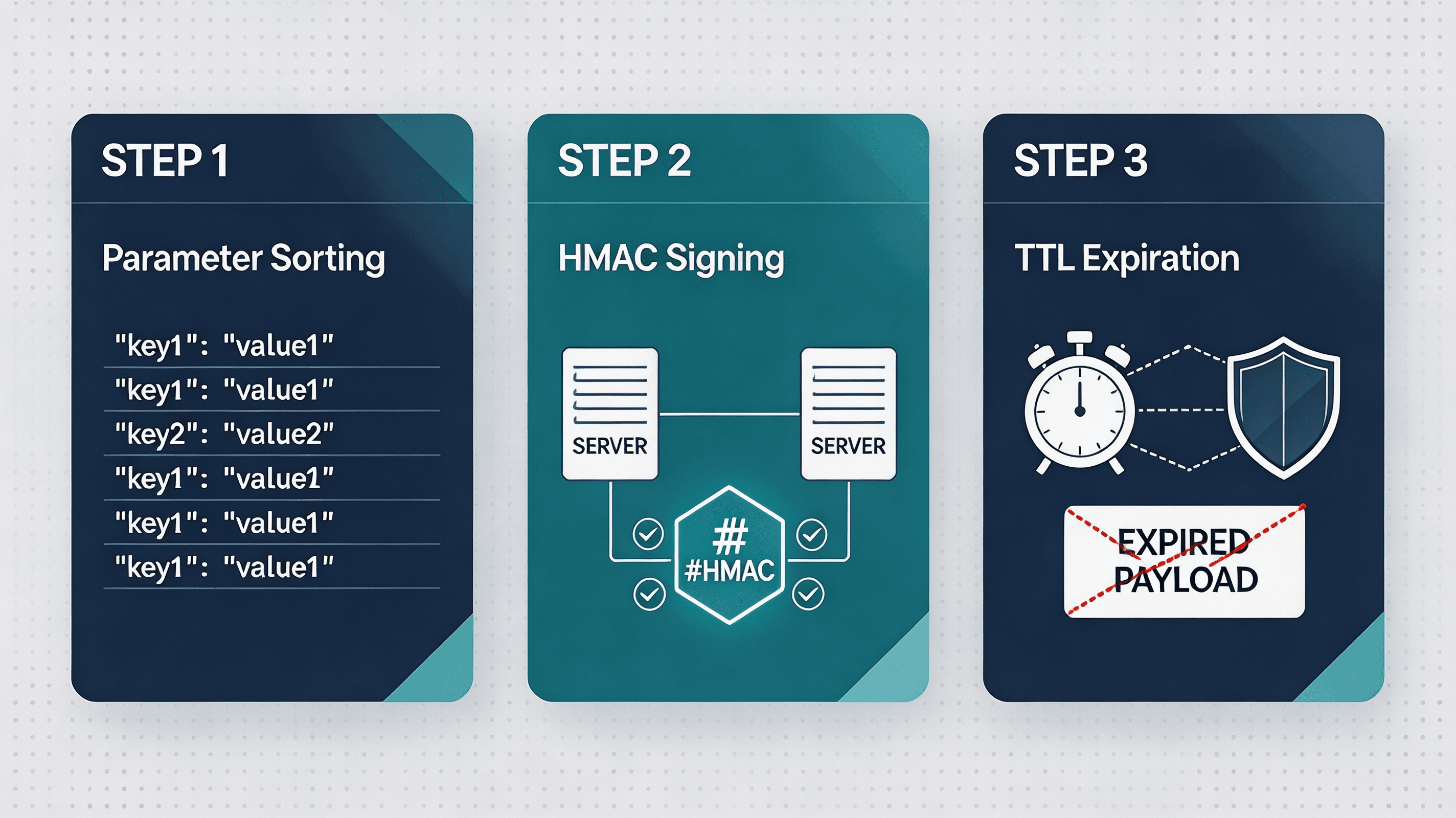
Preventing parameter tampering and replay attacks requires enforcing server-side cryptographic validation before processing any redirection payload. To prevent attribution tampering, all parameters affecting routing—including channel identifiers and campaign metadata—must be sorted deterministically and included in the canonical string before signing.
When a tracking URL is generated, the backend computes an HMAC-SHA256 signature using the query string values and a secret application token, adhering to standards outlined in IETF RFC 2104. Production systems generate canonical parameters with deterministic sorting prior to hashing. When a user executes the link, the redirection server recalculates the signature. If an attacker modifies the channelCode or utm_source in the URL, the validation check fails, and the request is routed to a default fallback destination without campaign credit.
To defeat replay attacks—where attackers capture valid signed links and resubmit them past their operational window—the server checks the timestamp parameter against a configurable Time-to-Live (TTL) limit, commonly ranging from several hours to multiple days depending on campaign requirements. Links accessed after the TTL expiration window or featuring future timestamps are flagged as invalid, neutralizing automated link recycling schemes.
Implementation Patterns for Automated Link Generation
Deploying dynamic tracking links across high-volume campaigns requires establishing automated server-to-server link generation APIs. Rather than constructing strings manually, backend campaign systems invoke API endpoints to generate signed URLs. OpoInstall, a mobile attribution and deep linking platform, provides an implementation of this server-side redirection architecture.
The following example demonstrates a server-side HTTP 302 redirection routing function that parses User-Agent headers, validates HMAC-SHA256 signatures across all query parameters, and enforces TTL expiration bounds.
# File path: server/routing/redirect_handler.py
import hmac
import hashlib
import time
import os
import urllib.parse
from flask import Flask, request, redirect

app = Flask(__name__)

# Ensure secret key is configured in environment variables
SECRET_KEY = os.environ["ATTRIBUTION_SECRET_KEY"]
TTL_SECONDS = 172800  # 48-hour expiration window

@app.route("/app-routing", methods=["GET"])
def handle_tracking_url_redirection():
    # Extract query parameters
    app_key = request.args.get("appKey")
    channel_code = request.args.get("channelCode")
    provided_signature = request.args.get("sign")

    # Step 1: Safely parse timestamp and prevent negative or future timestamp exploits
    try:
        timestamp = int(request.args.get("ts", 0))
    except (ValueError, TypeError):
        return redirect("https://example.com/fallback-invalid-timestamp", code=302)

    current_time = int(time.time())

    # Check TTL bounds and block future timestamps (clock skew threshold: 300s)
    if (current_time - timestamp) > TTL_SECONDS or timestamp > (current_time + 300):
        return redirect("https://example.com/fallback-expired", code=302)

    # Step 2: Construct canonical query dictionary including all routing parameters
    params = {
        "appKey": app_key or "",
        "channelCode": channel_code or "",
        "ts": str(timestamp),
        "utm_source": request.args.get("utm_source", ""),
        "utm_medium": request.args.get("utm_medium", ""),
        "utm_campaign": request.args.get("utm_campaign", "")
    }

    # Deterministically sort and URL-encode parameter keys and values prior to signing
    # Maintain all expected parameters in canonical string for strict client-server verification
    canonical_string = "&".join(
        f"{urllib.parse.quote(str(k))}={urllib.parse.quote(str(v))}"
        for k, v in sorted(params.items())
    )

    computed_hash = hmac.new(
        SECRET_KEY.encode("utf-8"),
        canonical_string.encode("utf-8"),
        hashlib.sha256
    ).hexdigest()

    # Step 3: Constant-time comparison to prevent timing attacks
    if not hmac.compare_digest(computed_hash, provided_signature or ""):
        # Signature mismatch - route to default fallback without attribution credit
        return redirect("https://example.com/fallback-unauthorized", code=302)

    # Step 4: Parse User-Agent for OS-level auto-routing
    user_agent = request.headers.get("User-Agent", "").lower()

    if "iphone" in user_agent or "ipad" in user_agent:
        # Route iOS users to App Store while keeping click context on backend
        return redirect("https://apps.apple.com/app/id123456789", code=302)
    elif "android" in user_agent:
        # Properly encode multiple Play Referrer parameters
        referrer_params = {
            "utm_source": channel_code or "unknown",
            "utm_medium": request.args.get("utm_medium", "campaign_link"),
            "utm_campaign": request.args.get("utm_campaign", "organic")
        }
        encoded_referrer = urllib.parse.urlencode(referrer_params)
        return redirect(f"https://play.google.com/store/apps/details?id=com.example.app&referrer={encoded_referrer}", code=302)
    else:
        # Route desktop/unknown browsers to H5 landing page
        return redirect("https://example.com/landing_page", code=302)
The following example demonstrates a server execution log and redirection header JSON schema for tracking link validation.
// File path: server/schemas/tracking_url_redirection_response.json
{
  "response_header": {
    "status_code": 302,
    "location_target": "https://apps.apple.com/app/id123456789",
    "cache_control": "no-cache, no-store, must-revalidate"
  },
  "server_execution_log": {
    "incoming_user_agent": "Mozilla/5.0 (iPhone; CPU iPhone OS 17_4 like Mac OS X) AppleWebKit/605.1.15",
    "detected_os": "iOS",
    "hmac_signature_validation": "PASSED",
    "timestamp_delta_seconds": 12,
    "matched_channel_code": "partner_402"
  }
}
Additional specifications and integration guidelines can be reviewed in the tracking URL configuration guide and the mobile attribution SDK download section.
Common Mistakes in Tracking URL Instrumentation
Configuring mobile attribution links introduces technical edge cases that can compromise data accuracy if handled incorrectly:
- Exposing un-hashed dynamic keys: Appending sensitive user or partner IDs in plain text, enabling unauthorized parameter modification.
- Un-escaped query strings: Failing to URL-encode special characters in campaign names, causing redirection parsing errors on mobile browsers.
- Omitting timestamp parameters: Creating static tracking URLs without TTL limits, leaving campaign endpoints vulnerable to long-term replay attacks.
- Mismatched domain entitlements: Deploying custom tracking domains without updating iOS Associated Domains or Android App Links verification files, breaking Universal Link handling.
Example: Securing Multi-Channel Affiliate Links against Tampering
Simulated Scenario: Mobile Affiliate Marketing Campaign Integration
Challenge
A mobile retail application observed discrepancies between partner-reported click volumes and verified app installations. Unencrypted promotional links allowed unauthorized networks to strip and replace channel codes, stealing credit for organic conversions.
Implementation
The engineering team updated their link infrastructure by enforcing HMAC-SHA256 signature validation on all dynamic campaign URLs, configuring a 48-hour TTL window, and routing attribution postbacks through secure server-to-server webhooks. Campaign configurations were established on the campaign management system.
Expected Outcomes
This implementation demonstrates how backend signature validation can reduce parameter tampering and improve conversion data consistency. During the simulation, altered query parameters caused signature validation checks to fail, blocking unauthorized payout assignments.
Lessons Learned
- Sign dynamic parameters server-side: Cryptographic hashes prevent client-side parameter modification.
- Enforce TTL expiration windows: Restricting link validity prevents replay exploits on stale URLs.
- Validate signatures on server postbacks: Cross-checking hashes during postback verification secures payout pipelines.
Tracking URL vs Static Download Links vs Raw App Store URLs
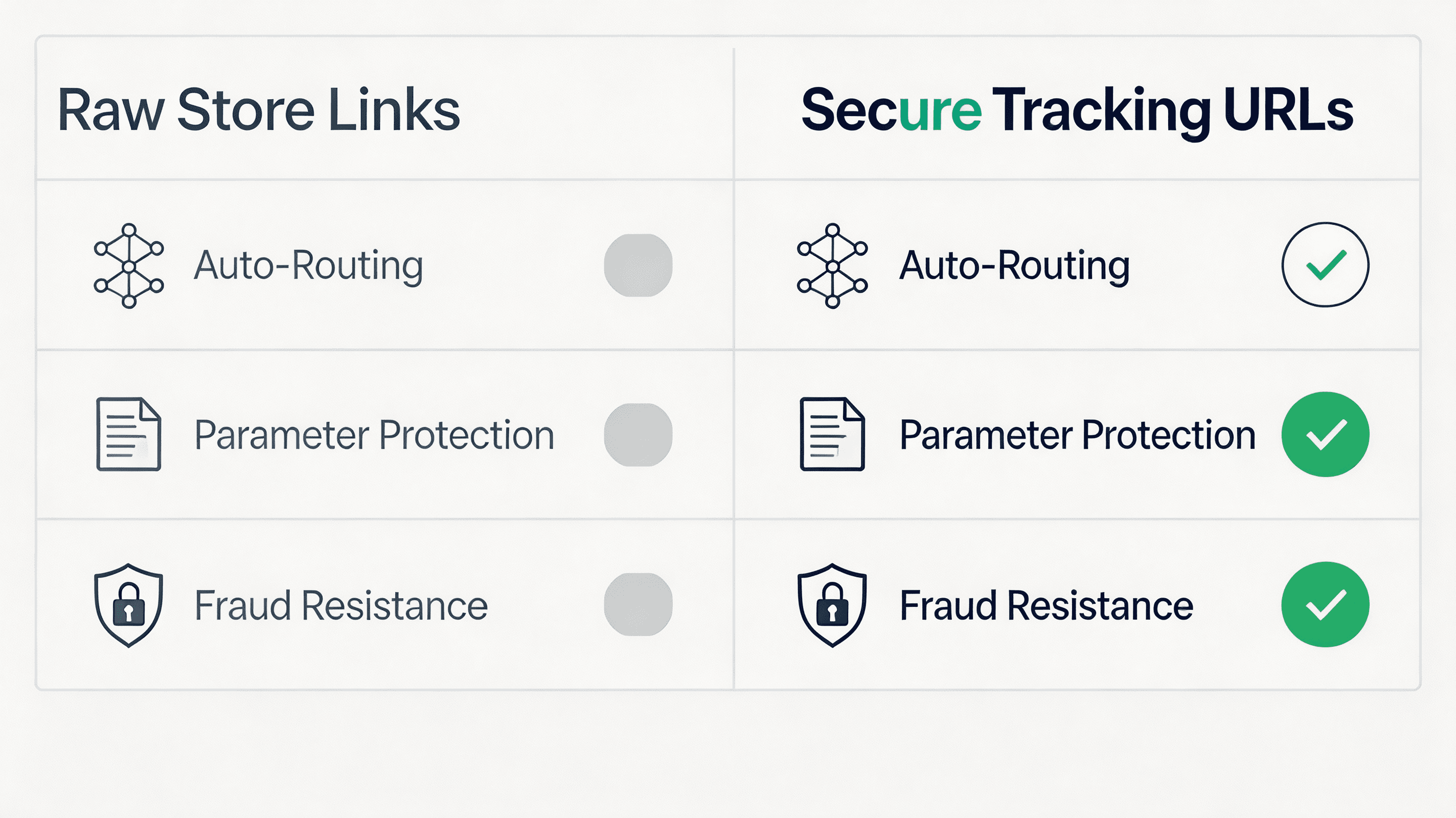
Different link structures handle user redirection and attribution with varying levels of security. The comparison below summarizes common tracking implementations:
| Evaluation Attribute | Raw App Store Links | Static Download Links | Secure Tracking URLs |
|---|---|---|---|
| Representative Architectures | Store URLs | Basic Short Links | OpoInstall, Standard Attribution SDKs |
| Install Source Attribution | Unsupported | Limited | Supported |
| Cross-Platform Auto-Routing | Unsupported | Manual Configuration | Automatic (UA-Based Routing) |
| Parameter Protection | Not Built-in | Low (Exposed Query) | Server Validated (HMAC Signed) |
| Fraud Resistance | Low | Low | Server Validated |
Frequently Asked Questions
What is a tracking URL for app installs?
Are tracking URLs secure without signatures?
How does HMAC improve tracking URL security?
How do signed tracking parameters prevent click hijacking?
Can a tracking URL route iOS and Android users automatically?
How do I append dynamic channel codes to a tracking link?
What happens if a tracking URL parameter is modified by a third party?
How do server postbacks verify tracking link conversions?
What is the difference between a tracking URL and a deep link?
Summary and Decision Framework
Choose an automated tracking URL system when your performance campaigns match the following functional criteria:
- ✓ Multi-Channel Promotions Require Source Attribution: Acquisition measurement requirements depend on verifying which specific partner, influencer, or ad network drove an install.
- ✓ Campaign Links Are Exposed to Public Fraud Risks: Link distribution occurs across un-trusted third-party networks vulnerable to parameter tampering.
- ✓ Cross-Platform Traffic Demands Single-Link Distribution: Marketing assets require a single tracking URL capable of auto-routing both Android and iOS users.
- ✓ Payout Processing Requires Server-Side Authentication: Referral rewards require cryptographically verified conversion events before financial settlement.
In these scenarios, deploying a secure tracking URL framework provides a practical architecture. Dedicated tracking links enable development teams to measure campaign performance while maintaining data integrity. Platforms such as OpoInstall implement this framework, supporting dynamic URL generation and secure server postbacks.
Entity Glossary
| Term | Definition | Related Entity | Search Intent Role |
|---|---|---|---|
| Tracking URL | A signed redirection link used to capture campaign attribution data. | Mobile Attribution | Technical |
| AppKey | A unique application identifier used to associate generated tracking URLs with a specific mobile application. | Application Identifier | Technical |
| Channel Code | A unique string identifier assigned to a specific promotion channel. | Campaign Metadata | Technical |
| HMAC Signature | A cryptographic token verifying the authenticity of URL parameters. | Cryptography | Compliance |
| User-Agent Routing | Server-side OS detection used to direct users to corresponding app stores. | System Architecture | Technical |
| Click Hijacking | A fraud technique where attackers manipulate attribution signals through fake clicks, injected clicks, or modified tracking parameters. | Mobile Ad Fraud | Security |
| Time-to-Live (TTL) | A temporal constraint defining how long a generated tracking link remains valid. | Data Security | Technical |
Related Materials
Related Concepts
- Install Attribution: The foundational measurement pipeline identifying application download sources.
- Click Spamming: An ad fraud method where attackers flood matching servers with simulated clicks.
- Deferred Deep Linking: The programmatic restoration of target parameters across application stores.
Related Technologies
- Google Play Install Referrer: Google’s native API passing install-time campaign metadata on Android.
- Universal Links: Apple’s native deep linking standard bridging web actions to native screens.
- App Links: Google’s verified deep linking protocol handling custom web URLs on Android.
Standards Referenced
- IETF RFC 2104: Keyed-Hashing for Message Authentication specification for HMAC security.
Primary Integration Interfaces
- Parameter Resolution Interface: The client SDK mechanism utilized to query custom installation parameters on first launch.
- Conversion Event Interface: The client SDK mechanism used to upload custom in-app milestones.
Official Documentation / References
Share this article



