Xiaomi 18 Fold Adds Inspiration Ball? This hardware and software evolution represents a notable development in foldable multitasking as the smartphone manufacturer previews system-level AI task interactions. For years, mobile hardware manufacturers balanced the trade-offs between pocketable ergonomics and expansive screen real estate. Early foldable designs polarized the market between large book-style formats and compact vertical flips. By introducing the mid-fold form factor and integrating the Inspiration Ball interface into supported HyperOS 4 experiences, Xiaomi establishes an interaction model where dragging on-screen text or image elements triggers assistive device tasks.
Hardware Form Factor and the Xiaomi 18 Fold Mid-Fold Design
At a Glance
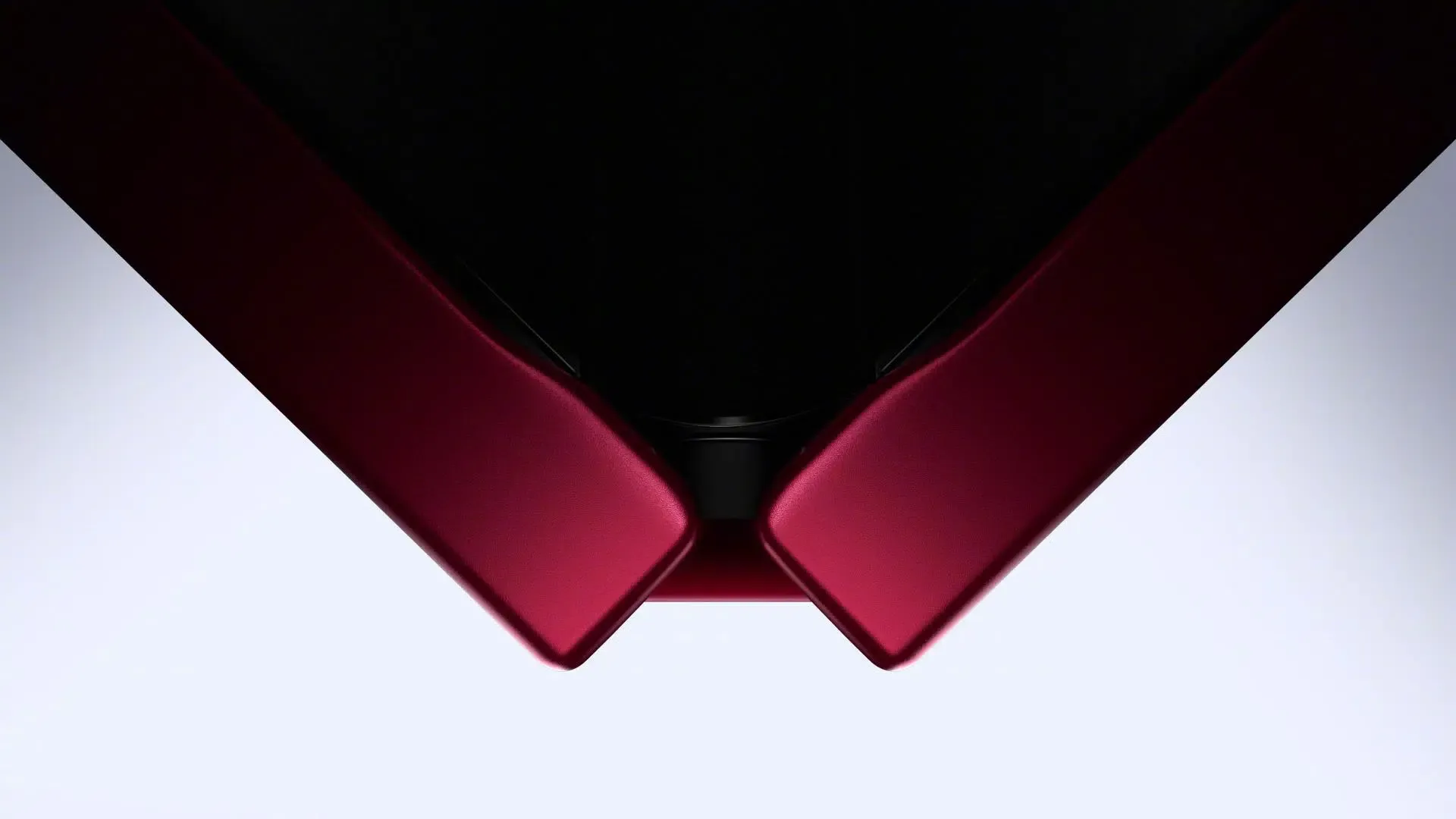
- Xiaomi officially showcased the Xiaomi 18 Fold in a mid-fold form factor, featuring a 5.38-inch exterior cover screen and a 7.58-inch interior display ahead of its September 7 event.
- The device runs on Xiaomi’s proprietary Xring O3 SoC, with official previews highlighting the on-device Xiaomi MiMo foundation model and the Super XiaoAI 2.0 Inspiration Ball.
- The mid-fold design aims to bridge single-handed portability with expanded split-screen multitasking capabilities.
The development of foldable mobile hardware reflects ongoing efforts to resolve display constraints. According to Xiaomi product leadership, conventional large foldables offered expansive displays when opened, but users frequently relied on narrow outer screens for daily routines. Conversely, compact clamshell foldables prioritized portability while accepting hardware compromises. The mid-fold format is designed to balance these approaches, offering a passport-sized profile when folded for one-handed operation alongside an unfolded display tailored for side-by-side split-screen tasks.
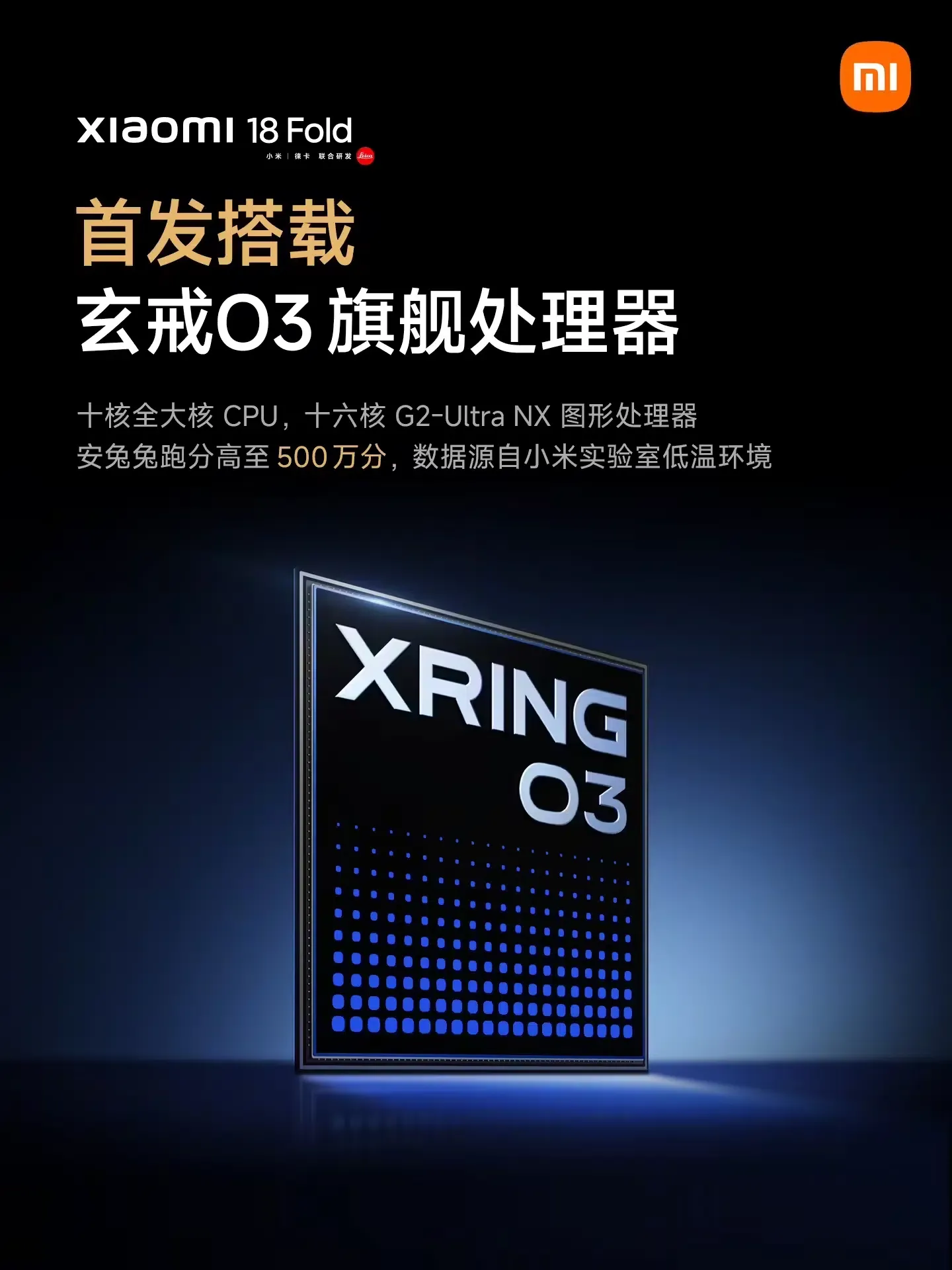
According to preview coverage and platform announcements, the Xiaomi 18 Fold is powered by the Xring O3 processor. The platform integrates hardware acceleration designed to support on-device AI tasks, including the Xiaomi MiMo model. Xiaomi has also highlighted architectural support for LPDDR6 memory standards to facilitate high-throughput data transfer during intensive multitasking. Operational details and launch announcements are documented in technical reporting by ITHome and Gizmochina.
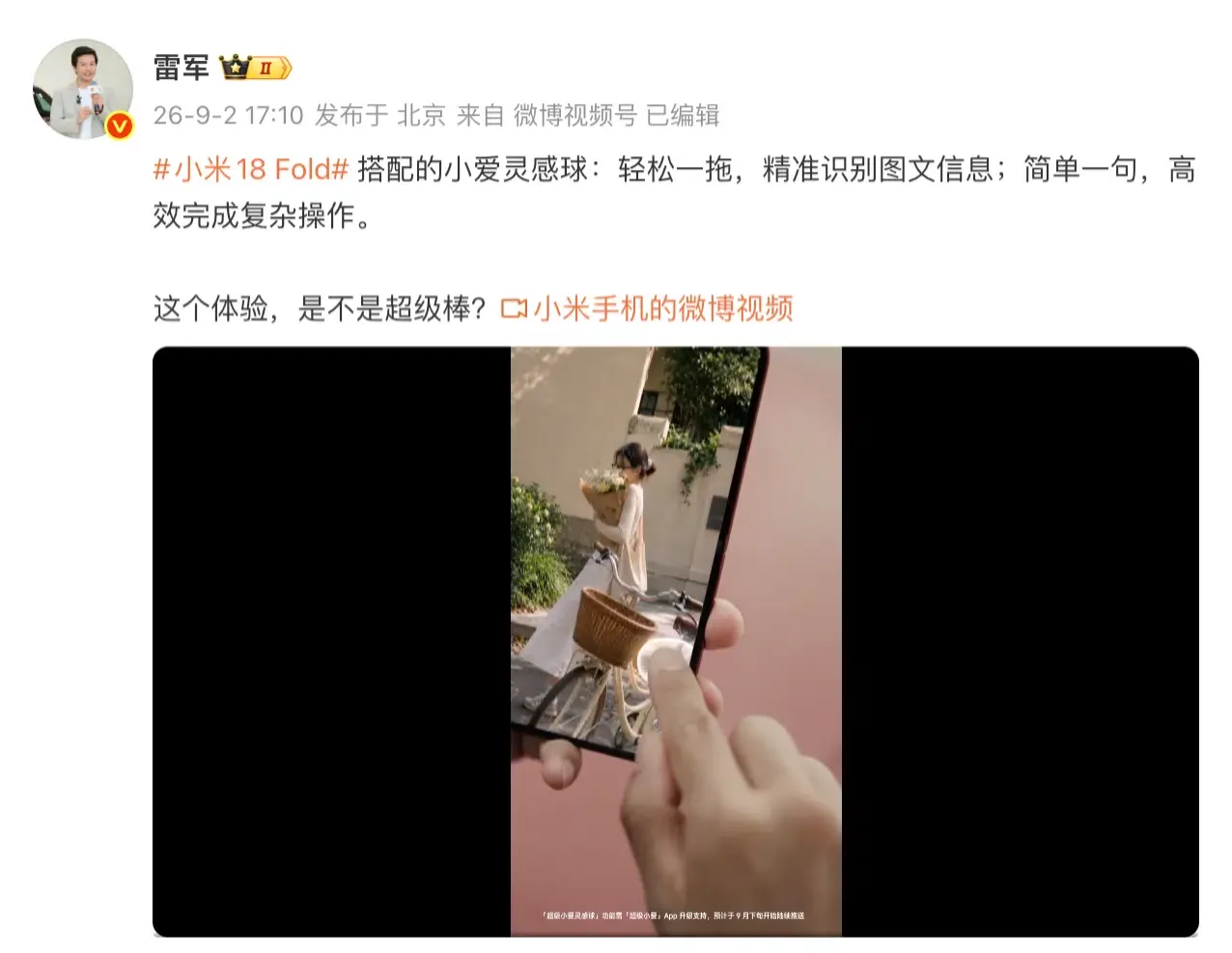
The introduction of the Xiaomi 18 Fold Inspiration Ball establishes a floating system interface for drag-assisted operations, as outlined on the Xiaomi HyperOS Official Portal. Rather than requiring users to manually copy text, switch application windows, and open secondary tools, the interface acts as an active shortcut. Users can drag text elements, images, or supported on-screen content into the floating target, enabling system features to parse the selection and prompt relevant downstream actions such as mapping navigation, price lookups, or image searches.
Multi-Window Integration and Android Data-Handoff Workflows
While floating drag-and-drop interfaces simplify multi-step tasks for users, they highlight broader architectural considerations for mobile application developers. Traditional mobile interaction models typically assume a linear task stack where an application is launched via an explicit touch event, executing standard initialization lifecycles such as onCreate() and onResume().
In contrast, modern split-screen environments and cross-application drag gestures utilize system-level data-sharing pathways. As outlined in the Android Developers Drag and Drop Documentation, cross-app data sharing in multi-window modes relies on drag events and structured data containers such as ClipData.
Data-Handoff Mechanics: Touch Launches vs. Multi-Window Drag Handoffs
When an application receives dragged content from an external view, it must handle the incoming data through dedicated event listeners. If an app is already visible in a split-screen container, dropping content onto its interface does not re-initialize the host Activity; rather, the view hierarchy receives a drag event containing the associated payload. Developers must explicitly implement handlers to process this data without interrupting the active user session.
The diagram below contrasts a standard linear launch flow with an Android multi-window data-handoff path:
[Standard Linear App Launch]
  User Touch ──> Platform Intent (URI & Bundle Metadata) ──> Activity onCreate() ──> Destination Screen Rendered

[Multi-Window Data-Handoff Flow]
  Drag Action ──> ClipData Payload (MIME Content / URIs) ──> View DragListener ──> In-App Handler Processes Data
As foldable hardware encourages users to work across simultaneous application windows, software architectures must accommodate multiple entry points. When a system service or assistant tool initiates an action based on dragged content, target applications need reliable internal routing to parse incoming payloads correctly. Ensuring that an application handles both standard deep links and multi-window data drops prevents user friction and preserves workflow continuity.
Multi-Window Routing Strategies and External Acquisition Scenarios
As multi-window computing becomes standard across foldable form factors, engineering teams must differentiate between runtime data handoffs and external application routing. Maintaining consistent user experiences requires structuring both intra-app multi-window listeners and external deep link entry points.
Technical Evaluation: In-App Drag Handlers vs. External Link Routing
Managing user navigation across different application states requires distinct technical implementations depending on whether the target application is currently active or being accessed from an external source:
| Implementation Path | Primary Mechanism | Execution State | Core Engineering Focus | Best For |
|---|---|---|---|---|
| Android Drag & Drop API | View.OnDragListener & ClipData |
Active Multi-Window | Handling live MIME data drops without restarting Activity | In-app split-screen data sharing |
| Android App Links | Verified HTTP/HTTPS URLs | Installed Cold/Warm Launch | Routing verified external URLs directly to native screens | Web-to-app navigation for installed users |
| Deferred Deep Linking | Temporary Cached Parameters | First-Launch Post-Install | Restoring pre-install routing metadata after install | Uninstalled user acquisition funnels |
For runtime multi-window workflows, native applications must configure drag listeners and request appropriate content URI permissions as specified in platform documentation.
In a separate, distinct scenario—such as when an assistant tool or web campaign directs a user to an external service where the native application is not yet installed—standard runtime deep links cannot complete the handoff. In these acquisition journeys, deferred deep linking solutions can temporarily store eligible routing parameters and restore them upon the initial application launch following installation. Organizations exploring centralized parameter pass-through frameworks for external campaigns may evaluate third-party solutions such as OpoInstall to maintain context continuity across the installation boundary.
Engineering Checklist: Preparing Applications for Foldable Multi-Window Environments
To ensure stable performance across mid-fold form factors and multitasking interfaces, development teams can audit their configuration manifests and data-handling routines against established Android standards.
Developer Implementation Checklist
- Declare Multi-Window Support: Verify that the application manifest properly supports multi-window resizing via
android:resizeableActivity="true"and handles dynamic orientation adjustments without unexpected task restarts, following Android Desktop Windowing Guidelines. On modern large-screen environments, systems may adapt windowing behavior dynamically beyond basic manifest flags. - Configure Drag and Drop Targets: Implement
View.OnDragListeneron receiving views and parse incomingClipDataobjects for supported MIME types (such as plain text or image URIs). - Manage Content URI Permissions: Ensure that receiving components call
requestDragAndDropPermissions()when accessing content URIs passed from external applications or system assistants.
Product & UX Optimization Checklist
- Audit Split-Screen Layouts: Verify that critical UI components, checkout flows, and input fields adjust cleanly across split-screen and floating-window viewports.
- Streamline In-App Drag Targets: Provide clear visual affordances within the app interface indicating where dragged text or images can be dropped for immediate processing.
- Test Transition Paths: Validate that external link handoffs correctly distinguish between installed users (routed via Android App Links) and uninstalled users (routed through appropriate onboarding flows).
By establishing standard data-handling workflows, engineering teams can build applications that adapt smoothly to foldable screen geometries and multitasking interfaces.
Frequently Asked Questions (FAQ)
What is the Xiaomi 18 Fold mid-fold form factor?
How does the Inspiration Ball assist with user multitasking?
How do Android applications process dragged content in split-screen mode?
Practical Implications & Future Outlook
The emergence of mid-fold hardware and system-level floating assistant hubs illustrates the continuous evolution of mobile interaction models. As foldable displays mature and operating systems introduce contextual drag-and-drop workflows, mobile software must accommodate non-linear entry points and simultaneous task execution. Relying solely on basic single-pane launch patterns leaves applications unprepared for modern multitasking environments.
To ensure consistent user experiences across changing device formats, engineering teams should design adaptable view hierarchies and implement standards-compliant data listeners. By properly handling system-level drag events, declaring multi-window compatibility, and structuring clear routing pathways for external user journeys, developers can deliver reliable and responsive experiences across next-generation mobile form factors.
References
-
ITHome. Xiaomi 18 Fold Product Showcase and Launch Announcement. https://www.ithome.com/0/997/413.htm
-
ITHome. Xiaomi 18 Fold Inspiration Ball Feature Preview. https://www.ithome.com/0/997/540.htm
-
Xiaomi. Xiaomi HyperOS 4 Official Portal. https://hyperos.mi.com/
-
Android Developers. Drag and Drop in Multi-Window Mode. https://developer.android.com/develop/ui/views/touch-and-input/drag-drop/multi-window
-
Android Developers. Support Desktop and Multi-Window Environments. https://developer.android.com/develop/adaptive-apps/guides/support-desktop-windowing
-
Android Developers. Handling Android App Links. https://developer.android.com/training/app-links
-
OpoInstall. SDK Integration Guide & Parameter Recovery Docs. https://www.opoinstall.com/docs
-
Gizmochina. Xiaomi 18 Fold Official First Look and Specifications. https://www.gizmochina.com/2026/09/02/xiaomi-18-fold-pad-9-pro-max-september-7-xring-o3-launch/
Share this article



