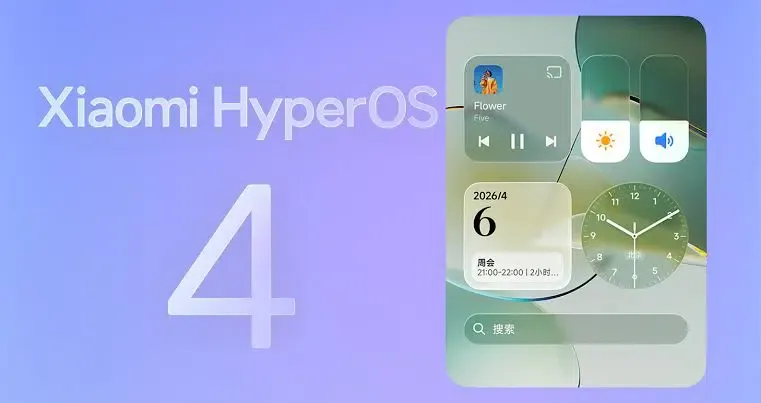
Xiaomi HyperOS 4 Supports Apple Devices? Xiaomi announced expanded Apple ecosystem compatibility for HyperOS 4 on October 7, 2026, highlighting cross-device sharing, bidirectional cloud photo browsing, notification synchronization, and desktop continuity with supported Apple hardware. HyperOS 4 originally debuted with the Xiaomi 18 Pro series on September 23, with a broader stable rollout scheduled to begin on October 15. The cross-platform file-sharing capability builds on Google’s existing Quick Share interoperability with AirDrop for supported hardware, while desktop continuity requires a separate Xiaomi companion application and compatible Apple devices. These features may reduce friction for people who use Xiaomi and Apple products together, but their availability and integration requirements differ by feature and device.
What HyperOS 4 Adds for Xiaomi and Apple Users
At a Glance
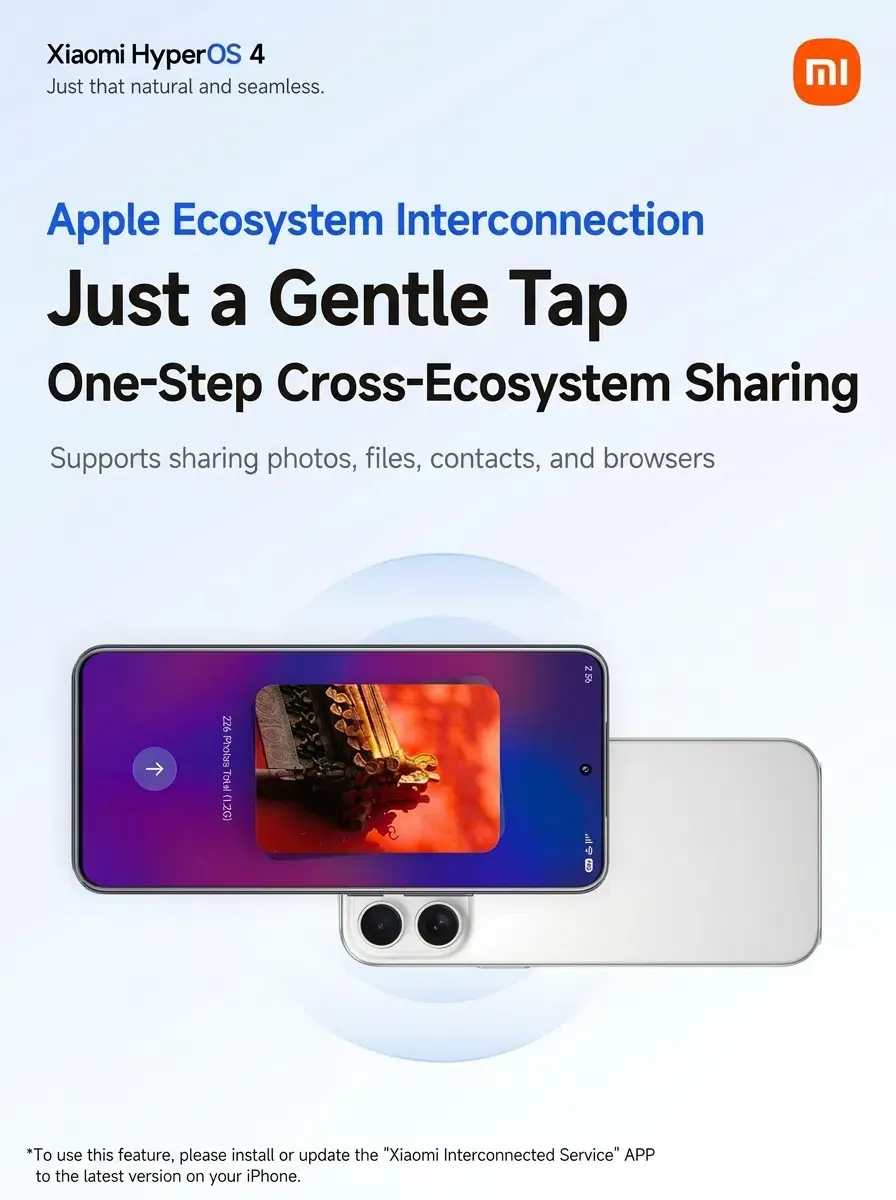
- Xiaomi announced that HyperOS 4 features direct compatibility with Apple hardware, enabling one-tap sharing of images, documents, and web links directly to iOS devices.
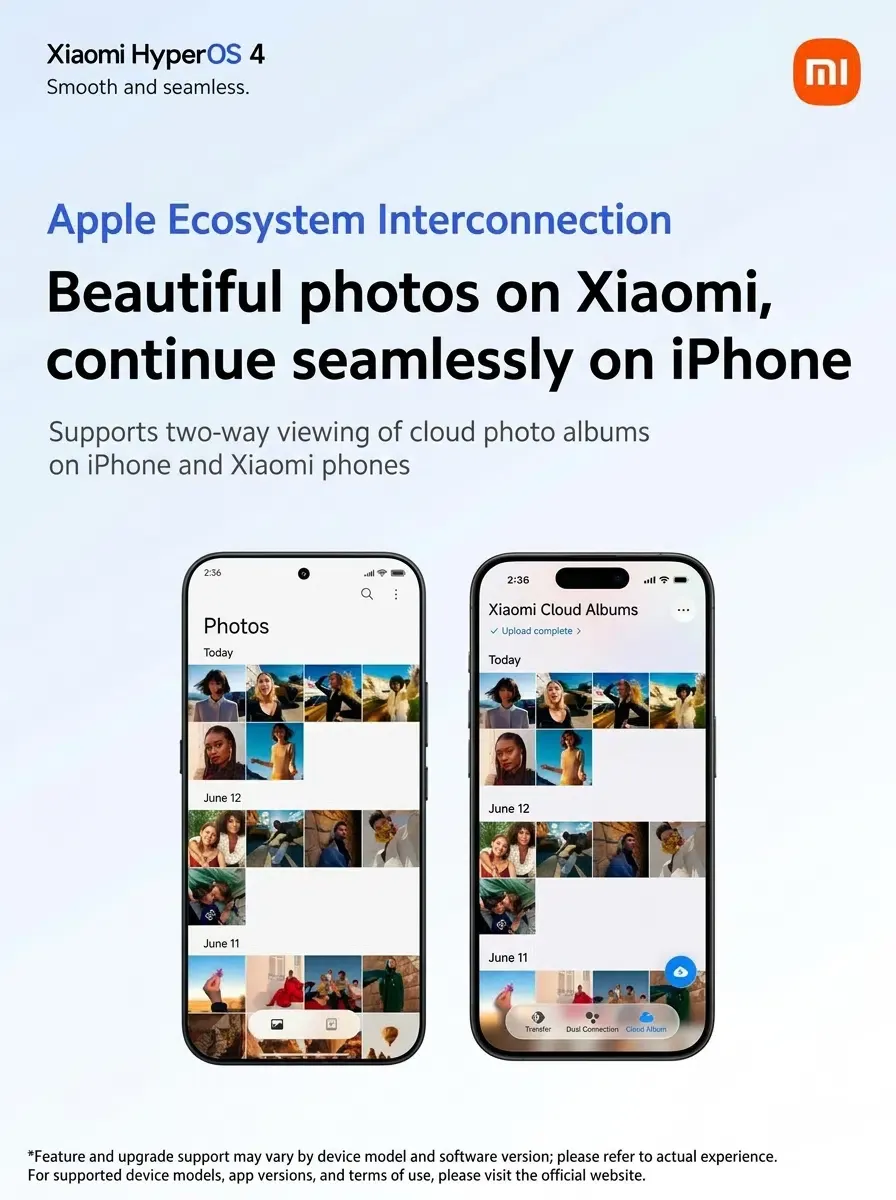
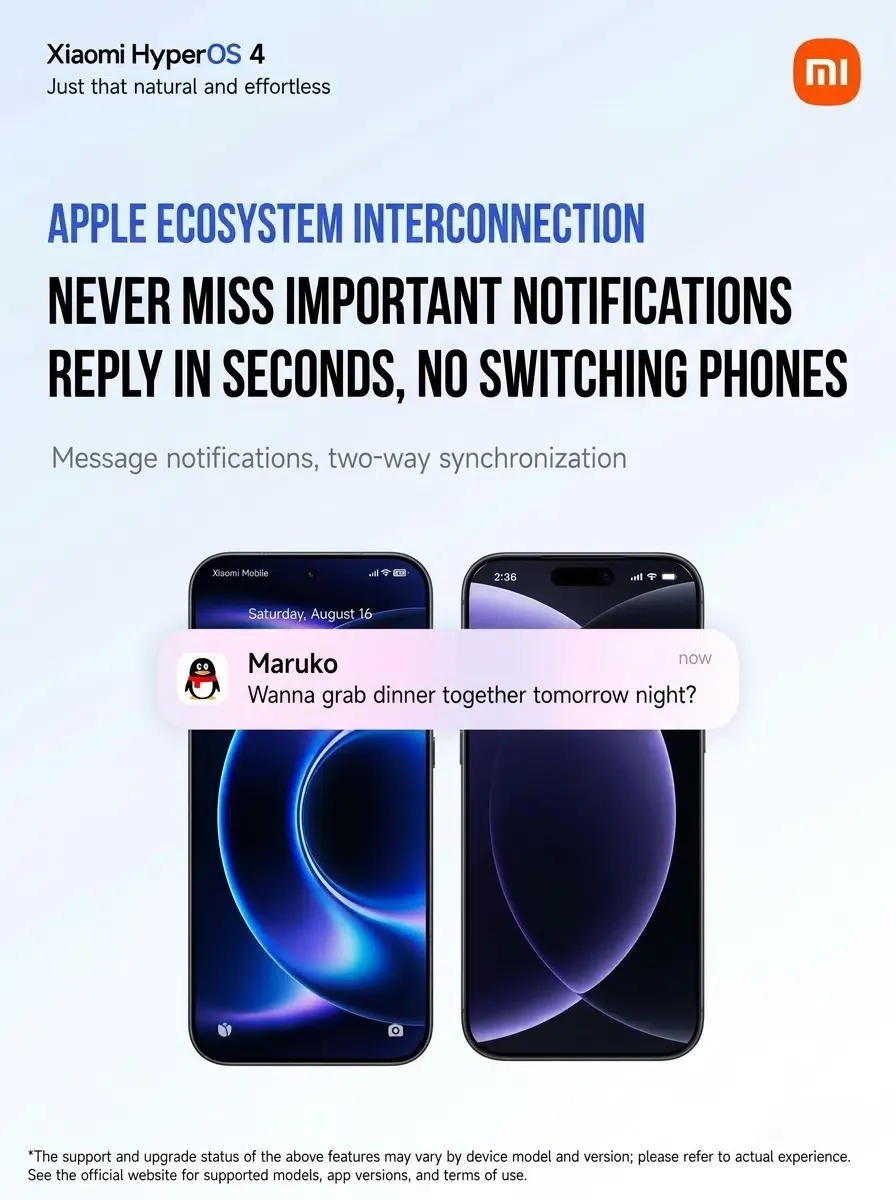
- The update integrates bidirectional notification syncing and mutual cloud photo album browsing between Xiaomi phones and Apple hardware.
- Desktop mirroring has been extended to Mac and iPad devices via native interconnect utilities, allowing users to control mobile interfaces across mixed-platform hardware.
Consumers increasingly operate within heterogeneous hardware environments. Many individuals pair an Android smartphone with a MacBook or iPad, creating operational friction when transferring assets across platforms. Cross-platform sharing has often required additional software, cloud services, or device-specific workarounds. This friction interrupted user focus and could compromise media fidelity through automated compression pipelines.
The operational inconvenience extended to communications and system notifications. When users worked on a desktop computer, incoming calls, messages, and application alerts on a secondary mobile device were frequently missed unless users continually checked multiple physical screens. While individual operating systems offered robust continuity within their own product families, cross-brand communication remained fragmented.
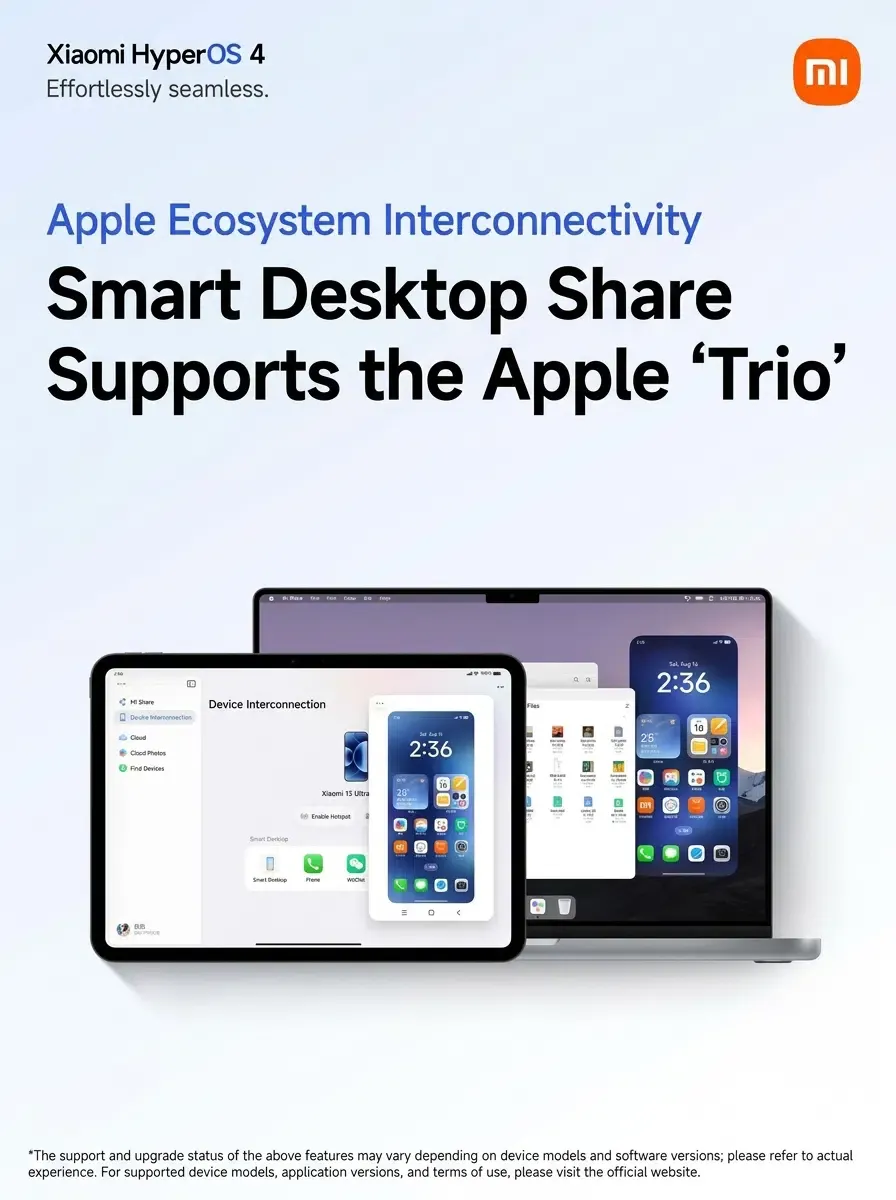
The practical benefits become clearer as Xiaomi highlights cross-device continuity across commercial hardware. According to reporting from IT Home, the system-level bridge removes intermediate conversion steps. Features such as Sticky Connect allow direct transfers between Android and Apple devices without requiring third-party messaging intermediaries, while bidirectional cloud album integration lets users inspect stored media without manual local backups.
How Xiaomi Connects with Apple’s Ecosystem
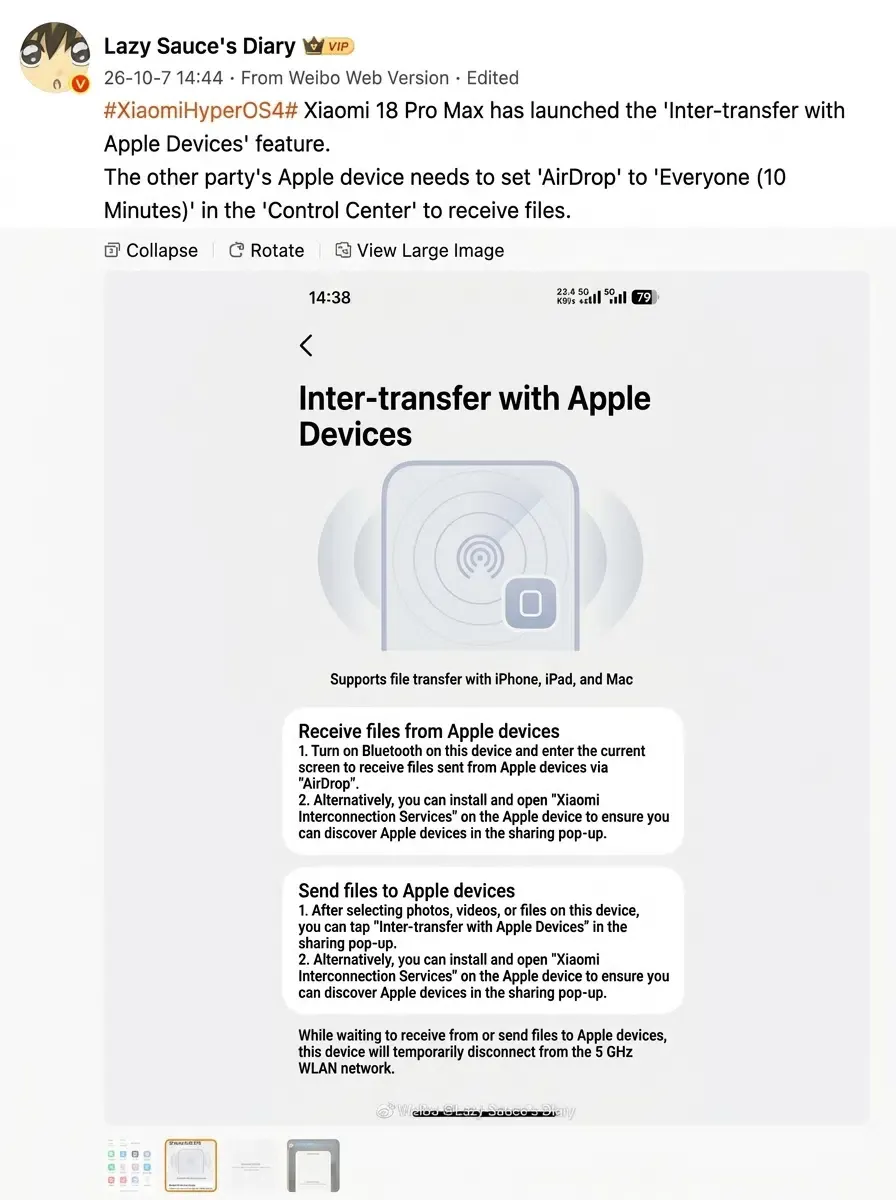
Google introduced Quick Share-to-AirDrop interoperability in late 2025, and subsequent announcements identified Xiaomi among the Android manufacturers expected to support the capability. Reports about the Xiaomi 18 Pro Max describe an AirDrop-compatible sharing option on supported hardware.
This direct sharing pathway should be distinguished from Xiaomi’s other cross-device transfer features that use the Xiaomi Interconnectivity companion application. The availability, device requirements, and software dependencies differ between these methods.
For supported devices, users can share files directly between Android and Apple hardware using compatible sharing interfaces. Google describes the connection as direct and peer-to-peer, without transferring shared content through an intermediary server. Because Apple enforces privacy constraints on local discovery, recipient Apple devices must temporarily configure AirDrop to accept transfers from all contacts for ten minutes, as analyzed in coverage from XimiTime.
However, the publicly available information does not fully describe Xiaomi’s device-specific discovery, authentication, or transport implementation. Developers should distinguish Google’s documented interoperability behavior from assumptions about HyperOS-specific protocol handling.
Documented Desktop Continuity Workflow
Beyond direct peer-to-peer file transfer, HyperOS 4 provides desktop continuity features that connect Xiaomi smartphones to Mac and iPad hardware. According to public reports, this setup requires installing the “Xiaomi Interconnect Service” application on the host Apple device, logging in with the same Xiaomi account, and satisfying mutual network and Bluetooth prerequisites.
The diagram below outlines the documented functional workflow:
[Documented Desktop Continuity Workflow]
  Xiaomi Phone (Supported HyperOS) ──> Xiaomi Account & Local Network ──> Interconnect Service App on Mac/iPad ──> Screen Control & File Drag
This workflow describes the publicly documented configuration steps and user-facing capabilities. It illustrates functional connectivity rather than confirming specific internal socket architectures or proprietary streaming codecs.
Cross-Platform Sharing vs. Desktop Continuity: Key Differences
Understanding Xiaomi’s Apple compatibility features requires distinguishing between peer-to-peer wireless sharing, companion-assisted file transfers, and desktop integration. The various capabilities rely on different underlying mechanisms, network dependencies, and software requirements.
The comparison table below outlines the documented characteristics across these functional areas:
| Capability | User Scenario | Main Dependency |
|---|---|---|
| Quick Share / AirDrop Interoperability | Nearby peer-to-peer file transfer | Compatible devices and local sharing settings |
| Xiaomi Interconnectivity App Sharing | App-assisted cross-device transfer | Xiaomi companion app on Apple device and local network |
| Cloud Album Access | Viewing photos across accounts and devices | Supported cloud service integration |
| Notification Synchronization | Receiving and responding to notifications | Device pairing and supported permissions |
| Desktop Continuity | Viewing and controlling a phone on Mac or iPad | Xiaomi companion software and network setup |
As the comparison demonstrates, direct wireless sharing functions independently of desktop software, whereas app-based transfers and multi-screen continuity require companion utilities and compatible operating system baselines. Evaluating these features separately allows engineering teams to understand how cross-device workflows operate without conflating local peer-to-peer protocols with account-level cloud integrations.
Developer Considerations for Mixed-Device Experiences
As hardware platforms bridge user experiences across Android and iOS, software engineering teams should consider general design practices that support users working across mixed-device setups.
Engineering Best Practices
- Support Standard Universal Links: Implement standard Universal Links and App Links so shared web links resolve seamlessly across mobile and desktop environments.
- Review Local Network Permissions: Ensure applications declare appropriate local network and connectivity permissions with clear runtime context where required by platform policies.
- Sanitize Clipboard Buffers: Avoid placing unencrypted authentication tokens into system clipboard buffers that may be synchronized across paired desktop environments.
- Design Responsive Fallback Views: Provide accessible web-based fallback flows when deep-linked content is accessed on platforms where a native application is not installed.
Product Strategy Considerations
- Account for Multi-Device Lifecycles: Recognize that users may browse and discover services on a desktop platform before completing account creation or payment on a mobile device.
- Audit Platform Feature Boundaries: Differentiate between system-level vendor integrations and open web protocols when designing user sharing workflows.
Frequently Asked Questions (FAQ)
Does sharing files between Xiaomi and Apple devices require an additional app?
Why must AirDrop be set to "Everyone for 10 Minutes"?
What Apple software versions are required for desktop continuity?
Key Takeaways for Engineering Teams
The introduction of cross-ecosystem synchronization in HyperOS 4 highlights an evolving approach to consumer device interoperability. As hardware makers expand support for common sharing pathways and desktop companion utilities, users increasingly expect basic tasks—such as file sharing and notification management—to operate across competing platforms.
Engineering organizations should design modular, platform-agnostic architectures that accommodate mixed-device workflows. Focusing on standard routing protocols, explicit permission boundaries, and resilient fallback mechanisms can help deliver more consistent experiences across an increasingly interconnected hardware ecosystem.
References
-
Google Keyword Blog — Expanding Quick Share Interoperability — Official Google announcement detailing peer-to-peer interoperability between Quick Share and Apple AirDrop.
-
Google Android Help — Share Files With Nearby Devices — Technical guidance on Quick Share settings, discovery modes, and direct wireless transfers.
-
Xiaomi HyperOS Official Platform Overview — Official platform specifications outlining HyperOS capabilities, system prerequisites, and cross-device continuity.
-
Xiaomi HyperConnect Feature Documentation — Feature-level documentation covering supported hardware, account prerequisites, local network setup, and application version baselines.
-
Xiaomi Interconnectivity on the Apple App Store — Official application listing documenting verified developer attribution and macOS/iPadOS baseline compatibility.
-
IT Home — Xiaomi HyperOS 4 Apple Compatibility Coverage — Reporting on HyperOS 4 features, cloud photo sharing, and desktop mirroring specifications.
-
IT Home — AirDrop Interoperability Feature Details — Technical reporting on Xiaomi 18 Pro Max file transfers with Apple hardware.
-
XimiTime — Xiaomi HyperOS 4 Cross-Ecosystem Overview — Analysis of multi-device features and user workflow implications.
Share this article