Xiaomi Updates HyperOS 4 AI? Xiaomi has updated its HyperOS 4 interaction framework, introducing Super XiaoAI 2.0 with real-time animation feedback and background task execution on the Super Island interface. As mobile operating systems integrate generative artificial intelligence into everyday workflows, user interaction patterns are shifting from static app icons toward dynamic, system-level task handoffs. Historically, virtual assistants relied heavily on full-screen modal overlays that required users to wait while the model processed a request. Today, because modern system shells can transition long-running AI tasks into persistent notification islands, mobile navigation is evolving toward asynchronous, context-aware execution streams.
Operating System Evolution: Xiaomi Updates HyperOS 4 with Super Island Multitasking
At a Glance
- Xiaomi’s Super XiaoAI 2.0 update allows long-running assistant tasks to run in the background within the Super Island notification interface.
- System gestures like Code Number Island allow users to swipe three fingers to detect pickup codes and queue pins, pinning them for easy access.
- HyperOS 4 adds an asynchronous Super Island interaction model in which long-running AI tasks can continue in the background and results can expand automatically when ready.
The architectural foundation of consumer smartphone software is undergoing an important design transition. For years, mobile operating systems treated voice and multimodal assistants primarily as modal applications. When a user triggered an assistant to summarize documents, plan travel routes, or control connected devices, the system presented a full-screen overlay. This synchronous execution model often required users to wait while the model processed the request before switching to messaging apps, web browsers, or media players.
The architectural shift as Xiaomi Updates HyperOS 4 illustrates how platform vendors are prioritizing fluid multitasking. Through the Super XiaoAI 2.0 capabilities rolling out with version 8.2 of the assistant application, Xiaomi has decoupled complex assistant tasks from the foreground viewport, as detailed on the official Xiaomi HyperOS portal. Tasks requiring extended processing time can be dispatched directly to the “Super Island”—a persistent notification area at the top of the display. This allows the user to continue interacting with other applications while the system handles the task in the background, as reported in ITHome coverage of the update.
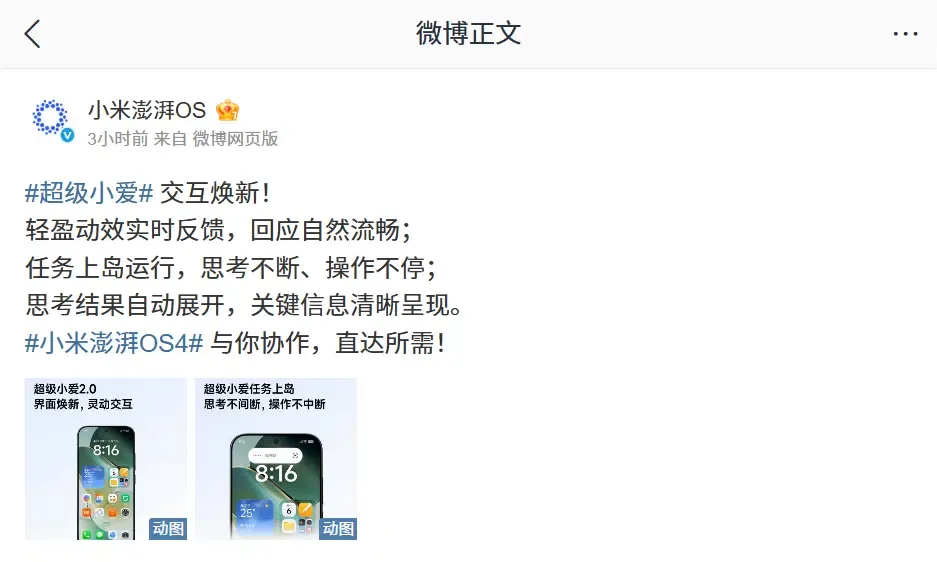
This interface evolution is part of the broader HyperOS 4 beta rollout across supported devices. In addition to visual upgrades and system refinements, the update introduces practical features such as Code Number Island, which uses a three-finger swipe gesture to detect and pin numeric codes from any active screen directly to the Super Island interface for convenient reference.
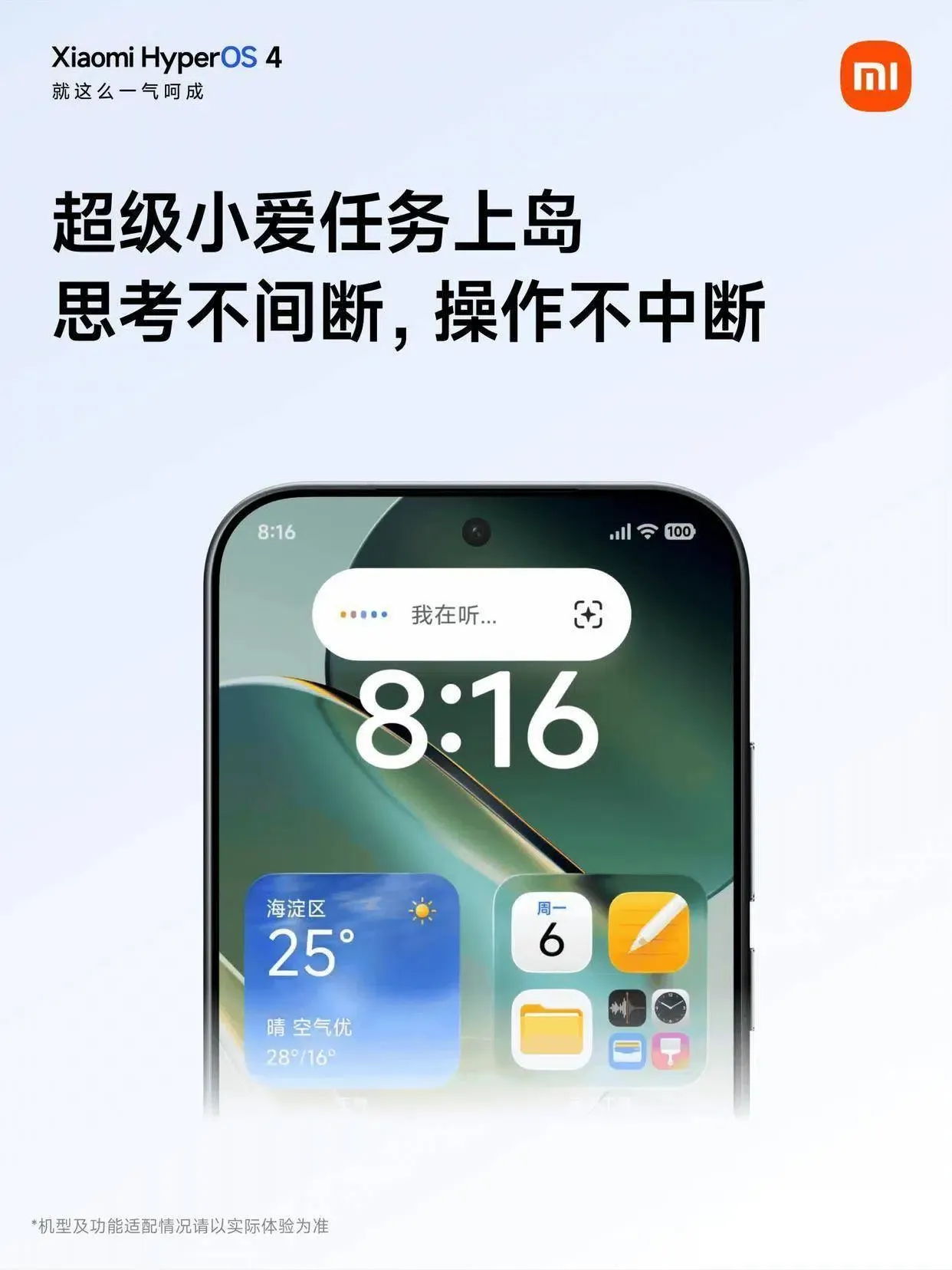
Interaction Architecture: How Super Island Decouples Long-Running Tasks from the Foreground
From an interaction design perspective, traditional assistant overlays occupy significant screen space and focus. When an overlay is active, it temporarily interrupts the user’s primary workflow. If a user leaves the interface to check another application, monitoring the progress of the ongoing request can become cumbersome.
Super Island addresses this challenge by shifting long-running tasks into a persistent system-level UI capsule. When a user initiates a complex query, the assistant displays real-time animation cues to confirm that the request is processing, allowing the user to navigate away and perform other tasks freely.
Architectural Comparison: Synchronous Overlays vs. Asynchronous Island Execution
The diagram below illustrates the structural difference between legacy modal assistant execution and the asynchronous task-routing pipeline introduced in HyperOS 4:
[Foreground-Focused Assistant Interaction]
  User Prompt ──> Modal Assistant Overlay ──> Processing Wait ──> Result Display (Foreground Dependent)

[HyperOS 4 Super Island Asynchronous Execution]
  User Prompt ──> Task Pinned to Super Island ──> Background Execution (User Switches Apps) ──> Auto-Expanded Result Card
Once processing concludes, Super Island automatically expands the key information into a structured visual card, presenting actionable details—such as vehicle climate preparation status or key data points—without requiring the user to remain inside a dedicated chat view.
Although system-level notification islands and application-level parameter restoration operate at different stages of the mobile lifecycle, both address different handoff problems within the broader user journey. When users navigate between system widgets, messaging apps, and external web campaigns, maintaining consistent destination continuity requires robust routing architectures across each transition.
Architectural Evaluation: Managing Navigation Continuity from System Surfaces to In-App Content
As operating systems transform notification capsules and screen widgets into additional system-level entry points, developers must evaluate how their applications handle incoming deep links. While Super Island provides system-level task and status surfaces for supported services, developers managing cross-platform acquisition funnels encounter distinct challenges when guiding users from external web promotions into native app environments.
Technical Trade-offs Across System Dispatchers and Attribution Frameworks
Mobile engineering teams deploy different routing and measurement mechanisms depending on whether the user already has the native application installed on their device:
| Approach | Layer & Technology | Install Boundary Context Recovery | Best For |
|---|---|---|---|
| OS Live Island / Super Island | System Notification & Widget Surface | None (Application must be installed) | Real-time status updates and background multitasking |
| Direct OS Deep Linking (App Links) | OS-Level App/Web Association | No deferred context; falls back to web if uninstalled | Direct in-app routing for users with the app installed |
| Deferred Deep Linking (e.g. OpoInstall) | Application-Layer Parameter Mapping | Supported for eligible pre-install parameters | Preserving campaign and destination context across app installs |
As mobile operating systems evolve and platform vendors update interaction frameworks to streamline user flows, developers can structure their navigation architecture to handle both internal system dispatchers and external acquisition channels. When promotional or cross-app campaigns route users from external web touchpoints into native applications that are not yet installed, standard App Links route to the destination website as documented in the Android Developers guide on App Links. Developers building cross-platform acquisition funnels frequently utilize specialized parameter pass-through frameworks. For example, the OpoInstall documentation details how deferred deep linking captures campaign metadata at the web touchpoint and restores it upon first app launch, maintaining destination context without requiring persistent browser cookies. Engineering teams can evaluate these approaches alongside native operating system routing to build cohesive user experiences.
Engineering Checklist: Implementing Resilient Deep Linking and Task Handoffs
To ensure applications integrate smoothly with modern system-level interaction paradigms and support robust conversion tracking workflows, engineering and product teams can follow structured implementation guidelines.

Android Client & System Integration Checklist
- Configure Verified Android App Links: Deploy valid Digital Asset Links (
assetlinks.json) on your domain to enable immediate in-app routing for verified HTTPS URLs on Android devices. - Implement Resilient Activity Parsing: Ensure target Activities parse incoming Intent URI parameters defensively, supporting graceful fallbacks to default home screens if specific route parameters are malformed.
- Support Platform-Appropriate Status Surfaces: Where Xiaomi or Android exposes supported integration paths, design status updates so ongoing tasks can surface through system notifications or compatible live-status interfaces without blocking the foreground UI.
Product & Growth Operations Checklist
- Benchmark Entry-Point Navigation: Measure navigation drop-off rates when users transition from system notification islands and widgets to deep in-app views.
- Deploy Deferred Parameter Pass-Through: Implement deferred deep linking pipelines to help preserve eligible promotional discount codes, referral IDs, and specific content parameters across the app store installation boundary for new users.
- Audit Multi-Channel Routing: Regularly test deep link routing across diverse browser engines, social media webviews, and operating system launchers to verify consistent destination matching.
By aligning client-side routing logic with system-level UI dispatchers, development teams can build fast, dependable navigation flows that adapt to evolving mobile platform standards.
Frequently Asked Questions (FAQ)
What is the difference between running an AI task in the foreground versus on Super Island?
How does Code Number Island surface pickup and queue codes?
Why do native OS App Links fail to restore context when an application is not yet installed?
Practical Implications & Future Outlook
The interaction updates introduced in Xiaomi HyperOS 4 reflect a broader industry transition toward decentralized, system-integrated task execution. As operating system shells take over routine scheduling, context parsing, and background processing, the traditional paradigm of opening and closing standalone apps is giving way to fluid, continuous micro-interactions.
For software developers and system architects, adapting to this environment requires building modular, deep-linkable applications. Designing application views to support multiple verified entry points—including web links, assistant actions where supported, and system-level surfaces—can improve navigation consistency across diverse user entry points. By pairing robust OS-level routing with resilient parameter restoration workflows, engineering teams can improve navigation consistency and preserve eligible context across digital ecosystems.
References
-
Xiaomi. Xiaomi HyperOS 4 Official Portal. https://os.mi.com/
-
ITHome. Xiaomi HyperOS 4 Super Xiao AI Interaction Update Announcement. https://www.ithome.com/0/996/899.htm
-
Android Developers. About App Links & Digital Asset Links. https://developer.android.com/training/app-links/about
-
OpoInstall. Developer Documentation & Integration Guide. https://www.opoinstall.com/docs
Share this article



