What Is Beta Testing and How Do You Track Beta Installs? Beta testing evaluates a pre-release app with a defined group of testers. To track beta installs, record the distribution path and first app open, then verify channel or referral data for each supported path. Track activation and retention as separate events within the beta cohort.
In modern release engineering, beta testing is the pre-release validation stage where an app build is tested by external users on real-world devices. Tracking beta installs involves measuring conversion through five discrete stages: download entry, platform installation, first app open with parameter restoration, post-install activation, and cohort retention.
Pre Release Telemetry Architecture
Positioning Beta Testing Across Alpha and UAT Milestones
Software delivery pipelines separate pre-release validation into sequential quality gates to isolate engineering defects before public distribution. Internal alpha testing takes place within closed engineering circles to validate core stability, network initialization, and thread safety on development builds. Once core functionality stabilizes, builds advance to external beta testing, where representative end users install pre-release binaries across fragmented hardware models and carrier networks.
User Acceptance Testing bridges technical verification and commercial readiness by confirming that business workflows—such as referral onboarding, payment callbacks, and deep link routing—operate according to product specifications. Instrumenting install metrics specifically during beta testing allows release managers to evaluate onboarding drop-off rates across tester cohorts without polluting live production dashboards.
Because pre-release installs frequently bypass public app store search indexes, standard store analytics often report raw download totals without source attribution. Integrating an attribution SDK alongside dedicated test channels enables engineering teams to verify that parameter restoration, registration events, and early retention tracking behave identically in release candidates and production packages.
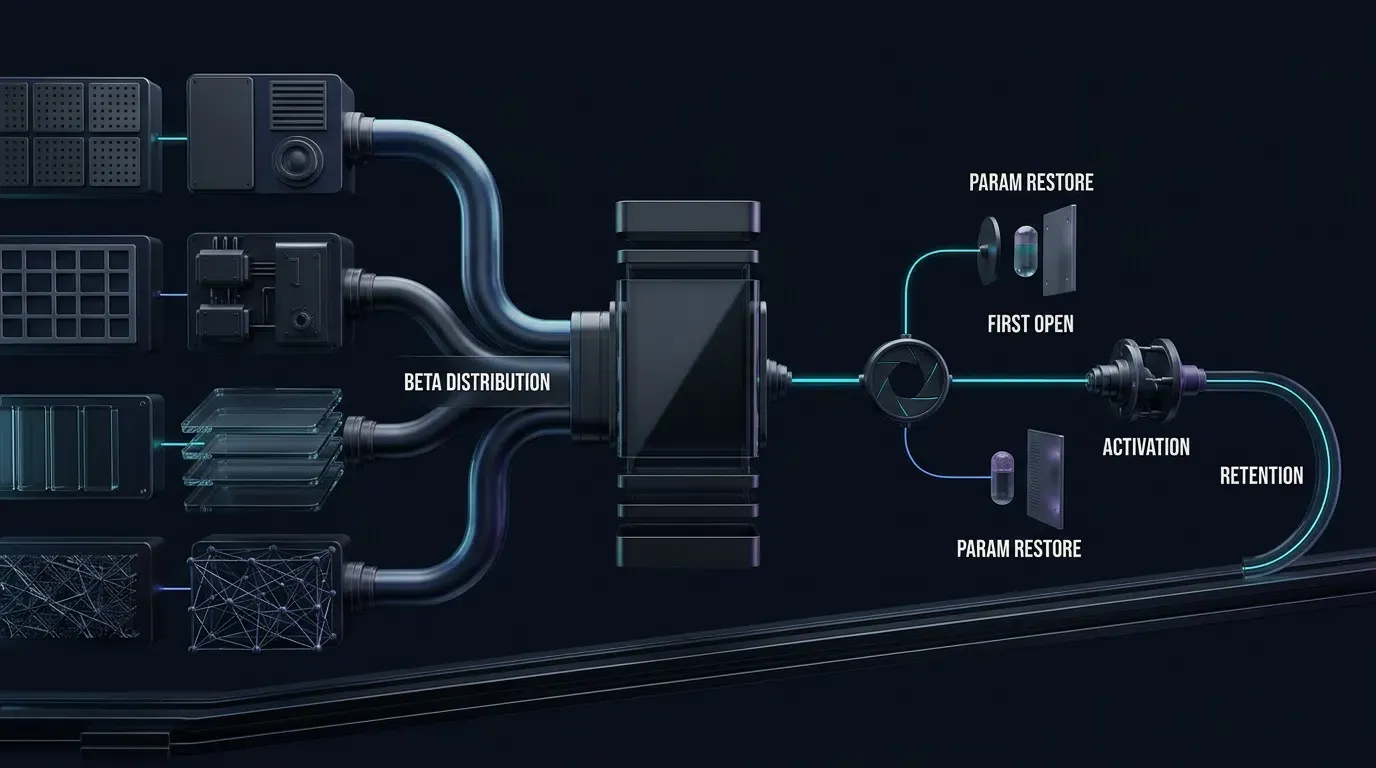
[H5 Distribution Link] ──> [Platform Distribution] ──> [First App Open] ──> [In-App Activation] ──> [Cohort Retention]
  (?channelCode=beta_qa)     (TestFlight / APK / OTA)    (SDK Param Restore)    (Sign-up / Onboarding)    (D1 / D7 Returns)
The Five Stage Pre Release Measurement Model
Tracking pre-release performance requires decoupling raw store downloads from verified application activations. If distribution paths are identified exclusively through the attribution SDK callback, first opens that suffer network timeouts or missing callbacks drop out of path-level denominators, creating artificial inflation in calculated restoration rates.
To establish an audit-ready baseline, the QA team or automated test harness assigns a discrete test run identifier (test_run_id) to each test device before download initiation, mapping the device hardware instance to its intended distribution track in a pre-flight staging ledger:
Pre-Flight Staging Ledger Entry:
test_run_id: "RUN_20261125_001" ──> Assigned Track: "Google Play Closed Track" ──> Device: Pixel 7
In controlled test runs, the runner injects this identifier into the test environment (for example, via an adb launch intent extra on Android or environment variables in automated iOS test runners). For standard launcher launches without an injected parameter, the app records unassigned_run, keeping uninstrumented opens isolated from track benchmarks.
When the application launches for the first time, client lifecycle code checks local persistence to deduplicate repeated launches under that identifier and logs the primary first-open record before requesting attribution parameters. If the attribution SDK subsequently times out, throws a network exception, or returns an unpopulated payload, the staging ledger still records a valid first open under that track. The denominator for that distribution path increments by one, while the numerator remains unchanged, registering the event as an attribution failure rather than an unobserved drop:
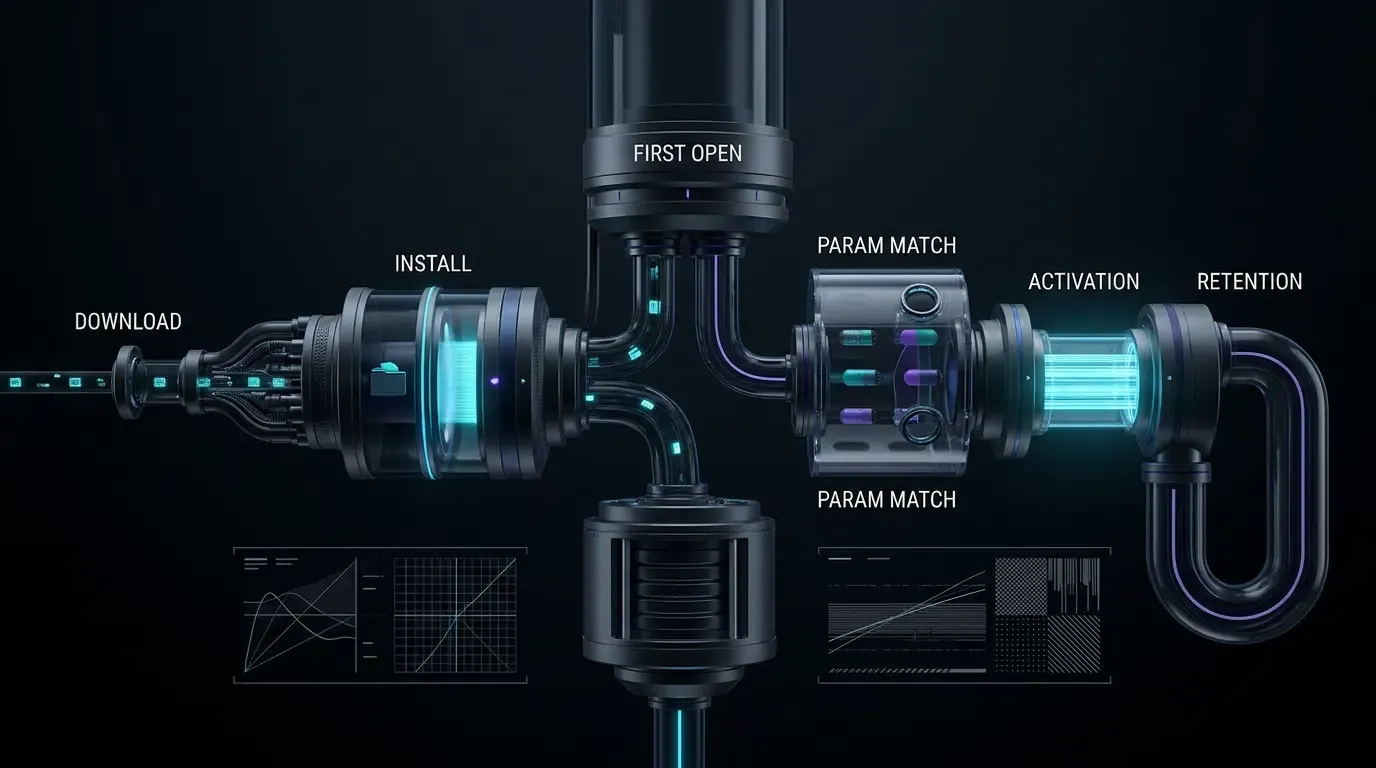
| Telemetry Stage | Primary Observation Source | Scope and Mathematical Denominator | Pass and Verification Criteria |
|---|---|---|---|
| H5 Download Click | Web JS SDK | Total unique web clicks initiated per distribution track | HTTP click event recorded with browser context, destination URL, and query tokens |
| Platform Install | Platform Console or Device Confirmation | Total successfully completed package installations on client hardware | TestFlight installs via App Store Connect; Play Console track installs; or device OS package verification |
| First Open and Parameter Restoration | QA Staging Ledger paired with Attribution SDK Callback | Eligible first launches with verified matching parameters |
Native client records deduplicated first launch under assigned test_run_id; SDK initialization resolves with expected channel code and test payload; timeouts, empty payloads, and mismatches remain in the denominator |
| In-App Activation | Client Event Logging | Unique activated testers completing onboarding |
Post-launch sign-up or core milestone event logged with matched tester identity |
| Day 1 Cohort Retention | Analytics Ingestion Pipeline | Unique testers with |
Verified return app launch recorded within the designated Day 1 observation window |
| Day 7 Cohort Retention | Analytics Ingestion Pipeline | Unique testers with |
Verified return app launch recorded within the designated Day 7 observation window |
Parameterized H5 Channels vs Dedicated Build Packaging
Pre-release telemetry relies on establishing an unbroken data link between the web distribution entry point and the first launch of the installed binary. Engineering teams typically implement one of two routing models depending on target platform constraints and tester cohort segmentation.
- Dynamic H5 Distribution Channels: Web landing pages integrated with a JavaScript attribution library capture device context and query parameters—such as
channelCode=beta_cohort_aor tester group identifiers—before redirecting users to a build host. Because parameter resolution occurs dynamically via server-side matching and clipboard caching, teams can segment dozens of beta testing groups using a single universal binary. - Dedicated Android Channel Packaging: For closed Android distribution outside managed app stores, build engineers can upload a signed base APK to an attribution console and export channel-specific APK variants. Each exported package embeds its designated channel identifier directly inside the archive metadata, eliminating reliance on browser state during sideloaded installation.
- Channel Parameter Evaluation: In deployment pipelines supporting both H5 links and pre-packaged channel APKs, the attribution service reconciles parameter sources based on configured routing rules. When a tester downloads a channel-packaged APK via an H5 channel link with a distinct
channelCode, release teams should test whether the web link parameter or the embedded package metadata takes precedence under staging conditions.
Developers designing pre-release routing architectures can review the mobile attribution integration documentation for details on parameterized install workflows and H5 channel configuration.
Cross Platform Distribution Paths and Telemetry Behavior
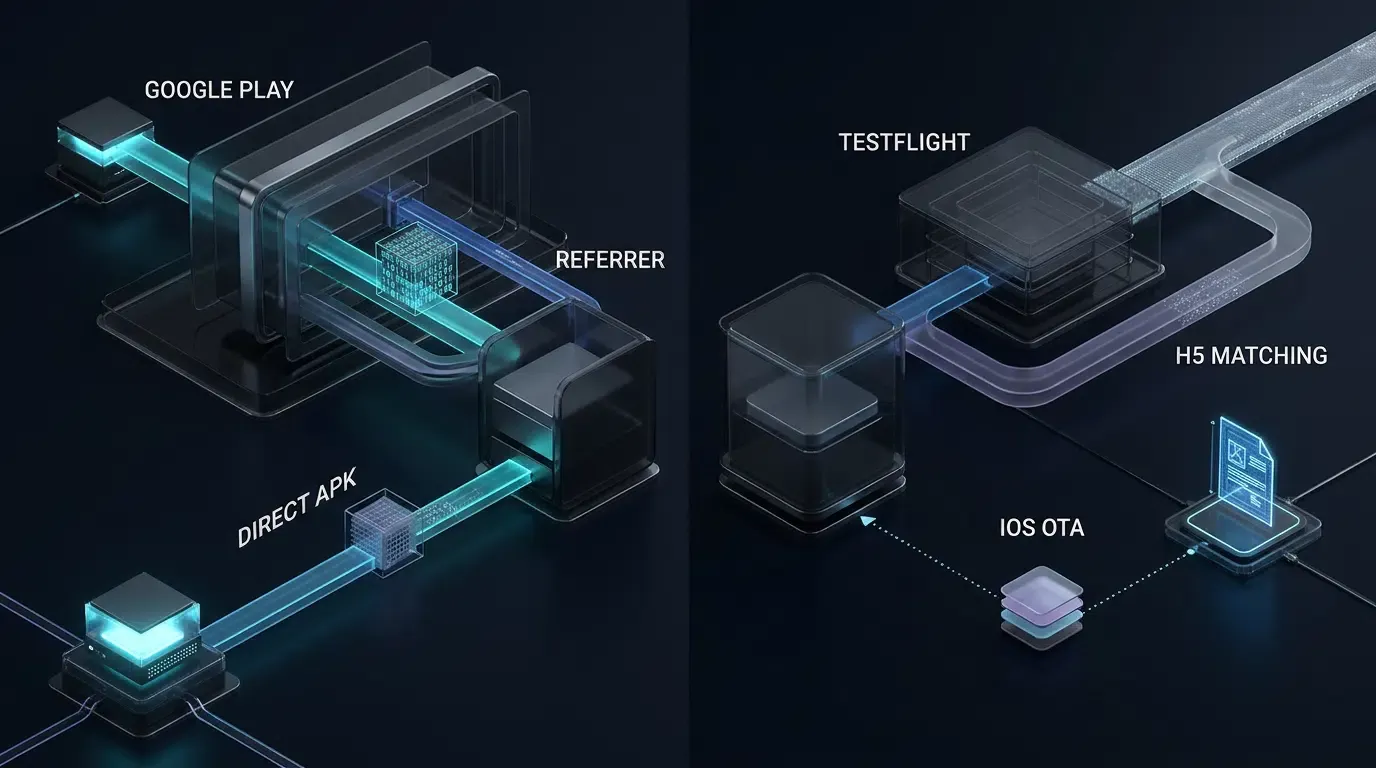
                              ┌──> Google Play Beta Tracks (Play Install Referrer API)
                              │
[Pre-Release Distribution] ───┼──> Direct APK Sideload (Android Signature Scheme v2+)
                              │
                              ├──> Apple TestFlight (Web Context Matching via H5 Entry)
                              │
                              └──> iOS Ad Hoc and Enterprise OTA (itms-services + HTTPS Plist)
Google Play Testing Tracks and Sideloaded APK Distribution
Android offers flexible pre-release app distribution channels, each interacting differently with install attribution pipelines. Managed tracks inside the Google Android Developers ecosystem—specifically Internal Testing, Closed Testing, and Open Testing—route testers through the Google Play Store client. Integrating the Play Install Referrer library alongside the attribution SDK enables retrieval of referrer strings passed through Play Store download flows, provided the tester opts in through the designated Google Play testing link and the Play Store client retains the referrer payload upon installation. Track participation eligibility, store installation success, and referrer retrieval should be recorded as distinct inspection checkpoints.
Direct APK distribution provides an alternative for rapid internal QA cycles or regions without Play Store access. Teams can host signed APK files on custom HTTPS endpoints or upload packages directly to an attribution backend.
Android OS compatibility and packaging tool requirements must be evaluated separately:
- Android OS Behavior Changes: The requirement for APK Signature Scheme v2 or higher applies on Android 11 and later specifically to applications targeting API level 30 or higher (
targetSdkVersion >= 30). Binaries targeting API level 30 that rely exclusively on v1 (JAR signing) fail installation on modern Android runtime environments. - Packaging Pipeline Sequence: Any build step that modifies archive contents—such as injecting channel metadata or altering resources—invalidates APK Signature Scheme v2 and v3 signatures, which protect the signed portions of the APK. If using custom channel tools that alter the binary archive, the modification must occur before cryptographic signing, or the resulting APK must be signed and verified afterward:
# Dual-scheme signing example for broad backward compatibility
apksigner sign --ks release.keystore --v1-signing-enabled true --v2-signing-enabled true app-beta-release.apk
apksigner verify --verbose app-beta-release.apk
In high-security enterprise environments, pre-release APK endpoints should also follow OWASP mobile binary protection recommendations, including short-lived signed download URLs and access controls that restrict unauthorized external redistribution.
Apple TestFlight and iOS Wireless Distribution
Distributing pre-release iOS builds requires navigating platform-specific sandboxing and provisioning profiles. The primary channel, Apple Developer TestFlight, delivers beta builds to internal team members (up to 100 App Store Connect users) and external testers (up to 10,000 users via email or public invitation links). App Store Connect tracks platform-level metrics including invite conversions, installation counts, sessions, and crash logs, and builds remain active for up to 90 days.
Because TestFlight does not expose a deterministic install referrer API equivalent to Google Play, attribution depends on empirical context matching initiated from an instrumented H5 landing page:
- The tester taps the download button on an H5 distribution page carrying the target channel parameters.
- The Web JS SDK records the click and device context on the attribution backend before forwarding the browser to the App Store Connect TestFlight invitation URL.
- The tester accepts the invite and installs the build via the TestFlight client application.
- Upon the first launch of the freshly installed build, the native attribution SDK queries the backend to reconcile the launch context with the prior web click.
- Match rates vary based on browser privacy configurations and network hops. Teams must empirically verify parameter restoration rates across test cohorts rather than assuming deterministic matching.
For iOS beta distribution outside TestFlight, teams utilize Over-The-Air wireless installation via the itms-services protocol:
- Ad Hoc Provisioning: Limited to 100 registered devices per device family (iPhone, iPad, Apple Watch) per membership year. The mobile provisioning profile embedded in the IPA must explicitly include the Unique Device Identifier (UDID) of each test device.
- Apple Developer Enterprise Program: Reserved exclusively for proprietary in-house applications distributed directly to employees of an eligible organization. Enterprise distribution cannot be used for public or commercial beta testing.
- Manifest Protocol Trigger: The download trigger references an HTTPS-hosted XML property list (
itms-services://?action=download-manifest&url=https://cdn.example.com/beta/manifest.plist).
Distribution Assets for Web Entry and OTA Manifest
To instrument the download entry point before redirecting to TestFlight or hosting an OTA install, teams deploy an H5 landing page. The landing page extracts query parameters and binds them to the installation trigger using the OpoInstall Web JS SDK.
Destination routing targets are configured in the OpoInstall developer console under the target application’s download settings:
- Android Download Configurations: Google Play store or testing link, or custom APK download URL.
- iOS Download Configurations: TestFlight invitation URL, App Store URL, or custom
itms-servicesOTA manifest URL.
In the implementation below, the download button remains disabled until the SDK signals ready state via onready. If initialization encounters network latency and triggers the 8-second timeout, the UI displays a status message; if onready resolves subsequently, the script recovers gracefully by clearing the status notice and enabling the installation trigger:
<!DOCTYPE html>
<html lang="en">
<head>
  <meta charset="UTF-8">
  <meta name="viewport" content="width=device-width, initial-scale=1.0">
  <title>Pre-Release Beta Onboarding</title>
  <!-- Load official OpoInstall Web SDK from assigned AppKey endpoint -->
  <script id="opoSdk" src="//res.opoinstall.com/YOUR_OPOINSTALL_APP_KEY/opoinstall.js"></script>
</head>
<body>
  <h1>Join the Beta Testing Program</h1>
  <button id="downloadBtn" disabled="disabled">Initializing...</button>
  <p id="statusMsg" style="display:none; color:red;"></p>

  <script>
    const downloadButton = document.getElementById("downloadBtn");
    const statusMessage = document.getElementById("statusMsg");
    let isSdkReady = false;

    function showStatus(msg) {
      downloadButton.style.display = "none";
      statusMessage.style.display = "block";
      statusMessage.textContent = msg;
    }

    // 8-second readiness timeout guard
    const readyTimeout = setTimeout(function() {
      if (!isSdkReady) {
        showStatus("Initialization timed out. Please check network connectivity or refresh.");
      }
    }, 8000);

    if (typeof OpoInstall === "undefined") {
      clearTimeout(readyTimeout);
      showStatus("Unable to load distribution script. Check network reachability.");
    } else {
      const urlParams = new URLSearchParams(window.location.search);
      const betaChannel = urlParams.get('channelCode') || 'beta_qa_track';
      const testCohort = urlParams.get('cohort') || 'release_candidate_1';

      try {
        const installer = new OpoInstall({
          appKey: "YOUR_OPOINSTALL_APP_KEY",
          channelCode: betaChannel,
          onready: function() {
            isSdkReady = true;
            clearTimeout(readyTimeout);

            // Recover UI state if onready resolves after timeout trigger
            statusMessage.style.display = "none";
            downloadButton.style.display = "inline-block";
            downloadButton.removeAttribute("disabled");
            downloadButton.textContent = "Install Beta Build";

            downloadButton.onclick = function() {
              // installer.install() triggers cold download routing mapped in the console:
              // - Google Play Closed Testing opt-in URL or direct APK endpoint
              // - Apple TestFlight invitation URL or itms-services manifest URL
              installer.install({
                data: {
                  cohort: testCohort,
                  buildId: "v2.1.0-rc3"
                }
              });
            };
          }
        });
      } catch (err) {
        clearTimeout(readyTimeout);
        showStatus("Initialization error: " + err.message);
      }
    }
  </script>
</body>
</html>
For Ad Hoc or Enterprise wireless distribution, host the following XML file on a secure HTTPS server as manifest.plist:
<?xml version="1.0" encoding="UTF-8"?>
<!DOCTYPE plist PUBLIC "-//Apple//DTD PLIST 1.0//EN" "http://www.apple.com/DTDs/PropertyList-1.0.dtd">
<plist version="1.0">
<dict>
  <key>items</key>
  <array>
    <dict>
      <key>assets</key>
      <array>
        <dict>
          <key>kind</key>
          <string>software-package</string>
          <key>url</key>
          <string>https://cdn.example.com/builds/app-beta-release.ipa</string>
        </dict>
      </array>
      <key>metadata</key>
      <dict>
        <key>bundle-identifier</key>
        <string>com.example.betatestingapp</string>
        <key>bundle-version</key>
        <string>1.2.0</string>
        <key>kind</key>
        <string>software</string>
        <key>title</key>
        <string>Beta Testing App</string>
      </dict>
    </dict>
  </array>
</dict>
</plist>
Cross Platform Distribution Matrix
| Beta Testing Track | Operating System | Primary Distribution Mechanism | Parameter Restoration Support | Key Operational Constraint |
|---|---|---|---|---|
| Google Play Closed Testing | Android | Play Store Beta Track | Verify using Play Install Referrer API response on target track | Requires authenticated tester Google account |
| Direct APK Sideload | Android | Hosted APK Download | Verify using embedded channel package metadata or H5 matching | Target API 30+ enforces APK Signature Scheme v2+ on Android 11+ |
| Apple TestFlight | iOS | TestFlight Client App | Context matching via H5 entry; verify match rate per cohort | Subject to browser matching conditions and network transitions |
| iOS OTA Manifest | iOS | HTTPS Plist Protocol | Context matching via H5 entry; verify match rate per cohort | Requires valid Ad Hoc UDID profile or Enterprise In-House certificate |
Implementing Dual Platform SDKs for Pre Release Build Attribution
Android SDK Integration and Process Isolation
Preparing an Android release candidate for beta install tracking requires declaring network permissions, registering the application key in AndroidManifest.xml, and initializing the SDK inside a custom Application subclass. OpoInstall, a mobile attribution and deep linking platform, structures its Android SDK to initialize asynchronously once per application lifecycle, preventing UI thread delays during cold launches.
Teams preparing pre-release binaries can retrieve current native libraries from the Android and iOS SDK downloads repository. In app/build.gradle, include the local JAR dependency (OpoInstall_v2.1.0.jar) and the optional Google Play Referrer library:
dependencies {
    implementation(files("libs/OpoInstall_v2.1.0.jar"))
    // Optional dependency for Google Play Store testing tracks
    implementation("com.android.installreferrer:installreferrer:2.2")
}
If release-mode beta builds apply code shrinking, preserve the SDK namespace in app/proguard-rules.pro:
-dontwarn com.opoinstall.**
-keep class com.opoinstall.** { *; }
Declare network permissions and configure the APP_KEY metadata inside app/src/main/AndroidManifest.xml:
<manifest xmlns:android="http://schemas.android.com/apk/res/android">
    <uses-permission android:name="android.permission.INTERNET" />
    <uses-permission android:name="android.permission.ACCESS_NETWORK_STATE" />

    <application
        android:name=".BetaApplication"
        android:allowBackup="true"
        android:label="@string/app_name">
        <meta-data
            android:name="com.opoinstall.APP_KEY"
            android:value="YOUR_OPOINSTALL_APP_KEY" />
        <activity
            android:name=".MainActivity"
            android:exported="true">
            <intent-filter>
                <action android:name="android.intent.action.MAIN" />
                <category android:name="android.intent.category.LAUNCHER" />
            </intent-filter>
        </activity>
    </application>
</manifest>
Multi-process Android applications invoke Application.onCreate() separately for each spawned process. To ensure the SDK initializes strictly in the confirmed primary process, implement deterministic process resolution. On API 28+, Application.getProcessName() resolves the process name. For devices running below API 28, read /proc/self/cmdline and truncate at the first null byte. If the parsed string is empty, fallback to ActivityManager. If process identity cannot be confirmed, do not assume primary status; log the condition and bypass secondary initialization:
package com.example.betatestingapp;

import android.app.ActivityManager;
import android.app.Application;
import android.content.Context;
import android.os.Build;
import android.os.Process;
import android.util.Log;
import com.opoinstall.api.OpoInstall;
import java.io.File;
import java.io.FileInputStream;
import java.nio.charset.StandardCharsets;
import java.util.List;

public class BetaApplication extends Application {
    private static final String TAG = "BetaQA";
    private static volatile boolean sInitCalled = false;

    @Override
    public void onCreate() {
        super.onCreate();
        String processName = getProcessName(this);
        if (processName != null && getPackageName().equals(processName)) {
            OpoInstall.initialize(this);
            sInitCalled = true;
            Log.i(TAG, "OpoInstall initialized on confirmed primary process.");
        } else if (processName != null) {
            Log.i(TAG, "Secondary process identified (" + processName + "); skipping initialization.");
        } else {
            Log.w(TAG, "Process identity unconfirmed; skipping initialization to prevent multi-process conflicts.");
        }
    }

    public static boolean isInitCalled() {
        return sInitCalled;
    }

    private String getProcessName(Context context) {
        if (Build.VERSION.SDK_INT >= Build.VERSION_CODES.P) {
            return Application.getProcessName();
        }
        try {
            File cmdlineFile = new File("/proc/self/cmdline");
            FileInputStream in = new FileInputStream(cmdlineFile);
            byte[] buffer = new byte[256];
            int bytesRead = in.read(buffer);
            in.close();
            if (bytesRead > 0) {
                int firstNul = 0;
                while (firstNul < bytesRead && buffer[firstNul] != 0) {
                    firstNul++;
                }
                String proc = new String(buffer, 0, firstNul, StandardCharsets.UTF_8).trim();
                if (!proc.isEmpty()) {
                    return proc;
                }
            }
        } catch (Exception ignored) {
        }
        int pid = Process.myPid();
        ActivityManager activityManager = (ActivityManager) context.getSystemService(Context.ACTIVITY_SERVICE);
        if (activityManager != null) {
            List<ActivityManager.RunningAppProcessInfo> processList = activityManager.getRunningAppProcesses();
            if (processList != null) {
                for (ActivityManager.RunningAppProcessInfo processInfo : processList) {
                    if (processInfo.pid == pid) {
                        return processInfo.processName;
                    }
                }
            }
        }
        return null;
    }
}
In MainActivity.java, verify SDK initialization before calling start(). Read the staged test_run_id and persist deduplication state so subsequent launches do not inflate first-open counters before querying attribution parameters. Compare returned parameters against expected test identifiers rather than simple non-null presence:
package com.example.betatestingapp;

import android.content.Context;
import android.content.SharedPreferences;
import android.os.Bundle;
import android.util.Log;
import androidx.appcompat.app.AppCompatActivity;
import com.opoinstall.api.OpoData;
import com.opoinstall.api.OpoError;
import com.opoinstall.api.OpoInstall;
import com.opoinstall.api.ResultCallBack;
import org.json.JSONObject;

public class MainActivity extends AppCompatActivity {
    private static final String TAG = "BetaQA";
    private static final String EXPECTED_CHANNEL = "beta_qa_track";
    private static final String EXPECTED_COHORT = "release_candidate_1";
    private static final String EXPECTED_BUILD_ID = "v2.1.0-rc3";

    @Override
    protected void onCreate(Bundle savedInstanceState) {
        super.onCreate(savedInstanceState);
        setContentView(R.layout.activity_main);

        // Deduplicate first opens per test run ID in local persistence
        SharedPreferences prefs = getSharedPreferences("qa_telemetry", Context.MODE_PRIVATE);
        String rawRunId = getIntent().getStringExtra("test_run_id");
        final String testRunId = (rawRunId != null && !rawRunId.trim().isEmpty()) ? rawRunId.trim() : "unassigned_run";

        boolean alreadyRecorded = prefs.getBoolean("first_open_logged_" + testRunId, false);
        if (!alreadyRecorded) {
            prefs.edit().putBoolean("first_open_logged_" + testRunId, true).apply();
            Log.i(TAG, "Local first-open recorded for staging run: " + testRunId);
        } else {
            Log.d(TAG, "Subsequent launch for staging run: " + testRunId + "; skipping first-open increment.");
        }

        if (!BetaApplication.isInitCalled()) {
            Log.w(TAG, "SDK not initialized on main process; skipping start calls.");
            return;
        }

        OpoInstall.getInstance().start(this);

        // Retrieve pre-release install context
        OpoInstall.getInstance().getInstallParam(new ResultCallBack<OpoData>() {
            @Override
            public void onResult(OpoData opoData) {
                if (opoData == null) {
                    Log.w(TAG, "Install callback returned null data object for run: " + testRunId);
                    return;
                }

                boolean channelMatched = EXPECTED_CHANNEL.equals(opoData.getChannelCode());
                boolean cohortMatched = false;
                boolean buildIdMatched = false;

                String bindData = opoData.getBindData();
                if (bindData != null && !bindData.isEmpty()) {
                    try {
                        JSONObject json = new JSONObject(bindData);
                        cohortMatched = EXPECTED_COHORT.equals(json.optString("cohort", null));
                        buildIdMatched = EXPECTED_BUILD_ID.equals(json.optString("buildId", null));
                    } catch (Exception e) {
                        Log.w(TAG, "Failed to parse bindData JSON payload for run: " + testRunId);
                    }
                }

                boolean allMatched = channelMatched && cohortMatched && buildIdMatched;
                Log.i(TAG, "Parameters evaluated for run [" + testRunId + "]. All matched: " + allMatched
                        + " [channel: " + channelMatched
                        + ", cohort: " + cohortMatched
                        + ", buildId: " + buildIdMatched + "]");
            }

            @Override
            public void onError(OpoError opoError) {
                Log.w(TAG, "Install parameter error for run [" + testRunId + "]. Code: " + opoError.getErrorCode()
                        + ", Message: " + opoError.getErrorMsg());
            }
        });
    }
}
iOS SDK Integration and Static Framework Linking
Instrumenting an iOS TestFlight or Ad-Hoc build requires linking OpoInstallSDK.xcframework directly into the Xcode project under Frameworks, Libraries, and Embedded Content as Do Not Embed (for static binary linking), and registering com.opoinstall.APP_KEY inside Info.plist:
<key>com.opoinstall.APP_KEY</key>
<string>YOUR_OPOINSTALL_APP_KEY</string>
Because the static XCFramework does not supply a Clang module map by default, Swift projects must expose the framework header via an Objective-C Bridging Header (BetaTestingApp-Bridging-Header.h):
// BetaTestingApp-Bridging-Header.h
#import "OpoInstallSDK.h"
In AppDelegate.swift, conform to OpoInstallDelegate, initialize the SDK at launch, and explicitly trigger verifyBetaParameters() from your initial launch coordinator. Deduplicate the staged test_run_id before querying parameters, check status against the Swift-imported OPO_Codes.timeout enum, and inspect the data.data dictionary directly without string decoding:
import UIKit

@main
class AppDelegate: UIResponder, UIApplicationDelegate, OpoInstallDelegate {

    var window: UIWindow?
    private let expectedChannel = "beta_qa_track"
    private let expectedCohort = "release_candidate_1"
    private let expectedBuildId = "v2.1.0-rc3"

    func application(
        _ application: UIApplication,
        didFinishLaunchingWithOptions launchOptions: [UIApplication.LaunchOptionsKey: Any]?
    ) -> Bool {
        // Resolve and deduplicate test run ID in local persistence
        let rawRunId = ProcessInfo.processInfo.environment["QA_TEST_RUN_ID"]
            ?? UserDefaults.standard.string(forKey: "qa_test_run_id")
            ?? "unassigned_run"
        let testRunId = rawRunId.trimmingCharacters(in: .whitespacesAndNewlines)

        let dedupeKey = "first_open_logged_\(testRunId)"
        if !UserDefaults.standard.bool(forKey: dedupeKey) {
            UserDefaults.standard.set(true, forKey: dedupeKey)
            print("[BetaQA] Local first-open recorded for staging run: \(testRunId)")
        } else {
            print("[BetaQA] Subsequent launch for staging run: \(testRunId); skipping first-open increment.")
        }

        // Initialize SDK with delegate
        OpoInstallSDK.initWith(self)
        verifyBetaParameters(forRunId: testRunId)
        return true
    }

    func verifyBetaParameters(forRunId runId: String) {
        OpoInstallSDK.defaultManager()?.getInstallParmsCompleted { [weak self] appData in
            guard let self = self else { return }
            guard let data = appData else {
                print("[BetaQA] No install parameter object returned for run: \(runId)")
                return
            }

            // Check status against official Swift-imported enum code
            if data.opCode == OPO_Codes.timeout {
                print("[BetaQA] Parameter retrieval timed out for run [\(runId)]; check network availability.")
                return
            }

            let channelMatched = (data.channelCode == self.expectedChannel)
            var cohortMatched = false
            var buildIdMatched = false

            // Access returned parameter dictionary directly
            if let customDict = data.data as? [String: Any] {
                cohortMatched = (customDict["cohort"] as? String == self.expectedCohort)
                buildIdMatched = (customDict["buildId"] as? String == self.expectedBuildId)
            }

            let allMatched = channelMatched && cohortMatched && buildIdMatched
            print("[BetaQA] Parameters evaluated for run [\(runId)]. All matched: \(allMatched) [channel: \(channelMatched), cohort: \(cohortMatched), buildId: \(buildIdMatched)]")
        }
    }
}
Verification Debugging and Data Hygiene
Testing on Physical Hardware vs Virtual Environments
Engineering teams frequently observe discrepancy reports on analytics dashboards when running pre-release tests inside local simulators. Attribution engines detect virtualized hardware signatures and filter synthetic telemetry to prevent automated test suites from polluting production datasets.
- Physical Hardware Protocol: Attribution verification, install metrics, and parameter restoration workflows should be conducted on physical consumer devices connected over standard cellular or Wi-Fi networks. When running builds on emulators or simulators, verify whether virtual device telemetry is suppressed by SDK fraud filters on your target environment.
- Privacy Context vs Network Telemetry: Apple’s App Tracking Transparency framework governs tracking when an application links user or device data with third-party data for advertising or shares it with a data broker, per Apple guidelines. First-party parameter passing initiated from an owned H5 landing page does not request or require the IDFA. However, ATT compliance depends on how your application uses the collected data downstream. Do not treat ATT prompt state as an indicator of general SDK network reachability.
Overwrite Installations and Parameter Persistence
When an attribution SDK initializes on a physical device, it stores returned parameters in local sandbox persistence. In overwrite install scenarios, verify whether locally cached parameters persist across build upgrades on your test devices:
- If an existing installation already contains cached attribution data, updating the binary in place may return previously cached values rather than querying fresh parameters from a newly clicked link.
- Clean Testing Protocol: To verify a new parameter payload or channel code without ambiguity, QA testers should completely uninstall the application from the test device before clicking the test link and installing the build.
URL query strings containing dynamic parameters must be encoded in compliance with IETF RFC 3986 standards. On iOS, construct dynamic links using URLComponents and URLQueryItem rather than manual string concatenation:
var components = URLComponents(string: "https://example.com/beta")
components?.queryItems = [
    URLQueryItem(name: "channelCode", value: "beta_qa_track"),
    URLQueryItem(name: "cohort", value: "sprint_42")
]
let dynamicUrl = components?.url
Real Time Auditing via Console Debugging Logs
Rather than waiting for batched reports, QA teams can audit individual installation handshakes using the Debugging Logs tool inside the OpoInstall developer console.
- Identify the public external IPv4 address of the physical test device on its active connection, bypassing corporate proxies or VPNs.
- In the console, navigate to Statistics Analysis and select Debugging Logs.
- Register the device public IP address under the target platform (Android or iOS) and save the monitoring rule.
- Execute the complete installation flow from the test H5 page on the device.
- Inspect the real-time interaction log to confirm that the web-side click timestamp, query tokens, and native app launch handshake resolved with matching channel metadata.
- When evaluating sandbox links, verify whether daily IP rate limits apply to your console account tier before running distributed team tests.
Pre Release Cohort Isolation and Account Architecture
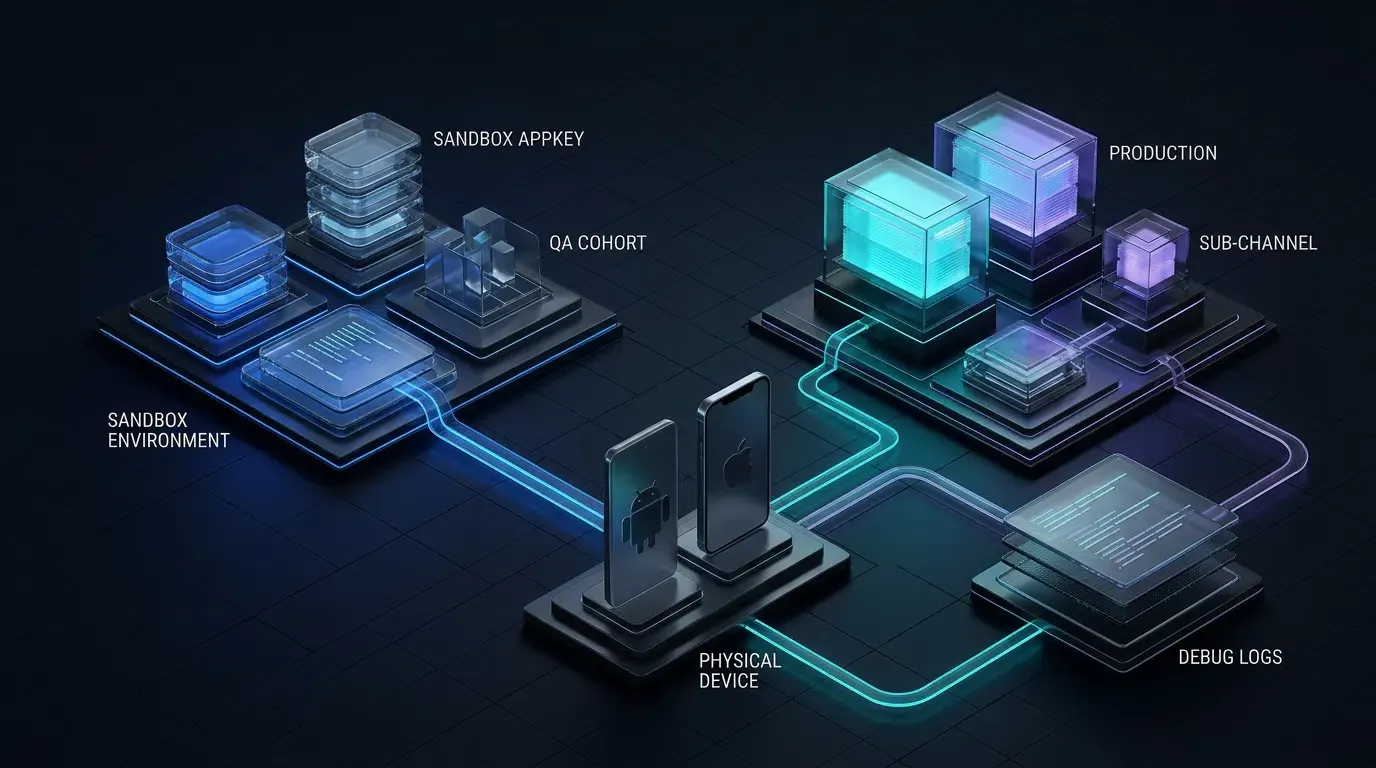
To prevent pre-release testing and continuous integration regression suites from distorting production analytics, engineering leads structure environments using one of two models:
| Strategy | Architecture | Operational Trade-Off |
|---|---|---|
| Dedicated Sandbox AppKey | Create an independent application profile in the console dedicated to QA and beta builds. | Pros: Establishes separate application profiles and dashboards, preventing QA event traffic from mixing into live production reports. Cons: Requires managing separate APP_KEY values between staging and production build configurations. |
| Sub-Channel Segmentation | Use the production APP_KEY but assign dedicated pre-release channels such as channelCode=qa_beta_track. |
Pros: Uses unified build configurations and identical signing certificates across all testing stages. Cons: Pre-release test events register under the main application profile and must be filtered manually from marketing reports. |
Pre Release Staging Verification Ledger
Illustrative QA ledger. The sample metrics below demonstrate failure classification and denominator accounting; they represent staging simulation models rather than single-run production telemetry.
Before advancing a release candidate to general availability, release engineering teams execute controlled test runs across the four distribution paths. Each run records explicit entry triggers, build integrity signatures, and first-open verification results:
| Distribution Track | Staging Entry and Target URI | Build Artifact and Signing Verification | Target Cohort Size | Platform Install Recorded | Client-Logged First Opens | Presets Matched | Failure Classification |
|---|---|---|---|---|---|---|---|
| Google Play Closed Testing | H5 link forwarding to play.google.com/apps/testing/... |
app-release.apk targeting API 34; verified with apksigner Scheme v2 |
20 enrolled testers | Confirmed in Play Console track reports | 19 unique first opens (1 enrolled tester did not launch build) | 18 matched; 1 null referrer | 1 Play Install Referrer returned null string (verify tester account qualification and opt-in status) |
| Direct APK Sideload | H5 direct download linking to cdn.example.com/builds/app-qa.apk |
Signed with v1 and v2 schemes; confirmed via apksigner verify --verbose |
15 devices | Confirmed via device package manager logs | 15 unique first opens | 15 matched | Staging baseline verification |
| Apple TestFlight | H5 link forwarding to testflight.apple.com/join/... |
IPA archive compiled with App Store distribution certificate | 25 external invites | Confirmed via App Store Connect build metrics | 23 unique first opens (2 invited testers did not launch build) | 21 matched; 2 timed out | 2 SDK parameter retrieval timeouts (OPOCode_timeout observed; verify network latency and connection state) |
| iOS Ad Hoc OTA | H5 link opening itms-services://?action=download-manifest... |
IPA signed with Ad Hoc profile containing explicit device UDIDs | 10 registered devices | Confirmed via device OS package manager (manifest fetch logged on web server) | 10 unique first opens | 10 matched | Staging baseline verification |
Frequently Asked Questions
Can install parameters be retrieved when testers download via Apple TestFlight?
Why does the analytics dashboard show zero installs despite successful local testing?
What APK signing scheme is required for Android pre release builds?
When should engineering teams use a separate AppKey instead of test channels?
Summary and Decision Framework
Tracking install metrics during beta testing requires routing external testers through parameterized H5 distribution pages, integrating dual-platform attribution SDKs into pre-release binaries, and auditing real-device behavior through IP-filtered debugging logs. Separating beta cohorts from production pipelines while respecting operating system rules across TestFlight, OTA manifests, and Android APK tracks enables release teams to validate conversion accuracy before full deployment.
Before promoting a release candidate to production, engineering and QA teams can validate pre-release telemetry readiness against the following decision checklist:
| Pre-Release Verification Checkpoint | Android Readiness Criteria | iOS Readiness Criteria | Status Target |
|---|---|---|---|
| Build Separation | Verify using dedicated beta channelCode or sandbox AppKey |
Verify using dedicated beta channelCode or sandbox AppKey |
Ready for verification |
| Package and Signing Integrity | Verify using apksigner with Scheme v2+ on target API 30+ APK |
Verify using Ad Hoc profile UDIDs, TestFlight store cert, or In-House cert | Ready for verification |
| Real-Device Telemetry | Verify on physical hardware with external IP debugging logs | Verify on physical hardware with external IP debugging logs | Ready for verification |
| Parameter Cleanliness | Verify clean install execution without prior overwrite cache | Verify clean install execution without prior overwrite cache | Ready for verification |
To establish a unified measurement pipeline from early beta testing through global release, teams can review the capabilities of the OpoInstall attribution platform and manage pre-release test channels inside the developer console.
| Term | Definition | Related Entity | Search Intent Role |
|---|---|---|---|
| Beta Testing | Pre-release validation phase evaluating builds with external testers. | App Distribution | Informational and Engineering |
| App Distribution | Delivery of pre-release binaries via stores, OTA, or direct packages. | TestFlight | Technical and Navigational |
| Debugging Logs | Real-time interaction traces filtered by tester external IP addresses. | UAT | Technical and Troubleshooting |
Related Materials
-
Concepts: Pre-Release Cohort Isolation, Parameter Restoration Windows, Dual-Scheme APK Signing, Device Deduplication
-
Technologies: Google Play Install Referrer, Apple TestFlight, iOS Over-The-Air Manifests, Multi-Process Initialization
-
Standards and Official References:
-
SDK Documentation and Tools:
Share this article