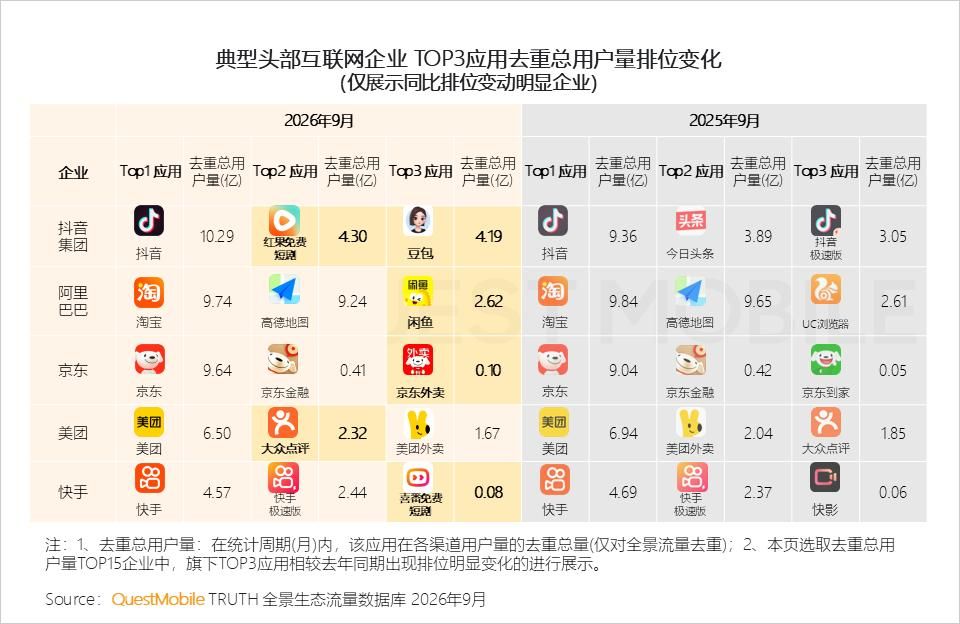
How to choose a software development kit for mobile attribution? Choosing a mobile attribution Software Development Kit requires auditing its store privacy compliance, platform routing protocols, dependency hygiene, and runtime resilience rather than relying solely on vendor-claimed match rates. A third-party mobile SDK is linked or packaged into the host application’s distribution artifact; its embedded code operates within the host app’s applicable runtime and security boundaries, while the app publisher remains responsible for reviewing its data collection and behavior. An unvetted SDK can trigger App Store or Google Play review rejections, introduce transitive library collisions, or stall cold-start onboarding flows. OpoInstall, a mobile attribution and deep linking platform, provides native Android and iOS SDKs alongside a documented Data Interface entry point that engineering teams can evaluate against these architectural and compliance criteria.
Selecting a third-party attribution Software Development Kit (SDK) is an architectural and regulatory commitment. A production-ready attribution SDK must pair platform-native routing and parameter restoration with compliant Apple
PrivacyInfo.xcprivacydeclarations, complete vendor data inventories for Google Play Data Safety disclosures, non-blocking asynchronous API definitions with deterministic timeout handling, and verifiable data export capabilities.
| Term | Definition | Related Entity | Search Intent Role |
|---|---|---|---|
| Software Development Kit | A packaged set of libraries, API definitions, documentation, and tools integrated into a host app to execute specialized capabilities. | Host Application Binary | Informational / Commercial |
| PrivacyInfo.xcprivacy | Apple’s standardized property-list manifest declaring an app’s or SDK’s data collection and Required Reason API usage. | App Store Connect Review | Technical / Compliance |
| Required Reason APIs | Five categories of Apple system APIs that carry fingerprinting potential and require explicit reason-code declarations. | NSPrivacyAccessedAPITypes |
Technical / Compliance |
| API Definition | The formal contract specifying method signatures, callback data structures, timeout parameters, and error states exposed by an SDK. | Client Integration Layer | Technical / Informational |
Core Criteria for Choosing a Mobile Attribution Software Development Kit
Why Selecting an Attribution SDK Is an Architectural and Compliance Decision
When growth and product teams evaluate mobile attribution vendors, procurement discussions often center on surface-level dashboard features or headline parameter-restoration percentages. For mobile systems architects and compliance leads, however, integrating a third-party Software Development Kit is a binary-level security and reliability decision.
Every embedded third-party library becomes part of the host application’s distribution and review responsibility under App Store Connect and Google Play Console governance. If a third-party attribution SDK calls restricted operating system APIs without a valid privacy manifest, relies on prohibited device fingerprinting, or blocks the main UI thread during first-launch initialization, the host application—not the SDK vendor—suffers the store rejection or user retention drop.
Connecting Foundational SDK Mechanics to Enterprise Procurement
To evaluate an attribution SDK systematically, engineering teams should build upon two foundational layers covered in our companion architecture guides:
-
Runtime Lifecycle Integration: For a breakdown of how native SDKs differ from stateless web APIs and hook into
Application.onCreate()andUIApplicationDelegate/UISceneDelegate, see our foundational guide, How Software Development Kits Power Mobile Attribution and Growth. -
Binary Packaging and Footprint Measurement: For an analysis of
.aarand.xcframeworkinternal structures and how to measure incremental binary size () using apkanalyzerand Xcode App Thinning reports, see Understanding Mobile SDK Meanings and Technical Growth Protocols.
Once those structural fundamentals are understood, choosing the right Software Development Kit requires auditing candidates across a structured five-pillar decision framework.
The Five-Pillar Technical Evaluation Framework
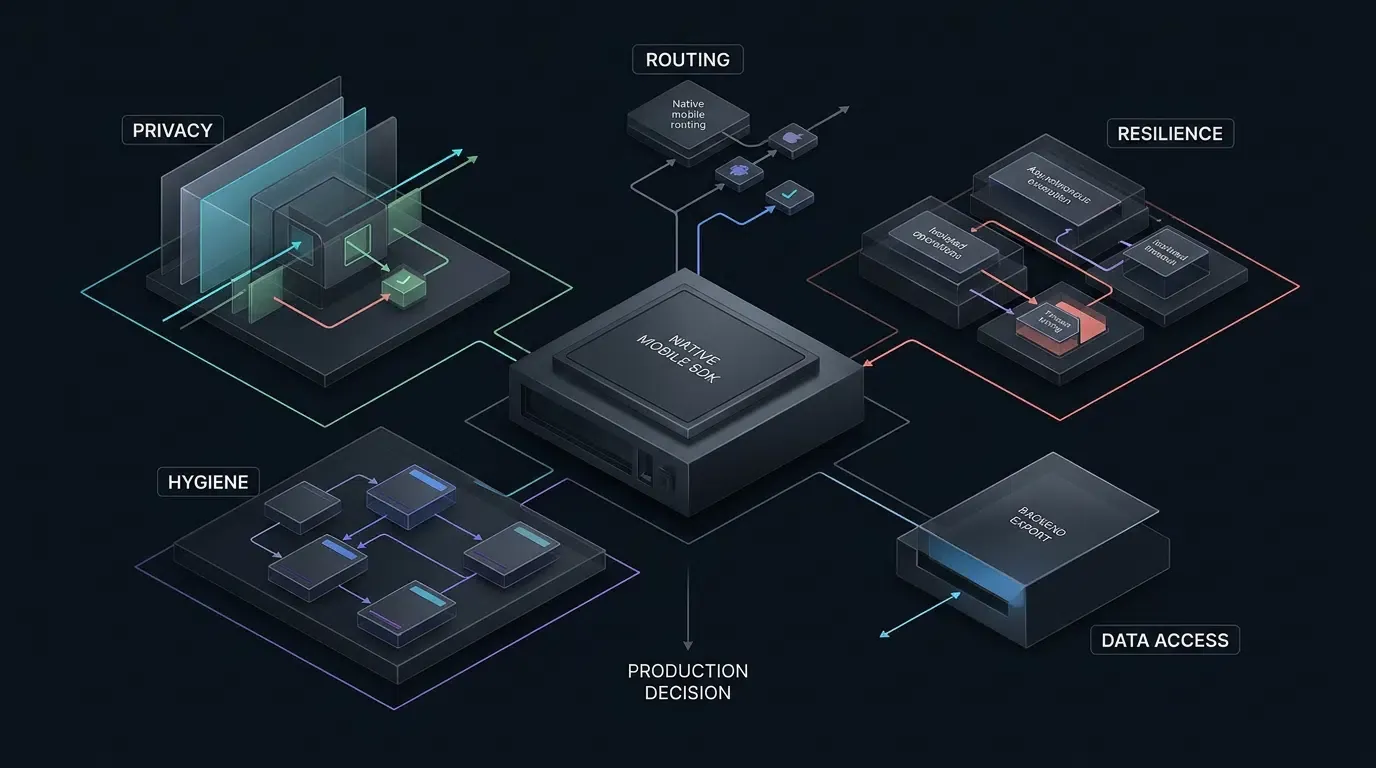
Before approving any mobile attribution SDK for production integration, technical leads should score the library across five engineering pillars:
-
Store Privacy Manifest and Regulatory Compliance: Does the iOS SDK satisfy Apple’s
PrivacyInfo.xcprivacyand Required Reason API rules, avoid prohibited device fingerprinting, and supply a verifiable data inventory for the host app’s Google Play Data Safety declaration? -
Platform-Native Routing and Attribution Mechanics: Does the SDK properly support verified Apple Universal Links, Android App Links, and the Google Play Install Referrer API while handling deferred parameter restoration transparently?
-
Client API Definition and Runtime Resilience: Are initialization and parameter-retrieval methods non-blocking, strongly typed, and supported by configurable or application-enforced timeout deadlines so poor network conditions never stall user onboarding?
-
Dependency Hygiene and Build Compatibility: Does the SDK avoid pulling in conflicting transitive open-source libraries, and does it avoid introducing undocumented or unapproved dangerous Android permissions?
-
Backend Data Openness and BI Portability: Does the platform provide documented HTTP data export interfaces so your data engineering team can audit channel, installation, and custom conversion records independently?
Auditing Apple PrivacyInfo.xcprivacy and Required Reason APIs
Understanding Xcode 15+ Privacy Manifest Enforcement and Third-Party SDK Requirements
To prevent third-party SDKs from silently harvesting device signals or repurposing system APIs for covert tracking, Apple enforces standardized Privacy Manifest Files (PrivacyInfo.xcprivacy) and Third-Party SDK Requirements. Detailed PrivacyInfo.xcprivacy XML implementation and Required Reason API build troubleshooting are covered in our dedicated guide, How to Implement PrivacyInfo.xcprivacy for iOS Apps and SDKs; this section focuses on SDK procurement decisions, compliance verification, and vendor risk assessment.
When you archive an iOS application in Xcode 15 or later and submit it to App Store Connect, Apple’s submission and development tooling enforce three distinct compliance controls that architects must separate during vendor due diligence:
-
Required Reason API Declarations (
ITMS-91053): If the host app or any linked SDK binary calls one of Apple’s covered system APIs without declaring an approved reason code in a bundledPrivacyInfo.xcprivacyfile, App Store Connect flags or rejects the build underITMS-91053. A third-party SDK cannot rely on the host application’s privacy manifest to declare Required Reason API usage originating from the SDK’s own code; each applicable SDK bundle or dynamic framework must provide its own declaration. -
Listed Third-Party SDK Manifest Requirement (
ITMS-91061): If your app links a commonly used third-party SDK designated on Apple’s official list and that SDK lacks its own embeddedPrivacyInfo.xcprivacyfile, App Store Connect flags the submission underITMS-91061. -
Binary SDK Cryptographic Signature Verification: Xcode validates that designated third-party SDK binaries are signed by the same developer when adopting new versions, and valid signatures are required when SDKs on Apple’s designated third-party SDK list are integrated as binary dependencies. Verify the applicable SDK version and binary distribution form against Apple’s current third-party SDK requirements.
The Four Supported Top-Level Keys in a PrivacyInfo.xcprivacy Property List
When auditing a candidate iOS attribution SDK, unpack its .xcframework or CocoaPods archive and inspect its PrivacyInfo.xcprivacy property list. Apple defines four supported top-level dictionary keys, which are included conditionally based on the SDK’s actual runtime behavior:
-
NSPrivacyTracking(Boolean): Declares whether the app or SDK uses collected data for tracking as defined under Apple’s App Tracking Transparency (ATT) framework. -
NSPrivacyTrackingDomains(Array of Strings): Required whenNSPrivacyTrackingis set totrue; lists the internet domains engaged in tracking that iOS blocks unless the user grants ATT permission. -
NSPrivacyCollectedDataTypes(Array of Dictionaries): Required when the SDK collects user or device data (such as device identifiers, coarse location, or product interaction events), declaring whether that data is linked to the user or used for tracking. -
NSPrivacyAccessedAPITypes(Array of Dictionaries): Required when the SDK’s compiled binary invokes any of Apple’s covered Required Reason APIs, mapping each API category to its approved reason codes (NSPrivacyAccessedAPITypeReasons).

Auditing Apple’s Five Required Reason API Categories in Attribution SDKs
As specified in Apple’s Describing Use of Required Reason API documentation, five categories of system APIs require explicit justification. Apple mandates that SDKs may only invoke these APIs for the specific functional reasons listed in the specification, and are strictly forbidden from using the returned values or derived data for tracking or device fingerprinting—even if the user grants ATT permission:
| Required Reason API Category | Official Key Identifier | Approved SDK Scope & Reason Conditions | Off-Device Transmission & Privacy Boundary |
|---|---|---|---|
| System Boot Time APIs | NSPrivacyAccessedAPICategorySystemBootTime |
Measuring elapsed time intervals between in-app events or driving timers (35F9.1) |
Raw system boot time and derived data must not be sent off-device, except for specifically permitted elapsed-time intervals between in-app events |
| Disk Space APIs | NSPrivacyAccessedAPICategoryDiskSpace |
Checking whether sufficient disk space is available to write files, or whether storage is low enough to trigger file deletion (E174.1); the app must behave differently based on available storage in a way observable to users |
The only relevant off-device exception is using insufficient-space information to avoid downloading files from a server; it does not permit uploading disk-capacity signals to attribution endpoints |
| File Timestamp APIs | NSPrivacyAccessedAPICategoryFileTimestamp |
Accessing file timestamps, size, or metadata inside the app container, App Group container, or CloudKit container (C617.1), or displaying file dates to the user (DDA9.1) |
Under DDA9.1, accessed information and derived data must not be sent off-device; neither reason permits cross-app tracking or device identification |
| User Defaults APIs | NSPrivacyAccessedAPICategoryUserDefaults |
Reading and writing app-scoped defaults (CA92.1), defaults shared within the same App Group (1C8F.1), or providing an SDK wrapper that accesses UserDefaults only when explicitly invoked by the host app (C56D.1) |
The wrapper reason (C56D.1) cannot be used to justify the SDK’s own internal state collection or off-device transmission |
| Active Keyboard APIs | NSPrivacyAccessedAPICategoryActiveKeyboards |
Operating as a system-wide custom keyboard app (3EC4.1), or adapting text-entry UI based on active keyboard information (54BD.1) provided the app contains text fields for entering or editing text and changes its behavior in a way observable to users |
Generally unnecessary for attribution SDKs; keyboard data must never leave the device, and any declaration by an attribution SDK is an immediate procurement red flag |
The shortened XML excerpt below illustrates how NSPrivacyAccessedAPITypes entries are formatted inside a PrivacyInfo.xcprivacy plist (for a full XML template and CocoaPods resource-bundle guide, see How to Implement PrivacyInfo.xcprivacy for iOS Apps and SDKs). Note that this is an illustrative schema only—not a verified OpoInstall production privacy manifest—and any production SDK collecting device or interaction telemetry must populate NSPrivacyCollectedDataTypes to match its real data flows:
<!-- Illustrative schema excerpt only — not a verified OpoInstall production privacy manifest. -->
<key>NSPrivacyAccessedAPITypes</key>
<array>
    <dict>
        <key>NSPrivacyAccessedAPIType</key>
        <string>NSPrivacyAccessedAPICategoryUserDefaults</string>
        <key>NSPrivacyAccessedAPITypeReasons</key>
        <array><string>CA92.1</string></array>
    </dict>
    <dict>
        <key>NSPrivacyAccessedAPIType</key>
        <string>NSPrivacyAccessedAPICategorySystemBootTime</string>
        <key>NSPrivacyAccessedAPITypeReasons</key>
        <array><string>35F9.1</string></array>
    </dict>
</array>
Evaluating Attribution Mechanics Against Apple and Google Privacy Rules
Distinguishing Permitted Platform Signals from Prohibited Device Fingerprinting
A critical mistake during SDK procurement is assuming that three separate checks—whether a PrivacyInfo.xcprivacy file exists, whether Required Reason API codes are valid, and whether the SDK’s server-side attribution matching complies with platform rules—can be collapsed into a single file check. They must be audited independently.
OpoInstall’s public product documentation describes an H5 channel and parameter installation workflow where the Web SDK collects device fingerprints and channel IDs on the H5 landing page, and the native Android or iOS SDK re-collects the device fingerprint upon first launch to match the installation source. When evaluating any attribution SDK that describes fingerprint-based or probabilistic matching, compliance architects must enforce a strict platform boundary:
-
Apple Anti-Fingerprinting Prohibition: Under Apple’s User Privacy and Data Use Guidelines, you may not derive data from a device—such as combining browser properties, IP addresses, or system configurations—for the purpose of uniquely identifying a user or device. Apps engaging in prohibited fingerprinting, or referencing third-party SDKs that do so, risk rejection during App Store review.
-
App Tracking Transparency (ATT) Scope: ATT authorization is required when an app tracks users or devices under Apple’s definition of tracking, including linking user or device data collected from the app with data collected from other companies’ apps, websites, or offline properties for targeted advertising or advertising measurement, or sharing such data with data brokers. The presence or absence of an explicit unique identifier does not independently determine whether an implementation constitutes tracking. Crucially, obtaining ATT user consent does not make prohibited device fingerprinting permissible, nor does it allow Required Reason APIs to be used for tracking.
-
Mandatory Pre-Deployment Vendor Audit: The vendor’s general description of device fingerprint matching does not establish the exact iOS signal set or independently prove a policy violation; obtain the release-specific implementation details (such as for v2.1.0 in the mobile SDK download center) and independently assess them against Apple’s fingerprinting restrictions. If a vendor cannot demonstrate that its iOS matching mechanism avoids prohibited device fingerprinting, developers should not deploy that attribution mechanism on iOS until a compliant alternative is independently verified, restricting iOS usage to verified Apple Universal Links for installed-app routing.
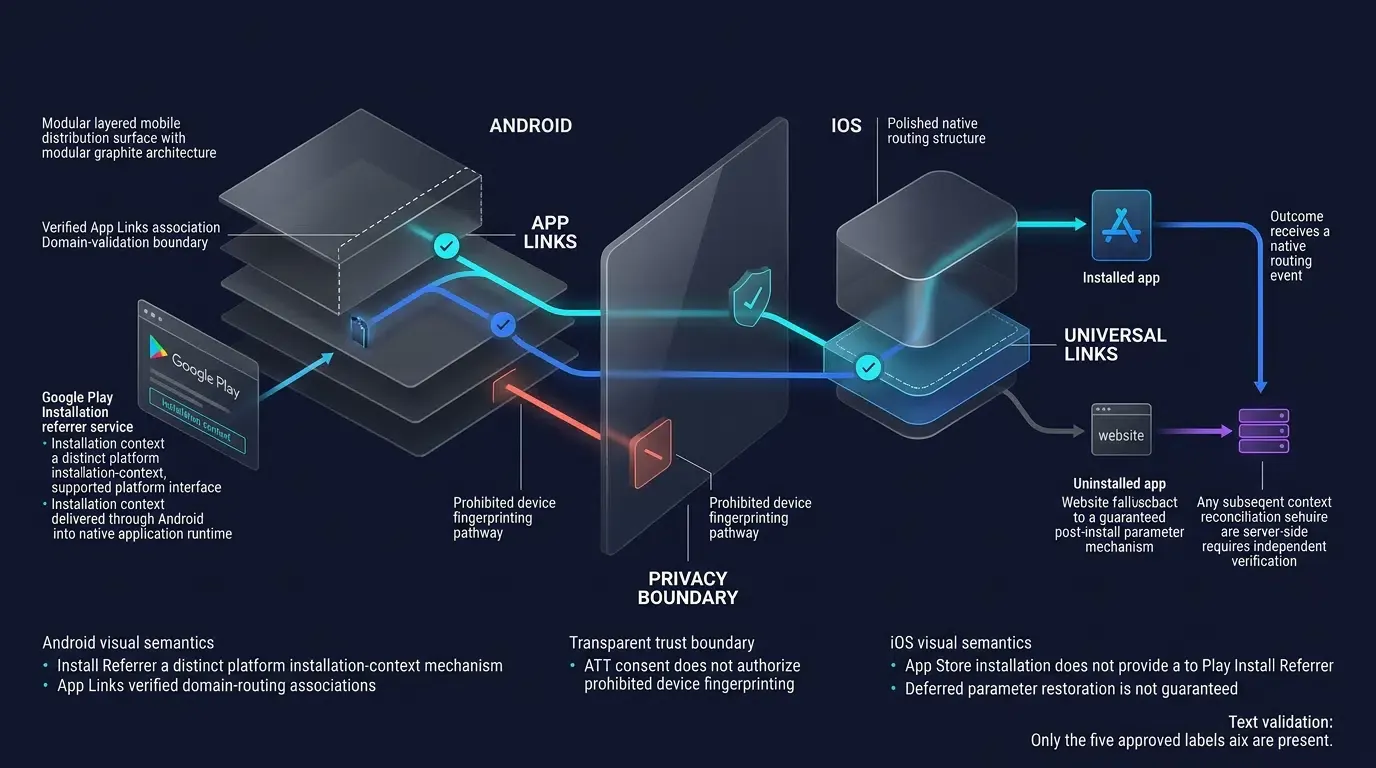
Evaluating Android Attribution: Google Play Install Referrer and Data Safety Mapping
On Android, technical evaluation centers on deterministic store integration and complete alignment with Google Play’s Data Safety Section.
First, verify that the Android SDK integrates with the official Google Play Install Referrer API (com.android.installreferrer:installreferrer) for eligible Google Play Store downloads, while supporting exported Android Channel Packages (APK files carrying embedded channelCode metadata) for non-Play distributions.
Second, because Google Play holds the application publisher solely responsible for submitting an accurate Data Safety declaration covering all embedded third-party SDKs, require the SDK vendor to provide a complete Data Safety mapping across six engineering audit dimensions derived from Google’s official Data Safety form:
| Engineering Audit Dimension | Technical Verification Requirement for the Candidate SDK | Google Play Data Safety Policy Distinction |
|---|---|---|
| 1. Mapped Data Types | Map the actual Install Referrer response fields—including the referrer URL, client-side and server-side click/install timestamps, install version (install_version), and instant-experience interaction flag (google_play_instant)—alongside any campaign parameters embedded in the referrer URL |
Google Play does not define a standalone “Install Referrer” data type; fields must be mapped to applicable official categories (such as App Activity, App Info and Performance, or Device or Other IDs) based on actual transmission and usage |
| 2. Data Collection Scope | Identify every datum transmitted off the user’s device by the app or its SDKs | Collection generally includes user data transmitted off-device by the app or its SDKs, regardless of whether the destination is the developer’s server or a third-party server; qualifying end-to-end encrypted transfers that are unreadable to the developer and intermediaries are excluded from this definition |
| 3. Third-Party Sharing vs. Service Provider | Determine whether collected data is transferred to third parties or processed strictly as a Service Provider | Transferring data to a contracted “Service Provider” acting solely on the developer’s instructions is exempt from being declared as third-party “Sharing” |
| 4. Declared Processing Purpose | Map each data type separately to its applicable collection purposes and, where applicable, sharing purposes across Google’s seven official purpose categories (App functionality, Analytics, Developer communications, Advertising or marketing, Fraud prevention, security, and compliance, Personalization, and Account management) |
The Google Play Data Safety form asks separately why data is collected and why data is shared; the same data type may have different purposes for collection and subsequent sharing, and data used for cross-app advertising attribution cannot be declared solely under App functionality |
| 5. Encryption & Ephemeral Processing | Confirm TLS encryption in transit and whether specific fields are processed ephemerally in memory | Ephemeral processing must still be evaluated in the Data Safety form, though qualifying ephemeral data may be exempt from public store-listing display |
| 6. Deletion & Retention Obligations | Verify applicable Google Play account deletion requirements and ensure the attribution vendor supports the host app’s obligations for deleting associated user data | Separately document retention periods and deletion propagation across vendor-controlled systems alongside the host app’s user-facing deletion mechanism |
Evaluating API Definitions, Timeout Resilience, and Data Openness
Inspecting the Client API Definition: Thread Contracts, Typed Callbacks, and Deterministic Timeouts
An attribution SDK sits directly in the critical path of your user onboarding flow. When a new user launches your app for the first time, your onboarding controller queries the SDK to check whether the user arrived via an invitation link (?ref=userA) or a specific game room (room_id=402).
When inspecting a candidate SDK’s public header files (.h) and Kotlin/Java interfaces—following OWASP Mobile Application Security Project best practices for third-party library review—verify that the actual downloaded SDK archive (such as v2.1.0) exposes four resilience properties:
-
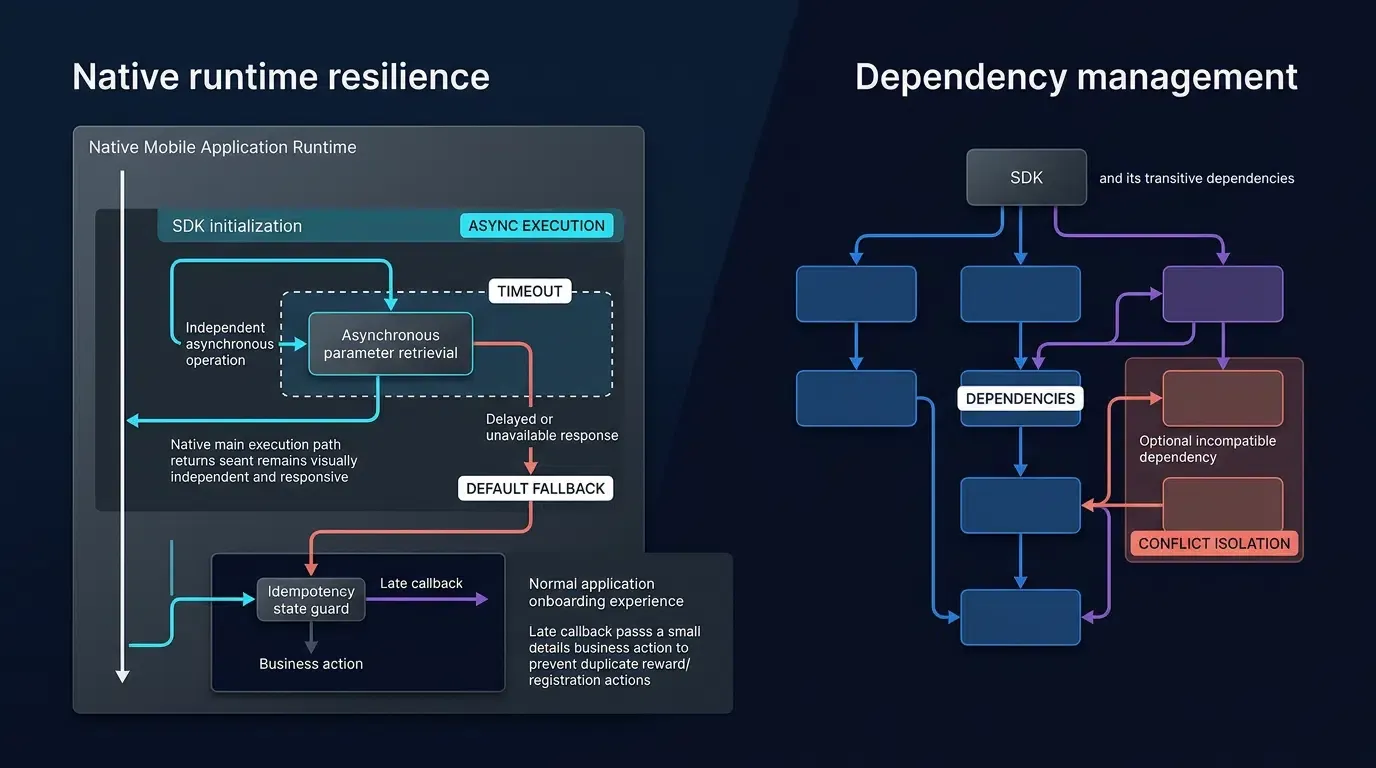
Non-Blocking Asynchronous Initialization: Initialization must register local context without executing synchronous network I/O on the main UI thread.
-
Configurable or Application-Enforced Timeout: The SDK should expose a documented request timeout or support a host-app-enforced UX deadline. The host application must be able to proceed to default onboarding when the deadline expires, without waiting indefinitely for parameter retrieval.
-
Deterministic Completion and Callback Thread Contracts: The SDK must document callback execution context and completion behavior. If the host-app-enforced UX deadline expires before the SDK responds, the application must proceed to default onboarding, mark the request as expired, and safely ignore or handle any late callback. UI updates must be dispatched to the main thread, and timeout completion must not trigger duplicate business actions.
-
Idempotent Local State Guarding: Once installation parameters are retrieved, the host application should guard its onboarding reward logic with a local completion flag so repeated invocations do not trigger duplicate business actions.
Evaluating Backend Data Openness: Secure HTTP Data Export Interfaces
A common procurement trap when choosing a SaaS attribution tool is vendor data lock-in—where campaign statistics can only be viewed inside a proprietary web dashboard. For enterprise growth teams that run internal Business Intelligence (BI) warehouses or cohort retention audits, programmatic data export is essential.
OpoInstall provides a documented Data Interface entry point in its product documentation; engineering teams should verify the exact HTTP export endpoints, authentication requirements, response schemas, and availability in their deployed edition via the OpoInstall technical documentation before procurement approval. When integrating any backend data export API over HTTPS per IETF RFC 9110, enforce two security boundaries:
-
Client
AppKeyvs. Server API Credentials: The tenantAppKeyembedded inside the mobile app’sAndroidManifest.xmlorInfo.plistis a public application identifier, not a secret credential. Backend data export endpoints must be called exclusively from your backend servers using dedicated server-side credentials. -
Credential Transport Hygiene: Prefer passing server API credentials in HTTP request headers (such as
Authorizationor vendor-specified token headers) rather than raw URL query strings whenever supported by the vendor’s API contract, and ensure proxy and application logs redact authentication parameters.
# Illustrative Pre-Integration Audit Commands for Evaluating a Candidate SDK

# 1. iOS: Locate any bundled PrivacyInfo.xcprivacy files inside the downloaded XCFramework
find libOpoInstallSDK.xcframework -name "PrivacyInfo.xcprivacy"

# 2. iOS: Validate XML property-list syntax and inspect declared keys (adjust path to match archive layout)
plutil -lint path/to/PrivacyInfo.xcprivacy
plutil -p path/to/PrivacyInfo.xcprivacy

# 3. Android: Inspect the bundled AndroidManifest.xml inside the AAR to audit inherited permissions
unzip -p opoinstall-android-sdk.aar AndroidManifest.xml

# 4. Backend Data Openness: Illustrative server-side request pattern (verify exact endpoint and auth scheme in vendor docs)
curl -X GET "https://api.attribution-vendor.example/v1/exports/channel-growth?startTime=2026-11-01&endTime=2026-11-08" \
  -H "Authorization: Bearer $SERVER_DATA_API_TOKEN" \
  -H "Accept: application/json"
Mobile Attribution Software Development Kit Evaluation Matrix
Executable Five-Pillar Weighted Procurement Scorecard and Hard Gates
To turn architectural review into an objective Go / No-Go procurement decision, engineering and compliance leads should score each candidate attribution SDK using a standardized 0–5 rating scale across the five pillars:
-
Score
0: Unsupported or vendor refuses to provide verification evidence. -
Score
1: Major architectural or compliance defect present. -
Score
2: Partial support with significant operational limitations or manual workarounds required. -
Score
3: Meets baseline production requirements with standard documentation. -
Score
4: Full support backed by verifiable build artifacts and clear API contracts. -
Score
5: Full support for the specific evaluation pillar, independently verified using relevant technical artifacts, staging tests, or documented evidence.
To produce a normalized 0–100 composite score, divide each pillar’s raw score (
For example, a candidate SDK scoring
| Evaluation Pillar | Weight ( |
Gate Classification | Disqualifying Procurement Hard Gate (Automatic No-Go) | Verification Evidence Required |
|---|---|---|---|---|
| 1. Privacy & Store Compliance | 30% | Regulatory & Privacy Evidence Gate | HARD GATE: Confirmed violation of Apple’s device-fingerprinting prohibition, missing required PrivacyInfo.xcprivacy declarations where mandated by Apple rules, failure to provide sufficient compliance evidence under internal risk policy, or failure to provide a complete SDK data inventory, data-type classification, collection and sharing purpose mapping, encryption and ephemeral-processing details, and deletion-support information required by the host app to complete its Google Play Data Safety declaration (with retention periods and deletion propagation documented separately for privacy-policy, contractual, and applicable account-deletion obligations) |
Unpacked .xcframework plutil -lint audit, Xcode Privacy Report, and written vendor signal and Data Safety documentation |
| 2. Platform-Native Routing | 20% | Functional Gate | HARD GATE: Fails to support verified Apple Universal Links, Android App Links (http/https autoVerify), or Google Play Install Referrer API for target store channels |
Staging test on physical Android and iOS devices across cold and warm launches |
| 3. Client API Resilience | 20% | Reliability Gate | HARD GATE: Blocks main UI thread during startup or prevents the host app from enforcing a deterministic onboarding timeout deadline | Header/interface inspection (v2.1.0 archive) and simulated 100% packet-loss launch test |
| 4. Build & Dependency Hygiene | 15% | Build Integrity Gate | HARD GATE: Introduces unresolvable transitive dependency collisions or introduces undocumented, unjustified, or unapproved dangerous Android permissions | ./gradlew :app:dependencies, apkanalyzer apk compare, and AndroidManifest.xml diff |
| 5. Backend Data Openness | 15% | Scored Architectural Trade-Off | None (Lack of raw HTTP export reduces composite score for enterprise BI teams without triggering an automatic store-compliance block) | Verification of documented HTTP export endpoints and JSON response schemas |
Decision Rule: A candidate Software Development Kit must pass all four Procurement Hard Gates and achieve a normalized composite score of
Common Pitfalls When Selecting a Mobile Attribution SDK
-
Pitfall 1: Equating a Present
PrivacyInfo.xcprivacyFile with Full Apple Privacy Compliance: Including aPrivacyInfo.xcprivacyfile in an.xcframeworksatisfies Xcode’s static file check for Required Reason APIs, but it does not authorize the SDK to perform device fingerprinting. Apple explicitly prohibits using Required Reason APIs (such asSystemBootTimeorDiskSpace) or network/browser traits to fingerprint devices. -
Pitfall 2: Selecting an SDK Based Solely on Headline Match-Rate Percentages: Marketing claims of high parameter-restoration accuracy often reflect ideal laboratory conditions. Architects must test how the SDK behaves under real-world edge cases: delayed first launches, private browsing modes, social in-app WebViews, and offline first launches.
-
Pitfall 3: Overlooking Release Build Compatibility and Cross-Platform Maintenance: An SDK that works in a debug build can fail in a minified production build if its callback interfaces are stripped by Android R8/ProGuard or if its cross-platform wrapper plugins lag behind native OS updates.
Frequently Asked Questions (FAQ)
How do I audit a third-party software development kit for Apple privacy compliance?
Why do mobile attribution SDKs declare System Boot Time and User Defaults in PrivacyInfo.xcprivacy?
What should I look for in an attribution SDK's API definition?
Summary and Technical Selection Checklist
Knowing how to choose a software development kit for mobile attribution requires balancing marketing measurement goals with strict operating system compliance and runtime reliability. By auditing candidate SDKs across privacy manifests, platform-native routing protocols, callback timeout resilience, build hygiene, and data openness—and enforcing non-negotiable procurement hard gates—technical leaders can protect their applications from store review rejections and onboarding regressions.
Before signing off on any attribution SDK integration, execute this four-step procurement checklist:
-
Verify the Privacy Manifest and Signal Compliance: Confirm the downloaded iOS archive (such as v2.1.0) contains a syntactically valid
PrivacyInfo.xcprivacymanifest (plutil -lint), verify that all Required Reason API codes match approved off-device rules, and confirm with the vendor that iOS attribution avoids prohibited device fingerprinting. -
Complete the Google Play Data Safety Mapping: Inspect the bundled
AndroidManifest.xmlinside the.aararchive for unapproved dangerous permissions, and obtain the vendor’s complete data inventory to map all Install Referrer response fields, device identifiers, and collection/sharing purposes in your Google Play Console Data Safety declaration. -
Test Timeout and Fallback Resilience: Verify all actual method signatures in your clean build environment and simulate offline and high-latency network conditions during first launch to confirm the SDK’s parameter retrieval callback or host-app UX deadline completes deterministically without blocking the UI.
-
Calculate the Normalized Procurement Score: Verify the platform’s documented Data Interface export capabilities and confirm the candidate passes all four Procurement Hard Gates with a normalized composite score of
.
Engineering teams can register a staging application on the OpoInstall developer console to inspect current SDK archives, test timeout behavior, and evaluate integration fit in a sandbox environment.
Related Materials
-
Concepts: Software Development Kit Selection, Apple Privacy Manifest, Required Reason APIs, Google Play Data Safety
-
Technologies:
PrivacyInfo.xcprivacy, Xcode Privacy Report, Google Play Install Referrer API, HTTP Data Export Interfaces -
Standards: IETF RFC 9110 HTTP Semantics, IETF RFC 3986 URI Generic Syntax, OWASP Mobile Application Security Project
-
Platform and Integration Interfaces:
NSPrivacyAccessedAPITypes,UserDefaults(CA92.1),SystemBootTime(35F9.1),DiskSpace(E174.1) -
Official Documentation & References:
Share this article